Rear light NISSAN TEANA 2014 Owner's Guide
[x] Cancel search | Manufacturer: NISSAN, Model Year: 2014, Model line: TEANA, Model: NISSAN TEANA 2014Pages: 4801, PDF Size: 51.2 MB
Page 690 of 4801
![NISSAN TEANA 2014 Owners Guide
DAS
REAR VIEW CAMERA CALIBRATIONDAS-257
< BASIC INSPECTION > [MOD]
C
D E
F
G H
I
J
K L
M B
N P
A
>> Refer to DAS-257, "Work Procedure (Target Setting)".
Work Procedure (Target Setting)INFOID:00000](/img/5/57390/w960_57390-689.png "NISSAN TEANA 2014 Owners Guide
DAS
REAR VIEW CAMERA CALIBRATIONDAS-257
< BASIC INSPECTION > [MOD]
C
D E
F
G H
I
J
K L
M B
N P
A
>> Refer to DAS-257, \"Work Procedure (Target Setting)\".
Work Procedure (Target Setting)INFOID:00000")
DAS
REAR VIEW CAMERA CALIBRATIONDAS-257
< BASIC INSPECTION > [MOD]
C
D E
F
G H
I
J
K L
M B
N P
A
>> Refer to DAS-257, "Work Procedure (Target Setting)".
Work Procedure (Target Setting)INFOID:0000000009464908
CAUTION:
• Perform this operation in a horizontal position wh ere there is a clear view for 3 m (9.84 ft) backward
and 4 m (13.12 ft) wide.
• Place the target in a well-lig hted location. (Poor lighting may make it hard to adjust.)
• The target may not be detected when it shines by the reflected light of the sun or lighting.
• The target may not be detected when there is the same pattern of black and white as the target when
the pattern is within 0.5 m (1.64 ft) from either si de and upward/downward position from the target. (It
is desirable that the vehicle is pos itioned on a single-color floor.)
1.TARGET SETTING
1. Mark points “A”, “B”, “C” and “D” at the center of the lateral sur- face of each wheel.
NOTE:
Hang a string with a cone from the fender so as to pass through
the center of wheel, and then mark a point at the center of the
lateral surface of the wheel.
2. Draw line “LH” passing through points “A” and “B” on the left side of vehicle.
NOTE:
Approximately 2.2 m (7.22 ft) or more at the rear from the rear
axle.
3. Mark point “E” on the line “LH” at the positions 2125 mm (83.66
in) from point “B”.
4. Draw line “RH” passing through points “C” and “D” on the right side of vehicle in the same way as step 2.
5. Mark point “F” on the line “RH” at the positions 2125 mm (83.66 in) from point “D”.
6. Draw line “RW” passing through the points “E” and “F” on the rear of the vehicle. NOTE:
Approximately 1.8 m (5.91 ft) or more at bot h left and right sides from vehicle center.
7. Mark point “C
t” at the center of point “E” and “F” on the line “RW”.
CAUTION:
Make sure that “E” to “C
t” is equal to “F” to “Ct”.
8. Mark point "Lt" and "Rt" on the line "RW" at t he positions 1500 mm (59.06 in) from point "Ct".
9. Position the center of the ta rget mark to point of “Ct”.
Side distance (S
d): “B” – “E” (“D” – “F”)
: 2125 mm (83.66 in)
Left distance (L
d): “Ct” – “Lt” : 1500 mm (59.06 in)
Right distance (R
d): “Ct” – “Rt” : 1500 mm (59.06 in)
ALOIA0187GB
PKIB7667E
Revision: November 20132014 Altima NAMRevision: November 20132014 Altima NAM
Page 727 of 4801

DEF-2
Component Function Check ...................................32
Diagnosis Procedure ..............................................32
Component Inspection ............................................33
SYMPTOM DIAGNOSIS .............................34
DEFOGGER SYSTEM SYMPTOMS .............. ...34
Symptom Table ................................................... ...34
REAR WINDOW DEFOGGER AND DOOR
MIRROR DEFOGGER DO NOT OPERATE. .. ...
35
Diagnosis Procedure ........................................... ...35
REAR WINDOW DEFOGGER DOES NOT
OPERATE BUT BOTH OF DOOR MIRROR
DEFOGGER OPERATE. ................................ ...
36
Diagnosis Procedure ........................................... ...36
BOTH DOORS MIRROR DEFOGGER DON’T
OPERATE BUT REAR WINDOW DEFOG-
GER OPERATES ............................................ ...
37
Diagnosis Procedure ........................................... ...37
DRIVER SIDE DOOR MIRROR DEFOGGER
DOES NOT OPERATE. .................................. ...
38
Diagnosis Procedure ............................................ ...38
PASSENGER SIDE DOOR MIRROR DEFOG-
GER DOES NOT OPERATE. ......................... ...
39
Diagnosis Procedure ............................................ ...39
REAR WINDOW DEFOGGER SWITCH DOES
NOT LIGHT, BUT REAR WINDOW DEFOG-
GER OPERATES ............................................ ...
40
Diagnosis Procedure ............................................ ...40
REMOVAL AND INSTALLATION ..............41
FILAMENT ...................................................... ...41
Inspection and Repair .......................................... ...41
CONDENSER ....................................................43
Removal and Installation .........................................43
Revision: November 20132014 Altima NAMRevision: November 20132014 Altima NAM
Page 759 of 4801

DEF-34
< SYMPTOM DIAGNOSIS >
DEFOGGER SYSTEM SYMPTOMS
SYMPTOM DIAGNOSIS
DEFOGGER SYSTEM SYMPTOMS
Symptom TableINFOID:0000000009463053
*:if equippedSymptom Reference page
Rear window defogger and door mirror defoggers* do not operate. Refer to DEF-35, "Diagnosis Procedure"
.
Rear window defogger does not operate but both of the door mirror defoggers* operate. Refer to DEF-36, "Diagnosis Procedure"
.
Both door mirror defoggers* don’t operate but rear window defogger operates. Refer to DEF-37, "Diagnosis Procedure"
.
Driver side door mirror defogger* does not operate. Refer to DEF-38, "Diagnosis Procedure"
.
Passenger side door mirror defogger* does not operate. Refer to DEF-39, "Diagnosis Procedure"
.
Rear window defogger switch does not light, but rear window defogger operates. Refer to DEF-40, "Diagnosis Procedure"
.
Revision: November 20132014 Altima NAMRevision: November 20132014 Altima NAM
Page 765 of 4801
DEF-40
< SYMPTOM DIAGNOSIS >
REAR WINDOW DEFOGGER SWITCH DOES NOT LIGHT, BUT REAR WINDOW
DEFOGGER OPERATES
REAR WINDOW DEFOGGER SWITCH DOES NOT LIGHT, BUT REAR WIN-
DOW DEFOGGER OPERATES
Diagnosis ProcedureINFOID:0000000009463059
1. CHECK REAR WINDOW DEFOGGER SWITCH
Check that the rear window defogger switch is operating normally.
Is the inspection result normal?
YES >> Refer to GI-43, "Intermittent Incident".
NO >> Refer to DEF-19, "WITH MANUAL A/C : Diagnosis Procedure"
or DEF-22, "WITH AUTO A/C :
Diagnosis Procedure".
Revision: November 20132014 Altima NAMRevision: November 20132014 Altima NAM
Page 801 of 4801
SYSTEM (INTELLIGENT KEY SYSTEM)DLK-33
< SYSTEM DESCRIPTION >
C
D E
F
G H
I
J
L
M A
B
DLK
N
O P
*: Timer function does not stop if another Intelligent Key that has a different key ID is detected within the inte-
rior antenna detection area when starting the engine.
OPERATION CONDITION
If the following condition are satisfi ed, welcome light function is operated.
OUTSIDE KEY ANTENNA DETECTION AREA
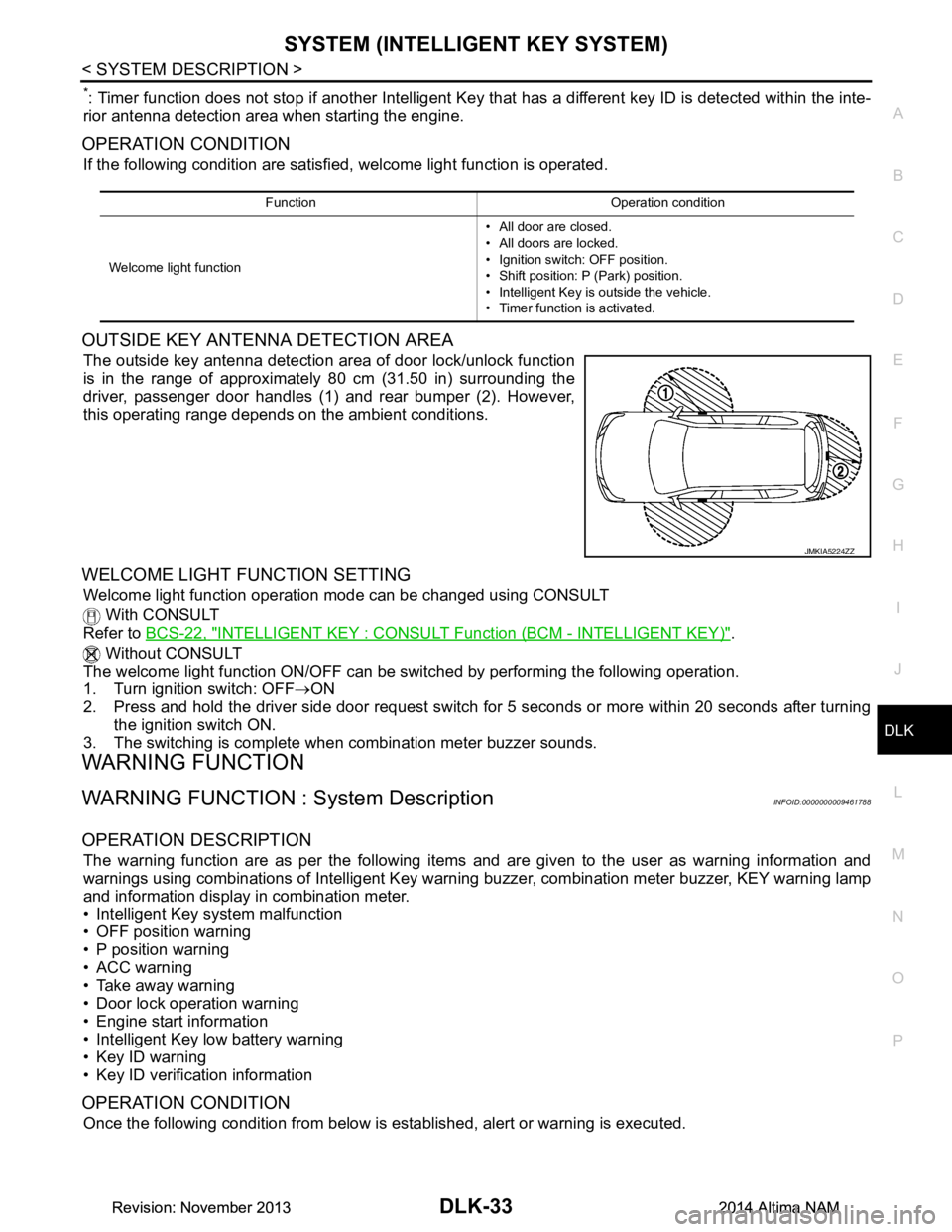
The outside key antenna detection area of door lock/unlock function
is in the range of approximately 80 cm (31.50 in) surrounding the
driver, passenger door handles (1) and rear bumper (2). However,
this operating range depends on the ambient conditions.
WELCOME LIGHT FUNCTION SETTING
Welcome light function operation mode can be changed using CONSULT
With CONSULT
Refer to BCS-22, "INTELLIGENT KEY : CONSUL T Function (BCM - INTELLIGENT KEY)"
.
Without CONSULT
The welcome light function ON/OFF can be s witched by performing the following operation.
1. Turn ignition switch: OFF →ON
2. Press and hold the driver side door request switch for 5 seconds or more within 20 seconds after turning
the ignition switch ON.
3. The switching is complete when combination meter buzzer sounds.
WARNING FUNCTION
WARNING FUNCTION : System DescriptionINFOID:0000000009461788
OPERATION DESCRIPTION
The warning function are as per the following items and are given to the user as warning information and
warnings using combinations of Intelligent Key warning buzzer, combination meter buzzer, KEY warning lamp
and information display in combination meter.
• Intelligent Key system malfunction
• OFF position warning
• P position warning
• ACC warning
• Take away warning
• Door lock operation warning
• Engine start information
• Intelligent Key low battery warning
• Key ID warning
• Key ID verification information
OPERATION CONDITION
Once the following condition from below is established, alert or warning is executed.
Function Operation condition
Welcome light function • All door are closed.
• All doors are locked.
• Ignition switch: OFF position.
• Shift position: P (Park) position.
• Intelligent Key is outside the vehicle.
• Timer function is activated.
JMKIA5224ZZ
Revision: November 20132014 Altima NAMRevision: November 20132014 Altima NAM
Page 934 of 4801

DLK-166
< SYMPTOM DIAGNOSIS >
SQUEAK AND RATTLE TROUBLE DIAGNOSES
1. Cluster lid A and the instrument panel
2. Acrylic lens and combination meter housing
3. Instrument panel to front pillar finisher
4. Instrument panel to windshield
5. Instrument panel pins
6. Wiring harnesses behind the combination meter
7. A/C defroster duct and duct joint
These incidents can usually be located by tapping or moving the components to duplicate the noise or by
pressing on the components while driving to stop the noise. Most of these incidents can be repaired by apply-
ing felt cloth tape or silicone spray (in hard to reach areas). Urethane pads can be used to insulate wiring har-
ness.
CAUTION:
Do not use silicone spray to isolate a squeak or ra ttle. If you saturate the area with silicone, you will
not be able to recheck the repair.
CENTER CONSOLE
Components to pay attention to include:
1. Shift selector assembly cover to finisher
2. A/C control unit and cluster lid C
3. Wiring harnesses behind audio and A/C control unit
The instrument panel repair and isolation pr ocedures also apply to the center console.
DOORS
Pay attention to the:
1. Finisher and inner panel making a slapping noise
2. Inside handle escutcheon to door finisher
3. Wiring harnesses tapping
4. Door striker out of alignment causing a popping noise on starts and stops
Tapping or moving the components or pressing on them wh ile driving to duplicate the conditions can isolate
many of these incidents. You can usually insulate the areas with felt cloth tape or insulator foam blocks from
the NISSAN Squeak and Rattle Kit (J-50397) to repair the noise.
TRUNK
Trunk noises are often caused by a loose jack or loose items put into the trunk by the owner.
In addition look for:
1. Trunk lid bumpers out of adjustment
2. Trunk lid striker out of adjustment
3. The trunk lid torsion bars knocking together
4. A loose license plate or bracket
Most of these incidents can be repaired by adjusting, se curing or insulating the item(s) or component(s) caus-
ing the noise.
SUNROOF/HEADLINING
Noises in the sunroof/headlining area c an often be traced to one of the following:
1. Sunroof lid, rail, linkage or seals making a rattle or light knocking noise
2. Sun visor shaft shaking in the holder
3. Front or rear windshield touching headlining and squeaking
Again, pressing on the components to stop the noise while duplicating the conditions can isolate most of these
incidents. Repairs usually consist of insulating with felt cloth tape.
OVERHEAD CONSOLE (FRONT AND REAR)
Overhead console noises are often caused by the c onsole panel clips not being engaged correctly. Most of
these incidents are repaired by pushing up on the c onsole at the clip locations until the clips engage.
In addition look for:
1. Loose harness or harness connectors.
2. Front console map/reading lamp lens loose.
Revision: November 20132014 Altima NAMRevision: November 20132014 Altima NAM
Page 977 of 4801
TRUNK LIDDLK-209
< REMOVAL AND INSTALLATION >
C
D E
F
G H
I
J
L
M A
B
DLK
N
O P
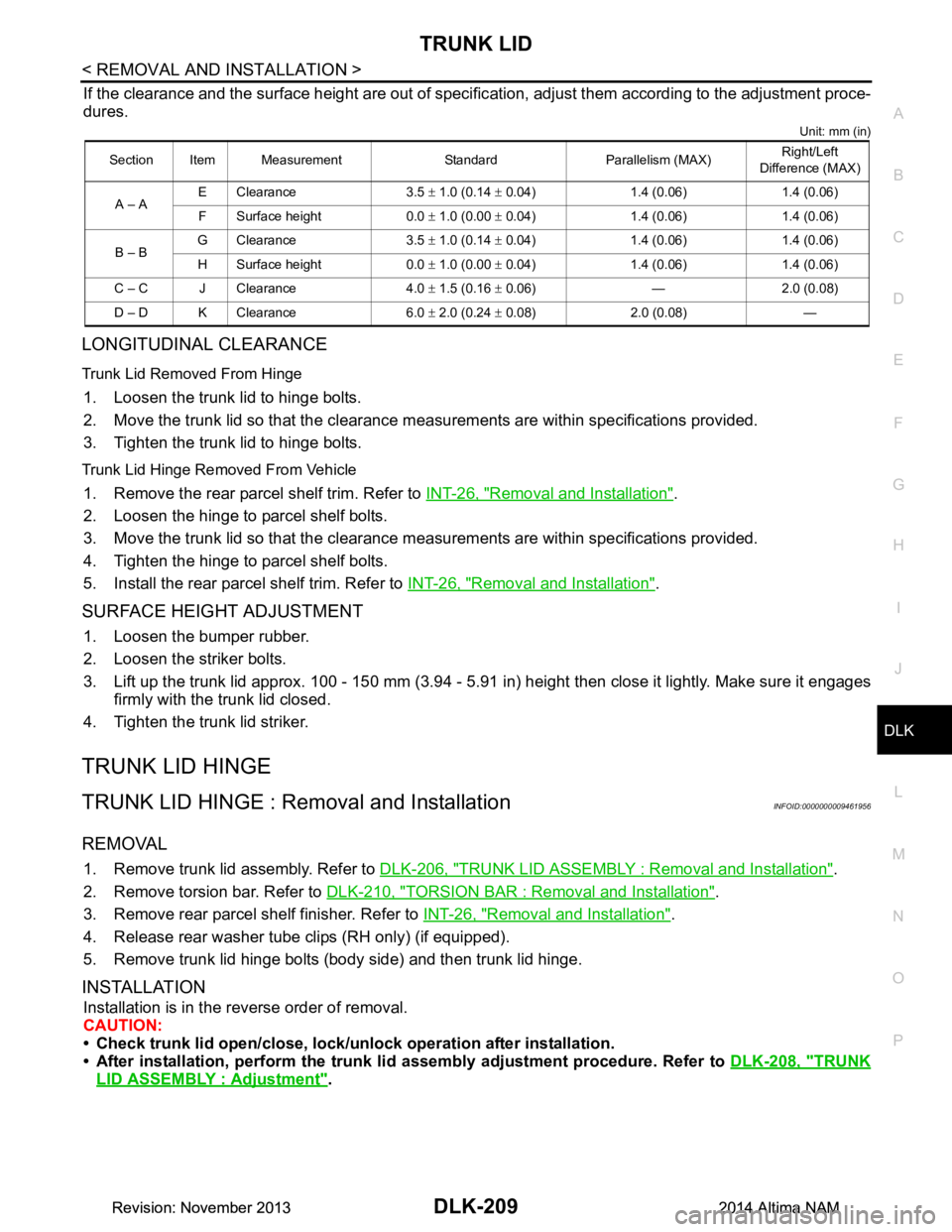
If the clearance and the surface height are out of specific ation, adjust them according to the adjustment proce-
dures.
Unit: mm (in)
LONGITUDINAL CLEARANCE
Trunk Lid Removed From Hinge
1. Loosen the trunk lid to hinge bolts.
2. Move the trunk lid so that the clearance m easurements are within specifications provided.
3. Tighten the trunk lid to hinge bolts.
Trunk Lid Hinge Removed From Vehicle
1. Remove the rear parcel shelf trim. Refer to INT-26, "Removal and Installation".
2. Loosen the hinge to parcel shelf bolts.
3. Move the trunk lid so that the clearance m easurements are within specifications provided.
4. Tighten the hinge to parcel shelf bolts.
5. Install the rear parcel shelf trim. Refer to INT-26, "Removal and Installation"
.
SURFACE HEIGHT ADJUSTMENT
1. Loosen the bumper rubber.
2. Loosen the striker bolts.
3. Lift up the trunk lid approx. 100 - 150 mm (3.94 - 5.91 in) height then close it lightly. Make sure it engages
firmly with the trunk lid closed.
4. Tighten the trunk lid striker.
TRUNK LID HINGE
TRUNK LID HINGE : Remo val and InstallationINFOID:0000000009461956
REMOVAL
1. Remove trunk lid assembly. Refer to DLK-206, "TRUNK LID ASSEMBLY : Removal and Installation".
2. Remove torsion bar. Refer to DLK-210, "TORSION BAR : Removal and Installation"
.
3. Remove rear parcel shelf finisher. Refer to INT-26, "Removal and Installation"
.
4. Release rear washer tube clips (RH only) (if equipped).
5. Remove trunk lid hinge bolts (body side) and then trunk lid hinge.
INSTALLATION
Installation is in the reverse order of removal.
CAUTION:
• Check trunk lid open/close, lock/un lock operation after installation.
• After installation, perform the trunk li d assembly adjustment procedure. Refer to DLK-208, "TRUNK
LID ASSEMBLY : Adjustment".
Section Item Measurement Standard Parallelism (MAX) Right/Left
Difference (MAX)
A – A E Clearance 3.5
± 1.0 (0.14 ± 0.04) 1.4 (0.06) 1.4 (0.06)
F Surface height 0.0 ± 1.0 (0.00 ± 0.04) 1.4 (0.06) 1.4 (0.06)
B – B G Clearance 3.5
± 1.0 (0.14 ± 0.04) 1.4 (0.06) 1.4 (0.06)
H Surface height 0.0 ± 1.0 (0.00 ± 0.04) 1.4 (0.06) 1.4 (0.06)
C – C J Clearance 4.0 ± 1.5 (0.16 ± 0.06) — 2.0 (0.08)
D – D K Clearance 6.0 ± 2.0 (0.24 ± 0.08) 2.0 (0.08) —
Revision: November 20132014 Altima NAMRevision: November 20132014 Altima NAM
Page 1080 of 4801
![NISSAN TEANA 2014 Owners Guide
EC-80
< SYSTEM DESCRIPTION >[QR25DE]
DIAGNOSIS SYSTEM (ECM)
TP SEN 1-B1
V××
• The throttle position sensor signal volt-age is displayed. • TP SEN 2-B1 signal is convert-
ed by ECM internally. T](/img/5/57390/w960_57390-1079.png "NISSAN TEANA 2014 Owners Guide
EC-80
< SYSTEM DESCRIPTION >[QR25DE]
DIAGNOSIS SYSTEM (ECM)
TP SEN 1-B1
V××
• The throttle position sensor signal volt-age is displayed. • TP SEN 2-B1 signal is convert-
ed by ECM internally. T")
EC-80
< SYSTEM DESCRIPTION >[QR25DE]
DIAGNOSIS SYSTEM (ECM)
TP SEN 1-B1
V××
• The throttle position sensor signal volt-age is displayed. • TP SEN 2-B1 signal is convert-
ed by ECM internally. Thus, it
differs from ECM terminal volt-
age signal.
TP SEN 2-B1
××
FUEL T/TMP SE °C or °F • The fuel temperature (determined by the
signal voltage of the fuel tank tempera-
ture sensor) is displayed.
EVAP SYS PRES V • The signal voltage of EVAP control sys-
tem pressure sensor is displayed.
FUEL LEVEL SE V ו The signal voltage of the fuel level sensor
is displayed.
START SIGNAL On/Off • Indicates start signal status [ON/OFF]
computed by the ECM according to the
signals of engine speed and battery volt-
age. • After starting the engine, [OFF]
is displayed regardless of the
starter signal.
CLSD THL POS On/Off ×ו Indicates idle position [ON/OFF] comput-
ed by ECM according to the accelerator
pedal position sensor signal.
AIR COND SIG On/Off ×ו Indicates [ON/OFF] condition of the air
conditioner switch as determined by the
air conditioner signal.
PW/ST SIGNAL On/Off ×ו [ON/OFF] condition of the power steering
system (determined by the signal sent
from EPS control unit) is indicated.
LOAD SIGNAL On/Off ×ו Indicates [ON/OFF] condition from the
electrical load signal.
- On: Rear window defogger switch is ON and/or lighting switch is in 2nd position.
- Off: Both rear window defogger switch
and lighting switch are OFF.
IGNITION SW On/Off ×ו Indicates [ON/OFF] condition from igni-
tion switch signal.
HEATER FAN SW On/Off ו Indicates [ON/OFF] condition from the
heater fan switch signal.
BRAKE SW On/Off • Indicates [ON/OFF] condition from the
stop lamp switch signal.
INJ PULSE-B1 msec • Indicates the actual fuel injection pulse
width compensated by ECM according to
the input signals. • When the engine is stopped, a
certain computed value is indi-
cated.
IGN TIMING BTDC ו Indicates the ignition timing computed by
ECM according to the input signals. • When the engine is stopped, a
certain value is indicated.
CAL/LD VALUE % • “Calculated load value” indicates the val-
ue of the current air flow divided by peak
air flow.
MASS AIRFLOW g/s • Indicates the mass air flow computed by
ECM according to the signal voltage of
the mass air flow sensor.
Monitored item Unit
Monitor Item
Selection
Description Remarks
ECU
IN-
PUT
SIG-
NALS MAIN
SIG-
NAL S
Revision: November 20132014 Altima NAMRevision: November 20132014 Altima NAM
Page 1089 of 4801
![NISSAN TEANA 2014 Owners Guide
ECM
EC-89
< ECU DIAGNOSIS INFORMATION > [QR25DE]
C
D E
F
G H
I
J
K L
M A
EC
NP
O
CLSD THL POS
• Ignition switch: ON
(Engine stopped) Accelerator pedal: Fully released On
Accelerator pedal: Slight](/img/5/57390/w960_57390-1088.png "NISSAN TEANA 2014 Owners Guide
ECM
EC-89
< ECU DIAGNOSIS INFORMATION > [QR25DE]
C
D E
F
G H
I
J
K L
M A
EC
NP
O
CLSD THL POS
• Ignition switch: ON
(Engine stopped) Accelerator pedal: Fully released On
Accelerator pedal: Slight")
ECM
EC-89
< ECU DIAGNOSIS INFORMATION > [QR25DE]
C
D E
F
G H
I
J
K L
M A
EC
NP
O
CLSD THL POS
• Ignition switch: ON
(Engine stopped) Accelerator pedal: Fully released On
Accelerator pedal: Slightly depressed Off
AIR COND SIG • Engine: After warming up, idle the
engine Air conditioner switch: OFF Off
Air conditioner switch: ON
(Compressor operates.) On
PW/ST SIGNAL • Engine: After warming up, idle the
engine Steering wheel: Not being turned Off
Steering wheel: Being turned On
LOAD SIGNAL • Ignition switch: ON Rear window defogger switch: ON
and/or Lighting switch: 2nd position On
Rear window defogger switch and lighting
switch: OFF Off
IGNITION SW • Ignition switch: ON → OFF → ON On → Off → On
HEATER FAN SW • Engine: After warming up, idle the
engine Heater fan switch: ON On
Heater fan switch: OFF Off
BRAKE SW • Ignition switch: ON Brake pedal: Fully released Off
Brake pedal: Slightly depressed On
INJ PULSE-B1 • Engine: After warming up
• Selector lever: P or N
• Air conditioner switch: OFF
•No load Idle 2.0 - 3.0 msec
2,000 rpm 1.9 - 2.9 msec
IGN TIMING • Engine: After warming up
• Selector lever: P or N
• Air conditioner switch: OFF
•No load Idle 5
° - 15 ° BTDC
2,000 rpm 25 ° - 45 ° BTDC
CAL/LD VALUE • Engine: After warming up
• Selector lever: P or N
• Air conditioner switch: OFF
•No load Idle 10% - 35%
2,500 rpm 10% - 35%
MASS AIRFLOW • Engine: After warming up
• Selector lever: P or N
• Air conditioner switch: OFF
•No load Idle 1.0 - 4.0 g/s
2,500 rpm 4.0 - 10.0 g/s
PURG VOL C/V • Engine: After warming up
• Selector lever: P or N
• Air conditioner switch: OFF
•No load Idle
(Accelerator pedal: Not depressed even
slightly, after engine starting.) 0%
2,000 rpm 20% - 90%
INT/V TIM(B1) • Engine: After warming up
• Selector lever: P or N
• Air conditioner switch: OFF
•No load Idle
−5 ° - 5 °CA
4,000 rpm Approx. 0 ° - 30 °CA
EXH/V TIM B1 • Engine: After warming up
• Selector lever: P or N
• Air conditioner switch: OFF
•No load Idle
−5 ° - 5 °CA
2,000 rpm Approx. 0 ° - 40 °CA
INT/V SOL (B1) • Engine: Idle speed
• Selector lever: P or N
• Air conditioner switch: OFF
•No load After warming up 0%
Cold condition [Engine coolant tempera-
ture below 60 °C (140 °F)] Approx. 50% - 100%
SWRL CONT S/V • Ignition switch: ON
• Engine coolant temperature: Be- tween -12 °C (10 °F) and 59 °C
(138 °F) Accelerator pedal: Fully released On
Accelerator pedal: Fully depressed Off
Monitor Item Condition Values/Status
Revision: November 20132014 Altima NAMRevision: November 20132014 Altima NAM
Page 1179 of 4801
![NISSAN TEANA 2014 Owners Guide
IDLE AIR VOLUME LEARNINGEC-179
< BASIC INSPECTION > [QR25DE]
C
D E
F
G H
I
J
K L
M A
EC
NP
O
IDLE AIR VOLUME LEARNING
DescriptionINFOID:0000000009462138
Idle Air Volume Learning is a function of ECM](/img/5/57390/w960_57390-1178.png "NISSAN TEANA 2014 Owners Guide
IDLE AIR VOLUME LEARNINGEC-179
< BASIC INSPECTION > [QR25DE]
C
D E
F
G H
I
J
K L
M A
EC
NP
O
IDLE AIR VOLUME LEARNING
DescriptionINFOID:0000000009462138
Idle Air Volume Learning is a function of ECM")
IDLE AIR VOLUME LEARNINGEC-179
< BASIC INSPECTION > [QR25DE]
C
D E
F
G H
I
J
K L
M A
EC
NP
O
IDLE AIR VOLUME LEARNING
DescriptionINFOID:0000000009462138
Idle Air Volume Learning is a function of ECM to lear
n the idle air volume that keeps each engine idle speed
within the specific range. It must be per formed under any of the following conditions:
• Each time electric throttle control actuator or ECM is replaced.
• Idle speed or ignition timing is out of specification.
Work ProcedureINFOID:0000000009462139
1.PRECONDITIONING
Make sure that all of the following conditions are satisfied.
Learning will be cancelled if any of the following conditions are missed for even a moment.
• Battery voltage: More than 12.9 V (At idle)
• Engine coolant temperature: 70 - 100 °C (158 - 212 °F)
• Selector lever : P or N
• Electric load switch: OFF
(Air conditioner, headlamp, rear window defogger)
On vehicles equipped with daytime running light systems, set lighting switch to the 1st position to
light only small lamps.
• Steering wheel: Neutral (Straight-ahead position)
• Vehicle speed: Stopped
• Transmission: Warmed-up
- With CONSULT Drive vehicle until “ATF TENP SEN” in “DATA MONITO R” mode of “CVT” system indicates less than 0.9 V.
- Without CONSULT Drive vehicle for 10 minutes.
Do you have CONSULT?
YES >> GO TO 2.
NO >> GO TO 3.
2.IDLE AIR VOLUME LEARNING
With CONSULT
1. Perform Accelerator Pedal Released Position Learning. Refer to EC-177, "Work Procedure"
.
2. Perform Throttle Valve Closed Position Learning. Refer to EC-178, "Work Procedure"
.
3. Start engine and warm it up to normal operating temperature.
4. Select “IDLE AIR VOL LEARN” in “WORK SUPPORT” mode of “ENGINE”.
5. Touch “START” and wait 20 seconds.
Is
“CMPLT” displayed on CONSULT screen?
YES >> GO TO 4.
NO >> GO TO 5.
3.IDLE AIR VOLUME LEARNING
Without CONSULT
NOTE:
• It is better to count the time accurately with a clock.
• It is impossible to switch the di agnostic mode when an accelerator pedal position sensor circuit has
a malfunction.
1. Perform Accelerator Pedal Released Position Learning. Refer to EC-177, "Work Procedure"
.
2. Perform Throttle Valve Closed Position Learning. Refer to EC-178, "Work Procedure"
.
3. Start engine and warm it up to normal operating temperature.
4. Turn ignition switch OFF and wait at least 10 seconds.
5. Confirm that accelerator pedal is fully releas ed, turn ignition switch ON and wait 3 seconds.
6. Repeat the following procedure quick ly five times within 5 seconds.
- Fully depress the accelerator pedal.
- Fully release the accelerator pedal.
7. Wait 7 seconds, fully depress the accelerator pedal and keep it for approx. 20 seconds until the MIL stops
blinking and turned ON.
Revision: November 20132014 Altima NAMRevision: November 20132014 Altima NAM