check engine NISSAN TEANA 2014 Service Manual
[x] Cancel search | Manufacturer: NISSAN, Model Year: 2014, Model line: TEANA, Model: NISSAN TEANA 2014Pages: 4801, PDF Size: 51.2 MB
Page 2231 of 4801
![NISSAN TEANA 2014 Service Manual
CYLINDER BLOCKEM-233
< UNIT DISASSEMBLY AND ASSEMBLY > [VQ35DE]
C
D E
F
G H
I
J
K L
M A
EM
NP
O
13. Install the piston and connecting rod assembly into the corre-
sponding cylinder.
• Position t](/img/5/57390/w960_57390-2230.png "NISSAN TEANA 2014 Service Manual
CYLINDER BLOCKEM-233
< UNIT DISASSEMBLY AND ASSEMBLY > [VQ35DE]
C
D E
F
G H
I
J
K L
M A
EM
NP
O
13. Install the piston and connecting rod assembly into the corre-
sponding cylinder.
• Position t")
CYLINDER BLOCKEM-233
< UNIT DISASSEMBLY AND ASSEMBLY > [VQ35DE]
C
D E
F
G H
I
J
K L
M A
EM
NP
O
13. Install the piston and connecting rod assembly into the corre-
sponding cylinder.
• Position the crankshaft pin corresponding to the connecting
rod to be installed onto the bottom dead center.
• Apply engine oil sufficiently to the cylinder bore, piston, and crankshaft pin.
• Match the cylinder position wit h the cylinder No. (B) on the
connecting rod to install.
• Install the piston with the piston front mark (A) on the crown
facing the front of the engine ( ), using a suitable tool.
- Oil hole (C)
CAUTION:
Be careful not to damage the crankshaft pin and cyl inder wall, resulting from an interference of the
connecting rod big end.
14. Install the connecting rod cap. • Match the stamped cylinder number marks on the connectingrod with those on the cylinder cap for installation.
• Install the piston connecting rod assembly and cap so that the front mark on the cap and piston are facing the front of the
engine.
• Lubricate the threads and seat surfaces with new engine
oil.
15. Check the connecting rod cap bolts before reusing, then install
in their original position in the connecting rod. The bolts should
screw in smoothly by hand.
• Measure the outer diameter of the connecting rod cap bolts as
shown.
16. Tighten the connecting rod cap bolts in two stages using Tool: CAUTION:
Always use either an angle wr ench or protractor. Avoid
tightening based on visual check alone.
• Apply engine oil to the threads and seats of the connecting rod cap bolts.
• After tightening the connecting rod cap bolts, make sure that the crankshaft rotates smoothly.
• Check the connecting rod side clearance. If beyond t he limit, replace the connecting rod and/or crank-
shaft.
AWBIA0029ZZ
SEM457G
Outer diameter (d) of th e connecting rod cap bolt
Standard : 7.90 - 8.00 mm (0.3110 - 0.3150 in)
Limit : 7.75 mm (0.3051 in)
SEM538G
Stage 1 : 19.6 N·m (2.0 kg-m, 14 ft-lb)
Stage 2 : 90 ° - 95 ° degrees clockwise
Tool number : KV10112100 (BT-8653-A)
Connecting rod side clearance:
Standard : 0.20 - 0.35 mm (0.0079 - 0.0138 in)
Limit : 0.40 mm (0.0157 in)
SEM953E
Revision: November 20132014 Altima NAM
Page 2256 of 4801

EX-1
ENGINE
C
D E
F
G H
I
J
K L
M
SECTION EX
A
EX
N
O P
CONTENTS
EXHAUST SYSTEM
QR25DE
PRECAUTION ................ ...............................
2
PRECAUTIONS .............................................. .....2
Precaution for Supplemental Restraint System
(SRS) "AIR BAG" and "SEAT BELT PRE-TEN-
SIONER" ............................................................. ......
2
PREPARATION ............................................3
PREPARATION .............................................. .....3
Special Service Tool ........................................... ......3
Commercial Service Tool ..........................................3
PERIODIC MAINTENANCE ..........................4
EXHAUST SYSTEM (QR25DE) ..................... .....4
Checking Exhaust System .................................. ......4
REMOVAL AND INSTALLATION ................5
EXHAUST SYSTEM (QR25DE) ..................... .....5
Exploded View .................................................... ......5
Removal and Installation ...........................................6
Inspection After Installation ................................. ......6
VQ35DE
PRECAUTION ...... .........................................
7
PRECAUTIONS ..................................................7
Precaution for Supplemental Restraint System
(SRS) "AIR BAG" and "SEAT BELT PRE-TEN-
SIONER" ............................................................. .....
7
PREPARATION ............................................8
PREPARATION ..................................................8
Special Service Tool ............................................ .....8
Commercial Service Tool .........................................8
PERIODIC MAINTENANCE .........................9
EXHAUST SYSTEM (VQ35DE) .........................9
Checking Exhaust System ................................... .....9
REMOVAL AND INSTALLATION ...............10
EXHAUST SYSTEM (VQ35DE) ........................10
Exploded View ..................................................... ....10
Removal and Installation .........................................11
Inspection After Installation .....................................11
Revision: November 20132014 Altima NAM
Page 2261 of 4801
![NISSAN TEANA 2014 Service Manual
EX-6
< REMOVAL AND INSTALLATION >[QR25DE]
EXHAUST SYSTEM (QR25DE)
Removal and Installation
INFOID:0000000009460685
WARNING:
• Perform the procedure with the exhaust system fu lly cooled down becau](/img/5/57390/w960_57390-2260.png "NISSAN TEANA 2014 Service Manual
EX-6
< REMOVAL AND INSTALLATION >[QR25DE]
EXHAUST SYSTEM (QR25DE)
Removal and Installation
INFOID:0000000009460685
WARNING:
• Perform the procedure with the exhaust system fu lly cooled down becau")
EX-6
< REMOVAL AND INSTALLATION >[QR25DE]
EXHAUST SYSTEM (QR25DE)
Removal and Installation
INFOID:0000000009460685
WARNING:
• Perform the procedure with the exhaust system fu lly cooled down because the system will be hot
just after the engine is turned off.
• Be careful not to cut your hand on the insulator edges.
CAUTION:
• Use Genuine NISSAN exhaust system parts or equival ent, which are specifically designed for heat
resistance, corrosion resistance, and shape.
REMOVAL
Remove exhaust system components using power tool.
• Remove heated oxygen sensor using Tool as needed.
INSTALLATION
Installation is in the reverse order of removal.
CAUTION:
• Always replace exhaust gaskets with new ones when reassembling.
• Before installing a new heated oxygen sensor, cl ean and lube the exhaust tube threads using suit-
able tool.
• Discard any heated oxygen sensor which has been dropped from a height of more than 0.5 m (19.7
in) onto a hard surface such as a co ncrete floor; install a new one.
• Do not over-tighten the heated oxygen sensor. Doing so may damage the heated oxygen sensor,
resulting in the MIL coming on.
• If any mounting insulator is badly deformed, repair or replace it. If deposits such as mud pile up on
the mounting insulator, clean and inspect them.
• When installing the insulator avoid large gaps or interference between the insulator and each
exhaust pipe.
• Remove deposits from the sealing surface of each connection. Connect them securely to avoid
exhaust gas leaks.
• Temporarily tighten the exhaust manifold side nuts and the vehicle side bolts. Check each part for
any interference, and then tighten th e nuts and bolts to specification.
• When installing each mounting rubber, avoid twisting or excessive extension in up/down and right/
left directions.
• Tighten the bolts without causi ng interference with the flange.
Inspection After InstallationINFOID:0000000009460686
• With the engine running, check the exhaust tube joints for exhaust gas leaks and abnormal noise.
• Check that the mounting brackets and mounting insulators are installed properly and free from excessive stress. Improper installation could result in excessive noise, leaks, and vibration.
10. Rear muffler (LH) 11. Rear muffle r bracket (LH) 12. Rear muffler (RH)
13. Chrome exhaust finishers (if equipped)
Tool number : KV10114400 (J-38365)
Oxygen sensor thread cleaner : (J-43897-18)
Oxygen sensor thread cleaner : (J-43897-12)
Revision: November 20132014 Altima NAM
Page 2266 of 4801
![NISSAN TEANA 2014 Service Manual
EXHAUST SYSTEM (VQ35DE)EX-11
< REMOVAL AND INSTALLATION > [VQ35DE]
C
D E
F
G H
I
J
K L
M A
EX
NP
O
Removal and InstallationINFOID:0000000009460692
WARNING:
• Perform the procedure with the exhaus](/img/5/57390/w960_57390-2265.png "NISSAN TEANA 2014 Service Manual
EXHAUST SYSTEM (VQ35DE)EX-11
< REMOVAL AND INSTALLATION > [VQ35DE]
C
D E
F
G H
I
J
K L
M A
EX
NP
O
Removal and InstallationINFOID:0000000009460692
WARNING:
• Perform the procedure with the exhaus")
EXHAUST SYSTEM (VQ35DE)EX-11
< REMOVAL AND INSTALLATION > [VQ35DE]
C
D E
F
G H
I
J
K L
M A
EX
NP
O
Removal and InstallationINFOID:0000000009460692
WARNING:
• Perform the procedure with the exhaust system fu lly cooled down because the system will be hot
just after the engine is turned off.
• Be careful not to cut your hand on the insulator edges.
CAUTION:
• Use Genuine NISSAN exhaust system parts or equival ent, which are specifically designed for heat
resistance, corrosion resistance, and shape.
REMOVAL
Remove exhaust system components using power tool.
• Remove heated oxygen sensor using Tool as needed.
INSTALLATION
Installation is in the reverse order of removal.
CAUTION:
• Always replace exhaust gaskets with new ones when reassembling.
• Before installing a new heated o xygen sensor, clean and lube the exhaust tube threads using suit-
able tool.
• Discard any heated oxygen sensor which has been dr opped from a height of more than 0.5 m (19.7
in) onto a hard surface such as a concrete floor; install a new one.
• Do not over-tighten the heated oxygen sensor. Doing so may damage the heated oxygen sensor,
resulting in the MIL coming on.
• If any mounting insulator is badly deformed, repair or replace it. If deposits such as mud pile up on
the mounting insulator, clean and inspect them.
• When installing the insulator avoid large gaps or interference between the insulator and each
exhaust pipe.
• Remove deposits from the sealing surface of each connection. Connect them securely to avoid
exhaust gas leaks.
• Temporarily tighten the exhaust manifold side nut s and the vehicle side bolts. Check each part for
any interference, and then tighten th e nuts and bolts to specification.
• When installing each mounting ru bber, avoid twisting or excessive ext ension in up/down and right/
left directions.
• Tighten the bolts without causing interference with the flange.
Inspection After InstallationINFOID:0000000009460693
• With the engine running, check the exhaust tube joints for exhaust gas leaks and unusual noises.
• Check that the mounting brackets and mounting insula tors are installed properly and free from excessive
stress. Improper installation could result in excessive noise, leaks, and vibration.
Tool number : KV10114400 (J-38365)
Oxygen sensor thread cleaner : (J-43897-18)
Oxygen sensor thread cleaner : (J-43897-12)
Revision: November 20132014 Altima NAM
Page 2268 of 4801

EXL-2
ECU DIAGNOSIS INFORMATION ..............26
BCM, IPDM E/R .............................................. ...26
List of ECU Reference ......................................... ...26
WIRING DIAGRAM .....................................27
HEADLAMP .................................................... ...27
Wiring Diagram - Halogen ................................... ...27
Wiring Diagram - Xenon .........................................33
DAYTIME LIGHT SYSTEM ................................39
Wiring Diagram .................................................... ...39
AUTO LIGHT SYSTEM ......................................47
Wiring Diagram .................................................... ...47
FRONT FOG LAMP ...........................................54
Wiring Diagram .................................................... ...54
TURN SIGNAL AND HAZARD WARNING
LAMPS ............................................................ ...
60
Wiring Diagram .................................................... ...60
PARKING, LICENSE PLATE AND TAIL
LAMPS ............................................................ ...
68
Wiring Diagram .................................................... ...68
STOP LAMP ......................................................76
Wiring Diagram .................................................... ...76
BACK-UP LAMP ................................................79
Wiring Diagram .................................................... ...79
BASIC INSPECTION ...................................86
DIAGNOSIS AND REPAIR WORKFLOW ...... ...86
Work Flow ............................................................ ...86
DTC/CIRCUIT DIAGNOSIS ...................... ...89
POWER SUPPLY AND GROUND CIRCUIT .. ...89
BCM (BODY CONTROL MODULE) ...................... ...89
BCM (BODY CONTROL MODULE) : Diagnosis
Procedure ............................................................ ...
89
IPDM E/R (INTELLIGENT POWER DISTRIBU-
TION MODULE ENGINE ROOM) .......................... ...
89
IPDM E/R (INTELLIGENT POWER DISTRIBU-
TION MODULE ENGINE ROOM) : Diagnosis Pro-
cedure .................................................................. ...
89
HEADLAMP (HI) CIRCUIT ................................91
Description ........................................................... ...91
Component Function Check ...................................91
Diagnosis Procedure ..............................................91
HEADLAMP (LO) CIRCUIT ...............................93
HEADLAMP (HALOGEN) ...................................... ...93
HEADLAMP (HALOGEN) : Description ..................93
HEADLAMP (HALOGEN) : Component Function
Check ................................................................... ...
93
HEADLAMP (HALOGEN) : Diagnosis Procedure ...93
HEADLAMP (XENON) ........................................... ...94
HEADLAMP (XENON) : Description .......................94
HEADLAMP (XENON) : Component Function
Check ................................................................... ...
94
HEADLAMP (XENON) : Diagnosis Procedure ........95
XENON HEADLAMP .........................................97
Description ........................................................... ...97
Diagnosis Procedure ...............................................97
DAYTIME LIGHT RELAY CIRCUIT ..................98
Description ........................................................... ...98
Diagnosis Procedure ...............................................98
Component Inspection ............................................99
FRONT FOG LAMP CIRCUIT ..........................101
Description ........................................................... .101
Component Function Check .................................101
Diagnosis Procedure .............................................101
PARKING LAMP CIRCUIT ...............................103
Description ........................................................... .103
Component Function Check .................................103
Diagnosis Procedure .............................................103
TURN SIGNAL LAMP CIRCUIT .......................106
Description ........................................................... .106
Component Function Check .................................106
Diagnosis Procedure .............................................106
OPTICAL SENSOR ..........................................110
Description ........................................................... .110
Component Function Check .................................110
Diagnosis Procedure .............................................110
HAZARD SWITCH .......................................... ..112
Component Function Check ................................ .112
Diagnosis Procedure .............................................112
SYMPTOM DIAGNOSIS ...........................114
EXTERIOR LIGHTING SYSTEM SYMPTOMS ..114
Symptom Table .................................................... .114
NORMAL OPERATING CONDITION ...............116
Description ........................................................... .116
BOTH SIDE HEADLAMPS DO NOT SWITCH
TO HIGH BEAM .............................................. ..
117
Description ........................................................... .117
Diagnosis Procedure .............................................117
DAYTIME LIGHT SYSTEM INOPERATIVE .....118
Description ........................................................... .118
Diagnosis Procedure .............................................118
BOTH SIDE HEADLAMPS (LO) ARE NOT
TURNED ON ................................................... ..
119
Revision: November 20132014 Altima NAMRevision: November 20132014 Altima NAM
Page 2270 of 4801
EXL-4
< PRECAUTION >
PRECAUTIONS
PRECAUTION
PRECAUTIONS
Precaution for Supplemental Restraint System (SRS) "AIR BAG" and "SEAT BELT
PRE-TENSIONER"
INFOID:0000000009951582
The Supplemental Restraint System such as “A IR BAG” and “SEAT BELT PRE-TENSIONER”, used along
with a front seat belt, helps to reduce the risk or severi ty of injury to the driver and front passenger for certain
types of collision. Information necessary to service the system safely is included in the SR and SB section of
this Service Manual.
WARNING:
• To avoid rendering the SRS inopera tive, which could increase the risk of personal injury or death in
the event of a collision which would result in air bag inflation, all maintenance must be performed by
an authorized NISS AN/INFINITI dealer.
• Improper maintenance, including in correct removal and installation of the SRS, can lead to personal
injury caused by unintent ional activation of the system. For re moval of Spiral Cable and Air Bag
Module, see the SR section.
• Do not use electrical test equipmen t on any circuit related to the SRS unless instructed to in this
Service Manual. SRS wiring harn esses can be identified by yellow and/or orange harnesses or har-
ness connectors.
PRECAUTIONS WHEN USING POWER TOOLS (AIR OR ELECTRIC) AND HAMMERS
WARNING:
• When working near the Airbag Diagnosis Sensor Unit or other Airbag System sensors with the Igni-
tion ON or engine running, DO NOT use air or electri c power tools or strike near the sensor(s) with a
hammer. Heavy vibration could activate the sensor( s) and deploy the air bag(s), possibly causing
serious injury.
• When using air or electric power tools or hammers , always switch the Ignition OFF, disconnect the
battery and wait at least three minutes before performing any service.
General precautions fo r service operationsINFOID:0000000009463538
• Do not work with wet hands.
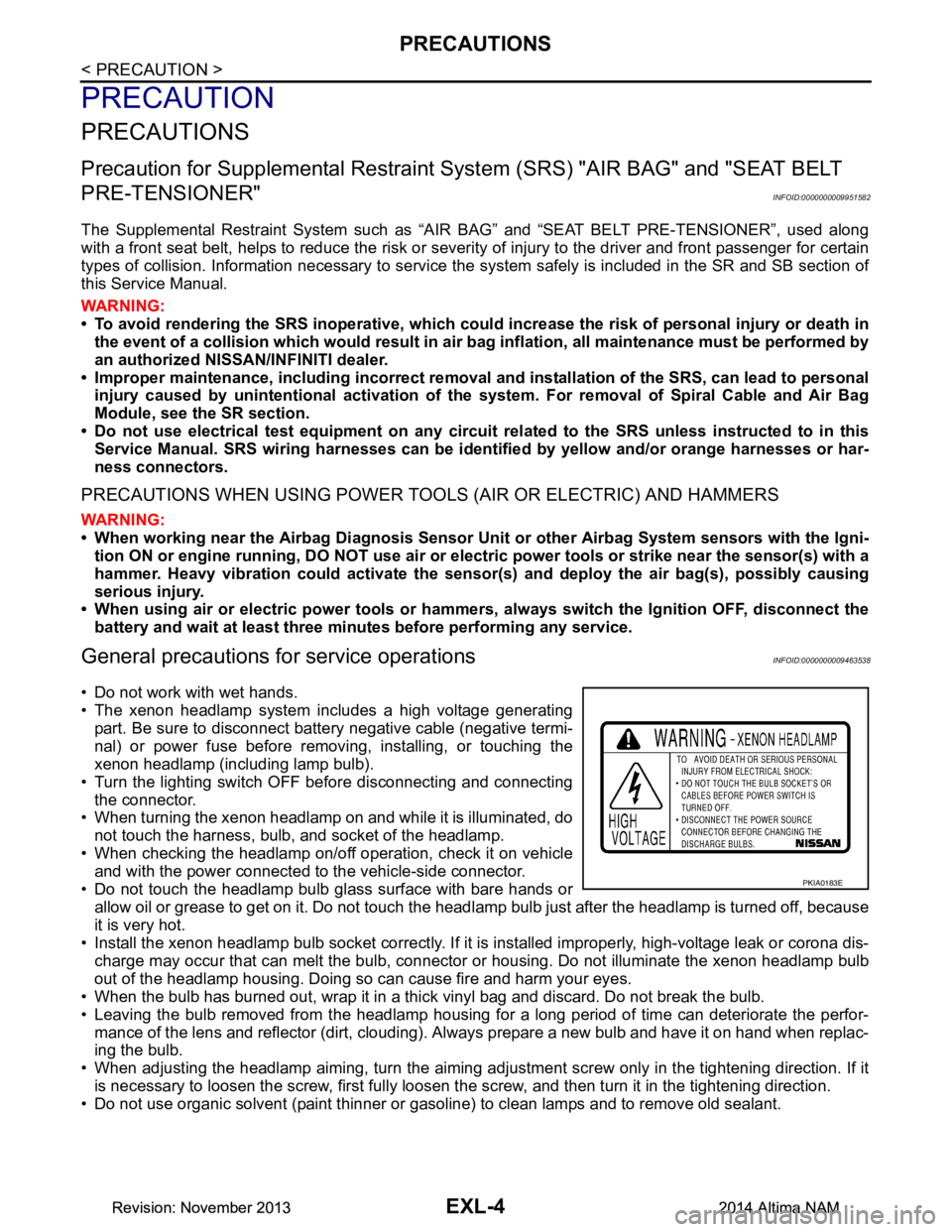
• The xenon headlamp system includes a high voltage generating
part. Be sure to disconnect batte ry negative cable (negative termi-
nal) or power fuse before removing, installing, or touching the
xenon headlamp (including lamp bulb).
• Turn the lighting switch OFF before disconnecting and connecting the connector.
• When turning the xenon headlamp on and while it is illuminated, do
not touch the harness, bulb, and socket of the headlamp.
• When checking the headlamp on/off operation, check it on vehicle and with the power connected to the vehicle-side connector.
• Do not touch the headlamp bulb glass surface with bare hands or allow oil or grease to get on it. Do not touch the headl amp bulb just after the headlamp is turned off, because
it is very hot.
• Install the xenon headlamp bulb socket co rrectly. If it is installed improperly, high-voltage leak or corona dis-
charge may occur that can melt the bulb, connector or housing. Do not illuminate the xenon headlamp bulb
out of the headlamp housing. Doing so can cause fire and harm your eyes.
• When the bulb has burned out, wrap it in a thick vinyl bag and discard. Do not break the bulb.
• Leaving the bulb removed from the headlamp housing for a long period of time can deteriorate the perfor- mance of the lens and reflector (dirt, clouding). Al ways prepare a new bulb and have it on hand when replac-
ing the bulb.
• When adjusting the headlamp aiming, turn the aiming adjus tment screw only in the tightening direction. If it
is necessary to loosen the screw, first fully loosen the screw, and then turn it in the tightening direction.
• Do not use organic solvent (paint thinner or gasoline) to clean lamps and to remove old sealant.
PKIA0183E
Revision: November 20132014 Altima NAMRevision: November 20132014 Altima NAM
Page 2284 of 4801

EXL-18
< SYSTEM DESCRIPTION >
DIAGNOSIS SYSTEM (BCM)
HEADLAMP
HEADLAMP : CONSULT Function (BCM - HEADLAMP)INFOID:0000000009956425
CAUTION:
After disconnecting the CONSULT vehicle interface (VI) from the data link connector, the ignition must
be cycled OFF → ON (for at least 5 seconds) → OFF. If this step is not performed, the BCM may not go
to ”sleep mode”, potentially causing a di scharged battery and a no-start condition.
DATA MONITOR
ACTIVE TEST
RAP system RETAINED PWR ×
Signal buffer system SIGNAL BUFFER ×
TPMS AIR PRESSURE MONITOR ××××
System Sub System
Direct Diagnostic Mode
Ecu Identification
Self Diagnostic Result
Data Monitor
Active Test
Work support
Configuration
CAN Diag Support Mntr
Monitor Item [Unit] Description
PUSH SW [On/Off] Indicates condition of push-button ignition switch.
ENGINE STATE [STOP/STALL/CRANK/RUN] Indicates engine st atus received from ECM on CAN communication line.
VEH SPEED 1 [km/h] Indicates vehicle speed signal received from ABS on CAN communication line.
TURN SIGNAL R [On/Off]
Indicates condition of combination switch.
TURN SIGNAL L [On/Off]
TAIL LAMP SW [On/Off]
HI BEAM SW [On/Off]
HEAD LAMP SW 1 [On/Off]
HEAD LAMP SW 2 [On/Off]
PASSING SW [On/Off]
AUTO LIGHT SW [On/Off]
FR FOG SW [On/Off]
DOOR SW-DR [On/Off] Indicates condition of front door switch LH.
DOOR SW-AS [On/Off] Indicates condition of front door switch RH.
DOOR SW-RR [On/Off] Indicates condition of rear door switch RH.
DOOR SW-RL [On/Off] Indicates condition of rear door switch LH.
DOOR SW-BK [On/Off] Indicates condition of trunk switch.
OPTI SEN (DTCT) [V] Indicates outside brightness voltage signal from optical sensor.
OPTI SEN (FILT) [V] Indicates outside brightness voltage signal from optical sensor filtered by BCM.
Test Item Description
FR FOG LAMP This test is able to check front fog lamp operation [On/Off].
DAYTIME RUNNING LIGHT This test is able to check daytime running la mp operation [On/Off].
ILL DIM SIGNAL This test is able to check head lamp illumination dimming operation [On/Off].
Revision: November 20132014 Altima NAMRevision: November 20132014 Altima NAM
Page 2288 of 4801

EXL-22
< SYSTEM DESCRIPTION >
DIAGNOSIS SYSTEM (IPDM E/R)
DIAGNOSIS SYSTEM (IPDM E/R)
Diagnosis DescriptionINFOID:0000000009956487
AUTO ACTIVE TEST
Description
In auto active test mode, the IPDM E/R sends a drive signal to the follo wing systems to check their operation.
• Front wiper (LO, HI)
• Front fog lamps
• Parking lamps
• Side marker lamps
• Tail lamps
• License plate lamps
• Daytime running lamps
• Headlamps (LO, HI)
• A/C compressor
• Cooling fans (LO, HI)
Operation Procedure
CAUTION:
Do not start the engine.
NOTE:
When auto active test is performed with hood opened, sprinkle water on windshield before hand.
NOTE:
• If auto active test mode cannot be actuat ed, check door switch system. Refer to DLK-100,
"Component Function Check".
• When auto active test mode has to be cancelled halfway through test, turn ignition switch OFF.
1. Close the hood and lift the wiper arms from the windshield. (Prevent windshield damage due to wiper
operation)
2. Turn ignition switch OFF.
3. Turn the ignition switch ON, and within 20 seconds, press the front door switch LH 10 times. Then turn the ignition switch OFF.
4. Turn the ignition switch ON within 10 seconds. Af ter that the horn sounds once, and the auto active test
starts.
5. After a series of the following operations is repeated 3 times, auto active test is completed.
Inspection in Auto Active Test Mode
When auto active test mode is actuated, the following operation sequence is repeated 3 times.
*: Outputs duty ratio of 50% for 5 seconds → duty ratio of 100% for 5 seconds on the cooling fan control module.
Operation se-
quence Inspection Location Operation
1 Front wiper LO for 3 seconds → HI for 3 seconds
2 •Front fog lamps
• Parking lamps
• Side marker lamps
•Tail lamps
• License plate lamps 10 seconds
3 Daytime running lamps 10 seconds
4 Headlamps LO ⇔ HI 5 times
5 A/C compressor ON ⇔ OFF 5 times
6
*Cooling fans LO for 5 seconds → HI for 5 seconds
Revision: November 20132014 Altima NAMRevision: November 20132014 Altima NAM
Page 2355 of 4801
POWER SUPPLY AND GROUND CIRCUITEXL-89
< DTC/CIRCUIT DIAGNOSIS >
C
D E
F
G H
I
J
K
M A
B
EXL
N
O P
DTC/CIRCUIT DIAGNOSIS
POWER SUPPLY AND GROUND CIRCUIT
BCM (BODY CONTROL MODULE)
BCM (BODY CONTROL MODULE) : Diagnosis ProcedureINFOID:0000000009956493
Regarding Wiring Diagram information, refer to BCS-55, "Wiring Diagram".
1. CHECK FUSE AND FUSIBLE LINK
Check that the following fuse and fusible link are not blown.
Is the fuse or fusible link blown?
YES >> Replace the blown fuse or fusible link after repairing the affected circuit.
NO >> GO TO 2
2. CHECK POWER SUPPLY CIRCUIT
1. Disconnect BCM connector M21.
2. Check voltage between BCM connector M21 terminals 131, 139 and ground.
Is the inspection result normal?
YES >> GO TO 3
NO >> Repair or replace harness or connectors.
3. CHECK GROUND CIRCUIT
Check continuity between BCM connector M21 terminals 134, 143 and ground.
Is the inspection result normal?
YES >> Inspection End.
NO >> Repair or replace harness or connectors.
IPDM E/R (INTELLIGENT POWER DIST RIBUTION MODULE ENGINE ROOM)
IPDM E/R (INTELLIGENT POWER DISTRIBUTION MODULE ENGINE ROOM) : Di-
agnosis Procedure
INFOID:0000000009956494
Regarding Wiring Diagram information, refer to PCS-21, "Wiring Diagram".
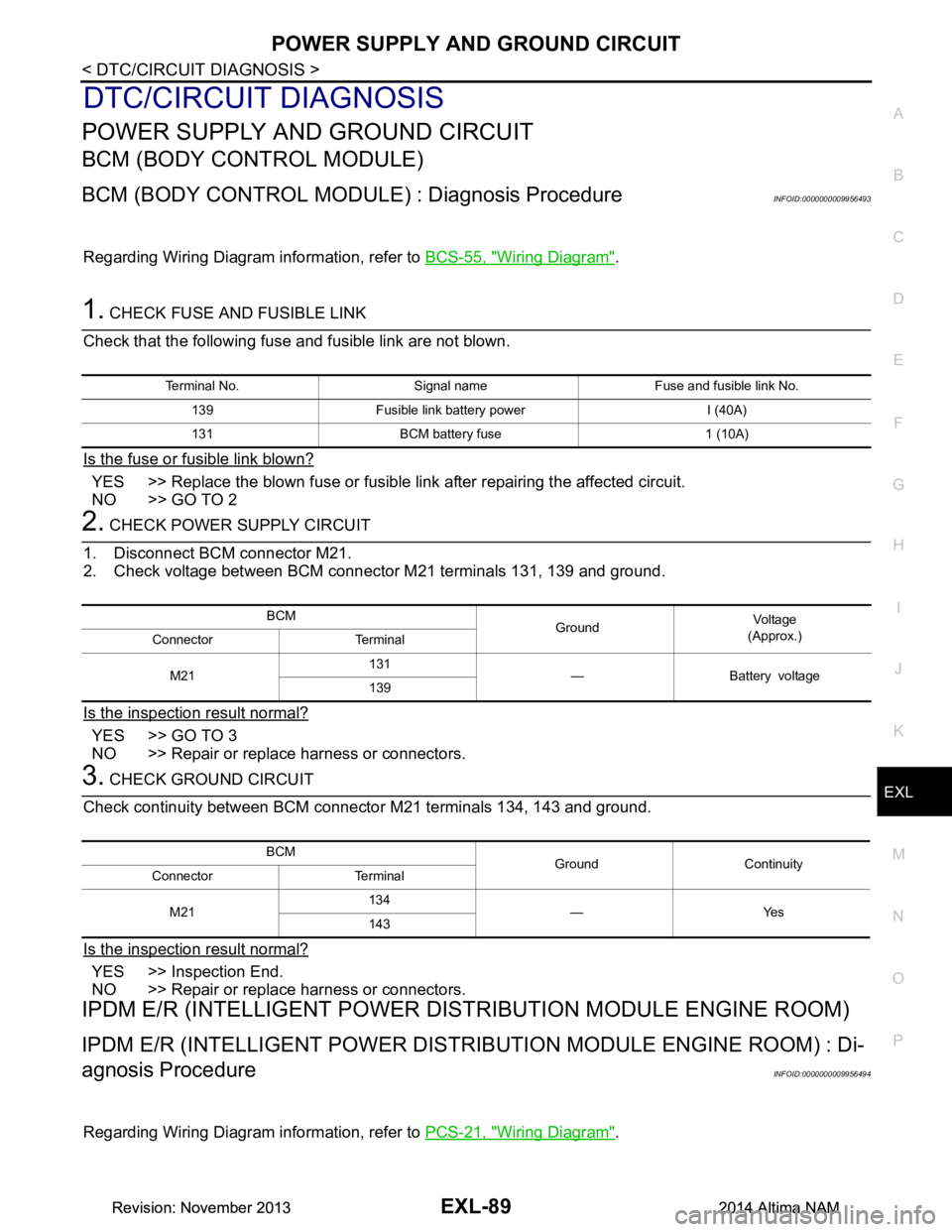
Terminal No. Signal name Fuse and fusible link No.
139 Fusible link battery power I (40A)
131 BCM battery fuse 1 (10A)
BCM GroundVo l ta g e
(Approx.)
Connector Terminal
M21 131
—Batteryvoltage
139
BCM Ground Continuity
Connector Terminal
M21 134
—Yes
143
Revision: November 20132014 Altima NAMRevision: November 20132014 Altima NAM
Page 2357 of 4801
HEADLAMP (HI) CIRCUITEXL-91
< DTC/CIRCUIT DIAGNOSIS >
C
D E
F
G H
I
J
K
M A
B
EXL
N
O P
HEADLAMP (HI) CIRCUIT
DescriptionINFOID:0000000009463577
The IPDM E/R (intelligent power distribution modul e engine room) controls the headlamp high relay based on
inputs from the BCM over the CAN communication li nes. When the headlamp high relay is energized, power
flows through fuses 34 and 35, located in the IPDM E/R. Power then flows to the front combination lamps to
the headlamp high beam.
Component Function CheckINFOID:0000000009463578
1.CHECK HEADLAMP (HI) OPERATION
WITHOUT CONSULT
1. Start IPDM E/R auto active test. Refer to PCS-8, "Diagnosis Description"
.
2. Check that the headlamp switches to the high beam. NOTE:
HI/LO is repeated 1 second each when using the IPDM E/R auto active test.
CONSULT
1. Select EXTERNAL LAMP of IP DM E/R active test item.
2. While operating the test items, check t hat the headlamp switches to the high beam.
Is the inspection result normal?
YES >> Headlamp (HI) circuit is normal.
NO >> Refer to EXL-91, "Diagnosis Procedure"
.
Diagnosis ProcedureINFOID:0000000009463579
Regarding Wiring Diagram information, refer to EXL-27, "Wiring Diagram - Halogen" or EXL-33, "Wiring Dia-
gram - Xenon".
1.CHECK HEADLAMP (HI) FUSES
1. Turn the ignition switch OFF.
2. Check that the following fuses are not blown.
Is the fuse blown?
YES >> Replace the fuse after repairing the affected circuit.
NO >> GO TO 2.
2.CHECK HEADLAMP (HI) OUTPUT VOLTAGE
CONSULT ACTIVE TEST
1. Turn the ignition switch OFF.
2. Disconnect the front combination lamp harness connector E213 or E222 in question.
3. Turn the ignition switch ON.
4. Select EXTERNAL LAMP of IP DM E/R active test item.
5. With EXTERNAL LAMP ON, check the voltage between the combination lamp connector and ground.
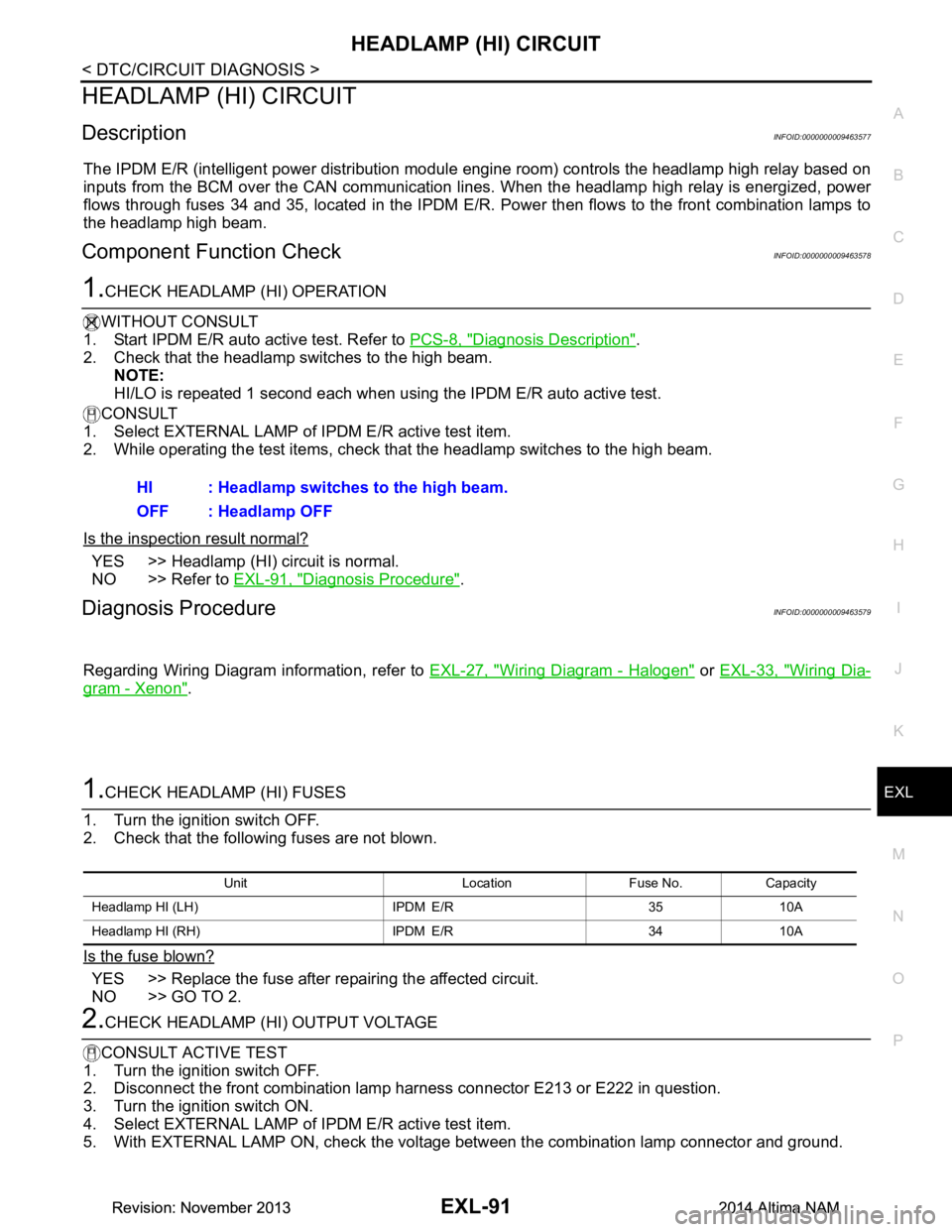
HI : Headlamp switches to the high beam.
OFF : Headlamp OFF
Unit Location Fuse No. Capacity
Headlamp HI (LH) IPDM E/R 35 10A
Headlamp HI (RH) IPDM E/R 34 10A
Revision: November 20132014 Altima NAMRevision: November 20132014 Altima NAM