diagram NISSAN TEANA 2014 Workshop Manual
[x] Cancel search | Manufacturer: NISSAN, Model Year: 2014, Model line: TEANA, Model: NISSAN TEANA 2014Pages: 4801, PDF Size: 51.2 MB
Page 256 of 4801
![NISSAN TEANA 2014 Workshop Manual
B RC-110
< DTC/CIRCUIT DIAGNOSIS >[VDC/TCS/ABS]
VDC OFF SWITCH
VDC OFF SWITCH
Component Function CheckINFOID:0000000009463826
1.CHECK VDC OFF SWITCH OPERATION
Check that VDC OFF indicator lamp in com](/img/5/57390/w960_57390-255.png "NISSAN TEANA 2014 Workshop Manual
B RC-110
< DTC/CIRCUIT DIAGNOSIS >[VDC/TCS/ABS]
VDC OFF SWITCH
VDC OFF SWITCH
Component Function CheckINFOID:0000000009463826
1.CHECK VDC OFF SWITCH OPERATION
Check that VDC OFF indicator lamp in com")
B RC-110
< DTC/CIRCUIT DIAGNOSIS >[VDC/TCS/ABS]
VDC OFF SWITCH
VDC OFF SWITCH
Component Function CheckINFOID:0000000009463826
1.CHECK VDC OFF SWITCH OPERATION
Check that VDC OFF indicator lamp in combination meter turns ON/OFF when VDC OFF switch is operated.
Is the inspection result normal?
YES >> Inspection End.
NO >> Proceed to diagnosis procedure. Refer to BRC-110, "Diagnosis Procedure"
.
Diagnosis ProcedureINFOID:0000000009463827
Regarding Wiring Diagram information, refer to BRC-47, "Wiring Diagram".
1.CONNECTOR INSPECTION
1. Turn ignition switch OFF.
2. Disconnect ABS actuator and electric unit (c ontrol unit) and VDC OFF switch connectors.
3. Check connectors and terminals for deformation, disconnection, looseness or damage.
Is the inspection result normal?
YES >> GO TO 2.
NO >> Repair or replace as necessary.
2.CHECK VDC OFF SWITCH
Check VDC OFF switch. Refer to BRC-111, "Component Inspection"
.
Is the inspection result normal?
YES >> GO TO 3.
NO >> Replace VDC OFF switch. Refer to BRC-130, "Removal and Installation"
.
3.CHECK VDC OFF SWITCH SIGNAL
With CONSULT.
1. Connect ABS actuator and electric unit (c ontrol unit) and VDC OFF switch connectors.
2. Turn ignition switch ON.
3. In “DATA MONITOR” select “OFF SW” and check VDC OFF switch signal.
Is the inspection result normal?
YES >> Refer to BRC-55, "Work Flow".
NO >> GO TO 4.
4.CHECK VDC OFF SWITCH CIRCUIT
1. Turn ignition switch OFF.
2. Disconnect ABS actuator and electric unit (c ontrol unit) and VDC OFF switch connectors.
3. Check continuity between ABS actuator and electr ic unit (control unit) connector E54 terminal 15 and
VDC OFF switch connector M72 terminal 1.
4. Check continuity between ABS actuator and electric unit (control unit) connector terminal E54 terminal 15
and ground.
Condition DATA MONITOR
VDC OFF switch is pressed and released On
VDC OFF switch is pressed and released again Off
ABS actuator and electric unit (control unit) VDC OFF switch
Continuity
Connector Terminal Connector Terminal
E54 15 M72 1 Yes
Revision: November 20132014 Altima NAMRevision: November 20132014 Altima NAM
Page 346 of 4801

CHG
CHG-1
ELECTRICAL & POWER CONTROL
C
D E
F
G H
I
J
K L
B
SECTION CHG
A
O P
N
CONTENTS
CHARGING SYSTEM
PRECAUTION ................
...............................3
PRECAUTIONS .............................................. .....3
Precaution for Supplemental Restraint System
(SRS) "AIR BAG" and "SEAT BELT PRE-TEN-
SIONER" ............................................................. ......
3
Precaution for Power Generation Voltage Variable
Control System .................................................... ......
3
PREPARATION ............................................4
PREPARATION .............................................. .....4
Special Service Tool ........................................... ......4
Commercial Service Tool ..........................................4
SYSTEM DESCRIPTION ..............................5
COMPONENT PARTS ................................... .....5
QR25DE ................................................................. ......5
QR25DE : Component Parts Location ......................5
QR25DE : Component Description ...........................6
VQ35DE ................................................................. ......6
VQ35DE : Component Parts Location ......................7
VQ35DE : Component Description ...........................8
CHARGING SYSTEM ..................................... .....9
System Diagram .................................................. ......9
System Description ...................................................9
Component Description ............................................9
POWER GENERATION VOLTAGE VARI-
ABLE CONTROL SYSTEM ............................ ....
10
System Diagram .................................................. ....10
System Description .................................................10
Component Description ...........................................10
WIRING DIAGRAM ......................................12
CHARGING SYSTEM ..................................... ....12
Wiring Diagram ................................................... ....12
BASIC INSPECTION ...................................17
DIAGNOSIS AND REPAIR WORKFLOW ........17
Work Flow (With EXP-800 NI or GR8-1200 NI) .......17
Work Flow (Without EXP-80 0 NI or GR8-1200 NI) ....20
DTC/CIRCUIT DIAGNOSIS .........................23
CHARGING SYSTEM PRELIMINARY IN-
SPECTION ....... ................................ .................
23
Diagnosis Procedure ........................................... ....23
POWER GENERATION VOLTAGE VARI-
ABLE CONTROL SYSTEM OPERATION IN-
SPECTION ....... ................................ .................
24
Diagnosis Procedure ........................................... ....24
B TERMINAL CIRCUIT .....................................26
Description ...............................................................26
Diagnosis Procedure ...............................................26
L TERMINAL CIRCUIT (OPEN) ........................27
Description ...............................................................27
Diagnosis Procedure ...............................................27
L TERMINAL CIRCUIT (SHORT) .....................29
Description ...............................................................29
Diagnosis Procedure ...............................................29
S TERMINAL CIRCUIT .....................................30
Description ...............................................................30
Diagnosis Procedure ...............................................30
SYMPTOM DIAGNOSIS ..............................31
CHARGING SYSTEM .......................................31
Symptom Table ................................................... ....31
REMOVAL AND INSTALLATION ...............32
GENERATOR ....................................................32
Removal and Installation ..................................... ....32
Revision: November 20132014 Altima NAMRevision: November 20132014 Altima NAM
Page 354 of 4801
CHG
CHARGING SYSTEMCHG-9
< SYSTEM DESCRIPTION >
C
D E
F
G H
I
J
K L
B
A
O P
N
CHARGING SYSTEM
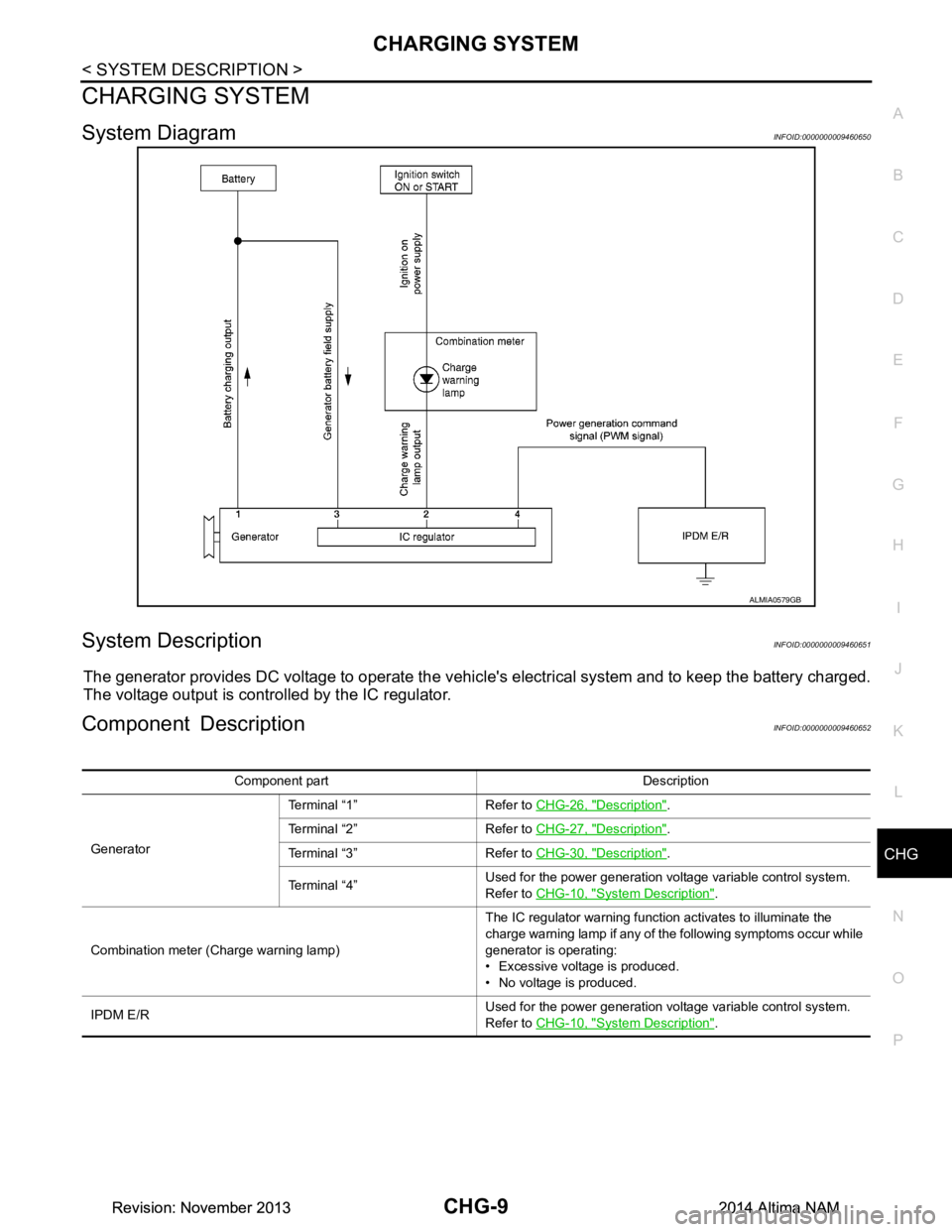
System DiagramINFOID:0000000009460650
System DescriptionINFOID:0000000009460651
The generator provides DC voltage to operate the vehicl
e's electrical system and to keep the battery charged.
The voltage output is controlled by the IC regulator.
Component DescriptionINFOID:0000000009460652
ALMIA0579GB
Component part Description
Generator Terminal “1” Refer to
CHG-26, "Description"
.
Terminal “2” Refer to CHG-27, "Description"
.
Terminal “3” Refer to CHG-30, "Description"
.
Terminal “4” Used for the power generation voltage variable control system.
Refer to CHG-10, "Syste m Description"
.
Combination meter (C harge warning lamp) The IC regulator warning function activates to illuminate the
charge warning lamp if any of the following symptoms occur while
generator is operating:
• Excessive voltage is produced.
• No voltage is produced.
IPDM E/R Used for the power generation voltage variable control system.
Refer to CHG-10, "Syste m Description"
.
Revision: November 20132014 Altima NAMRevision: November 20132014 Altima NAM
Page 355 of 4801

CHG-10
< SYSTEM DESCRIPTION >
POWER GENERATION VOLTAGE VARIABLE CONTROL SYSTEM
POWER GENERATION VOLTAGE VARIABLE CONTROL SYSTEM
System DiagramINFOID:0000000009460653
System DescriptionINFOID:0000000009460654
Power generation variable voltage control system has been adopted. By varying the voltage to the generator,
engine load due to power generation of the generator is reduced and fuel consumption is decreased.
NOTE:
When any malfunction is detected in the power generat ion variable voltage control system, power generation
is performed according to the characteristic of the IC regulator in the generator.
Component DescriptionINFOID:0000000009460655
ALMIA0566GB
Component part Description
Generator (IC regulator) The IC regulator controls the power generation voltage by the tar-
get power generation voltage based on the received PWM com-
mand signal.
When there is no PWM command signal, the generator performs
the normal power generation according to the characteristic of the
IC regulator.
ECM The battery current sensor detects the charging/discharging cur-
rent of the battery. The ECM judges the battery condition based on
this signal.
The ECM judges whether to request more output via the power
generation voltage variable control according to the battery condi-
tion.
When performing the power generation voltage variable control,
the ECM calculates the target power generation voltage according
to the battery condition and sends the calculated value as the pow-
er generation command value to the IPDM E/R.
IPDM E/R The IPDM E/R converts the received power generation command
value into a pulse width modulated (PWM) command signal and
sends it to the IC regulator.
Revision: November 20132014 Altima NAMRevision: November 20132014 Altima NAM
Page 357 of 4801
CHG-12
< WIRING DIAGRAM >
CHARGING SYSTEM
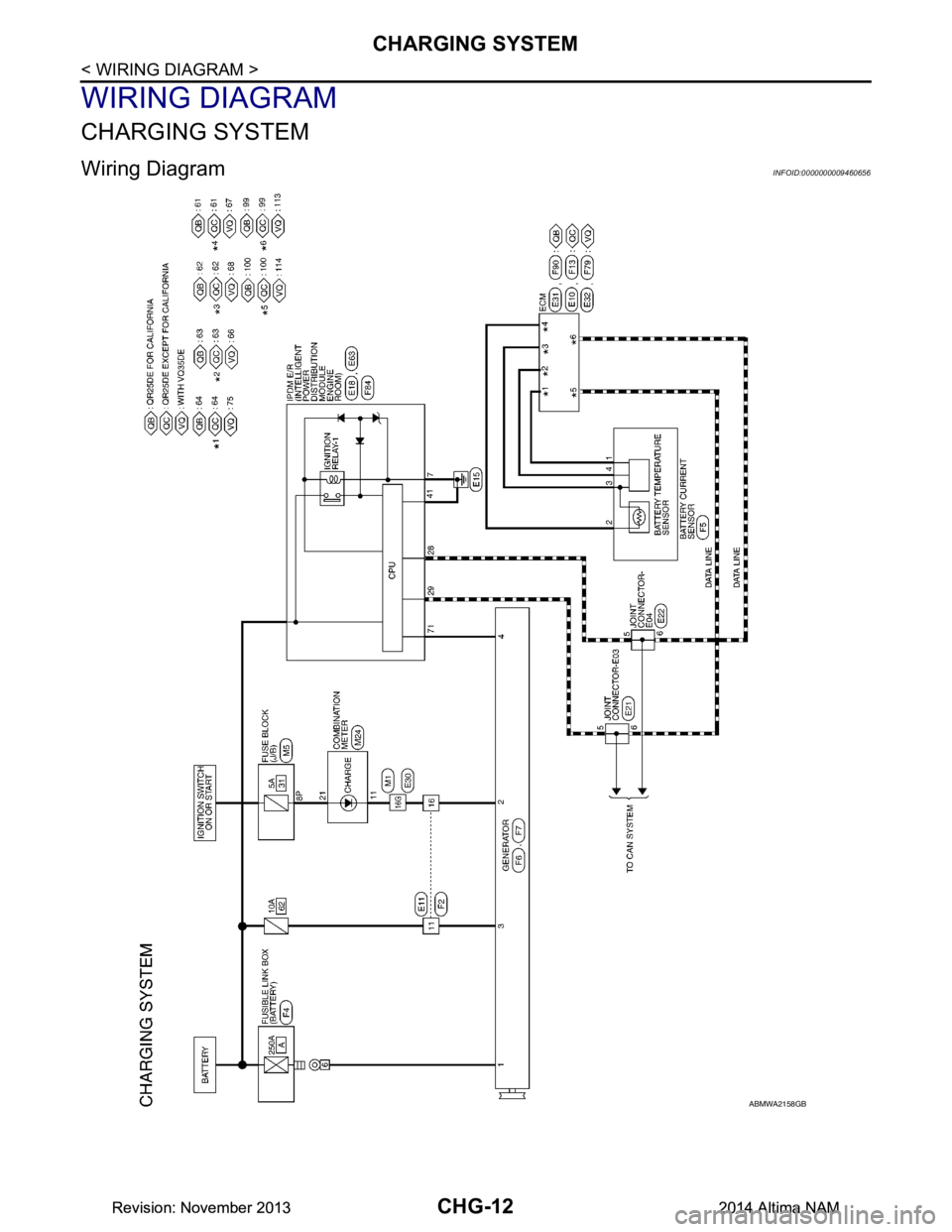
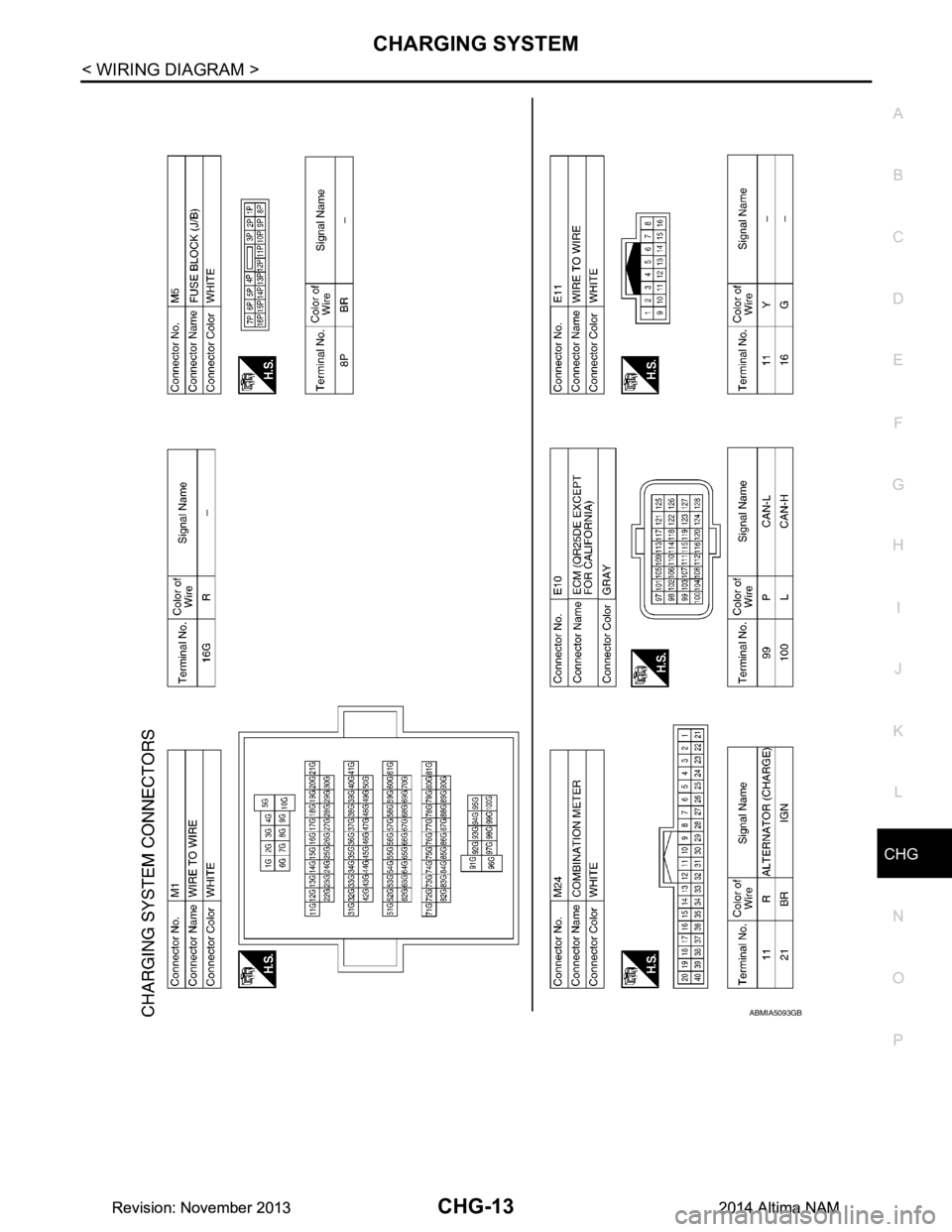
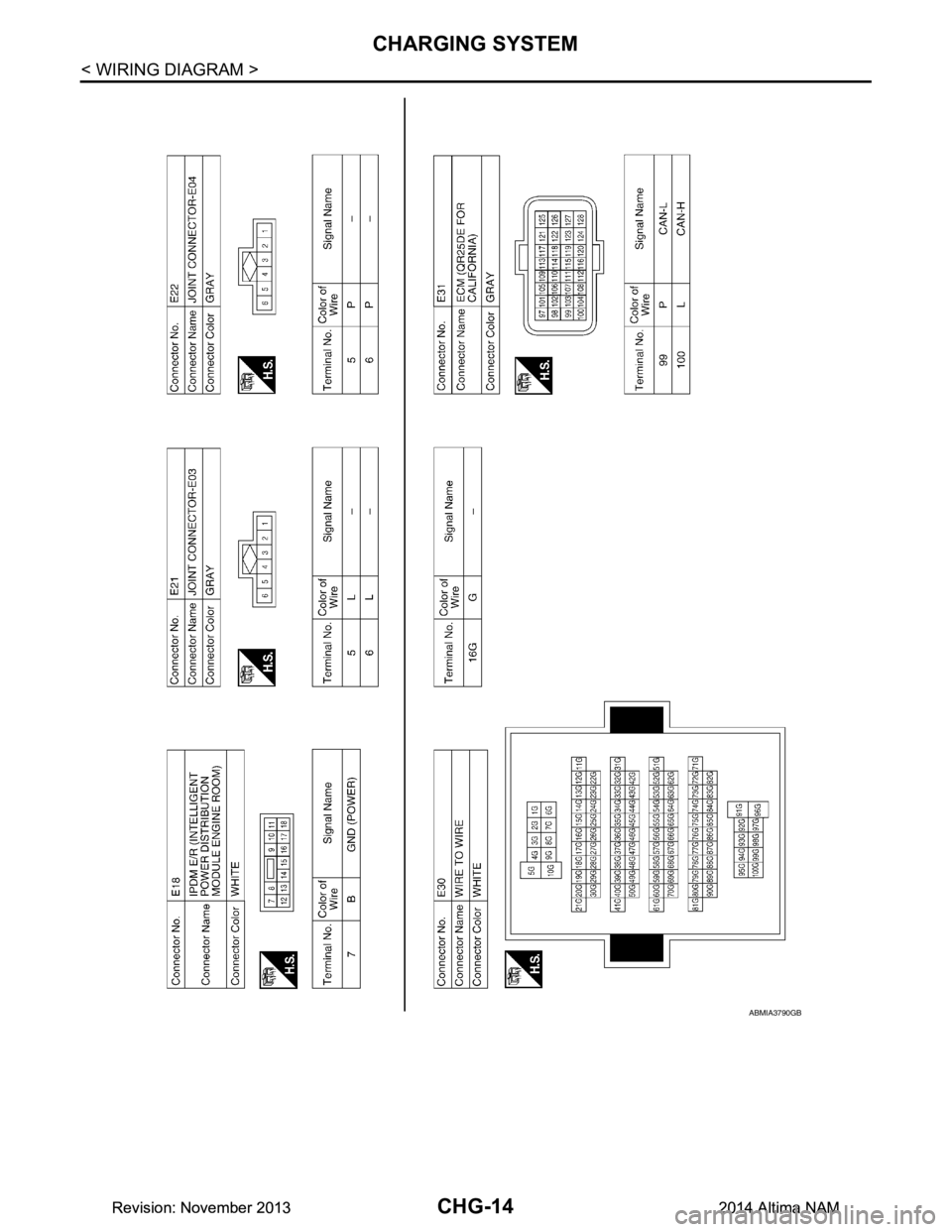
WIRING DIAGRAM
CHARGING SYSTEM
Wiring Diagram INFOID:0000000009460656
ABMWA2158GB
Revision: November 20132014 Altima NAMRevision: November 20132014 Altima NAM
Page 358 of 4801
CHG
CHARGING SYSTEMCHG-13
< WIRING DIAGRAM >
C
D E
F
G H
I
J
K L
B
A
O P
N
ABMIA5093GB
Revision: November 20132014 Altima NAMRevision: November 20132014 Altima NAM
Page 359 of 4801
CHG-14
< WIRING DIAGRAM >
CHARGING SYSTEM
ABMIA3790GB
Revision: November 20132014 Altima NAMRevision: November 20132014 Altima NAM
Page 360 of 4801
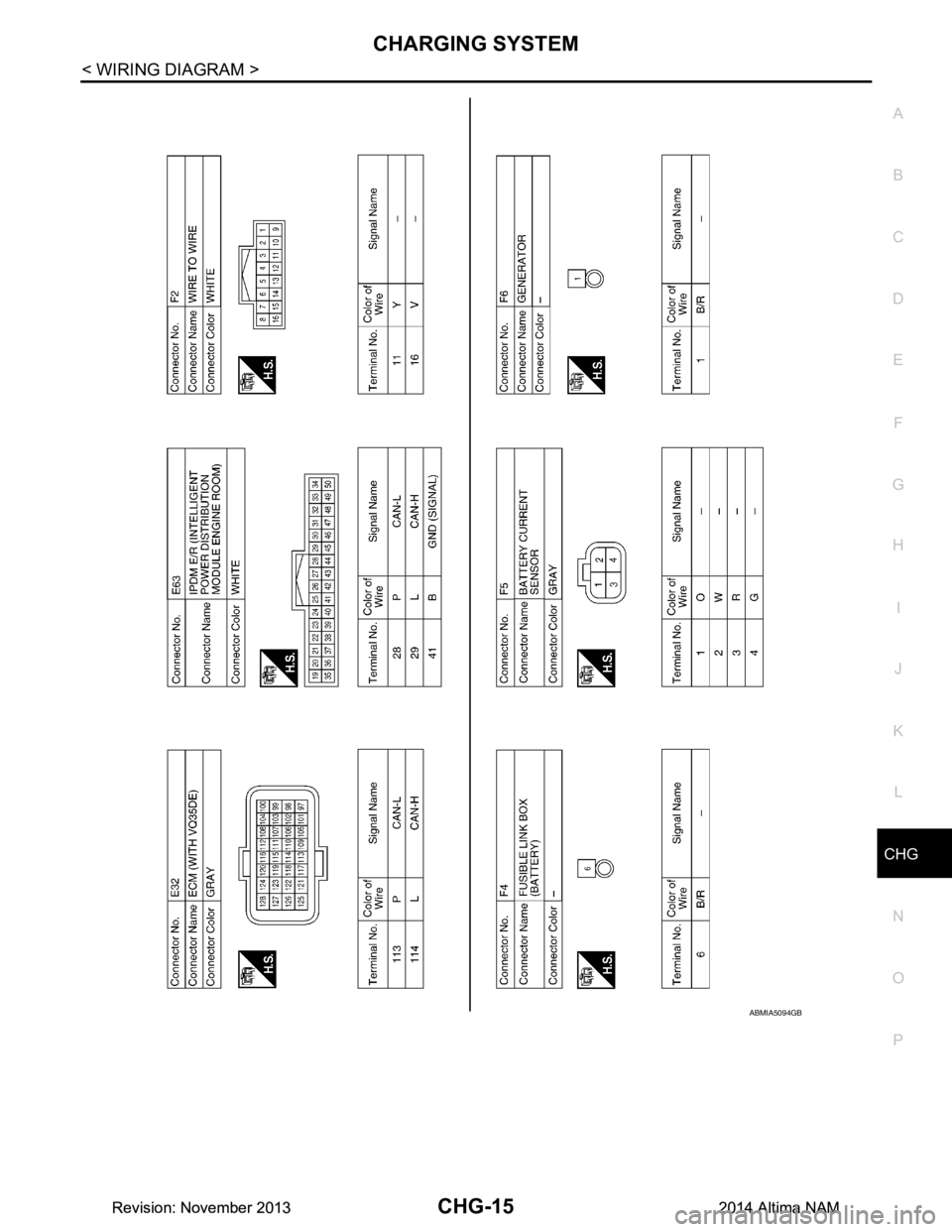
CHG
CHARGING SYSTEMCHG-15
< WIRING DIAGRAM >
C
D E
F
G H
I
J
K L
B
A
O P
N
ABMIA5094GB
Revision: November 20132014 Altima NAMRevision: November 20132014 Altima NAM
Page 361 of 4801
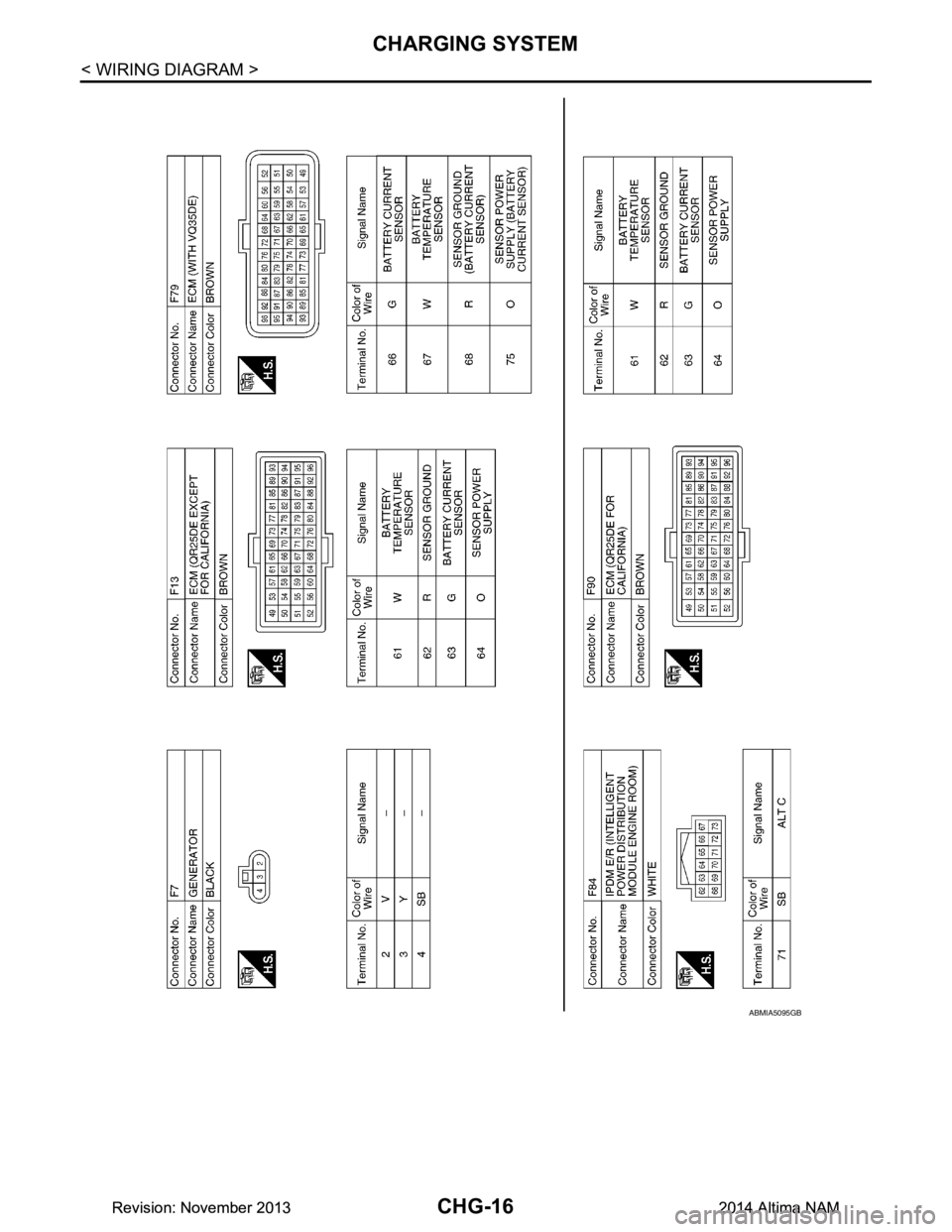
CHG-16
< WIRING DIAGRAM >
CHARGING SYSTEM
ABMIA5095GB
Revision: November 20132014 Altima NAMRevision: November 20132014 Altima NAM
Page 369 of 4801
CHG-24
< DTC/CIRCUIT DIAGNOSIS >
POWER GENERATION VOLTAGE VARIABLE CONTROL SYSTEM OPERATION
INSPECTION
POWER GENERATION VOLTAGE VA RIABLE CONTROL SYSTEM OPER-
ATION INSPECTION
Diagnosis ProcedureINFOID:0000000009460660
Regarding Wiring Diagram information. Refer to CHG-12, "Wiring Diagram".
CAUTION:
When performing this in spection, always use a charged battery that has completed the battery inspec-
tion. (When the charging rate of the battery is lo w, the response speed of the voltage change will
become slow. This can cause an incorrect inspection.)
1.CHECK ECM (CONSULT)
Perform ECM self-diagnosis with CONSULT. Refer to EC-77, "CONSULT Function"
(QR25DE) or EC-601,
"CONSULT Function" (VQ35DE).
Self
-diagnostic results content
No malfunction detected>> GO TO 2.
Malfunction detected>> Check applicable parts, and repair or replace corresponding parts.
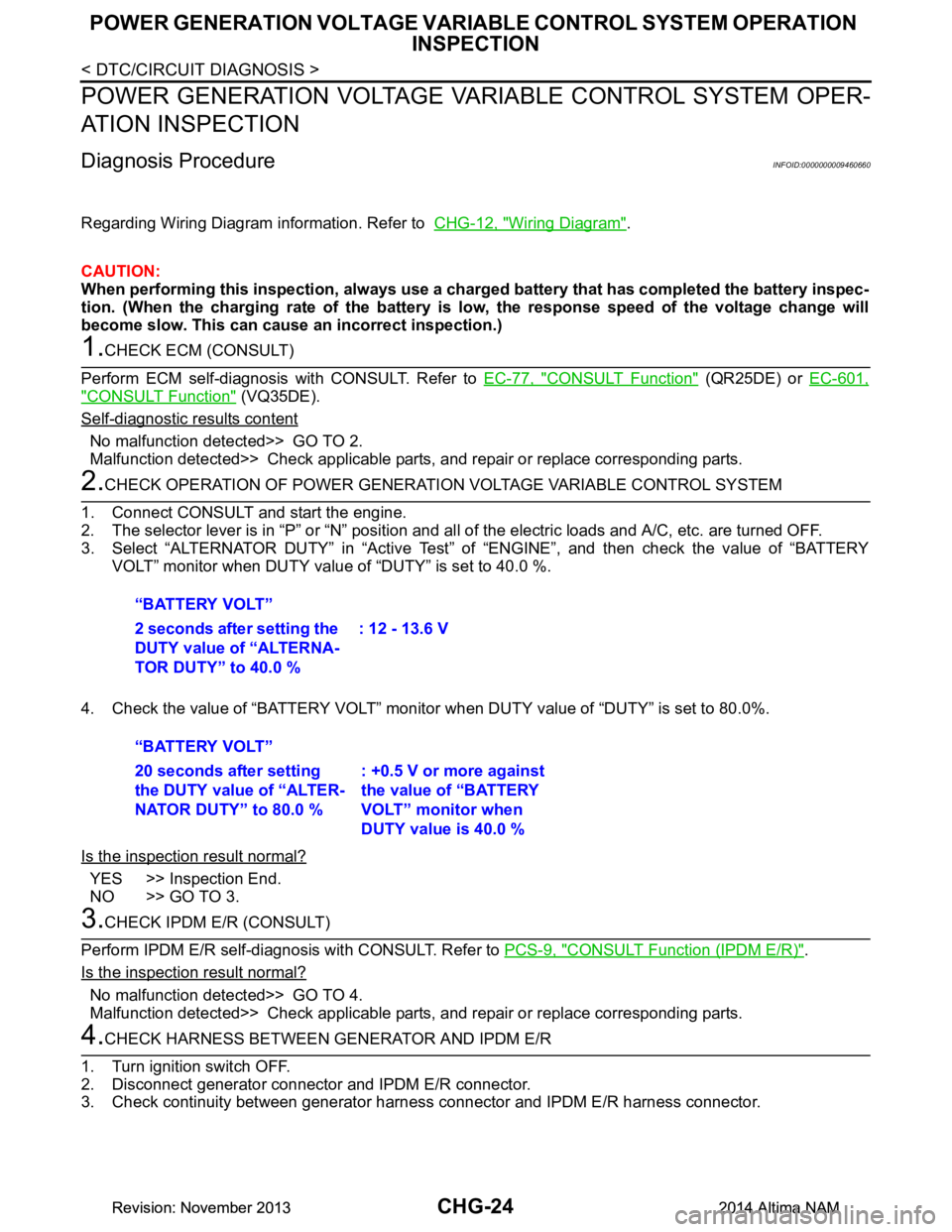
2.CHECK OPERATION OF POWER GENERATION VOLTAGE VARIABLE CONTROL SYSTEM
1. Connect CONSULT and start the engine.
2. The selector lever is in “P” or “N” position and al l of the electric loads and A/C, etc. are turned OFF.
3. Select “ALTERNATOR DUTY” in “Active Test” of “ENGINE”, and then check the value of “BATTERY
VOLT” monitor when DUTY value of “DUTY” is set to 40.0 %.
4. Check the value of “BATTERY VOLT” monitor when DUTY value of “DUTY” is set to 80.0%.
Is the inspection result normal?
YES >> Inspection End.
NO >> GO TO 3.
3.CHECK IPDM E/R (CONSULT)
Perform IPDM E/R self-diagnosis with CONSULT. Refer to PCS-9, "CONSULT Function (IPDM E/R)"
.
Is the inspection result normal?
No malfunction detected>> GO TO 4.
Malfunction detected>> Check applicable parts, and repair or replace corresponding parts.
4.CHECK HARNESS BETWEEN GE NERATOR AND IPDM E/R
1. Turn ignition switch OFF.
2. Disconnect generator connector and IPDM E/R connector.
3. Check continuity between generator harnes s connector and IPDM E/R harness connector.
“BATTERY VOLT”
2 seconds after setting the
DUTY value of “ALTERNA-
TOR DUTY” to 40.0 % : 12 - 13.6 V
“BATTERY VOLT”
20 seconds after setting
the DUTY value of “ALTER-
NATOR DUTY” to 80.0 % : +0.5 V or more against
the value of “BATTERY
VOLT” monitor when
DUTY value is 40.0 %
Revision: November 20132014 Altima NAMRevision: November 20132014 Altima NAM