NISSAN VERSA 2007 1.G Navigation Manual
VERSA 2007 1.G
NISSAN
NISSAN
https://www.carmanualsonline.info/img/5/721/w960_721-0.png
NISSAN VERSA 2007 1.G Navigation Manual
Page 49 of 272
tion and start route guidance.
&5Suggested route:
Appears in bold yellow during route gui-
dance.
&6/Direction indicator:
Indicates the direction of the map.
&7Scale indicator:
Indicates the scale of the map.
&8Arrow:
Indicates the distance to the next guide
point and the turning direction at that guide
point.
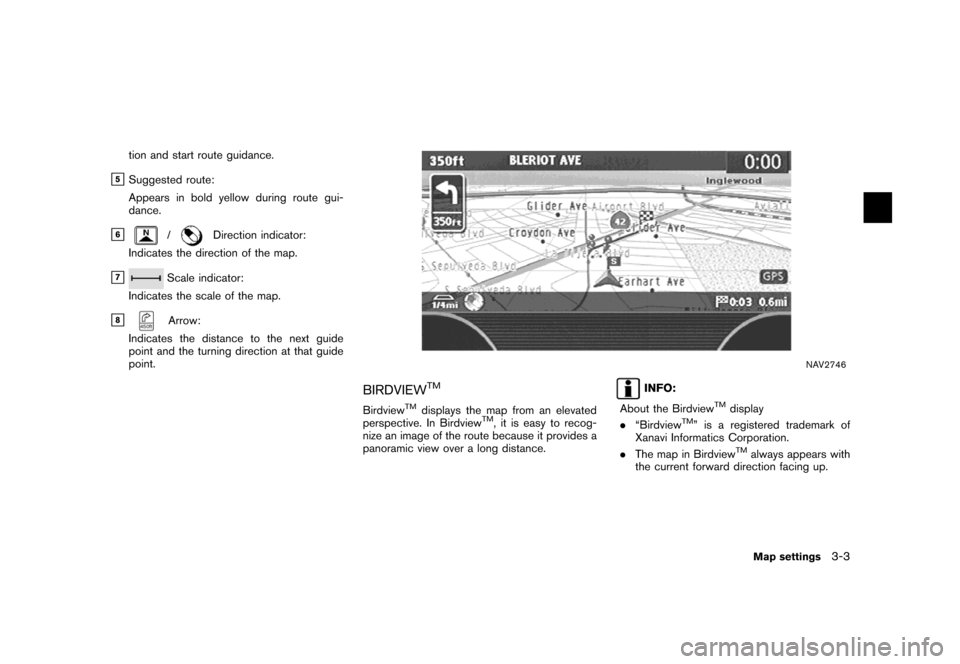
NAV2746
BIRDVIEWTM
BirdviewTMdisplays the map from an elevated
perspective. In BirdviewTM, it is easy to recog-
nize an image of the route because it provides a
panoramic view over a long distance.
INFO:
About the Birdview
TMdisplay
.“BirdviewTM” is a registered trademark of
Xanavi Informatics Corporation.
.The map in Birdview
TMalways appears with
the current forward direction facing up.
Map settings3-3
Page 52 of 272
NAV2748Split (Plan View)
NAV2749Split (BirdviewTM)
NAV2750
INFO:
You can also set the map view using the
following procedure.
1) Push.
2) Highlight [Navigation] and push.
3) Highlight [Map View] and push.
3-6Map settings
Page 54 of 272
NAI0414
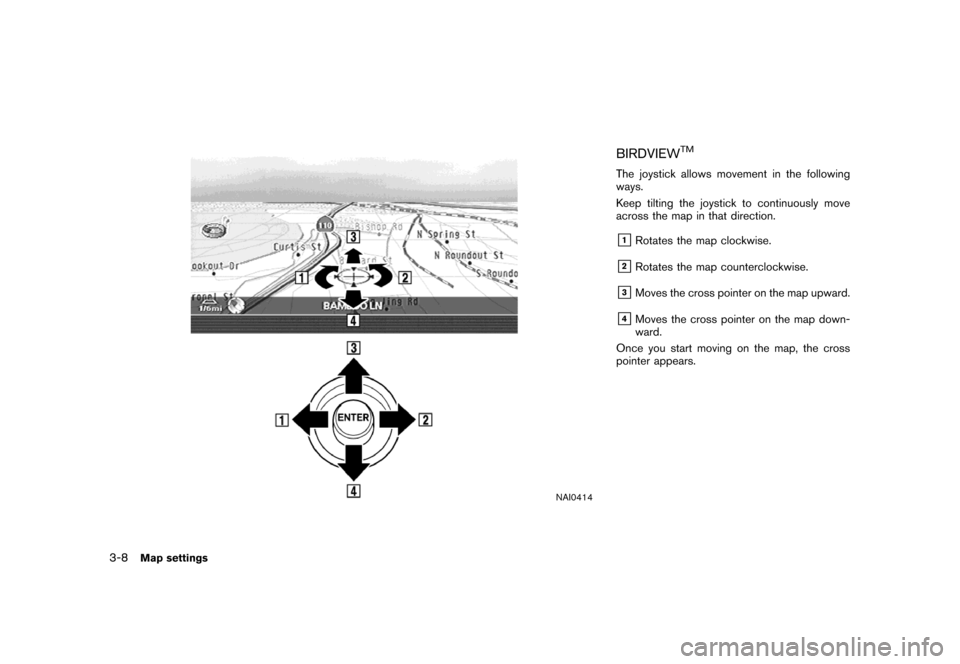
BIRDVIEWTM
The joystick allows movement in the following
ways.
Keep tilting the joystick to continuously move
across the map in that direction.
&1Rotates the map clockwise.
&2Rotates the map counterclockwise.
&3Moves the cross pointer on the map upward.
&4Moves the cross pointer on the map down-
ward.
Once you start moving on the map, the cross
pointer appears.
3-8Map settings
Page 59 of 272
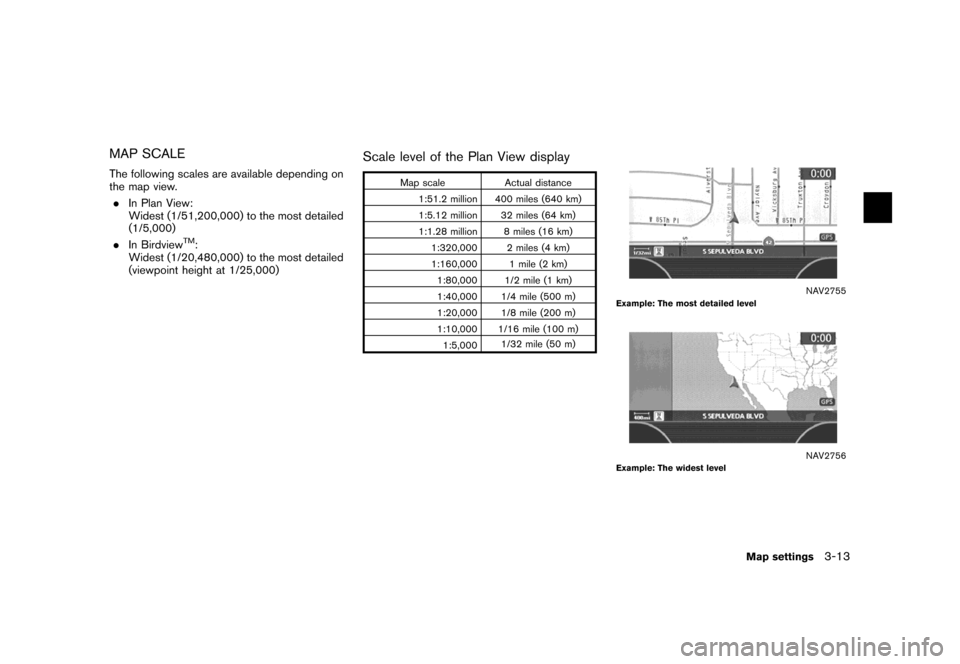
MAP SCALE
The following scales are available depending on
the map view.
.In Plan View:
Widest (1/51,200,000) to the most detailed
(1/5,000)
.In Birdview
TM:
Widest (1/20,480,000) to the most detailed
(viewpoint height at 1/25,000)
Scale level of the Plan View display
Map scale Actual distance
1:51.2 million 400 miles (640 km)
1:5.12 million 32 miles (64 km)
1:1.28 million 8 miles (16 km)
1:320,000 2 miles (4 km)
1:160,000 1 mile (2 km)
1:80,000 1/2 mile (1 km)
1:40,000 1/4 mile (500 m)
1:20,000 1/8 mile (200 m)
1:10,000 1/16 mile (100 m)
1:5,0001/32 mile (50 m)
NAV2755Example: The most detailed level
NAV2756Example: The widest level
Map settings3-13
Page 62 of 272
NAV2760
3. Highlight the preferred map orientation and
push. The indicator of the
selected map orientation illuminates.
INFO:
[Long Range Map View] is displayed only
when you select [Heading Up].
4. Push
Page 63 of 272
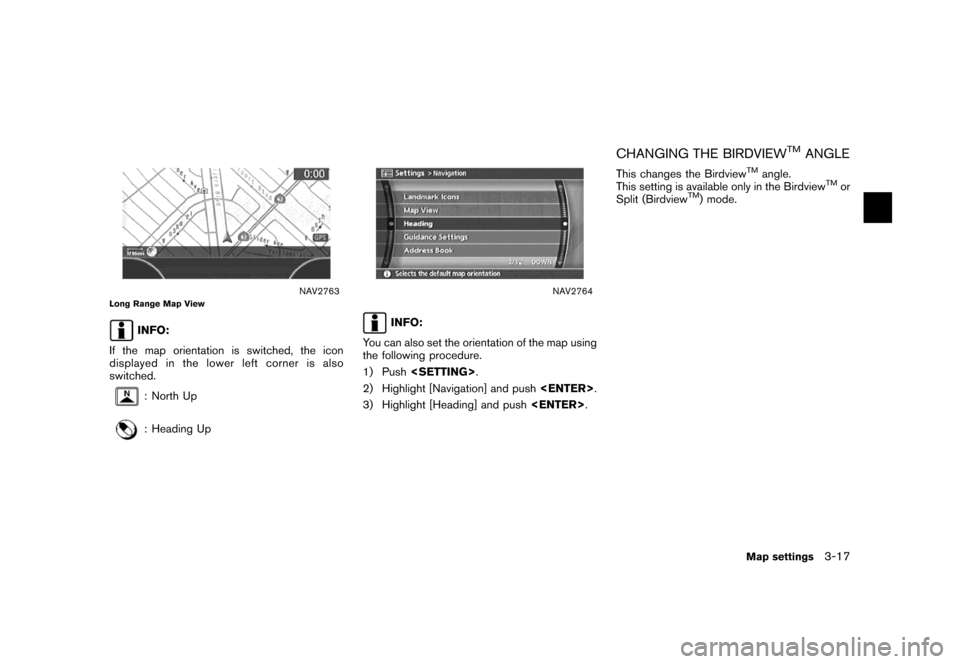
NAV2763Long Range Map View
INFO:
If the map orientation is switched, the icon
displayed in the lower left corner is also
switched.
: North Up
: Heading Up
NAV2764
INFO:
You can also set the orientation of the map using
the following procedure.
1) Push.
2) Highlight [Navigation] and push.
3) Highlight [Heading] and push.
CHANGING THE BIRDVIEWTMANGLE
This changes the BirdviewTMangle.
This setting is available only in the BirdviewTMor
Split (BirdviewTM) mode.
Map settings3-17
Page 65 of 272
NAV2766
4. Adjust the BirdviewTMangle by moving the
cursor in the direction of []or[].5. Push
Page 67 of 272
NAV2767
3. Highlight [Change Map Scale for Left] and
push.
INFO:
[Change Map Scale for Left] is displayed
only when the map view is in the Split (Plan
View) or Split (Birdview
TM) mode.
NAV2768
4. Highlight [Map Scale] and push.
Adjust the map scale by moving the cursor
in the direction of [+] or [−].
Use the joystick to adjust the scale of the
map.
After finishing the setup, pushor
/to apply the scale
setting.
5. Push
Page 68 of 272
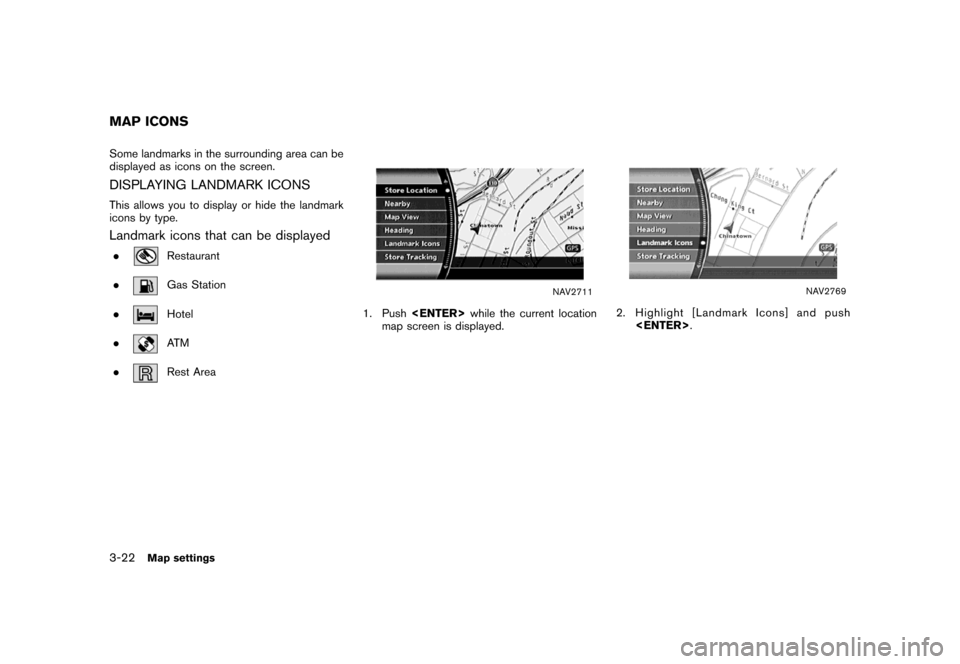
Some landmarks in the surrounding area can be
displayed as icons on the screen.
DISPLAYING LANDMARK ICONS
This allows you to display or hide the landmark
icons by type.
Landmark icons that can be displayed
.Restaurant
.
Gas Station
.
Hotel
.
AT M
.
Rest Area
NAV2711
1. Pushwhile the current location
map screen is displayed.
NAV2769
2. Highlight [Landmark Icons] and push
.
MAP ICONS
3-22Map settings
Page 69 of 272
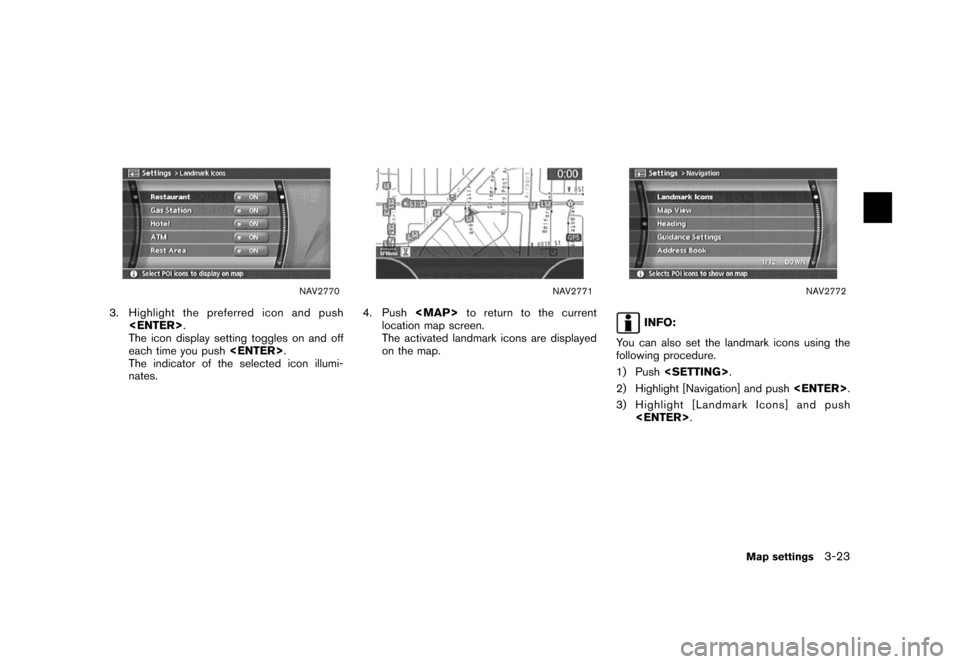
NAV2770
3. Highlight the preferred icon and push
.
The icon display setting toggles on and off
each time you push.
The indicator of the selected icon illumi-
nates.
NAV2771
4. Push
![NISSAN VERSA 2007 1.G Navigation Manual NAV2748Split (Plan View)
NAV2749Split (BirdviewTM)
NAV2750
INFO:
You can also set the map view using the
following procedure.
1) Push<SETTING>.
2) Highlight [Navigation] and push<ENTER>.
3) Highlight](/img/5/721/w960_721-51.png "NISSAN VERSA 2007 1.G Navigation Manual NAV2748Split (Plan View)
NAV2749Split (BirdviewTM)
NAV2750
INFO:
You can also set the map view using the
following procedure.
1) Push<SETTING>.
2) Highlight [Navigation] and push<ENTER>.
3) Highlight")
![NISSAN VERSA 2007 1.G Navigation Manual NAV2760
3. Highlight the preferred map orientation and
push<ENTER>. The indicator of the
selected map orientation illuminates.
INFO:
[Long Range Map View] is displayed only
when you select [Heading Up](/img/5/721/w960_721-61.png "NISSAN VERSA 2007 1.G Navigation Manual NAV2760
3. Highlight the preferred map orientation and
push<ENTER>. The indicator of the
selected map orientation illuminates.
INFO:
[Long Range Map View] is displayed only
when you select [Heading Up")
![NISSAN VERSA 2007 1.G Navigation Manual NAV2766
4. Adjust the BirdviewTMangle by moving the
cursor in the direction of []or[].5. Push<MAP>to return to the current
location map screen.
NAV2764
INFO:
You can also set the Birdview
TMangle usin](/img/5/721/w960_721-64.png "NISSAN VERSA 2007 1.G Navigation Manual NAV2766
4. Adjust the BirdviewTMangle by moving the
cursor in the direction of []or[].5. Push<MAP>to return to the current
location map screen.
NAV2764
INFO:
You can also set the Birdview
TMangle usin")
![NISSAN VERSA 2007 1.G Navigation Manual NAV2767
3. Highlight [Change Map Scale for Left] and
push<ENTER>.
INFO:
[Change Map Scale for Left] is displayed
only when the map view is in the Split (Plan
View) or Split (Birdview
TM) mode.
NAV2768](/img/5/721/w960_721-66.png "NISSAN VERSA 2007 1.G Navigation Manual NAV2767
3. Highlight [Change Map Scale for Left] and
push<ENTER>.
INFO:
[Change Map Scale for Left] is displayed
only when the map view is in the Split (Plan
View) or Split (Birdview
TM) mode.
NAV2768")