lock Oldsmobile Cutlass Supreme 1993 s User Guide
[x] Cancel search | Manufacturer: OLDSMOBILE, Model Year: 1993, Model line: Cutlass Supreme, Model: Oldsmobile Cutlass Supreme 1993Pages: 340, PDF Size: 16.21 MB
Page 53 of 340
Programming the Module
You will need to program your Remote
Lock Control module if any of the
following things occur:
You replace your Remote Lock
Control transmitter;
You add a second transmitter;
Something grounds the data encoder
You replace the Remote Lock Control
connector
in the trunk;
module.
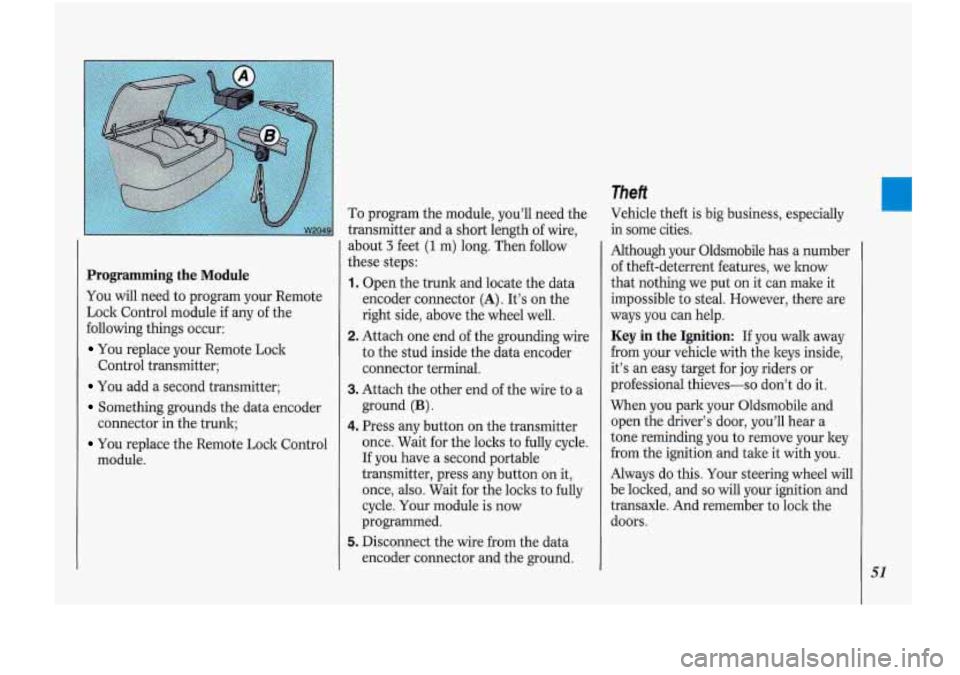
To program the module, you'll need the
transmitter and a short length of wire,
about
3 feet (1 m) long. Then follow
these steps:
1. Open the trunk and locate the data
encoder connector
(A). It's on the
right side, above the wheel well.
2. Attach one end of the grounding wke
to the stud inside the data encoder
connector terminal.
3. Attach the other end of the wire to a
ground
(B).
4. Press any button on the transmitter
once. Wait for the locks to fully cycle.
If you have a second portable
transmitter, press any button on it,
once, also. Wait for the locks to fully
cycle. Your module is now
programmed.
5. Disconnect the wire Gom the data
encoder connector and the ground.
Theft
Vehicle theft is big business, especially
in some cities.
Although your Oldsmobile has a number
of theft-deterrent features, we lmow
that nothing we put on it can make it
impossible to-steaL However, there are
ways you can help.
Key in the Ignition: If you walk away
from your vehicle with the keys inside,
it's
an easy target for joy riders or
professional thieves-so don't do it.
When you park your Oldsmobile and
open the driver's door, you'll hear a
tone reminding you to remove your key
from the ignition and take it with you.
Always do this. Your steering wheel will
be locked, .and
so will your ignition and
transaxle. And remember to lock the
doors.
51
Page 55 of 340
Remote Trunk Release (OPTION)
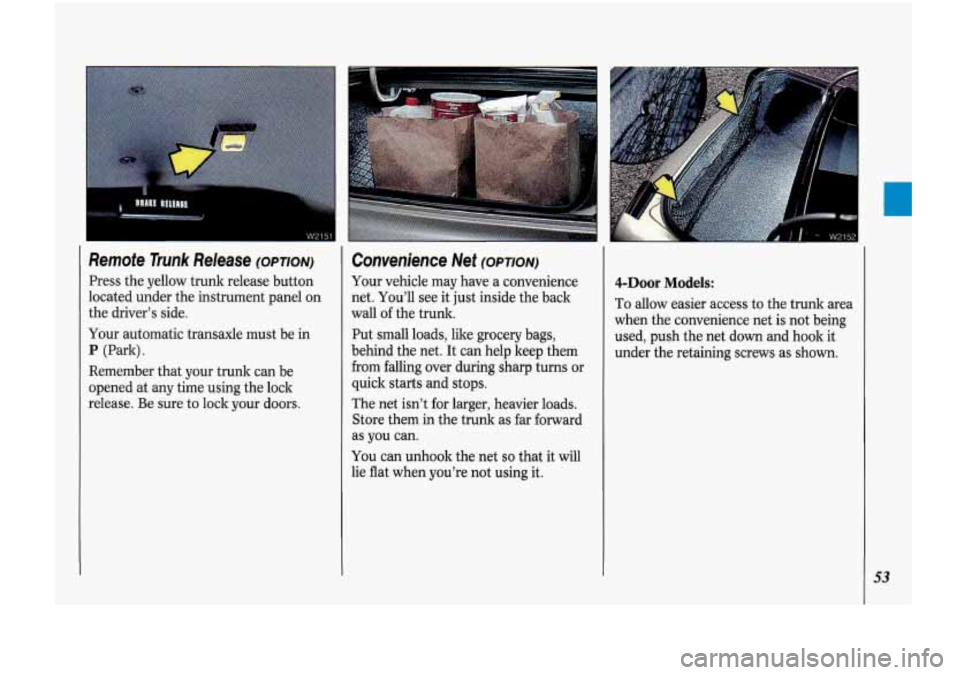
Press the yellow trunk release button
located under the instrument panel on
the driver’s side.
Your automatic transaxle must be in
P (Park).
Remember that your trunk can be
opened at
any time using the lock
release. Be sure to lock your doors.
Convenience Net (OPTION)
Your vehicle may have a convenience
net. You’ll see it just inside the back
wall
of the trunk.
Put small loads, like grocery bags,
behind the net. It can help keep them
from falling over during sharp turns
or
quick stafts and stops.
The net isn’t for larger, heavier loads.
Store them in the trunk as far forward
as you can.
You can unhook the net so that it will
lie flat when you’re not using it.
4-Door Models:
To allow easier access to the trunk area
when the convenience net is not being
used, push the net down and hook it
under the retaining screws
as shown.
53
Page 56 of 340
Features & Controls
54
I.
c
Glove Box
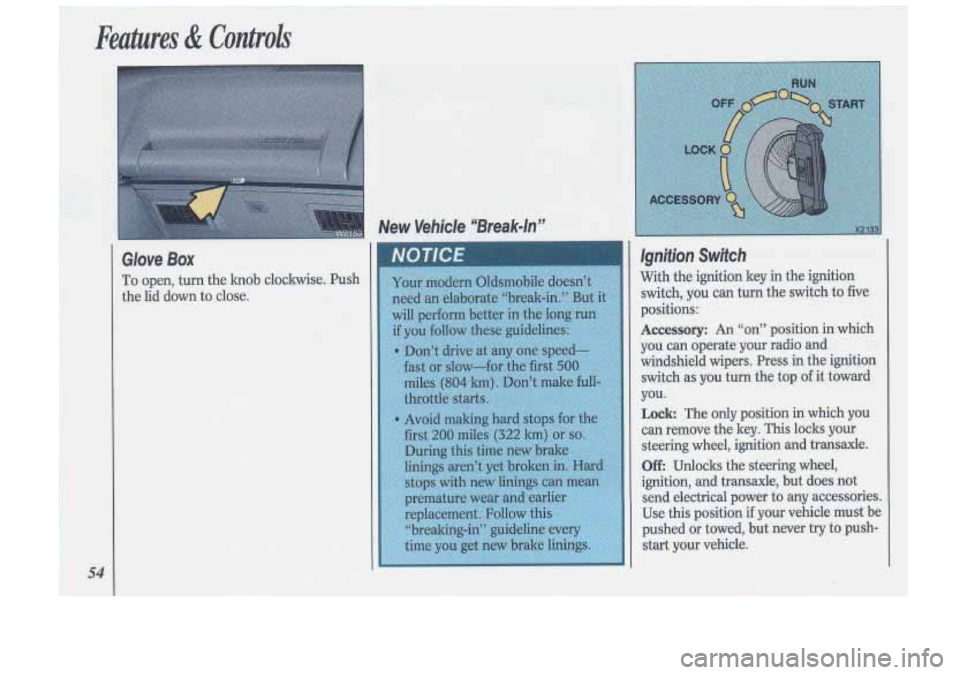
To open, turn the knob clockwise. Push
the lid down to close.
Page 59 of 340
Driving Through Deep Standing Wafer €ngine Block Heater (OPTION)
In
very cold weather, 0°F (-18°C) or
colder, the engine block heater can
help. You’ll get easier starting and
better fuel economy during engine
warm-up.
To Use the Block Heater:
1. Turn off the engine.
2. Open the hood and unwrap the
3. Plug it into a normal, grounded
electrical
cord.
110-volt outlet.
CAUTION
I 57
Page 60 of 340
Features & Controls
Engine Block Heater (CONTJ
How long should you keep the block
heater plugged in? The answer depends
on the weather, the kind
of oil you
have, and some other things. Instead of
trying to list everything here, we ask
that you contact an Oldsmobile dealer
in the area where you’ll be parking your
vehicle. The dealer can give you the best
advice for that particular area.
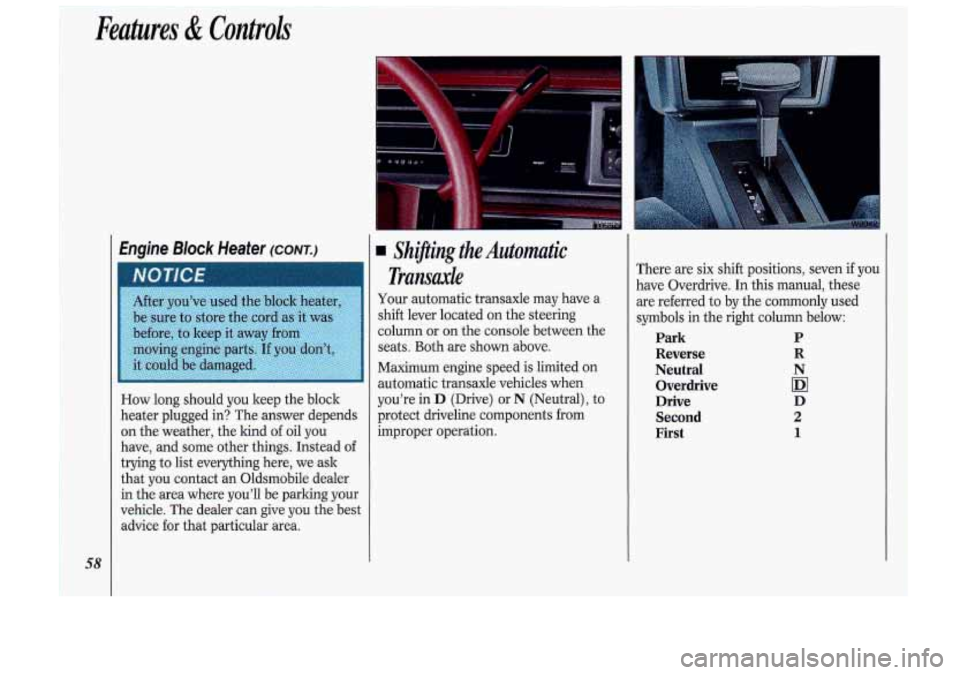
Shifting the Automatic
Transaxle
Your automatic transaxle may have a
shift lever located on the steering
column or on the console between the
seats. Both are shown above.
Maximum engine speed
is limited on
automatic transaxle vehicles when
you’re in
D (Drive) or N (Neutral), to
protect driveline components from
improper operation. There
are six shift positions, seven if you
have Overdrive. In this manual, these
are referred to by the commonly used
symbols in the right column below:
Park P
Reverse
R
Neutral N Overdrive
IDI
Drive D Second
2
First 1
Page 66 of 340
Features & Controli
64
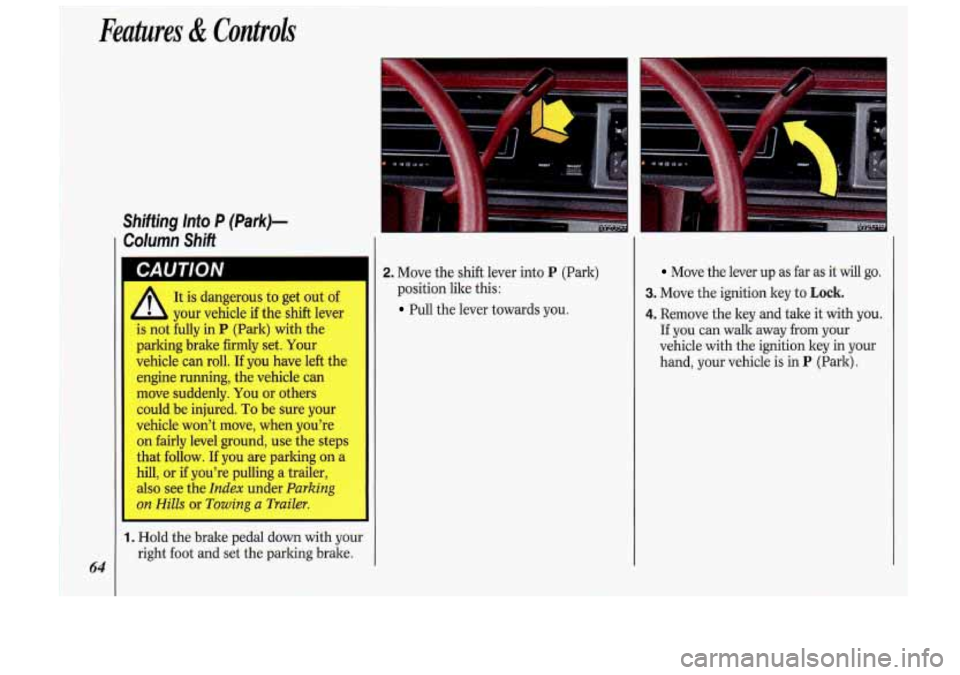
Shifting lnto P (Park)-
Column Shift
It is dangerous to get out of
your vehicle if the shift lever
is not fully in
P (Park) with the
parking brake firmly set. Your
vehicle can roll. If you have left the
engine running, the vehicle can
move suddenly.
You or others
could be injured.
To be sure your
vehicle won't move, when you're
on fairly level ground, use the steps
that follow.
If you are parking on a
hill, or if you're pulling a trailer,
also see the
Index under Parking
on Hills or Towing a Trailer.
1. Hold the brake pedal down with your
right foot and set the parking brake.
'." ' I
2. Move the shift lever into P (Park)
position like this:
Pull the lever towards you.
Move the lever up as far as it will go.
3. Move the ignition key to Lock.
4. Remove the key and tale it with you.
If you can walk away from your
vehicle with the ignition key in your
hand, your vehicle
is in P (Park).
Page 67 of 340
Shjfthg ‘Into P (Park)-
Console
Shift
A
It is dangerous to get out of
your vehicle
if the shift lever
is not fully
in P (Park) with the
parking brake firmly set. Your
vehicle can roll. If you have left the
engine running, the vehicle can
move suddenly. You or others
could be injured.
To be sure your
vehicle won’t move, when you’re
on fairly level ground, use the steps
that follow. If you are parking
on a
hill, or
if you’re pulling a trailer,
also see the
Index under Parking
on Hills or Towing a Trailer.
1. Hold the brake pedal down with your
right foot
and set the parking brake.
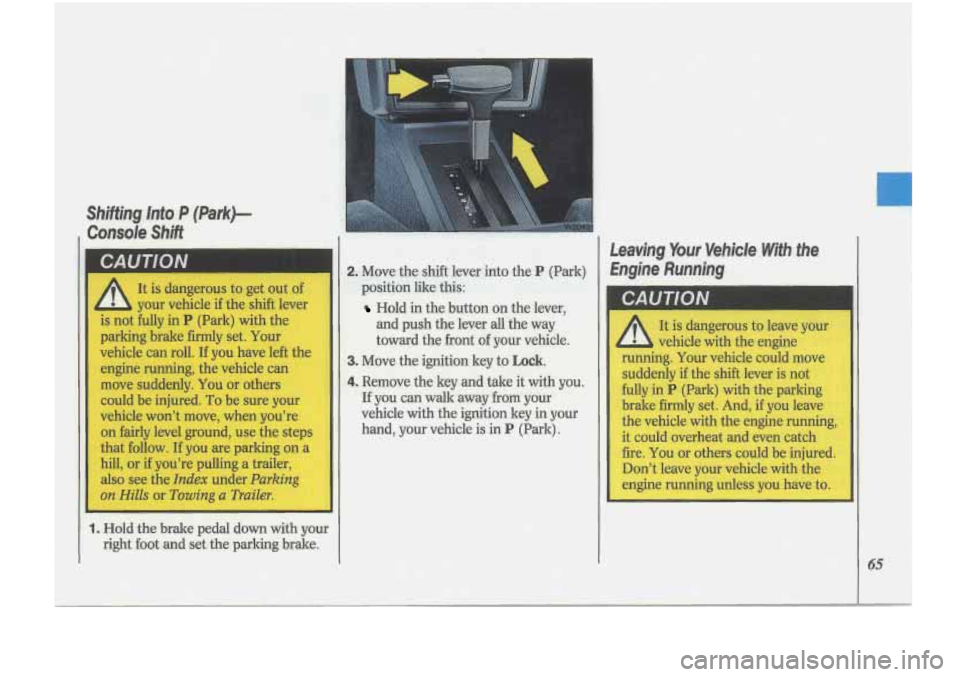
2. Move the shift lever into the P (Park)
position like this-:.
Hold in the button on the lever,
and push the lever
all the way
toward the front of your vehicle.
3. Move the ignition key to Lock.
4. Remove the key and take it with you.
If you can wallc away from your
vehicle with the ignition key
in your
hand, your vehicle is in
P (Park).
Leaving Yo,ur Vehicle Wfih the
Engine Running
I
Page 70 of 340
~ Features di Controls
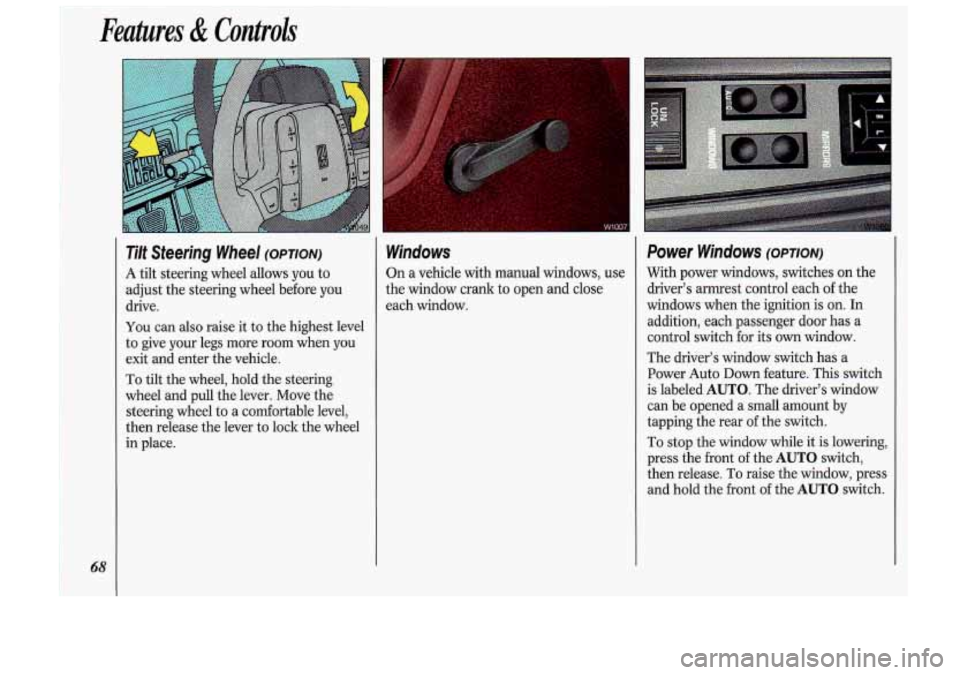
Tilt Steering Wheel (OPTION)
A
tilt steering wheel allows you to
adjust the steering wheel before you
drive.
You can also raise it to the highest level
to give your legs more room when you
exit and enter the vehicle.
To tilt the wheel, hold the steering
wheel and pull the lever. Move the
steering wheel to a comfortable level,
then release the lever to lock the wheel
in place.
Windows
On a vehicle with manual windows, use
the window crank to open and close
each window.
Power Windows (OPTION)
With power windows, switches on the
driver’s armrest control each of the
windows when the ignition is on. In
addition, each passenger door has a
control switch for its
own window.
The driver’s window switch has a
Power Auto
Down feature. This switch
is labeled
AUTO. The driver’s window
can be opened a small amount by
tapping the rear of the switch.
To stop the window while it is lowering,
press the front of the
AUTO switch,
then release. To raise the window, press
and hold the front of the
AUTO switch.
Page 71 of 340
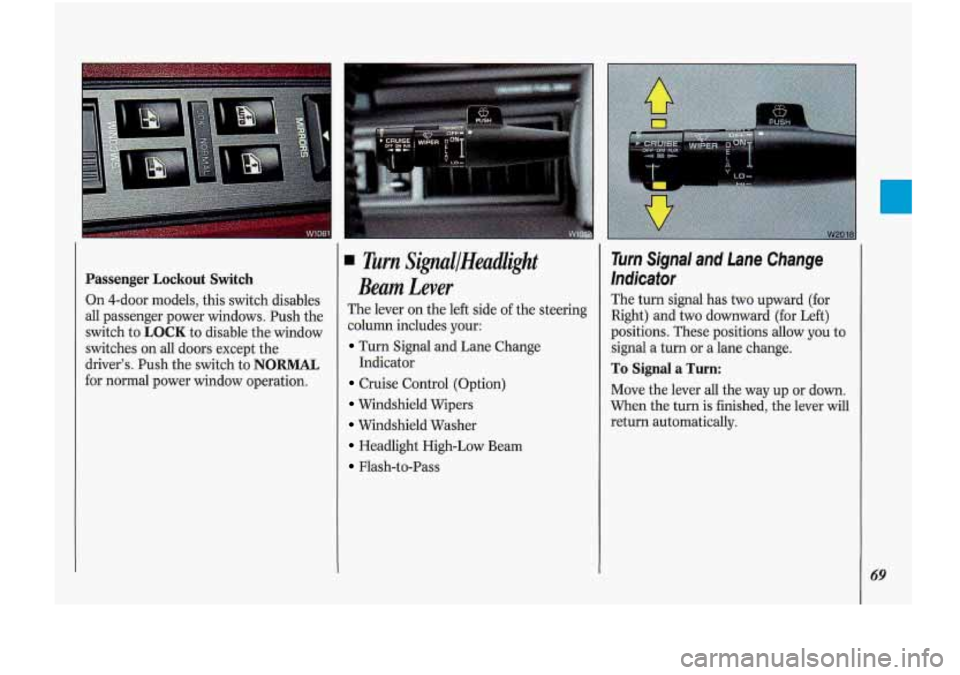
Passenger Lockout Switch
On 4-door models, this switch disables
all passenger power windows. Push the
switch to
LOCK to disable the window
switches on all doors except the
driver’s. Push the switch to
NORMAL
for normal power window operation.
Turn SiflallHeadlight
Beam Lever
The lever on the left side of the steering
column includes your:
Turn Signal and Lane Change
Cruise Control (Option)
Windshield Wipers
Windshield Washer
Headlight High-Low Beam
Flash-to-Pass Indicator
Turn Signal and Lane Change
Indicator
The turn signal has two upward (for
Right) and
two downward (for Left)
positions. These positions allow you to
signal a turn or a lane change.
To Signal a Turn:
Move the lever all the way up or down.
When the turn
is finished, the lever will
return automatically.
69
Page 80 of 340
Features & Controls
78
Daytime Running Lights (CONK)
At dusk, the exterior lights will come on
automatically and the low beams will
change to full brightness. At dawn, the
exterior lights will go out and the low
beams will change to the reduced
brightness of
DRL (if the headlight
switch is off).
Of course, you may still turn on the
headlights any time you need to.
To idle your vehicle with the DRL off,
set the parking brake while the ignition
is in the
Off or Lock position. Then
start the vehicle. The DRL will stay off
until you release the parking brake.
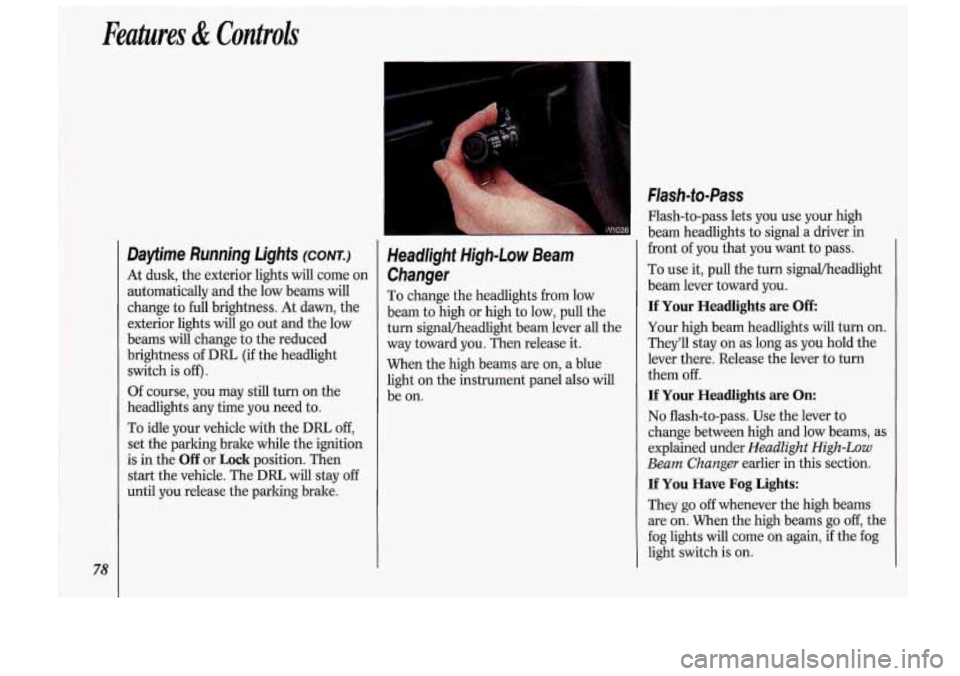
Headlight High-Low Beam
Changer
To change the headlights from low
beam to high or high to low, pull the
turn signal/headlight beam lever all the
way toward you. Then release it.
When the high beams are on,
a blue
light on the instrument panel also will
be on.
Flash-to- Pass
Flash-to-pass lets you use your high
beam headlights
to signal a driver in
front of you that you want to pass.
To use it, pull the turn signal/headlight
beam lever toward you.
If Your Headlights are Off
Your high beam headlights will turn on.
They'll stay on
as long as you hold the
lever there. Release the lever to turn
them off.
If Your Headlights are On:
No flash-to-pass. Use the lever to
change between high and low beams, as
explained under
Headlight High-Low
Beam Changer
earlier in this section.
If You Have Fog Lights:
They go off whenever the high beams
are on. When the high beams go
off, the
fog lights will come on again, if the fog
light switch is on.