ignition OLDSMOBILE SILHOUETTE 1993 Owner's Manual
[x] Cancel search | Manufacturer: OLDSMOBILE, Model Year: 1993, Model line: SILHOUETTE, Model: OLDSMOBILE SILHOUETTE 1993Pages: 323, PDF Size: 17.13 MB
Page 109 of 323
Driving your vehicle with low oil
pressure can cause extensive engine
damage. Have your vehicle serviced
immediately.
CAUTION
Don't keep driving if the oil
I. pressure is low. If you do,
your engine can become so hot that
it catches fire. You or others could
be burned. Check your oil as soon
as possible and have your vehicle
serviced.
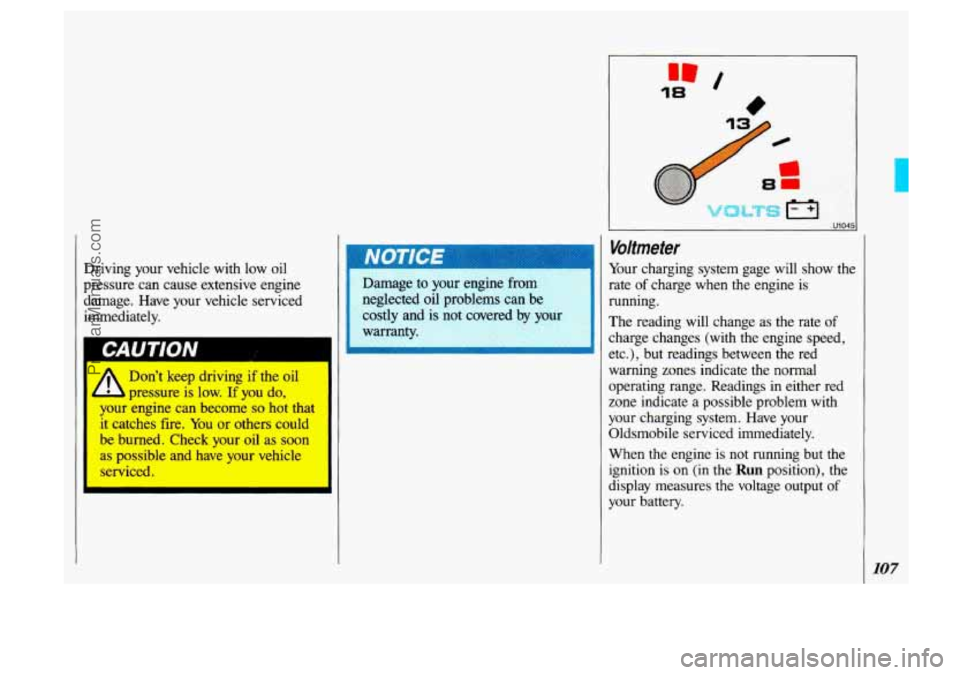
I Voltmeter
Your charging system gage will show the
rate
of charge when the engine is
warning zones indicate the normal
operating range. Readings in either red
zone indicate a possible problem with
your charging system. Have your
Oldsmobile serviced immediately.
When
the engine is not running but the
ignition is on (in the
Run position), the
display measures the voltage output
of
your battery.
107
ProCarManuals.com
Page 112 of 323
Features & Controls
SLIDIP
GAT1
SERVICE
ENGINE SOON
120 U2165
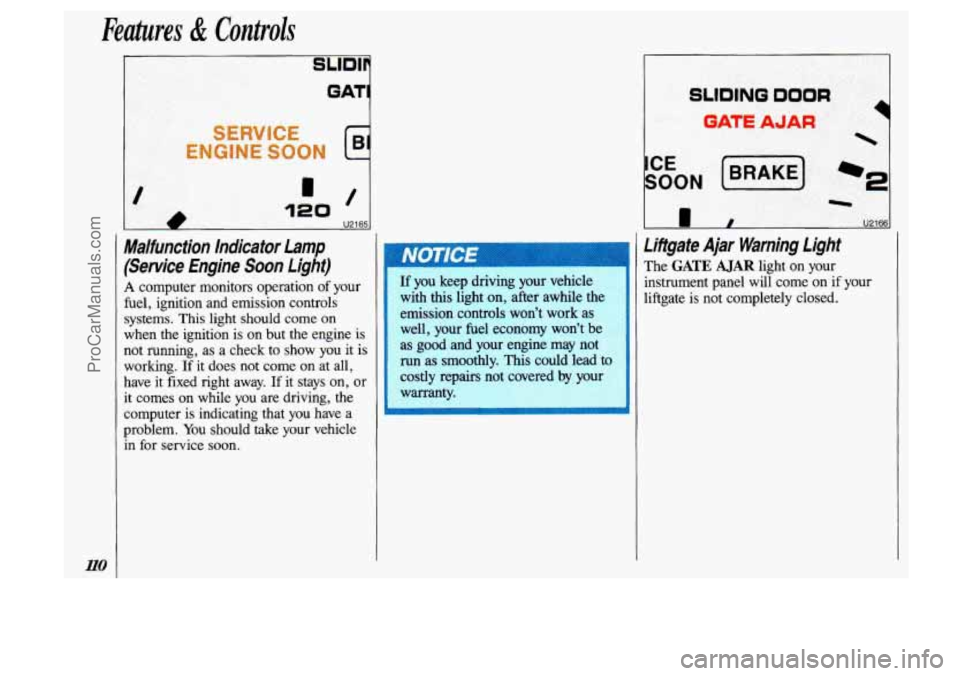
Malfunction Indicator Lamp
(Service Engine Soon Light)
A computer monitors operation of your
fuel, ignition and emission controls
systems. This light should come
on
when the ignition is on but the engine is
not running, as a check to show you it is
working.
If it does not come on at all,
have it fixed right away.
If it stays on, or
it comes
on while you are driving, the
computer is indicating that
you have a
problem.
You should take your vehicle
in for service
soon.
If you keep driving your vehicle
with this light
on, after awhile the
emission controls won’t work
as
well, your fuel economy won’t be
as good and your engine may not
run as smoothly. This could lead to
costly repairs not covered by you1
warranty.
Lifigate Ajar Warning light
The GATE AJAR light on your
instrument panel will come on if your
liftgate is not completely closed.
ProCarManuals.com
Page 116 of 323
Comfort Controls & Audio Systems
114
Climate Control System
Your vehicle’s heater and air conditioner
work best
if you keep your windows
closed. Your vehicle also has
flow-
through ventilation, described later in
this section, to bring outside air into
your vehicle.
If you have the optional engine block
heater and use it during cold weather,
0°F (-18°C) or lower, your heating
system will more quickly provide heat
because the engine coolant is already
warmed. See the
Index under Engine
Block Heater.
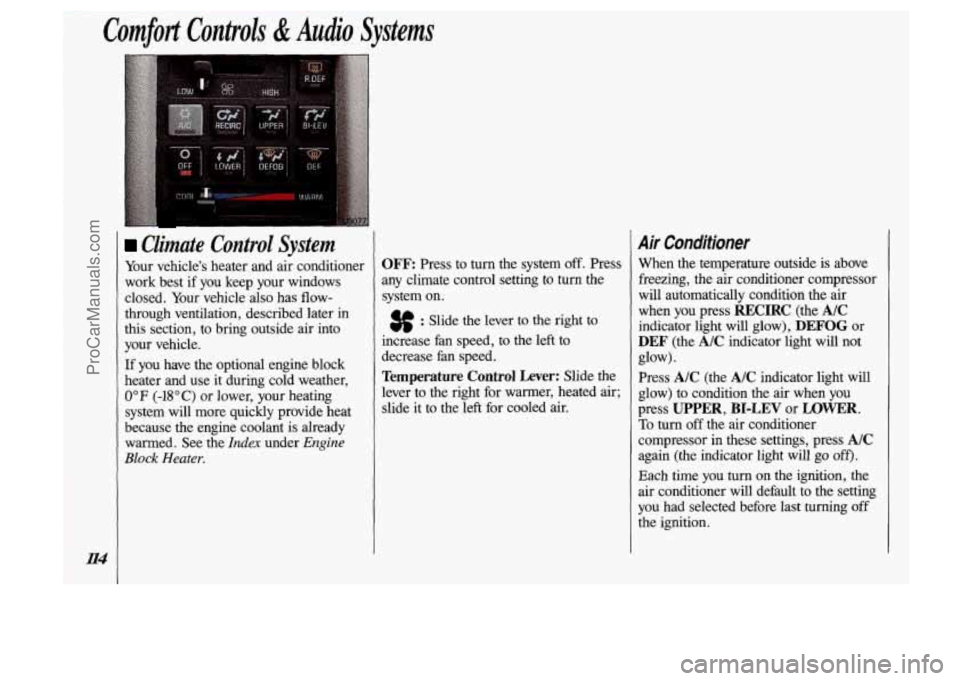
OFF Press to turn the system off. Press
any climate control setting to turn the
system
on.
3f : Slide the lever to the right to
increase fan speed, to the left to
decrease fan speed.
Temperature Control Lever: Slide the
lever to the right for warmer, heated air;
slide it to the left for cooled air.
Air Conditioner
When the temperature outside is above
freezing, the air conditioner compressor
will automatically condition the air
when you press
RECIRC (the AIC
indicator light will glow), DEFOG or
DEF (the A/C indicator light will not
Press
A/C (the A/C indicator light will
glow) to condition the
air when you
press
UPPER, BI-LEV or LOWER.
To turn off the air conditioner
compressor in these settings, press
A/C
again (the indicator light will go off).
Each time you turn on the ignition, the
air conditioner will default to the setting
you had selected before last turning off
the ignition. glow).
ProCarManuals.com
Page 121 of 323
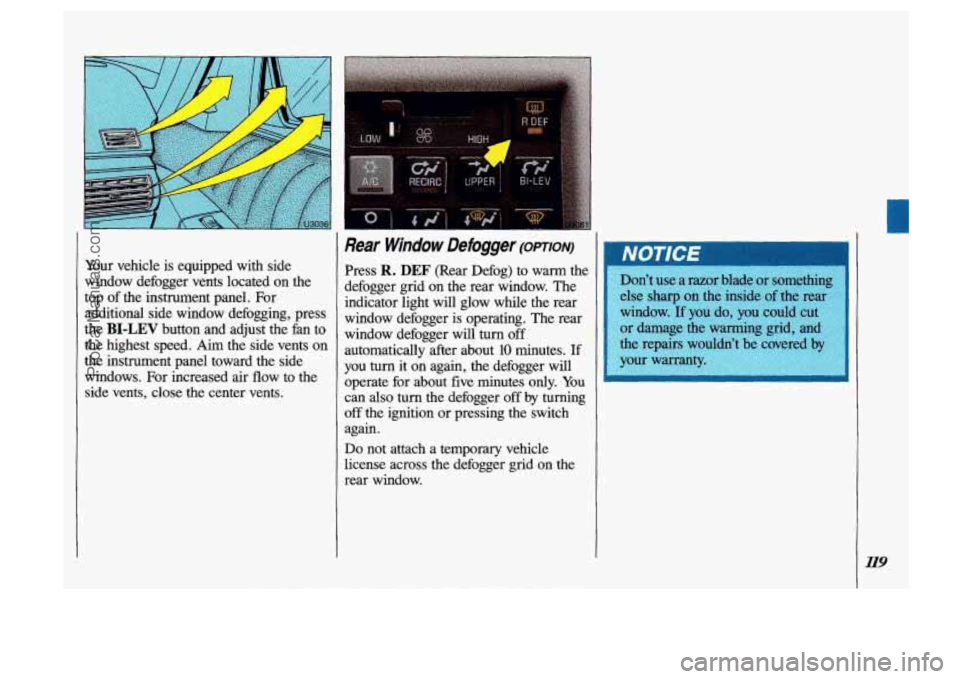
Your vehicle is equipped with side
window defogger vents located on the
top of the instrument panel. For
additional side window defogging, press
the
BI-LEV button and adjust the fan to
the highest speed.
Aim the side vents on
the instrument panel toward the side
windows. For increased air flow to the
side vents, close the center vents.
Rear Window Defogger (omoiv)
Press R. DEF (Rear Defog) to warm the
defogger grid on the rear window. The
indicator light will glow while the rear window defogger is operating. The rear
window defogger will turn
off
automatically after about 10 minutes. If
you turn it on again, the defogger will
operate for about five minutes only. You
can
also turn the defogger off by turning
off the ignition or pressing the switch
again.
Do not attach a temporary vehicle
license across the defogger grid on the
rear window.
119
ProCarManuals.com
Page 125 of 323
IM.FM Stereo Radio
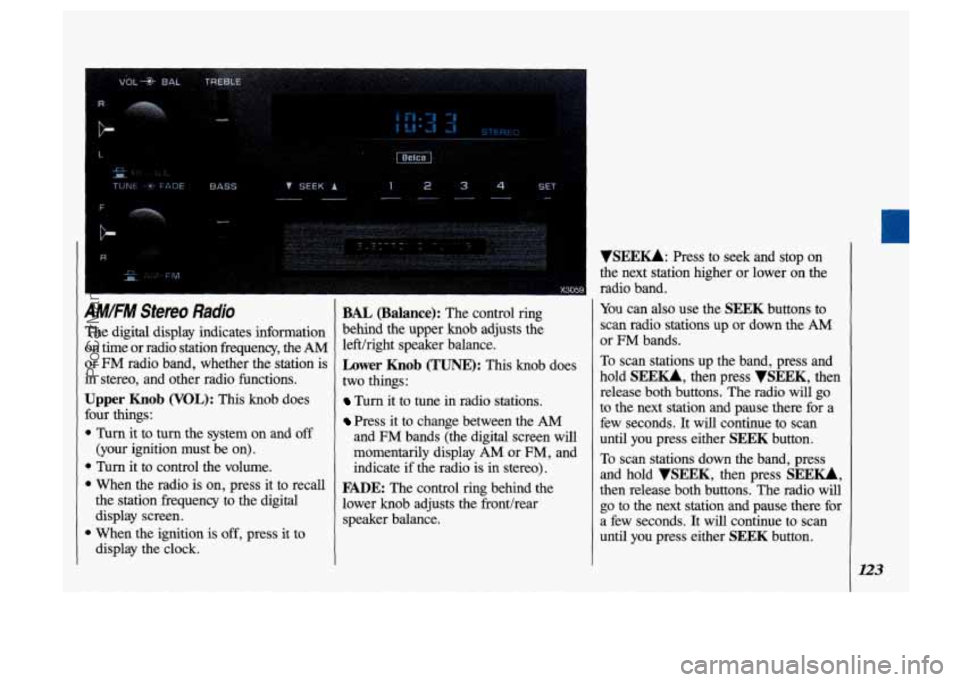
'he digital display indicates information In time or radio station fi-equency, the AM
Nr FM radio band, whether the station is
n stereo, and other radio functions.
Jpper Knob (VOL): This knob does
mr things:
Turn it to turn the system on and off
(your ignition must be on).
Turn it to control the volume.
the station frequency to the digital
display screen.
1 When the ignition is off, press it to
display the clock.
1 When the radio is on, press it to recall
BAL (Balance): The control ring
behind the upper knob adjusts the
left/right speaker balance.
Lower Knob (TUNE): This knob does
two things
:
Turn it to tune in radio stations.
Press it to change between the AM
and FM bands (the digital screen will
momentarily display AM or
FM, and
indicate
if the radio is in stereo).
FADE: The control ring behind the
lower knob adjusts the fronthear
speaker balance.
VSEEU: Press to seek and stop on
the next station higher or lower on the
radio band.
You can also use the SEEK buttons to
scan radio stations up or down the
AM
or FM bands.
To scan stations up the band, press and
hold
SEE-, then press VSEEK, then
release both buttons. The radio will go
to the next station and pause there for a
few seconds. It will continue to scan
until you press either
SEEK button.
To scan stations down the band, press
and hold
VSEEK, then press SEE-,
then release both buttons. The radio will
go to the next station and pause there for
a few seconds. It will continue to scan
until you press either
SEEK button.
123
ProCarManuals.com
Page 127 of 323
IMIFM Stereo with Cassette
'layer
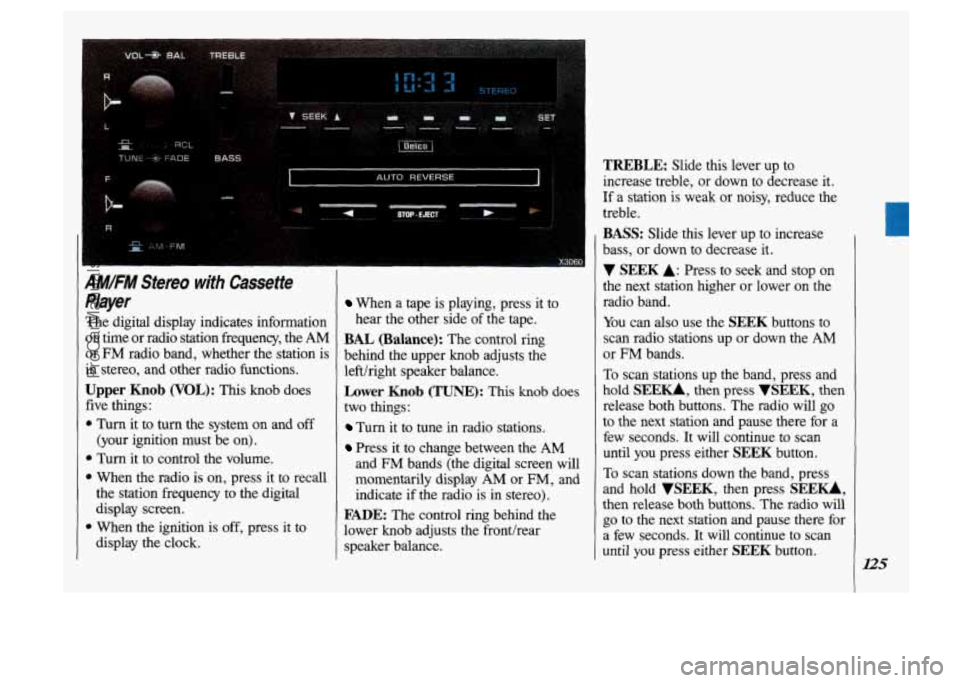
'he digital display indicates information
In time or radio station frequency, the
AM
lr FM radio band, whether the station is
n stereo, and other radio functions.
Jpper Knob (VOL): This knob does
ive things:
Turn it to turn the system on and off
(your ignition must be on).
1 Turn it to control the volume.
1 When the radio is on, press it to recall
the station frequency to the digital
display screen.
1 When the ignition is off, press it to
display the clock.
When a tape is playing, press it to
hear the other side of the tape.
BAL (Balance): The control ring
behind the upper knob adjusts the
lefthght speaker balance.
Lower Knob (TUNE): This knob does
two things:
Turn it to tune in radio stations.
Press it to change between the AM
and FM bands (the digital screen will
momentarily display
AM or FM, and
indicate if the radio is in stereo).
FADE: The control ring behind the
lower knob adjusts the fronthear
speaker balance.
TREBLE: Slide this lever up to
increase treble, or down to decrease it.
If a station is weak
or noisy, reduce the
treble.
BASS: Slide this lever up to increase
bass, or down to decrease it.
V SEEK A: Press to seek and stop on
the next station higher or lower on the
radio band.
You can also use the
SEEK buttons to
scan radio stations up or down the
AM
or FM bands.
To scan stations up the band, press and
hold
SEE-, then press VSEEK, then
release both buttons. The radio will go
to the next station and pause there for a
few seconds. It will continue to scan
until you press either
SEEK button.
To scan stations down the band, press
and hold
VSEEK, then press SEEU,
then release both buttons. The radio will
go to the next station and pause there for
a few seconds.
It will continue to scan
until
you press either SEEK button.
ProCarManuals.com
Page 129 of 323
AM/FM Stereo with Cassette
Player with Dolby@
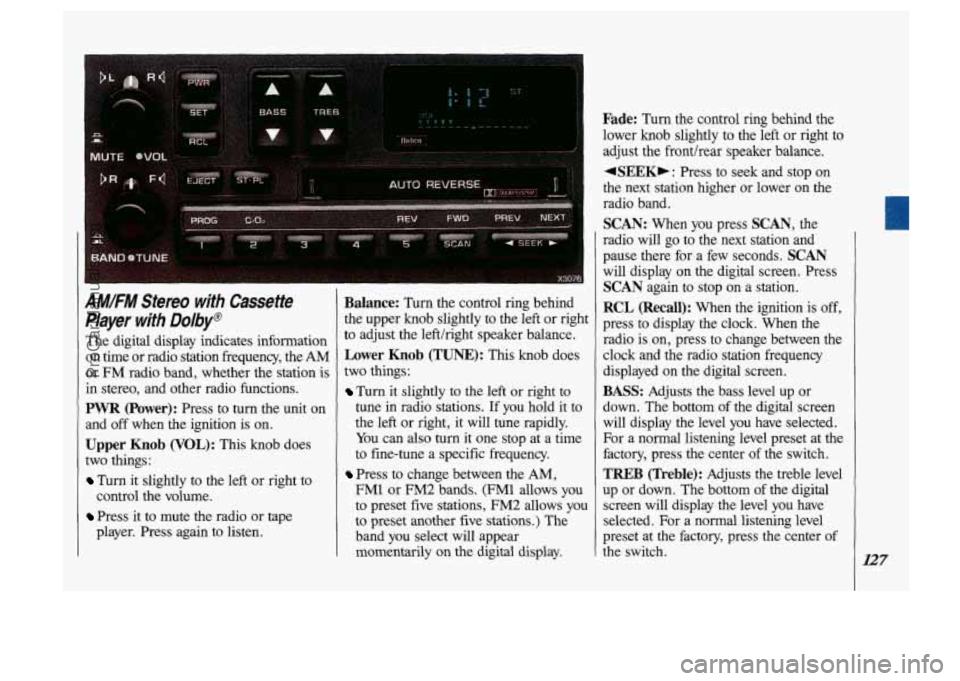
The digital display indicates information
on time or radio station frequency, the
AM
or FM radio band, whether the station is
in stereo, and other radio functions.
PWR (Power): Press to turn the unit on
and
off when the ignition is on.
Upper Knob (VOL): This knob does
two things:
Turn it slightly to the left or right to
Press it to mute the radio or tape
control
the volume.
player. Press again to listen.
Balance: Turn the control ring behind
the upper knob slightly to the left or right
to adjust the left/right speaker balance.
Lower Knob (TUNE): This knob does
two things:
Turn it slightly to the left or right to
tune in radio stations. If you hold it to
the left or right, it will tune rapidly.
You can also
turn it one stop at a time
to fine-tune a specific frequency.
Press to change between the AM,
FM1 or FM2 bands. (FM1 allows you
to preset five stations, FM2 allows
you
to preset another five stations.) The
band you select will appear
momentarily on the digital display.
Fade: Turn the control ring behind the
lower knob slightly to the left or right to
adjust the fronthear speaker balance.
+SEEK,: Press to seek and stop on
the next station higher
or lower on the
radio band.
SCAN: When you press SCAN, the
radio will go to the next station and
pause there for a few seconds.
SCAN
will display on the digital screen. Press
SCAN again to stop on a station.
RCL (Recall): When the ignition is off,
press to display the clock. When the
radio is on, press to change between the
clock and the radio station frequency
displayed on the digital screen.
BASS: Adjusts the bass level up or
down. The bottom of the digital screen
will display the level you have selected.
For a normal listening level preset at the
factory, press the center of the switch.
TREB (Treble): Adjusts the treble level
up or down. The
bottom of the digital
screen will display the level you have
selected. For a normal listening level
preset at the factory, press the center of
the switch.
127
ProCarManuals.com
Page 130 of 323
Comfort Controls & Audio Systems
AM/FM Sfereo with Cassette
Player
with Dolby@ (CONZ)
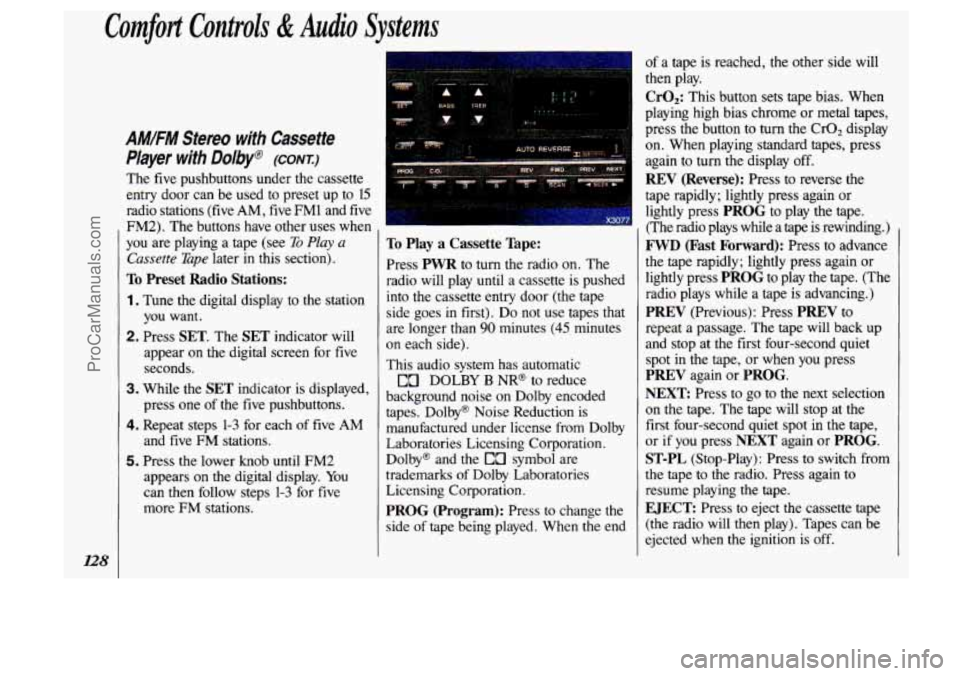
The five pushbuttons under the cassette
entry door can be used to preset up to 15
radio stations
(five AM, five FM1 and five
FM2). The buttons have other uses when
you are playing a tape (see
To Play a
Cassette Tape later in this section).
To Preset Radio Stations:
1. Tune the digital display to the station
you want.
2. Press SET. The SET indicator will
appear
on the digital screen for five
seconds.
3. While the SET indicator is displayed,
press one
of the five pushbuttons.
4. Repeat steps 1-3 for each of five AM
and five FM stations.
5. Press the lower knob until FM2
appears on the digital display. You
can then follow steps
1-3 for five
more
FM stations.
To Play a Cassette Tape:
Press PWR to turn the radio on. The
radio will play until a cassette is pushed
into the cassette entry door (the tape
side goes
in first). Do not use tapes that
are longer than
90 minutes (45 minutes
on each side).
This audio system has automatic
DOLBY
B NR@ to reduce
background noise on Dolby encoded
tapes. Dolby@ Noise Reduction is manufactured under license from Dolby
Laboratories Licensing Corporation.
Dolby@ and the
EO symbol are
trademarks of Dolby Laboratories
Licensing Corporation.
PROG (Program): Press to change the
side
of tape being played. When the end
of a tape is reached, the other side will
then play.
CrO,: This button sets tape bias. When
playing high bias chrome or metal tapes,
press the button
to turn the CrOz display
on. When playing standard tapes, press
again to turn the display off.
REV (Reverse): Press to reverse the
tape rapidly; lightly press again or
lightly press
PROG to play the tape.
(The radio plays while a tape is rewinding.)
FWD (Fast Forward): Press to advance
the tape rapidly; lightly press again or
lightly press
PROG to play the tape. (The
radio plays while a tape is advancing.)
PREV (Previous): Press PREV to
repeat a passage. The tape will back up
and stop at the first four-second quiet spot in the tape, or when
you press
PREV again or PROG.
NEXT
Press to go to the next selection
on the tape. The tape will stop at the
first four-second quiet spot in the tape,
or if you press
NEXT again or PROG.
ST-PL (Stop-Play): Press to switch from
the tape to the radio. Press again to
resume playing the tape.
EJECT: Press to eject the cassette tape
(the radio will then play). Tapes can be
ejected when the ignition
is off.
ProCarManuals.com
Page 131 of 323
![OLDSMOBILE SILHOUETTE 1993 Owners Manual .. .................... .. , ......
~Iz;iiico]
.. .. ............. -----.-...I- ..... ............ ... .~ I
VOL , TUNE PREV NEXT REV FF COMP - _ - -. __ ...... ...... . :. ."/,. I ,=. , .ll?. 7 , -](/img/31/58209/w960_58209-130.png "OLDSMOBILE SILHOUETTE 1993 Owners Manual .. .................... .. , ......
~Iz;iiico]
.. .. ............. -----.-...I- ..... ............ ... .~ I
VOL , TUNE PREV NEXT REV FF COMP - _ - -. __ ...... ...... . :. .\"/,. I ,=. , .ll?. 7 , -")
.. .................... .. , ......
~Iz;iiico]
.. .. ............. -----.-...I- ..... ............ ... .~ I
VOL , TUNE PREV NEXT REV FF COMP - _ - -. __ ...... ...... . :. ."/,. I ,=. , .ll?. 7 , - -- .. ..
0 0 . ... ............... .. ......... ..
. .,i.
1 EJCT - ST/PL 0 .____I 0 ~ .I ,$. ..... ...... .._.. .. .......... X306 1
AMIFM Stereo wrth Compact
Disc
Player
The digital display indicates information
on time or radio station frequency, the AM
or
FM radio band, whether the station is
in stereo, and other radio functions.
POWER: Turns the unit on and off
when
the ignition is on.
VOL (Volume): Adjusts the volume up
or down, and the bottom
of the digital
screen displays
the setting. For a normal
listening level preset at the factory, press
the center of the switch.
TUNE: Press the top of the switch to
tune in radio stations higher on the AM or
FM band. Press the bottom to tune in
stations lower on
the band.
BASS: Adjusts the bass level up or
down. The bottom
of the digital screen
will display the level you have selected.
For a normal listening level preset at
th
factory, press the center of the switch. e
TREB (Treble): Adjusts the treble level
up or down. The bottom
of the digital
screen will display the level you have
selected. For a normal listening level
preset at the factory, press the center
of
the switch,
BAL (Balance): Adjusts the lefthight
and fronthear speaker balance to your
individual taste. When you change
either adjustment, the bottom
of the
digital screen will display the point of
balance
you have selected. For the
normal setting preset at the factory,
press the left and right or front and rear
buttons at the same time.
129
ProCarManuals.com
Page 132 of 323
Comfort Controls & Audio Systems
AM/FM Stereo with Compact
Disc Player (CONT:)
Radio Controls
AM/FM: Press to select either the AM
or FM radio band. The band you select
will be momentarily displayed on the
digital screen. The frequency of the
station will be displayed, and if the
station is in stereo, the
ST (Stereo)
indicator will also be displayed.
Your radio has an AMAX-certified
receiver. It can produce quality AM
stereo sound and receive C-Quam@
stereo broadcasts. AMAX reduces noise
without reducing the high frequencies
you need for the best sound. You don’t
have to do anything to your Delco/GM
radio because AMAX is automatic.
SEEK: Press SEEK to tune in and stop
on the
next station on the AM or FM
radio band.
SCAN: When you press SCAN, the
radio will go to the next station and
pause there for
a few seconds. SCAN
will display on the digital screen. Press
SCAN again to stop on a station.
RCL (Recall): When the ignition is off,
press to display the clock. When the
radio is on, press to change between the
clock and
the radio station frequency
displayed on the digital screen. The
five pushbuttons in the lower right
corner can be used to preset up
to ten
radio stations (five AM and five FM
stations). These buttons have other uses
when you are playing a compact disc
(see Compact
Disc Controls later in this
section).
To Preset Radio Stations:
1 . Tune the digital display to the station
you want.
2. Press SET. The SET indicator will
appear on the digital screen for five
seconds.
3. While the SET indicator is displayed,
press one of
the five pushbuttons.
4. Repeat steps 1-3 for each of five AM
and five
FM stations.
ProCarManuals.com