wheel OPEL ANTARA 2009 Owner's Manual
[x] Cancel search | Manufacturer: OPEL, Model Year: 2009, Model line: ANTARA, Model: OPEL ANTARA 2009Pages: 234, PDF Size: 3.01 MB
Page 81 of 234
Instruments, controls81
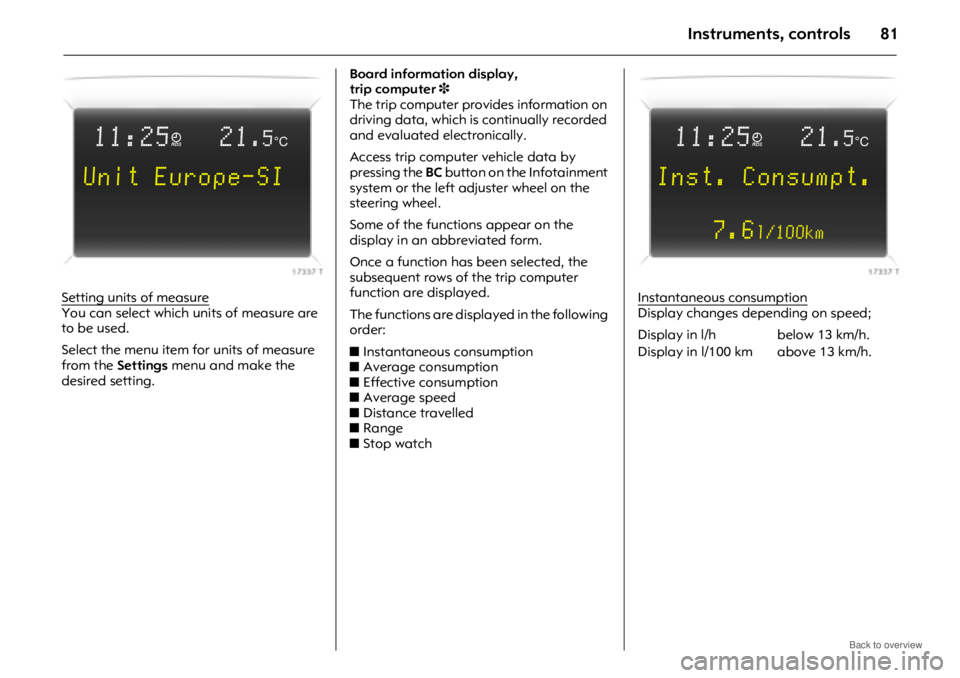
Setting units of measureYou can select which units of measure are
to be used.
Select the menu item for units of measure
from the Settings menu and make the
desired setting. Board information display,
trip computer
3
The trip computer provides information on
driving data, which is continually recorded
and evaluated electronically.
Access trip computer vehicle data by
pressing the BC button on the Infotainment
system or the left adjuster wheel on the
steering wheel.
Some of the functions appear on the
display in an abbreviated form.
Once a function has been selected, the
subsequent rows of the trip computer
function are displayed.
The functions are displayed in the following
order:
z Instantaneous consumption
z Average consumption
z Effective consumption
z Average speed
z Distance travelled
z Range
z Stop watch Instantaneous consumptionDisplay changes depending on speed;
11:25}21.5°C
Unit Europe-SI
Display in l/h below 13 km/h.
Display in l/100 km above 13 km/h.
11:25}21.5°C
Inst. Consumpt.
7.6
l/100km
Page 82 of 234
Instruments, controls82
Average consumptionDisplay of average consumption.
The measurement can be restarted at any
time – see "Resetting trip computer
information".
Effective consumption
Displays amount of fuel consumed.
The measurement can be restarted at any
time – see "Resetting trip computer
information".
Average speed
Display of average speed.
The measurement can be restarted at any
time - see "Resetting trip computer
information".
Stoppages in the journey with the ignition
off are not included in the calculations.
Distance travelled
Displays number of kilometres (miles)
driven. The measurement can be restarted
at any time – see "Resetting trip computer
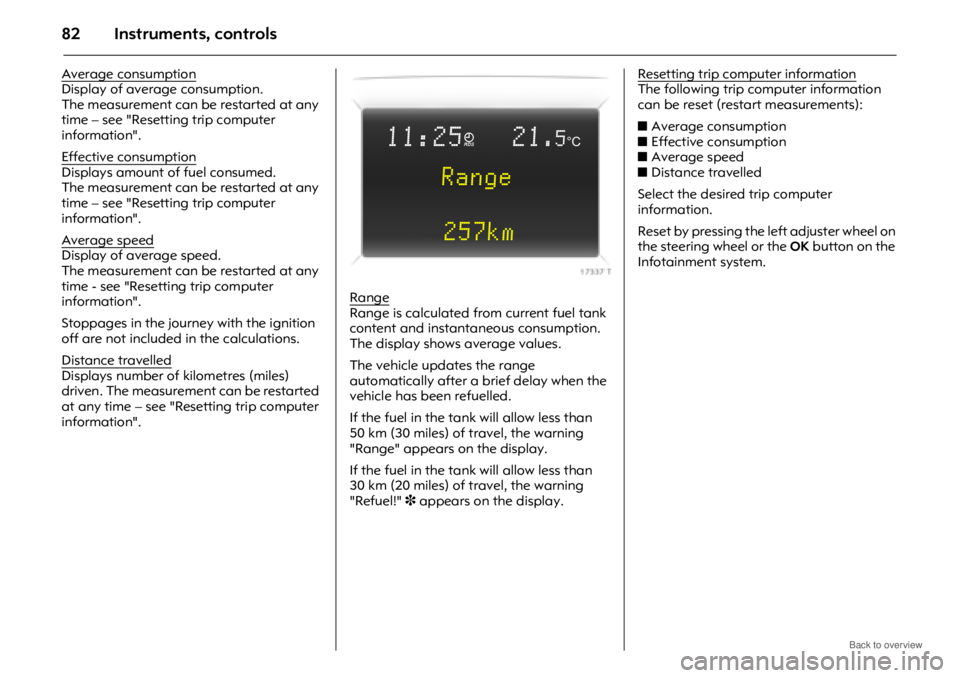
information".Range
Range is calculated fr
om current fuel tank
content and instantaneous consumption.
The display shows average values.
The vehicle updates the range
automatically after a brief delay when the
vehicle has been refuelled.
If the fuel in the tank will allow less than
50 km (30 miles) of travel, the warning
"Range" appears on the display.
If the fuel in the tank will allow less than
30 km (20 miles) of travel, the warning
"Refuel!" 3 appears on the display. Resetting trip computer information
The following trip computer information
can be reset (restart measurements):
z
Average consumption
z Effective consumption
z Average speed
z Distance travelled
Select the desired trip computer
information.
Reset by pressing the left adjuster wheel on
the steering wheel or the OK button on the
Infotainment system.
11:25}21.5°C
Range
257km
Page 83 of 234
Instruments, controls83
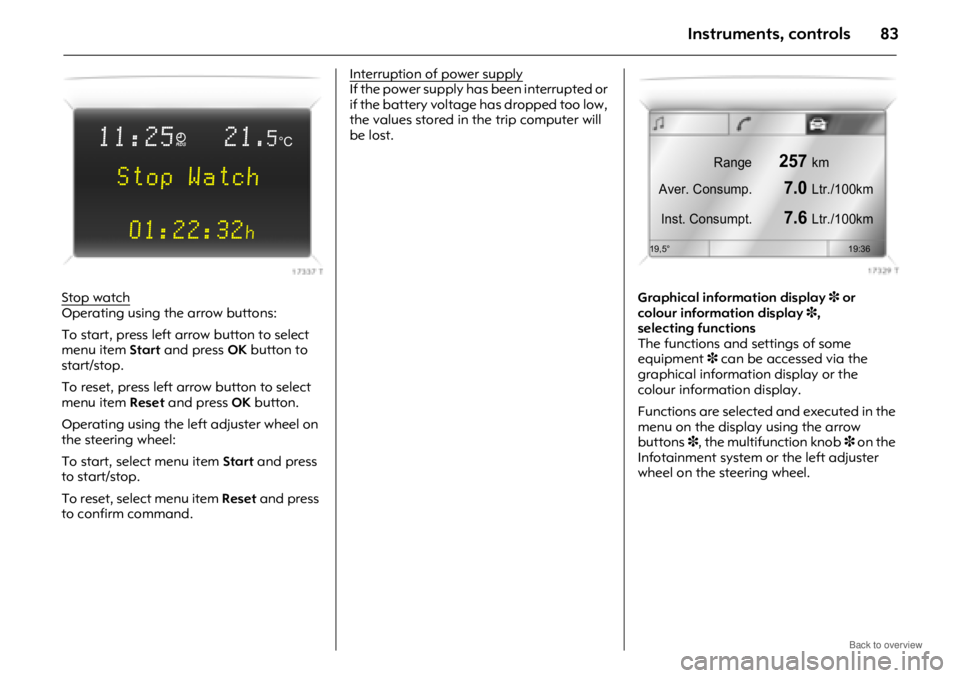
Stop watchOperating using the arrow buttons:
To start, press left arrow button to select
menu item Start and press OK button to
start/stop.
To reset, press left arrow button to select
menu item Reset and press OK button.
Operating using the left adjuster wheel on
the steering wheel:
To start, select menu item Start and press
to start/stop.
To reset, select menu item Reset and press
to confirm command. Interruption of power supply
If the power supply has been interrupted or
if the battery voltage
has dropped too low,
the values stored in the trip computer will
be lost.
Graphical information display3 or
colour information display 3,
selecting functions
The functions and settings of some
equipment 3 can be accessed via the
graphical information display or the
colour information display.
Functions are selected and executed in the
menu on the display using the arrow
buttons 3, the multifunction knob 3 on the
Infotainment system or the left adjuster
wheel on the steering wheel.
11:25}21.5°C
Stop Watch
01:22:32
h
Range257km
Aver. Consump.
7.0Ltr./100km
Inst. Consumpt.
7.6Ltr./100km
19,5° 19:36
Page 84 of 234
Instruments, controls84
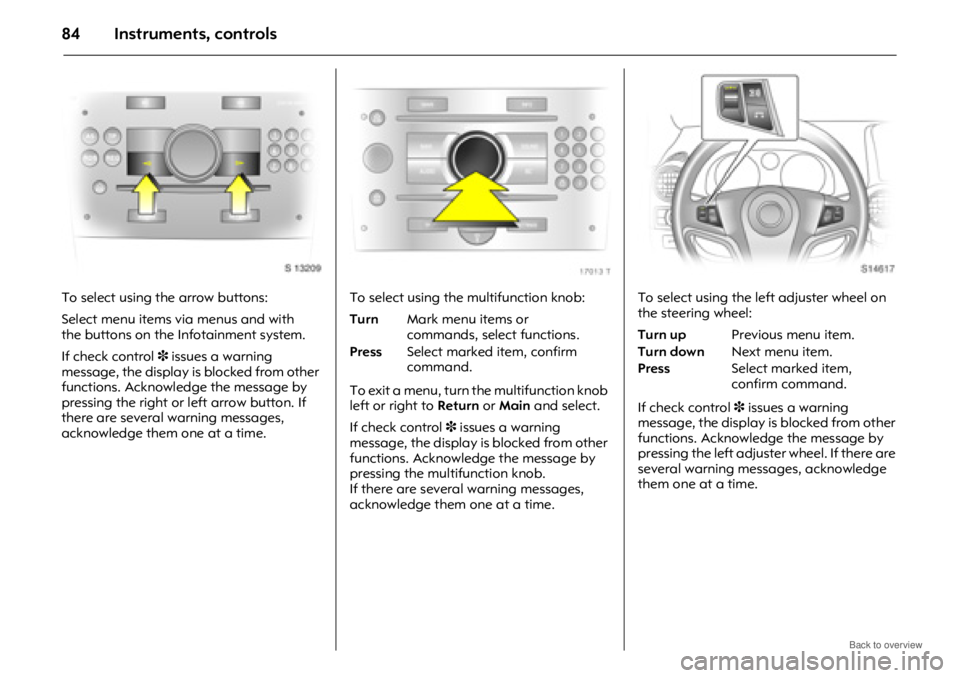
To select using the arrow buttons:
Select menu items via menus and with
the buttons on the Infotainment system.
If check control3 issues a warning
message, the display is blocked from other
functions. Acknowledge the message by
pressing the right or left arrow button. If
there are several warning messages,
acknowledge them one at a time. To select using the multifunction knob:
To exit a menu, turn the multifunction knob
left or right to
Return or Main and select.
If check control 3 issues a warning
message, the display is blocked from other
functions. Acknowledge the message by
pressing the multifunction knob.
If there are several warning messages,
acknowledge them one at a time. To select using the le
ft adjuster wheel on
the steering wheel:
If check control 3 issues a warning
message, the display is blocked from other
functions. Acknowledge the message by
pressing the left adjuster wheel. If there are
several warning messages, acknowledge
them one at a time.
Turn Mark menu items or
commands, select functions.
Press Select marked item, confirm
command.Turn up Previous menu item.
Turn down Next menu item.
Press Select marked item,
confirm command.
Page 93 of 234

Instruments, controls93
Automatic wiping with rain sensor3
To activate, move lever upwards to
automatic wiping with rain sensor
position $.
The rain sensor detects the amount of
water on the windscreen and automatically
regulates the windscreen wipers.
The wipers operate for one cycle to check
the system when the ignition switch is
turned to ACC.
To turn wipers off, move lever to position J.
Keep the rain sensor area clean by
activating the windsc reen washer system.
Further information - see pages 198, 202,
205. Windscreen and headlamp washer
systems
3
To activate, pull lever towards steering
wheel. Washer fluid is sprayed onto the
windscreen. If the lever is held longer, the
wipers operate for two cycles after the lever
has been released and once more after a
3 second delay 3.
The headlamp washer system 3 can only
be operated when the headlamps are on.
Washer fluid is sprayed onto the
headlamps. The headlamp washer system
can only be operated again after a short
delay. If washer fluid level is low then this
delay is increased.
On vehicles fitted with rain sensor 3, keep
the sensor area clean by activating the
windscreen washer system.
Further information - see pages 199, 202,
205. Tailgate wiper and washer systems
Activate wipers and washer as follows:
Washer fluid is sprayed on to tailgate
window when the button on the end of the
lever is pressed. When the button is
released, the washer will stop, but the
wipers will continue to swipe for approx.
3cycles.
Further information - see pages 198, 199,
202, 205.
Wipers on = Push lever forwards
Wipers off = Pull lever back towards
steering wheel
Wash = Press and hold button
Page 95 of 234

Lighting95
Main beam, headlamp flash
To switch from dipped beam to main
beam, push lever forwards.
To switch back to dipped beam, pull lever
back towards steering wheel.
To activate the headlamp flash, pull lever
towards steering wheel. Main beam is
engaged for the duration of activation.
The blue control indicator P is illuminated
when main beam or headlamp flash is on.
Automatic dipped beam
activation 3
Light switch to AUTO; dipped beam comes
on automatically when the engine is
running, depending on outside light
conditions.
For reasons of safety, the light switch
should always remain in the AUTO
position.
To ensure automatic dipped beam
activation functions properly, do not cover
the light sensor on top of the instrument
panel.
Turn signal lamps
To activate, press lever up or down lightly.
When the steering wheel is turned back, the
lever automatically returns to its rest
position. This will not happen when making
a minor steering manoeuvre such as lane
changing.
Tap signal: briefly move lever to resistance
point. The turn signal then flashes three
times when changing lanes or the like.
Hold the lever if you want the turn signals
to flash for longer. When released, the lever
will spring back to rest position.
The volume of the turn signal lamps’
audible warning is dependent upon vehicle
speed.
Lever up = Right turn
Lever down = Left turn
Page 98 of 234

Lighting98
Peripheral lighting
The dipped beam and reversing lamps
illuminate for approx. 30 seconds after the
driver exits the vehicle and closes the door.
To activate function:
If the driver’s door is left open, the lamps
will extinguish after two minutes.
Peripheral lighting can be deactivated by
inserting the key in the ignition switch or by
pulling the turn signal lever towards the
steering wheel again while the driver’s door
is open.
Instrument illumination,
information display illumination
Comes on when ignition is switched on.
Brightness can be adjusted when the
exterior lamps are on: turn wheel to the
right or left until the desired brightness is
obtained.
If driver’s door is opened or q is pressed on
the remote control, instrument panel lamps
will illuminate automatically and stay on
for approx. 30 seconds until ignition switch
is turned to the ACC position.
Display mode 3 - see page 87.
Interior courtesy lamps
Front reading lamps, rear interior lamps
and luggage compartm ent lamps function
as courtesy lighting and illuminate when
the doors or tailgate are opened.
If doors or tailgate remain opened, the
lamps stay illuminated for approx.
10 minutes.
Once all doors and the tailgate are closed,
the courtesy lamps dim gradually after
approx. 10 seconds.
By pressing button d, both front reading
lamps and the rear interior lamps
illuminate.
Press the button again to turn the lamps
off.
1. Switch off ignition.
2. Remove ignition key.
3. Open driver’s door.
4. Pull turn signal lever towards
steering wheel.
Page 101 of 234
Infotainment system101
Infotainment systemRadio reception 3
The radio is operated as described in the
operating instruct ions supplied.
Vehicle radio reception will differ from that
obtained with domestic radios.
As the vehicle antenna is relatively near the
ground, the broadcasting companies
cannot guarantee the same quality of
reception as is obtained with a domestic
radio using an overhead antenna.
z Changes in distance from the transmitter
z multi-path reception due to reflection
and
z shadowing
may cause hissing, noise, distortion or loss
of reception altogether.
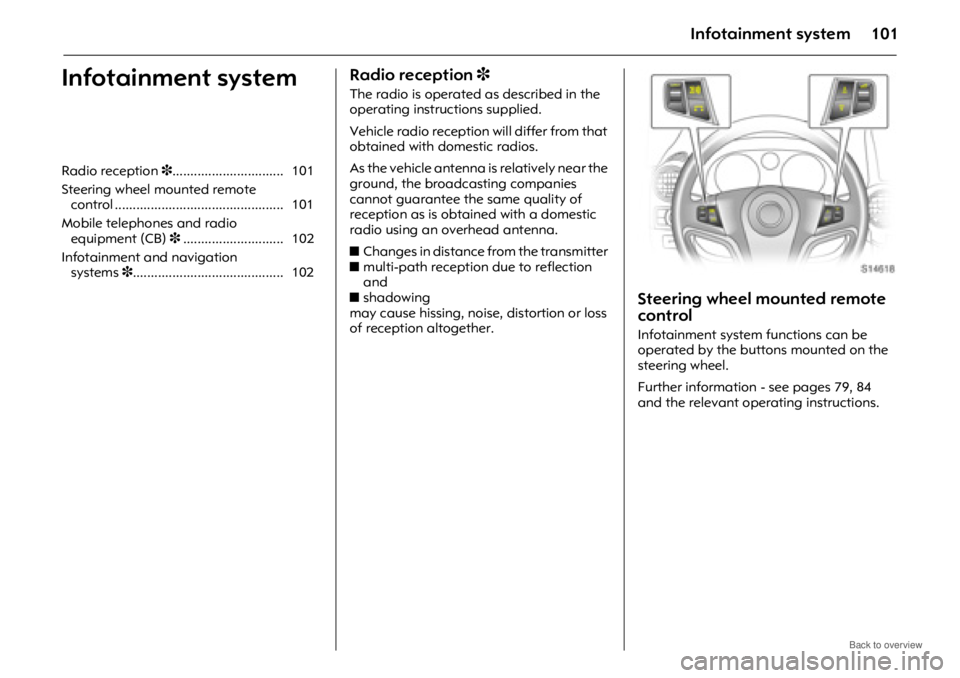
Steering wheel mounted remote
control
Infotainment system functions can be
operated by the buttons mounted on the
steering wheel.
Further information - see pages 79, 84
and the relevant operating instructions.
Radio reception
3............................... 101
Steering wheel mounted remote control ............................................... 101
Mobile telephones and radio equipment (CB) 3............................ 102
Infotainment and navigation systems 3.......................................... 102
Page 104 of 234
Climate control104
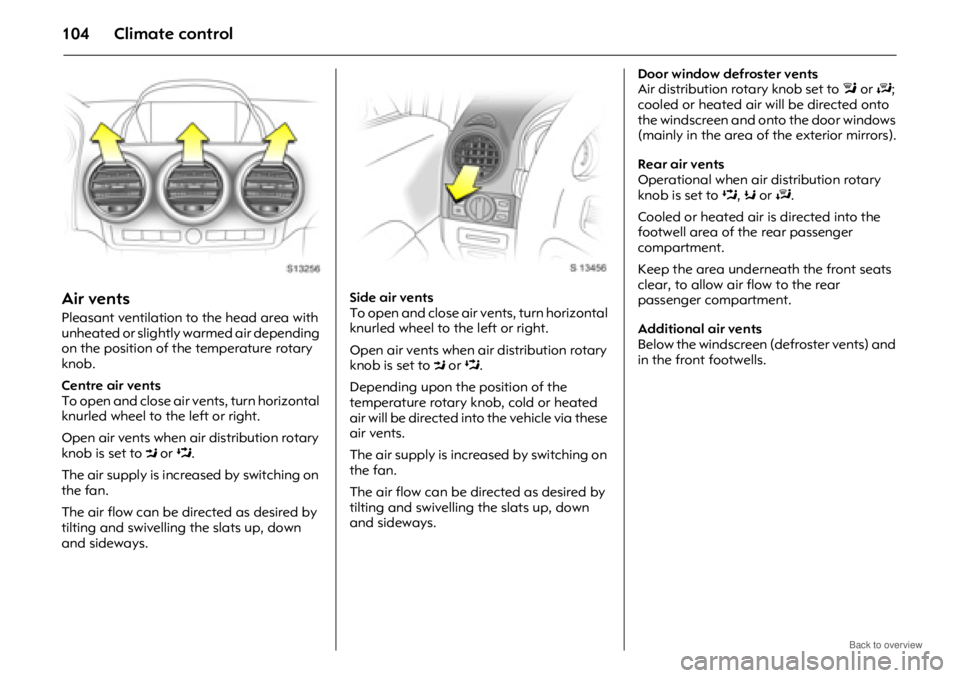
Air vents
Pleasant ventilation to the head area with
unheated or slightly warmed air depending
on the position of the temperature rotary
knob.
Centre air vents
To open and close air vents, turn horizontal
knurled wheel to the left or right.
Open air vents when air distribution rotary
knob is set to M or L.
The air supply is increased by switching on
the fan.
The air flow can be directed as desired by
tilting and swivelling the slats up, down
and sideways. Side air vents
To open and close air ve
nts, turn horizontal
knurled wheel to the left or right.
Open air vents when air distribution rotary
knob is set to M or L.
Depending upon the position of the
temperature rotary knob, cold or heated
air will be directed into the vehicle via these
air vents.
The air supply is increased by switching on
the fan.
The air flow can be directed as desired by
tilting and swivelling the slats up, down
and sideways. Door window defroster vents
Air distribution rotary knob set to
l or J ;
cooled or heated air wi ll be directed onto
the windscreen and onto the door windows
(mainly in the area of the exterior mirrors).
Rear air vents
Operational when air distribution rotary
knob is set to L, K or J .
Cooled or heated air is directed into the
footwell area of the rear passenger
compartment.
Keep the area underneath the front seats
clear, to allow air flow to the rear
passenger compartment.
Additional air vents
Below the windscreen (defroster vents) and
in the front footwells.
Page 105 of 234
Climate control105
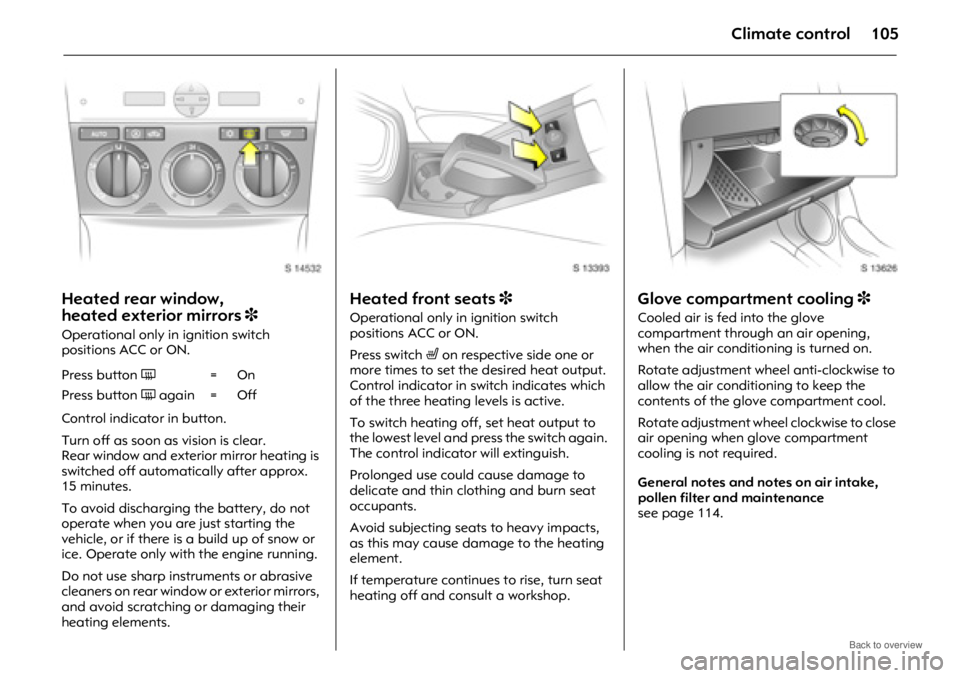
Heated rear window,
heated exterior mirrors 3
Operational only in ignition switch
positions ACC or ON.
Control indicator in button.
Turn off as soon as vision is clear.
Rear window and exterior mirror heating is
switched off automatically after approx.
15 minutes.
To avoid discharging the battery, do not
operate when you are just starting the
vehicle, or if there is a build up of snow or
ice. Operate only with the engine running.
Do not use sharp instruments or abrasive
cleaners on rear window or exterior mirrors,
and avoid scratching or damaging their
heating elements.
Heated front seats 3
Operational only in ignition switch
positions ACC or ON.
Press switch ß on respective side one or
more times to set the desired heat output.
Control indicator in switch indicates which
of the three heating levels is active.
To switch heating off, set heat output to
the lowest level and press the switch again.
The control indicato r will extinguish.
Prolonged use could cause damage to
delicate and thin clothing and burn seat
occupants.
Avoid subjecting seats to heavy impacts,
as this may cause damage to the heating
element.
If temperature continues to rise, turn seat
heating off and consult a workshop.
Glove compartment cooling 3
Cooled air is fed into the glove
compartment through an air opening,
when the air conditioning is turned on.
Rotate adjustment wheel anti-clockwise to
allow the air conditioning to keep the
contents of the glove compartment cool.
Rotate adjustment wheel clockwise to close
air opening when glove compartment
cooling is not required.
General notes and notes on air intake,
pollen filter and maintenance
see page 114.
Press button
Ü=On
Press button Ü again = Off