lock OPEL KARL 2015 Owner's Manual
[x] Cancel search | Manufacturer: OPEL, Model Year: 2015, Model line: KARL, Model: OPEL KARL 2015Pages: 217, PDF Size: 4.16 MB
Page 64 of 217
OPEL Karl Owner Manual (GMK-Localizing-EU RHD-9231168) - 2016 - crc -
5/7/15
Instruments and Controls 63
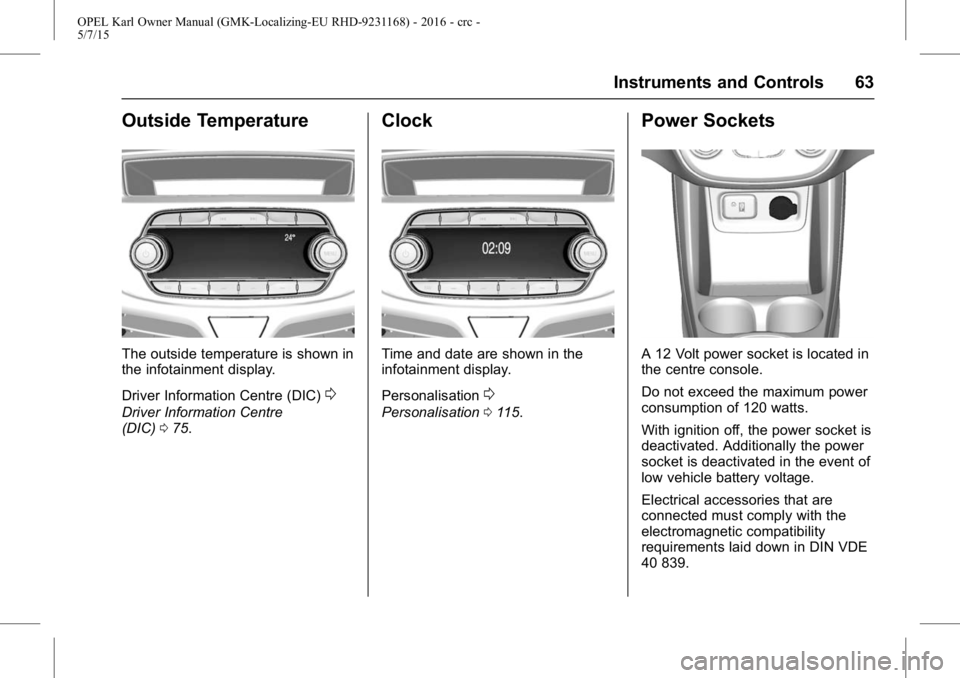
Outside Temperature
The outside temperature is shown in
the infotainment display.
Driver Information Centre (DIC)
0
Driver Information Centre
(DIC)075.
Clock
Time and date are shown in the
infotainment display.
Personalisation
0
Personalisation 0115.
Power Sockets
A 12 Volt power socket is located in
the centre console.
Do not exceed the maximum power
consumption of 120 watts.
With ignition off, the power socket is
deactivated. Additionally the power
socket is deactivated in the event of
low vehicle battery voltage.
Electrical accessories that are
connected must comply with the
electromagnetic compatibility
requirements laid down in DIN VDE
40 839.
Page 72 of 217
OPEL Karl Owner Manual (GMK-Localizing-EU RHD-9231168) - 2016 - crc -
5/7/15
Instruments and Controls 71
Illuminates when the engine is
running
Fault in the emission control
system. The permitted emission
limits may be exceeded. Seek the
assistance of a workshop
immediately.
Flashes when the engine is
running
Fault that could lead to catalytic
converter damage. Ease up on the
accelerator until the flashing stops.
Seek the assistance of a workshop
immediately.
Service Vehicle Soon
Light
B
illuminates yellow.
Additionally a warning code is
displayed.
The vehicle needs a service.
Seek the assistance of a workshop.
Vehicle messages
0Vehicle
Messages 080.
Brake and Clutch System
Warning Light
$
illuminates red.
The brake and clutch fluid level is
too low
0Brake Fluid 0160.
{Warning
Stop. Do not continue your
journey. Consult a workshop.
Operate pedal
#illuminates or flashes yellow.
Clutch pedal needs to be depressed
to start the engine in
Autostop mode.
Stop-start system
0Automatic
Engine Start/Stop Feature 0137.
Flashes
Clutch pedal needs to be depressed
for a main start of the engine
0
Automatic Engine Start/Stop
Feature 0137,
0New Vehicle
Run-In 0135.
Antilock Brake System
(ABS) Warning Light
!
illuminates yellow.
Illuminates for a few seconds after
the ignition is switched on. The
system is ready for operation when
the control indicator extinguishes.
If the control indicator does not go
out after a few seconds, or if it
illuminates while driving, there is a
fault in the ABS. The brake system
remains operational but without ABS
regulation.
Anti-lock brake system
0Antilock
Brake System (ABS) 0142.
Gear Shifting Light
*
orkwith the number of the
next higher or lower gear is
indicated, when upshifting or
downshifting is recommended for
fuel saving reasons.
Variable Effort Steering
Light
m
illuminates yellow.
Page 74 of 217
OPEL Karl Owner Manual (GMK-Localizing-EU RHD-9231168) - 2016 - crc -
5/7/15
Instruments and Controls 73
If the light does not go out, you
should switch the engine off and
consult a workshop as soon as
possible. We recommend that you
consult your authorised workshop.
Tyre Pressure Monitoring
System Light
7
illuminates or flashes yellow.
Illuminates
Tyre pressure loss. Stop
immediately and check tyre
pressure.
Flashes
Fault in system or tyre without
pressure sensor mounted (e.g.
spare wheel). After 60-90 seconds
the control indicator illuminates
continuously. Consult a workshop.
Tyre pressure monitoring system
0
Tyre Pressure 0175.
Engine Oil Pressure Light
:
illuminates red. Illuminates when the ignition is
switched on and extinguishes
shortly after the engine starts.
Illuminates when the engine is
running
Caution
Engine lubrication may be
interrupted. This may result in
damage to the engine and/or
locking of the drive wheels.
If the engine oil pressure warning
light comes on while driving, Pull off
the road, stop the engine and check
the oil level. 1. Depress clutch.
2. Select neutral gear, set selector lever to N.
3. Move out of the flow of traffic as quickly as possible without
impeding other vehicles.
4. Switch off ignition.
{Warning
When the engine is off,
considerably more force is
needed to brake and steer.
Autostop the brake servo unit will
still be operational.
Do not remove key until vehicle is
stationary, otherwise the steering
wheel lock could engage
unexpectedly.
Check oil level before seeking
assistance of a workshop
0Engine
Oil 0158.
Low Fuel Warning Light
.
illuminates or flashes yellow.
Illuminates
Level in fuel tank is too low.
Flashes
Fuel used up. Refuel immediately.
Never run the tank dry.
Catalytic converter
0Catalytic
Converter 0140.
Page 81 of 217
OPEL Karl Owner Manual (GMK-Localizing-EU RHD-9231168) - 2016 - crc -
5/7/15
80 Instruments and Controls
Vehicle Messages
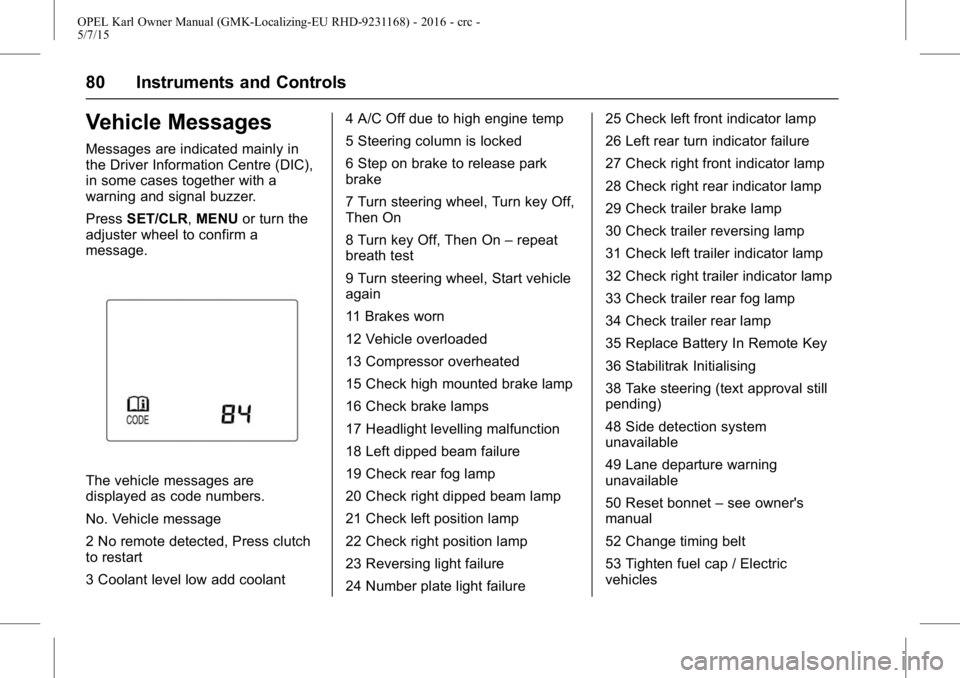
Messages are indicated mainly in
the Driver Information Centre (DIC),
in some cases together with a
warning and signal buzzer.
PressSET/CLR, MENUor turn the
adjuster wheel to confirm a
message.
The vehicle messages are
displayed as code numbers.
No. Vehicle message
2 No remote detected, Press clutch
to restart
3 Coolant level low add coolant 4 A/C Off due to high engine temp
5 Steering column is locked
6 Step on brake to release park
brake
7 Turn steering wheel, Turn key Off,
Then On
8 Turn key Off, Then On
–repeat
breath test
9 Turn steering wheel, Start vehicle
again
11 Brakes worn
12 Vehicle overloaded
13 Compressor overheated
15 Check high mounted brake lamp
16 Check brake lamps
17 Headlight levelling malfunction
18 Left dipped beam failure
19 Check rear fog lamp
20 Check right dipped beam lamp
21 Check left position lamp
22 Check right position lamp
23 Reversing light failure
24 Number plate light failure 25 Check left front indicator lamp
26 Left rear turn indicator failure
27 Check right front indicator lamp
28 Check right rear indicator lamp
29 Check trailer brake lamp
30 Check trailer reversing lamp
31 Check left trailer indicator lamp
32 Check right trailer indicator lamp
33 Check trailer rear fog lamp
34 Check trailer rear lamp
35 Replace Battery In Remote Key
36 Stabilitrak Initialising
38 Take steering (text approval still
pending)
48 Side detection system
unavailable
49 Lane departure warning
unavailable
50 Reset bonnet
–see owner's
manual
52 Change timing belt
53 Tighten fuel cap / Electric
vehicles
Page 82 of 217
OPEL Karl Owner Manual (GMK-Localizing-EU RHD-9231168) - 2016 - crc -
5/7/15
Instruments and Controls 81
56 Pressure imbalance–front
57 Pressure imbalance –rear
58 Winter tyre detected
59 Open, then close driver window
60 Open, then close passenger
window
61 Open, then close left rear
window
62 Open, then close right rear
window
63 Open, then close midgate
window
64 Open, then close endgate
window (placeholder only)
65 Theft attempted
66 Service theft alarm
67 Service steering column lock
68 Service power steering, Drive
with care
70 Service levelling system
75 Service AC system
76 Service side detection system
77 Service lane departure warning /
Service front camera 78 Service pedestrian protection
79 Engine oil low
–add oil
81 Service transmission
82 Change engine oil soon
84 Engine power is reduced
89 Service vehicle soon
91 No remote detected
92 No remote detected, Press brake
to restart
93 Press button again to turn engine
Off / Electric vehicles
94 Shift to park
95 Service airbag
96 Power sliding door unavailable
98 Power tailgate unavailable /
Power tailgate switch is Off
99 Pedestrian protection system
disabled
120 Reduce speed for hill decent
control
145 Washer fluid low –add fluid
151 Press clutch to start
173 All-wheel drive Off 174 Low battery
258 Park assist Off
Warning Buzzers
Only one warning chime will sound
at a time.
The warning chime regarding
unfastened seat belts has priority
over any other warning chime.
When starting the engine or
whilst driving
.
If seat belt is not fastened.
. If a door or the tailgate is not
fully closed when starting-off.
. If a certain speed is exceeded
with parking brake applied.
. If a programmed speed is
exceeded.
. If a warning message or a
warning code appears in the
Driver Information Centre.
. If the parking assist detects an
object.
. If reverse gear is engaged and
the rear end carrier is extended.
Page 83 of 217
OPEL Karl Owner Manual (GMK-Localizing-EU RHD-9231168) - 2016 - crc -
5/7/15
82 Instruments and Controls
.If a fault in the automatic locking
system is detected.
When the vehicle is parked
and / or the driver's door is
opened
.With exterior lights on.
During an Autostop
.If the driver's door is opened.
Battery voltage
When the vehicle battery voltage is
running low, a warning message or
warning code 174 will appear in the
Driver Information Centre.
1. Switch off immediately any electrical consumers which are
not required for a safe ride, e.g.
seat heating, heated rear
window or other main
consumers.
2. Charge the vehicle battery by driving continuously for a while
or by using a charging device. The warning message or warning
code will disappear after the engine
has been started twice
consecutively without a
voltage drop.
If the vehicle battery cannot be
recharged, have the cause of the
fault remedied by a workshop.
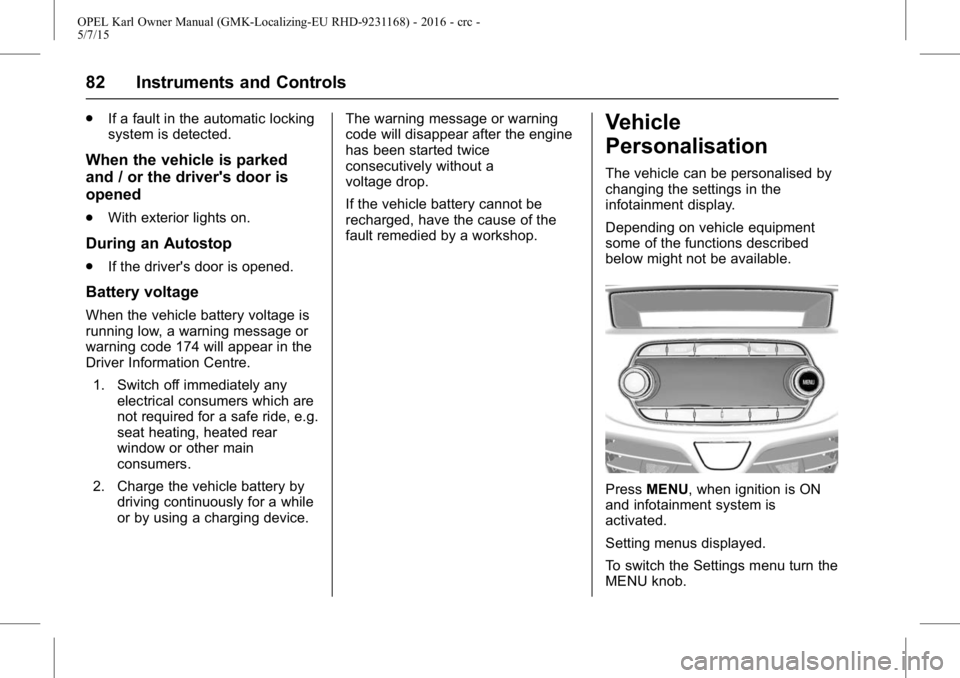
Vehicle
Personalisation
The vehicle can be personalised by
changing the settings in the
infotainment display.
Depending on vehicle equipment
some of the functions described
below might not be available.
Press
MENU, when ignition is ON
and infotainment system is
activated.
Setting menus displayed.
To switch the Settings menu turn the
MENU knob.
Page 84 of 217
OPEL Karl Owner Manual (GMK-Localizing-EU RHD-9231168) - 2016 - crc -
5/7/15
Instruments and Controls 83
To select the Settings menu,
pressMENU.
To close or back to previous,
press BACK.
Select the "Vehicle settings".
Vehicle Settings
. Park assist / Collision detection
Park assist: Activate or
deactivate the ultrasonic
sensors.
. Comfort settings
Chime volume: Change the
volume of warning chime.
Personalisation by driver:
Activate or deactivate the
personalisation.
Rear auto wipe in reverse:
Activate or deactivate the rear
wipe in reverse gear.
. Language
Select the Language menu item.
Scroll through the list and select
the desired language. .
Exterior ambient lighting
Exterior lighting by unlocking:
Activate or deactivate the entry
lighting.
Duration upon exit of vehicle:
Activate or deactivate of exit
lighting and change the lighting
duration.
. Stop door lock if door open:
Activate or deactivate the
driver's door lock when the door
is open.
If deactivated is selected, the
Delayed door lock menu is
available.
Delayed door lock: Activate or
deactivate the delayed
door lock.
When pressing the central
locking button, three chimes are
sounds to signal delayed locking
is in use. This function will delay
the locking of the doors until
five seconds after the last door
is closed. .
Remote locking, unlocking,
starting
Remote unlock feedback:
Activate or deactivate the light
feedback while unlocking.
Remote door unlock: Change
the configuration to unlock only
the driver's door or the all doors
while unlocking.
Auto relock doors: Activate or
deactivate the door automatically
locking when door is not opened
after unlocking.
. Restore factory settings
All settings are restored to initial
settings.
. Valet mode
if valet mode is activated, all
vehicle displays are locked and
no changes may be performed
within the system.
Note
Vehicle-related messages remain
enabled. Locking the system: Press
MENU and then select the
SETTINGS Menu.
Page 85 of 217

OPEL Karl Owner Manual (GMK-Localizing-EU RHD-9231168) - 2016 - crc -
5/7/15
84 Instruments and Controls
Scroll through the list and select
the Valet Mode menu item.
Enter a four-digit code and
select theENTER.
To confirm the first input,
re-enter the four-digit code and
select the LOCK. The system is
locked.
Unlocking the system: Turn the
Infotainment system on.
Enter the respective four-digit
code and select the UNLOCK.
The system is unlocked.
Forgotten PIN code: To reset the
PIN code to the default setting,
contact your Opel Service
Partner.
Page 91 of 217
OPEL Karl Owner Manual (GMK-Localizing-EU RHD-9231168) - 2016 - crc -
5/7/15
90 Lighting
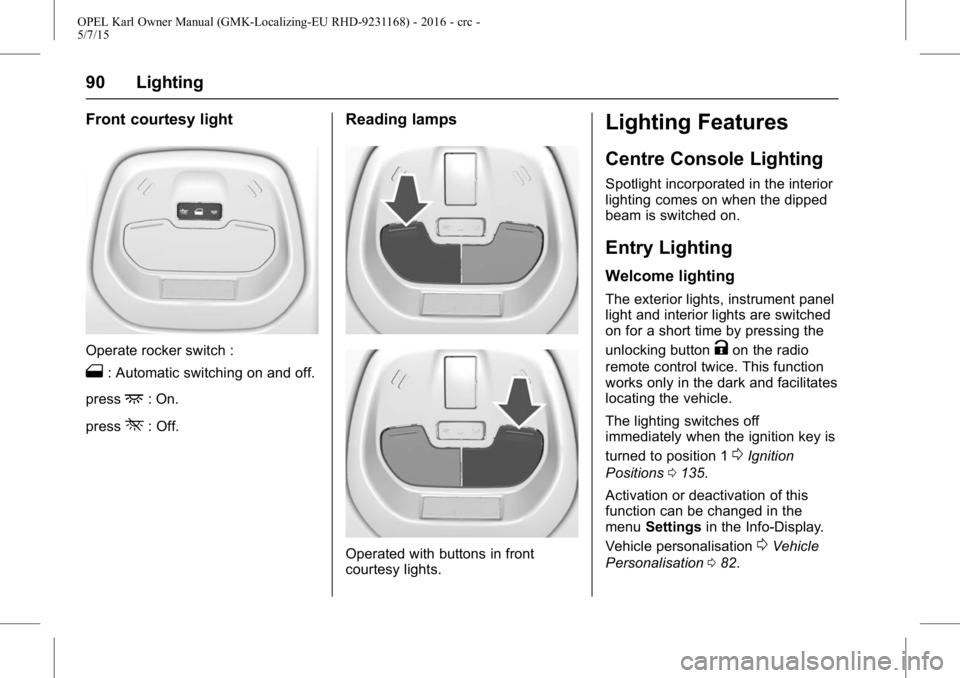
Front courtesy light
Operate rocker switch :
1: Automatic switching on and off.
press
+: On.
press
*: Off.
Reading lamps
Operated with buttons in front
courtesy lights.
Lighting Features
Centre Console Lighting
Spotlight incorporated in the interior
lighting comes on when the dipped
beam is switched on.
Entry Lighting
Welcome lighting
The exterior lights, instrument panel
light and interior lights are switched
on for a short time by pressing the
unlocking button
Kon the radio
remote control twice. This function
works only in the dark and facilitates
locating the vehicle.
The lighting switches off
immediately when the ignition key is
turned to position 1
0Ignition
Positions 0135.
Activation or deactivation of this
function can be changed in the
menu Settings in the Info-Display.
Vehicle personalisation
0Vehicle
Personalisation 082.
Page 104 of 217
OPEL Karl Owner Manual (GMK-Localizing-EU RHD-9231168) - 2016 - crc -
5/7/15
Infotainment System 103
.When changing Radio mode/
band by pressing RADIO, the
system displays radio intro view
firstly.
. The playing screen contains the
data elements related to the
broadcast audio source.
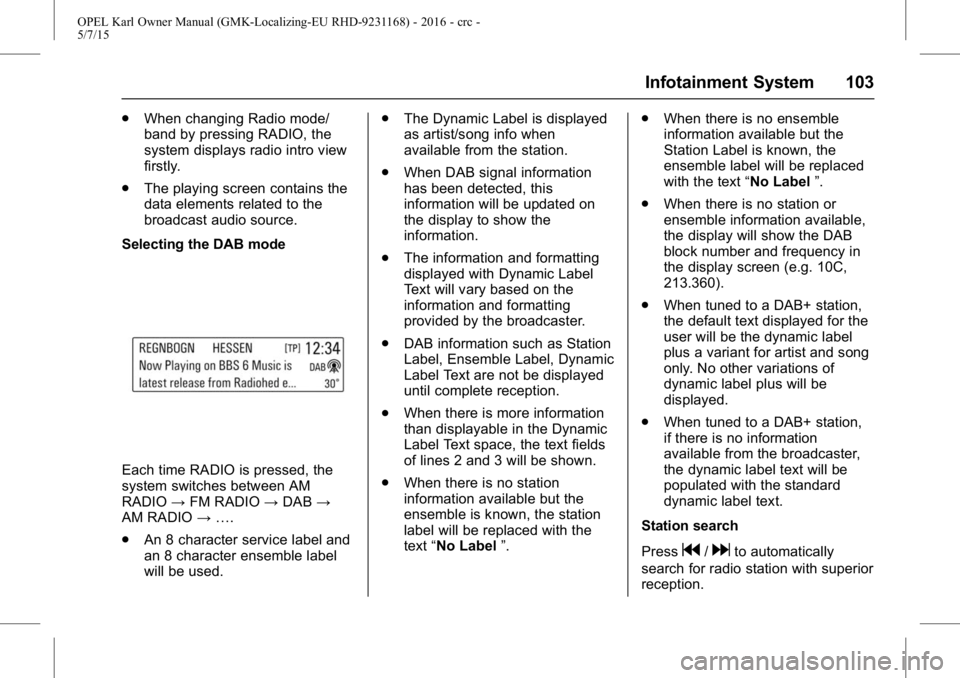
Selecting the DAB mode
Each time RADIO is pressed, the
system switches between AM
RADIO →FM RADIO →DAB →
AM RADIO →….
. An 8 character service label and
an 8 character ensemble label
will be used. .
The Dynamic Label is displayed
as artist/song info when
available from the station.
. When DAB signal information
has been detected, this
information will be updated on
the display to show the
information.
. The information and formatting
displayed with Dynamic Label
Text will vary based on the
information and formatting
provided by the broadcaster.
. DAB information such as Station
Label, Ensemble Label, Dynamic
Label Text are not be displayed
until complete reception.
. When there is more information
than displayable in the Dynamic
Label Text space, the text fields
of lines 2 and 3 will be shown.
. When there is no station
information available but the
ensemble is known, the station
label will be replaced with the
text “No Label ”. .
When there is no ensemble
information available but the
Station Label is known, the
ensemble label will be replaced
with the text “No Label”.
. When there is no station or
ensemble information available,
the display will show the DAB
block number and frequency in
the display screen (e.g. 10C,
213.360).
. When tuned to a DAB+ station,
the default text displayed for the
user will be the dynamic label
plus a variant for artist and song
only. No other variations of
dynamic label plus will be
displayed.
. When tuned to a DAB+ station,
if there is no information
available from the broadcaster,
the dynamic label text will be
populated with the standard
dynamic label text.
Station search
Press
g/dto automatically
search for radio station with superior
reception.