wheel OPEL ZAFIRA C 2014 Manual user
[x] Cancel search | Manufacturer: OPEL, Model Year: 2014, Model line: ZAFIRA C, Model: OPEL ZAFIRA C 2014Pages: 299, PDF Size: 9.03 MB
Page 109 of 299
Instruments and controls107Caution
If engine coolant temperature is
too high, stop vehicle, switch off
engine. Danger to engine. Check
coolant level.
Service display
The engine oil life system lets you
know when to change the engine oil
and filter. Based on driving
conditions, the interval at which an
engine oil and filter change will be
indicated can vary considerably.
In the Uplevel-Display or Uplevel-
Combi-Display, the remaining oil life
duration is displayed in the Vehicle
Information Menu .
In the Midlevel-Display, the remaining
engine oil life duration is displayed by
the control indicator I, therefore the
ignition must be switched on, with the engine not running.
The menu and function can be
selected via the buttons on the turn signal lever.
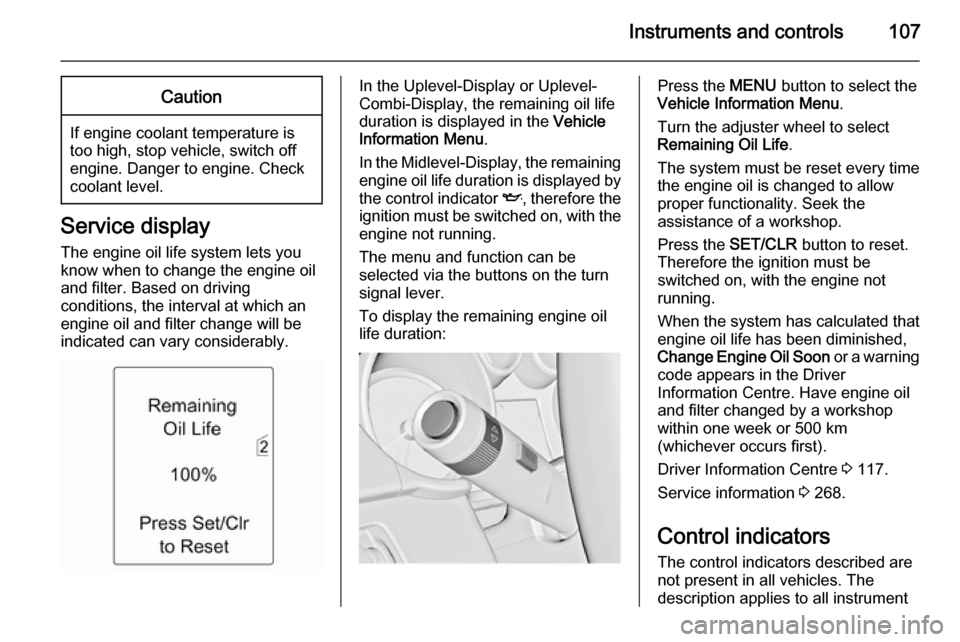
To display the remaining engine oil
life duration:Press the MENU button to select the
Vehicle Information Menu .
Turn the adjuster wheel to select Remaining Oil Life .
The system must be reset every time
the engine oil is changed to allow proper functionality. Seek the
assistance of a workshop.
Press the SET/CLR button to reset.
Therefore the ignition must be
switched on, with the engine not
running.
When the system has calculated that
engine oil life has been diminished,
Change Engine Oil Soon or a warning
code appears in the Driver
Information Centre. Have engine oil
and filter changed by a workshop
within one week or 500 km
(whichever occurs first).
Driver Information Centre 3 117.
Service information 3 268.
Control indicators The control indicators described are
not present in all vehicles. The
description applies to all instrument
Page 117 of 299
Instruments and controls115Tyre pressure monitoring
system
w illuminates or flashes yellow.
Illuminates Tyre pressure loss. Stop immediately
and check tyre pressure.
Flashes Fault in system or tyre without
pressure sensor mounted (e.g. spare
wheel). After 60-90 seconds the
control indicator illuminates
continuously. Consult a workshop.
Engine oil pressure
I illuminates red.
Illuminates when the ignition is
switched on and extinguishes shortly
after the engine starts.Illuminates when the engine is
runningCaution
Engine lubrication may be
interrupted. This may result in
damage to the engine and/or
locking of the drive wheels.
1. Depress clutch.
2. Select neutral gear, set selector lever to N.
3. Move out of the flow of traffic as quickly as possible without
impeding other vehicles.
4. Switch off ignition.
9 Warning
When the engine is off,
considerably more force is needed
to brake and steer. During an
Autostop the brake servo unit will still be operational.
Do not remove key until vehicle isstationary, otherwise the steeringwheel lock could engage
unexpectedly.
Check oil level before seeking the
assistance of a workshop 3 225.
Low fuel
i illuminates or flashes yellow.
Illuminates Level in fuel tank is too low.
Flashes
Fuel used up. Refuel immediately.
Never run the tank dry.
Catalytic converter 3 166.
Bleeding the diesel fuel system
3 230.
Immobiliser
d flashes yellow.
Fault in the immobiliser system. The
engine cannot be started.
Page 120 of 299

118Instruments and controls
In the Uplevel-Combi-Display, menu
pages can be selected by pressing
the MENU button; Menu symbols are
indicated in the top line of the display:
■ X Vehicle Information Menu
■ W Trip/Fuel Information Menu
■ s ECO Information Menu
Some of the displayed functions differ
when the vehicle is being driven or at
a standstill. Some functions are only
available when the vehicle is being
driven.
Vehicle personalisation 3 130.
Memorised settings 3 23.
Selecting menus and functions
The menus and functions can be
selected via the buttons on the turn signal lever.
Press the MENU button to switch
between the menus or to return from
a submenu to the next higher menu
level.
Turn the adjuster wheel to highlight a
menu option or to set a numeric value.
Press the SET/CLR button to select a
function or to confirm a message.
Page 121 of 299
Instruments and controls119
Vehicle Information MenuPress the MENU button to select the
Vehicle Information Menu , or on
Uplevel-Combi-Display select X.
Turn the adjuster wheel to select a
submenu. Press the SET/CLR button
to confirm.
Follow the instructions given in the
submenus.
Possible submenus (depending on
the version) can be:
■ Unit : displayed units can be
changed
■ Tire Pressure : checks tyre pressure
of all wheels during driving 3 248
■ Tire Load : select tyre pressure
category according to the actually
inflated tyre pressure 3 248
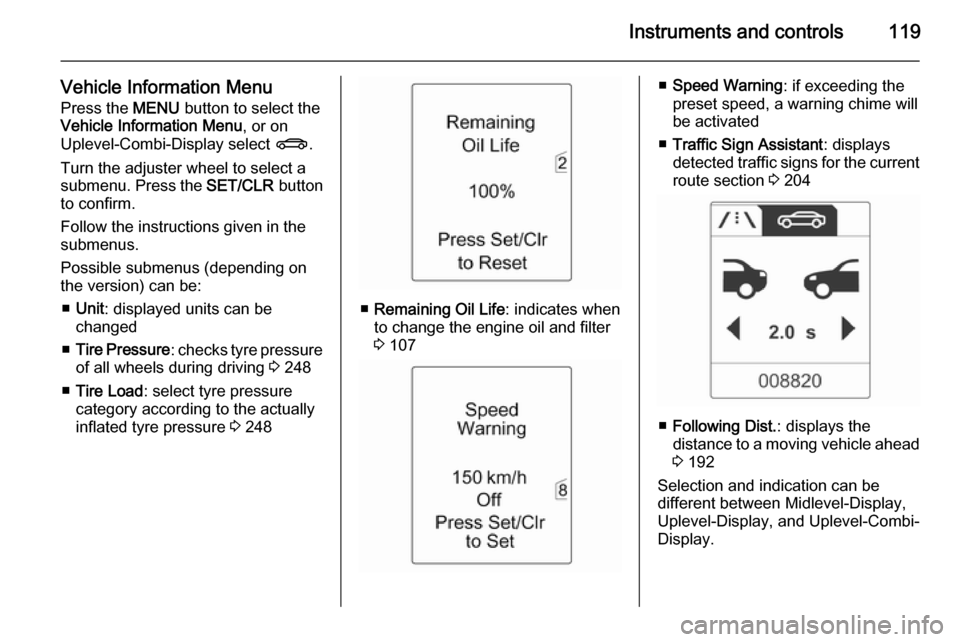
■ Remaining Oil Life : indicates when
to change the engine oil and filter
3 107
■ Speed Warning : if exceeding the
preset speed, a warning chime will
be activated
■ Traffic Sign Assistant : displays
detected traffic signs for the current
route section 3 204
■ Following Dist. : displays the
distance to a moving vehicle ahead
3 192
Selection and indication can be
different between Midlevel-Display,
Uplevel-Display, and Uplevel-Combi-
Display.
Page 122 of 299

120Instruments and controls
Trip/Fuel Information Menu
Press the MENU button to select the
Trip/Fuel Information Menu , or select
W on Uplevel-Combi-Display.
Turn the adjuster wheel to select a
submenu. Press the SET/CLR button
to confirm.
■ Trip odometer 1
■ Trip odometer 2
■ Digital speed
Trip odometer 2 and digital speed are
only available on vehicles with
Uplevel-Display or Uplevel-Combi-
Display.
Reset trip odometer by pressing the
SET/CLR button on the turn signal
lever for a few seconds or by pressing the reset knob between speedometer
and Driver Information Centre with
the ignition on.
On vehicles with trip computer, more
submenus are available.
Selection and indication can be
different between Midlevel-Display,
Uplevel-Display, and Uplevel-Combi-
Display.
Trip/Fuel Information Menu, Trip
Computer 3 127.
ECO Information Menu
Press the MENU button to select
s in the top line of the Uplevel-
Combi-Display.
Turn the adjuster wheel to select a
submenu. Press the SET/CLR button
to confirm.Submenus are:
■ Shift indication : Current gear is
indicated inside an arrow. The
figure above recommends
upshifting for fuel saving reasons.
Eco index display : The current fuel
consumption is indicated on a segment display. For economical
driving, adapt your driving style to
keep the filled segments within the
Eco area. The more segments are
filled, the higher the fuel
consumption. Simultaneously the
current consumption value is
indicated.
Page 125 of 299

Instruments and controls123
Selecting with the Infotainment
system
Select a function via the Infotainment
system buttons. The menu of the
selected function is displayed.
The multifunction knob is used to
select an item and to confirm.
Multifunction knob
The multifunction knob is the central control element for the menus:
Turn
■ To mark a menu option
■ To set a numeric value or to display
a menu option
Press (the outer ring)
■ To select or activate the marked option
■ To confirm a set value
■ To switch a system function on/off
BACK button
Press button to: ■ exit a menu without changing settings
■ return from a submenu to a higher menu level
■ delete the last character in a character sequence
Press and hold the button for a few
seconds to delete the entire entry.
Vehicle personalisation 3 130.
Memorised settings 3 23.Vehicle messages
Messages are indicated mainly in the
Driver Information Centre (DIC), in
some cases together with a warning and signal buzzer.
Press the SET/CLR button, the
MENU button or turn the adjuster
wheel to confirm a message.
Page 126 of 299
124Instruments and controls
Vehicle messages on theMidlevel-Display
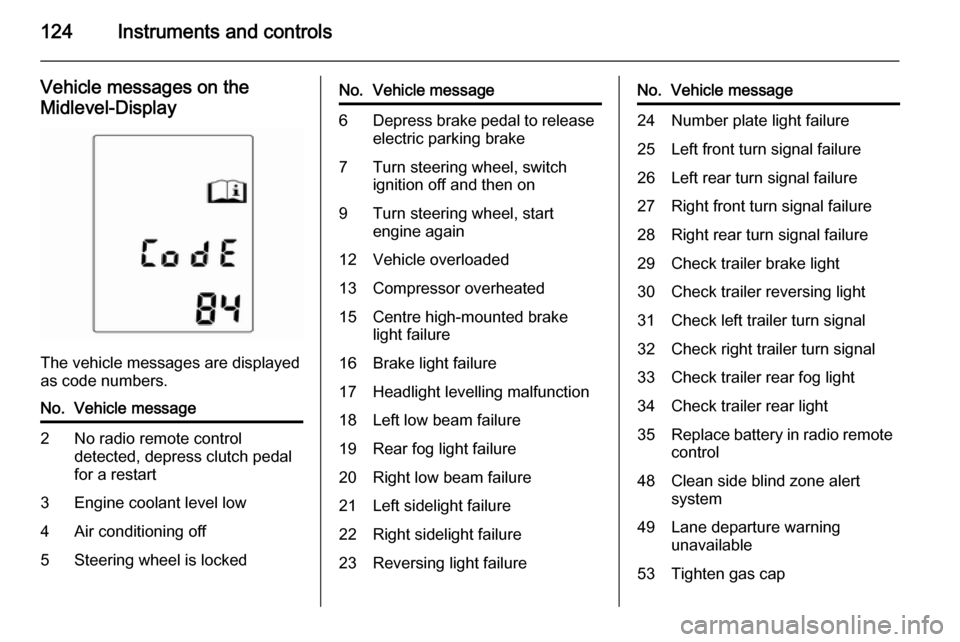
The vehicle messages are displayed
as code numbers.
No.Vehicle message2No radio remote control
detected, depress clutch pedal
for a restart3Engine coolant level low4Air conditioning off5Steering wheel is lockedNo.Vehicle message6Depress brake pedal to release
electric parking brake7Turn steering wheel, switch
ignition off and then on9Turn steering wheel, start
engine again12Vehicle overloaded13Compressor overheated15Centre high-mounted brake
light failure16Brake light failure17Headlight levelling malfunction18Left low beam failure19Rear fog light failure20Right low beam failure21Left sidelight failure22Right sidelight failure23Reversing light failureNo.Vehicle message24Number plate light failure25Left front turn signal failure26Left rear turn signal failure27Right front turn signal failure28Right rear turn signal failure29Check trailer brake light30Check trailer reversing light31Check left trailer turn signal32Check right trailer turn signal33Check trailer rear fog light34Check trailer rear light35Replace battery in radio remote
control48Clean side blind zone alert
system49Lane departure warning
unavailable53Tighten gas cap
Page 127 of 299

Instruments and controls125
No.Vehicle message54Water in diesel fuel filter55Diesel particle filter is full
3 16556Tyre pressure imbalance on
front axle57Tyre pressure imbalance on
rear axle58Tyres without TPMS sensors
detected59Open and then close driver
window60Open and then close front
passenger window61Open and then close rear left
window62Open and then close rear right
window65Theft attempted66Service theft alarm system67Service steering wheel lockNo.Vehicle message68Service power steering69Service suspension system70Service level control system71Service rear axle74Service AFL75Service air conditioning76Service side blind zone alert
system77Service lane departure warning79Top up engine oil81Service transmission82Change engine oil soon83Service adaptive cruise control84Engine power is reduced89Service vehicle soon94Shift to park before exiting95Service airbagNo.Vehicle message128Bonnet open134Park assist fault, clean bumper136Service parking assist145Check washer fluid level174Low vehicle battery258Park assist off
Vehicle messages on the
Uplevel-Display or Uplevel- Combi-Display
Page 130 of 299
128Instruments and controls
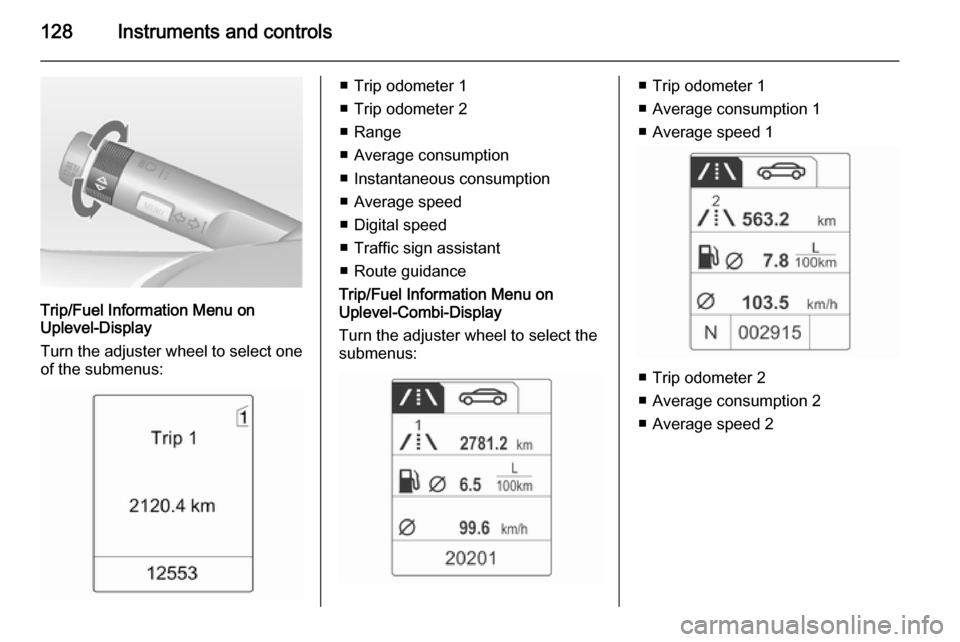
Trip/Fuel Information Menu on
Uplevel-Display
Turn the adjuster wheel to select one of the submenus:
■ Trip odometer 1
■ Trip odometer 2
■ Range
■ Average consumption
■ Instantaneous consumption
■ Average speed
■ Digital speed
■ Traffic sign assistant
■ Route guidance
Trip/Fuel Information Menu on
Uplevel-Combi-Display
Turn the adjuster wheel to select the
submenus:■ Trip odometer 1
■ Average consumption 1
■ Average speed 1
■ Trip odometer 2
■ Average consumption 2
■ Average speed 2
Page 142 of 299
140Lighting
It switches to low beam when:■ a sensor detects the lights of oncoming or preceding vehicles
■ the vehicle speed is slower than 20 km/h
■ it is foggy or snowy
■ driving in urban areas
If there are no restrictions detected,
the system switches back to high
beam.
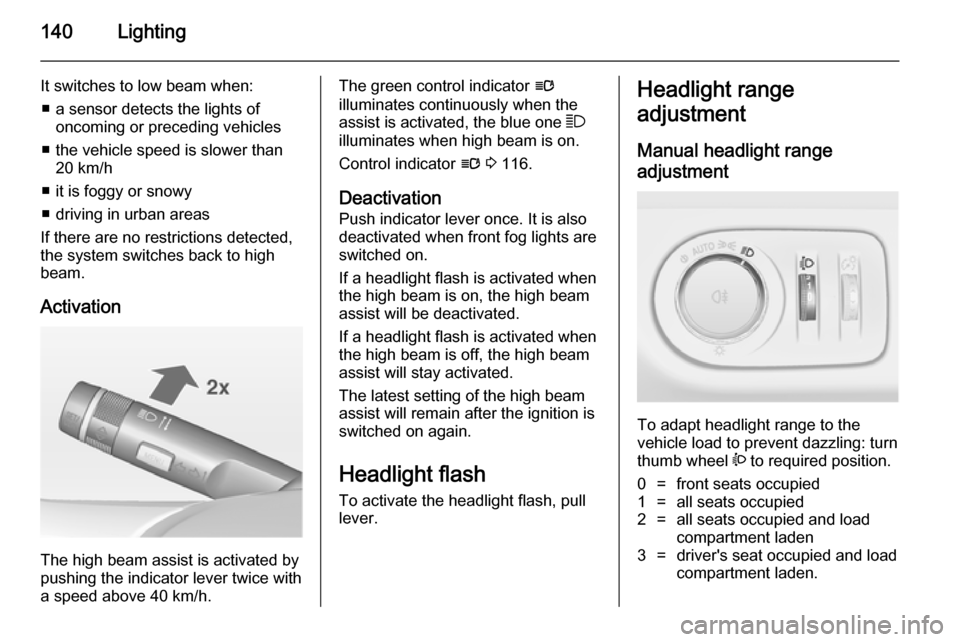
Activation
The high beam assist is activated by
pushing the indicator lever twice with
a speed above 40 km/h.
The green control indicator l
illuminates continuously when the
assist is activated, the blue one 7
illuminates when high beam is on.
Control indicator l 3 116.
Deactivation
Push indicator lever once. It is also deactivated when front fog lights are
switched on.
If a headlight flash is activated when
the high beam is on, the high beam
assist will be deactivated.
If a headlight flash is activated when
the high beam is off, the high beam
assist will stay activated.
The latest setting of the high beam
assist will remain after the ignition is
switched on again.
Headlight flash To activate the headlight flash, pull
lever.Headlight range
adjustment
Manual headlight range
adjustment
To adapt headlight range to the
vehicle load to prevent dazzling: turn
thumb wheel ? to required position.
0=front seats occupied1=all seats occupied2=all seats occupied and load
compartment laden3=driver's seat occupied and load
compartment laden.