ignition PEUGEOT 206 2002 Owner's Manual
[x] Cancel search | Manufacturer: PEUGEOT, Model Year: 2002, Model line: 206, Model: PEUGEOT 206 2002Pages: 160, PDF Size: 2.03 MB
Page 90 of 160

THE ALARM* Setting and deactivating the alarm system Switching off the siren. The alarm completes the security
equipment for your vehicle. It offerstwo types of protection. Ðexternal protection : when it is set,
the alarm sounds if one of the doors, the boot or the bonnet isopened;
Ð internal protection : when it is set,
the alarm sounds if the sensorsdetect air movement in the pas-senger compartment (a brokenwindow) or movement within the
car.
The alarm also has an anti-tamperfunction. If there is an attempt to tamper with the wires to the siren, control unit or
the battery, the siren sounds and thedirection indicators light.
* According to destination Setting the alarm (external and internal protection)
Switch the ignition off and get out of the vehicle. Deadlock the vehicle.The doors lock.The direction indicators light for two seconds. The red light on the switch flashes once a second.
5 seconds later, internal protection is set.
45 seconds later, external protection is set. Note:
when the alarm is triggered, the
siren sounds for thirty seconds. After the thirty seconds it stops, but thealarm remains set.
Warning: When the alarm is set, if a
door, the tailgate or bonnet are not
closed correctly, the siren sounds fora moment. If the vehicle is closed cor-rectly in the following 45 seconds, thealarm is activated and the directionindicators remain on for two seconds.In all cases, the alarm is activatedafter 45 seconds. Disarming the alarm(internal and external protection) Press the release button of the remote
control key. The doors unlock.The direction indicators flash for two seconds. The red light on the switch goes out. Note:
if the warning light continues to
flash after de-activation of the alarm, it is a sign that the alarm has been
triggered. The flashing will stop whenthe ignition is switched on.
SPECIAL FEATURES
148
17-06-2002
Page 91 of 160
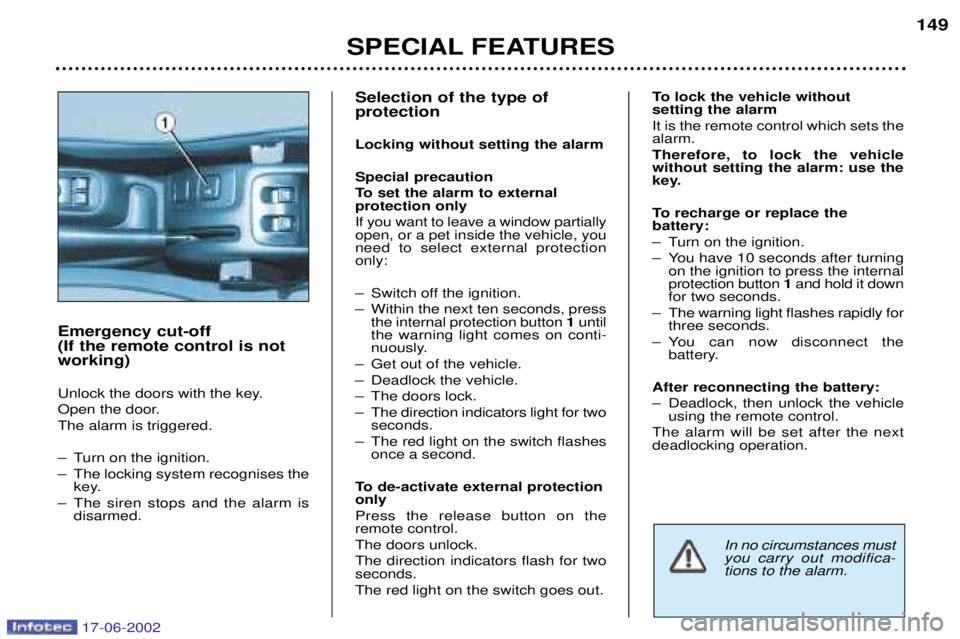
Selection of the type of protection Locking without setting the alarmSpecial precaution
To set the alarm to external protection only If you want to leave a window partially open, or a pet inside the vehicle, youneed to select external protectiononly:
Ð Switch off the ignition.
Ð Within the next ten seconds, pressthe internal protection button 1until
the warning light comes on conti-
nuously.
Ð Get out of the vehicle.
Ð Deadlock the vehicle.
Ð The doors lock.
Ð The direction indicators light for two seconds.
Ð The red light on the switch flashes once a second.
To de-activate external protection only Press the release button on the remote control. The doors unlock.The direction indicators flash for two seconds. The red light on the switch goes out. To lock the vehicle without setting the alarm It is the remote control which sets the alarm. Therefore, to lock the vehicle without setting the alarm: use the
key.
To recharge or replace the battery:
Ð Turn on the ignition.
Ð You have 10 seconds after turning
on the ignition to press the internal protection button 1and hold it down
for two seconds.
Ð The warning light flashes rapidly for three seconds.
Ð You can now disconnect the battery.
After reconnecting the battery:
Ð Deadlock, then unlock the vehicle using the remote control.
The alarm will be set after the next deadlocking operation.
SPECIAL FEATURES 149
Emergency cut-off (If the remote control is notworking)
Unlock the doors with the key.
Open the door.The alarm is triggered.
Ð Turn on the ignition.
Ð The locking system recognises the key.
Ð The siren stops and the alarm is disarmed.
In no circumstances must you carry out modifica-tions to the alarm.
17-06-2002
Page 92 of 160
YOUR 206 IN DETAIL85
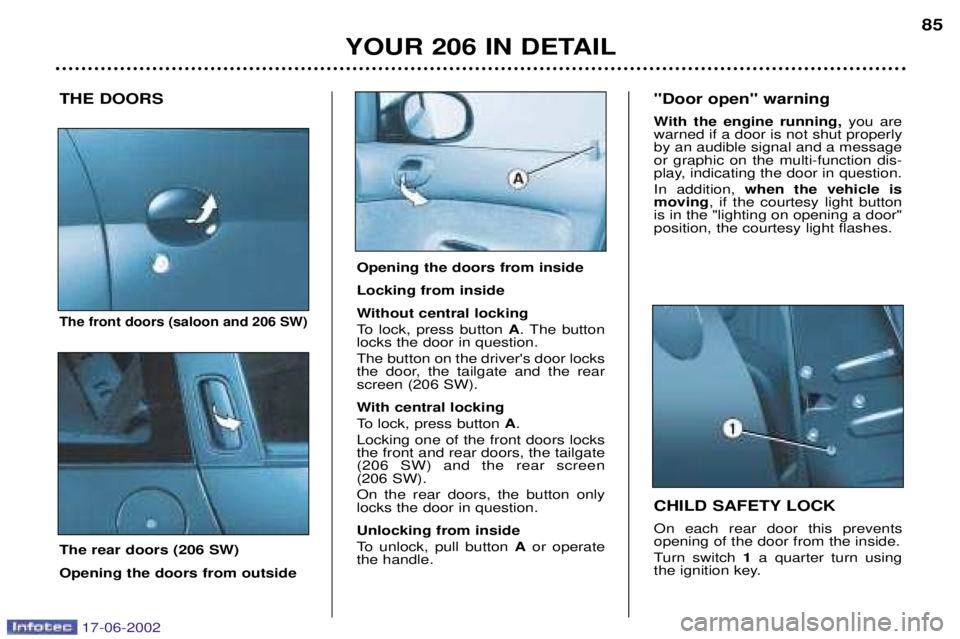
THE DOORS
The front doors (saloon and 206 SW)
The rear doors (206 SW) Opening the doors from outside CHILD SAFETY LOCK On each rear door this prevents opening of the door from the inside.
Turn switch
1a quarter turn using
the ignition key.
"Door open" warning
With the engine running,
you are
warned if a door is not shut properly by an audible signal and a messageor graphic on the multi-function dis-
play, indicating the door in question. In addition, when the vehicle is
moving , if the courtesy light button
is in the "lighting on opening a door" position, the courtesy light flashes.
Opening the doors from inside Locking from inside
Without central locking
To lock, press button A. The button
locks the door in question. The button on the driver's door locks
the door, the tailgate and the rearscreen (206 SW).
With central locking
To lock, press button A.
Locking one of the front doors locks the front and rear doors, the tailgate(206 SW) and the rear screen (206 SW). On the rear doors, the button only locks the door in question. Unlocking from inside
To unlock, pull button Aor operate
the handle.
17-06-2002
Page 97 of 160
YOUR 206 IN DETAIL89
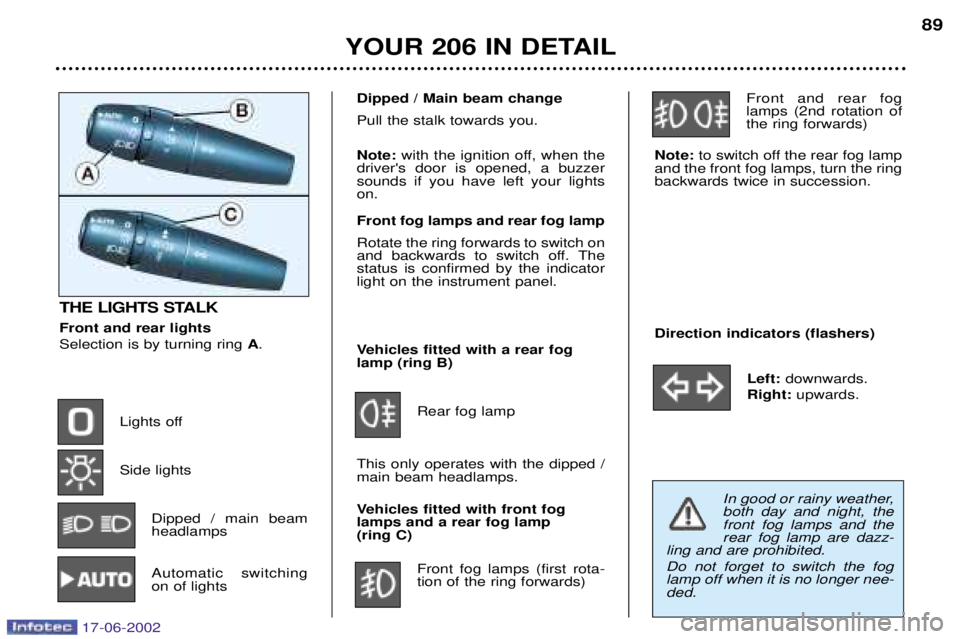
THE LIGHTS STALK Front and rear lights Selection is by turning ring
A.
Lights off Side lights Dipped / main beam headlamps
Automatic switchingon of lights Vehicles fitted with a rear foglamp (ring B)
Rear fog lamp
This only operates with the dipped /main beam headlamps.
Vehicles fitted with front fog lamps and a rear fog lamp (ring C) Front fog lamps (first rota-tion of the ring forwards) Front and rear foglamps (2nd rotation ofthe ring forwards)
Note: to switch off the rear fog lamp
and the front fog lamps, turn the ringbackwards twice in succession.
Direction indicators (flashers)
Left:downwards.
Right: upwards.
Dipped / Main beam change Pull the stalk towards you. Note:with the ignition off, when the
driver's door is opened, a buzzer sounds if you have left your lightson. Front fog lamps and rear fog lamp Rotate the ring forwards to switch on
and backwards to switch off. Thestatus is confirmed by the indicatorlight on the instrument panel.
In good or rainy weather, both day and night, thefront fog lamps and therear fog lamp are dazz-
ling and are prohibited. Do not forget to switch the fog lamp off when it is no longer nee-ded.
17-06-2002
Page 98 of 160

YOUR 206 IN DETAIL
90
AUTOMATIC SWITCHING ON OF LIGHTS Side lights and dipped beam head- lamps switch on automatically if the
light is poor.
They switch off when the light becomes bright enough. Note: In foggy weather or in snow
the brightness sensor can detect
sufficient light. As a result, the lights
will not come on automatically. This function is active when the
vehicle is supplied to the customer.
To disarm or activate the function:
- Start with the key in the accesso-
ries position (1st notch),
- Press the end of the lights stalk for more than four seconds.
Note: after the ignition is switched
off and depending on the brightness, the lights remain on for about 45seconds or until the vehicle is loc-ked.
Note: the brightness sensor, cou-
pled with the rain sensor, is loca-ted in the centre of the wind-
screen, behind the interior mirror.It is used for automatic switchingon of the lights. Operating check Activation Acivation of this function is accom- panied by an audible signal and themessage
"Automatic lighting acti-
ve" on the multi-function display.
Disarming Disarming of the function is accom- panied by an audible signal. Note: the function is temporarily
disarmed when the driver uses the manual lighting controls. If the brightness sensor does not function correctly , the system acti-
vates the function (the lights come
on). The driver is alerted by anaudible signal, accompanied by themessage "Automatic switching on
of lights faulty" on the multi-func-
tion display.
Contact a PEUGEOT dealer to have the system checked.
17-06-2002
Page 99 of 160
YOUR 206 IN DETAIL91
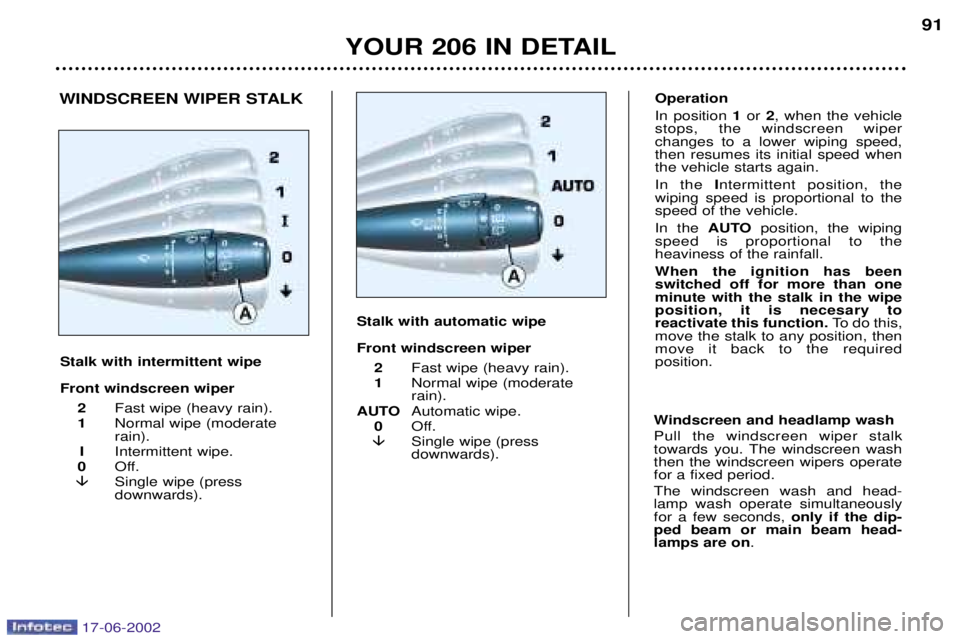
Stalk with intermittent wipe Front windscreen wiper 2 Fast wipe (heavy rain).
1 Normal wipe (moderate rain).
I Intermittent wipe.
0 Off.
Single wipe (pressdownwards).
Windscreen and headlamp wash Pull the windscreen wiper stalk
towards you. The windscreen washthen the windscreen wipers operatefor a fixed period. The windscreen wash and head- lamp wash operate simultaneouslyfor a few seconds, only if the dip-
ped beam or main beam head-lamps are on .
Operation In position 1or 2, when the vehicle
stops, the windscreen wiper changes to a lower wiping speed,then resumes its initial speed whenthe vehicle starts again. In the Intermittent position, the
wiping speed is proportional to the speed of the vehicle. In the AUTOposition, the wiping
speed is proportional to the heaviness of the rainfall. When the ignition has been switched off for more than oneminute with the stalk in the wipeposition, it is necesary toreactivate this function. To do this,
move the stalk to any position, thenmove it back to the requiredposition.WINDSCREEN WIPER STALK
Stalk with automatic wipe Front windscreen wiper2 Fast wipe (heavy rain).
1 Normal wipe (moderate rain).
AUTO Automatic wipe.
0 Off.
Single wipe (pressdownwards).
17-06-2002
Page 100 of 160
YOUR 206 IN DETAIL
92
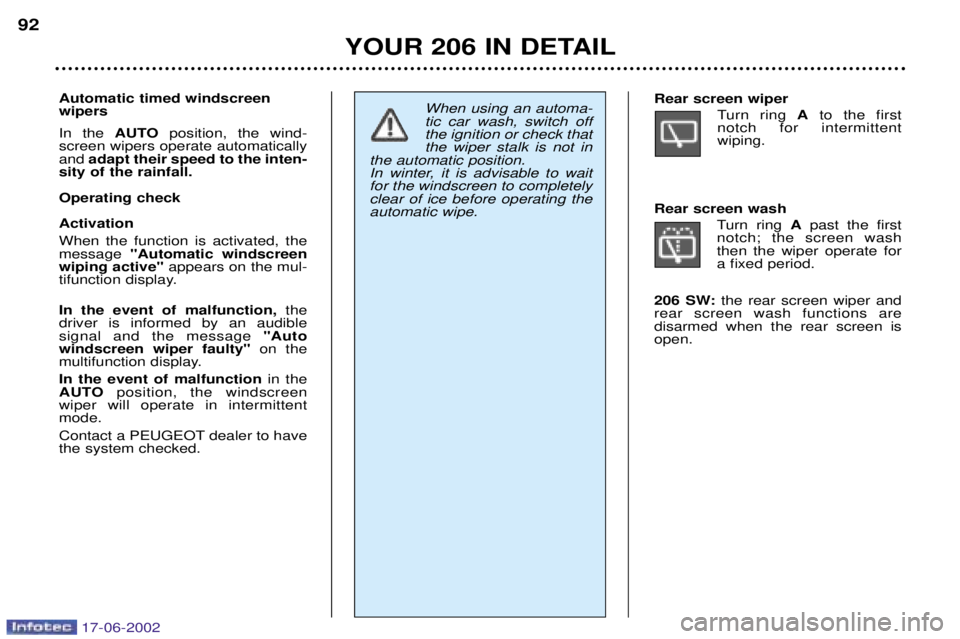
Automatic timed windscreen wipers In the AUTOposition, the wind-
screen wipers operate automatically and adapt their speed to the inten-
sity of the rainfall. Operating checkActivation When the function is activated, the message "Automatic windscreen
wiping active" appears on the mul-
tifunction display. In the event of malfunction, the
driver is informed by an audible signal and the message "Auto
windscreen wiper faulty" on the
multifunction display. In the event of malfunction in the
AUTO position, the windscreen
wiper will operate in intermittent mode.
Contact a PEUGEOT dealer to have the system checked.
When using an automa- tic car wash, switch offthe ignition or check thatthe wiper stalk is not in
the automatic position.
In winter, it is advisable to waitfor the windscreen to completelyclear of ice before operating theautomatic wipe.Rear screen wiper
Turn ring Ato the first
notch for intermittent wiping.
Rear screen wash Turn ring Apast the first
notch; the screen washthen the wiper operate fora fixed period.
206 SW: the rear screen wiper and
rear screen wash functions aredisarmed when the rear screen isopen.
17-06-2002
Page 102 of 160
YOUR 206 IN DETAIL
94
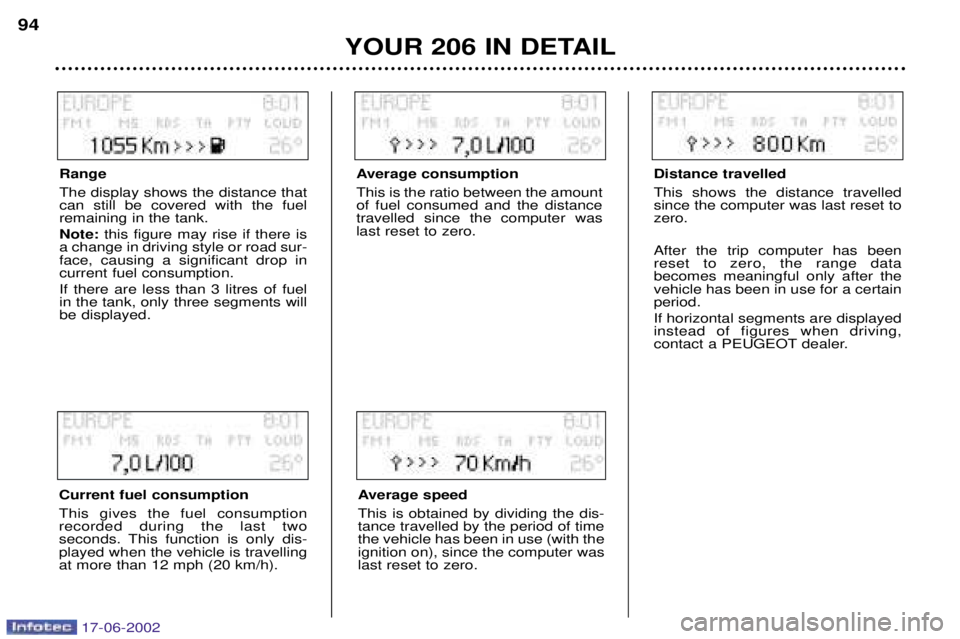
Range The display shows the distance that can still be covered with the fuelremaining in the tank. Note: this figure may rise if there is
a change in driving style or road sur- face, causing a significant drop incurrent fuel consumption. If there are less than 3 litres of fuel in the tank, only three segments willbe displayed.
Current fuel consumption This gives the fuel consumption recorded during the last two
seconds. This function is only dis-played when the vehicle is travellingat more than 12 mph (20 km/h).
Average consumption This is the ratio between the amount of fuel consumed and the distancetravelled since the computer waslast reset to zero.
Average speed This is obtained by dividing the dis- tance travelled by the period of timethe vehicle has been in use (with theignition on), since the computer waslast reset to zero. Distance travelled This shows the distance travelled since the computer was last reset tozero. After the trip computer has been reset to zero, the range databecomes meaningful only after thevehicle has been in use for a certainperiod. If horizontal segments are displayed instead of figures when driving,
contact a PEUGEOT dealer.
17-06-2002
Page 104 of 160
YOUR 206 IN DETAIL
96
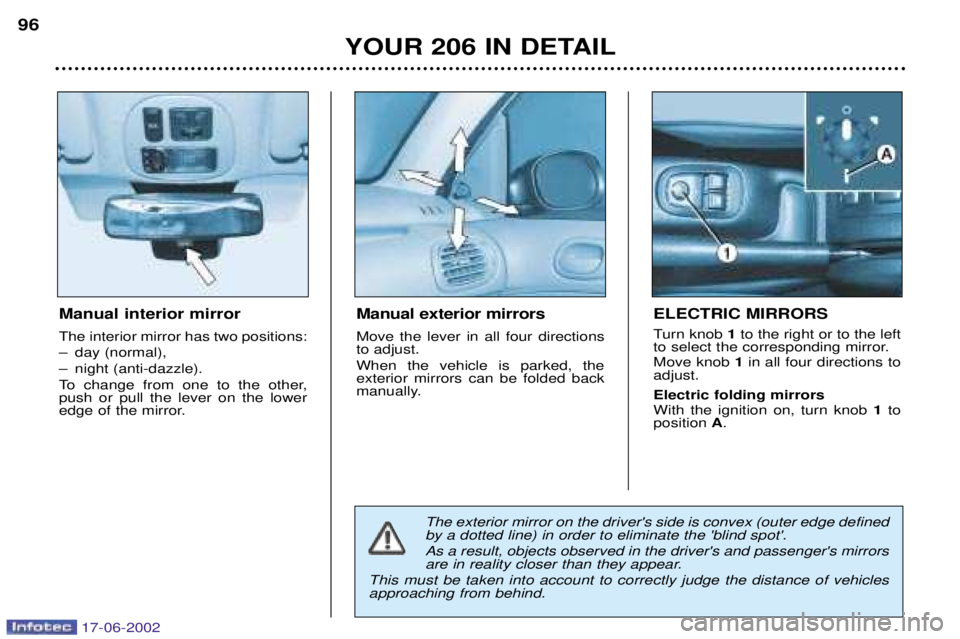
Manual interior mirror The interior mirror has two positions:
Ð day (normal),
Ð night (anti-dazzle).
To change from one to the other, push or pull the lever on the lower
edge of the mirror. Manual exterior mirrors Move the lever in all four directions to adjust. When the vehicle is parked, the exterior mirrors can be folded back
manually.
ELECTRIC MIRRORS
Turn knob
1to the right or to the left
to select the corresponding mirror. Move knob 1in all four directions to
adjust. Electric folding mirrors With the ignition on, turn knob 1to
position A.
The exterior mirror on the driver's side is convex (outer edge defined by a dotted line) in order to eliminate the 'blind spot'. As a result, objects observed in the driver's and passenger's mirrors
are in reality closer than they appear.
This must be taken into account to correctly judge the distance of vehiclesapproaching from behind.
17-06-2002
Page 105 of 160
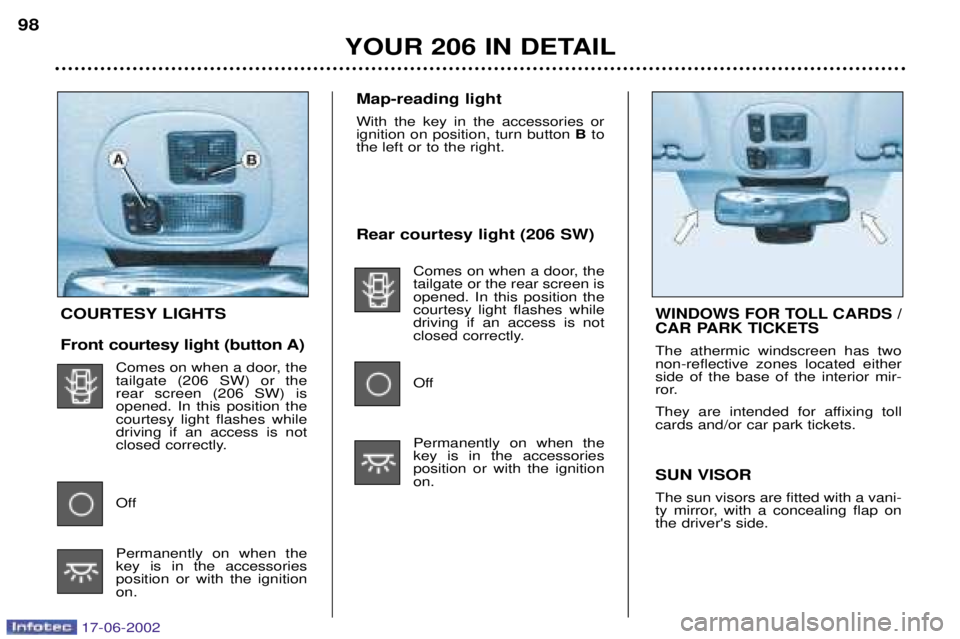
Rear courtesy light (206 SW)Comes on when a door, the tailgate or the rear screen isopened. In this position thecourtesy light flashes whiledriving if an access is not
closed correctly.
Off Permanently on when the key is in the accessoriesposition or with the ignitionon.
YOUR 206 IN DETAIL
98
COURTESY LIGHTS
Front courtesy light (button A)
Comes on when a door, the tailgate (206 SW) or therear screen (206 SW) isopened. In this position thecourtesy light flashes whiledriving if an access is not
closed correctly.
Off Permanently on when the key is in the accessoriesposition or with the ignitionon. SUN VISOR The sun visors are fitted with a vani-
ty mirror, with a concealing flap onthe driver's side.WINDOWS FOR TOLL CARDS /
CAR PARK TICKETS
The athermic windscreen has two non-reflective zones located eitherside of the base of the interior mir-
ror.
They are intended for affixing toll cards and/or car park tickets.
Map-reading light With the key in the accessories or ignition on position, turn button
Bto
the left or to the right.
17-06-2002