radio Peugeot 206 CC 2003 User Guide
[x] Cancel search | Manufacturer: PEUGEOT, Model Year: 2003, Model line: 206 CC, Model: Peugeot 206 CC 2003Pages: 135, PDF Size: 2.11 MB
Page 45 of 135
30-06-2003
YOUR 206 CC IN DETAIL
45
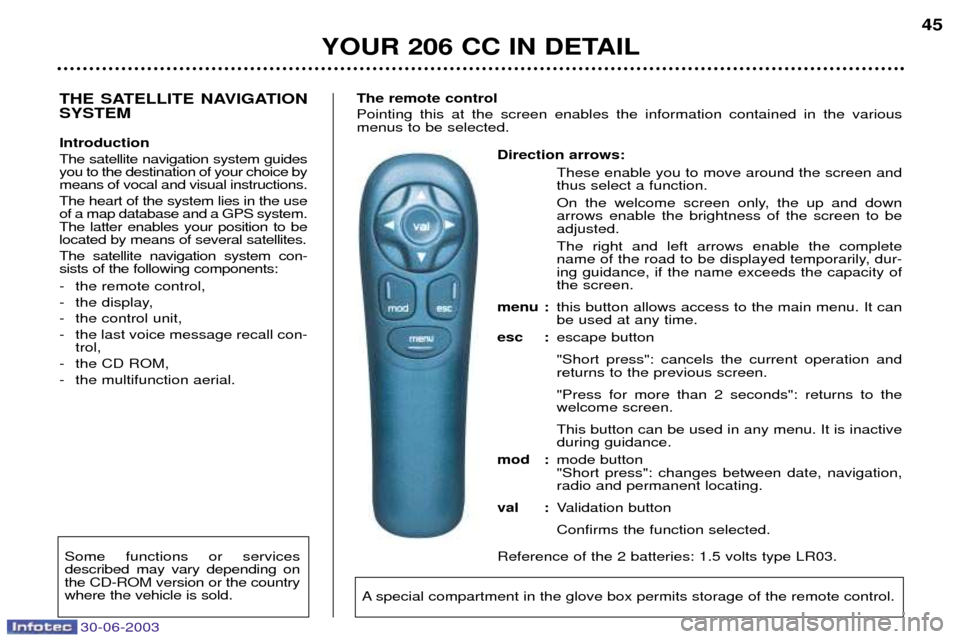
Direction arrows: These enable you to move around the screen and thus select a function.
On the welcome screen only, the up and down arrows enable the brightness of the screen to beadjusted. The right and left arrows enable the complete
name of the road to be displayed temporarily, dur-ing guidance, if the name exceeds the capacity ofthe screen.
menu : this button allows access to the main menu. It canbe used at any time.
esc : escape button "Short press": cancels the current operation and returns to the previous screen. "Press for more than 2 seconds": returns to the welcome screen. This button can be used in any menu. It is inactive during guidance.
mod : mode button"Short press": changes between date, navigation,radio and permanent locating.
val : Validation button Confirms the function selected.
Reference of the 2 batteries: 1.5 volts type LR03.
THE SATELLITE NAVIGATION SYSTEM Introduction The satellite navigation system guides you to the destination of your choice bymeans of vocal and visual instructions. The heart of the system lies in the use of a map database and a GPS system.The latter enables your position to belocated by means of several satellites. The satellite navigation system con- sists of the following components:
- the remote control,
- the display,
- the control unit,
- the last voice message recall con- trol,
- the CD ROM,
- the multifunction aerial. The remote control Pointing this at the screen enables the information contained in the various menus to be selected.
A special compartment in the glove box permits storage of the remote control.
Some functions or services described may vary depending onthe CD-ROM version or the countrywhere the vehicle is sold.
Page 48 of 135
30-06-2003
YOUR 206 CC IN DETAIL
48
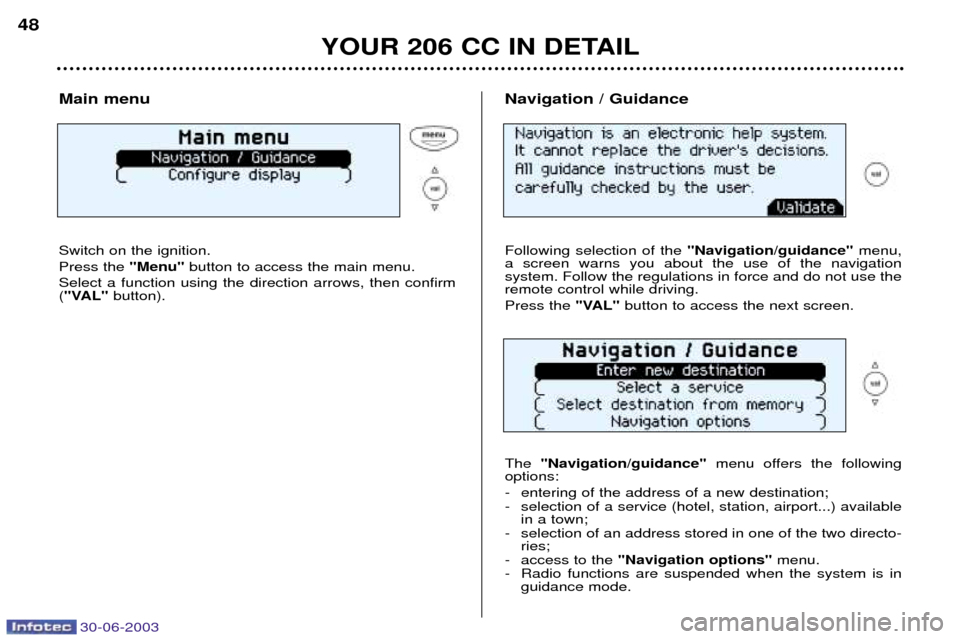
Main menu Switch on the ignition. Press the "Menu"button to access the main menu.
Select a function using the direction arrows, then confirm ( "VAL" button). Navigation / Guidance Following selection of the
"Navigation/guidance"menu,
a screen warns you about the use of the navigation system. Follow the regulations in force and do not use theremote control while driving. Press the "VAL"button to access the next screen.
The "Navigation/guidance" menu offers the following
options:
- entering of the address of a new destination;
- selection of a service (hotel, station, airport...) available in a town;
- selection of an address stored in one of the two directo- ries;
- access to the "Navigation options" menu.
- Radio functions are suspended when the system is in guidance mode.
Page 49 of 135
30-06-2003
YOUR 206 CC IN DETAIL
48
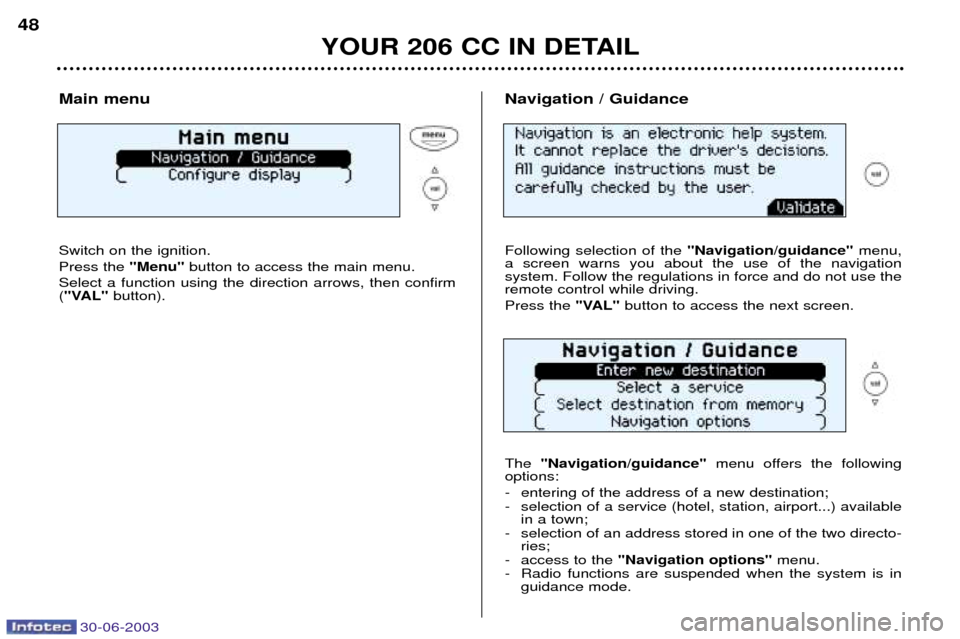
Main menu Switch on the ignition. Press the "Menu"button to access the main menu.
Select a function using the direction arrows, then confirm ( "VAL" button). Navigation / Guidance Following selection of the
"Navigation/guidance"menu,
a screen warns you about the use of the navigation system. Follow the regulations in force and do not use theremote control while driving. Press the "VAL"button to access the next screen.
The "Navigation/guidance" menu offers the following
options:
- entering of the address of a new destination;
- selection of a service (hotel, station, airport...) available in a town;
- selection of an address stored in one of the two directo- ries;
- access to the "Navigation options" menu.
- Radio functions are suspended when the system is in guidance mode.
Page 117 of 135
30-06-2003
PRACTICAL INFORMATION109
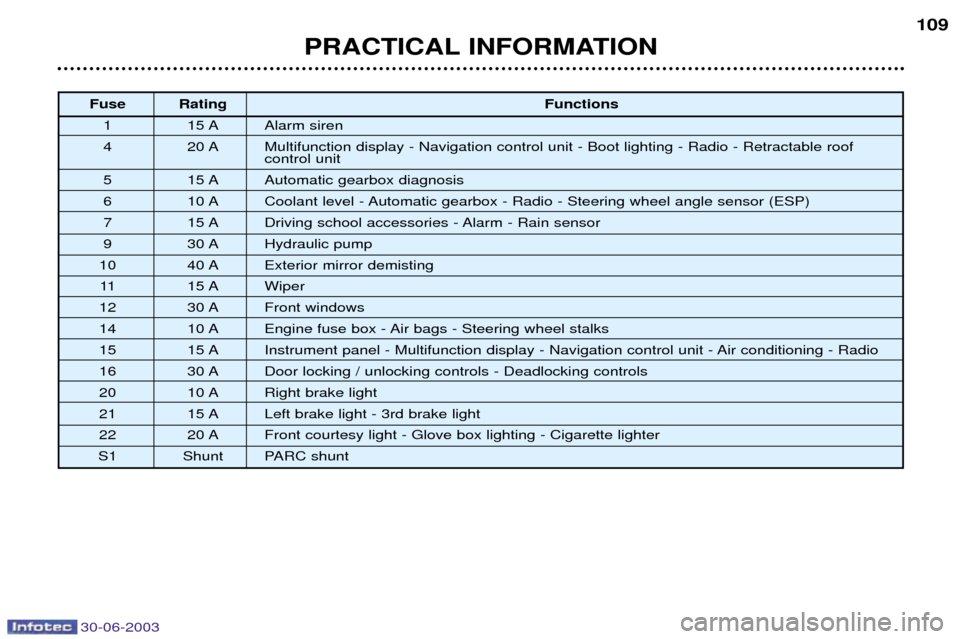
Fuse Rating
Functions
1 15 A Alarm siren
4 20 A Multifunction display - Navigation control unit - Boot lighting - Radio - Retractable roof control unit
5 15 A Automatic gearbox diagnosis
6 10 A Coolant level - Automatic gearbox - Radio - Steering wheel angle sensor (ESP)
7 15 A Driving school accessories - Alarm - Rain sensor
9 30 A Hydraulic pump
10 40 A Exterior mirror demisting 11 15 A Wiper
12 30 A Front windows
14 10 A Engine fuse box - Air bags - Steering wheel stalks
15 15 A Instrument panel - Multifunction display - Navigation control unit - Air conditioning - Radio
16 30 A Door locking / unlocking controls - Deadlocking controls
20 10 A Right brake light
21 15 A Left brake light - 3rd brake light
22 20 A Front courtesy light - Glove box lighting - Cigarette lighter
S1 Shunt PARC shunt
Page 118 of 135
PRACTICAL INFORMATION
110
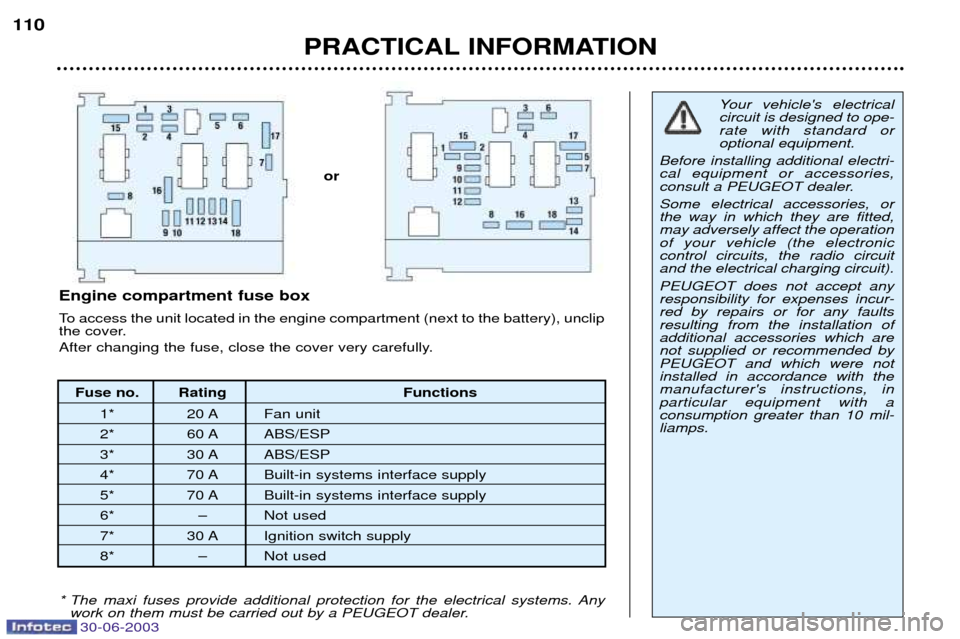
Fuse no. Rating Functions
1* 20 A Fan unit
2* 60 A ABS/ESP
3* 30 A ABS/ESP
4* 70 A Built-in systems interface supply
5* 70 A Built-in systems interface supply
6* Ð Not used
7* 30 A Ignition switch supply
8* Ð Not used
Engine compartment fuse box
To access the unit located in the engine compartment (next to the battery), unclip
the cover.
After changing the fuse, close the cover very carefully.
Your vehicle's electrical circuit is designed to ope-rate with standard oroptional equipment.
Before installing additional electri-cal equipment or accessories,
consult a PEUGEOT dealer. Some electrical accessories, or the way in which they are fitted,may adversely affect the operationof your vehicle (the electroniccontrol circuits, the radio circuitand the electrical charging circuit). PEUGEOT does not accept any responsibility for expenses incur-red by repairs or for any faultsresulting from the installation ofadditional accessories which arenot supplied or recommended byPEUGEOT and which were notinstalled in accordance with themanufacturer's instructions, inparticular equipment with aconsumption greater than 10 mil-liamps.
* The maxi fuses provide additional protection for the electrical systems. Any work on them must be carried out by a PEUGEOT dealer.
or
30-06-2003