ignition PEUGEOT 207 2009 User Guide
[x] Cancel search | Manufacturer: PEUGEOT, Model Year: 2009, Model line: 207, Model: PEUGEOT 207 2009Pages: 279, PDF Size: 19.5 MB
Page 27 of 279
30
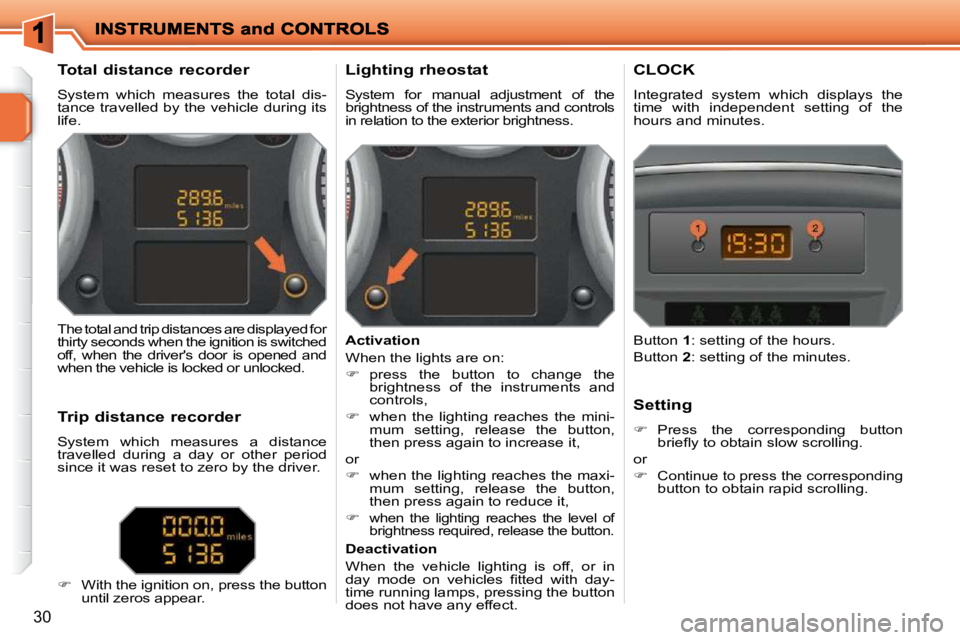
Total distance recorder
System which measures the total dis-
tance travelled by the vehicle during its
life. Lighting rheostat
System for manual adjustment of the
brightness of the instruments and controls
in relation to the exterior brightness. CLOCK
Integrated system which displays the time with independent setting of the hours and minutes.
The total and trip distances are displayed for
thirty seconds when the ignition is switched
off, when the driver's door is opened and
when the vehicle is locked or unlocked.
Trip distance recorder
System which measures a distance
travelled during a day or other period
since it was reset to zero by the driver.
With the ignition on, press the button
until zeros appear. Activation
When the lights are on:
press the button to change the
brightness of the instruments and
controls,
when the lighting reaches the mini-
mum setting, release the button,
then press again to increase it,
or
when the lighting reaches the maxi-
mum setting, release the button,
then press again to reduce it,
when the lighting reaches the level of
brightness required, release the button.
Deactivation
When the vehicle lighting is off, or in
day mode on vehicles fi tted with day-
time running lamps, pressing the button
does not have any effect. Setting
Press the corresponding button briefl y to obtain slow scrolling.
or
Continue to press the correspondingbutton to obtain rapid scrolling.
Button 1 : setting of the hours.
Button 2 : setting of the minutes.
Page 35 of 279
38
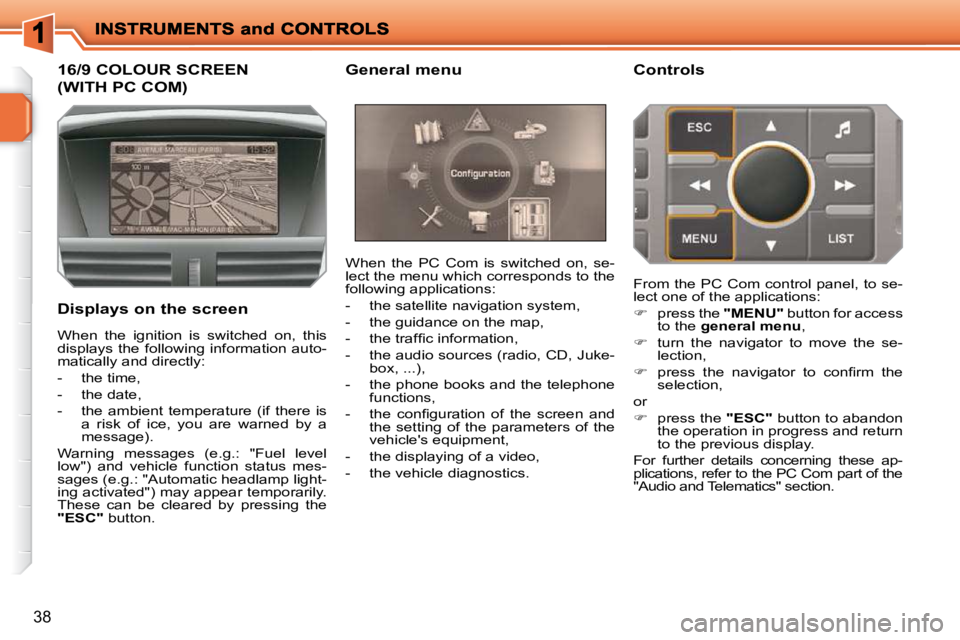
16/9 COLOUR SCREEN
(WITH PC COM)
Displays on the screen When the PC Com is switched on, se-
lect the menu which corresponds to the
following applications:
- the satellite navigation system,
- the guidance on the map,
- the traffi c information,
- the audio sources (radio, CD, Juke-
box, ...),
- the phone books and the telephone functions,
- the confi guration of the screen and the setting of the parameters of the
vehicle's equipment,
- the displaying of a video,
- the vehicle diagnostics. Controls
When the ignition is switched on, this
displays the following information auto-
matically and directly:
- the time,
- the date,
- the ambient temperature (if there is a risk of ice, you are warned by a
message).
Warning messages (e.g.: "Fuel level
low") and vehicle function status mes-
sages (e.g.: "Automatic headlamp light-
ing activated") may appear temporarily.
These can be cleared by pressing the
"ESC" button. From the PC Com control panel, to se-
lect one of the applications:
press the "MENU" button for access
to the general menu ,
turn the navigator to move the se-
lection,
press the navigator to confi rm the
selection,
or
press the "ESC" button to abandon
the operation in progress and return
to the previous display.
For further details concerning these ap-
plications, refer to the PC Com part of the
"Audio and Telematics" section.
General menu
Page 42 of 279
!
i
i
46
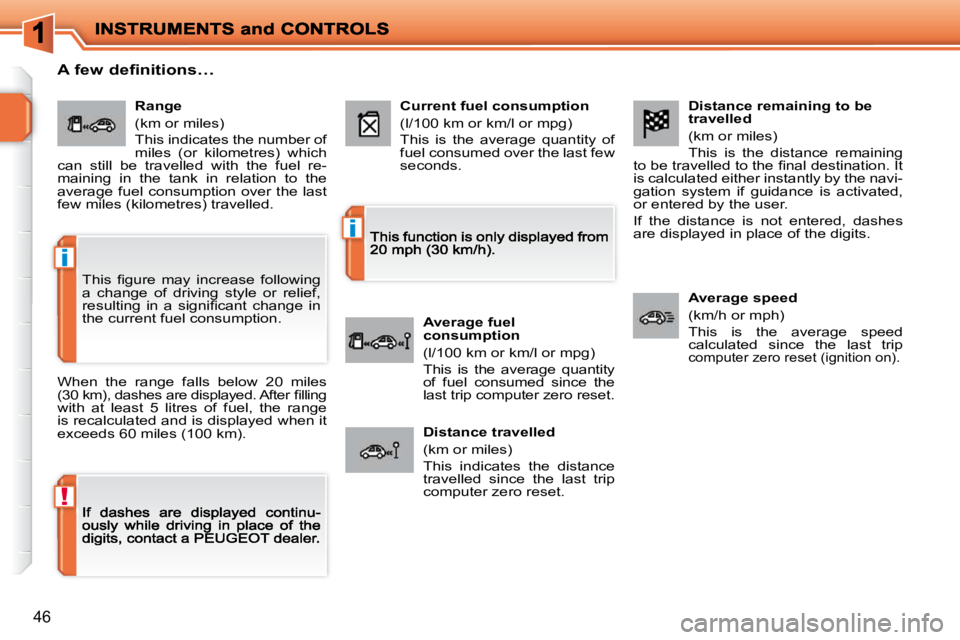
Distance remaining to be travelled
(km or miles)
This is the distance remaining to be travelled to the fi nal destination. It is calculated either instantly by the navi-gation system if guidance is activated, or entered by the user.
If the distance is not entered, dashes are displayed in place of the digits.
Average speed
(km/h or mph)
This is the average speed calculated since the last trip computer zero reset (ignition on).
Range
(km or miles)
This indicates the number of
miles (or kilometres) which
can still be travelled with the fuel re-
maining in the tank in relation to the
average fuel consumption over the last
few miles (kilometres) travelled. Current fuel consumption
(l/100 km or km/l or mpg)
This is the average quantity of fuel consumed over the last few seconds.
Average fuel
consumption
(l/100 km or km/l or mpg)
This is the average quantity of fuel consumed since the last trip computer zero reset.
Distance travelled
(km or miles)
This indicates the distance travelled since the last trip computer zero reset.
A few definitions…
When the range falls below 20 miles (30 km), dashes are displayed. After fi llingwith at least 5 litres of fuel, the range is recalculated and is displayed when it exceeds 60 miles (100 km).
This fi gure may increase following
a change of driving style or relief,
resulting in a signifi cant change in
the current fuel consumption.
Page 44 of 279
!
i
i
46
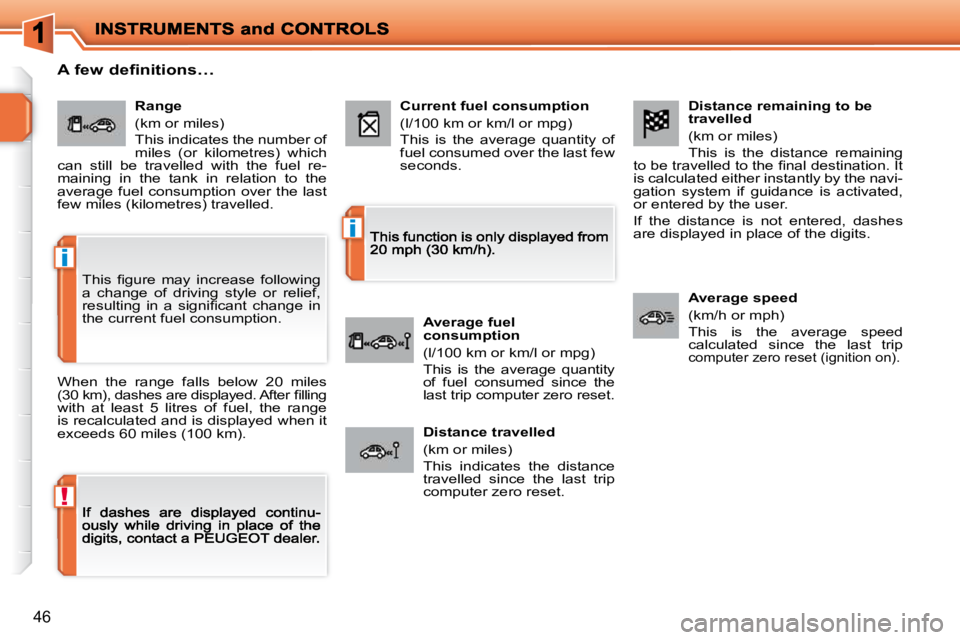
Distance remaining to be travelled
(km or miles)
This is the distance remaining to be travelled to the fi nal destination. It is calculated either instantly by the navi-gation system if guidance is activated, or entered by the user.
If the distance is not entered, dashes are displayed in place of the digits.
Average speed
(km/h or mph)
This is the average speed calculated since the last trip computer zero reset (ignition on).
Range
(km or miles)
This indicates the number of
miles (or kilometres) which
can still be travelled with the fuel re-
maining in the tank in relation to the
average fuel consumption over the last
few miles (kilometres) travelled. Current fuel consumption
(l/100 km or km/l or mpg)
This is the average quantity of fuel consumed over the last few seconds.
Average fuel
consumption
(l/100 km or km/l or mpg)
This is the average quantity of fuel consumed since the last trip computer zero reset.
Distance travelled
(km or miles)
This indicates the distance travelled since the last trip computer zero reset.
A few definitions…
When the range falls below 20 miles (30 km), dashes are displayed. After fi llingwith at least 5 litres of fuel, the range is recalculated and is displayed when it exceeds 60 miles (100 km).
This fi gure may increase following
a change of driving style or relief,
resulting in a signifi cant change in
the current fuel consumption.
Page 62 of 279
i
!
59
MIRRORS
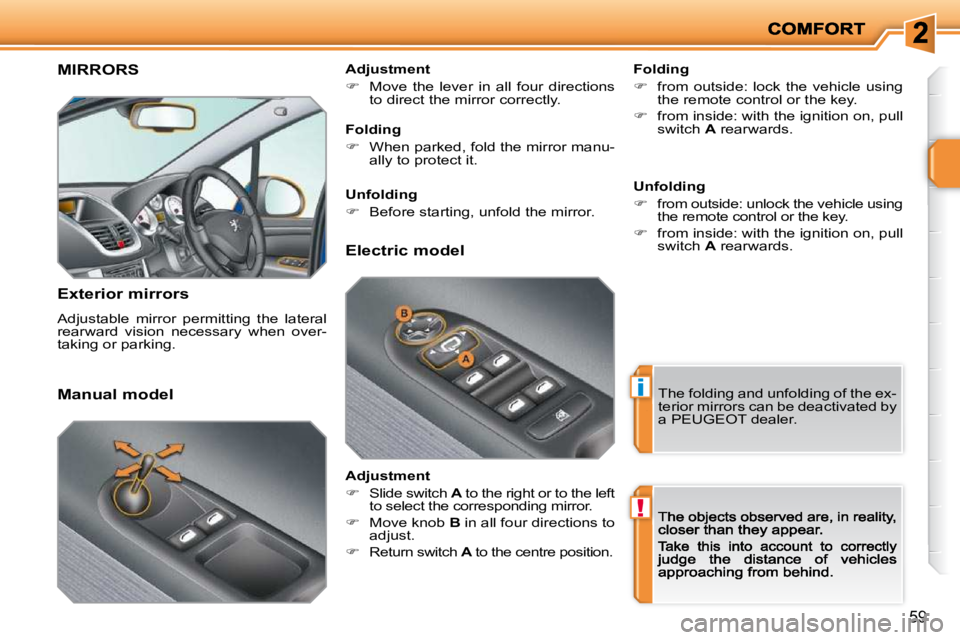
Exterior mirrors
Adjustable mirror permitting the lateral
rearward vision necessary when over-
taking or parking. Folding
from outside: lock the vehicle using
the remote control or the key.
from inside: with the ignition on, pull
switch A rearwards.
Manual model Adjustment
Move the lever in all four directions
to direct the mirror correctly.
The folding and unfolding of the ex-
terior mirrors can be deactivated by
a PEUGEOT dealer.
Folding
When parked, fold the mirror manu-
ally to protect it.
Unfolding
Before starting, unfold the mirror.
Electric model
Adjustment
Slide switch A to the right or to the left
to select the corresponding mirror.
Move knob B in all four directions to
adjust.
Return switch A to the centre position. Unfolding
from outside: unlock the vehicle using
the remote control or the key.
from inside: with the ignition on, pull
switch A rearwards.
Page 64 of 279
!
i
61
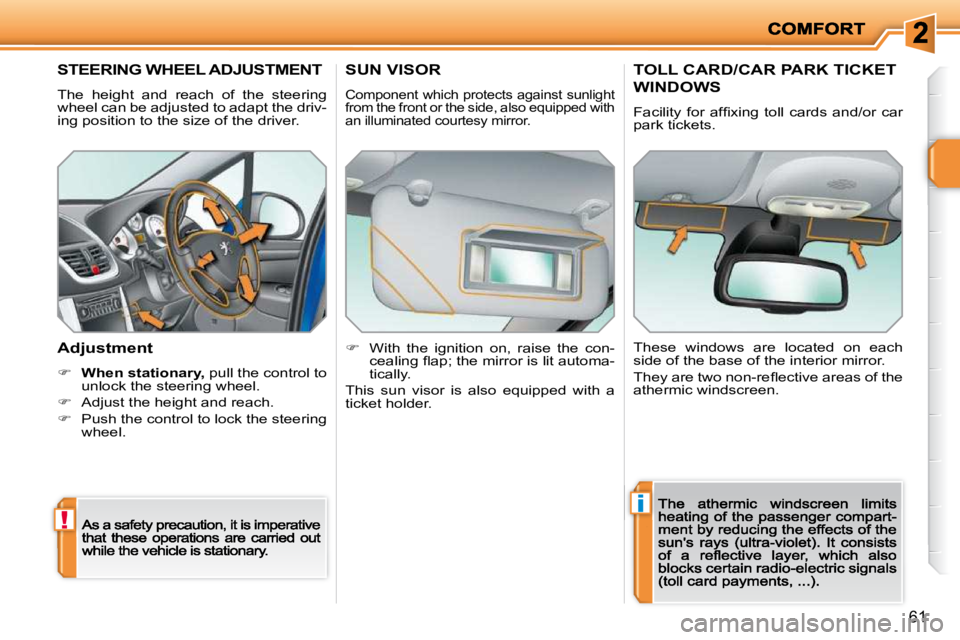
STEERING WHEEL ADJUSTMENT
The height and reach of the steering
wheel can be adjusted to adapt the driv-
ing position to the size of the driver.
Adjustment
When stationary,stationarystationary pull the control to unlock the steering wheel.
Adjust the height and reach.
Push the control to lock the steering wheel.
SUN VISOR
Component which protects against sunlight
from the front or the side, also equipped with
an illuminated courtesy mirror.
With the ignition on, raise the con-
cealing fl ap; the mirror is lit automa-
tically.
This sun visor is also equipped with a
ticket holder.
TOLL CARD/CAR PARK TICKET
WINDOWS
Facility for affi xing toll cards and/or car
park tickets.
These windows are located on each
side of the base of the interior mirror.
They are two non-refl ective areas of the
athermic windscreen.
Page 71 of 279
i
68
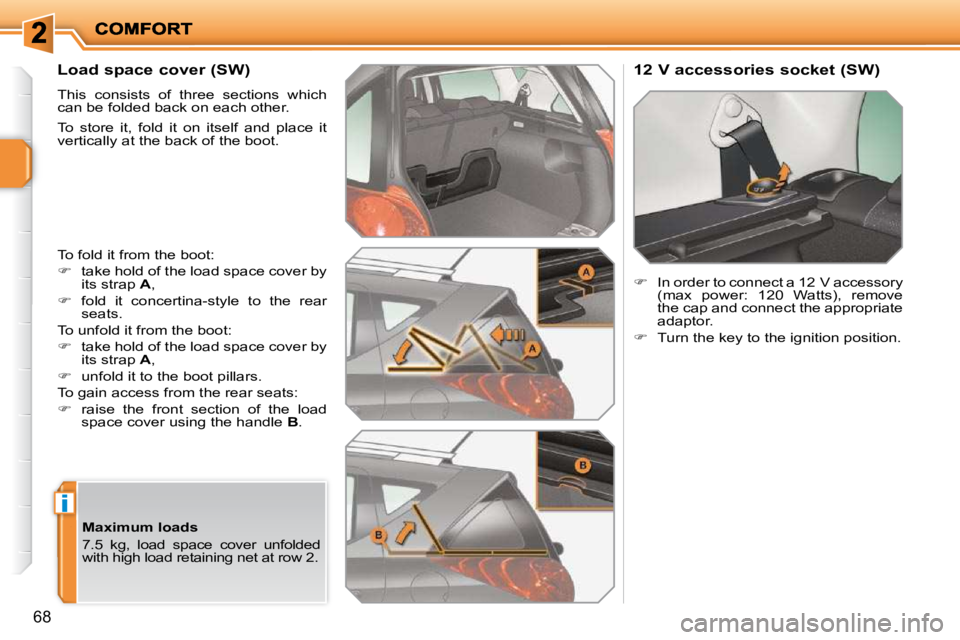
Load space cover (SW)
This consists of three sections which
can be folded back on each other.
To store it, fold it on itself and place it
vertically at the back of the boot.
To fold it from the boot:
take hold of the load space cover by
its strap A ,
fold it concertina-style to the rear
seats.
To unfold it from the boot:
take hold of the load space cover by
its strap A ,
unfold it to the boot pillars.
To gain access from the rear seats:
raise the front section of the load
space cover using the handle B . 12 V accessories socket (SW)
In order to connect a 12 V accessory
(max power: 120 Watts), remove
the cap and connect the appropriate
adaptor.
Turn the key to the ignition position.
Maximum loads
7.5 kg, load space cover unfolded
with high load retaining net at row 2.
Page 74 of 279
!i
i
71
Deadlocking renders the exterior
and interior door controls inoperative.
It also deactivates the manual cen-
tralised control button.
Therefore, do not leave anyone
inside the vehicle when it is dead-
locked.
Deadlocking using the remote
control
Press the closed padlock to lock the
vehicle.
Press the closed padlock again
within fi ve seconds to deadlock the
vehicle.
Deadlocking using the key
Turn the key to the right in the driver's
door lock to lock the vehicle.
Turn the key to the right again within
fi ve seconds to deadlock the vehicle.
Deadlocking is confi rmed by fi xed lighting
of the direction indicators for approximately
two seconds.
According to version, the exterior mirrors
fold at the same time.
The vehicle will relock automati-
cally after thirty seconds unless a
door is opened. This system pre-
vents unintentional unlocking.
The folding and unfolding of the
exterior mirrors can be deactivated
by a PEUGEOT dealer.
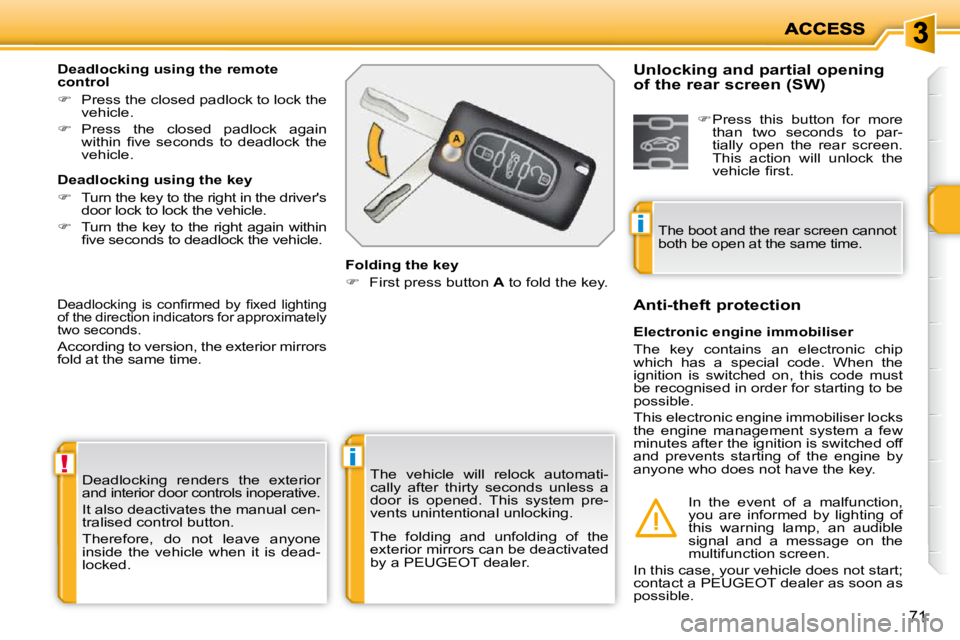
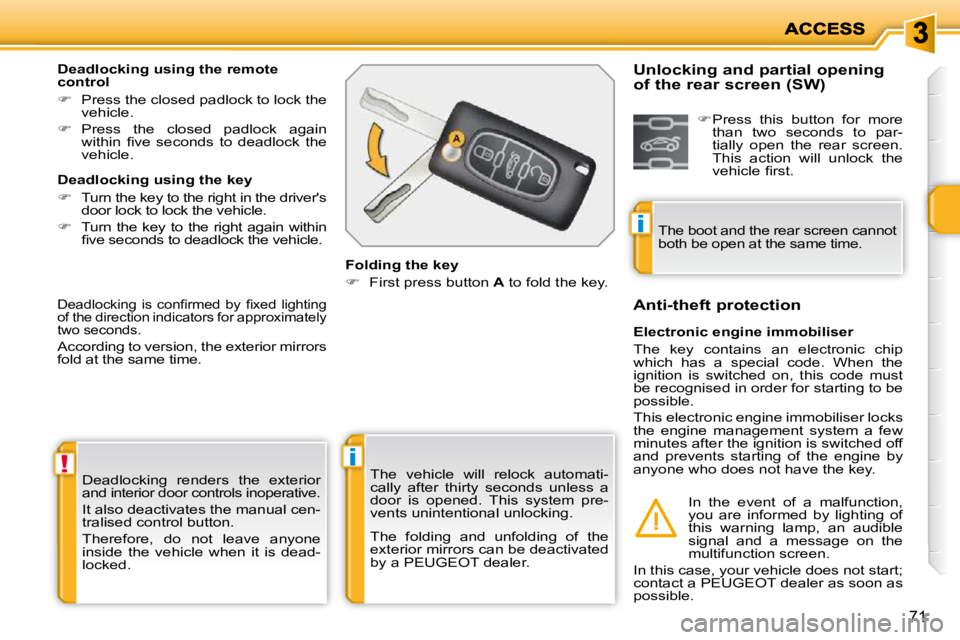
Folding the key
First press button A to fold the key.
Electronic engine immobiliser
The key contains an electronic chip
which has a special code. When the
ignition is switched on, this code must
be recognised in order for starting to be
possible.
This electronic engine immobiliser locks
the engine management system a few
minutes after the ignition is switched off
and prevents starting of the engine by
anyone who does not have the key.
Anti-theft protection
In the event of a malfunction,
you are informed by lighting of
this warning lamp, an audible
signal and a message on the
multifunction screen.
In this case, your vehicle does not start;
contact a PEUGEOT dealer as soon as
possible.
Unlocking and partial opening
of the rear screen (SW)
Press this button for more
than two seconds to par-
tially open the rear screen.
This action will unlock the
vehicle fi rst.
The boot and the rear screen cannot
both be open at the same time.
Page 75 of 279
!i
i
71
Deadlocking renders the exterior
and interior door controls inoperative.
It also deactivates the manual cen-
tralised control button.
Therefore, do not leave anyone
inside the vehicle when it is dead-
locked.
Deadlocking using the remote
control
Press the closed padlock to lock the
vehicle.
Press the closed padlock again
within fi ve seconds to deadlock the
vehicle.
Deadlocking using the key
Turn the key to the right in the driver's
door lock to lock the vehicle.
Turn the key to the right again within
fi ve seconds to deadlock the vehicle.
Deadlocking is confi rmed by fi xed lighting
of the direction indicators for approximately
two seconds.
According to version, the exterior mirrors
fold at the same time.
The vehicle will relock automati-
cally after thirty seconds unless a
door is opened. This system pre-
vents unintentional unlocking.
The folding and unfolding of the
exterior mirrors can be deactivated
by a PEUGEOT dealer.
Folding the key
First press button A to fold the key.
Electronic engine immobiliser
The key contains an electronic chip
which has a special code. When the
ignition is switched on, this code must
be recognised in order for starting to be
possible.
This electronic engine immobiliser locks
the engine management system a few
minutes after the ignition is switched off
and prevents starting of the engine by
anyone who does not have the key.
Anti-theft protection
In the event of a malfunction,
you are informed by lighting of
this warning lamp, an audible
signal and a message on the
multifunction screen.
In this case, your vehicle does not start;
contact a PEUGEOT dealer as soon as
possible.
Unlocking and partial opening
of the rear screen (SW)
Press this button for more
than two seconds to par-
tially open the rear screen.
This action will unlock the
vehicle fi rst.
The boot and the rear screen cannot
both be open at the same time.
Page 76 of 279
i
ACCESS
72
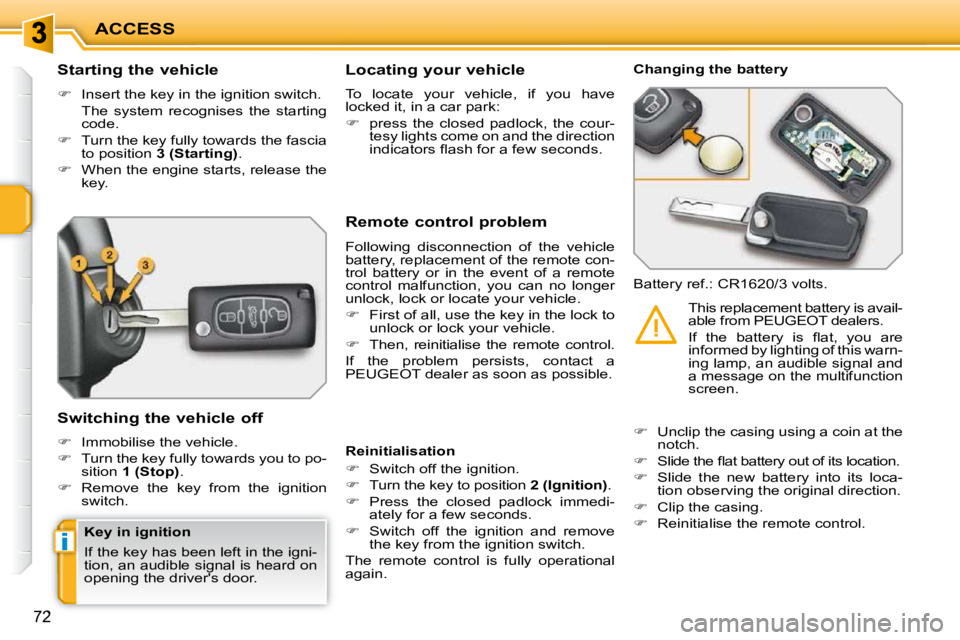
Starting the vehicle
Insert the key in the ignition switch.
The system recognises the starting code.
Turn the key fully towards the fascia
to position 3 (Starting) .
When the engine starts, release the
key.
Switching the vehicle off
Immobilise the vehicle.
Turn the key fully towards you to po-
sition 1 (Stop) .
Remove the key from the ignition
switch. Remote control problem
Following disconnection of the vehicle
battery, replacement of the remote con-
trol battery or in the event of a remote
control malfunction, you can no longer
unlock, lock or locate your vehicle.
First of all, use the key in the lock to
unlock or lock your vehicle.
Then, reinitialise the remote control.
If the problem persists, contact a
PEUGEOT dealer as soon as possible. Changing the battery
Battery ref.: CR1620/3 volts.
Reinitialisation
Switch off the ignition.
Turn the key to position 2 (Ignition) .
Press the closed padlock immedi-
ately for a few seconds.
Switch off the ignition and remove
the key from the ignition switch.
The remote control is fully operational
again.
Unclip the casing using a coin at the
notch.
Slide the fl at battery out of its location.
Slide the new battery into its loca-
tion observing the original direction.
Clip the casing.
Reinitialise the remote control. This replacement battery is avail-
able from PEUGEOT dealers.
If the battery is fl at, you are
informed by lighting of this warn-
ing lamp, an audible signal and
a message on the multifunction
screen.
Locating your vehicle
To locate your vehicle, if you have
locked it, in a car park:
press the closed padlock, the cour-
tesy lights come on and the direction
indicators fl ash for a few seconds.
Key in ignition
If the key has been left in the igni-
tion, an audible signal is heard on
opening the driver's door.