light PEUGEOT 207 2009 User Guide
[x] Cancel search | Manufacturer: PEUGEOT, Model Year: 2009, Model line: 207, Model: PEUGEOT 207 2009Pages: 279, PDF Size: 19.5 MB
Page 35 of 279
38
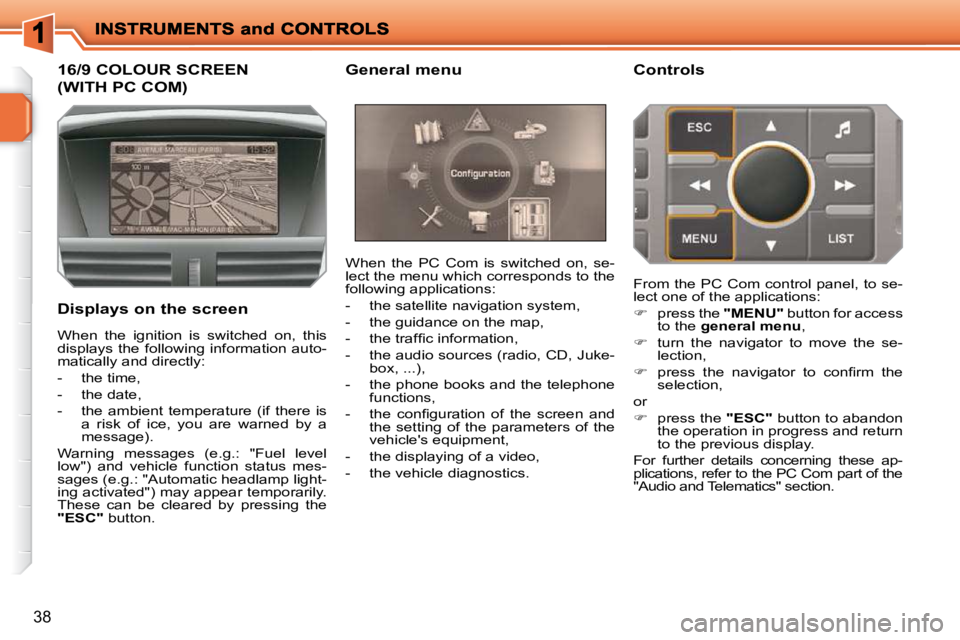
16/9 COLOUR SCREEN
(WITH PC COM)
Displays on the screen When the PC Com is switched on, se-
lect the menu which corresponds to the
following applications:
- the satellite navigation system,
- the guidance on the map,
- the traffi c information,
- the audio sources (radio, CD, Juke-
box, ...),
- the phone books and the telephone functions,
- the confi guration of the screen and the setting of the parameters of the
vehicle's equipment,
- the displaying of a video,
- the vehicle diagnostics. Controls
When the ignition is switched on, this
displays the following information auto-
matically and directly:
- the time,
- the date,
- the ambient temperature (if there is a risk of ice, you are warned by a
message).
Warning messages (e.g.: "Fuel level
low") and vehicle function status mes-
sages (e.g.: "Automatic headlamp light-
ing activated") may appear temporarily.
These can be cleared by pressing the
"ESC" button. From the PC Com control panel, to se-
lect one of the applications:
press the "MENU" button for access
to the general menu ,
turn the navigator to move the se-
lection,
press the navigator to confi rm the
selection,
or
press the "ESC" button to abandon
the operation in progress and return
to the previous display.
For further details concerning these ap-
plications, refer to the PC Com part of the
"Audio and Telematics" section.
General menu
Page 36 of 279
39
Defi ne vehicle parameters
Once the "Defi ne vehicle parameters"
menu has been selected, you can ac-
tivate or deactivate certain driving and
comfort equipment:
- wiper linked with reverse gear (refer to the "Visibility" section),
- directional headlamps (refer to the "Visibility" section),
- "guide-me-home" lighting and dura- tion (refer to the "Visibility" section). Example: setting the duration of the
"guide-me-home" lighting
Turn the navigator to select the
"
Confi gure lighting
" menu, then
press it to confi rm.
Select the line "Duration of the
"guide-me-home" lighting" then con-
fi rm.
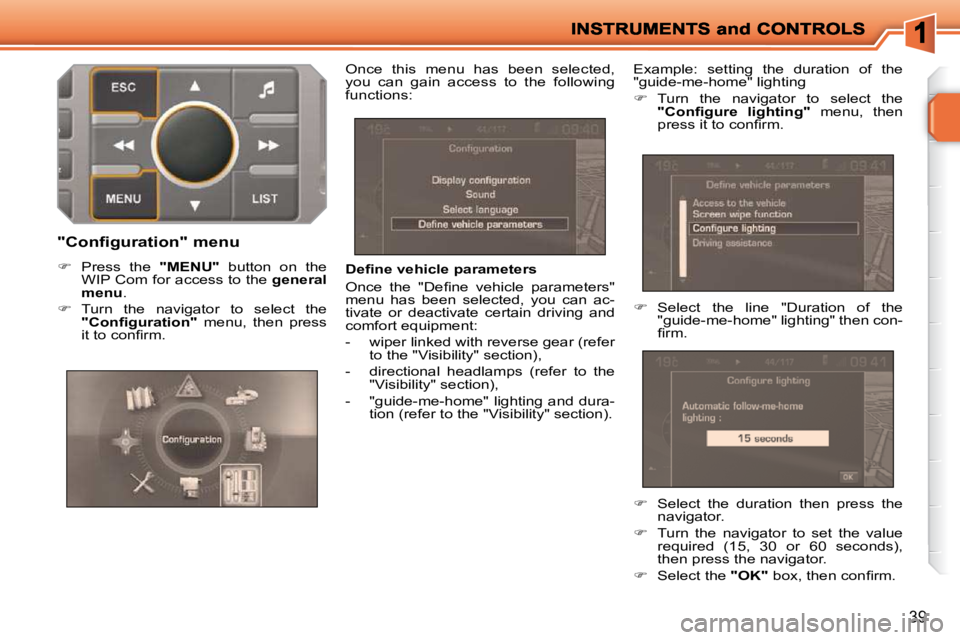
"Configuration" menu
Press the "MENU" button on the
WIP Com for access to the general
menu .
Turn the navigator to select the
"Confi guration" menu, then press
it to confi rm. Once this menu has been selected,
you can gain access to the following
functions:
Select the duration then press the
navigator.
Turn the navigator to set the value
required (15, 30 or 60 seconds),
then press the navigator.
Select the "OK" box, then confi rm.
Page 40 of 279
!
43
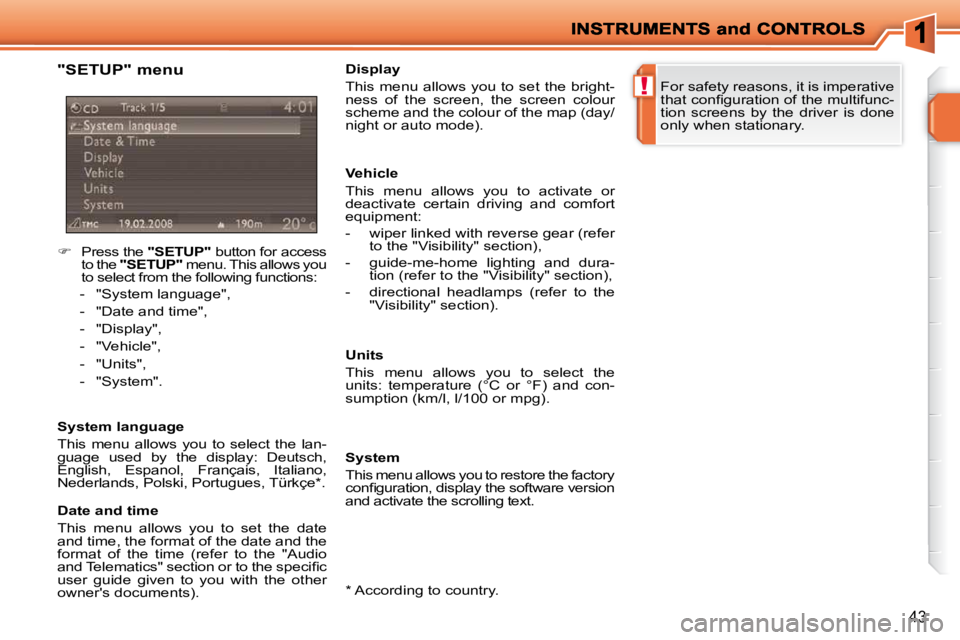
"SETUP" menu
Press the "SETUP" button for access
to the "SETUP" menu. This allows you
to select from the following functions:
- "System language",
- "Date and time",
- "Display",
- "Vehicle",
- "Units",
- "System".
System language
This menu allows you to select the lan-
guage used by the display: Deutsch,
English, Espanol, Français, Italiano,
Nederlands, Polski, Portugues, Türkçe * .
* According to country.
Date and time
This menu allows you to set the date
and time, the format of the date and the
format of the time (refer to the "Audio
and Telematics" section or to the specifi c
user guide given to you with the other
owner's documents). Display
This menu allows you to set the bright-
ness of the screen, the screen colour
scheme and the colour of the map (day/
night or auto mode).
Vehicle
This menu allows you to activate or
deactivate certain driving and comfort
equipment:
- wiper linked with reverse gear (refer
to the "Visibility" section),
- guide-me-home lighting and dura- tion (refer to the "Visibility" section),
- directional headlamps (refer to the "Visibility" section).
Units
This menu allows you to select the
units: temperature (°C or °F) and con-
sumption (km/l, l/100 or mpg).
System
This menu allows you to restore the factory
confi guration, display the software version
and activate the scrolling text. For safety reasons, it is imperative
that confi guration of the multifunc-
tion screens by the driver is done
only when stationary.
Page 63 of 279
!
i
60
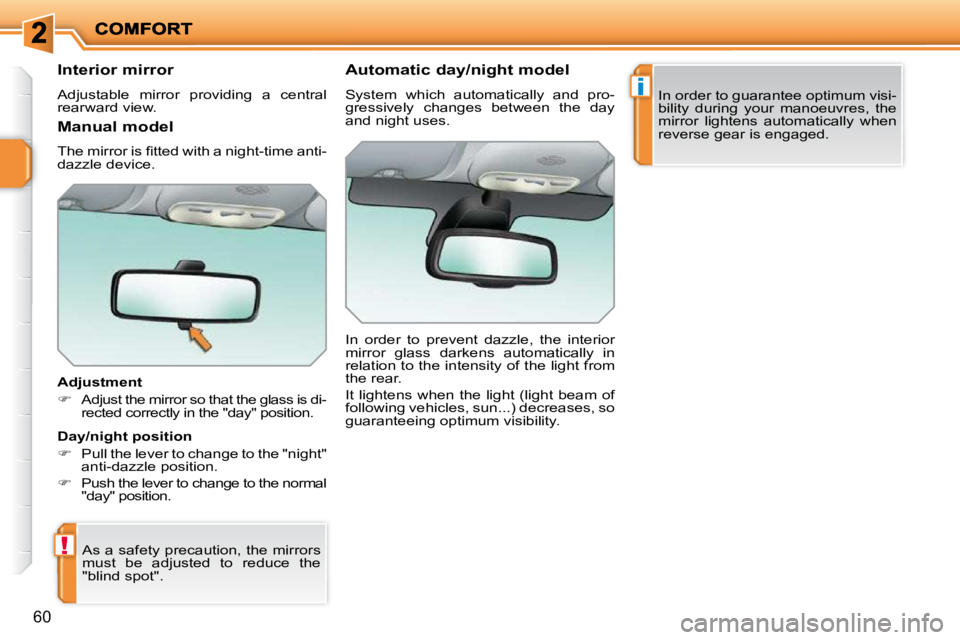
Interior mirror
Adjustable mirror providing a central
rearward view.
Adjustment
Adjust the mirror so that the glass is di-
rected correctly in the "day" position.
As a safety precaution, the mirrors
must be adjusted to reduce the
"blind spot". Automatic day/night model
System which automatically and pro-
gressively changes between the day
and night uses.
In order to prevent dazzle, the interior
mirror glass darkens automatically in
relation to the intensity of the light from
the rear.
It lightens when the light (light beam of
following vehicles, sun...) decreases, so
guaranteeing optimum visibility.
Manual model
The mirror is fi tted with a night-time anti-
dazzle device.
Day/night position
Pull the lever to change to the "night"
anti-dazzle position.
Push the lever to change to the normal
"day" position. In order to guarantee optimum visi-
bility during your manoeuvres, the
mirror lightens automatically when
reverse gear is engaged.
Page 64 of 279
!
i
61
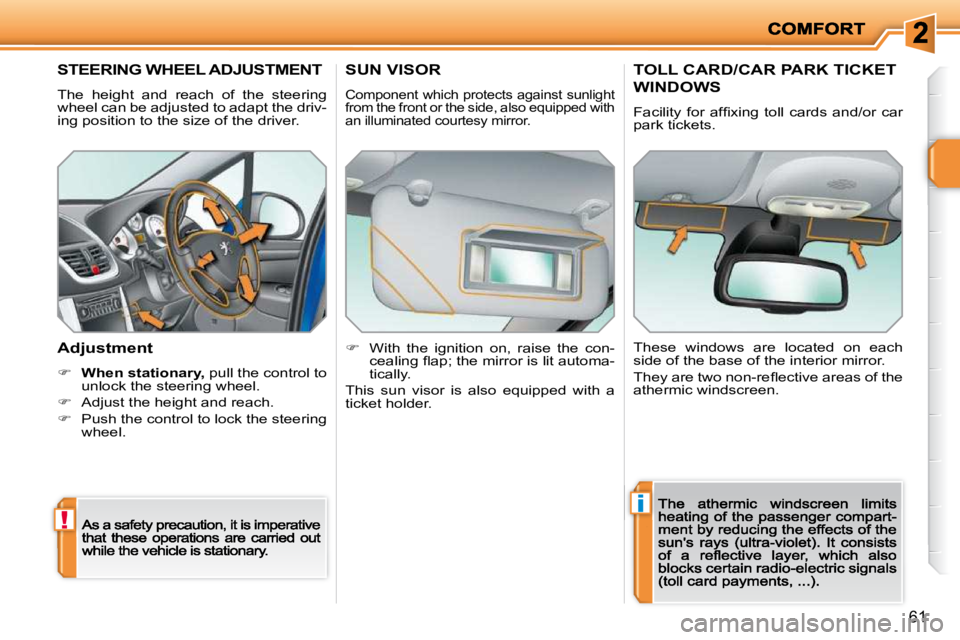
STEERING WHEEL ADJUSTMENT
The height and reach of the steering
wheel can be adjusted to adapt the driv-
ing position to the size of the driver.
Adjustment
When stationary,stationarystationary pull the control to unlock the steering wheel.
Adjust the height and reach.
Push the control to lock the steering wheel.
SUN VISOR
Component which protects against sunlight
from the front or the side, also equipped with
an illuminated courtesy mirror.
With the ignition on, raise the con-
cealing fl ap; the mirror is lit automa-
tically.
This sun visor is also equipped with a
ticket holder.
TOLL CARD/CAR PARK TICKET
WINDOWS
Facility for affi xing toll cards and/or car
park tickets.
These windows are located on each
side of the base of the interior mirror.
They are two non-refl ective areas of the
athermic windscreen.
Page 69 of 279
i
66
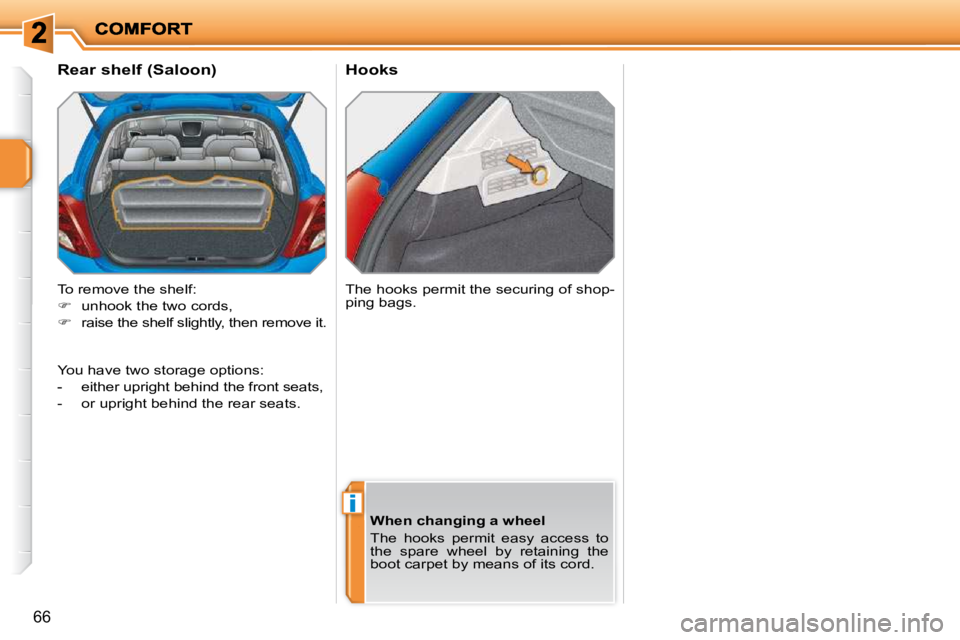
Hooks
Rear shelf (Saloon)
To remove the shelf:
unhook the two cords,
raise the shelf slightly, then remove it. The hooks permit the securing of shop-
ping bags.
When changing a wheel
The hooks permit easy access to
the spare wheel by retaining the
boot carpet by means of its cord.
You have two storage options:
either upright behind the front seats,
- or upright behind the rear seats.
Page 74 of 279
!i
i
71
Deadlocking renders the exterior
and interior door controls inoperative.
It also deactivates the manual cen-
tralised control button.
Therefore, do not leave anyone
inside the vehicle when it is dead-
locked.
Deadlocking using the remote
control
Press the closed padlock to lock the
vehicle.
Press the closed padlock again
within fi ve seconds to deadlock the
vehicle.
Deadlocking using the key
Turn the key to the right in the driver's
door lock to lock the vehicle.
Turn the key to the right again within
fi ve seconds to deadlock the vehicle.
Deadlocking is confi rmed by fi xed lighting
of the direction indicators for approximately
two seconds.
According to version, the exterior mirrors
fold at the same time.
The vehicle will relock automati-
cally after thirty seconds unless a
door is opened. This system pre-
vents unintentional unlocking.
The folding and unfolding of the
exterior mirrors can be deactivated
by a PEUGEOT dealer.
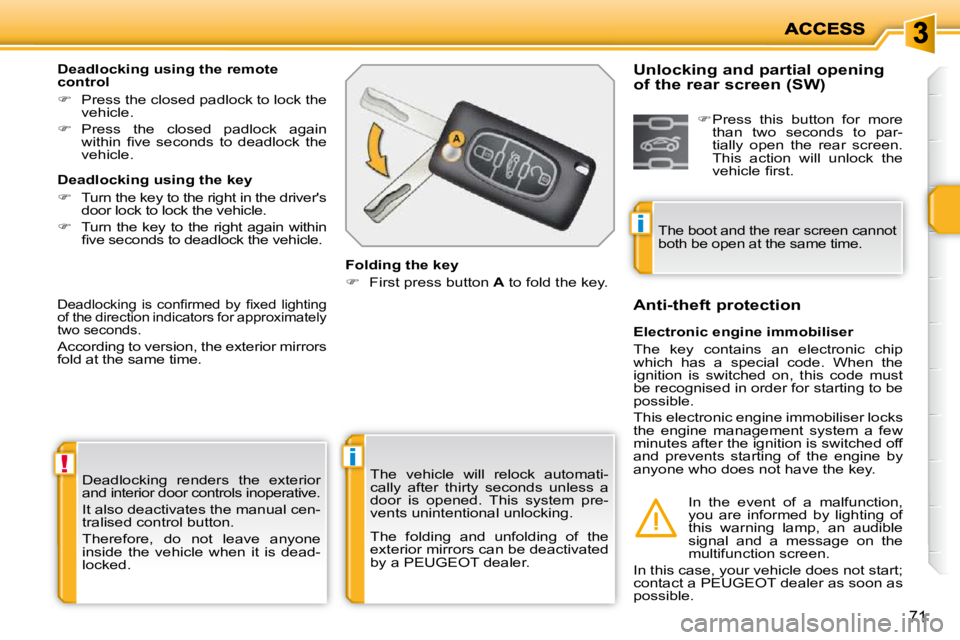
Folding the key
First press button A to fold the key.
Electronic engine immobiliser
The key contains an electronic chip
which has a special code. When the
ignition is switched on, this code must
be recognised in order for starting to be
possible.
This electronic engine immobiliser locks
the engine management system a few
minutes after the ignition is switched off
and prevents starting of the engine by
anyone who does not have the key.
Anti-theft protection
In the event of a malfunction,
you are informed by lighting of
this warning lamp, an audible
signal and a message on the
multifunction screen.
In this case, your vehicle does not start;
contact a PEUGEOT dealer as soon as
possible.
Unlocking and partial opening
of the rear screen (SW)
Press this button for more
than two seconds to par-
tially open the rear screen.
This action will unlock the
vehicle fi rst.
The boot and the rear screen cannot
both be open at the same time.
Page 75 of 279
!i
i
71
Deadlocking renders the exterior
and interior door controls inoperative.
It also deactivates the manual cen-
tralised control button.
Therefore, do not leave anyone
inside the vehicle when it is dead-
locked.
Deadlocking using the remote
control
Press the closed padlock to lock the
vehicle.
Press the closed padlock again
within fi ve seconds to deadlock the
vehicle.
Deadlocking using the key
Turn the key to the right in the driver's
door lock to lock the vehicle.
Turn the key to the right again within
fi ve seconds to deadlock the vehicle.
Deadlocking is confi rmed by fi xed lighting
of the direction indicators for approximately
two seconds.
According to version, the exterior mirrors
fold at the same time.
The vehicle will relock automati-
cally after thirty seconds unless a
door is opened. This system pre-
vents unintentional unlocking.
The folding and unfolding of the
exterior mirrors can be deactivated
by a PEUGEOT dealer.
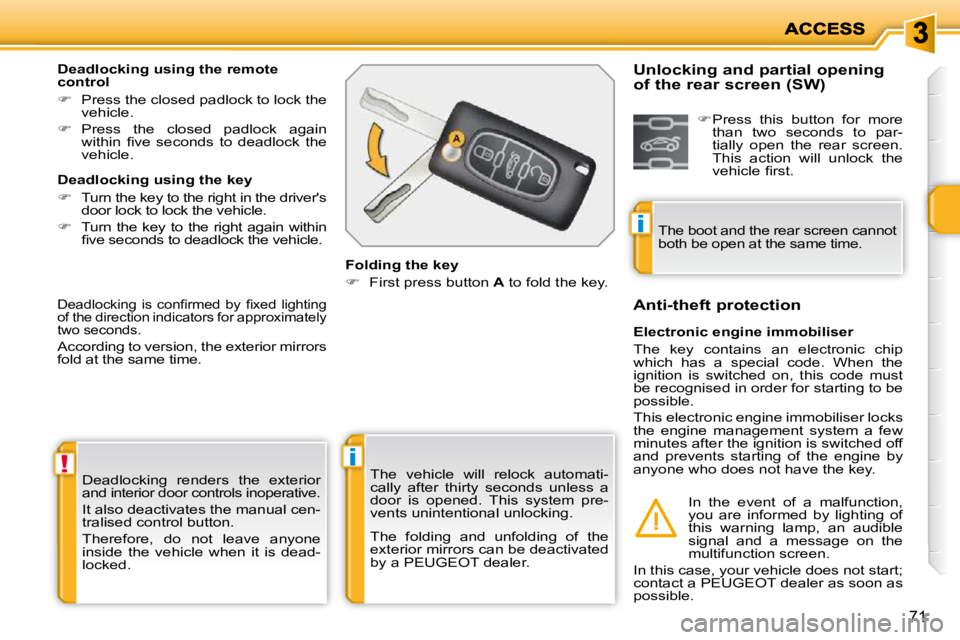
Folding the key
First press button A to fold the key.
Electronic engine immobiliser
The key contains an electronic chip
which has a special code. When the
ignition is switched on, this code must
be recognised in order for starting to be
possible.
This electronic engine immobiliser locks
the engine management system a few
minutes after the ignition is switched off
and prevents starting of the engine by
anyone who does not have the key.
Anti-theft protection
In the event of a malfunction,
you are informed by lighting of
this warning lamp, an audible
signal and a message on the
multifunction screen.
In this case, your vehicle does not start;
contact a PEUGEOT dealer as soon as
possible.
Unlocking and partial opening
of the rear screen (SW)
Press this button for more
than two seconds to par-
tially open the rear screen.
This action will unlock the
vehicle fi rst.
The boot and the rear screen cannot
both be open at the same time.
Page 76 of 279
i
ACCESS
72
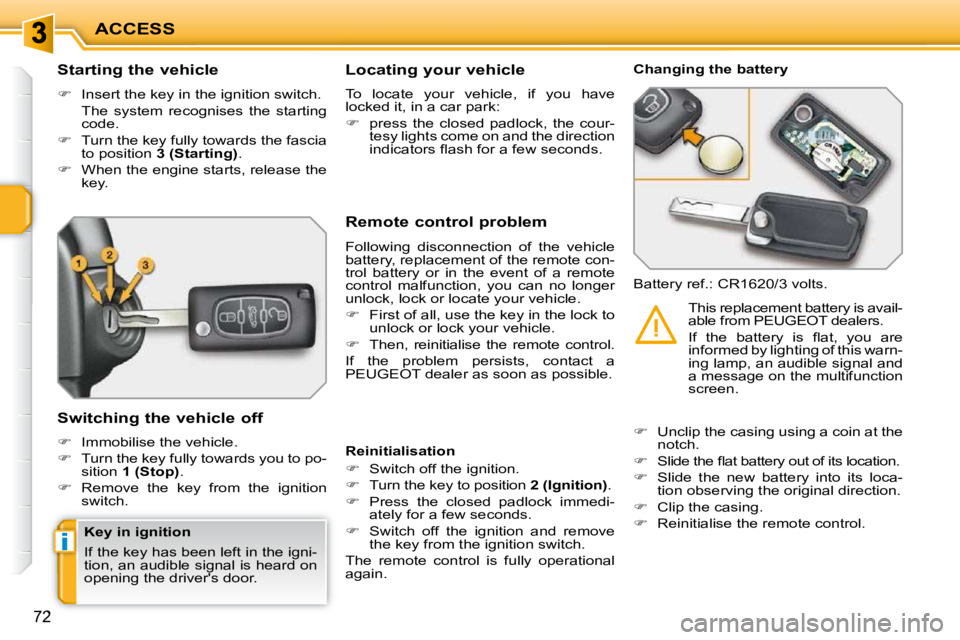
Starting the vehicle
Insert the key in the ignition switch.
The system recognises the starting code.
Turn the key fully towards the fascia
to position 3 (Starting) .
When the engine starts, release the
key.
Switching the vehicle off
Immobilise the vehicle.
Turn the key fully towards you to po-
sition 1 (Stop) .
Remove the key from the ignition
switch. Remote control problem
Following disconnection of the vehicle
battery, replacement of the remote con-
trol battery or in the event of a remote
control malfunction, you can no longer
unlock, lock or locate your vehicle.
First of all, use the key in the lock to
unlock or lock your vehicle.
Then, reinitialise the remote control.
If the problem persists, contact a
PEUGEOT dealer as soon as possible. Changing the battery
Battery ref.: CR1620/3 volts.
Reinitialisation
Switch off the ignition.
Turn the key to position 2 (Ignition) .
Press the closed padlock immedi-
ately for a few seconds.
Switch off the ignition and remove
the key from the ignition switch.
The remote control is fully operational
again.
Unclip the casing using a coin at the
notch.
Slide the fl at battery out of its location.
Slide the new battery into its loca-
tion observing the original direction.
Clip the casing.
Reinitialise the remote control. This replacement battery is avail-
able from PEUGEOT dealers.
If the battery is fl at, you are
informed by lighting of this warn-
ing lamp, an audible signal and
a message on the multifunction
screen.
Locating your vehicle
To locate your vehicle, if you have
locked it, in a car park:
press the closed padlock, the cour-
tesy lights come on and the direction
indicators fl ash for a few seconds.
Key in ignition
If the key has been left in the igni-
tion, an audible signal is heard on
opening the driver's door.
Page 78 of 279
!
i
ACCESS
74
ALARM
System which protects and provides a
deterrent against the theft of your vehi-
cle. It provides two types of protection,
exterior and interior, as well as an anti-
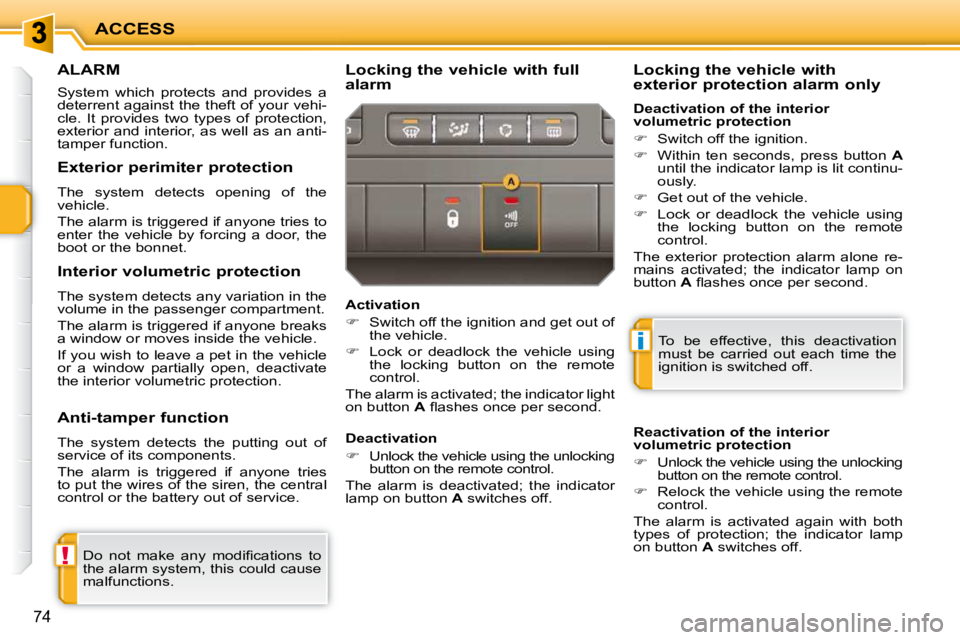
tamper function. Locking the vehicle with full
alarm
Do not make any modifi cations to
the alarm system, this could cause
malfunctions. To be effective, this deactivation
must be carried out each time the
ignition is switched off.
Reactivation of the interior
volumetric protection
Unlock the vehicle using the unlocking
button on the remote control.
Relock the vehicle using the remote
control.
The alarm is activated again with both
types of protection; the indicator lamp
on button A switches off.
Locking the vehicle with
exterior protection alarm only
Activation
Switch off the ignition and get out of
the vehicle.
Lock or deadlock the vehicle using
the locking button on the remote
control.
The alarm is activated; the indicator light
on button A fl ashes once per second.
Exterior perimiter protection
The system detects opening of the
vehicle.
The alarm is triggered if anyone tries to
enter the vehicle by forcing a door, the
boot or the bonnet.
Interior volumetric protection
The system detects any variation in the
volume in the passenger compartment.
The alarm is triggered if anyone breaks
a window or moves inside the vehicle.
If you wish to leave a pet in the vehicle
or a window partially open, deactivate
the interior volumetric protection.
Anti-tamper function
The system detects the putting out of
service of its components.
The alarm is triggered if anyone tries
to put the wires of the siren, the central
control or the battery out of service.
Deactivation
Unlock the vehicle using the unlocking
button on the remote control.
The alarm is deactivated; the indicator
lamp on button A switches off. Deactivation of the interior
volumetric protection
Switch off the ignition.
Within ten seconds, press button A
until the indicator lamp is lit continu-
ously.
Get out of the vehicle.
Lock or deadlock the vehicle using
the locking button on the remote
control.
The exterior protection alarm alone re-
mains activated; the indicator lamp on
button A fl ashes once per second.