light Peugeot 207 CC 2014 User Guide
[x] Cancel search | Manufacturer: PEUGEOT, Model Year: 2014, Model line: 207 CC, Model: Peugeot 207 CC 2014Pages: 232, PDF Size: 11.11 MB
Page 38 of 232
1
!
MONITORING
36
207CC_EN_CHAP01_CONTROLE DE MARCHE_ED01-2014
For safety reasons, confi guration
of the multifunction screen by the
driver must only be done when sta-
tionary.
Display settings
Once the "Display settings" menu has
been selected, you can gain access to
the following settings:
- year,
- month,
- day,
- hour,
- minutes,
- 12 or 24 hour mode.
Language
Once the "Language" menu has been
selected, you can change the language
used by the display (Français, Italiano,
Nederlands, Portugues, Portugues-
Brasil, Deutsch, English, Espanol).
Units
Once the "Units" menu has been se-
lected, you can change the units of the
following parameters:
- temperature (°C or °F),
- fuel consumption (l/100 km, mpg or
km/l).
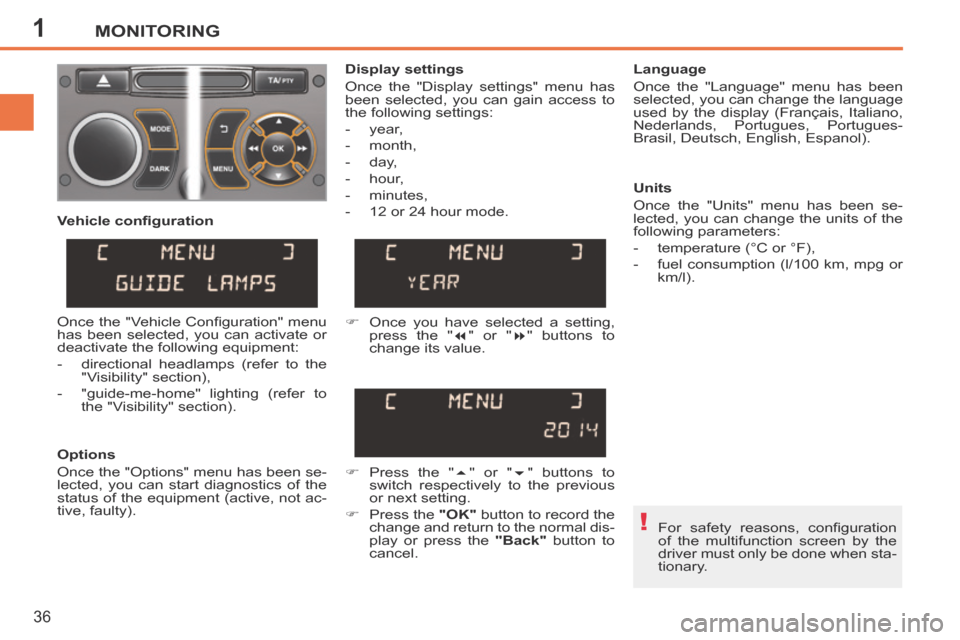
Once you have selected a setting, press the " " or " " buttons to
change its value.
Press the " " or " " buttons to
switch respectively to the previous
or next setting.
Press the "OK" button to record the
change and return to the normal dis-
play or press the "Back" button to
cancel.
Vehicle confi guration
Options
Once the "Options" menu has been se-
lected, you can start diagnostics of the
status of the equipment (active, not ac-
tive, faulty). Once the "Vehicle Confi guration" menu
has been selected, you can activate or
deactivate the following equipment:
- directional headlamps (refer to the
"Visibility" section),
- "guide-me-home" lighting (refer to the "Visibility" section).
Page 39 of 232
1MONITORING
37
207CC_EN_CHAP01_CONTROLE DE MARCHE_ED01-2014
MONOCHROME SCREEN C
* With air conditioning only.
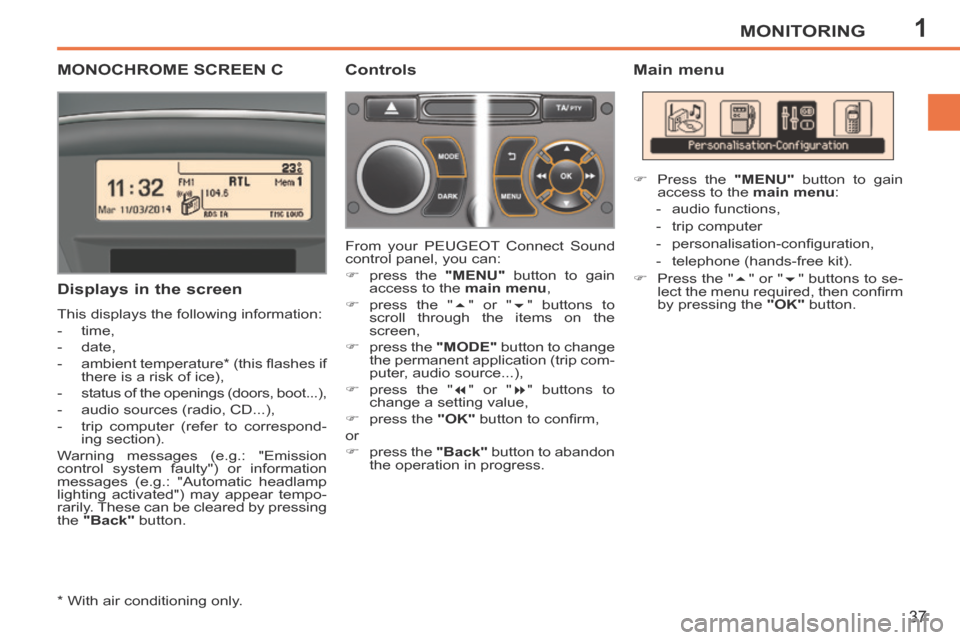
Displays in the screen
This displays the following information:
- time,
- date,
- ambient temperature * (this fl ashes if there is a risk of ice),
- status of the openings (doors, boot...),
- audio sources (radio, CD...),
- trip computer (refer to correspond- ing section).
Warning messages (e.g.: "Emission
control system faulty") or information
messages (e.g.: "Automatic headlamp
lighting activated") may appear tempo-
rarily. These can be cleared by pressing
the "Back" button. From your
PEUGEOT Connect Sound
control panel, you can:
press the "MENU" button to gain
access to the main menu ,
press the " " or " " buttons to
scroll through the items on the
screen,
press the "MODE" button to change
the permanent application (trip com-
puter, audio source...),
press the " " or " " buttons to
change a setting value,
press the "OK" button to confi rm,
or
press the "Back" button to abandon
the operation in progress. Press the
"MENU" button to gain
access to the main menu :
- audio functions,
- trip computer
- personalisation-confi guration,
- telephone (hands-free kit).
Press the " " or " " buttons to se-
lect the menu required, then confi rm
by pressing the "OK" button.
Controls Main menu
Page 41 of 232
1
!
MONITORING
39
207CC_EN_CHAP01_CONTROLE DE MARCHE_ED01-2014
For safety reasons, confi guration
of the multifunction screen by the
driver must only be done when sta-
tionary.
Defi ne the vehicle parameters
Once this menu has been selected, you
can activate or deactivate the following
equipment:
- directional headlamps (refer to the
"Visibility" section),
- "guide-me-home" lighting (refer to the "Visibility" section).
- rear parking sensors (refer to the "Driving" section).
"Telephone" menu
With the PEUGEOT Connect Sound
switched on, once this menu has been
selected you can confi gure your Blue-
tooth hands-free system (pairing), con-
sult the various telephone directories
(calls log, services...) and manage your
communications (pick up, hang up, call
waiting, secret mode...).
For further details concerning the "Tele-
phone" application, refer to the PEUGEOT
Connect Sound section. Display confi guration
Once this menu has been selected, you
can gain access to the following set-
tings:
- brightness-video setting,
- date and time setting,
- selection of the units.
Choice of language
Once this menu has been selected,
you can change the language used by
the display (Deutsch, English, E spanol,
Français, Italiano, Nederlands, Portugues,
Portugues-Brasil, Türkçe ** ).
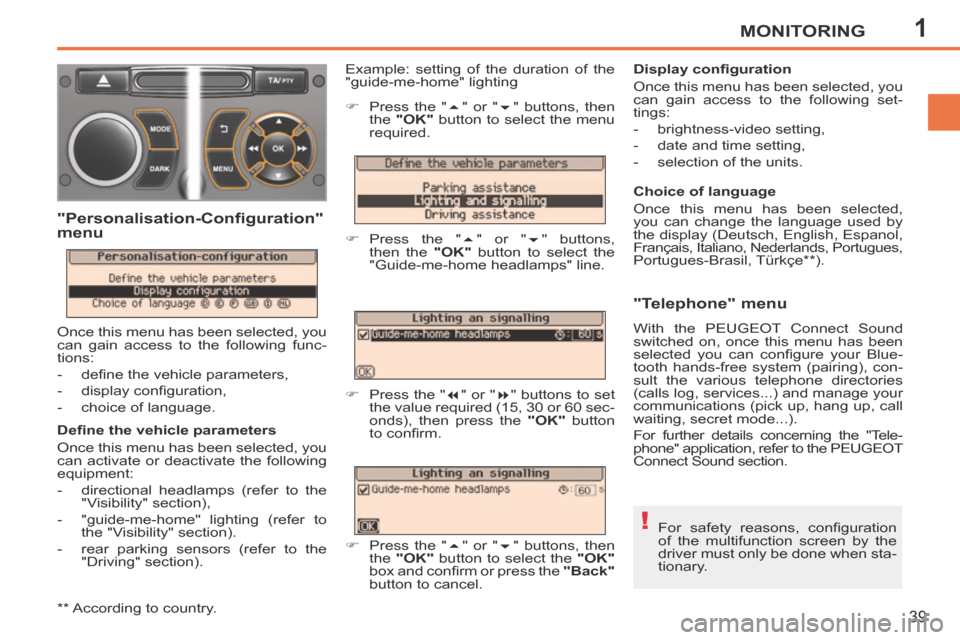
Example: setting of the duration of the
"guide-me-home" lighting
"Personalisation-Configuration"
menu
Once this menu has been selected, you
can gain access to the following func-
tions:
- defi ne the vehicle parameters,
- display confi guration,
- choice of language. Press the "
" or " " buttons, then
the "OK" button to select the menu
required.
Press the " " or " " buttons,
then the "OK" button to select the
"Guide-me-home headlamps" line.
Press the " " or " " buttons to set
the value required (15, 30 or 60 sec-
onds), then press the "OK" button
to confi rm.
Press the " " or " " buttons, then
the "OK" button to select the "OK"
box and confi rm or press the "Back"
button to cancel.
** According to country.
Page 43 of 232
1
!
MONITORING
41
207CC_EN_CHAP01_CONTROLE DE MARCHE_ED01-2014
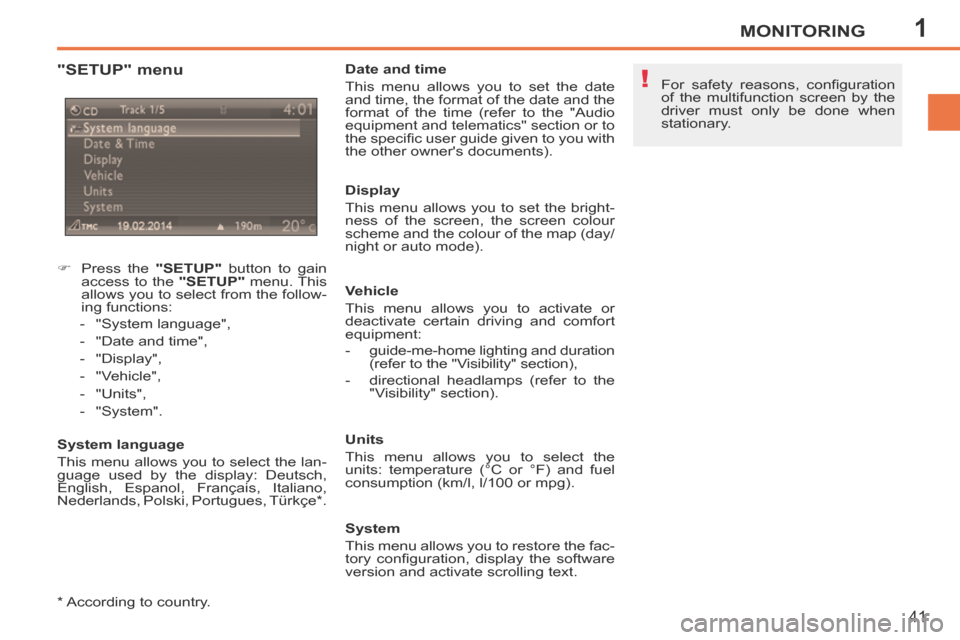
"SETUP" menu
Press the "SETUP" button to gain
access to the "SETUP" menu. This
allows you to select from the follow-
ing functions:
- "System language",
- "Date and time",
- "Display",
- "Vehicle",
- "Units",
- "System".
System language
This menu allows you to select the lan-
guage used by the display: Deutsch,
English, Espanol, Français, Italiano,
Nederlands, Polski, Portugues, Türkçe * . Date and time
This menu allows you to set the date
and time, the format of the date and the
format of the time (refer to the "Audio
equipment and telematics" section or to
the specifi c user guide given to you with
the other owner's documents).
Display
This menu allows you to set the bright-
ness of the screen, the screen colour
scheme and the colour of the map (day/
night or auto mode).
Vehicle
This menu allows you to activate or
deactivate certain driving and comfort
equipment:
- guide-me-home lighting and duration
(refer to the "Visibility" section),
- directional headlamps (refer to the "Visibility" section).
Units
This menu allows you to select the
units: temperature (°C or °F) and fuel
consumption (km/l, l/100 or mpg).
System
This menu allows you to restore the fac-
tory confi guration, display the software
version and activate scrolling text. For safety reasons, confi guration
of the multifunction screen by the
driver must only be done when
stationary.
* According to country.
Page 50 of 232
2
i
COMFORT
48
207CC_EN_CHAP02_CONFORT_ED01-2014
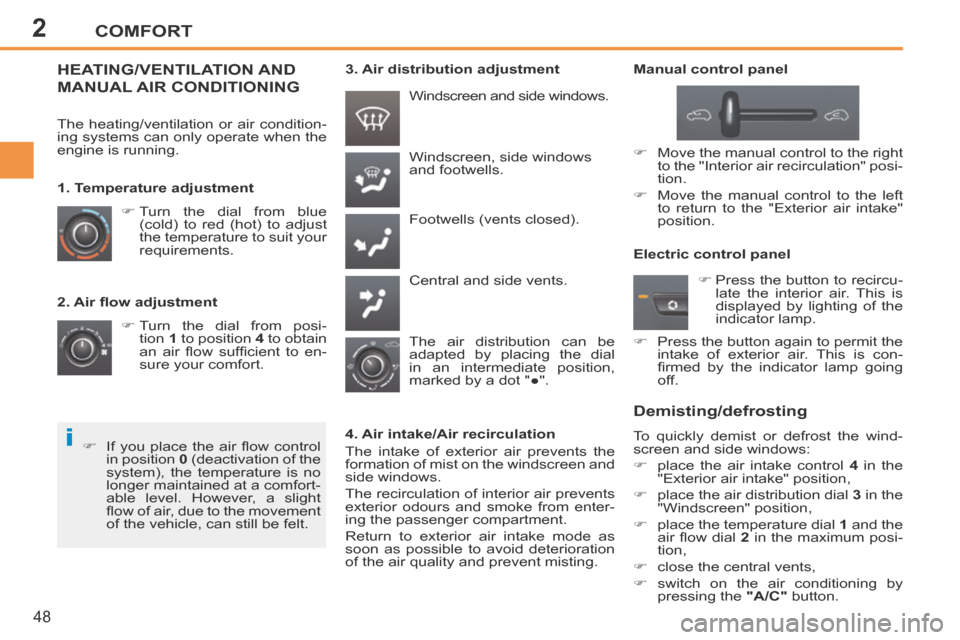
2. Air fl ow adjustment Turn the dial from posi-tion 1 to position 4 to obtain
an air fl ow suffi cient to en-
sure your comfort. Windscreen, side windows
and footwells.
Footwells (vents closed).
Central and side vents.
Turn the dial from blue
(cold) to red (hot) to adjust
the temperature to suit your
requirements. Windscreen and side windows.
1. Temperature adjustment
The air distribution can be
adapted by placing the dial
in an intermediate position,
marked by a dot "●".
The heating/ventilation or air condition-
ing systems can only operate when the
engine is running.
HEATING/VENTILATION AND
MANUAL AIR CONDITIONING
Manual control panel
4. Air intake/Air recirculation
The intake of exterior air prevents the
formation of mist on the windscreen and
side windows.
The recirculation of interior air prevents
exterior odours and smoke from enter-
ing the passenger compartment.
Return to exterior air intake mode as
soon as possible to avoid deterioration
of the air quality and prevent misting. Electric control panel
Demisting/defrosting
To quickly demist or defrost the wind-
screen and side windows:
place the air intake control
4 in the
"Exterior air intake" position,
place the air distribution dial 3 in the
"Windscreen" position,
place the temperature dial 1 and the
air fl ow dial 2 in the maximum posi-
tion,
close the central vents,
switch on the air conditioning by pressing the "A/C" button.
If you place the air fl ow control
in position 0 (deactivation of the
system), the temperature is no
longer maintained at a comfort-
able level. However, a slight
fl ow of air, due to the movement
of the vehicle, can still be felt. 3. Air distribution adjustment
Move the manual control to the right to the "Interior air recirculation" posi-
tion.
Move the manual control to the left to return to the "Exterior air intake"
position.
Press the button to recircu-late the interior air. This is
displayed by lighting of the
indicator lamp.
Press the button again to permit the intake of exterior air. This is con-
fi rmed by the indicator lamp going
off.
Page 53 of 232
2
!
!
i
COMFORT
51
207CC_EN_CHAP02_CONFORT_ED01-2014
To exit this programme, press the "visibility"
button again or the "AUTO" button, the in-
dicator lamp on the button switches off and
"AUTO" is displayed.
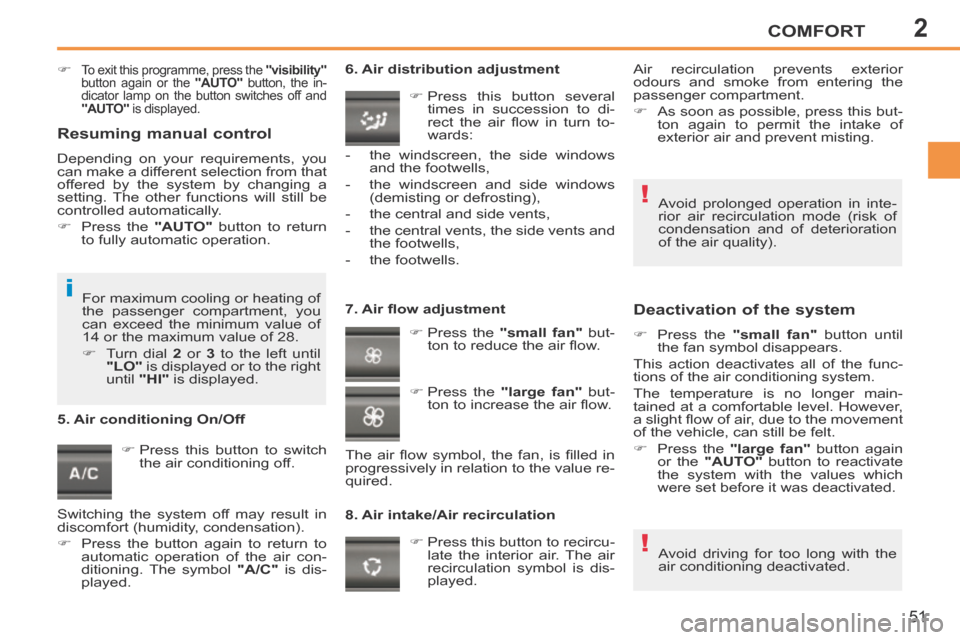
Press this button to switch the air conditioning off. 6. Air distribution adjustment
Press this button several times in succession to di-
rect the air fl ow in turn to-
wards:
7. Air fl ow adjustment Press the "small fan" but-
ton to reduce the air fl ow.
8. Air intake/Air recirculation
Deactivation of the system
Press the "small fan" button until
the fan symbol disappears.
This action deactivates all of the func-
tions of the air conditioning system.
The temperature is no longer main-
tained at a comfortable level. However,
a slight fl ow of air, due to the movement
of the vehicle, can still be felt.
Press the "large fan" button again
or the "AUTO" button to reactivate
the system with the values which
were set before it was deactivated.
Press this button to recircu- late the interior air. The air
recirculation symbol is dis-
played.
5. Air conditioning On/Off
Avoid driving for too long with the
air conditioning deactivated.
Avoid prolonged operation in inte-
rior air recirculation mode (risk of
condensation and of deterioration
of the air quality).
- the windscreen, the side windows
and the footwells,
- the windscreen and side windows (demisting or defrosting),
- the central and side vents,
- the central vents, the side vents and the footwells,
- the footwells.
Press the "large fan" but-
ton to increase the air fl ow.
The air fl ow symbol, the fan, is fi lled in
progressively in relation to the value re-
quired. Air recirculation prevents exterior
odours and smoke from entering the
passenger compartment.
As soon as possible, press this but-
ton again to permit the intake of
exterior air and prevent misting.
For maximum cooling or heating of
the passenger compartment, you
can exceed the minimum value of
14 or the maximum value of 28.
Turn dial 2 or 3 to the left until
"LO" is displayed or to the right
until "HI" is displayed.
Resuming manual control
Depending on your requirements, you
can make a different selection from that
offered by the system by changing a
setting. The other functions will still be
controlled automatically.
Press the "AUTO" button to return
to fully automatic operation.
Switching the system off may result in
discomfort (humidity, condensation).
Press the button again to return to automatic operation of the air con-
ditioning. The symbol "A/C" is dis-
played.
Page 58 of 232
2
i
COMFORT
56
207CC_EN_CHAP02_CONFORT_ED01-2014
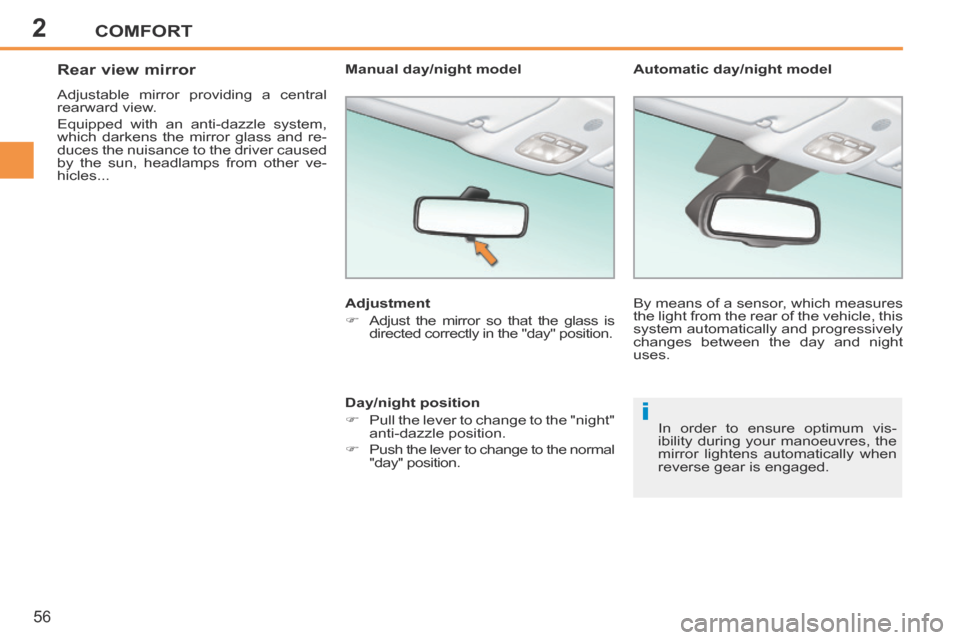
Rear view mirror
Adjustable mirror providing a central
rearward view.
Equipped with an anti-dazzle system,
which darkens the mirror glass and re-
duces the nuisance to the driver caused
by the sun, headlamps from other ve-
hicles... Adjustment
Adjust the mirror so that the glass is directed correctly in the "day" position.
In order to ensure optimum vis-
ibility during your manoeuvres, the
mirror lightens automatically when
reverse gear is engaged.
Automatic day/night model
Manual day/night model
Day/night position
Pull the lever to change to the "night" anti-dazzle position.
Push the lever to change to the normal "day" position. By means of a sensor, which measures
the light from the rear of the vehicle, this
system automatically and progressively
changes between the day and night
uses.
Page 59 of 232
2
!
COMFORT
57
207CC_EN_CHAP02_CONFORT_ED01-2014
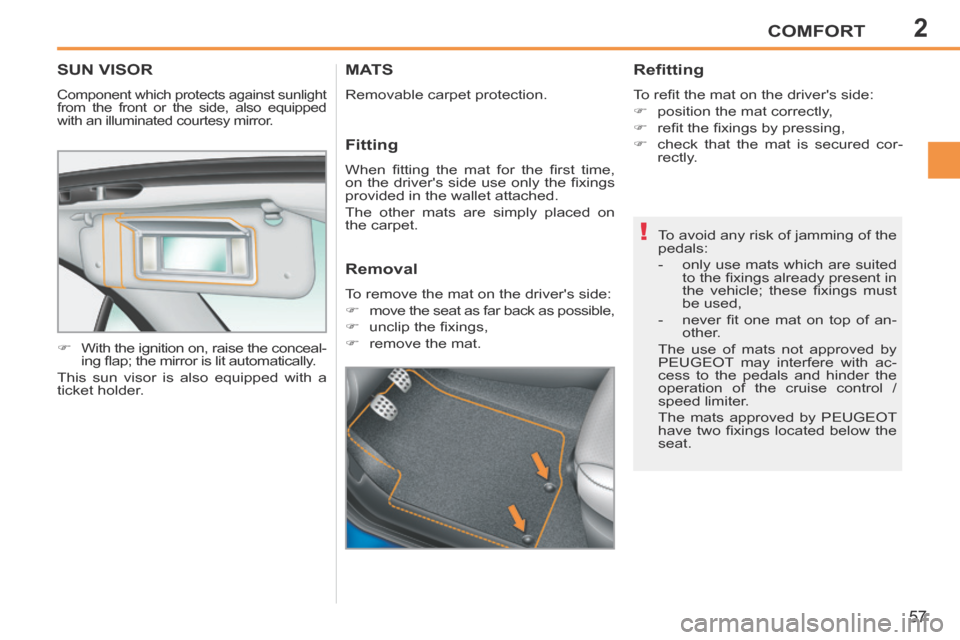
SUN VISOR
Component which protects against sunlight
from the front or the side, also equipped
with an illuminated courtesy mirror.
With the ignition on, raise the conceal-ing fl ap; the mirror is lit automatically.
This sun visor is also equipped with a
ticket holder. To avoid any risk of jamming of the
pedals:
- only use mats which are suited
to the fi xings already present in
the vehicle; these fi xings must
be used,
- never fi t one mat on top of an- other.
The use of mats not approved by
PEUGEOT may interfere with ac-
cess to the pedals and hinder the
operation of the cruise control /
speed limiter.
The mats approved by PEUGEOT
have two fi xings located below the
seat.
MATS
Removable carpet protection.
Refitting
To refi t the mat on the driver's side:
position the mat correctly,
refi t the fi xings by pressing,
check that the mat is secured cor- rectly.
Fitting
When fi tting the mat for the fi rst time,
on the driver's side use only the fi xings
provided in the wallet attached.
The other mats are simply placed on
the carpet.
Removal
To remove the mat on the driver's side:
move the seat as far back as possible,
unclip the fi xings,
remove the mat.
Page 67 of 232
3
!
i i
ACCESS
65
207CC_EN_CHAP03_OUVERTURES_ED01-2014
Deadlocking renders the exterior
and interior door controls inopera-
tive.
It also deactivates the manual cen-
tralised control button.
Therefore, do not leave anyone
inside the vehicle when it is dead-
locked.
If one of the doors or the boot is still
open, the central locking does not
take place.
REMOTE CONTROL KEY
System which permits central unlocking
or locking of the vehicle using the lock
or remotely. It also locates and starts
the vehicle, as well as providing protec-
tion against theft.
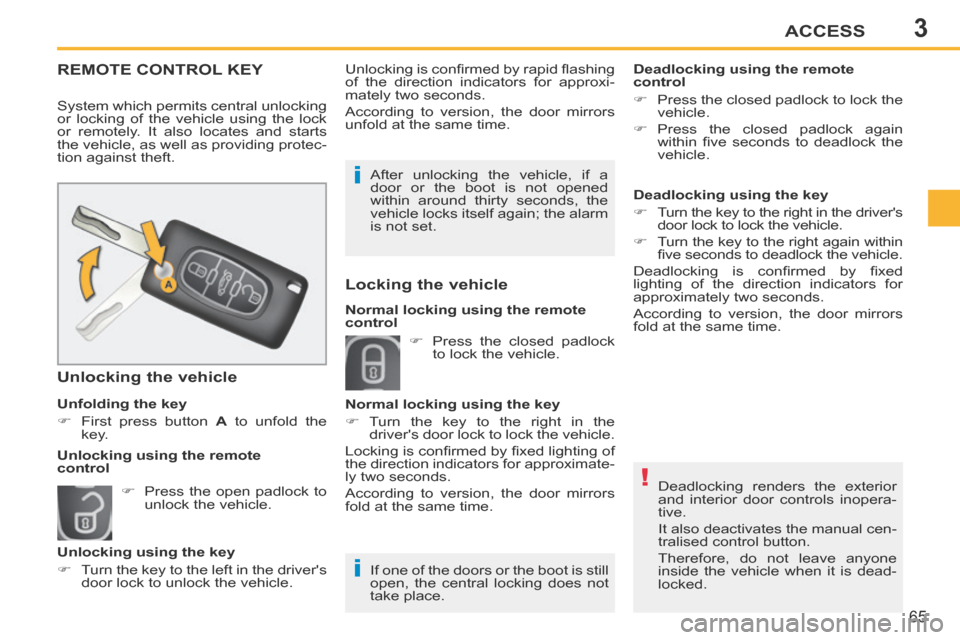
Unfolding the key
First press button
A to unfold the
key.
Unlocking the vehicle
Unlocking is confi rmed by rapid fl ashing
of the direction indicators for approxi-
mately two seconds.
According to version, the door mirrors
unfold at the same time.
After unlocking the vehicle, if a
door or the boot is not opened
within around thirty seconds, the
vehicle locks itself again; the alarm
is not set. Deadlocking using the remote
control
Press the closed padlock to lock the
vehicle.
Press the closed padlock again within fi ve seconds to deadlock the
vehicle.
Press the open padlock to unlock the vehicle.
Unlocking using the key
Turn the key to the left in the driver's door lock to unlock the vehicle. Press the closed padlock
to lock the vehicle.
Normal locking using the key
Turn the key to the right in the driver's door lock to lock the vehicle.
Locking is confi rmed by fi xed lighting of
the direction indicators for approximate-
ly two seconds.
According to version, the door mirrors
fold at the same time.
Unlocking using the remote
control Deadlocking using the key
Turn the key to the right in the driver's
door lock to lock the vehicle.
Turn the key to the right again within fi ve seconds to deadlock the vehicle.
Deadlocking is confi rmed by fi xed
lighting of the direction indicators for
approximately two seconds.
According to version, the door mirrors
fold at the same time.
Normal locking using the remote
control
Locking the vehicle
Page 68 of 232
3
i
ACCESS
66
207CC_EN_CHAP03_OUVERTURES_ED01-2014
The vehicle will lock itself again
automatically after thirty seconds
unless a door is opened. This
system prevents unintentional un-
locking.
Please note that in this case, the
alarm will not be set.
The folding and unfolding of the
door mirrors can be deactivated by
a PEUGEOT dealer.
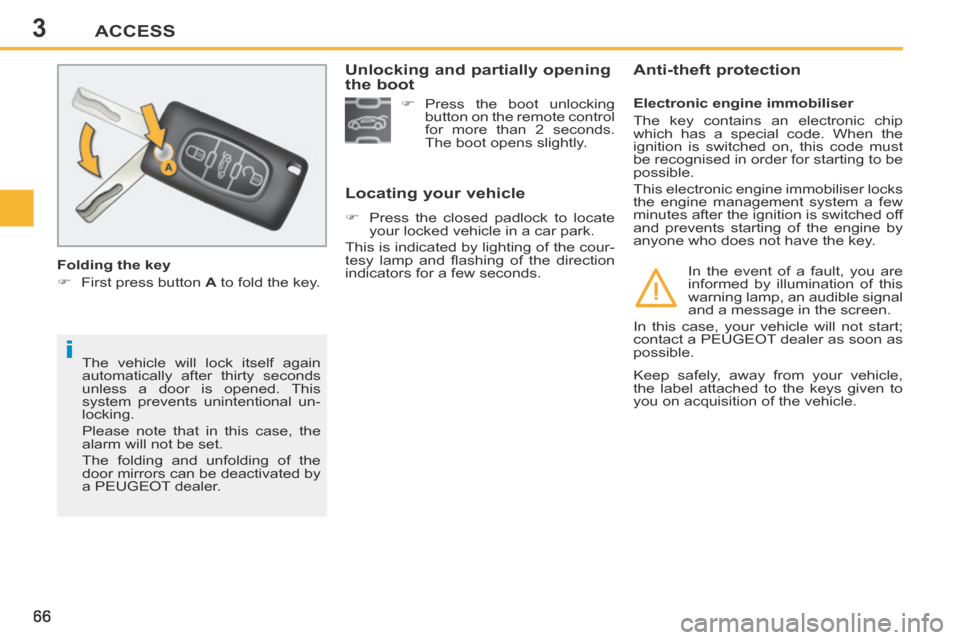
Folding the key
First press button
A to fold the key.
Locating your vehicle
Press the closed padlock to locate
your locked vehicle in a car park.
This is indicated by lighting of the cour-
tesy lamp and fl ashing of the direction
indicators for a few seconds. Electronic engine immobiliser
The key contains an electronic chip
which has a special code. When the
ignition is switched on, this code must
be recognised in order for starting to be
possible.
This electronic engine immobiliser locks
the engine management system a few
minutes after the ignition is switched off
and prevents starting of the engine by
anyone who does not have the key.
Anti-theft protection
In the event of a fault, you are
informed by illumination of this
warning lamp, an audible signal
and a message in the screen.
In this case, your vehicle will not start;
contact a PEUGEOT dealer as soon as
possible.
Press the boot unlocking
button on the remote control
for more than 2 seconds.
The boot opens slightly.
Unlocking and partially opening
the boot
Keep safely, away from your vehicle,
the label attached to the keys given to
you on acquisition of the vehicle.