time change Peugeot 207 CC 2014 User Guide
[x] Cancel search | Manufacturer: PEUGEOT, Model Year: 2014, Model line: 207 CC, Model: Peugeot 207 CC 2014Pages: 232, PDF Size: 11.11 MB
Page 155 of 232
9
i
!
i
PRACTICAL INFORMATION
153
207CC_EN_CHAP09_INFO PRATIQUES_ED01-2014
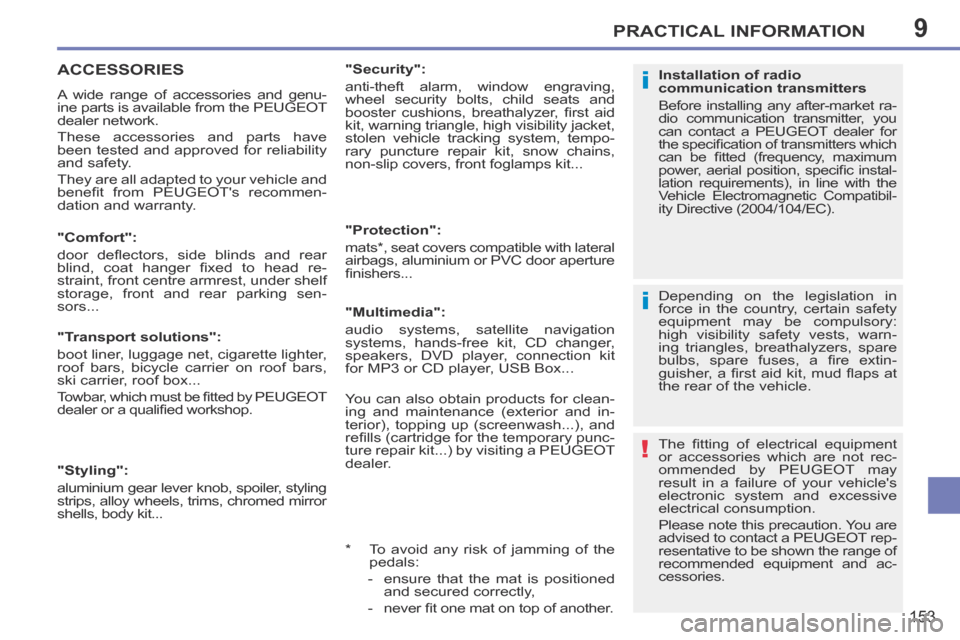
ACCESSORIES
A wide range of accessories and genu-
ine parts is available from the PEUGEOT
dealer network.
These accessories and parts have
been tested and approved for reliability
and safety.
They are all adapted to your vehicle and
benefi t from PEUGEOT's recommen-
dation and warranty. Depending on the legislation in
force in the country, certain safety
equipment may be compulsory:
high visibility safety vests, warn-
ing triangles, breathalyzers, spare
bulbs, spare fuses, a fi re extin-
guisher, a fi rst aid kit, mud fl aps at
the rear of the vehicle.
The fi tting of electrical equipment
or accessories which are not rec-
ommended by PEUGEOT may
result in a failure of your vehicle's
electronic system and excessive
electrical consumption.
Please note this precaution. You are
advised to contact a PEUGEOT rep-
resentative to be shown the range of
recommended equipment and ac-
cessories.
"Comfort":
door defl ectors, side blinds and rear
blind, coat hanger fi xed to head re-
straint, front centre armrest, under shelf
storage, front and rear parking sen-
sors...
Installation of radio
communication transmitters
Before installing any after-market ra-
dio communication transmitter, you
can contact a PEUGEOT dealer for
the specifi cation of transmitters which
can be fi tted (frequency, maximum
power, aerial position, specifi c instal-
lation requirements), in line with the
Vehicle Electromagnetic Compatibil-
ity Directive (2004/104/EC).
"Transport solutions":
boot liner, luggage net, cigarette lighter,
roof bars, bicycle carrier on roof bars,
ski carrier, roof box...
Towbar, which must be fi tted by PEUGEOT
dealer or a qualifi ed workshop.
"Styling":
aluminium gear lever knob, spoiler, styling
strips, alloy wheels, trims, chromed mirror
shells, body kit... * To avoid any risk of jamming of the pedals:
- ensure that the mat is positioned and secured correctly,
- never fi t one mat on top of another.
"Security":
anti-theft alarm, window engraving,
wheel security bolts, child seats and
booster cushions, breathalyzer, fi rst aid
kit, warning triangle, high visibility jacket,
stolen vehicle tracking system, tempo-
rary puncture repair kit, snow chains,
non-slip covers, front foglamps kit...
"Protection":
mats * , seat covers compatible with lateral
airbags, aluminium or PVC door aperture
fi nishers...
"Multimedia":
audio systems, satellite navigation
systems, hands-free kit, CD changer,
speakers, DVD player, connection kit
for MP3 or CD player, USB Box...
You can also obtain products for clean-
ing and maintenance (exterior and in-
terior), topping up (screenwash...), and
refi lls (cartridge for the temporary punc-
ture repair kit...) by visiting a PEUGEOT
dealer.
Page 185 of 232
183
08
1
2
3
4
207CC_EN_CHAP11B_RNEG_ED01-2014
BLUETOOTH TELEPHONE
* The services available depend on the network, the SIM card and the compatibility of the Bluetooth telephone used. Check the telephone manual and with your network provider for details of the services available to you.
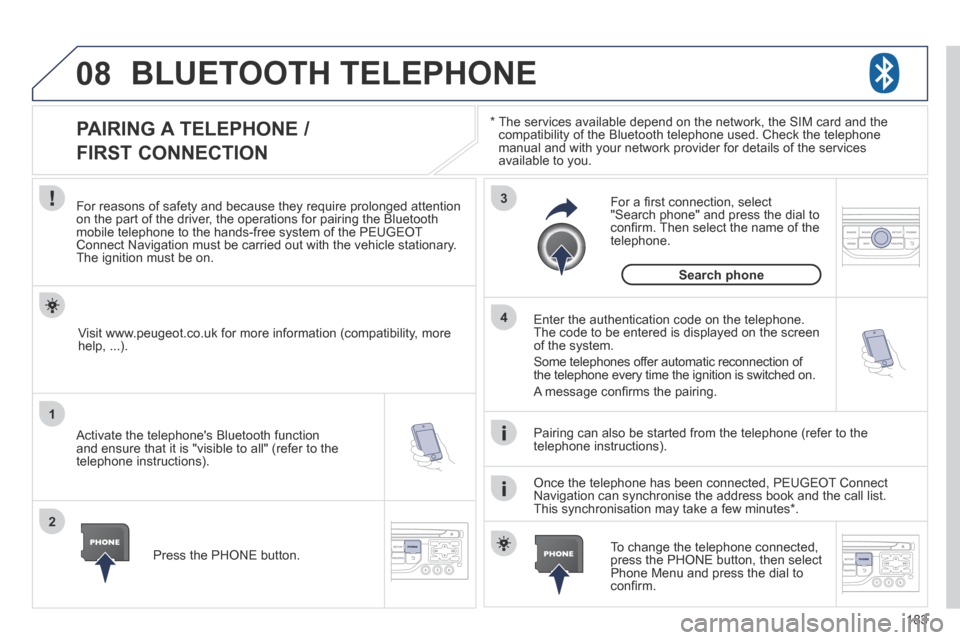
PAIRING A TELEPHONE /
FIRST CONNECTION
For reasons of safety and because they require prolonged attention on the part of the driver, the operations for pairing the Bluetooth mobile telephone to the hands-free system of the PEUGEOT Connect Navigation must be carried out with the vehicle stationary. The ignition must be on.
Activate the telephone's Bluetooth function and ensure that it is "visible to all" (refer to the telephone instructions).
Enter the authentication code on the telephone. The code to be entered is displayed on the screen of the system.
Some telephones offer automatic reconnection of the telephone every time the ignition is switched on.
A message confi rms the pairing.
To change the telephone connected, press the PHONE button, then select Phone Menu and press the dial to confi rm.
Once the telephone has been connected, PEUGEOT Connect Navigation can synchronise the address book and the call list. This synchronisation may take a few minutes * .
Pairing can also be started from the telephone (refer to the telephone instructions).
Visit www.peugeot.co.uk for more information (compatibility, more help, ...).
Press the PHONE button.
For a fi rst connection, select "Search phone" and press the dial to confi rm. Then select the name of the telephone.
Search phone
Page 201 of 232
199
04
1
2
3
4
1
2
3
4
SOURCE
BANDAST
LISTREFRESH
MENU
AUDIO
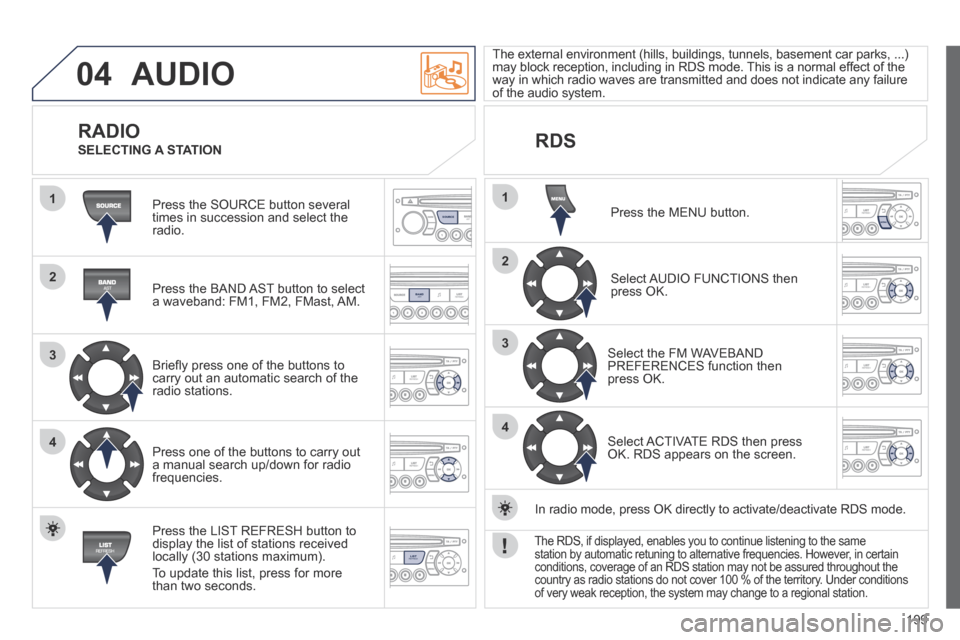
Press the SOURCE button several times in succession and select the radio.
Press the BAND AST button to select a waveband: FM1, FM2, FMast, AM.
Briefl y press one of the buttons to carry out an automatic search of the radio stations.
Press one of the buttons to carry out a manual search up/down for radio frequencies.
Press the LIST REFRESH button to display the list of stations received locally (30 stations maximum).
To update this list, press for more than two seconds.
The external environment (hills, buildings, tunnels, basement car parks\
, ...) may block reception, including in RDS mode. This is a normal effect of the way in which radio waves are transmitted and does not indicate any failu\
re of the audio system.
RDS
RADIO SELECTING A STATION
Press the MENU button.
Select AUDIO FUNCTIONS then press OK.
Select the FM WAVEBAND PREFERENCES function then press OK.
Select ACTIVATE RDS then press OK. RDS appears on the screen.
In radio mode, press OK directly to activate/deactivate RDS mode.
The RDS, if displayed, enables you to continue listening to the same station by automatic retuning to alternative frequencies. However, in certain conditions, coverage of an RDS station may not be assured throughout the\
country as radio stations do not cover 100 % of the territory. Under conditions of very weak reception, the system may change to a regional station.