display PEUGEOT 3008 2014 Owners Manual
[x] Cancel search | Manufacturer: PEUGEOT, Model Year: 2014, Model line: 3008, Model: PEUGEOT 3008 2014Pages: 389, PDF Size: 22.92 MB
Page 306 of 389
04
304
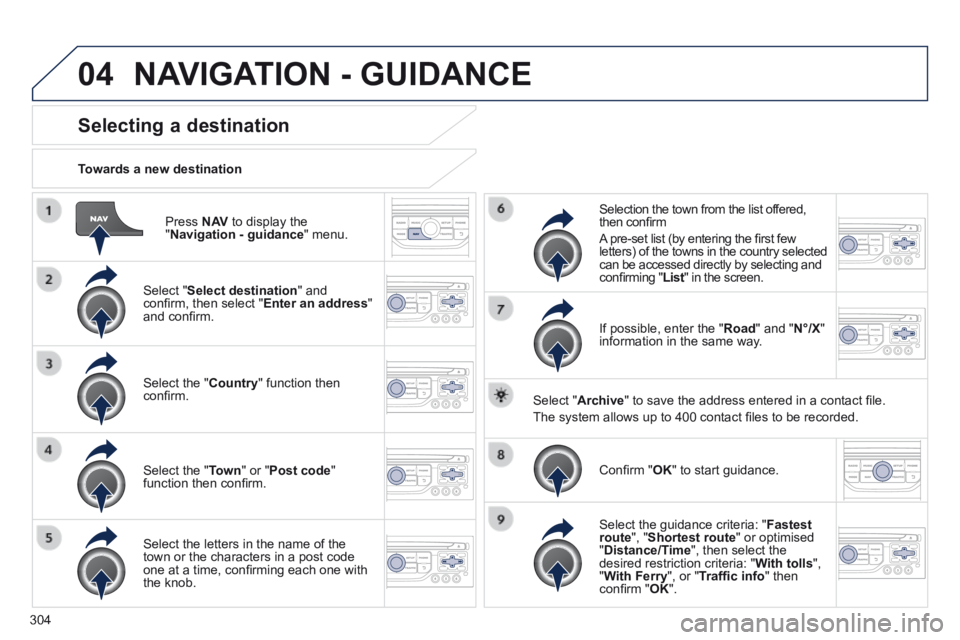
Press N AV to display the " Navigation - guidance " menu.
Towards a new destination
Selecting a destination
Select " Select destination " and confi rm, then select " Enter an address " and confi rm.
Select the " Country " function then confi rm.
Select the " Town " or " Post code " function then confi rm.
Select the letters in the name of the town or the characters in a post code one at a time, confi rming each one with the knob.
Selection the town from the list offered, then confi rm
A pre-set list (by entering the fi rst few letters) of the towns in the country selected can be accessed directly by selecting and confi rming " List " in the screen. List " in the screen. List
If possible, enter the " Road " and " N°/X " information in the same way.
Select " Archive " to save the address entered in a contact fi le.
The system allows up to 400 contact fi les to be recorded.
Confi rm " OK " to start guidance.
Select the guidance criteria: " Fastest route ", " Shortest route " or optimised " Distance/Time ", then select the desired restriction criteria: " With tolls ", " With Ferry ", or " Traffi c info " then confi rm " OK ".
NAVIGATION - GUIDANCE
Page 307 of 389
04
305
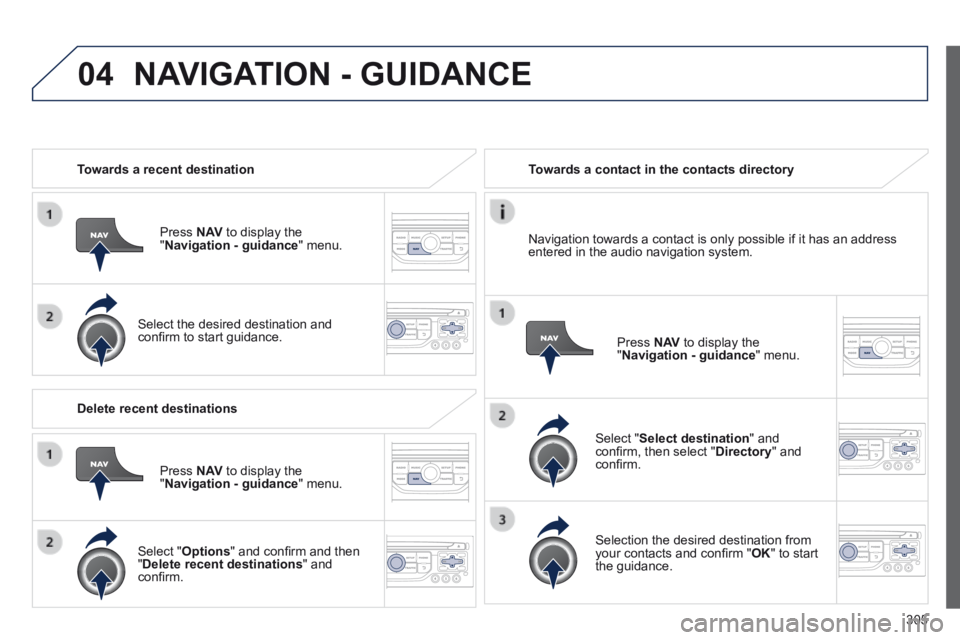
Towards a recent destination
Press N AV to display the " Navigation - guidance " menu.
Select the desired destination and confi rm to start guidance.
Towards a contact in the contacts directory
Select " Select destination " and confi rm, then select " Directory " and confi rm.
Selection the desired destination from your contacts and confi rm " OK " to start the guidance.
Press N AV to display the " Navigation - guidance " menu.
Navigation towards a contact is only possible if it has an address entered in the audio navigation system.
Delete recent destinations
Press N AV to display the " Navigation - guidance " menu.
Select " Options " and confi rm and then " Delete recent destinations " and confi rm.
NAVIGATION - GUIDANCE
Page 308 of 389
04
306
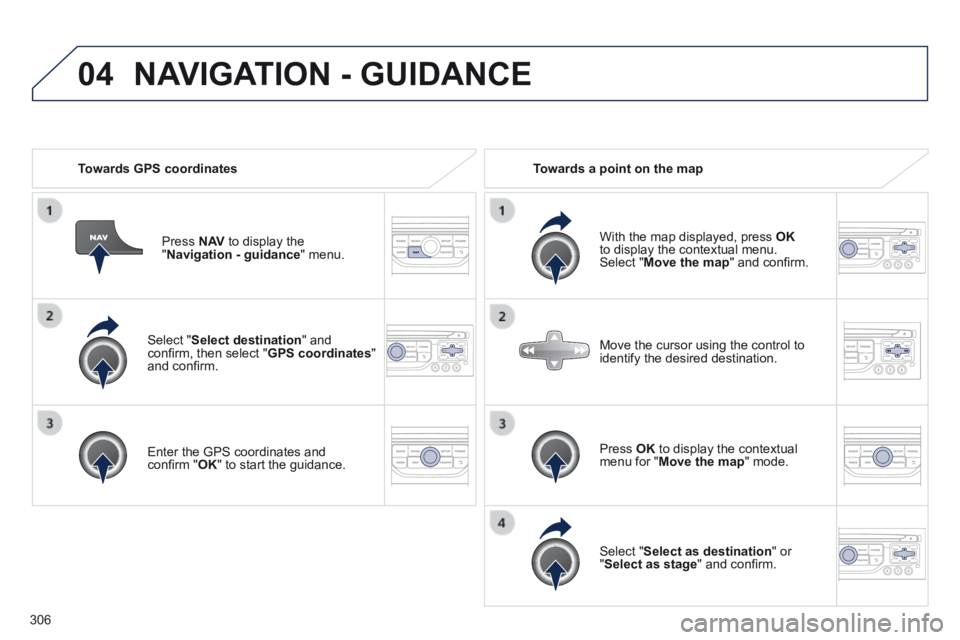
Select " Select destination " and confi rm, then select " GPS coordinates " and confi rm.
Enter the GPS coordinates and confi rm " OK " to start the guidance.
Press N AV to display the " Navigation - guidance " menu.
Towards GPS coordinates Towards a point on the map
With the map displayed, press OKto display the contextual menu. Select " Move the map " and confi rm.
Press OK to display the contextual menu for " Move the map " mode.
Select " Select as destination " or " Select as stage " and confi rm.
Move the cursor using the control to identify the desired destination.
NAVIGATION - GUIDANCE
Page 309 of 389
 The points of interest (POI) indicate all of the service locations in \
the vicinity (hotels, various businesses, airports...).
Select the \" Enter an")
04
307
Towards points of interest (POI) The points of interest (POI) indicate all of the service locations in \
the vicinity (hotels, various businesses, airports...).
Select the " Enter an address " function and confi rm, then select Select destination and confi rm.
To select a POI close to your current location, select " POI " and confi rm, then select " Around the current place " and confi rm.
To select a POI as a stage on the route, select " POI " and confi rm, then select " On the route " and confi rm.
To select a POI as a destination, fi rst enter the country and town (see "Towards a new destination"), select " POI " and confi rm, fi nally select " Near " and confi rm. Near " and confi rm. Near
Search for POIs in the categories suggested in the following pages.
Select " Search by Name " to search for POIs by name and not by proximity.
Select the POI and confi rm " OK " to start the guidance.
Press N AV to display the " Navigation - guidance " menu.
NAVIGATION - GUIDANCE
Page 311 of 389
04
309
NAVIGATION - GUIDANCE
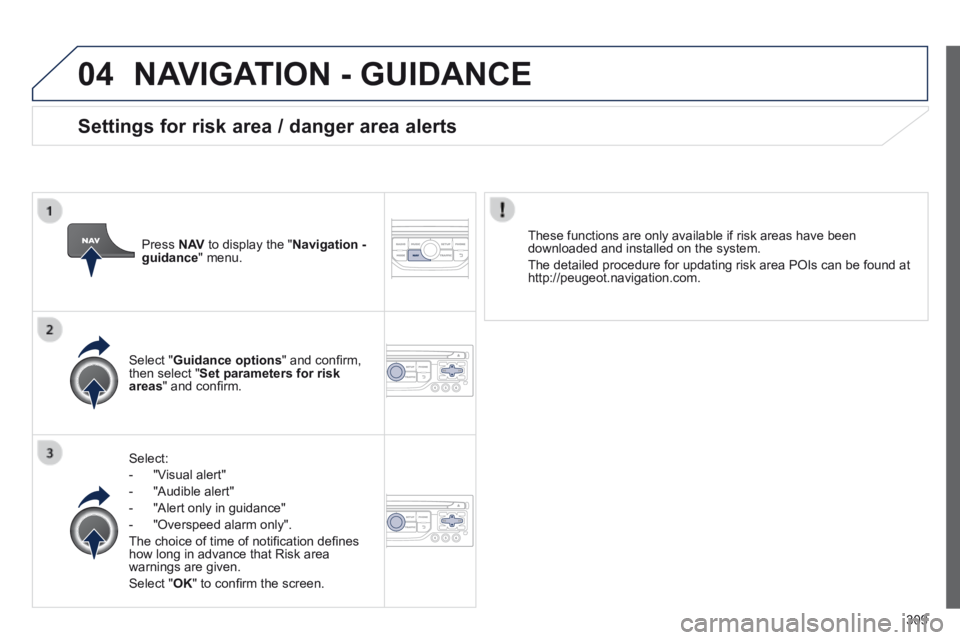
Select:
- "Visual alert"
- "Audible alert"
- "Alert only in guidance"
- "Overspeed alarm only".
The choice of time of notifi cation defi nes how long in advance that Risk area warnings are given.
Select " OK " to confi rm the screen.
Select " Guidance options " and confi rm, then select " Set parameters for risk areas " and confi rm.
These functions are only available if risk areas have been downloaded and installed on the system.
The detailed procedure for updating risk area POIs can be found at http://peugeot.navigation.com.
Press N AV to display the " Navigation - guidance " menu.
Settings for risk area / danger area alerts
Page 312 of 389
04
310
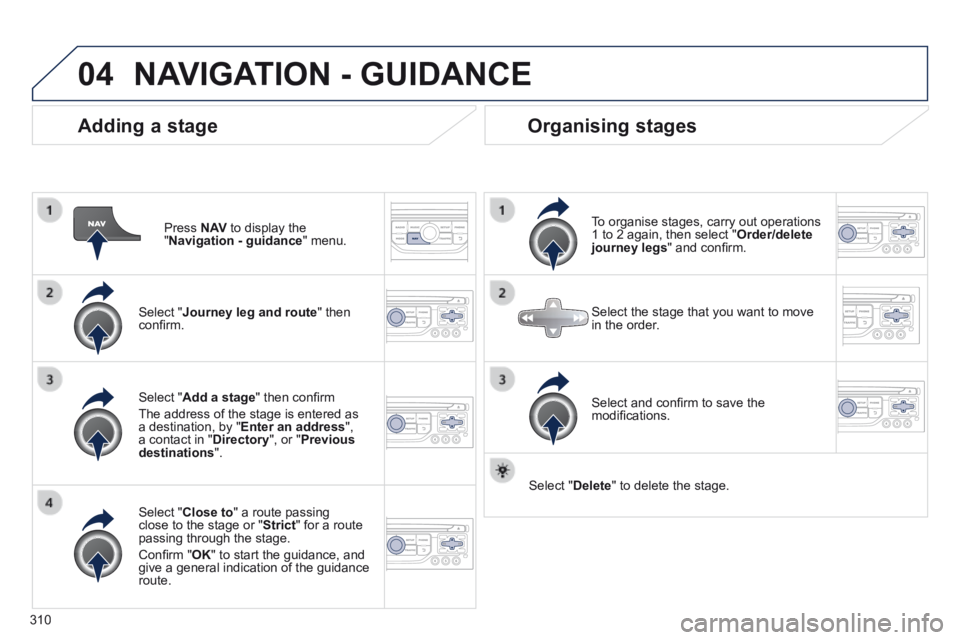
Adding a stage
Press N AV to display the " Navigation - guidance " menu.
Select " Journey leg and route " then confi rm.
Select " Close to " a route passing close to the stage or " Strict " for a route passing through the stage.
Confi rm " OK " to start the guidance, and give a general indication of the guidance route.
Select " Add a stage " then confi rm
The address of the stage is entered as a destination, by " Enter an address ", a contact in " Directory ", or " Previous destinations ".
Organising stages
To organise stages, carry out operations 1 to 2 again, then select " Order/delete journey legs " and confi rm.
Select and confi rm to save the modifi cations.
Select the stage that you want to move in the order.
Select " Delete " to delete the stage.
NAVIGATION - GUIDANCE
Page 313 of 389
04
3 11
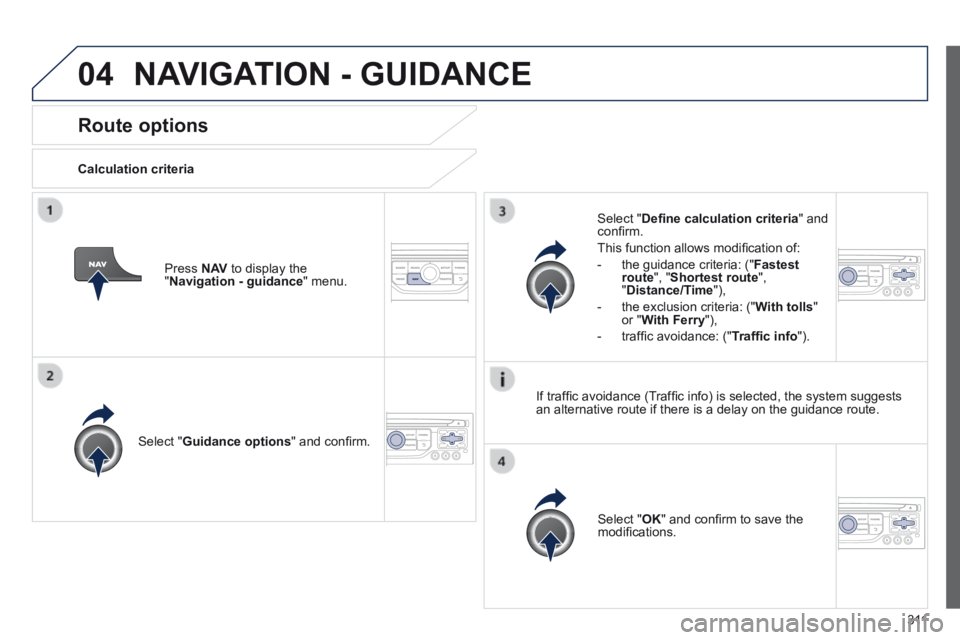
Route options
Calculation criteria
Select " Guidance options " and confi rm.
Select " OK " and confi rm to save the modifi cations.
Select " Defi ne calculation criteria " and confi rm.
This function allows modifi cation of:
- the guidance criteria: (" Fastest route ", " Shortest route ", " Distance/Time "),
- the exclusion criteria: (" With tolls " or " With Ferry "),
- traffi c avoidance: (" Traffi c info ").
Press N AV to display the " Navigation - guidance " menu.
If traffi c avoidance (Traffi c info) is selected, the system suggests an alternative route if there is a delay on the guidance route.
NAVIGATION - GUIDANCE
Page 314 of 389
04
312
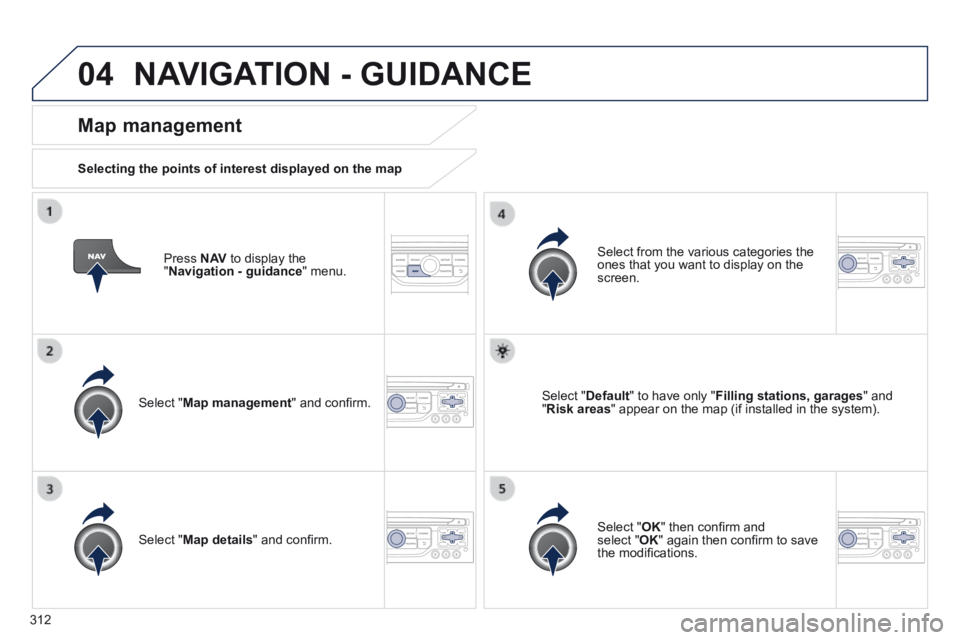
Press N AV to display the " Navigation - guidance " menu.
Map management
Selecting the points of interest displayed on the map
Select " Map management " and confi rm.
Select from the various categories the ones that you want to display on the screen.
Select " Map details " and confi rm.
Select " Default " to have only " Filling stations, garages " and " Risk areas " appear on the map (if installed in the system).
Select " OK " then confi rm and select " OK " again then confi rm to save the modifi cations.
NAVIGATION - GUIDANCE
Page 315 of 389
04
313
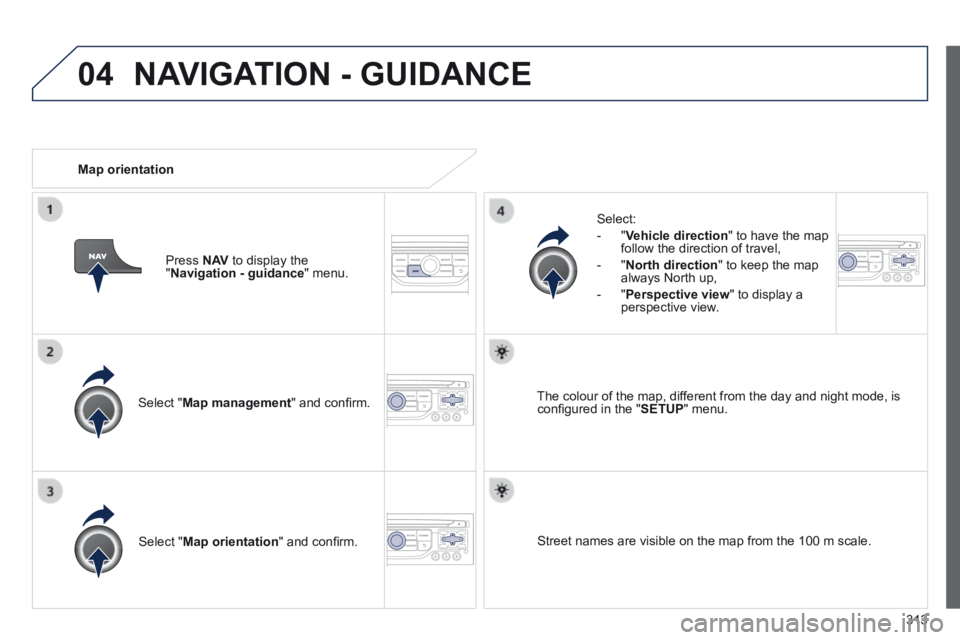
Select " Map management " and confi rm.
Select:
- " Vehicle direction " to have the map follow the direction of travel,
- " North direction " to keep the map always North up,
- " Perspective view " to display a perspective view.
Select " Map orientation " and confi rm.
The colour of the map, different from the day and night mode, is confi gured in the " SETUP " menu.
Map orientation
Press N AV to display the " Navigation - guidance " menu.
Street names are visible on the map from the 100 m scale.
NAVIGATION - GUIDANCE
Page 316 of 389
04
314
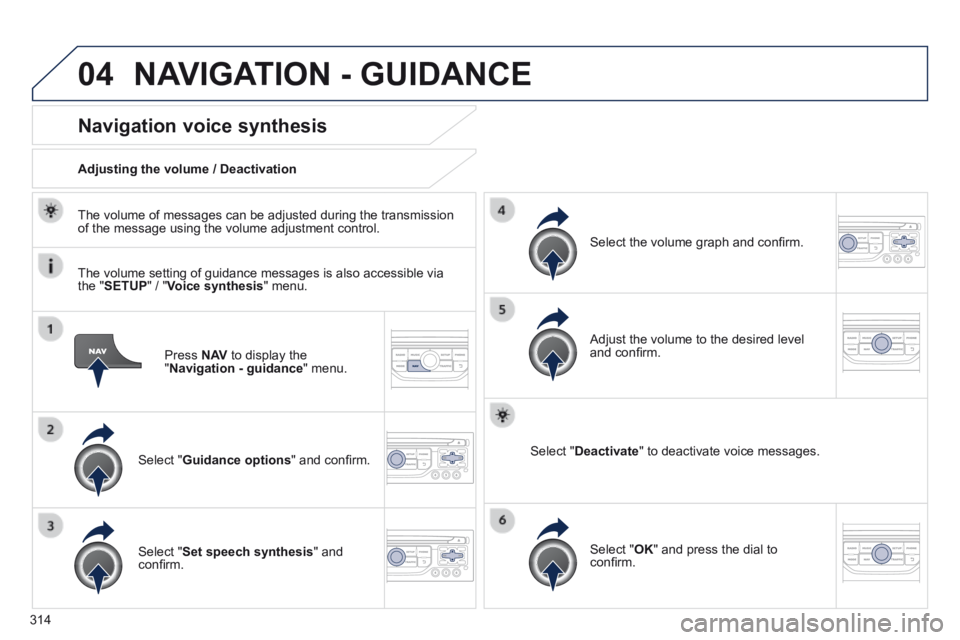
Press N AV to display the " Navigation - guidance " menu.
Navigation voice synthesis
Select " Guidance options " and confi rm.
Adjusting the volume / Deactivation
Select " Set speech synthesis " and confi rm.
Select the volume graph and confi rm.
Select " Deactivate " to deactivate voice messages.
Select " OK " and press the dial to confi rm.
Adjust the volume to the desired level and confi rm.
The volume of messages can be adjusted during the transmission of the message using the volume adjustment control.
The volume setting of guidance messages is also accessible via the " SETUP " / " Voice synthesis " menu.
NAVIGATION - GUIDANCE