Wing Peugeot 301 2015 User Guide
[x] Cancel search | Manufacturer: PEUGEOT, Model Year: 2015, Model line: 301, Model: Peugeot 301 2015Pages: 285, PDF Size: 13.55 MB
Page 27 of 285
25
301_en_Chap01_controle-de-marche_ed01-2014
If dashes are displayed continuously
while driving in place of the digits,
contact a PEUGEOT dealer or a
qualified workshop.This function is only displayed from
30
km/h.
This value may vary following a change
in the style of driving or the relief,
resulting in a significant change in the
current fuel consumption.
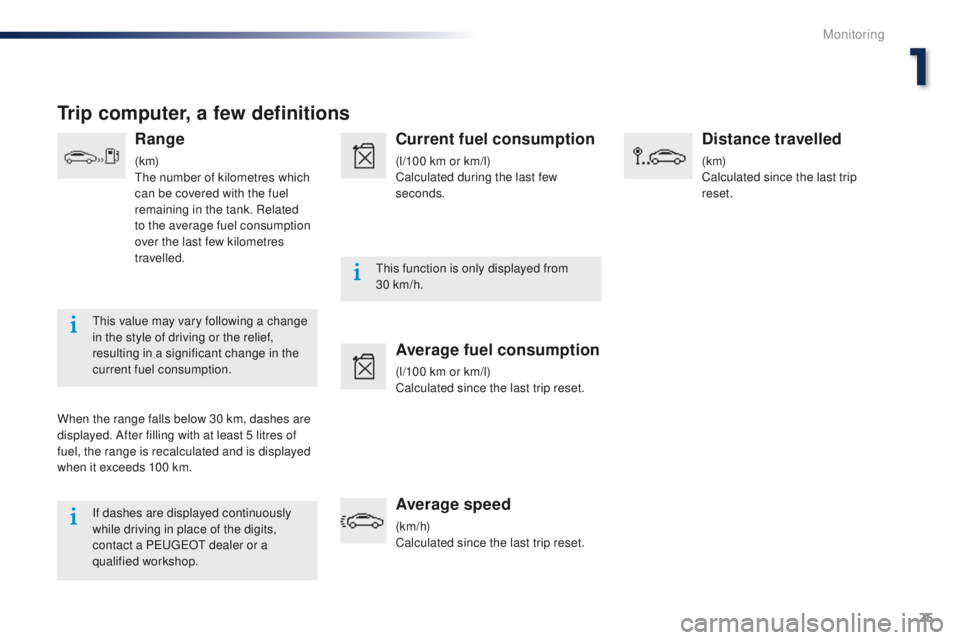
Trip computer, a few definitions
Range
(k m)
The number of kilometres which
can be covered with the fuel
remaining in the tank. Related
to the average fuel consumption
over the last few kilometres
travelled.
When the range falls below 30 km, dashes are
displayed. After filling with at least 5 litres of
fuel, the range is recalculated and is displayed
when it exceeds 100 km.
Current fuel consumption
(l/100 km or km/l)
Calculated during the last few
seconds.
Average fuel consumption
(l/100 km or km/l)
Calculated since the last trip reset.
Average speed
(km/h)
Calculated since the last trip reset.
Distance travelled
(k m)
Calculated since the last trip
reset.
1
Monitoring
Page 28 of 285
26
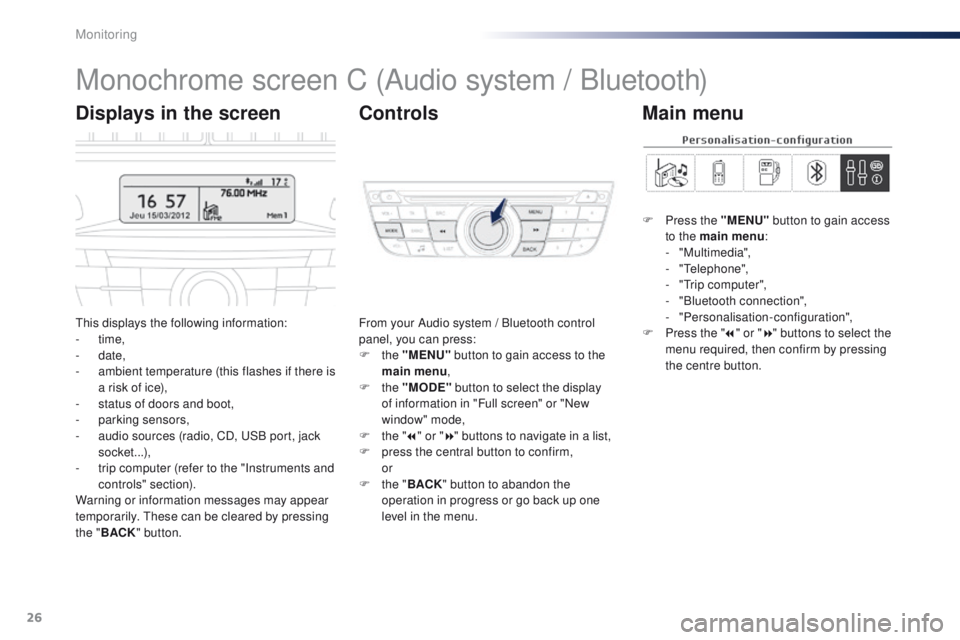
Monochrome screen C (Audio system / Bluetooth)
This displays the following information:
- time,
-
date,
-
a
mbient temperature (this flashes if there is
a risk of ice),
-
s
tatus of doors and boot,
-
par
king sensors,
-
a
udio sources (radio, CD, USB port, jack
socket...),
-
t
rip computer (refer to the "Instruments and
controls" section).
Warning or information messages may appear
temporarily. These can be cleared by pressing
the " BACK " button. From your Audio system / Bluetooth control
panel, you can press:
F
the "MENU" button to gain access to the
main menu ,
F
the "MODE" button to select the display
of information in "Full screen" or "New
window" mode,
F
t
he "7" or " 8" buttons to navigate in a list,
F
p
ress the central button to confirm,
or
F
t
he "BACK " button to abandon the
operation in progress or go back up one
level in the menu.
Displays in the screen Controls
F Press the "MENU" button to gain access
to the main menu :
-
"Multimedia",
-
"Telephone",
-
"
Trip computer",
-
"
Bluetooth connection",
-
"Personalisation-configuration",
F
P
ress the " 7" or " 8" buttons to select the
menu required, then confirm by pressing
the centre button.
Main menu
Monitoring
Page 30 of 285
28
"Bluetooth
connection" menu
With the Audio system / Bluetooth switched
on, once this menu has been selected you
can connect or disconnect a Bluetooth device
(telephone, media player) and define the
connection mode (hands-free kit, playing audio
f i l e s).
For more information on the "Bluetooth
connection" application, refer to the Audio
system / Bluetooth part of the "Audio and
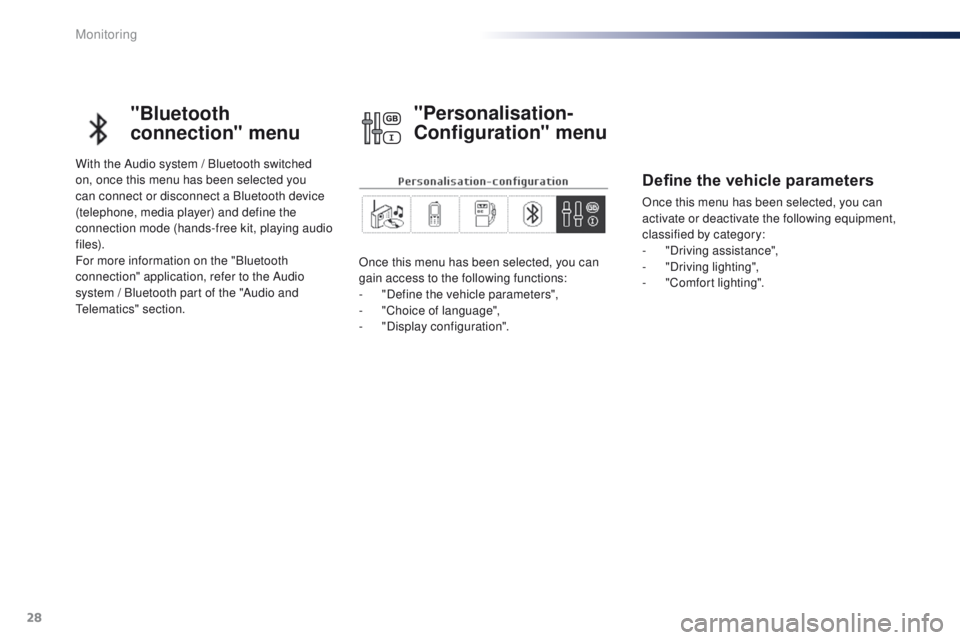
Telematics" section.Once this menu has been selected, you can
gain access to the following functions:
-
"
Define the vehicle parameters",
-
"
Choice of language",
-
"
Display configuration".
"Personalisation-
Configuration" menu
Define the vehicle parameters
Once this menu has been selected, you can
activate or deactivate the following equipment,
classified by category:
-
"
Driving assistance",
-
"
Driving lighting",
-
"
Comfort lighting".
Monitoring
Page 31 of 285
29
301_en_Chap01_controle-de-marche_ed01-2014
For safety reasons, configuration by the
driver of the multifunction screen must
only be done when stationary.Choice of language
Once this menu has been selected, you can
change the language used by the display from
a defined list.
Display configuration
Once this menu has been selected, you can
gain access to the following settings:
-
"
Choice of units",
-
"
Set date and time",
-
"
Display settings",
-
"Brightness".
1
Monitoring
Page 49 of 285
47
301_en_Chap03_confort_ed01-2014
In order for these systems to be fully effective, follow the operation and maintenance
guidelines below:
F
T
o obtain an even air distribution, take care not to obstruct the exterior air intake grilles
located at the base of the windscreen, the nozzles, the vents and the air outlets, as well
as the air extractor located in the boot.
F
O
perate the air conditioning system for at least 5 to 10 minutes, once or twice a month
to keep it in per fect working order.
F
E
nsure that the passenger compartment filter is in good condition and have the filter
elements replaced regularly.
F
T
o ensure correct operation of the air conditioning system, you are also advised to have
it checked regularly as recommended in the warranty and maintenance record.
F
I
f the system does not produce cold air, switch it off and contact a PEUGEOT dealer or
a qualified workshop.
When towing the maximum load on a steep gradient in high temperatures, switching off the
air conditioning increases the available engine power and so improves the towing ability.
Recommendations for ventilation and air conditioning
If after an extended stop in sunshine,
the interior temperature is very high, first
ventilate the passenger compartment for
a few moments.
Put the air flow control at a setting high
enough to quickly change the air in the
passenger compartment.
The air conditioning system does not
contain chlorine and does not present
any danger to the ozone layer.
The condensation created by the air
conditioning results in a discharge
of water under the vehicle which is
perfectly normal.
3
Comfort
Page 57 of 285
55
301_en_Chap04_amenagements_ed01-2014
Interior fittings
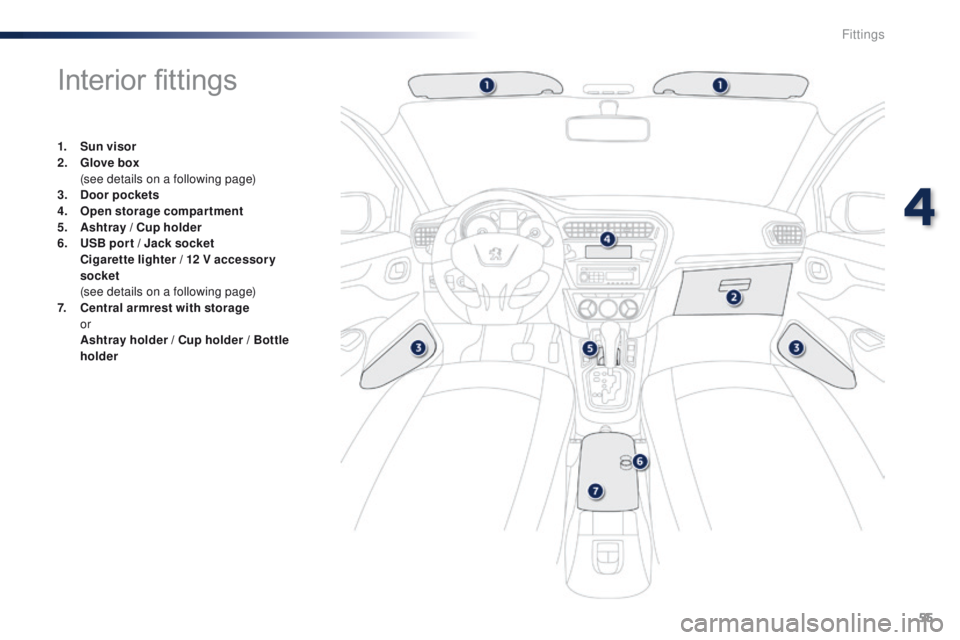
1. Sun visor
2. Glove box
(
see details on a following page)
3.
Doo
r pockets
4.
O
pen storage compartment
5.
As
htray / Cup holder
6.
U
SB por t / Jack socket
Ci
garette lighter / 12 V accessor y
socket
(
see details on a following page)
7.
C
entral armrest with storage
or
A
shtray holder / Cup holder / Bottle
holder
4
Fittings
Page 60 of 285
58
301_en_Chap04_amenagements_ed01-2014
Boot fittings
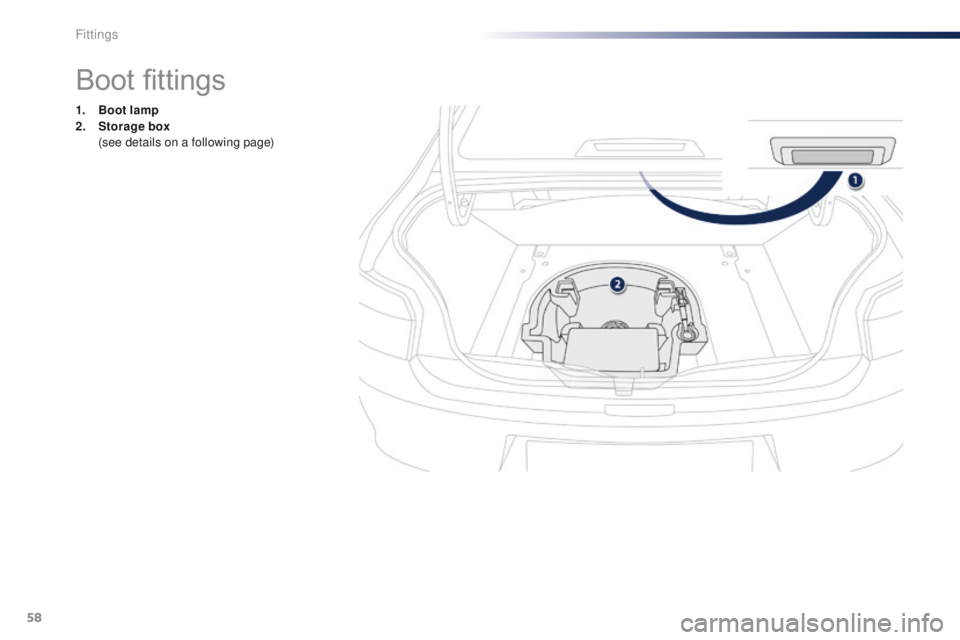
1. Boot lamp
2. Storage box
(
see details on a following page)
Fittings
Page 70 of 285
68
301_en_Chap05_conduite_ed01-2014
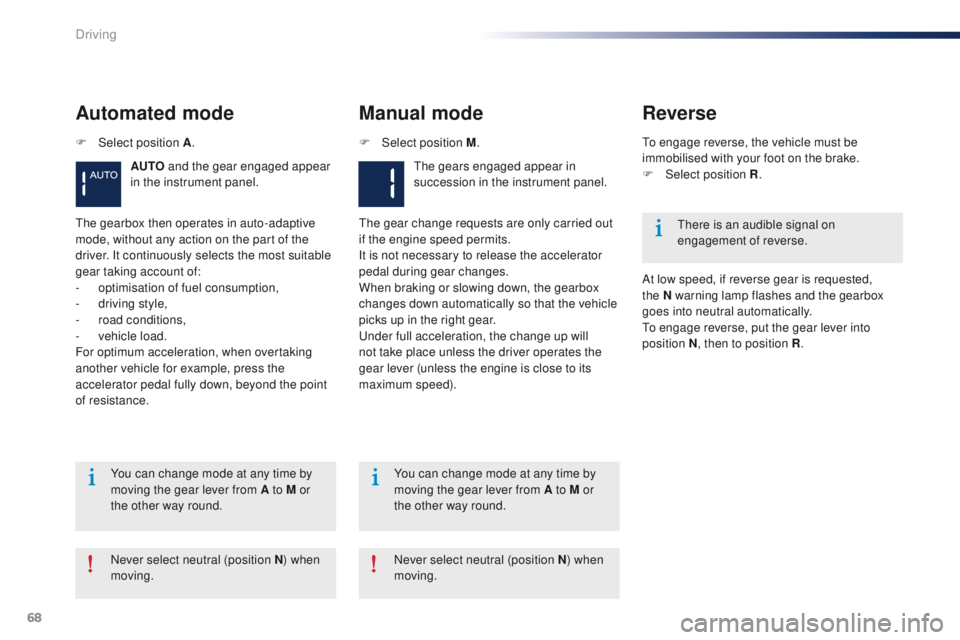
Automated mode
AUTO and the gear engaged appear
in the instrument panel.
Manual mode
The gears engaged appear in
succession in the instrument panel.
The gearbox then operates in auto-adaptive
mode, without any action on the part of the
driver. It continuously selects the most suitable
gear taking account of:
-
o
ptimisation of fuel consumption,
-
d
riving style,
-
r
oad conditions,
-
v
ehicle load.
For optimum acceleration, when overtaking
another vehicle for example, press the
accelerator pedal fully down, beyond the point
of resistance. The gear change requests are only carried out
if the engine speed permits.
It is not necessary to release the accelerator
pedal during gear changes.
When braking or slowing down, the gearbox
changes down automatically so that the vehicle
picks up in the right gear.
Under full acceleration, the change up will
not take place unless the driver operates the
gear lever (unless the engine is close to its
maximum speed).
Never select neutral (position N ) when
moving. You can change mode at any time by
moving the gear lever from A to M or
the other way round.
Never select neutral (position N) when
moving. You can change mode at any time by
moving the gear lever from A to M or
the other way round.
F
Sel
ect position A
. F
Sel
ect position M
.
Reverse
To engage reverse, the vehicle must be
immobilised with your foot on the brake.
F
Sel
ect position R .
At low speed, if reverse gear is requested,
the
N warning lamp flashes and the gearbox
goes into neutral automatically.
To engage reverse, put the gear lever into
position N , then to position R .
There is an audible signal on
engagement of reverse.
Driving
Page 71 of 285
69
301_en_Chap05_conduite_ed01-2014
AUTO and - appear in the instrument
panel.
F
Sel
ect position N .
F
P
ress the brake pedal.
F
W
ait for around 30 seconds until N or a
gear appears in the instrument panel.
F
M
ove the gear lever to position A , then to
position N .
F
W
ith your foot still on the brake pedal, start
the engine.
The gearbox is operational again.
Reinitialisation
Following disconnection of the battery, it is
necessary to reinitialise the gearbox.
F
S
witch on the ignition.
Before doing anything under the
bonnet, ensure that the gear lever is in
neutral (position N ) and that the parking
brake is applied. In exceptional circumstances, the
gearbox may need an automatic
reinitialisation: starting and gear
changing are no longer possible.
AUTO and - appear in the
instrument panel.
For all parking situations, you must
apply the parking brake to immobilise
the vehicle.
When immobilising the vehicle with the
engine running, you must put the gear
lever into neutral (position N ).
Before switching off the engine:
-
c
hange to position N to be in neutral,
or
-
l
eave the vehicle in gear; in this case the
vehicle cannot be moved.
Follow the procedure described above.
Stopping the vehicle
With the ignition on, if this warning
lamp comes on and AUTO
flashes, accompanied by an audible signal and
a message in the multifunction screen, this
indicates a gearbox fault.
Have it checked by a PEUGEOT dealer or a
qualified workshop.
Operating fault
5
Driving
Page 92 of 285
90
301_en_Chap07_securite_ed01-2014
Direction indicators
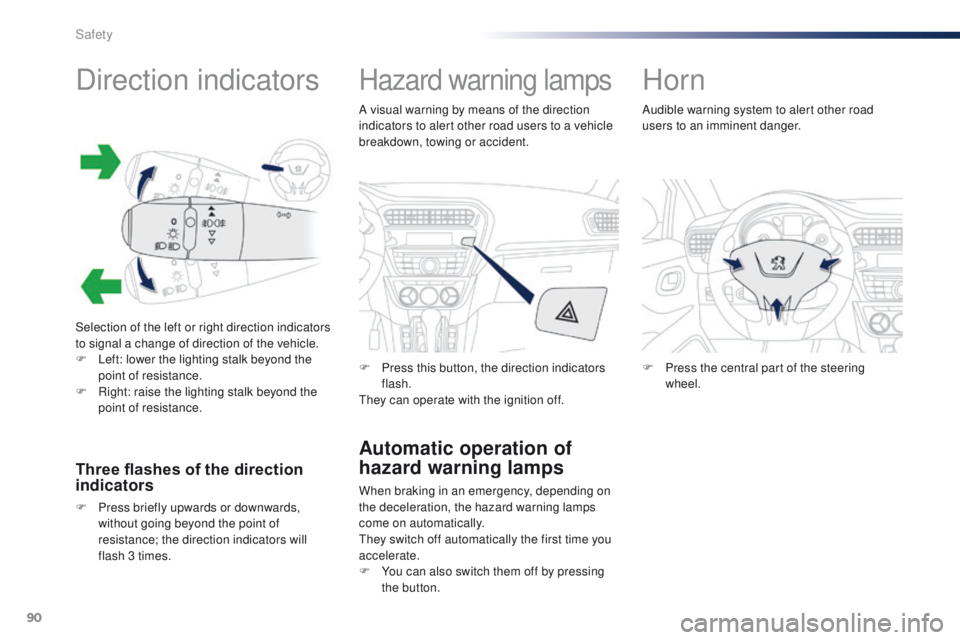
Selection of the left or right direction indicators
to signal a change of direction of the vehicle.
F
L
eft: lower the lighting stalk beyond the
point of resistance.
F
R
ight: raise the lighting stalk beyond the
point of resistance.
Three flashes of the direction
indicators
F Press briefly upwards or downwards, without going beyond the point of
resistance; the direction indicators will
flash 3 times.
Hazard warning lamps
Automatic operation of
hazard warning lamps
When braking in an emergency, depending on
the deceleration, the hazard warning lamps
come on automatically.
They switch off automatically the first time you
accelerate.
F
Y
ou can also switch them off by pressing
the button.
F
P
ress this button, the direction indicators
flash.
They can operate with the ignition off.
Horn
F Press the central part of the steering wheel.
Audible warning system to alert other road
users to an imminent danger.
A visual warning by means of the direction
indicators to alert other road users to a vehicle
breakdown, towing or accident.
Safety