ignition Peugeot 308 2016 User Guide
[x] Cancel search | Manufacturer: PEUGEOT, Model Year: 2016, Model line: 308, Model: Peugeot 308 2016Pages: 398, PDF Size: 9.38 MB
Page 30 of 398
28
Coolant temperature gauge
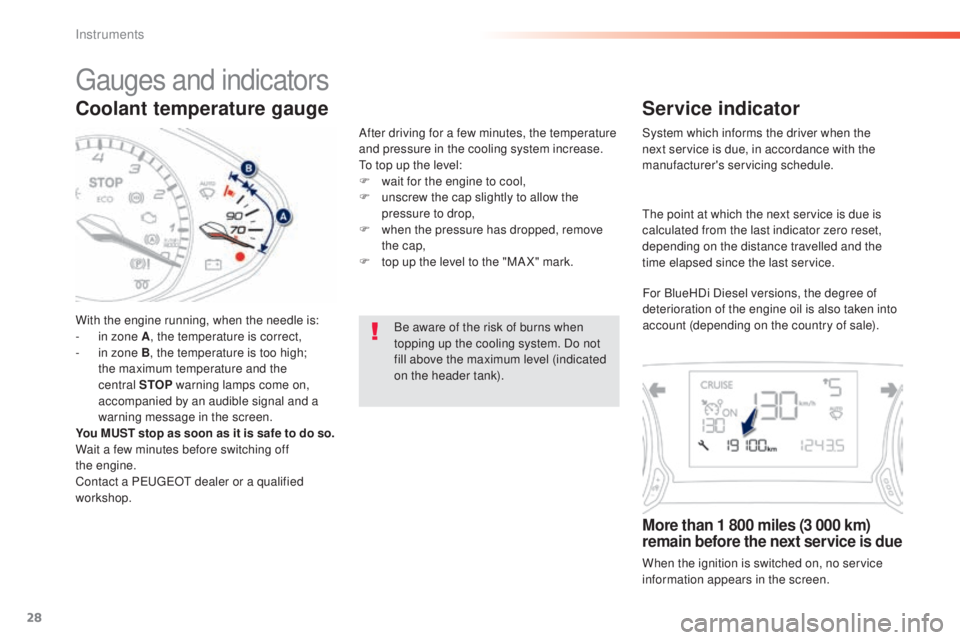
With the engine running, when the needle is:
- in zone A, the temperature is correct,
-
in z
one B, the temperature is too high;
the maximum temperature and the
central STOP warning lamps come on,
accompanied by an audible signal and a
warning message in the screen.
You MUST stop as soon as it is safe to do so.
Wait a few minutes before switching off
the
eng
ine.
Contact a P
eu
ge
Ot d
ealer or a qualified
workshop. After driving for a few minutes, the temperature
and pressure in the cooling system increase.
to to
p up the level:
F
wa
it for the engine to cool,
F
un
screw the cap slightly to allow the
pressure to drop,
F
wh
en the pressure has dropped, remove
the cap,
F
to
p up the level to the "MA X" mark.
Be aware of the risk of burns when
topping up the cooling system. Do not
fill above the maximum level (indicated
on the header tank).
gauges and indicators
Service indicator
System which informs the driver when the
next service is due, in accordance with the
manufacturer's servicing schedule.
More than 1 800 miles (3 000 km)
remain before the next service is due
When the ignition is switched on, no service
information appears in the screen.
the p
oint at which the next service is due is
calculated from the last indicator zero reset,
depending on the distance travelled and the
time elapsed since the last service.
For BlueHDi Diesel versions, the degree of
deterioration of the engine oil is also taken into
account (depending on the country of sale).
Instruments
Page 31 of 398
29
308_en_Chap01_instruments-de-bord_ed02-2015
Between 600 miles (1 000 km)
and 1 800 miles (3 000 km) remain
before the next service is due
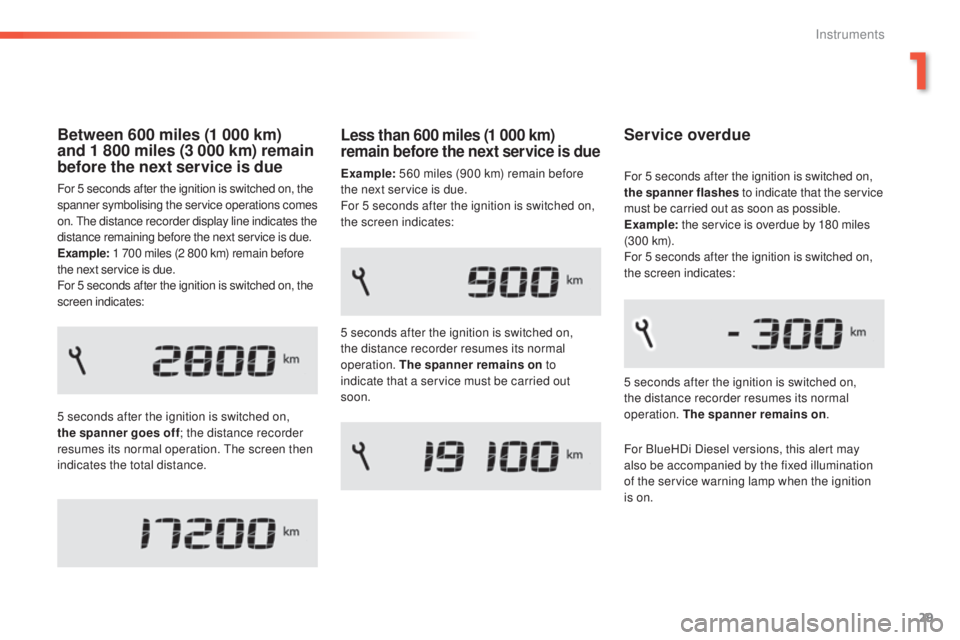
For 5 seconds after the ignition is switched on, the
spanner symbolising the service operations comes
on.
the d
istance recorder display line indicates the
distance remaining before the next service is due.
Example: 1 700 miles (2 800 km) remain before
the next service is due.
For 5 seconds after the ignition is switched on, the
screen indicates:
5 seconds after the ignition is switched on,
the spanner goes off ; the distance recorder
resumes its normal operation.
the s
creen then
indicates the total distance.
Service overdue
5 seconds after the ignition is switched on,
the distance recorder resumes its normal
operation. The spanner remains on .
For 5 seconds after the ignition is switched on,
the spanner flashes
to indicate that the service
must be carried out as soon as possible.
Example: the service is overdue by 180 miles
(3 0 0 k m).
For 5 seconds after the ignition is switched on,
the screen indicates:
Less than 600 miles (1 000 km)
remain before the next service is due
Example: 560 miles (900 km) remain before
the next service is due.
For 5 seconds after the ignition is switched on,
the screen indicates:
5 seconds after the ignition is switched on,
the distance recorder resumes its normal
operation. The spanner remains on to
indicate that a service must be carried out
soon.
For BlueHDi Diesel versions, this alert may
also be accompanied by the fixed illumination
of the service warning lamp when the ignition
is on.
1
Instruments
Page 32 of 398
30
the distance remaining may be
w eighted by the time factor, depending
on the driving conditions.
the
refore, the spanner may also come
on if you have exceeded the period
since the last service, indicated in the
manufacturer's service schedule.
For BlueHDi Diesel versions, the
spanner may also be brought on earlier
than expected, depending on the
degree of deterioration of the engine oil
(depending on the country of sale).
the r
ate of deterioration of the engine
oil depends on the driving conditions in
which the vehicle is used.
Service indicator zero reset
Following this operation, if you wish to
disconnect the battery, lock the vehicle
and wait at least five minutes for the
zero reset to be registered.
Retrieving the service
information
You can access the service information at any
time.
F
Pr
ess the trip distance recorder zero reset
button.
the s
ervice information is displayed for a
few seconds, then disappears.
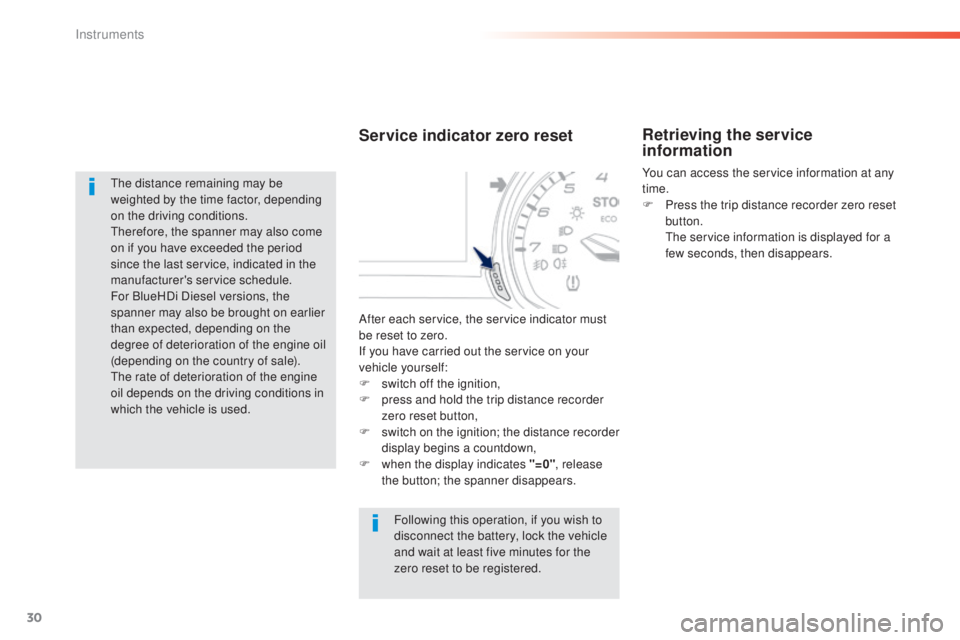
After each service, the service indicator must
be reset to zero.
If you have carried out the service on your
vehicle yourself:
F
swi
tch off the ignition,
F
pr
ess and hold the trip distance recorder
zero reset button,
F
sw
itch on the ignition; the distance recorder
display begins a countdown,
F
when
the display indicates "=0" , release
the button; the spanner disappears.
Instruments
Page 33 of 398
31
308_en_Chap01_instruments-de-bord_ed02-2015
Engine oil level indicator
On versions fitted with an electric oil gauge,
information on the oil level is displayed in the
instrument panel for a few seconds when the
ignition is switched on, at the same time as the
service information.
the l
evel read will only be correct if
the vehicle is on level ground and the
engine has been off for more than
30
m
inutes.
Oil level correct
this is indicated by a message in the
in strument panel.
Oil level incorrect
this is indicated by a message in the
in strument panel.
If the low oil level is confirmed by a check using
the dipstick, the level must be topped up to
avoid damage to the engine.
Oil level indicator fault
this is indicated by a message in the
i nstrument panel. Contact a Peu geOt d ealer
or a qualified workshop.
Dipstick
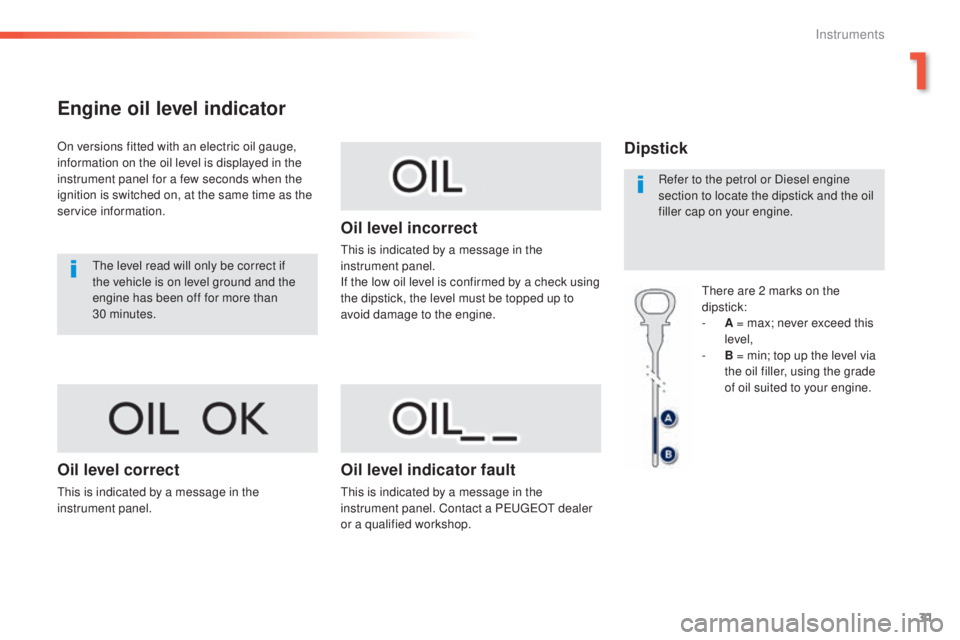
there are 2 marks on the
di pstick:
-
A = m
ax; never exceed this
level,
-
B = m
in; top up the level via
the oil filler, using the grade
of oil suited to your engine.
Refer to the petrol or Diesel engine
section to locate the dipstick and the oil
filler cap on your engine.
1
Instruments
Page 34 of 398
32
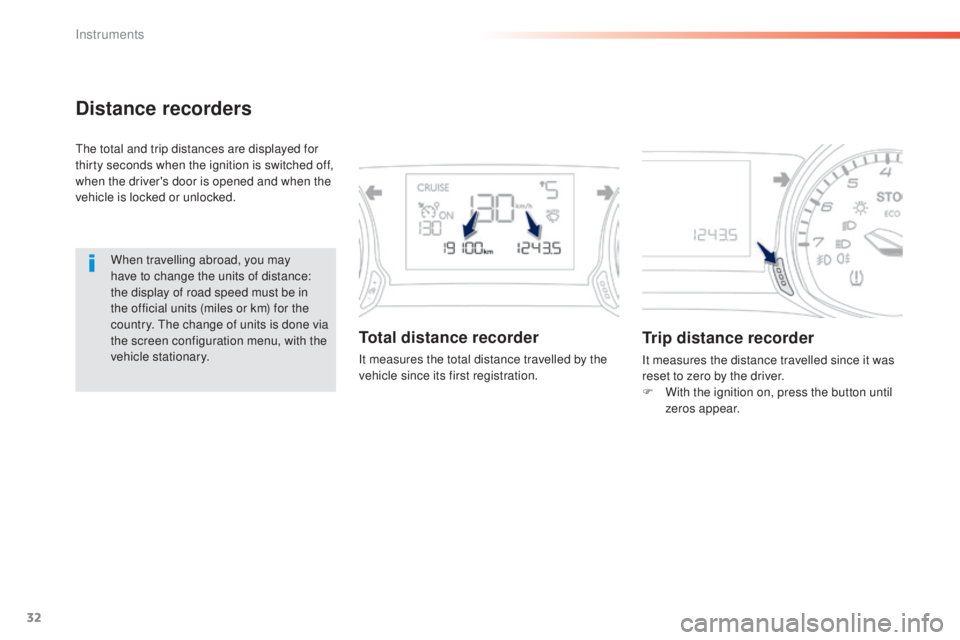
Distance recorders
the total and trip distances are displayed for
t hirty seconds when the ignition is switched off,
when the driver's door is opened and when the
vehicle is locked or unlocked.
When travelling abroad, you may
have to change the units of distance:
the display of road speed must be in
the official units (miles or km) for the
country.
the c
hange of units is done via
the screen configuration menu, with the
vehicle stationary.
Total distance recorder
It measures the total distance travelled by the
vehicle since its first registration.
Trip distance recorder
It measures the distance travelled since it was
reset to zero by the driver.
F
Wi
th the ignition on, press the button until
zeros appear.
Instruments
Page 38 of 398
36
Trip computer, a few definitions
Range
(miles or km)the distance which can still be
travelled with the fuel remaining in
the tank (related to the average fuel
consumption over the last few miles
(kilometres) travelled).
thi
s value may vary following a change
in the style of driving or the relief,
resulting in a significant change in the
current fuel consumption.
When the range falls below 20 miles (30 km),
dashes are displayed. After filling with at least
5 litres of fuel, the range is recalculated and is
displayed when it exceeds 60 miles (100 km). If dashes are displayed continuously
while driving in place of the digits,
contact a P
eu
ge
Ot d
ealer or a
qualified workshop.
thi
s function is only displayed from
20
m
ph (30 km/h).
Current fuel consumption
(mpg or l/100 km or km/l)
Calculated over the last few seconds.
Average fuel consumption
(mpg or l/100 km or km/l)
Calculated since the last trip
computer reset.
Average speed
(mph or km/h)
Calculated since the last trip
computer reset.
Distance travelled
(miles or km)
Calculated since the last trip
computer reset.
Stop & Start time
counter
(minutes / seconds or
ho urs / m inutes)
If your vehicle is fitted with Stop & Start, a time
counter calculates the time spent in S
tOP m
ode
during a journey.
It resets to zero every time the ignition is
switched on.
Instruments
Page 50 of 398
48
308_en_Chap02_ouvertures_ed02-2015
System for the central locking or unlocking
of the vehicle using the door lock or from a
distance.
It is also used to locate and start the vehicle, as
well as providing protection against theft.
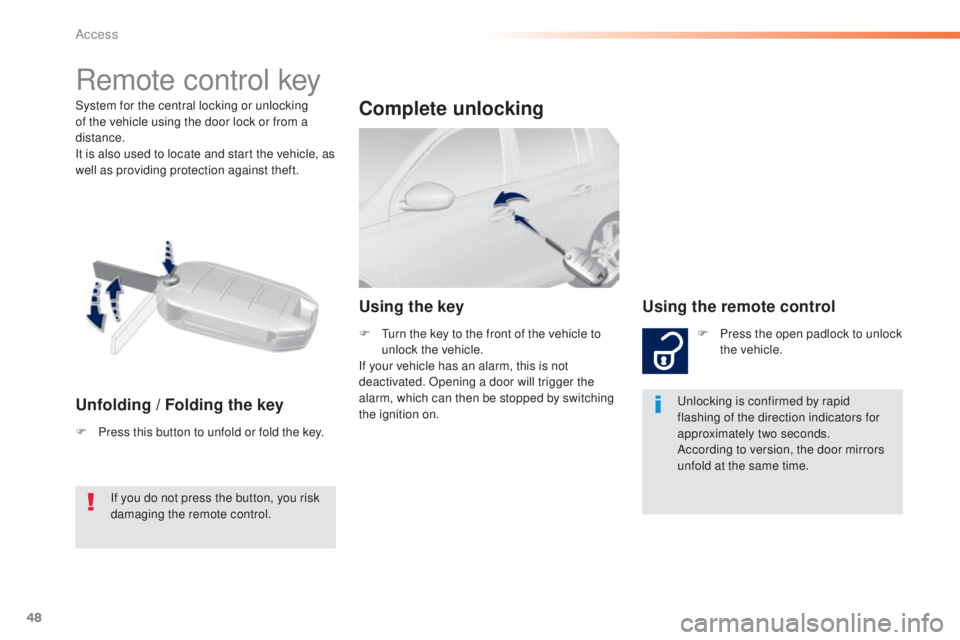
Remote control key
Unfolding / Folding the key
F Press this button to unfold or fold the key.
Complete unlocking
Using the keyUsing the remote control
F Press the open padlock to unlock
t
he vehicle.
unl
ocking is confirmed by rapid
flashing of the direction indicators for
approximately two seconds.
According to version, the door mirrors
unfold at the same time.
F
tur
n the key to the front of the vehicle to
unlock the vehicle.
If your vehicle has an alarm, this is not
deactivated. Opening a door will trigger the
alarm, which can then be stopped by switching
the ignition on.
If you do not press the button, you risk
damaging the remote control.
Access
Page 53 of 398
51
308_en_Chap02_ouvertures_ed02-2015
Electronic engine immobiliser
the key contains an electronic chip which has
a s pecial code. When the ignition is switched
on, this code must be recognised in order for
starting to be possible.
thi
s electronic engine immobiliser locks the
engine management system a few moments
after the ignition is switched off and prevents
starting of the engine by anyone who does not
have the key.
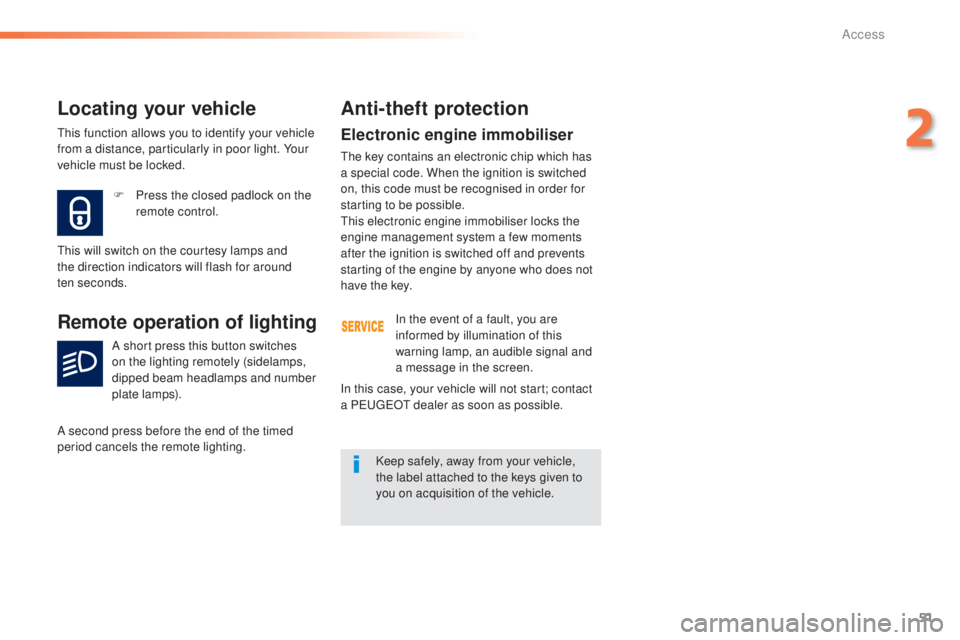
F
Pr
ess the closed padlock on the
remote control.
Locating your vehicle
this will switch on the courtesy lamps and
t he direction indicators will flash for around
ten
se
conds.
Remote operation of lighting
A short press this button switches
on the lighting remotely (sidelamps,
dipped beam headlamps and number
plate lamps).
A second press before the end of the timed
period cancels the remote lighting.
Anti-theft protection
In the event of a fault, you are
informed by illumination of this
warning lamp, an audible signal and
a message in the screen.
Keep safely, away from your vehicle,
the label attached to the keys given to
you on acquisition of the vehicle.
In this case, your vehicle will not start; contact
a P
eu
ge
Ot d
ealer as soon as possible.
thi
s function allows you to identify your vehicle
from a distance, particularly in poor light. Your
vehicle must be locked.
2
Access
Page 54 of 398
52
308_en_Chap02_ouvertures_ed02-2015
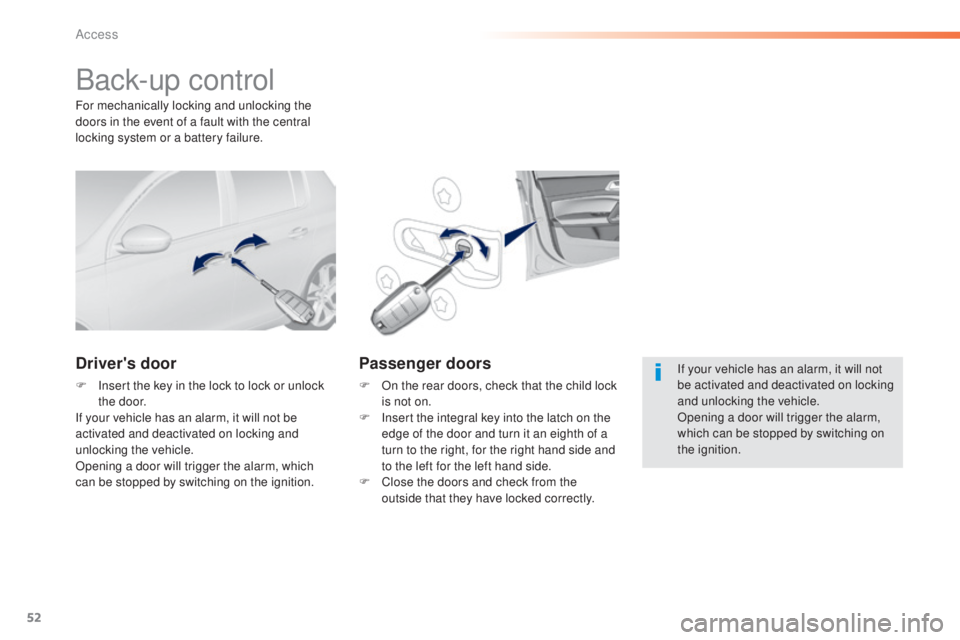
Back-up control
Driver's door
F Insert the key in the lock to lock or unlock
the door.
If your vehicle has an alarm, it will not be
activated and deactivated on locking and
unlocking the vehicle.
Opening a door will trigger the alarm, which
can be stopped by switching on the ignition.
Passenger doors
F On the rear doors, check that the child lock
i s not on.
F
In
sert the integral key into the latch on the
edge of the door and turn it an eighth of a
turn to the right, for the right hand side and
to the left for the left hand side.
F
Cl
ose the doors and check from the
outside that they have locked correctly.
For mechanically locking and unlocking the
doors in the event of a fault with the central
locking system or a battery failure.
If your vehicle has an alarm, it will not
be activated and deactivated on locking
and unlocking the vehicle.
Opening a door will trigger the alarm,
which can be stopped by switching on
the ignition.
Access
Page 55 of 398
53
308_en_Chap02_ouvertures_ed02-2015
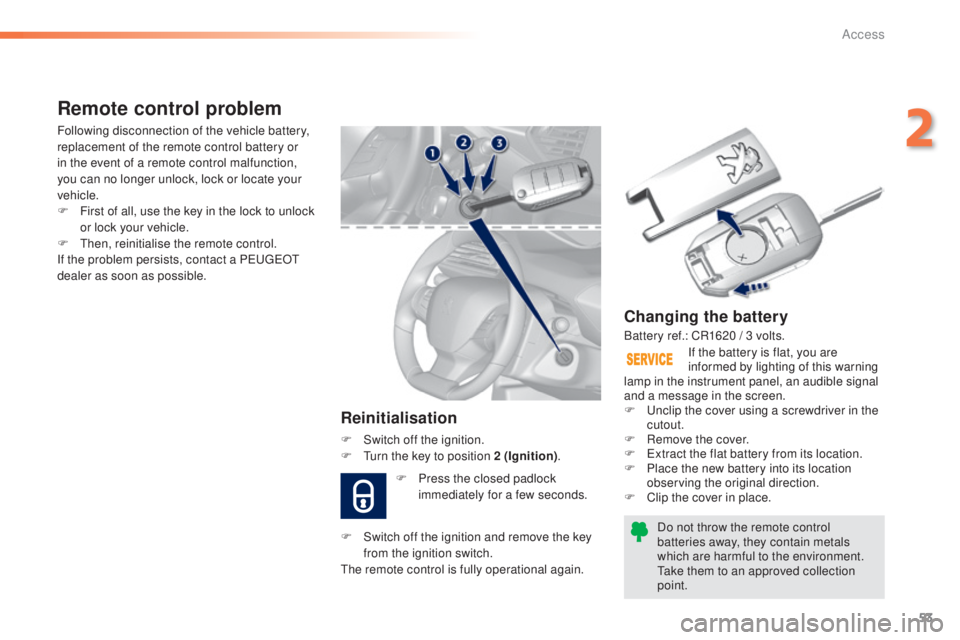
Changing the battery
Do not throw the remote control
batteries away, they contain metals
which are harmful to the environment.
tak
e them to an approved collection
point. If the battery is flat, you are
informed by lighting of this warning
lamp in the instrument panel, an audible signal
and a message in the screen.
F
u
nc
lip the cover using a screwdriver in the
cutout.
F
Re
move the cover.
F
e
xt
ract the flat battery from its location.
F
Pl
ace the new battery into its location
observing the original direction.
F
Cl
ip the cover in place.
Remote control problem
Reinitialisation
F Switch off the ignition.
F tur n the key to position 2 (Ignition) .
Following disconnection of the vehicle battery,
replacement of the remote control battery or
in the event of a remote control malfunction,
you can no longer unlock, lock or locate your
vehicle.
F
Fi
rst of all, use the key in the lock to unlock
or lock your vehicle.
F
t
hen,
reinitialise the remote control.
If the problem persists, contact a P
eu
ge
Ot
d
ealer as soon as possible.
Battery ref.: CR1620 / 3 volts.
F
Pr
ess the closed padlock
immediately for a few seconds.
F
Sw
itch off the ignition and remove the key
from the ignition switch.
the r
emote control is fully operational again.
2
Access