start Peugeot 308 2016 Workshop Manual
[x] Cancel search | Manufacturer: PEUGEOT, Model Year: 2016, Model line: 308, Model: Peugeot 308 2016Pages: 398, PDF Size: 9.38 MB
Page 165 of 398
163
308_en_Chap06_conduite_ed02-2015
Only engage reverse gear when the
vehicle is stationary with the engine at idle.
As a safety precaution and to facilitate
starting of the engine:
-
al
ways select neutral,
-
pr
ess the clutch pedal.
6-speed manual gearbox
Engaging 5th or
6th gear
Only engage reverse gear when the
vehicle is stationary with the engine at idle.
As a safety precaution and to facilitate
starting of the engine:
-
al
ways select neutral,
-
pr
ess the clutch pedal.
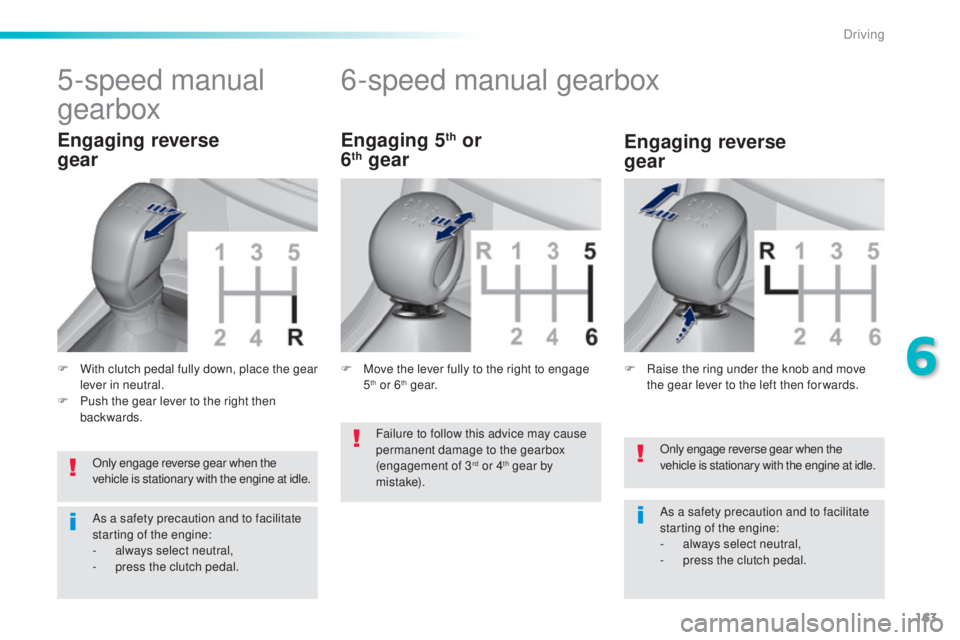
5-speed manual
gearbox
F With clutch pedal fully down, place the gear
lever in neutral.
F
Pu
sh the gear lever to the right then
backwards.
Engaging reverse
gear Engaging reverse
gear
F Raise the ring under the knob and move
t
he gear lever to the left then for wards.
F Mov
e the lever fully to the right to engage
5th or 6th g e a r.
Failure to follow this advice may cause
permanent damage to the gearbox
(engagement of 3
rd or 4th gear by
m i st a ke).
6
Driving
Page 166 of 398
164
308_en_Chap06_conduite_ed02-2015
gear shift indicator
Depending on the driving situation and your
vehicle's equipment, the system may advise
you to skip one or more gears.
You can follow this instruction without going
through the intermediate gears.-
Yo
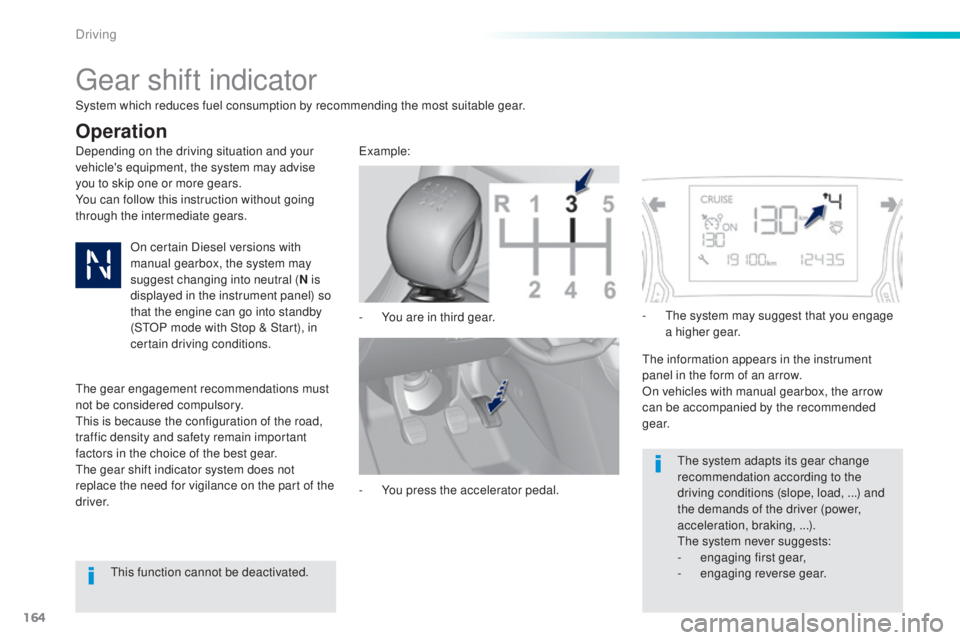
u are in third gear.example:
-
Yo
u press the accelerator pedal.-
t
he s
ystem may suggest that you engage
a higher gear.
the i
nformation appears in the instrument
panel in the form of an arrow.
On vehicles with manual gearbox, the arrow
can be accompanied by the recommended
g e a r.
the s
ystem adapts its gear change
recommendation according to the
driving conditions (slope, load,
.
..) and
the demands of the driver (power,
acceleration, braking,
.
..).
the s
ystem never suggests:
-
en
gaging first gear,
-
engag
ing reverse gear.
System which reduces fuel consumption by recommending the most suitable gear.
Operation
On certain Diesel versions with
manual gearbox, the system may
suggest changing into neutral (
N is
displayed in the instrument panel) so
that the engine can go into standby
(S
tOP m
ode with Stop & Start), in
certain driving conditions.
the g
ear engagement recommendations must
not be considered compulsory.
thi
s is because the configuration of the road,
traffic density and safety remain important
factors in the choice of the best gear.
the g
ear shift indicator system does not
replace the need for vigilance on the part of the
driver.
thi
s function cannot be deactivated.
Driving
Page 169 of 398
167
308_en_Chap06_conduite_ed02-2015
Automatic operation
Never select position N while the
vehicle is moving.
Never select positions P or R unless the
vehicle is completely stationary.
Sport and snow programmes
these two special programmes supplement the
a utomatic operation in very specific conditions
of use.
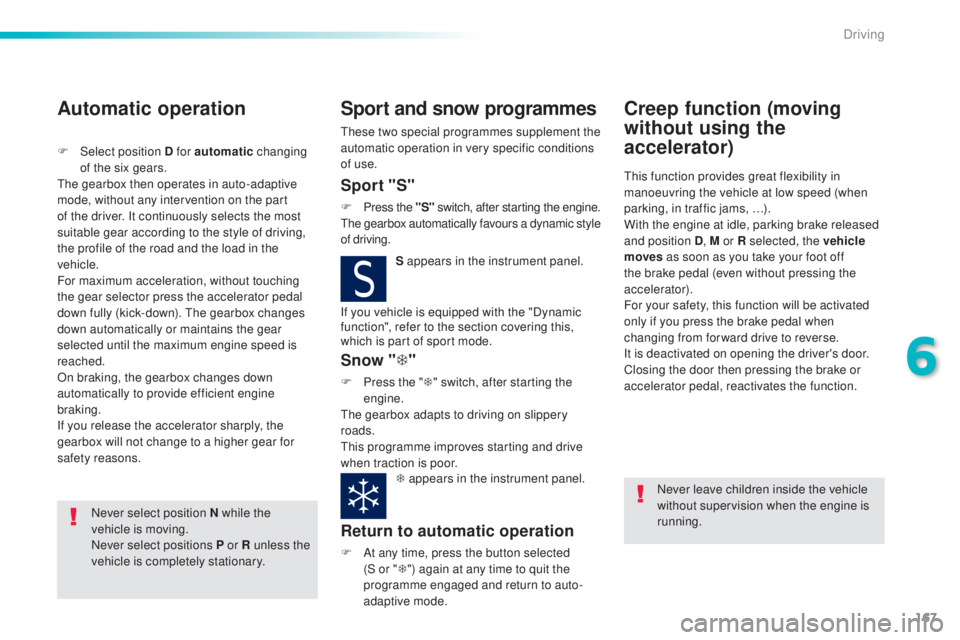
S appears in the instrument panel.
Snow "T"
F Press the " T" s witch, after starting the
engine.
the g
earbox adapts to driving on slippery
roads.
thi
s programme improves starting and drive
when traction is poor. T appears in the instrument panel.
Return to automatic operation
F At any time, press the button selected
(
S or " T") again at any time to quit the
programme engaged and return to auto-
adaptive mode.
Creep function (moving
without using the
accelerator)
this function provides great flexibility in
m anoeuvring the vehicle at low speed (when
parking, in traffic jams, …).
With the engine at idle, parking brake released
and position D , M or R selected, the vehicle
moves
a
s soon as you take your foot off
the brake pedal (even without pressing the
accelerator).
For your safety, this function will be activated
only if you press the brake pedal when
changing from forward drive to reverse.
It is deactivated on opening the driver's door.
Closing the door then pressing the brake or
accelerator pedal, reactivates the function.
Never leave children inside the vehicle
without supervision when the engine is
running.
If you vehicle is equipped with the "Dynamic
function", refer to the section covering this,
which is part of sport mode.
F
Selec
t position D for automatic
changing
of the six gears.the g
earbox then operates in auto-adaptive
mode, without any intervention on the part
of the driver. It continuously selects the most
suitable gear according to the style of driving,
the profile of the road and the load in the
vehicle.
For maximum acceleration, without touching
the gear selector press the accelerator pedal
down fully (kick-down).
the g
earbox changes
down automatically or maintains the gear
selected until the maximum engine speed is
reached.
On braking, the gearbox changes down
automatically to provide efficient engine
braking.
If you release the accelerator sharply, the
gearbox will not change to a higher gear for
safety reasons.Sport "S"
F Press the "S" s witch, after starting the engine.the g
earbox automatically favours a dynamic style
of driving.
6
Driving
Page 172 of 398
170
308_en_Chap06_conduite_ed02-2015
Stop & Start
Operation
Going into engine STOP mode
the "ECO" warning lamp comes on
in the instrument panel and the engine
goes into standby automatically:
-
Wi
th a manual gearbox , at speeds below
12 mph (20 km/h) or vehicle stationary
(depending on the engine), when you place
the gear lever in neutral, and you release
the clutch pedal.
Never refuel with the engine in S
tOP
m
ode; you must switch off the ignition
with the button. For your comfort, during parking
manoeuvres, S
tOP m
ode is not
available for a few seconds after
coming out of reverse gear.
S
tOP m
ode does not affect the
functionality of the vehicle, such as for
example, braking, power steering...
A slight delay between the vehicle
stopping and the engine cutting out may
be noticed.
Special cases: STOP mode not
available
StOP mode is not invoked principally when:
- th e vehicle is on a steep slope (up or down),
-
the
driver's door is open,
-
th
e driver's seat belt is not fastened,
-
th
e vehicle has not exceeded 6 mph
(10
k
m/h) since the last engine start by the
driver,
-
th
e electric parking brake is applied or
being applied,
-
th
e engine is needed to maintain a
comfortable temperature in the passenger
compartment,
-
dem
isting is active,
-
som
e special conditions (battery charge,
engine temperature, braking assistance,
ambient temperature...) where the engine is
needed to assure control of a system.
If your vehicle is fitted with Stop & Start,
a time counter calculates the time spent
in S
tOP m
ode during a journey.In this case, the "ECO" warning
lamp flashes for a few seconds then
goes
o
ff.
This operation is perfectly normal.
the S
top & Start
s
ystem puts the engine temporarily into standby - S
tOP m
ode - during stops in the traffic (red lights, traffic jams, or other...).
the e
ngine restarts automatically - S
tARt m
ode - as soon as you want to move off.
the r
estart takes place instantly, quickly and
silently.
Per fect for urban use, the Stop & Start system reduces fuel consumption and exhaust emissions as well as the noise level when stationary.
Stop & Start time
counter
(minutes / seconds or hours / minutes) -
Wi
th an automatic gearbox
, vehicle
stationary, when you press the brake
pedal or place the gear selector lever in
position
N .
I
t resets to zero every time the ignition is
switched on.
Driving
Page 173 of 398
171
308_en_Chap06_conduite_ed02-2015
Going into engine START mode
the "ECO" w arning lamp goes off
and the engine starts automatically:
-
Wi
th a manual gearbox , when you fully
depress the clutch pedal. StARt m
ode is invoked automatically
when:
Special cases: START invoked
automatically
- you open the driver's door,
- you unfasten the driver's seat belt,
-
th
e speed of the vehicle exceeds 15 mph
(25 km/h) or 2 mph (3 km/h) (depending on
the engine) with a manual gearbox,
-
th
e speed of the vehicle exceeds 2 mph
(3
k
m/h) with an automatic gearbox,
-
th
e electric parking brake is being applied,
-
som
e special conditions (battery charge,
engine temperature, braking assistance,
ambient temperature...) where the engine is
needed for control of a system. If the system has been deactivated
in S
tOP m
ode, the engine restarts
immediately.
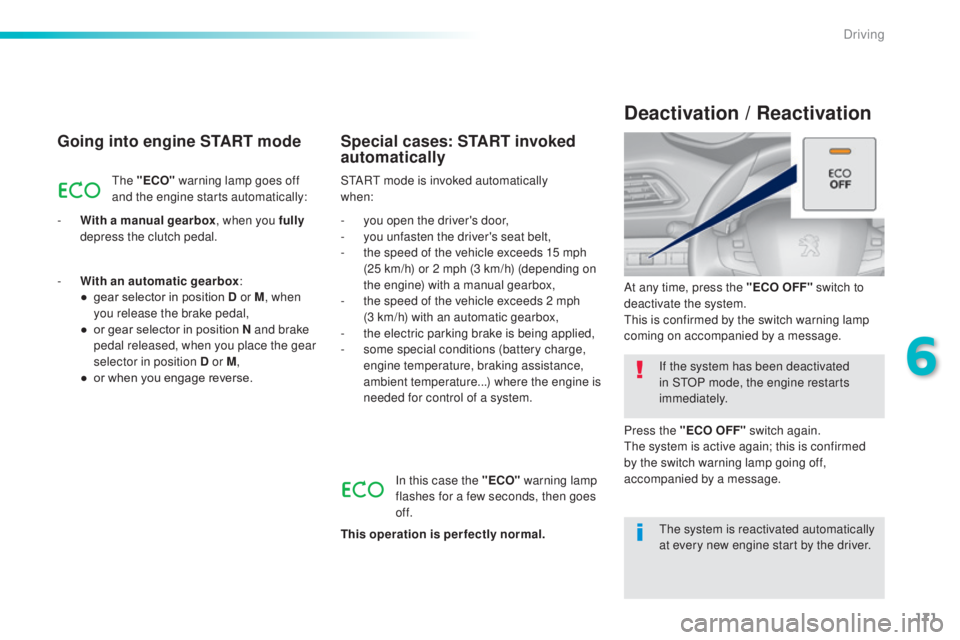
At any time, press the "ECO OFF" switch to
deactivate the system.
thi
s is confirmed by the switch warning lamp
coming on accompanied by a message.
Deactivation / Reactivation
In this case the "ECO" warning lamp
flashes for a few seconds, then goes
of f.
This operation is perfectly normal.
-
Wi
th an automatic gearbox
:
●
ge
ar selector in position D or M
, when
you release the brake pedal,
●
or g
ear selector in position N and brake
pedal released, when you place the gear
selector in position D or M ,
●
or w
hen you engage reverse.
the s
ystem is reactivated automatically
at every new engine start by the driver.
Press the "ECO OFF" switch again.
the s
ystem is active again; this is confirmed
by the switch warning lamp going off,
accompanied by a message.
6
Driving
Page 174 of 398
172
308_en_Chap06_conduite_ed02-2015
Operating fault
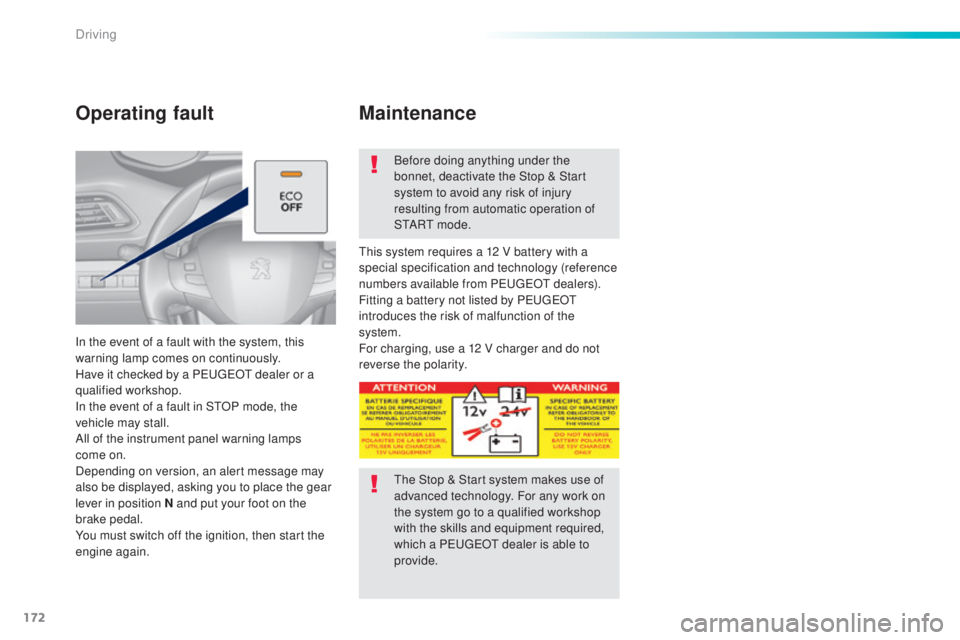
In the event of a fault with the system, this
warning lamp comes on continuously.
Have it checked by a P
eu
ge
Ot d
ealer or a
qualified workshop.
In the event of a fault in S
tOP m
ode, the
vehicle may stall.
All of the instrument panel warning lamps
come on.
Depending on version, an alert message may
also be displayed, asking you to place the gear
lever in position N and put your foot on the
brake pedal.
You must switch off the ignition, then start the
engine again. Before doing anything under the
bonnet, deactivate the Stop & Start
system to avoid any risk of injury
resulting from automatic operation of
S
tA
R
t m o
d e .
thi
s system requires a 12 V battery with a
special specification and technology (reference
numbers available from P
eug
e
Ot de
alers).
Fitting a battery not listed by P
eu
ge
Ot
i
ntroduces the risk of malfunction of the
system.
For charging, use a 12 V charger and do not
reverse the polarity.
Maintenance
the Stop & Start system makes use of
a dvanced technology. For any work on
the system go to a qualified workshop
with the skills and equipment required,
which a P
eu
ge
Ot d
ealer is able to
provide.
Driving
Page 184 of 398
182
308_en_Chap06_conduite_ed02-2015
the active cruise control must be selected in
t he " Driving assistance " menu.
F
t
ur
n the wheel 1 to the " CRUISE" position:
cruise control mode is selected, but not
started (Pause).
F
Pr
ess one of the buttons 2 or 3 : the current
speed of your vehicle becomes the cruise
speed setting.
the c
ruise control is activated (ON).
By default, the inter-vehicle time is set at
2
se
conds.
Otherwise, the last setting made will be used
when switching on the system.
Switching on
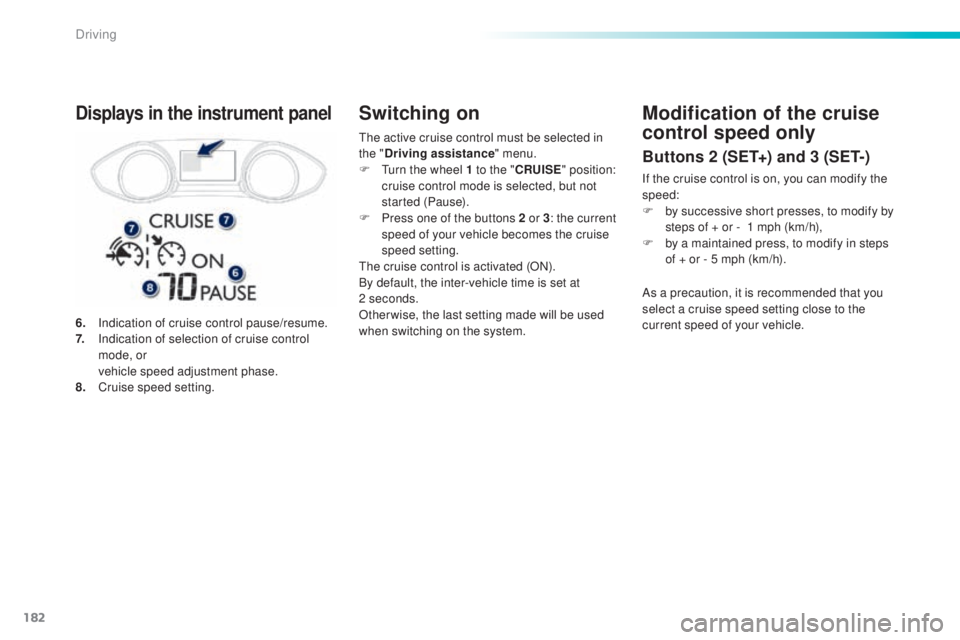
6. Indication of cruise control pause/resume.
7. In dication of selection of cruise control
mode, or
ve
hicle speed adjustment phase.
8.
Cr
uise speed setting.
Displays in the instrument panelModification of the cruise
control speed only
Buttons 2 (SET+) and 3 (SET-)
If the cruise control is on, you can modify the
speed:
F
by s
uccessive short presses, to modify by
steps of + or -
1 m
ph (km/h),
F
by a m
aintained press, to modify in steps
of + or - 5 mph (km/h).
As a precaution, it is recommended that you
select a cruise speed setting close to the
current speed of your vehicle.
Driving
Page 195 of 398
193
308_en_Chap06_conduite_ed02-2015
emergency automatic braking is a system that
a ims to reduce the speed of a frontal collision
if the driver does not take action, using radar
type detection and acting on the vehicle's
braking system.
Emergency automatic
braking system
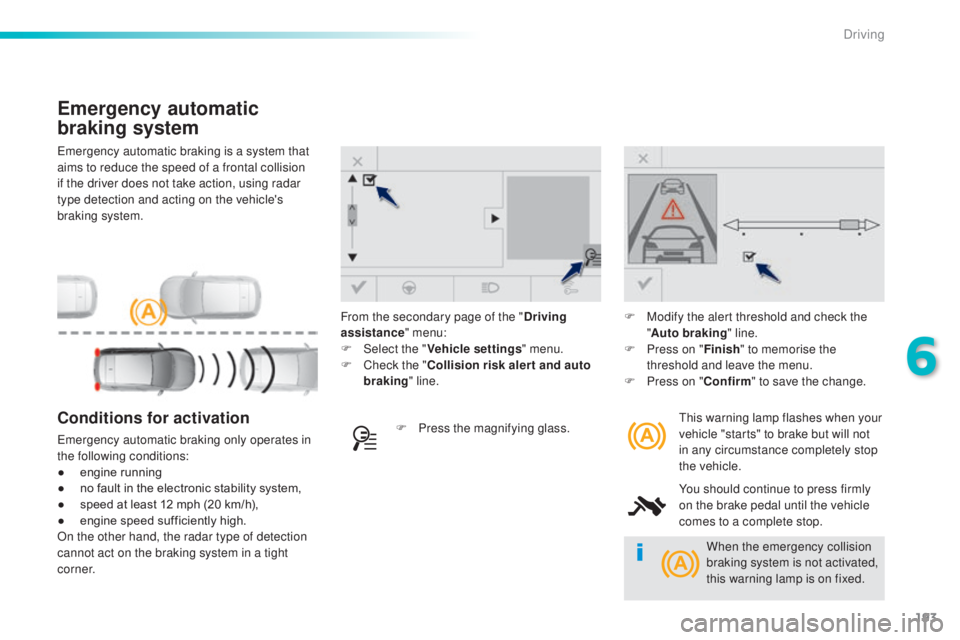
this warning lamp flashes when your
v ehicle "starts" to brake but will not
in any circumstance completely stop
the vehicle.
You should continue to press firmly
on the brake pedal until the vehicle
comes to a complete stop.Conditions for activation
emergency automatic braking only operates in
th e following conditions:
●
en
gine running
●
no f
ault in the electronic stability system,
●
sp
eed at least 12 mph (20 km/h),
●
en
gine speed sufficiently high.
On the other hand, the radar type of detection
cannot act on the braking system in a tight
c o r n e r. F Pr
ess the magnifying glass.F
Mo
dify the alert threshold and check the
" Auto braking " line.
F
Pr
ess on "
Finish" to memorise the
threshold and leave the menu.
F
Pr
ess on "
Confirm " to save the change.
From the secondary page of the "
Driving
assistance " menu:
F
Selec
t the "
Vehicle settings " menu.
F
Ch
eck the "
Collision risk alert and auto
braking " line.
When the emergency collision
braking system is not activated,
this warning lamp is on fixed.
6
Driving
Page 203 of 398
201
308_en_Chap06_conduite_ed02-2015
Park Assist
this system provides active assistance with
par king, detecting a parking space then
controlling the steering to park in the space.
It controls the steering while the driver
manages the accelerator, brakes, gears and
clutch (manual gearbox). During phases of
entry into and exit from a parking space, the
system provides visual and audible information
to the driver in order to make the manoeuvres
safe. It may be necessary to move for wards
and backwards more than once. During a manoeuvre the steering wheel
turns quickly: do not hold the steering
wheel, do not place your hand between
the spokes of the steering wheel and
take care with loose and bulky clothing,
scarves, handbags...
the
re is a risk of
injury.
When Park Assist is activated, it
prevents a change to S
tOP m
ode of
Stop & Start. In S
tOP m
ode, activation
of Park Assist restarts the engine.
the P
ark Assist system cannot in any
circumstances replace the need for
vigilance on the part of the driver.
the d
river must remain in control
of their vehicle ensuring that the
space remains clear throughout the
manoeuvre.
In some circumstances, the sensors
may not detect small obstacles located
in their blind spots.
the d
river can take control at any time by
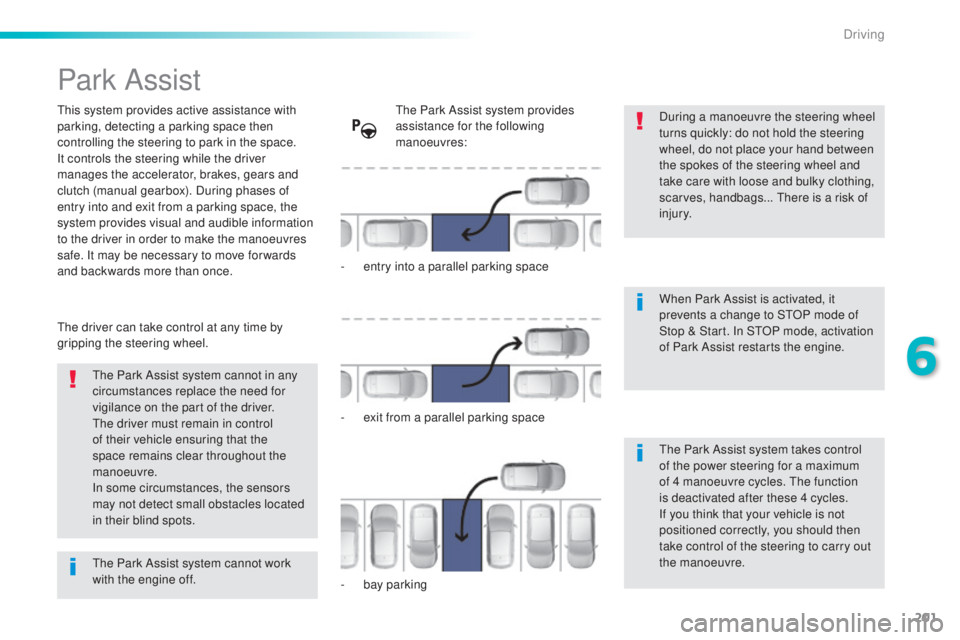
gripping the steering wheel.the P ark Assist system provides
assistance for the following
manoeuvres:
-
en
try into a parallel parking space
-
ex
it from a parallel parking space
-
ba
y parking
the P
ark Assist system takes control
of the power steering for a maximum
of 4 manoeuvre cycles.
the f
unction
is deactivated after these 4 cycles.
If you think that your vehicle is not
positioned correctly, you should then
take control of the steering to carry out
the manoeuvre.
the P
ark Assist system cannot work
with the engine off.
6
Driving
Page 204 of 398
202
308_en_Chap06_conduite_ed02-2015
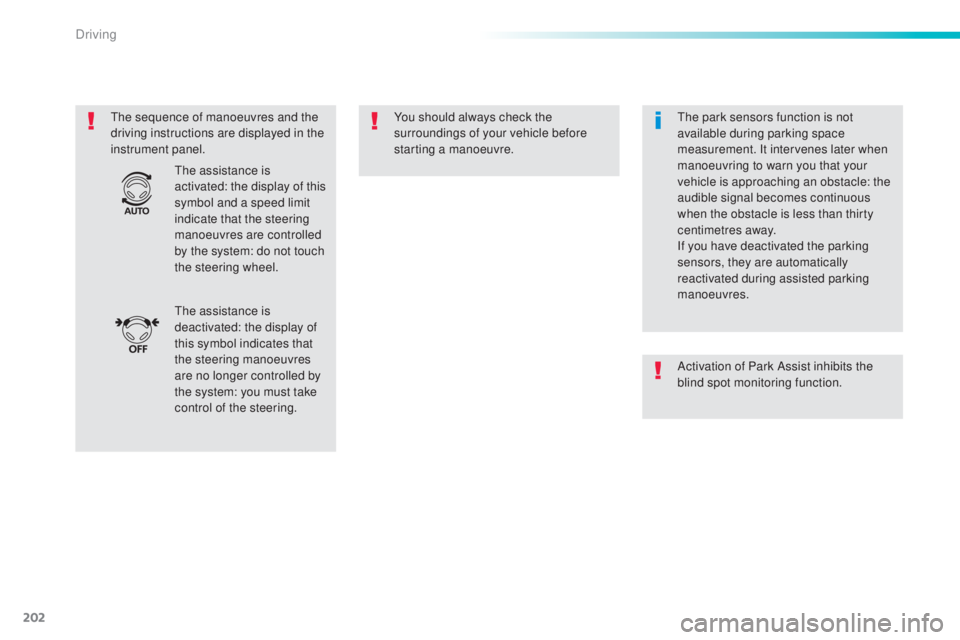
the sequence of manoeuvres and the
d riving instructions are displayed in the
instrument panel. You should always check the
surroundings of your vehicle before
starting a manoeuvre.
the a
ssistance is
deactivated: the display of
this symbol indicates that
the steering manoeuvres
are no longer controlled by
the system: you must take
control of the steering.
the a
ssistance is
activated: the display of this
symbol and a speed limit
indicate that the steering
manoeuvres are controlled
by the system: do not touch
the steering wheel.the p ark sensors function is not
available during parking space
measurement. It intervenes later when
manoeuvring to warn you that your
vehicle is approaching an obstacle: the
audible signal becomes continuous
when the obstacle is less than thirty
centimetres away.
If you have deactivated the parking
sensors, they are automatically
reactivated during assisted parking
manoeuvres.
Activation of Park Assist inhibits the
blind spot monitoring function.
Driving