towing PEUGEOT 308 2024 User Guide
[x] Cancel search | Manufacturer: PEUGEOT, Model Year: 2024, Model line: 308, Model: PEUGEOT 308 2024Pages: 280, PDF Size: 8.13 MB
Page 101 of 280
99
Driving
6Noise (Electric)
On the outside
Due to the vehicle’s quiet operation when
driving, the driver must pay particular attention.
When manoeuvring, the driver must always
check the vehicle's immediate surroundings.
At speeds of up to 19 mph (30 km/h), the
pedestrian horn warns other road users of the
vehicle’s presence.
Cooling the traction battery
The cooling fan comes on during
charging to cool the on-board charger and the
traction battery.
On the inside
During use, you may hear certain perfectly
normal noises specific to electric vehicles, such
as:
–
T
raction battery relay when starting.
–
V
acuum pump when braking.
–
V
ehicle tyres or aerodynamics when driving.
–
Jolting and knocking noise during hill starts.
Towing
Driving with a trailer places greater
demands on the towing vehicle and
particular care must be taken.
Do not exceed the maximum towable
weights.
At altitude: reduce the maximum load by
10% per 1,000 metres of altitude; the lower
air density at high altitudes decreases engine
performance.
New vehicle: do not tow a trailer until the
vehicle has driven at least 620 miles
(1,000 kilometres).
If the outside temperature is high, let the
engine idle for 1 to 2 minutes after the
vehicle comes to a stop, to help it to cool.
Before setting off
Nose weight
► Distribute the load in the trailer so that the
heaviest items are located as close as possible
to the axle, and the nose weight (at the point
where it joins your vehicle) approaches the
maximum permitted, without exceeding it.
Tyres
► Check the tyre pressures of the towing
vehicle and of the trailer , observing the
recommended pressures.
Lighting
► Check the electrical signalling on the trailer
and the headlamp beam height of your vehicle.
If a genuine PEUGEOT towing device is
used, the rear parking sensors will be
deactivated automatically to avoid activating
the audible signal.
When driving
Cooling
Towing a trailer uphill causes the coolant
temperature to increase. The maximum towable
load depends on the gradient and the exterior
temperature. The fan’s cooling capacity does not
increase with engine speed.
►
Reduce speed and lower the engine speed to
limit the amount of heating produced.
►
Pay constant attention to the coolant
temperature.
If this warning lamp and the STOP
warning lamp come on, stop the
vehicle and switch off the engine as soon as
possible.
Brakes
Using the engine brake is recommended to limit
the overheating of the brakes. Braking distances
are increased when towing a trailer.
Side wind
Bear in mind that the vehicle will be more
susceptible to wind when towing.
Page 105 of 280
103
Driving
6The indicator lamp flashes in response to a
manual request to apply or release the brake.
In the event of a battery failure, the
electric parking brake will not operate.
As a safety measure, with a manual gearbox,
if the parking brake is not applied, immobilise
the vehicle by engaging a gear.
As a safety measure, with an automatic
gearbox or drive selector, if the parking brake
is not applied, immobilise the vehicle by
placing the supplied chock against one of the
wheels.
Contact a PEUGEOT dealer or a qualified
workshop.
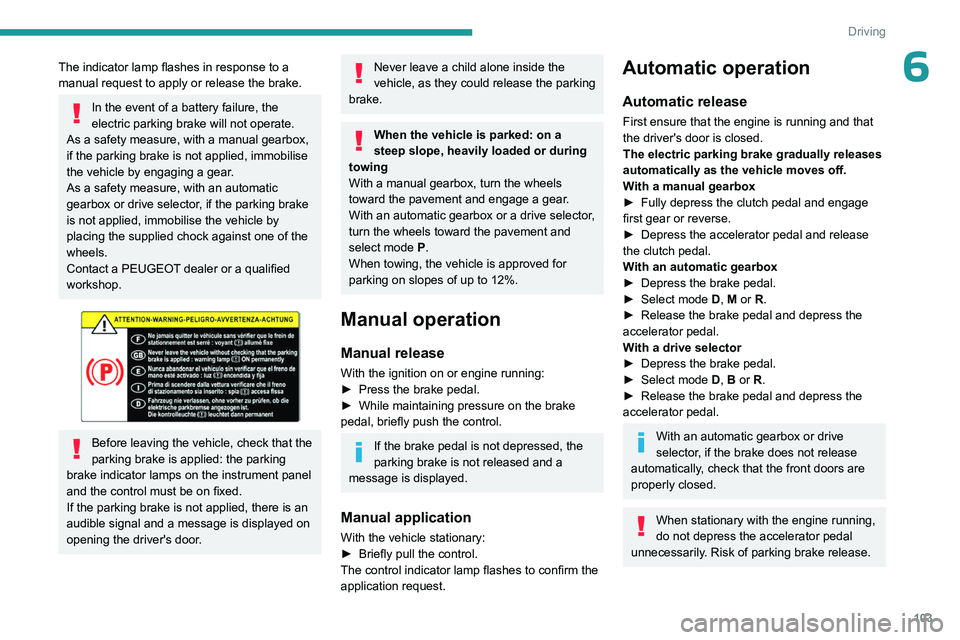
Before leaving the vehicle, check that the
parking brake is applied: the parking
brake indicator lamps on the instrument panel
and the control must be on fixed.
If the parking brake is not applied, there is an
audible signal and a message is displayed on
opening the driver's door.
Never leave a child alone inside the
vehicle, as they could release the parking
brake.
When the vehicle is parked: on a
steep slope, heavily loaded or during
towing
With a manual gearbox, turn the wheels
toward the pavement and engage a gear.
With an automatic gearbox or a drive selector,
turn the wheels toward the pavement and
select mode
P.
When towing, the vehicle is approved for
parking on slopes of up to 12%.
Manual operation
Manual release
With the ignition on or engine running:
► Press the brake pedal.
►
While maintaining pressure on the brake
pedal, briefly push the control.
If the brake pedal is not depressed, the
parking brake is not released and a
message is displayed.
Manual application
With the vehicle stationary:
► Briefly pull the control.
The control indicator lamp flashes to confirm the
application request.
Automatic operation
Automatic release
First ensure that the engine is running and that
the driver's door is closed.
The electric parking brake gradually releases
automatically as the vehicle moves off.
With a manual gearbox
►
Fully depress the clutch pedal and engage
first gear or reverse.
►
Depress the accelerator pedal and release
the clutch pedal.
W
ith an automatic gearbox
►
Depress the brake pedal.
►
Select mode
D, M or R.
►
Release the brake pedal and depress the
accelerator pedal.
W
ith a drive selector
►
Depress the brake pedal.
►
Select mode
D, B or R.
►
Release the brake pedal and depress the
accelerator pedal.
With an automatic gearbox or drive
selector, if the brake does not release
automatically, check that the front doors are
properly closed.
When stationary with the engine running,
do not depress the accelerator pedal
unnecessarily. Risk of parking brake release.
Page 106 of 280
104
Driving
Automatic application
With the vehicle stationary, the parking brake
is applied automatically when the engine is
switched off.
It is not applied automatically if the
engine stalls or enters STOP mode with
Stop & Start.
In automatic mode, the parking brake
can be manually applied or released at
any time using the control.
Special cases
Immobilising the vehicle with the
engine running
To immobilise the vehicle with the engine
running, briefly pull the control.
Parking the vehicle with the brake
released
In very cold conditions (ice), applying the
parking brake is not recommended.
To immobilise the vehicle, engage a gear or
place the chocks against one of the wheels.
With an automatic gearbox or drive
selector, mode P is automatically
selected when the ignition is switched off. The
wheels are blocked.
For more information on Free-wheeling, refer
to the corresponding section.
With an automatic gearbox or a drive
selector, if you open the driver's door
while mode N is engaged, an audible signal
will sound and mode P will be engaged. The
audible signal stops when the driver's door is
closed.
Deactivating automatic
operation
In some situations, for example when it is
extremely cold or when towing (e.g. caravan,
breakdown), it may be necessary to deactivate
automatic operation of the system.
►
Start the engine.
►
Use the control to apply the parking brake, if
it is released.
►
T
ake your foot fully off the brake pedal.
►
Push the control for 10 to a maximum of
15
seconds.
►
Release the control.
►
Depress and hold the brake pedal.
►
Pull the control for 2
seconds.
This indicator lamp on the instrument panel comes on to confirm deactivation of
the automatic functions.
►
Release the control and the brake pedal. From this point onwards, only the manual
functions, using the control, allow the parking
brake to be applied and released.
►
Follow this procedure again to reactivate
automatic operation (confirmed by the indicator
lamp on the instrument panel going out).
Emergency braking
If depressing the brake pedal fails to provide
effective braking or in exceptional circumstances
(e.g.
driver unwell, assisted driving), the vehicle
can be braked by sustained pulling on the
electric parking brake control. Braking continues
for as long as the control is kept pulled, and
ceases when the control is released.
The ABS and DSC systems stabilise the vehicle
during emergency braking.
If emergency braking malfunctions, the message
"Parking brake fault" will be displayed on the
instrument panel.
If the ABS and DSC systems
malfunction, indicated by lighting
one or both warning lamps on the instrument
panel, the vehicle’s stability is no longer ensured.
►
In this case, ensure the vehicle's stability by
successive and repeated "pull-release" actions
on the electric parking brake control until the
vehicle comes to a complete stop.
Page 124 of 280
122
Driving
► Press this button to return to the
previous page.
The functions to deactivate are saved in the
system.
Deactivation of these functions
► Press and hold this bu tton on
the dashboard.
All previously selected functions are deactivated
until the vehicle is next restarted (confirmed by
an audible signal).
Road signs recognition
For more information, refer to the
General recommendations on the use
of driving and manoeuvring aids .
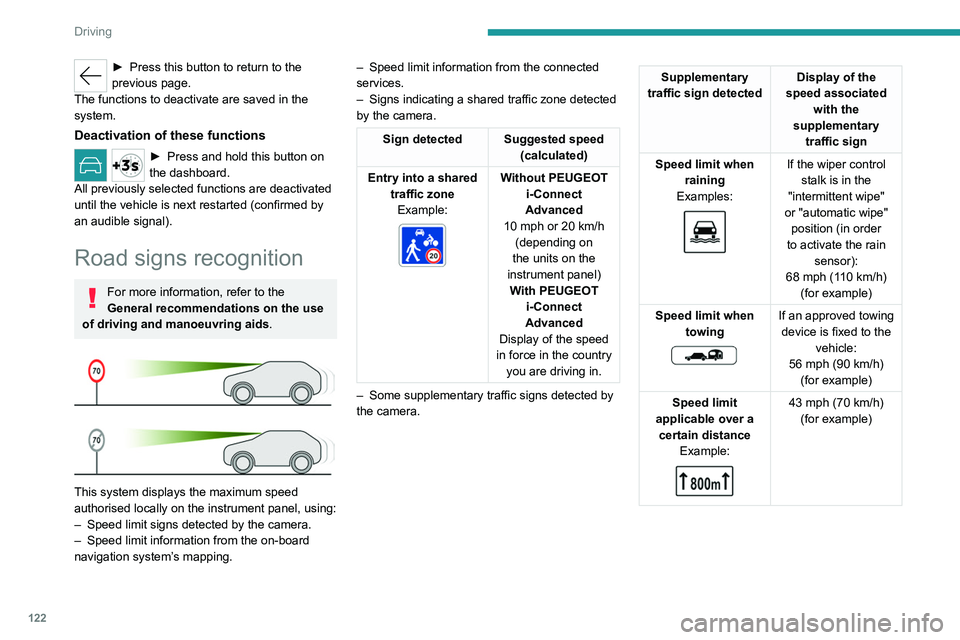
This system displays the maximum speed
authorised locally on the instrument panel, using:
–
Speed limit signs detected by the camera.
–
Speed limit information from the on-board
navigation system’
s mapping. –
Speed limit information from the connected
services.
–
Signs indicating a shared traffic zone detected
by the camera.
Sign detected Suggested speed (calculated)
Entry into a shared traffic zoneExample:
Without PEUGEOT
i-Connect
Advanced
10 mph or 20
km/h
(depending on
the units on the
instrument panel) With PEUGEOT i-Connect
Advanced
Display of the speed
in force in the country you are driving in.
–
Some supplementary traffic signs detected by
the camera.
Supplementary
traffic sign detected Display of the
speed associated with the
supplementary traffic sign
Speed limit when raining
Examples:
If the wiper control stalk is in the
"intermittent wipe"
or "automatic wipe" position (in order
to activate the rain sensor):
68 mph (110
km/h)
(for example)
Speed limit when towing
If an approved towing device is fixed to the vehicle:
56 mph (90
km/h)
(for example)
Speed limit
applicable over a certain distance Example:
43 mph (70 km/h)
(for example)
Page 126 of 280
124
Driving
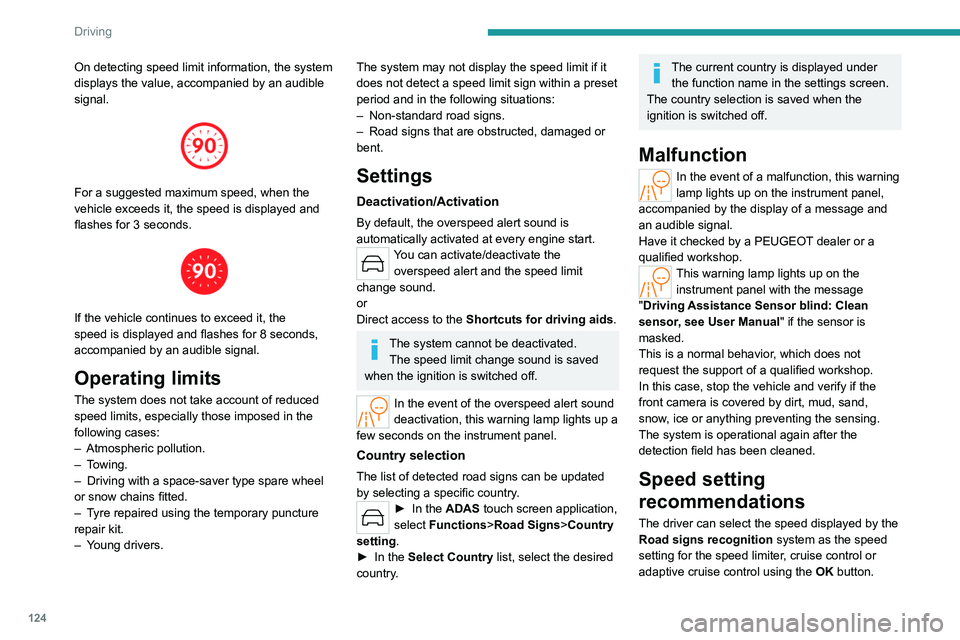
On detecting speed limit information, the system
displays the value, accompanied by an audible
signal.
For a suggested maximum speed, when the
vehicle exceeds it, the speed is displayed and
flashes for 3 seconds.
If the vehicle continues to exceed it, the
speed is displayed and flashes for 8 seconds,
accompanied by an audible signal.
Operating limits
The system does not take account of reduced
speed limits, especially those imposed in the
following cases:
–
Atmospheric pollution.
–
Towing.
–
Driving with a space-saver type spare wheel
or snow chains fitted.
–
T
yre repaired using the temporary puncture
repair kit.
–
Y
oung drivers.
The system may not display the speed limit if it
does not detect a speed limit sign within a preset
period and in the following situations:
–
Non-standard road signs.
–
Road signs that are obstructed, damaged or
bent.
Settings
Deactivation/Activation
By default, the overspeed alert sound is
automatically activated at every engine start.
You can activate/deactivate the overspeed alert and the speed limit
change sound.
or
Direct access to the Shortcuts for driving aids .
The system cannot be deactivated.
The speed limit change sound is saved
when the ignition is switched off.
In the event of the overspeed alert sound
deactivation, this warning lamp lights up a
few seconds on the instrument panel.
Country selection
The list of detected road signs can be updated
by selecting a specific country.
► In the ADAS touch screen application,
select Functions >Road Signs>Country
setting.
►
In the
Select Country list, select the desired
country.
The current country is displayed under the function name in the settings screen.
The country selection is saved when the
ignition is switched off.
Malfunction
In the event of a malfunction, this warning
lamp lights up on the instrument panel,
accompanied by the display of a message and
an audible signal.
Have it checked by a PEUGEOT dealer or a
qualified workshop.
This warning lamp lights up on the instrument panel with the message
"Driving Assistance Sensor blind: Clean
sensor, see User Manual" if the sensor is
masked.
This is a normal behavior, which does not
request the support of a qualified workshop.
In this case, stop the vehicle and verify if the
front camera is covered by dirt, mud, sand,
snow, ice or anything preventing the sensing.
The system is operational again after the
detection field has been cleaned.
Speed setting
recommendations
The driver can select the speed displayed by the
Road signs recognition system as the speed
setting for the speed limiter, cruise control or
adaptive cruise control using the OK button.
Page 130 of 280
128
Driving
Cruise control - Specific
recommendations
The cruise control function does not guarantee compliance with the maximum
authorised speed and the safety distance
between vehicles, the driver remains
responsible for their driving.
In the interest of public safety, only use cruise
control if the traffic conditions enable vehicles
to drive at a steady speed and maintain an
adequate safety distance.
Remain vigilant while cruise control is
activated. If you press and hold one of the
speed setting modification buttons, your
vehicle may change speed very abruptly.
When descending a steep hill , the cruise
control system cannot prevent the vehicle
from exceeding the set speed. Brake if
necessary to control the vehicle speed.
On steep climbs or when towing, the set
speed may not be reached or maintained.
Exceeding the programmed speed
setting
You can temporarily exceed the speed
setting by pressing the accelerator pedal (the
programmed speed flashes).
To return to the speed setting, release the
accelerator pedal (when the set speed is
reached again, the displayed speed stops
flashing).
Operating limits
Never use the system in the following
situations:
–
In an urban area with the risk of
pedestrians crossing the road.
–
In heavy traffic (except versions with the
Stop
& Go function).
–
On winding or steep roads.
–
On slippery or flooded roads.
–
In poor weather conditions.
–
In the event of restricted visibility for the
driver
.
–
Driving on a speed circuit.
–
Driving on a rolling road.
–
When using a ‘space-saver
’ type spare
wheel.
–
When using snow chains or non-slip
covers.
Cruise control
For more information, refer to the
General recommendations on the use
of driving and manoeuvring aids and the
Specific recommendations on cruise
control.
This system automatically maintains the vehicle’s speed at the value programmed
by the driver (speed setting), without the use of
the accelerator pedal.
Cruise control is switched on manually.
It requires a minimum vehicle speed of 25 mph
(40 km/h).
With a manual gearbox, whichever gear is
engaged.
With an automatic gearbox, mode
D
or second
gear or higher in mode
M
must be engaged.
With a drive selector, mode
D or B must be
engaged.
Cruise control remains active after
changing gear, regardless of the gearbox
type, on engines fitted with the Stop & Start
function.
Switching off the ignition cancels any
speed setting.
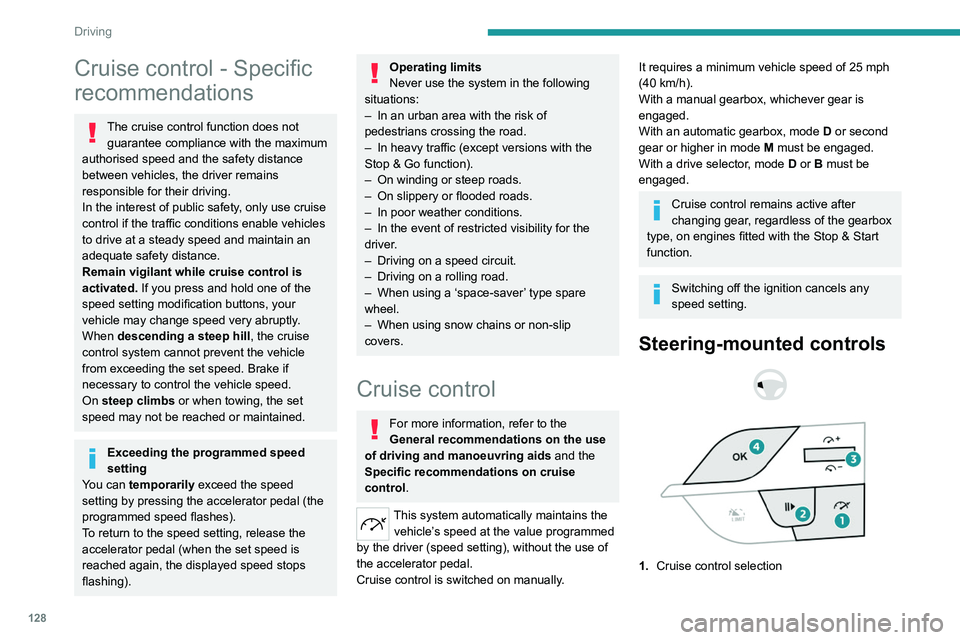
Steering-mounted controls
1. Cruise control selection
Page 137 of 280
135
Driving
6can lead to an incorrect evaluation of
distances and result in inappropriate
acceleration or braking of the vehicle.
Pay particular attention:
– When motorcycles are present and
when there are vehicles staggered across the
traffic lane.
–
When entering a tunnel or crossing a
bridge.
If any of the following malfunctions
occurs, do not use the system:
–
Following an impact on the windscreen
close to the camera or on the front bumper
.
–
If a brake lamp is not working.
If the vehicle has undergone any of the
following modifications, do not use the
system:
–
Carrying long objects on roof bars.
–
Towing.
–
Front end of the vehicle modified (for
example by adding long-range headlamps or
painting the front bumper).
–
Obstructed radar and/or camera.
Malfunction
In the event of a malfunction, dashes are
displayed (orange) instead of the speed setting.
This warning lamp comes on, accompanied by a message and an
audible signal, to confirm the malfunction.
Have it checked by a PEUGEOT dealer or a
qualified workshop.
Lane positioning assist
For more information, refer to the
General recommendations on the use
of driving and manoeuvring aids .
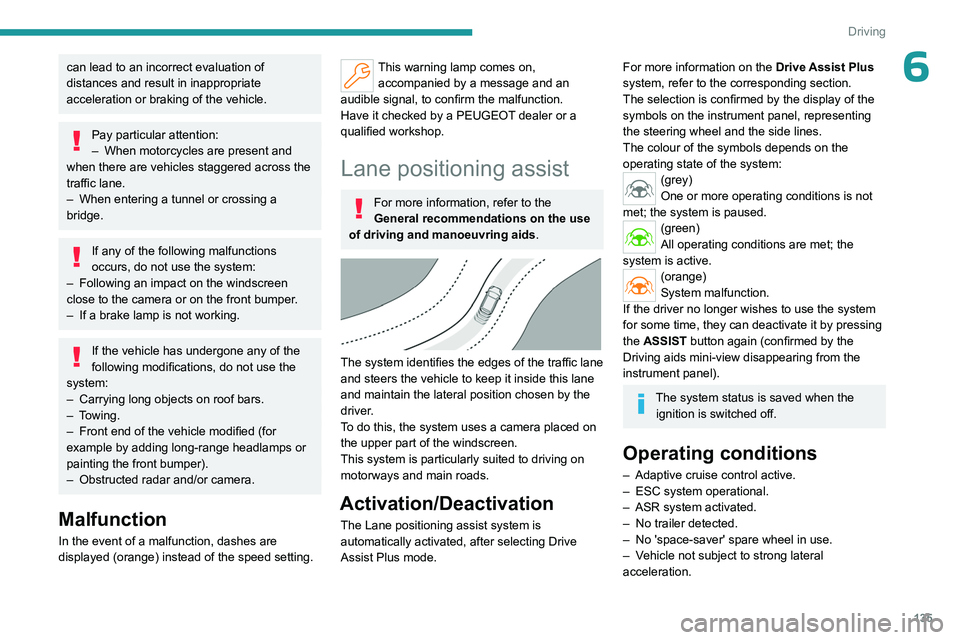
The system identifies the edges of the traffic lane
and steers the vehicle to keep it inside this lane
and maintain the lateral position chosen by the
driver.
To do this, the system uses a camera placed on
the upper part of the windscreen.
This system is particularly suited to driving on
motorways and main roads.
Activation/Deactivation
The Lane positioning assist system is
automatically activated, after selecting Drive
Assist Plus mode.
For more information on the Drive Assist Plus
system, refer to the corresponding section.
The selection is confirmed by the display of the
symbols on the instrument panel, representing
the steering wheel and the side lines.
The colour of the symbols depends on the
operating state of the system:
(grey)
One or more operating conditions is not
met; the system is paused.
(green)
All operating conditions are met; the
system is active.
(orange)
System malfunction.
If the driver no longer wishes to use the system
for some time, they can deactivate it by pressing
the ASSIST button again (confirmed by the
Driving aids mini-view disappearing from the
instrument panel).
The system status is saved when the ignition is switched off.
Operating conditions
– Adaptive cruise control active.
– ESC system operational.
–
ASR system activated.
–
No trailer detected.
–
No 'space-saver' spare wheel in use.
–
V
ehicle not subject to strong lateral
acceleration.
Page 140 of 280
138
Driving
MessagesDriving situations
"Hold steering wheel "
(framed in red) Simultaneous loss of cruise control and lane positioning assist.
Operating limits
The system may issue an alert when the
vehicle is travelling on a long, straight
road with smooth road surface even if the
driver thinks they are holding the steering
wheel correctly.
The system may not operate or may produce
unsuitable corrections to the steering in the
following situations:
–
W
earing thick gloves (with Drive Assist 2.0).
–
Poor visibility (insufficient road lighting,
snowfall, rain, fog).
–
Dazzle (headlamps of an oncoming vehicle,
low sun, reflections on a wet road surface,
leaving a tunnel, alternating light and shade).
–
Windscreen area in front of the camera
dirty
, misted up, frost-covered, snow-covered,
damaged or covered by a sticker.
–
Lane markings eroded, partially hidden (snow
,
mud) or multiple (roadworks, surface joints).
–
T
ravelling in a tight bend.
–
Winding roads.
–
Road surface repairs.
Risk of undesirable operation
The system should be deactivated in the following situations:
–
When changing a wheel or working near a
wheel.
–
T
owing or with a bicycle carrier on a towing
device, especially with trailer not plugged in or
not approved.
–
Adverse weather conditions.
–
Road with low grip (risk of aquaplaning,
snow
, ice).
–
Road works and toll areas.
–
Driving on racing circuits.
–
Driving on a rolling road.
Malfunction
In the event of a malfunction, the
Service warning lamp comes on
and this (orange) symbol appears on the
instrument panel, accompanied by the display of
a message and an audible signal.
Have it checked by a PEUGEOT dealer or a
qualified workshop.
Semi-automatic lane
changing
(with Drive Assist 2.0)
For more information, refer to the
General recommendations on the use
of driving and manoeuvring aids .
This system assists the driver in changing lanes.
To do this, it uses the camera located at the top
of the windscreen, the radar located at the front
and the four angle radars fitted in the bumpers.
The steering wheel is equipped with a hands-on detection system to avoid
distraction on the part of the driver.
For more information on the Hands-on
detection, refer to the corresponding section.
The system cannot in any circumstances replace the need for vigilance on the part
of the driver. The driver remains responsible
for their driving by monitoring their
surroundings and keeping their hands on the
steering wheel.
The driver must act promptly if they believe
that the traffic conditions or the state of the
Page 144 of 280
142
Driving
(orange)
“Lane change interrupted: Stay in the
lane”
The system cannot manage the current driving
situation.
Brake, accelerate or use the steering wheel,
depending on the context.
(blue)
"Lane change canceled"
Continuation of the systems: Lane positioning
assist and Adaptive cruise control.
or
Interruption at the initiative of the driver.
(red)
"Take back control"
The system cannot manage the current driving
situation.
Brake, accelerate or use the steering wheel,
depending on the context.
Operating limits
The system should only be used on driving lane.
The system may not work in the following
situations:
–
W
earing thick gloves.
–
Poor visibility (insufficient road lighting,
snowfall, rain, fog).
–
Dazzle (headlamps of an oncoming vehicle,
low sun, reflections on a wet road surface,
leaving a tunnel, alternating light and shade).
–
Windscreen area in front of the camera
dirty
, misted up, frost-covered, snow-covered,
damaged or covered by a sticker.
– Lane markings eroded, partially hidden (snow ,
mud) or multiple (roadworks, surface joints).
–
T
ravelling in a tight bend.
–
Winding roads.
–
Road surface repairs.
The system must not be activated in the following situations:
–
When changing a wheel or working near a
wheel.
–
T
owing or with a bicycle carrier on a towing
device, especially with trailer not plugged in or
not approved.
–
Adverse weather conditions.
–
Road with low grip (risk of aquaplaning,
snow
, ice).
–
Unusual configuration such as road works
areas, toll areas and emergency lanes.
–
Driving on racing circuits.
–
Driving on a rolling road.
If the system detects that the driver is not
holding the steering wheel firmly enough,
it triggers a series of gradual alerts and then
deactivates itself if there is no response from
the driver.
Malfunction
In the event of a malfunction, this warning
lamp lights up on the instrument panel,
accompanied by the display of a message and
an audible signal.
Have it checked by a PEUGEOT dealer or a
qualified workshop.
Active Safety Brake with Collision Risk Alert and
Intelligent emergency
braking assistance
For more information, refer to the
General recommendations on the use
of driving and manoeuvring aids .
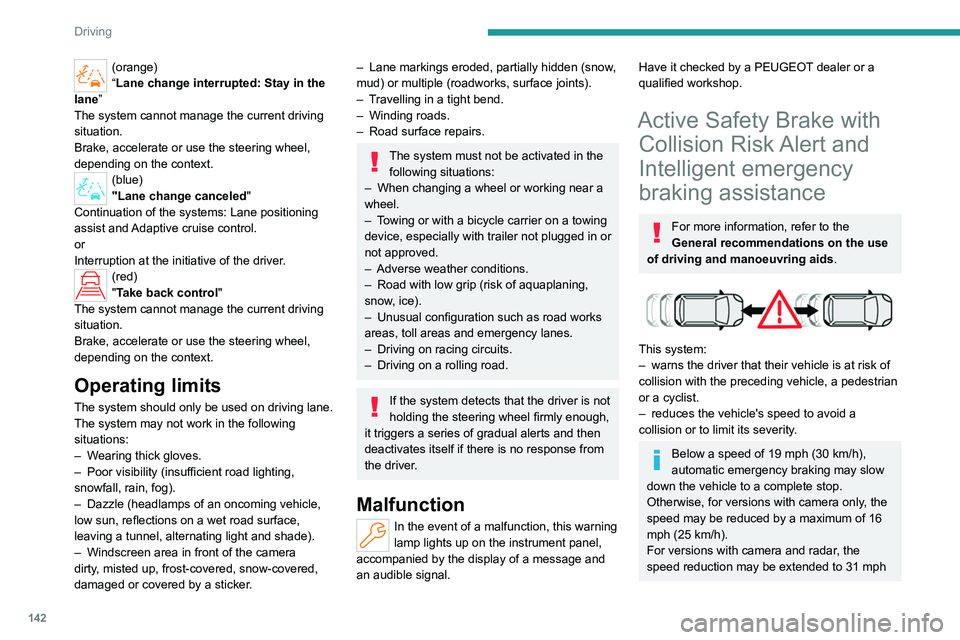
This system:
–
warns the driver that their vehicle is at risk of
collision with the preceding vehicle, a pedestrian
or a cyclist.
–
reduces the vehicle's speed to avoid a
collision or to limit its severity
.
Below a speed of 19 mph (30 km/h),
automatic emergency braking may slow
down the vehicle to a complete stop.
Otherwise, for versions with camera only
, the
speed may be reduced by a maximum of 16
mph (25
km/h).
For versions with camera and radar, the
speed reduction may be extended to 31 mph
Page 152 of 280
150
Driving
The following situations may interfere with the operation of the system or
prevent it from working:
–
Insufficient contrast between the road
surface and the verge or hard shoulder
(e.g.
shade).
–
Lane markings worn, hidden (e.g.
snow,
mud) or multiple (e.g.
roadworks).
–
Close proximity to the vehicle in front (lane
markings may not be detected).
–
Roads that are narrow
, winding.
Risk of undesirable operation
The system should be deactivated in the
following situations:
–
When changing a wheel or working near a
wheel.
–
T
owing or with a bicycle carrier on a towing
device, especially with trailer not plugged in or
not approved.
–
Road in poor condition, unstable or with very
poor grip (risk of aquaplaning, snow
, ice).
–
Adverse weather conditions.
–
Driving on racing circuits.
–
Driving on a rolling road.
Deactivation/Activation
By default, the system is automatically activated
at every engine start.
It is configured in the ADAS touch screen
application.
or
Direct access to the Shortcuts for driving aids .Deactivation is confirmed by the
illumination of this indicator lamp on the
instrument panel.
Malfunction
In the event of a malfunction,
these warning lamps light up on
the instrument panel, accompanied by the
display of a message and an audible signal.
Have it checked by a PEUGEOT dealer or a
qualified workshop.
This warning lamp lights up on the instrument panel with the message
"Driving Assistance Sensor blind: Clean
sensor, see User Manual" if the sensor is
masked.
This is a normal behavior, which does not
request the support of a qualified workshop.
In this case, stop the vehicle and verify if the
front camera is covered by dirt, mud, sand,
snow, ice or anything preventing the sensing.
The system is operational again after the
detection field has been cleaned.
Long-distance blind spot
monitoring
For more information, refer to the
General recommendations on the use
of driving and manoeuvring aids .
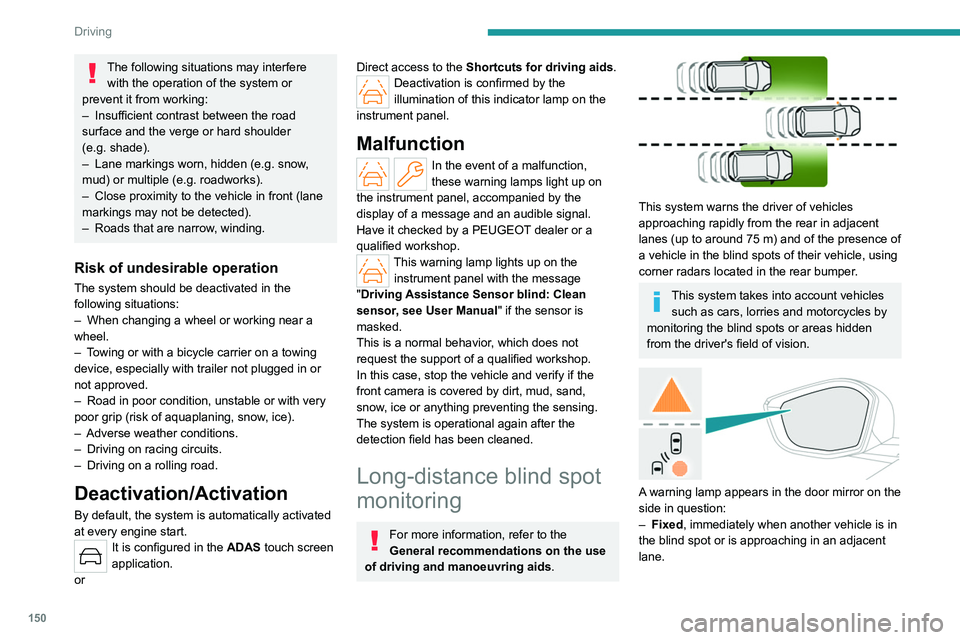
This system warns the driver of vehicles
approaching rapidly from the rear in adjacent
lanes (up to around 75
m) and of the presence of
a vehicle in the blind spots of their vehicle, using
corner radars located in the rear bumper.
This system takes into account vehicles such as cars, lorries and motorcycles by
monitoring the blind spots or areas hidden
from the driver's field of vision.
A warning lamp appears in the door mirror on the
side in question:
–
Fixed
, immediately when another vehicle is in
the blind spot or is approaching in an adjacent
lane.