traction control PEUGEOT 308 2024 User Guide
[x] Cancel search | Manufacturer: PEUGEOT, Model Year: 2024, Model line: 308, Model: PEUGEOT 308 2024Pages: 280, PDF Size: 8.13 MB
Page 115 of 280
11 3
Driving
6► From mode D, press button B to activate/
deactivate the function (the button lights up when
the function is activated).
D on the instrument panel is replaced with B.
The system status is not saved when the ignition
is switched off.
In some situations (e.g. battery full,
extreme temperatures), the amount of
regenerative braking may be temporarily
limited, resulting in less deceleration.
The driver must remain alert to traffic
conditions and must always be ready to use
the brake pedal.
With the brake pedal
When the brake pedal is depressed, the
intelligent braking system automatically recovers
some of the energy and uses it to recharge the
traction battery.
This energy recovery also reduces use of the
brake pads, thereby limiting their wear.
The driver may experience a different sensation when depressing the brake
pedal compared to a vehicle without
regenerative braking.
Driving modes
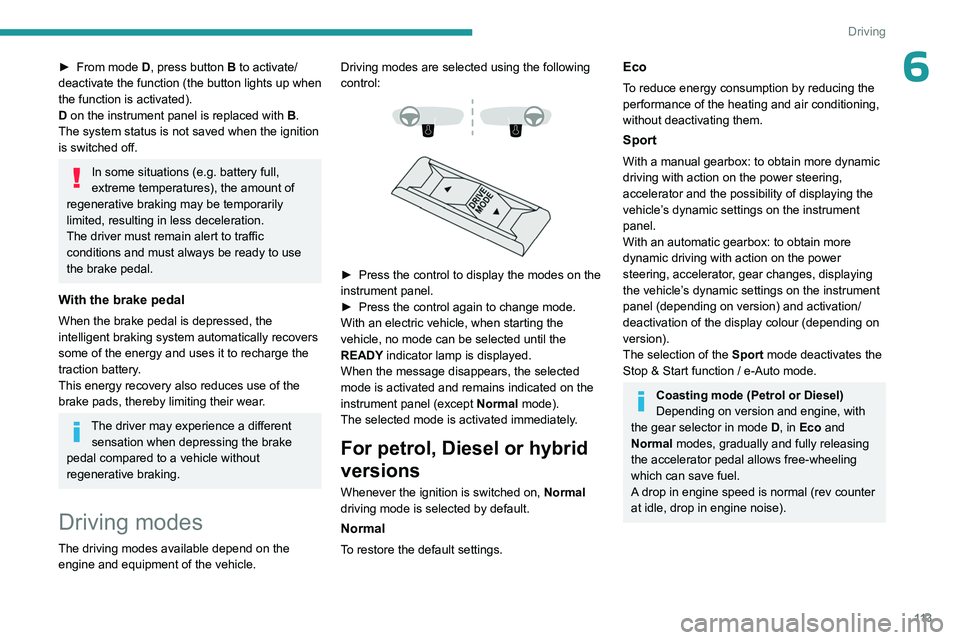
The driving modes available depend on the engine and equipment of the vehicle. Driving modes are selected using the following
control:
► Press the control to display the modes on the
instrument panel.
►
Press the control again to change mode.
With an electric vehicle, when starting the
vehicle, no mode can be selected until the
READY
indicator lamp is displayed.
When the message disappears, the selected
mode is activated and remains indicated on the
instrument panel (except Normal mode).
The selected mode is activated immediately.
For petrol, Diesel or hybrid
versions
Whenever the ignition is switched on, Normal
driving mode is selected by default.
Normal
To restore the default settings.
Eco
To reduce energy consumption by reducing the
performance of the heating and air conditioning,
without deactivating them.
Sport
With a manual gearbox: to obtain more dynamic
driving with action on the power steering,
accelerator and the possibility of displaying the
vehicle’s dynamic settings on the instrument
panel.
With an automatic gearbox: to obtain more
dynamic driving with action on the power
steering, accelerator, gear changes, displaying
the vehicle’s dynamic settings on the instrument
panel (depending on version) and activation/
deactivation of the display colour (depending on
version).
The selection of the Sport mode deactivates the
Stop & Start function / e-Auto mode.
Coasting mode (Petrol or Diesel)
Depending on version and engine, with
the gear selector in mode D, in
Eco and
Normal modes, gradually and fully releasing
the accelerator pedal allows free-wheeling
which can save fuel.
A drop in engine speed is normal (rev counter
at idle, drop in engine noise).
Page 140 of 280
138
Driving
MessagesDriving situations
"Hold steering wheel "
(framed in red) Simultaneous loss of cruise control and lane positioning assist.
Operating limits
The system may issue an alert when the
vehicle is travelling on a long, straight
road with smooth road surface even if the
driver thinks they are holding the steering
wheel correctly.
The system may not operate or may produce
unsuitable corrections to the steering in the
following situations:
–
W
earing thick gloves (with Drive Assist 2.0).
–
Poor visibility (insufficient road lighting,
snowfall, rain, fog).
–
Dazzle (headlamps of an oncoming vehicle,
low sun, reflections on a wet road surface,
leaving a tunnel, alternating light and shade).
–
Windscreen area in front of the camera
dirty
, misted up, frost-covered, snow-covered,
damaged or covered by a sticker.
–
Lane markings eroded, partially hidden (snow
,
mud) or multiple (roadworks, surface joints).
–
T
ravelling in a tight bend.
–
Winding roads.
–
Road surface repairs.
Risk of undesirable operation
The system should be deactivated in the following situations:
–
When changing a wheel or working near a
wheel.
–
T
owing or with a bicycle carrier on a towing
device, especially with trailer not plugged in or
not approved.
–
Adverse weather conditions.
–
Road with low grip (risk of aquaplaning,
snow
, ice).
–
Road works and toll areas.
–
Driving on racing circuits.
–
Driving on a rolling road.
Malfunction
In the event of a malfunction, the
Service warning lamp comes on
and this (orange) symbol appears on the
instrument panel, accompanied by the display of
a message and an audible signal.
Have it checked by a PEUGEOT dealer or a
qualified workshop.
Semi-automatic lane
changing
(with Drive Assist 2.0)
For more information, refer to the
General recommendations on the use
of driving and manoeuvring aids .
This system assists the driver in changing lanes.
To do this, it uses the camera located at the top
of the windscreen, the radar located at the front
and the four angle radars fitted in the bumpers.
The steering wheel is equipped with a hands-on detection system to avoid
distraction on the part of the driver.
For more information on the Hands-on
detection, refer to the corresponding section.
The system cannot in any circumstances replace the need for vigilance on the part
of the driver. The driver remains responsible
for their driving by monitoring their
surroundings and keeping their hands on the
steering wheel.
The driver must act promptly if they believe
that the traffic conditions or the state of the
Page 166 of 280
164
Practical information
Rechargeable hybrid or
electric vehicles - Specific
recommendations
These recommendations and specific information
are only applicable to rechargeable hybrid and
electric vehicles.
They introduce the control unit (mode
2) required
to carry out the standard charging at home.
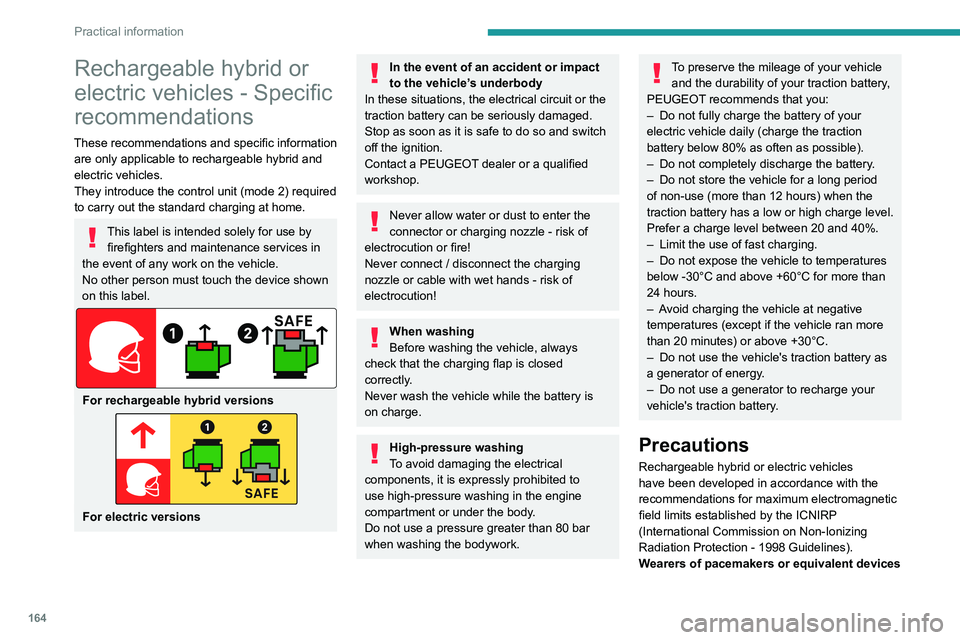
This label is intended solely for use by firefighters and maintenance services in
the event of any work on the vehicle.
No other person must touch the device shown
on this label.
For rechargeable hybrid versions
For electric versions
In the event of an accident or impact
to the vehicle’s underbody
In these situations, the electrical
circuit or the
traction battery can be seriously damaged.
Stop as soon as it is safe to do so and switch
off the ignition.
Contact a PEUGEOT dealer or a qualified
workshop.
Never allow water or dust to enter the
connector or charging nozzle - risk of
electrocution or fire!
Never connect / disconnect the charging
nozzle or cable with wet hands - risk of
electrocution!
When washing
Before washing the vehicle, always
check that the charging flap is closed
correctly.
Never wash the vehicle while the battery is
on charge.
High-pressure washing
To avoid damaging the electrical
components, it is expressly prohibited to
use high-pressure washing in the engine
compartment or under the body.
Do not use a pressure greater than 80 bar
when washing the bodywork.
To preserve the mileage of your vehicle and the durability of your traction battery,
PEUGEOT recommends that you:
–
Do not fully charge the battery of your
electric vehicle daily (charge the traction
battery below 80% as often as possible).
–
Do not completely discharge the battery
.
–
Do not store the vehicle for a long period
of non-use (more than 12
hours) when the
traction battery has a low or high charge level.
Prefer a charge level between 20 and 40%.
–
Limit the use of fast charging.
–
Do not expose the vehicle to temperatures
below -30°C and above +60°C for more than
24
hours.
–
A
void charging the vehicle at negative
temperatures (except if the vehicle ran more
than 20
minutes) or above +30°C.
–
Do not use the vehicle's traction battery as
a generator of energy
.
–
Do not use a generator to recharge your
vehicle's traction battery
.
Precautions
Rechargeable hybrid or electric vehicles
have been developed in accordance with the
recommendations for maximum electromagnetic
field limits established by the ICNIRP
(International Commission on Non-Ionizing
Radiation Protection - 1998 Guidelines).
Wearers of pacemakers or equivalent devices
Page 169 of 280
167
Practical information
7POWERCHARGE FAULT SymbolDescription
(red)
Control unit malfunction. No charging allowed.
If an error indicator reappears after a manual reset,
the control unit must be checked by a PEUGEOT
dealer before the next charge.
(green)
(green)
(red)
The control unit is in diagnostic mode.
Manual reset procedure
The control unit can be reset by simultaneously disconnecting the chargi\
ng connector and the wall socket.
Then, reconnect the wall socket first. For more information, refer to the handbook.
Rechargeable hybrid
system
Electrical system
For more information, refer to the
General recommendations on
electrified vehicles and the Specific
recommendations on rechargeable hybrid
or electric vehicles.
The electrical circuit of the rechargeable hybrid
system is identified by orange cables and its
components are marked with this symbol:
The rechargeable hybrid powertrain uses a voltage of between 240 V and 400 V.
This system may be hot both when the
ignition is on and after switching it off.
Comply with the warning messages shown
on the labels, particularly inside the charging
flap.
Traction battery
The Li-ion (Lithium-ion) traction battery stores
the electrical energy needed to propel the
vehicle.
It is located in the boot.
The traction battery's range varies depending
on the type of driving, the route, the use of
thermal comfort equipment and the ageing of its
components.
The traction battery ageing depends on several factors, such as climatic
conditions and the distance travelled.
Page 175 of 280
173
Practical information
7► Follow the accelerated charging unit
(W allbox) user instructions.
►
Remove the protective cover from the
charging nozzle.
►
Insert the nozzle into the vehicle's charging
connector
.
The start of charging is confirmed by the flashing
of the green light guides in the flap.
If this is not the case, charging has not
started; restart the procedure ensuring that all
connections are properly established.
The red indicator lamp in the flap comes on to
indicate that the nozzle is locked.
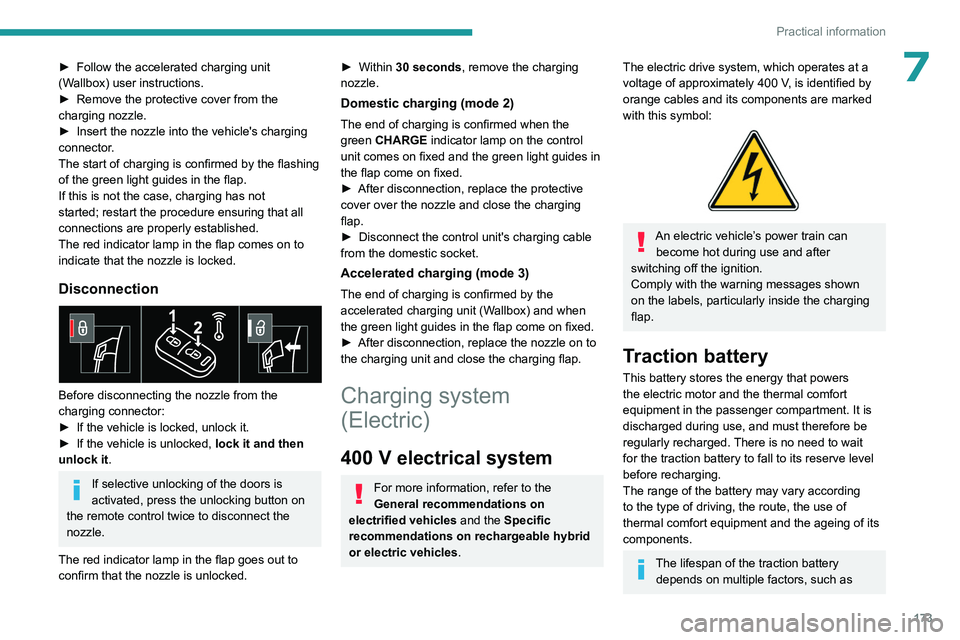
Disconnection
Before disconnecting the nozzle from the
charging connector:
►
If the vehicle is locked, unlock it.
►
If the vehicle is unlocked, lock it and then
unlock it .
If selective unlocking of the doors is
activated, press the unlocking button on
the remote control twice to disconnect the
nozzle.
The red indicator lamp in the flap goes out to
confirm that the nozzle is unlocked.
► Within 30 seconds, remove the charging
nozzle.
Domestic charging (mode 2)
The end of charging is confirmed when the
green CHARGE indicator lamp on the control
unit comes on fixed and the green light guides in
the flap come on fixed.
►
After disconnection, replace the protective
cover over the nozzle and close the charging
flap.
►
Disconnect the control unit's charging cable
from the domestic socket.
Accelerated charging (mode 3)
The end of charging is confirmed by the
accelerated charging unit (Wallbox) and when
the green light guides in the flap come on fixed.
►
After disconnection, replace the nozzle on to
the charging unit and close the charging flap.
Charging system
(Electric)
400 V electrical system
For more information, refer to the
General recommendations on
electrified vehicles and the Specific
recommendations on rechargeable hybrid
or electric vehicles.
The electric drive system, which operates at a
voltage of approximately 400 V, is identified by
orange cables and its components are marked
with this symbol:
An electric vehicle’s power train can become hot during use and after
switching off the ignition.
Comply with the warning messages shown
on the labels, particularly inside the charging
flap.
Traction battery
This battery stores the energy that powers
the electric motor and the thermal comfort
equipment in the passenger compartment. It is
discharged during use, and must therefore be
regularly recharged. There is no need to wait
for the traction battery to fall to its reserve level
before recharging.
The range of the battery may vary according
to the type of driving, the route, the use of
thermal comfort equipment and the ageing of its
components.
The lifespan of the traction battery depends on multiple factors, such as
Page 212 of 280
210
In the event of a breakdown
Wash your hands afterwards.
Electronic control units/LED
technology headlamps
Never connect the negative jump lead to the
metal part of the electronic control units or at
the back of the headlamps.
Risk of destroying the electronic control units
and/or headlamps!
Connect to the remote earth point provided
for this purpose.
Frozen battery
Never try to charge a frozen battery - risk
of explosion!
If the battery has frozen, have it checked by a
PEUGEOT dealer or by a qualified workshop,
who will verify that the internal components
have not been damaged and that the case
has not cracked, which could lead to a risk of
leakage of toxic and corrosive acid.
Automatic gearbox
Never try to start the engine by pushing
the vehicle.
Electric vehicles
Flat accessory battery
It is no longer possible to start the motor
or recharge the traction battery.
Precautions before working on the
accessory battery
Select mode
P, switch off the ignition, check
that the instrument panel is off and that the
vehicle is not being charged.
Jump-starting another vehicle
Do not use the accessory battery to
jump-start another vehicle or to charge
another vehicle's battery.
Symbols
No sparks or naked flames, no smoking.
Always protect your eyes. Explosive gases can cause blindness and injury.
Keep the vehicle's battery out of the reach
of children.
The vehicle's battery contains sulphuric acid which can make you go blind or
cause severe burns.
For more information, refer to the
handbook.
Explosive gases can be present close to
the battery.
For petrol/Diesel versions
Procedure for starting the engine using another
battery or for charging a discharged battery.
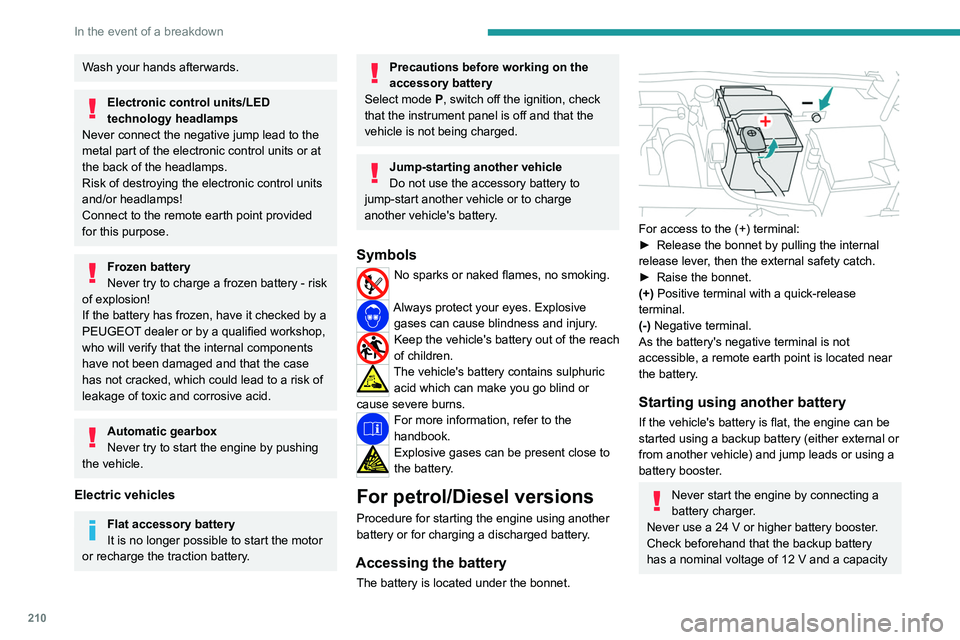
Accessing the battery
The battery is located under the bonnet.
For access to the (+) terminal:
► Release the bonnet by pulling the internal
release lever
, then the external safety catch.
►
Raise the bonnet.
(+)
Positive terminal with a quick-release
terminal.
(-) Negative terminal.
As the battery's negative terminal is not
accessible, a remote earth point is located near
the battery.
Starting using another battery
If the vehicle's battery is flat, the engine can be
started using a backup battery (either external or
from another vehicle) and jump leads or using a
battery booster.
Never start the engine by connecting a
battery charger.
Never use a 24
V or higher battery booster.
Check beforehand that the backup battery
has a nominal voltage of 12
V and a capacity
Page 247 of 280
245
Vehicle data recording and privacy
11Vehicle data recording
and privacy
Electronic control units are installed in your
vehicle. These control units process data
received from the vehicle's sensors, for example,
or data they generate themselves or exchange
with each other. Some of these control units are
required for the correct operation of your vehicle,
some others assist you while driving (driving or
manoeuvring aids), while others provide comfort
or infotainment functions.
The following contains general information about
how data is processed within the vehicle.
You will find additional information about the
specific data which is downloaded, stored
and transmitted to third parties and what it is
used for in your vehicle under the keyword
"Data protection". This information is directly
associated with the references for the functions
in question contained in the corresponding
vehicle handbook, or in the general terms and
conditions of sale.
This information is also available online.
Vehicle operating data
The control units process the data used for the
operation of the vehicle.
This data includes, for example:
–
Information about the state of the vehicle
(e.g.
speed, travel time, lateral acceleration,
wheel rotation rate, fastened seat belts display). –
Environmental conditions (e.g.
temperature,
rain sensor, distance sensor).
As a general rule, this data is temporary, is
not stored for longer than one operating cycle
and is only used within the vehicle itself. The
control units often record this data (including the
vehicle's key). This function allows either the
temporary or permanent storage of information
about the state of the vehicle, stresses on
components, servicing requirements, as well as
events and technical errors.
Depending on the vehicle's equipment level, the
data stored is as follows:
–
Operating state of system components
(e.g.
filling level, tyre pressures, battery charge
status).
–
Faults and malfunctions in important system
components (e.g.
lamps, brakes).
–
System reactions in specific driving situations
(e.g.
deployment of an airbag, triggering of
stability control and braking systems).
–
Information about events which have
damaged the vehicle.
–
For electric and rechargeable hybrid vehicles,
the traction battery charge level and the
estimated driving range.
In particular circumstances (e.g.
if the vehicle
has detected a malfunction), it may be necessary
to record data which would otherwise simply not
be stored.
When taking your vehicle in for servicing
(e.g.
repairs, maintenance), the stored operating
data may be read along with the vehicle's identification number and used if necessary.
The personnel working for the servicing network
(e.g.
garages, manufacturers) or third parties
(e.g. roadside assistance agents) may read
the vehicle's data. This also applies to work
carried out under warranty and quality assurance
measures.
This data is generally read via the OBD
(On-Board Diagnostics) port fitted by law to
the vehicle. It is used to report on the technical
state of the vehicle or its components and
facilitates the diagnosis of malfunctions, in
compliance with warranty obligations and for
quality improvement. This data, in particular the
information relating to stress on components,
technical events, operator errors and other
malfunctions, is sent to the Manufacturer, if
necessary, along with the vehicle's identification
number. The Manufacturer's liability may also be
engaged. The Manufacturer may also use the
operating data taken from the vehicle for product
recalls. This data may also be used to check the
customer's warranty and any claims made under
warranty.
Any malfunctions stored in the vehicle may be
reset by an after-sales service company during
servicing or repair work, or at your request.
Page 251 of 280
249
Alphabetical index
Charging flap (Electric) 174, 177, 179–180
Charging flap (Rechargeable hybrid)
168, 170, 172–173
Charging system (Electric)
7, 173, 189
Charging the battery
214
Charging the traction battery
(Electric)
173, 177, 179–180
Charging the traction battery (Rechargeable
hybrid)
22, 167, 170, 172–173
CHECK
25
Checking the engine oil level
20
Checking the levels
190–191
Checking tyre pressures
(using the kit)
201, 203
Checks
189, 191–193
Checks, routine
191–192
Child lock
97
Children
87, 93–94
Children (safety)
97
Child seats
87, 90–92, 94
Child seats, conventional
94–96
Child seats, i-Size
94–96
Child seats, ISOFIX
93–96
Cleaning (advice)
163–164, 196–198
Closing the boot
33, 37
Closing the doors
33, 37
Collision Risk Alert
142–144
Configuration, vehicle
12, 27
Connection, Bluetooth
237–238
Connectivity
243
Consumptions
28
Container, AdBlue®
194Control, emergency boot release 37
Control, emergency door
35
Control, heated seats
49–50
Controls, steering mounted
106, 109
Control stalk, lighting
69–70
Control stalk, wipers
75–77
Control unit
165, 168–169, 172, 175
Courtesy lamps
64
Cruise control
124, 126, 128–129
Cruise control, adaptive
124, 126, 130–131
Cruise control by speed limit
recognition
124, 126
Cup holder
60
D
Date (setting) 243
Daytime running lamps
70
Deactivating the passenger airbag
89, 92
Deadlocking
31, 33
Deferred charging
29, 172, 178
Deferred charging (Electric)
174, 177
Deferred charging (Rechargeable
hybrid)
28–29, 168, 170
Defrosting
51, 59
Defrosting, front
59
Defrosting, rear screen
59
Demisting
51, 59
Demisting, front
59
Demisting, rear
59
Diagnosis, vehicle
25
Dials and gauges 11
Digital instrument panel
11
Dimensions
227
Dipstick
20, 190
Direction indicators (turn signals)
70, 208–209
Display screen, instrument panel
12
Domestic charging
165
Domestic charging (Electric)
178–180
Domestic charging (Rechargeable
hybrid)
172–173
Door pockets
60
Doors
37
Drive Assist Plus
130
Drive, electric
7, 173, 181, 189, 210, 218, 226
Driver’s attention warning
146–147
Drive selector (Electric)
11 2
Driving
46–47, 98–99, 121
Driving aids camera (warnings)
120
Driving aid shortcuts
121
Driving aids (recommendations)
119
Driving economically
9
Driving modes
11 3
Driving modes (Electric)
11 4
Driving positions (storing)
49
Dynamic stability control (DSC)
85
E
e-Auto mode 56, 117, 160
EBFD
84
Eco-driving (advice)
9
Page 253 of 280
251
Alphabetical index
I
Ignition 101, 242
Ignition on
101
Immobiliser, electronic
100
Indicator, AdBlue® range
21
Indicator, coolant temperature
21
Indicator, engine oil level
20
Indicators, direction
70
Indicator, service
19
Inflating tyres
193, 228
Inflating tyres and accessories
(using the kit)
201, 203
Information, vehicle
11, 245
Infrared camera
120
Instrument panel
11, 25, 25–26, 120
Instrument panels
11
ISOFIX mountings
93, 95–96
J
Jack 200–201, 204
Jump starting
210, 213
K
Key 30, 32, 35
Key, electronic
32–33
Keyless Entry and Starting
30, 32–33, 100–101
Key not recognised 102
Key with remote control
30, 100
Kit, hands-free
237
Kit, puncture repair
200–201
Kit, temporary puncture repair
200–203
Klaxon
81
L
Labels, identification 228
Lamps, parking
70
Lamps, rear
208–209
Lamps with Full LED technology
71, 73
Lane keeping assist
148
Lane positioning assist
130, 135–136
Leather (care)
198
LEDs - Light-emitting diodes
70, 208–209
Level, AdBlue®
191
Level, brake fluid
191
Level, Diesel additive
192
Level, engine coolant
21, 191
Level, engine oil
20, 190
Levels and checks
189–191
Level, screenwash fluid
76, 191
Light-emitting diodes - LEDs
70, 208–209
Lighting, boot
68
Lighting dimmer
25
Lighting, exterior
69, 72
Lighting, guide-me home
71
Lighting, interior
64
Lighting, mood
64
Lighting, welcome 71–72
Loading
185
Load reduction mode
188
Locating your vehicle
31
Locking
31–33
Locking from the inside
34
Locking the doors
34
Log, alerts
25
Long-distance blind spot monitoring
150
Long objects, transporting
64
Lumbar
48
M
Mains socket (domestic network) 168–169, 175
Maintenance (advice)
163–164, 196
Maintenance, routine
120, 191, 193
Manoeuvring aids (recommendations)
119
Map reading lamps
64
Markings, identification
228
Massage function
50
Massage, multi-point
50
Mat
63, 120
Menu, shortcuts
27
Minimum traction battery charge level
(Electric)
24
Mirror, rear view
52
Mirrors, door
51–52, 59, 150
Mirror, vanity
61
Misfuel prevention
161
Mobile application
29, 59, 170, 172, 177, 178
Page 254 of 280
252
Alphabetical index
Motor, electric 101, 114, 163, 167,
189, 224, 226
Motorised tailgate
37–38, 40
Mountings, ISOFIX
93, 95–96
N
Net, high load retaining 67
Net, luggage retaining
66
Normal mode
113–114
O
Obstacle detection 151
Oil change
190
Oil consumption
190
Oil, engine
190
On-board tools
68, 199–201
Opening the bonnet
188–189
Opening the boot
32, 37
Opening the doors
32, 37
P
Pads, brake 193
Paint
197, 228
Paint colour code
228
Parking brake, electric
102–104, 193
Parking (sensors)
151
Parking sensors, audible and visual 151
Parking sensors, front
152
Parking sensors, rear
151
Passenger compartment temperature pre-
conditioning (Rechargeable hybrid)
29, 59
Pedestrian horn (Electric)
99
Personalisation
12, 29
Plates, identification
228
Port, USB
61, 64
Post Collision Safety Brake
84
Power
22
Power indicator (Rechargeable hybrid)
22
Pressures, tyres
193, 202, 228
Pre-tensioning (seat belts)
87
Priming the fuel system
199
Profiles
230
Protecting children
89–94
Proximity Keyless Entry and Start
32
Public fast charging station
175, 178
Puncture
201–202, 204
R
Radar (warnings) 119
Radio
240
Range
10
Range, AdBlue®
21, 191
Reading lamps
64
Rear bench seat
53
Rear cross traffic alert
157
Rear screen (demisting)
59
Rechargeable hybrid engine 28, 218, 224
Rechargeable hybrid system
6, 28, 100, 114, 167
Recharging the battery
210–211, 213, 215
Recharging the traction battery
165
Recharging the traction battery
(Electric)
173, 177, 179–180
Recharging the traction battery
(Rechargeable hybrid)
167, 170, 172–173
Recirculation, air
58
Recorder, trip distance
25
Reduction of electrical load (mode)
188
Regeneration of the particle filter
192
Regenerative braking (deceleration
by engine braking)
110, 112
Reinitialising the remote control
36
Reinitialising the under-inflation detection
system
119
Reminder, lighting on
69
Remote control
30–33, 35
Remote functions
172, 178
Remotely operable functions (Rechargeable
hybrid)
29, 59
Removing a wheel
205–206
Removing the mat
63
Replacing bulbs
207–209
Replacing fuses
209
Replacing the air filter
192
Replacing the oil filter
192
Replacing the passenger compartment
filter
192
Reservoir, screenwash
191