Free-wheel PEUGEOT 308 2024 Owners Manual
[x] Cancel search | Manufacturer: PEUGEOT, Model Year: 2024, Model line: 308, Model: PEUGEOT 308 2024Pages: 280, PDF Size: 8.13 MB
Page 5 of 280
3
Contents
Driving and manoeuvring aids - General
recommendations 11 9
Steering wheel with hands-on detection 121
Shortcuts for driving aids 121
Road signs recognition 122
Speed limiter 126
Cruise control - Specific recommendations 128
Cruise control 128
Drive Assist Plus 130
Drive Assist 2.0 130
Adaptive cruise control 131
Lane positioning assist 135
Semi-automatic lane changing 138
Active Safety Brake with Collision Risk Alert and
Intelligent emergency braking assistance
142
Distraction detection 146
Lane keeping assist 148
Long-distance blind spot monitoring 150
Parking sensors 151
Visiopark 1 153
Visiopark 3 155
Rear cross traffic alert 157
7Practical informationCompatibility of fuels 160
Refuelling 160
Misfuel prevention (Diesel) 161
Electrified vehicles
- General
recommendations
162
Hybrid system 163
Rechargeable hybrid or electric vehicles
-
Specific recommendations
164
Rechargeable hybrid system 167
Charging the traction battery
(Rechargeable hybrid)
170
Charging system (Electric) 173
Charging the traction battery (Electric) 177
Towing device 180
Towing device with quickly detachable
towball
181
Roof bars 184
Very cold climate screens 185
Snow chains 186
Energy economy mode 187
Bonnet 188
Engine compartment 189
Checking levels 189
Checks 191
AdBlue® (BlueHDi) 193
Free-wheeling 195
Advice on care and maintenance 196
8In the event of a breakdownWarning triangle 199
Running out of fuel (Diesel) 199
Tool kit 199
Temporary puncture repair kit 201
Spare wheel 204
Changing a bulb 207
Fuses 209
12
V battery/Accessory batteries 209
Towing the vehicle 217
9Technical dataEngine technical data and towed loads 220
Petrol engines 221
Diesel engines 222
Hybrid engines 223
Rechargeable hybrid engines 224
Electric engines 226
Dimensions 227
Identification markings 228
10 PEUGEOT i-Connect Advanced -PEUGEOT i-Connect
First steps 229
Customisation 232
Steering mounted controls 233
Applications 234
Voice commands 234
Navigation 236
Connectivity 236
Mirror Screen 238
Media 240
Phone 242
Settings 243
Help 243
11Vehicle data recording and privacy
■
Alphabetical index
■
Appendix
Page 106 of 280
104
Driving
Automatic application
With the vehicle stationary, the parking brake
is applied automatically when the engine is
switched off.
It is not applied automatically if the
engine stalls or enters STOP mode with
Stop & Start.
In automatic mode, the parking brake
can be manually applied or released at
any time using the control.
Special cases
Immobilising the vehicle with the
engine running
To immobilise the vehicle with the engine
running, briefly pull the control.
Parking the vehicle with the brake
released
In very cold conditions (ice), applying the
parking brake is not recommended.
To immobilise the vehicle, engage a gear or
place the chocks against one of the wheels.
With an automatic gearbox or drive
selector, mode P is automatically
selected when the ignition is switched off. The
wheels are blocked.
For more information on Free-wheeling, refer
to the corresponding section.
With an automatic gearbox or a drive
selector, if you open the driver's door
while mode N is engaged, an audible signal
will sound and mode P will be engaged. The
audible signal stops when the driver's door is
closed.
Deactivating automatic
operation
In some situations, for example when it is
extremely cold or when towing (e.g. caravan,
breakdown), it may be necessary to deactivate
automatic operation of the system.
►
Start the engine.
►
Use the control to apply the parking brake, if
it is released.
►
T
ake your foot fully off the brake pedal.
►
Push the control for 10 to a maximum of
15
seconds.
►
Release the control.
►
Depress and hold the brake pedal.
►
Pull the control for 2
seconds.
This indicator lamp on the instrument panel comes on to confirm deactivation of
the automatic functions.
►
Release the control and the brake pedal. From this point onwards, only the manual
functions, using the control, allow the parking
brake to be applied and released.
►
Follow this procedure again to reactivate
automatic operation (confirmed by the indicator
lamp on the instrument panel going out).
Emergency braking
If depressing the brake pedal fails to provide
effective braking or in exceptional circumstances
(e.g.
driver unwell, assisted driving), the vehicle
can be braked by sustained pulling on the
electric parking brake control. Braking continues
for as long as the control is kept pulled, and
ceases when the control is released.
The ABS and DSC systems stabilise the vehicle
during emergency braking.
If emergency braking malfunctions, the message
"Parking brake fault" will be displayed on the
instrument panel.
If the ABS and DSC systems
malfunction, indicated by lighting
one or both warning lamps on the instrument
panel, the vehicle’s stability is no longer ensured.
►
In this case, ensure the vehicle's stability by
successive and repeated "pull-release" actions
on the electric parking brake control until the
vehicle comes to a complete stop.
Page 107 of 280
105
Driving
6Manual gearbox
Engaging 5th or 6th gear
► Move the gear selector fully to the right to
engage 5th or 6th gear.
Failure to follow this instruction could
cause permanent damage to the gearbox
(inadvertent engagement of 3
rd or 4th gear).
Engaging reverse gear
► Raise the ring under the knob and move the
gear selector to the left, then forwards.
Only engage reverse gear when the
vehicle is stationary with the engine at
idle.
As a safety precaution and to facilitate engine starting:
►
Always select neutral.
►
Press the clutch pedal.
Automatic gearbox (EAT8/e-EAT8)
For petrol/Diesel versions
Automatic 8-speed gearbox with push selector.
It also offers a manual mode with gear changes
via control paddles located
behind the steering
wheel.
For rechargeable hybrid
versions
Automatic 8-speed gearbox with push selector and regenerative braking function.
With the exception of the manual mode and
regenerative braking function, its operation is
identical to that of other EAT8 gearboxes.
Push selector
P. Auto Park
Press this button to switch to Parking mode.
For parking the vehicle: the front wheels are
blocked.
R. Reverse
N. Neutral
To free-wheel and move the vehicle, with the
ignition off.
For more information on Free-wheeling, refer
to the corresponding section.
D. Driving in automatic mode
The gearbox manages gear changes
according to the style of driving, the road
profile and the vehicle load.
M. Driving in manual mode (Petrol
/ Diesel)
Press this button to switch to manual mode.
The driver changes gear using the steering-
mounted controls.
B. Driving in automatic mode with regenerative
braking function (Rechargeable hybrid)
Press this button to activate the regenerative
braking function.
The gearbox also manages braking when the
accelerator pedal is released.
►
In mode
N, with your foot on the brake pedal,
push without passing the point of resistance: •
Forwards, mode
R is selected.
•
Backwards, mode D
is selected.
Release the selector fully after each push; it
will then return to its initial position.
Page 110 of 280
108
Driving
Major malfunction
This warning lamp comes on, accompanied by the display of a
message.
You must stop the vehicle.
Stop as soon as it is safe to do so and
switch off the ignition.
Contact a PEUGEOT dealer or a qualified
workshop.
Electric dual-clutch
automatic gearbox
(e-DCS6/7)
6-speed or 7-speed electrified dual-clutch
automatic gearbox with push selector for
respectively hybrid vehicles or rechargeable
hybrid vehicles.
It also offers a manual mode with gear changes
via control paddles located behind the steering
wheel.
It includes the 48
V electric motor, which
improves the performance of the petrol engine,
reduces fuel consumption and drives in
all-electric.
Push selector
For hybrid vehicles
For rechargeable hybrid vehicles
P. Auto Park
Press this button to switch to Parking mode.
For parking the vehicle: the front wheels are
blocked.
R. Reverse N.
Neutral
To free-wheel and move the vehicle, with the
ignition off.
For more information on Free-wheeling, refer
to the corresponding section.
D. Driving in automatic mode
The gearbox manages gear changes
according to the style of driving, the road
profile and the vehicle load.
M. Driving in manual mode (Hybrid)
Press this button to switch to manual mode.
The driver changes gear using the steering-
mounted controls.
B. Driving in automatic mode with regenerative
braking function (Rechargeable hybrid)
Press this button to activate the regenerative
braking function.
The gearbox also manages braking when the
accelerator pedal is released.
►
In mode
N, with your foot on the brake pedal,
push without passing the point of resistance: •
Forwards, mode
R is selected.
•
Backwards, mode
D
is selected.
Release the selector fully after each push; it
will then return to its initial position.
Special cases
To avoid mode N (quick change from D to R and
back again):
►
In mode
R, push backwards past the point of
resistance, mode D is selected.
►
In mode
D, push forwards past the point of
resistance, mode R is selected.
Page 114 of 280
11 2
Driving
Major malfunction
This warning lamp comes on, accompanied by the display of a
message.
You must stop the vehicle.
Stop as soon as it is safe to do so and
switch off the ignition.
Contact a PEUGEOT dealer or a qualified
workshop.
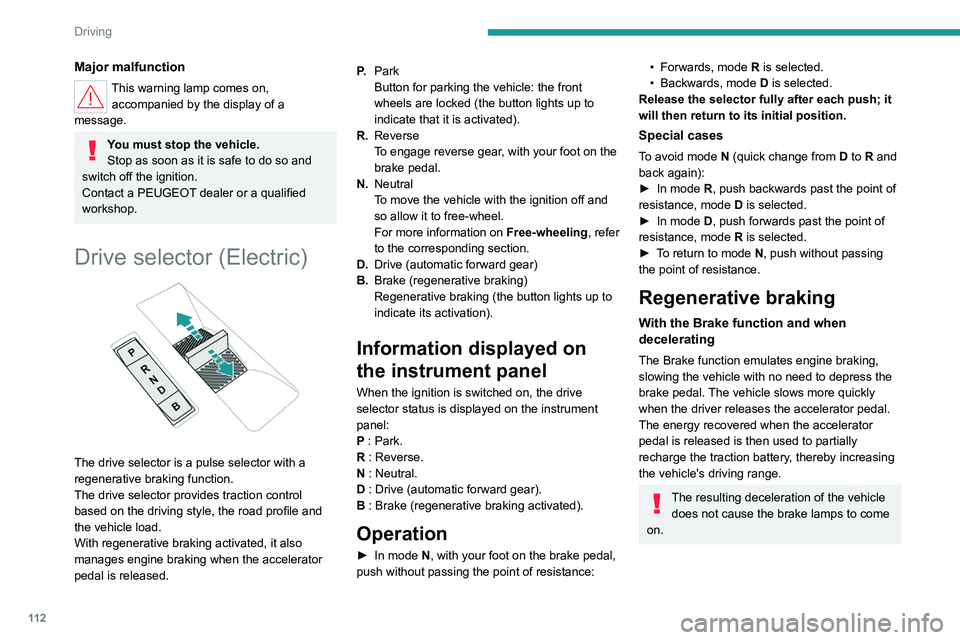
Drive selector (Electric)
The drive selector is a pulse selector with a
regenerative braking function.
The drive selector provides traction control
based on the driving style, the road profile and
the vehicle load.
With regenerative braking activated, it also
manages engine braking when the accelerator
pedal is released. P.
Park
Button for parking the vehicle: the front
wheels are locked (the button lights up to
indicate that it is activated).
R. Reverse
To engage reverse gear, with your foot on the
brake pedal.
N. Neutral
To move the vehicle with the ignition off and
so allow it to free-wheel.
For more information on Free-wheeling, refer
to the corresponding section.
D. Drive (automatic forward gear)
B. Brake (regenerative braking)
Regenerative braking (the button lights up to
indicate its activation).
Information displayed on
the instrument panel
When the ignition is switched on, the drive
selector status is displayed on the instrument
panel:
P : Park.
R : Reverse.
N : Neutral.
D : Drive (automatic forward gear).
B : Brake (regenerative braking activated).
Operation
► In mode N, with your foot on the brake pedal,
push without passing the point of resistance:
• Forwards, mode R is selected.
• Backwards, mode D
is selected.
Release the selector fully after each push; it
will then return to its initial position.
Special cases
To avoid mode N (quick change from D to R and
back again):
►
In mode
R, push backwards past the point of
resistance, mode D is selected.
►
In mode
D, push forwards past the point of
resistance,
mode R is selected.
►
T
o return to mode N, push without passing
the point of resistance.
Regenerative braking
With the Brake function and when
decelerating
The Brake function emulates engine braking,
slowing the vehicle with no need to depress the
brake pedal. The vehicle slows more quickly
when the driver releases the accelerator pedal.
The energy recovered when the accelerator
pedal is released is then used to partially
recharge the traction battery, thereby increasing
the vehicle's driving range.
The resulting deceleration of the vehicle does not cause the brake lamps to come
on.
Page 115 of 280
11 3
Driving
6► From mode D, press button B to activate/
deactivate the function (the button lights up when
the function is activated).
D on the instrument panel is replaced with B.
The system status is not saved when the ignition
is switched off.
In some situations (e.g. battery full,
extreme temperatures), the amount of
regenerative braking may be temporarily
limited, resulting in less deceleration.
The driver must remain alert to traffic
conditions and must always be ready to use
the brake pedal.
With the brake pedal
When the brake pedal is depressed, the
intelligent braking system automatically recovers
some of the energy and uses it to recharge the
traction battery.
This energy recovery also reduces use of the
brake pads, thereby limiting their wear.
The driver may experience a different sensation when depressing the brake
pedal compared to a vehicle without
regenerative braking.
Driving modes
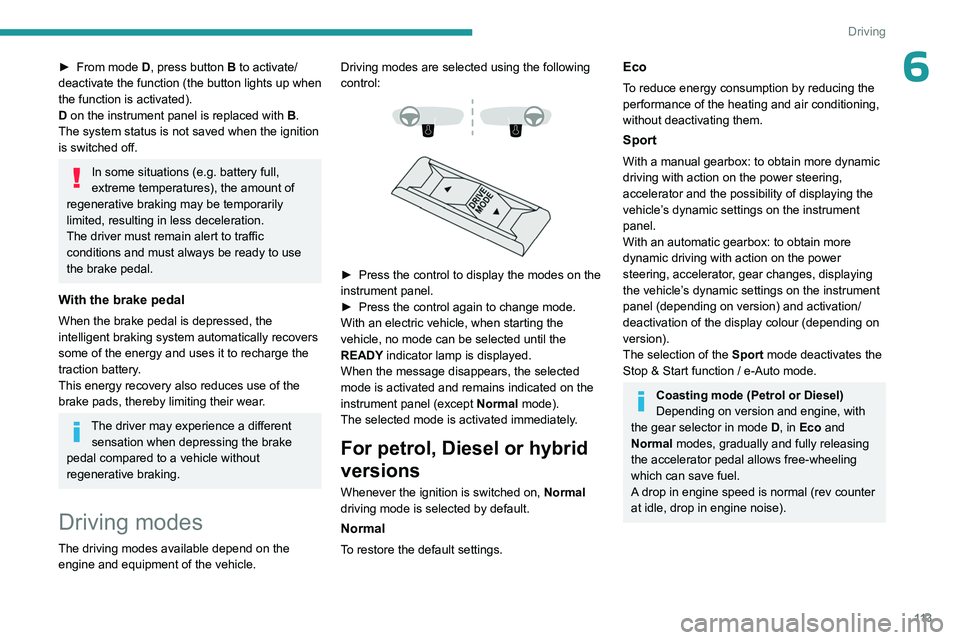
The driving modes available depend on the engine and equipment of the vehicle. Driving modes are selected using the following
control:
► Press the control to display the modes on the
instrument panel.
►
Press the control again to change mode.
With an electric vehicle, when starting the
vehicle, no mode can be selected until the
READY
indicator lamp is displayed.
When the message disappears, the selected
mode is activated and remains indicated on the
instrument panel (except Normal mode).
The selected mode is activated immediately.
For petrol, Diesel or hybrid
versions
Whenever the ignition is switched on, Normal
driving mode is selected by default.
Normal
To restore the default settings.
Eco
To reduce energy consumption by reducing the
performance of the heating and air conditioning,
without deactivating them.
Sport
With a manual gearbox: to obtain more dynamic
driving with action on the power steering,
accelerator and the possibility of displaying the
vehicle’s dynamic settings on the instrument
panel.
With an automatic gearbox: to obtain more
dynamic driving with action on the power
steering, accelerator, gear changes, displaying
the vehicle’s dynamic settings on the instrument
panel (depending on version) and activation/
deactivation of the display colour (depending on
version).
The selection of the Sport mode deactivates the
Stop & Start function / e-Auto mode.
Coasting mode (Petrol or Diesel)
Depending on version and engine, with
the gear selector in mode D, in
Eco and
Normal modes, gradually and fully releasing
the accelerator pedal allows free-wheeling
which can save fuel.
A drop in engine speed is normal (rev counter
at idle, drop in engine noise).
Page 197 of 280
195
Practical information
7Store AdBlue® out of the reach of
children, in its original container.
Procedure
Before starting the top-up procedure, ensure that
the vehicle is parked on a flat and level surface.
In wintry conditions, ensure that the temperature
of the vehicle is above -11°C. Otherwise the
AdBlue
® may be frozen and so cannot be poured
into the tank. Park the vehicle in a warmer area
for a few hours to allow the top-up to be carried
out.
Never pour the AdBlue® into the Diesel
fuel tank.
If any AdBlue® is splashed, or if there are
any spillages on the bodywork, rinse
immediately with cold water or wipe with a
damp cloth.
If the fluid has crystallised, clean it off using a
sponge and hot water.
Important: in the event of a top-up after
an AdBlue breakdown, you must wait
about 5
minutes before switching on the
ignition, without opening the driver's door,
unlocking the vehicle or bringing the
electronic key into the passenger
compartment.
Switch on the ignition, then wait for 10
seconds before starting the engine.
► Press the " START/STOP" button to switch off
the engine.
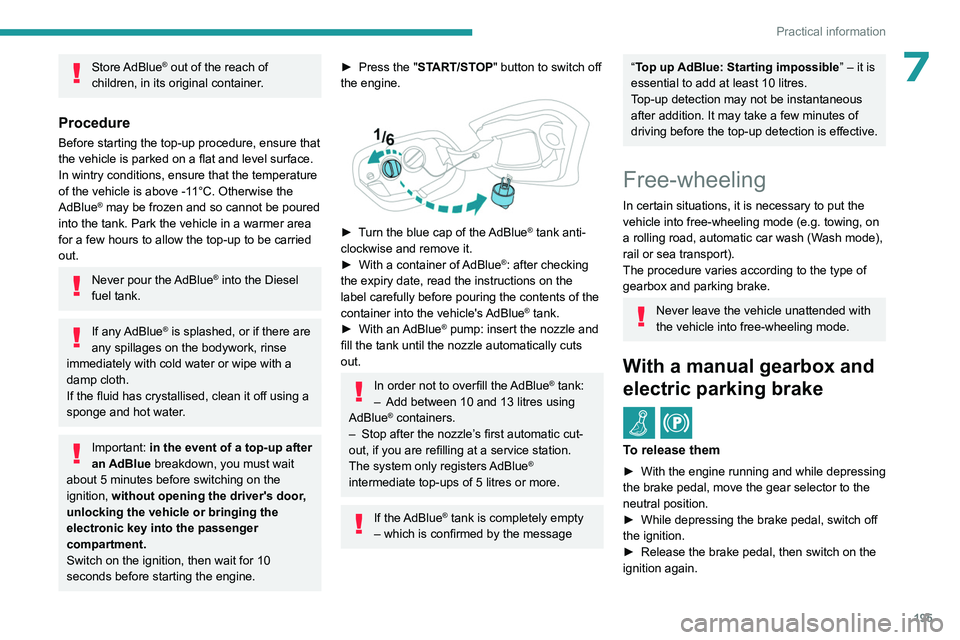
► Turn the blue cap of the AdBlue® tank anti-
clockwise and remove it.
►
With a container of
AdBlue
®: after checking
the expiry date, read the instructions on the
label carefully before pouring the contents of the
container into the vehicle's AdBlue
® tank.
►
With an
AdBlue® pump: insert the nozzle and
fill the tank until the nozzle automatically cuts
out.
In order not to overfill the AdBlue® tank:
–
Add between 10 and 13 litres using
AdBlue® containers.
–
Stop after the nozzle’ s first automatic cut-
out, if you are refilling at a service station.
The system only registers AdBlue
®
intermediate top-ups of 5
litres or more.
If the AdBlue® tank is completely empty
– which is confirmed by the message
“Top up AdBlue: Starting impossible ” – it is
essential to add at least 10 litres.
Top-up detection may not be instantaneous
after addition. It may take a few minutes of
driving before the top-up detection is effective.
Free-wheeling
In certain situations, it is necessary to put the
vehicle into free-wheeling mode (e.g. towing, on
a rolling road, automatic car wash (Wash mode),
rail or sea transport).
The procedure varies according to the type of
gearbox and parking brake.
Never leave the vehicle unattended with
the vehicle into free-wheeling mode.
With a manual gearbox and
electric parking brake
/
To release them
► With the engine running and while depressing
the brake pedal, move the gear selector to the
neutral position.
►
While depressing the brake pedal, switch off
the ignition.
►
Release the brake pedal, then switch on the
ignition again.
Page 198 of 280
196
Practical information
► While depressing the brake pedal, press the
control lever to release the parking brake.
►
Release the brake pedal, then switch off the
ignition.
Reverting to normal operation
► While depressing the brake pedal, restart the
engine.
With automatic gearbox or
drive selector and electric
parking brake
/
Release procedure
With the vehicle stationary and the engine
running:
►
Depress and hold the brake pedal.
►
Select and hold the mode
N
on the push
selector.
►
Press the
START/STOP button around 1 s to
switch off the engine (confirmed by the flashing
of the P and N indicator lights).
►
Release the brake pedal to switch on the
ignition and deactivate the electric parking brake.
A message is displayed on the instrument panel to confirm the unlocking
of the wheels for 15
minutes.
When the vehicle is free-wheeling, the
audio system cannot be updated (message
displayed on the instrument panel).
After 15 minutes or reverting to normal
operation
► While depressing the brake pedal, restart the
engine and select mode P .
Keyless Entry and Start
You must not depress the brake pedal
while switching the ignition on again, then
switching it off. If you do, the engine will start,
requiring you to restart the procedure.
Advice on care and maintenance
General recommendations
Observe the following recommendations to avoid
damaging the vehicle.
Exterior
Never use a high-pressure jet wash in
the engine compartment - risk of
damaging the electrical components!
Do not wash the vehicle in bright sunshine or
extremely cold conditions.
When washing the vehicle in an
automatic roller-brush car wash, be sure
to lock the doors and, depending on version,
move the electronic key away and deactivate
the "hands-free" function (Hands-Free
Tailgate Access).
When using a pressure washer, keep the jet
nozzle at a minimum distance of 30 cm from
the vehicle (particularly when cleaning areas
containing chipped paint, sensors or seals).
Promptly clean up any stains containing
chemicals liable to damage the vehicle's
paintwork (including tree resin, bird
droppings, insect secretions, pollen and tar).
Depending on the environment, clean the
vehicle frequently to remove salty deposits
(in coastal areas), soot (in industrial areas)
and mud/salts (in wet or cold areas). These
substances can be highly corrosive.
Contact a PEUGEOT dealer or a qualified
workshop for advice on removing stubborn
stains requiring special products (such as tar
or insect removers).
Preferably, have paint touch-ups performed
by a PEUGEOT dealer or a qualified
workshop.
Interior
When washing the vehicle, never use a
water hose or high-pressure jet to clean
the interior.
Liquids carried in cups or other open
containers can spill, presenting a risk of
damage to the instruments and controls and
the controls located on the centre console. Be
vigilant!
Page 220 of 280
218
In the event of a breakdown
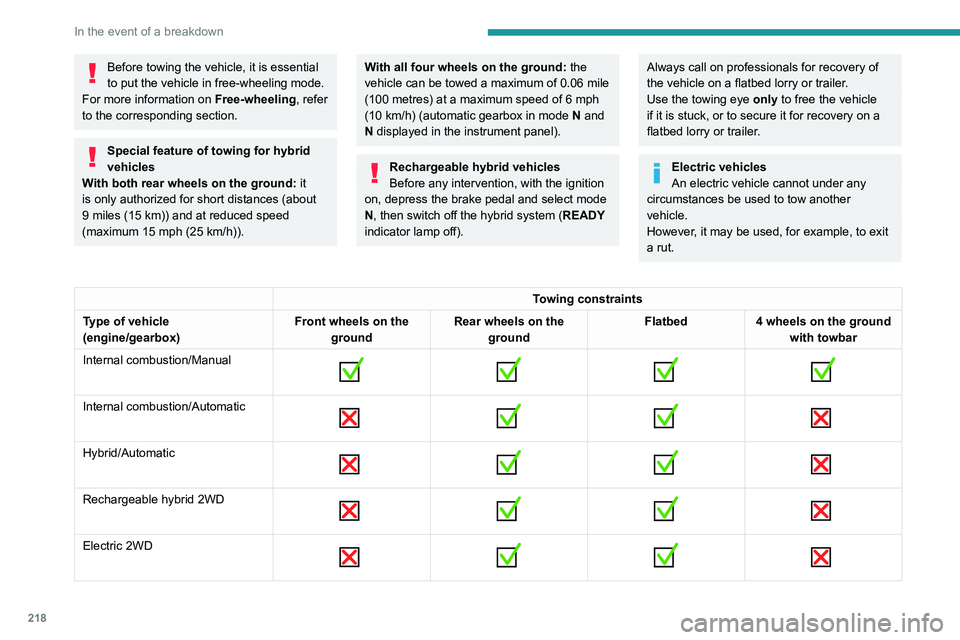
Before towing the vehicle, it is essential
to put the vehicle in free-wheeling mode.
For more information on Free-wheeling, refer
to the corresponding section.
Special feature of towing for hybrid
vehicles
With both rear wheels on the ground: it
is only authorized for short distances (about
9
miles (15 km)) and at reduced speed
(maximum 15
mph (25 km/h)).
With all four wheels on the ground: the
vehicle can be towed a maximum of 0.06 mile
(100
metres) at a maximum speed of 6 mph
(10
km/h) (automatic gearbox in mode N and
N displayed in the instrument panel).
Rechargeable hybrid vehicles
Before any intervention, with the ignition
on, depress the brake pedal and select mode
N, then switch off the hybrid system (READY
indicator lamp off).
Always call on professionals for recovery of
the vehicle on a flatbed lorry or trailer.
Use the towing eye only
to free the vehicle
if it is stuck, or to secure it for recovery on a
flatbed lorry or trailer.
Electric vehicles
An electric vehicle cannot under any
circumstances be used to tow another
vehicle.
However, it may be used, for example, to exit
a rut.
Towing constraints
Type of vehicle
(engine/gearbox) Front wheels on the
ground Rear wheels on the
ground Flatbed
4 wheels on the ground
with towbar
Internal combustion/Manual
Internal combustion/Automatic
Hybrid/Automatic
Rechargeable hybrid 2WD
Electric 2WD
Page 250 of 280
248
Alphabetical index
A
ABS 84
Accelerated charging unit
(Wallbox)
168–169, 175
Accessories
80
Accessories, electrical
80
Active LED Vision
71, 73
Active Safety Brake
142–145
AdBlue®
21, 193
AdBlue® tank
195
Additive, Diesel
192
Adjusting headlamps
70
Adjusting head restraints
47
Adjusting seat
47–48
Adjusting the air distribution
56–57
Adjusting the air flow
56–57
Adjusting the headlamp beam height
70
Adjusting the height and reach of
the steering wheel
51
Adjusting the lumbar support
48
Adjusting the seat angle
48
Adjusting the temperature
56
Adjusting the time
243
Advice on care and
maintenance
163–164, 196
Advice on driving
9, 98–99
Airbags
88, 90, 92
Airbags, curtain
89–90
Airbags, front
89–90, 92
Airbags, lateral
89–90
Air conditioning
55–56, 58
Air conditioning, automatic 59
Air conditioning, dual-zone automatic
56
Air intake
58
Air vents
55
Alarm
41–42
Amplifier, audio
63
Anti-lock braking system (ABS)
84
Antitheft / Immobiliser
32
Applications
27, 29
Armrest, front
63
Armrest, rear
64
Assistance call
81–82
Assistance, emergency braking
84, 144
Audio streaming (Bluetooth)
241
B
Battery, 12 V 187, 192, 209–216
Battery, 48 V
163, 214
Battery, ancillaries
209–210
Battery, charging
210–211, 213–215
Battery, remote control
35–36
Blanking screen (snow shield)
185
Blind
44
BlueHDi
21, 191, 199
Bluetooth (hands-free)
237
Bluetooth (telephone)
237–238
Bodywork
197
Bonnet
188–189
Boot
37, 40, 68
Brake discs
193
Brake lamps 208–209
Brakes
193
Braking
110, 112
Braking assistance system
84
Braking, automatic emergency
142–145
Braking, dynamic emergency
103–104
Bulbs (changing)
207–209
C
Capacity, fuel tank 160
Care of the bodywork
197
Central locking
33–34
Changing a bulb
207–209
Changing a fuse
209
Changing a wheel
200, 204
Changing a wiper blade
78
Changing the remote control battery
35
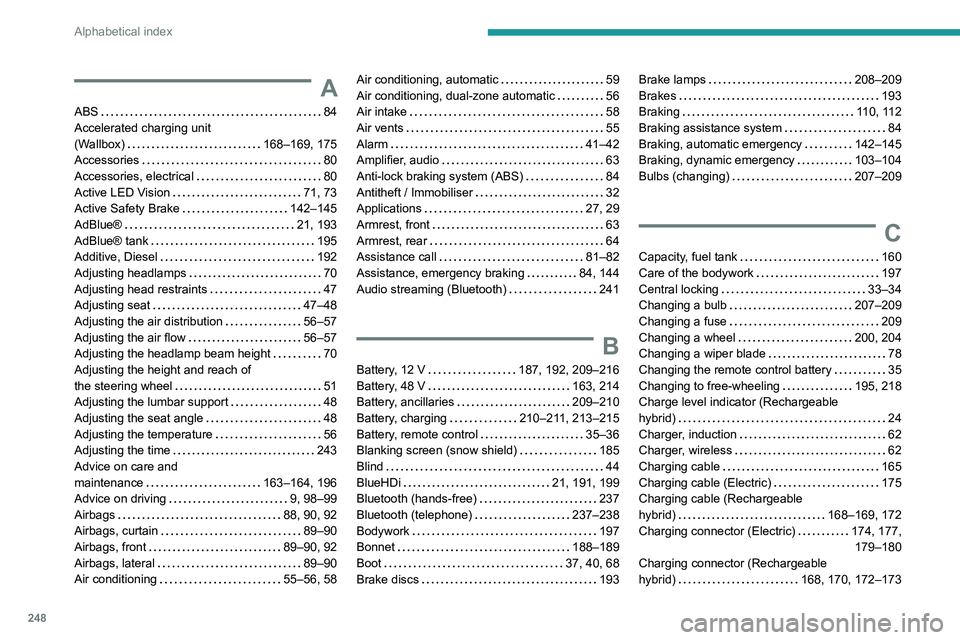
Changing to free-wheeling
195, 218
Charge level indicator (Rechargeable
hybrid)
24
Charger, induction
62
Charger, wireless
62
Charging cable
165
Charging cable (Electric)
175
Charging cable (Rechargeable
hybrid)
168–169, 172
Charging connector (Electric)
174, 177, 179–180
Charging connector (Rechargeable
hybrid)
168, 170, 172–173