Switch Peugeot 308 CC 2011 Owner's Manual
[x] Cancel search | Manufacturer: PEUGEOT, Model Year: 2011, Model line: 308 CC, Model: Peugeot 308 CC 2011Pages: 292, PDF Size: 40.04 MB
Page 263 of 292
261
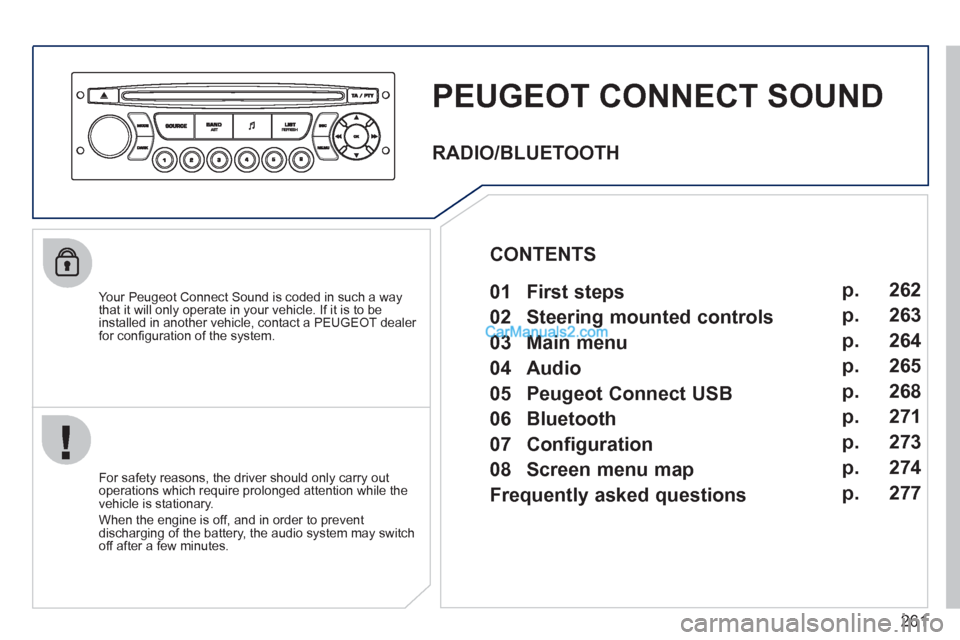
PEUGEOT CONNECT SOUND
Your Peugeot Connect Sound is coded in such a way
that it will only operate in your vehicle. If it is to be
installed in another vehicle, contact a PEUGEOT dealer
for confi guration of the system.
For safety reasons, the driver should only carry out
operations which require prolonged attention while the
vehicle is stationary.
When the engine is off, and in order to prevent
discharging of the battery, the audio system may switch
off after a few minutes.
RADIO/BLUETOOTH
01 First steps
02 Steering mounted controls
03 Main menu
04 Audio
05 Peugeot Connect USB
06 Bluetooth
07 Configuration
08 Screen menu map
Frequently asked questions p.
p.
p.
p.
p.
p.
p.
p.
p. 262
263
264
265
268
271
273
274
277
CONTENTS
Page 270 of 292
268
05
1
1
2
3
PEUGEOT CONNECT USB
The system puts together playlists (temporary memory) created
over a period which depends on the capacity of the USB device.
The other sources are available during this time.
The playlists are updated each time the ignition is switched off or
each time a USB memory stick is connected.
When connecting for the fi rst time, the classifi cation suggested
is by folder. When you reconnect, the classifi cation selected
previously is retained.
Connect the memory stick to the port, directly or
using a lead. If the audio equipment is switched
on, the USB source is detected as soon as it
is connected. Play begins automatically after a
delay which depends on the capacity of the USB
memory stick.
The fi le formats recognised are .mp3
(mpeg1 layer 3 only), .wma (standard 9 only,
128 kbits/sec compression), .wav and .ogg.
The playlists types accepted are m3u, .pls, .wpl.
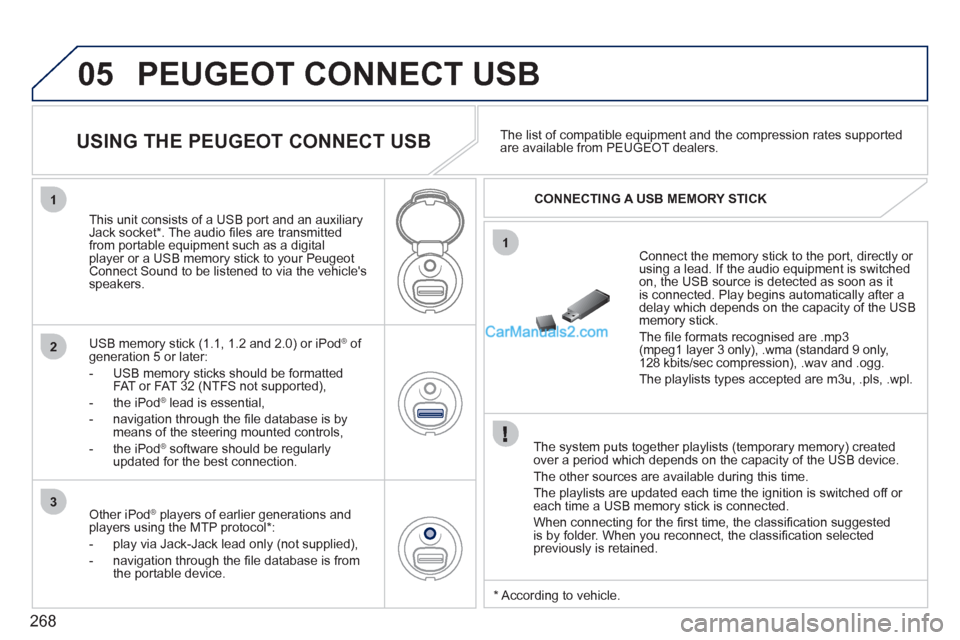
This unit consists of a USB port and an auxiliary
Jack socket * . The audio fi les are transmitted
from portable equipment such as a digital
player or a USB memory stick to your Peugeot
Connect Sound to be listened to via the vehicle's
speakers.
USB memory stick (1.1, 1.2 and 2.0) or iPod
®
of
generation 5 or later:
- USB memory sticks should be formatted
FAT or FAT 32 (NTFS not supported),
- the iPod
®
lead is essential,
- navigation through the fi le database is by
means of the steering mounted controls,
- the iPod
®
software should be regularly
updated for the best connection.
The list of compatible equipment and the compression rates supported
are available from PEUGEOT dealers.
USING THE PEUGEOT CONNECT USB
CONNECTING A USB MEMORY STICK
Other iPod
®
players of earlier generations and
players using the MTP protocol * :
- play via Jack-Jack lead only (not supplied),
- navigation through the fi le database is from
the portable device.
* According to vehicle.
Page 280 of 292
278
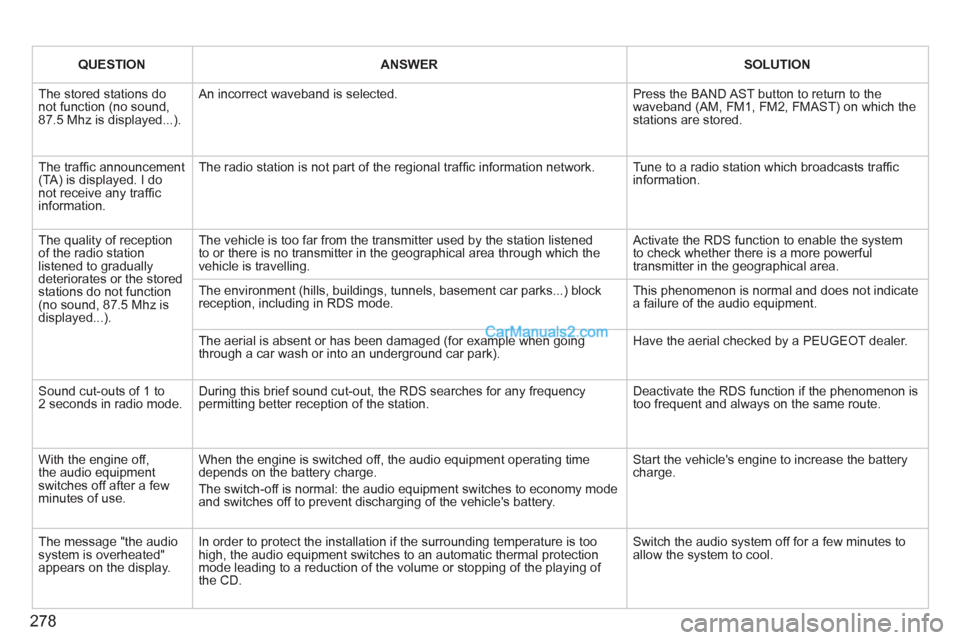
QUESTION
ANSWER
SOLUTION
The stored stations do
not function (no sound,
87.5 Mhz is displayed...). An incorrect waveband is selected. Press the BAND AST button to return to the
waveband (AM, FM1, FM2, FMAST) on which the
stations are stored.
The traffi c announcement
(TA) is displayed. I do
not receive any traffi c
information. The radio station is not part of the regional traffi c information network. Tune to a radio station which broadcasts traffi c
information.
The quality of reception
of the radio station
listened to gradually
deteriorates or the stored
stations do not function
(no sound, 87.5 Mhz is
displayed...). The vehicle is too far from the transmitter used by the station listened
to or there is no transmitter in the geographical area through which the
vehicle is travelling. Activate the RDS function to enable the system
to check whether there is a more powerful
transmitter in the geographical area.
The environment (hills, buildings, tunnels, basement car parks...) block
reception, including in RDS mode. This phenomenon is normal and does not indicate
a failure of the audio equipment.
The aerial is absent or has been damaged (for example when going
through a car wash or into an underground car park). Have the aerial checked by a PEUGEOT dealer.
Sound cut-outs of 1 to
2 seconds in radio mode. During this brief sound cut-out, the RDS searches for any frequency
permitting better reception of the station. Deactivate the RDS function if the phenomenon is
too frequent and always on the same route.
With the engine off,
the audio equipment
switches off after a few
minutes of use. When the engine is switched off, the audio equipment operating time
depends on the battery charge.
The switch-off is normal: the audio equipment switches to economy mode
and switches off to prevent discharging of the vehicle's battery. Start the vehicle's engine to increase the battery
charge.
The message "the audio
system is overheated"
appears on the display. In order to protect the installation if the surrounding temperature is too
high, the audio equipment switches to an automatic thermal protection
mode leading to a reduction of the volume or stopping of the playing of
the CD. Switch the audio system off for a few minutes to
allow the system to cool.
Page 283 of 292
281
VISUAL SEARCH
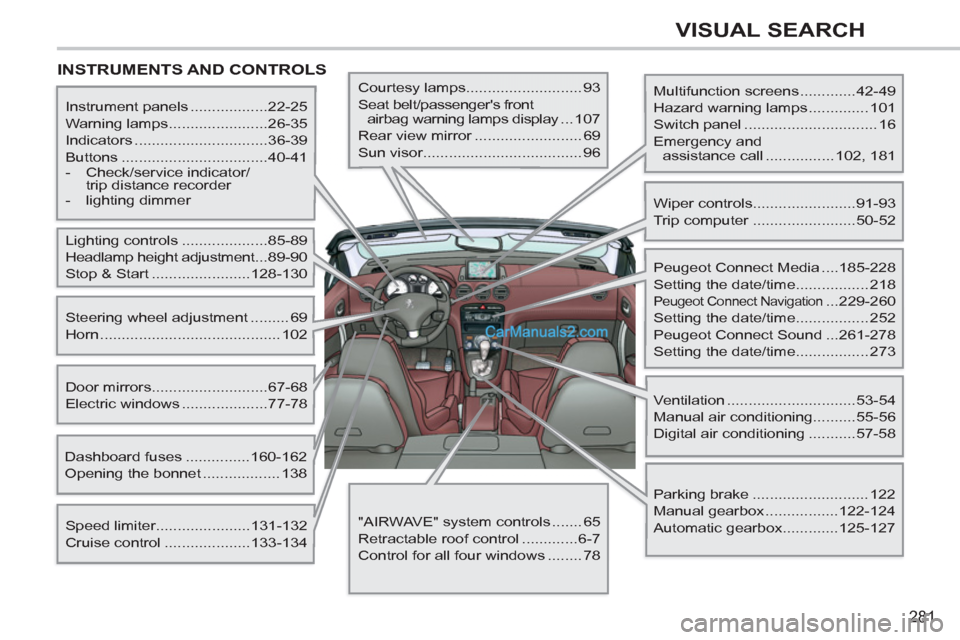
INSTRUMENTS AND CONTROLS
Multifunction screens .............42-49
Hazard warning lamps .............. 101
Switch panel ............................... 16
Emergency and
assistance call ................ 102, 181
Instrument panels ..................22-25
Warning lamps .......................26-35
Indicators ...............................36-39
Buttons ..................................40-41
- Check/service indicator/
trip distance recorder
- lighting dimmer
Lighting controls ....................85-89
Headlamp height adjustment ...89-90
Stop & Start .......................128-130
Speed limiter......................131-132
Cruise control ....................133-134
Door mirrors ...........................67-68
Electric windows ....................77-78
Dashboard fuses ...............160-162
Opening the bonnet .................. 138
Steering wheel adjustment ......... 69
Horn .......................................... 102
Courtesy lamps........................... 93
Seat belt/passenger's front
airbag warning lamps display ...107
Rear view mirror ......................... 69
Sun visor..................................... 96
Wiper controls........................91-93
Trip computer ........................50-52
Peugeot Connect Media ....185-228
Setting the date/time................. 218
Peugeot Connect Navigation ...229-260
Setting the date/time................. 252
Peugeot Connect Sound ...261-278
Setting the date/time................. 273
Ventilation ..............................53-54
Manual air conditioning..........55-56
Digital air conditioning ...........57-58
Parking brake ........................... 122
Manual gearbox .................122-124
Automatic gearbox.............125-127
"AIRWAVE" system controls ....... 65
Retractable roof control .............6-7
Control for all four windows ........ 78