brake PEUGEOT 4008 2014 User Guide
[x] Cancel search | Manufacturer: PEUGEOT, Model Year: 2014, Model line: 4008, Model: PEUGEOT 4008 2014Pages: 368, PDF Size: 20.33 MB
Page 110 of 368
108
Driving
Starting - stopping the engine with the key
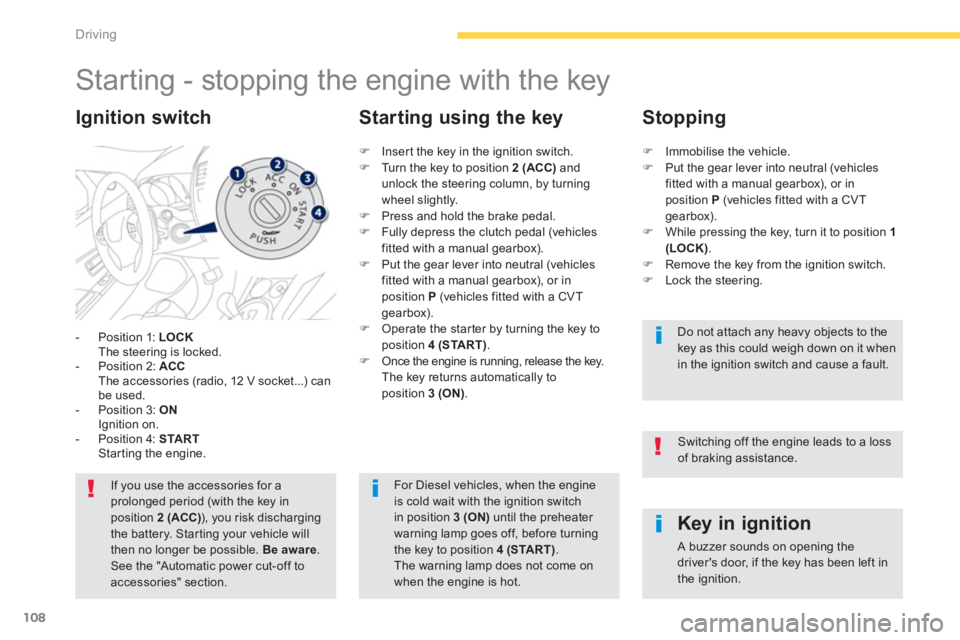
- Position 1: LOCK
The steering is locked.
- Position 2: ACC
The accessories (radio, 12 V socket...) can
be used.
- Position 3: ON
Ignition on.
- Position 4: START
Starting the engine.
Ignition switch
If you use the accessories for a
prolonged period (with the key in
position 2 (ACC)
), you risk discharging
the battery. Starting your vehicle will
then no longer be possible. Be aware
.
See the "Automatic power cut-off to
accessories" section.
Key in ignition
A buzzer sounds on opening the
driver's door, if the key has been left in
the ignition.
)
Insert the key in the ignition switch.
)
Turn the key to position 2 (ACC)
and
unlock the steering column, by turning
wheel slightly.
)
Press and hold the brake pedal.
)
Fully depress the clutch pedal (vehicles
fitted with a manual gearbox).
)
Put the gear lever into neutral (vehicles
fitted with a manual gearbox), or in
position P
(vehicles fitted with a CVT
gearbox).
)
Operate the starter by turning the key to
position 4 (START)
.
)
Once the engine is running, release the key.
The key returns automatically to
position 3 (ON)
.
Starting using the key
Stopping
)
Immobilise the vehicle.
)
Put the gear lever into neutral (vehicles
fitted with a manual gearbox), or in
position P
(vehicles fitted with a CVT
gearbox).
)
While pressing the key, turn it to position 1
(LOCK)
.
)
Remove the key from the ignition switch.
)
Lock the steering.
Do not attach any heavy objects to the
key as this could weigh down on it when
in the ignition switch and cause a fault.
For Diesel vehicles, when the engine
is cold wait with the ignition switch
in position 3 (ON)
until the preheater
warning lamp goes off, before turning
the key to position 4 (START)
.
The warning lamp does not come on
when the engine is hot.
Switching off the engine leads to a loss
of braking assistance.
Page 111 of 368
109
4
Driving
Changing the mode of the
vehicle
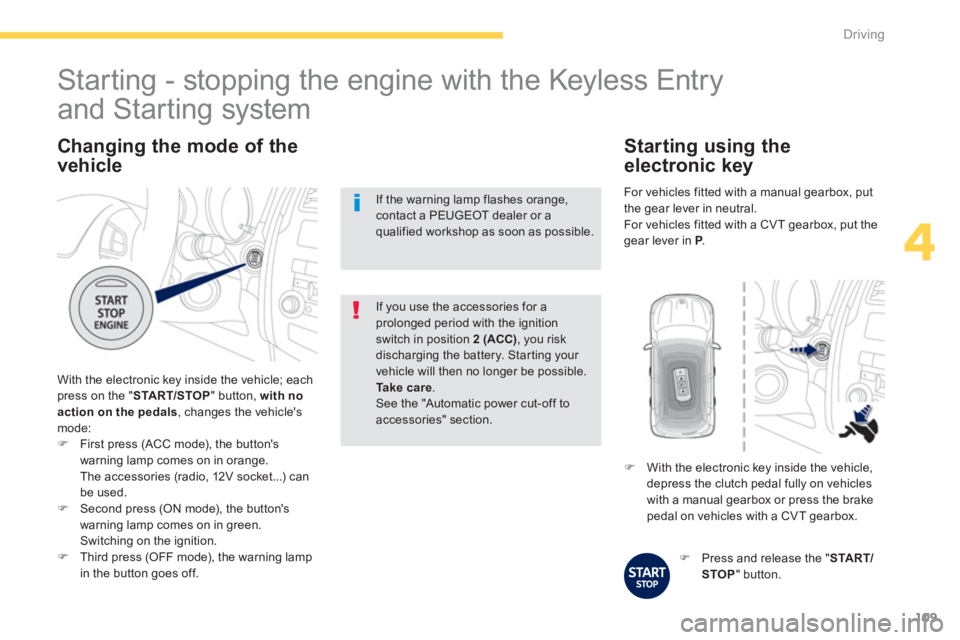
With the electronic key inside the vehicle; each
press on the " START/STOP
" button, with no
action on the pedals, changes the vehicle's
mode:
)
First press (ACC mode), the button's
warning lamp comes on in orange.
The accessories (radio, 12V socket...) can
be used.
)
Second press (ON mode), the button's
warning lamp comes on in green.
Switching on the ignition.
)
Third press (OFF mode), the warning lamp
in the button goes off.
If you use the accessories for a
prolonged period with the ignition
switch in position 2 (ACC)
, you risk
discharging the battery. Starting your
vehicle will then no longer be possible.
Ta k e c a r e
.
See the "Automatic power cut-off to
accessories" section.
Starting - stopping the engine with the Keyless Entry
and Starting system
If the warning lamp flashes orange,
contact a PEUGEOT dealer or a
qualified workshop as soon as possible.
)
Press and release the " START/
STOP
" button.
)
With the electronic key inside the vehicle,
depress the clutch pedal fully on vehicles
with a manual gearbox or press the brake
pedal on vehicles with a CVT gearbox.
Starting using the
electronic key
For vehicles fitted with a manual gearbox , put
the gear lever in neutral.
For vehicles fitted with a CVT gearbox , put the
gear lever in P
.
Page 113 of 368
111
4
Driving
Once the engine has started, you can
remove the electronic key from its
housing A
and close the glove box.
Back-up starting with the
electronic key
The message is displayed
when you open the driver's
door and the electronic key
has not been removed from
its location A
. Remember to take the electronic
key with you when you leave the vehicle.
)
Press the brake pedal on vehicles fitted
with a CVT gearbox or depress the clutch
pedal fully on vehicles with a manual
gearbox.
)
Press the " START/STOP
" button.
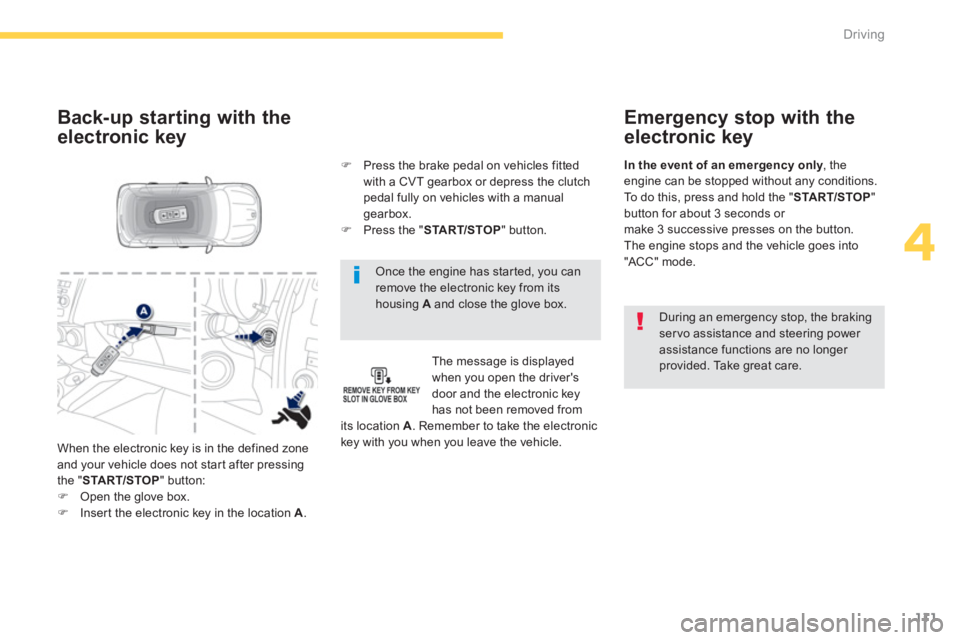
When the electronic key is in the defined zone
and your vehicle does not start after pressing
the " START/STOP
" button:
)
Open the glove box.
)
Insert the electronic key in the location A
.
Emergency stop with the
electronic key
During an emergency stop, the braking
servo assistance and steering power
assistance functions are no longer
provided. Take great care.
In the event of an emergency only
, the
engine can be stopped without any conditions.
To do this, press and hold the " START/STOP
"
button for about 3 seconds or
make 3 successive presses on the button.
The engine stops and the vehicle goes into
"ACC" mode.
Page 114 of 368
112
Driving
Anti-theft protection
Electronic engine immobiliser
The keys contain an electronic chip which has
a secret code. When the ignition is switched
on, this code must be recognised in order for
starting to be possible.
This electronic engine immobiliser locks the
engine management system a few minutes
after the ignition is switched off and prevents
starting of the engine by anyone who does not
have the key.
In the event of a malfunction, you are informed
by a message in the instrument panel screen.
In this case, your vehicle does not start; contact
a PEUGEOT dealer as soon as possible.
Applying
)
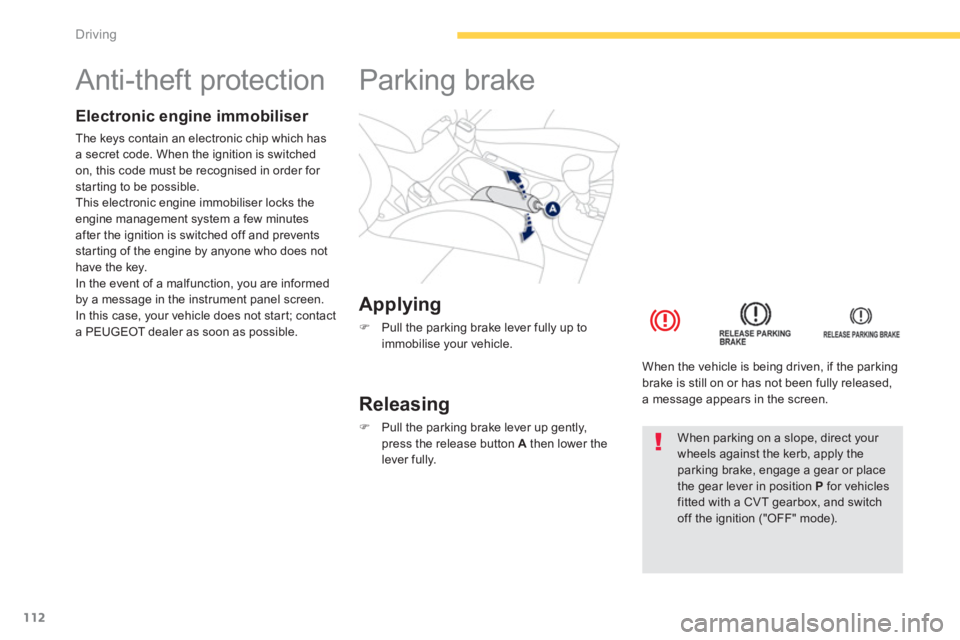
Pull the parking brake lever fully up to
immobilise your vehicle.
Parking brake
Releasing
)
Pull the parking brake lever up gently,
press the release button A
then lower the
lever fully.
When the vehicle is being driven, if the parking
brake is still on or has not been fully released,
a message appears in the screen.
When parking on a slope, direct your
wheels against the kerb, apply the
parking brake, engage a gear or place
the gear lever in position P
for vehicles
fitted with a CVT gearbox, and switch
off the ignition ("OFF" mode).
Page 118 of 368
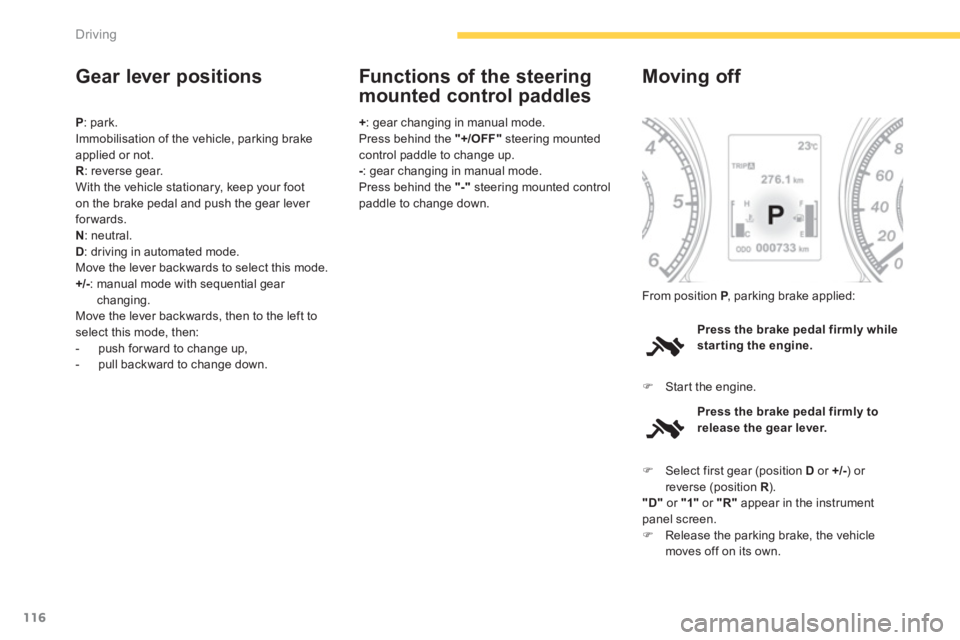
116
Driving
Gear lever positions
P
: park.
Immobilisation of the vehicle, parking brake
applied or not.
R
: reverse gear.
With the vehicle stationary, keep your foot
on the brake pedal and push the gear lever
forwards.
N
: neutral.
D
: driving in automated mode.
Move the lever backwards to select this mode.
+/-
: manual mode with sequential gear
changing.
Move the lever backwards, then to the left to
select this mode, then:
- push for ward to change up,
- pull backward to change down.
+
: gear changing in manual mode.
Press behind the "+/OFF"
steering mounted
control paddle to change up.
-
: gear changing in manual mode.
Press behind the "-"
steering mounted control
paddle to change down.
Functions of the steering
mounted control paddles
Press the brake pedal firmly while
star ting the engine.
Moving off
)
Start the engine. From position P
, parking brake applied:
Press the brake pedal firmly to
release the gear lever.
)
Select first gear (position D
or +/-
) or
reverse (position R
).
"D"
or "1"
or "R"
appear in the instrument
panel screen.
)
Release the parking brake, the vehicle
moves off on its own.
Page 119 of 368
117
4
Driving
Stopping - Starting on a slope
It is essential to use the parking brake to
hold the vehicle on a slope and not the
accelerator pedal.
When starting on a slope, accelerate gradually
while releasing the parking brake.
Manual mode
)
Select position +/-
.
)
Use the steering mounted controls or the
gear lever to change gear.
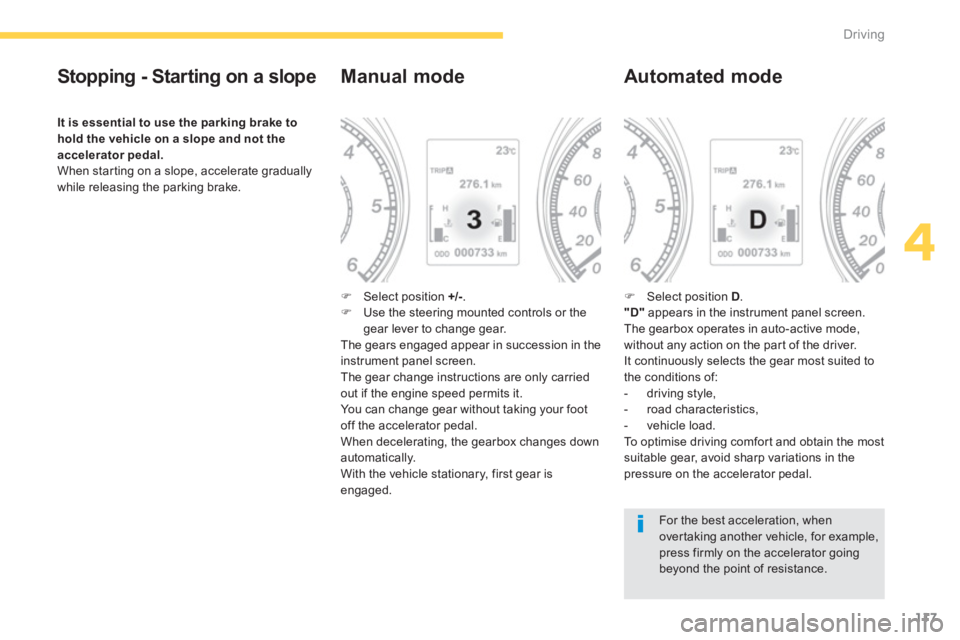
The gears engaged appear in succession in the
instrument panel screen.
The gear change instructions are only carried
out if the engine speed permits it.
You can change gear without taking your foot
off the accelerator pedal.
When decelerating, the gearbox changes down
automatically.
With the vehicle stationary, first gear is
engaged.
Automated mode
)
Select position D
.
"D"
appears in the instrument panel screen.
The gearbox operates in auto-active mode,
without any action on the part of the driver.
It continuously selects the gear most suited to
the conditions of:
- driving style,
- road characteristics,
- vehicle load.
To optimise driving comfort and obtain the most
suitable gear, avoid sharp variations in the
pressure on the accelerator pedal.
For the best acceleration, when
overtaking another vehicle, for example,
press firmly on the accelerator going
beyond the point of resistance.
Page 120 of 368
118Driving
Manual gear changing
In the automated mode, you can take over
control temporarily at any time using the
steering mounted controls.
The use of these controls permits manual
selection of the gears in situations which
require a faster change down than that offered
in automated mode (arrival at a roundabout,
exit from a car park with a steep gradient,
over taking...).
The gearbox engages the gear requested if
the engine speed permits it. The gear engaged
appears.
To return to the automated mode, do one of the
following:
- press the back of the "+/OFF"
steering
mounted control 3
for approximately
2 seconds,
- move the gear lever quickly towards
position +/-
and then return it to position D
,
- stop the vehicle.
Stopping the vehicle
Operating fault
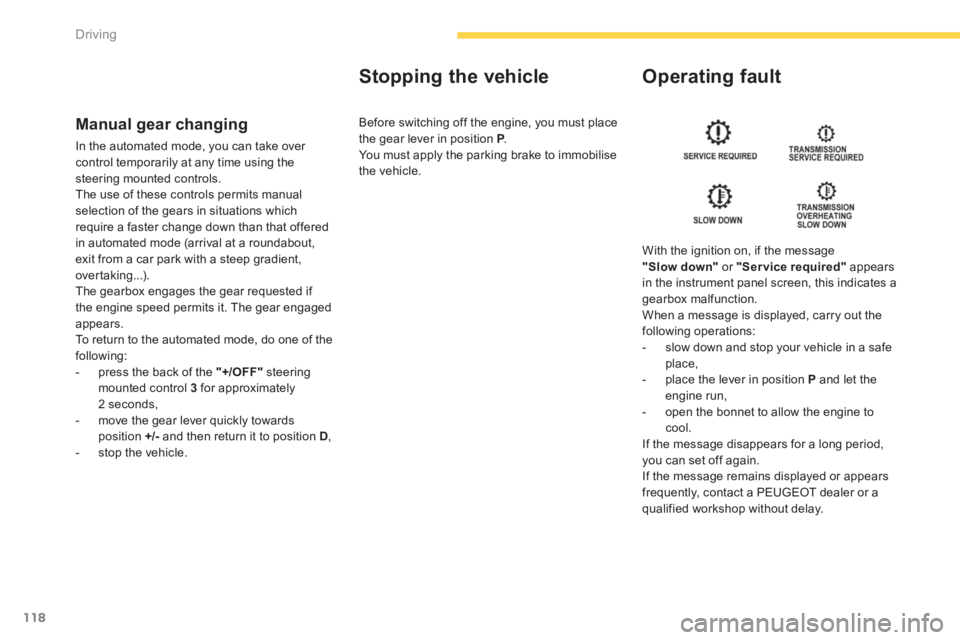
With the ignition on, if the message
"Slow down"
or "Service required"
appears
in the instrument panel screen, this indicates a
gearbox malfunction.
When a message is displayed, carry out the
following operations:
- slow down and stop your vehicle in a safe
place,
- place the lever in position P
and let the
engine run,
- open the bonnet to allow the engine to
cool.
If the message disappears for a long period,
you can set off again.
If the message remains displayed or appears
frequently, contact a PEUGEOT dealer or a
qualified workshop without delay. Before switching off the engine, you must place
the gear lever in position P
.
You must apply the parking brake to immobilise
the vehicle.
Page 121 of 368
119
4
Driving
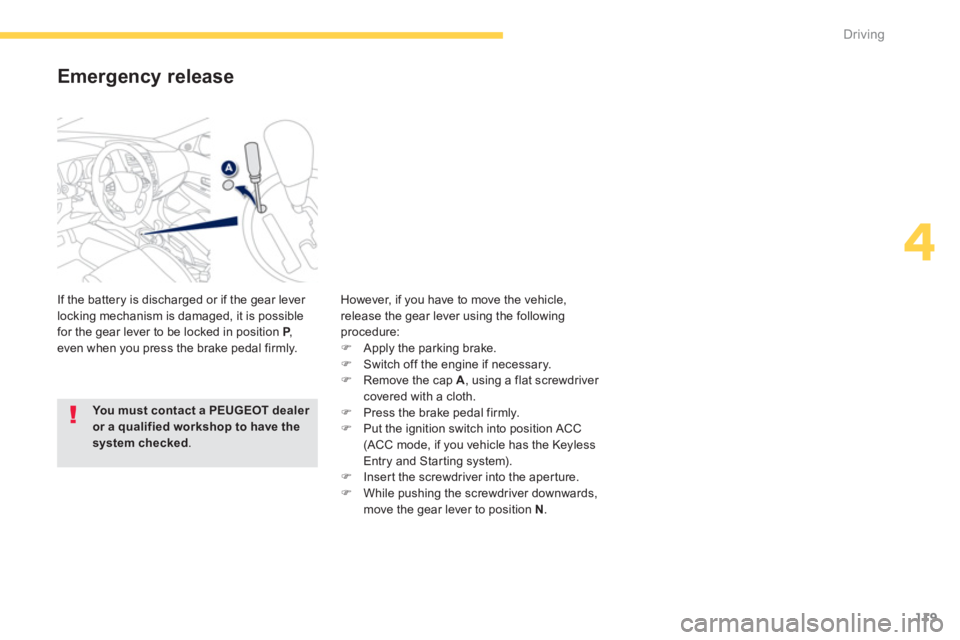
Emergency release
If the battery is discharged or if the gear lever
locking mechanism is damaged, it is possible
for the gear lever to be locked in position P
,
even when you press the brake pedal firmly. However, if you have to move the vehicle,
release the gear lever using the following
procedure:
)
Apply the parking brake.
)
Switch off the engine if necessary.
)
Remove the cap A
, using a flat screwdriver
covered with a cloth.
)
Press the brake pedal firmly.
)
Put the ignition switch into position ACC
(ACC mode, if you vehicle has the Keyless
Entry and Starting system).
)
Insert the screwdriver into the aperture.
)
While pushing the screwdriver downwards,
move the gear lever to position N
.
You must contact a PEUGEOT dealer
or a qualified workshop to have the
system checked
.
Page 122 of 368
120
Driving
Hill start assist
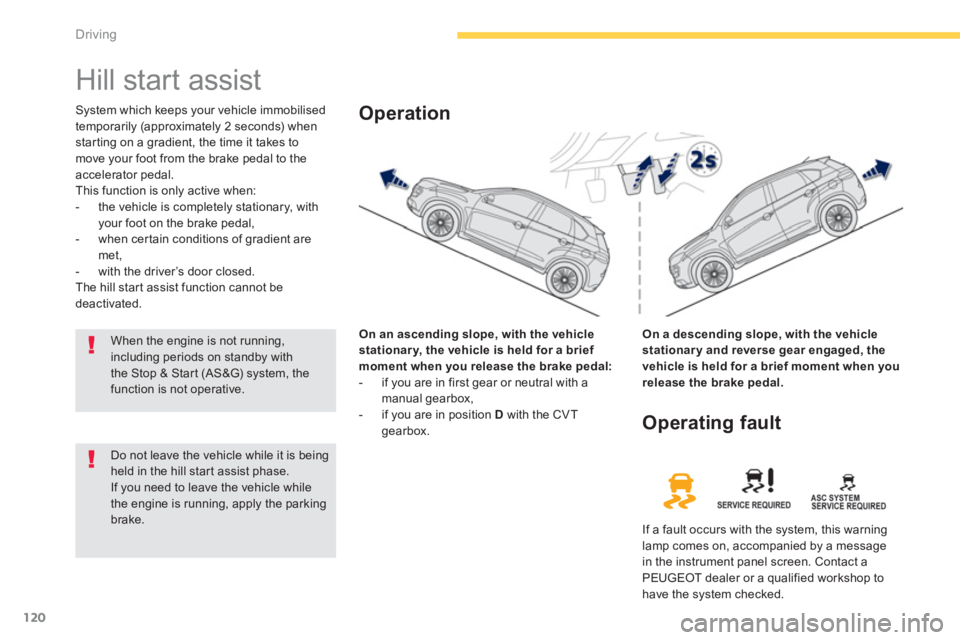
System which keeps your vehicle immobilised
temporarily (approximately 2 seconds) when
starting on a gradient, the time it takes to
move your foot from the brake pedal to the
accelerator pedal.
This function is only active when:
- the vehicle is completely stationary, with
your foot on the brake pedal,
- when certain conditions of gradient are
met,
- with the driver’s door closed.
The hill start assist function cannot be
deactivated.
On an ascending slope, with the vehicle
stationar y, the vehicle is held for a brief
moment when you release the brake pedal:
- if you are in first gear or neutral with a
manual gearbox,
- if you are in position D
with the CVT
gearbox.
Operation
On a descending slope, with the vehicle
stationar y and reverse gear engaged, the
vehicle is held for a brief moment when you
release the brake pedal.
Do not leave the vehicle while it is being
held in the hill start assist phase.
If you need to leave the vehicle while
the engine is running, apply the parking
brake.
Operating fault
If a fault occurs with the system, this warning
lamp comes on, accompanied by a message
in the instrument panel screen. Contact a
PEUGEOT dealer or a qualified workshop to
have the system checked.
When the engine is not running,
including periods on standby with
the Stop & Start (AS&G) system, the
function is not operative.
Page 123 of 368
121
4
Driving
Stop & Start (Auto Stop & Go) function
Operation
Going into engine STOP mode
The "AS &G"
warning lamp comes on in
the instrument panel or the instrument
panel screen and the engine goes into
standby after a few seconds:
- with a manual gearbox
, with the vehicle
stationary and your foot on the brake, when
you put the gear lever into neutral and
release the clutch pedal.
Never refuel with the engine in STOP
mode; you must switch off the ignition
with the key or the START/STOP
button.
When the engine is stopped
automatically, the operation of certain
vehicle systems, such as for example,
braking, power steering... are modified.
Ta k e c a r e
.
Special cases: STOP mode not
available
STOP mode is not invoked when:
- the driver's seat belt is not fastened,
- the bonnet is open,
- the vehicle has not exceeded 3 mph
(5 km/h) since the last engine start,
- the vehicle has restarted less than
10 seconds ago,
- the engine is needed to maintain a
comfortable temperature in the passenger
compartment,
- demisting is active,
- some special conditions (battery charge,
engine temperature, braking assistance,
ambient temperature...) where the engine is
needed to assure control of a system.
- the "AS &G"
warning lamp is
flashing in the instrument panel.
This operation is per fectly normal.
The Stop & Start (Auto Stop & Go) function puts the engine temporarily into standby during stops in the traffic (red lights, traffic jams, or other...).
The engine restarts automatically as soon as you want to move off. The restart takes place instantly, quickly and silently.
Per fect for urban use, the Stop & Start (Auto Stop & Go) function reduces fuel consumption and exhaust emissions as well as the noise level when
stationary.