brake PEUGEOT 5008 2014 User Guide
[x] Cancel search | Manufacturer: PEUGEOT, Model Year: 2014, Model line: 5008, Model: PEUGEOT 5008 2014Pages: 404, PDF Size: 23.34 MB
Page 34 of 404
Monitoring
32
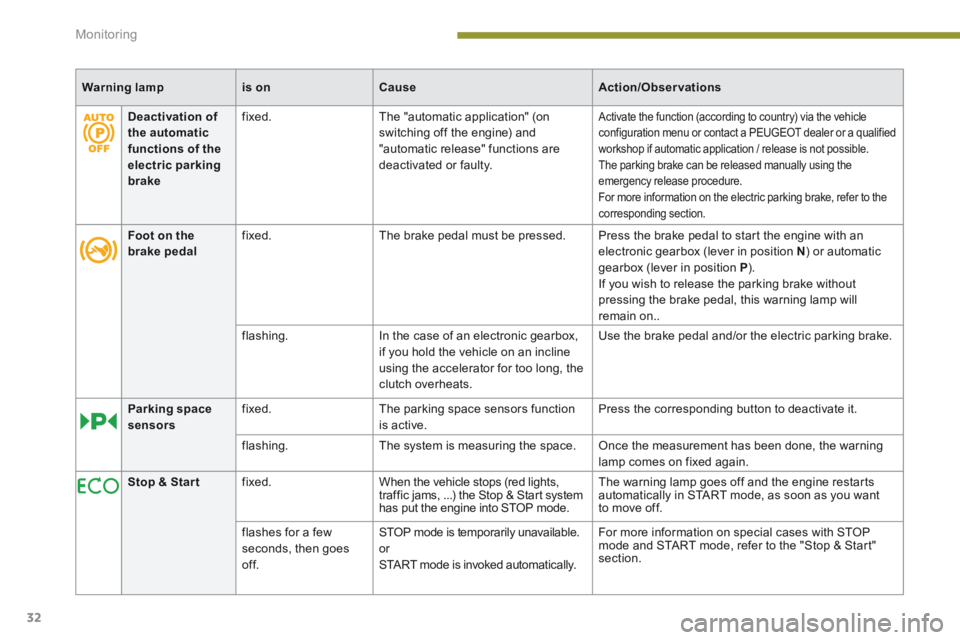
Warning lampis onCauseAction/Observations
Deactivation of the automatic functions of the electric parking brake
fixed. The "automatic application" (on switching off the engine) and "automatic release" functions are deactivated or faulty.
Activate the function (according to country) via the vehicle configuration menu or contact a PEUGEOT dealer or a qualified workshop if automatic application / release is not possible. The parking brake can be released manually using the emergency release procedure. For more information on the electric parking brake, refer to the corresponding section.
Foot on the brake pedal fixed. The brake pedal must be pressed. Press the brake pedal to start the engine with an electronic gearbox (lever in position N ) or automatic gearbox (lever in position P ). If you wish to release the parking brake without pressing the brake pedal, this warning lamp will remain on..
flashing. In the case of an electronic gearbox, if you hold the vehicle on an incline using the accelerator for too long, the clutch overheats.
Use the brake pedal and/or the electric parking brake.
Parking space sensors fixed. The parking space sensors function is active. Press the corresponding button to deactivate it.
flashing. The system is measuring the space. Once the measurement has been done, the warning lamp comes on fixed again.
Stop & Star t fixed. When the vehicle stops (red lights, traffic jams, ...) the Stop & Start system has put the engine into STOP mode.
The warning lamp goes off and the engine restarts automatically in START mode, as soon as you want to move off.
flashes for a few seconds, then goes of f.
STOP mode is temporarily unavailable. or START mode is invoked automatically.
For more information on special cases with STOP mode and START mode, refer to the "Stop & Start" section.
Page 37 of 404
1
Monitoring35
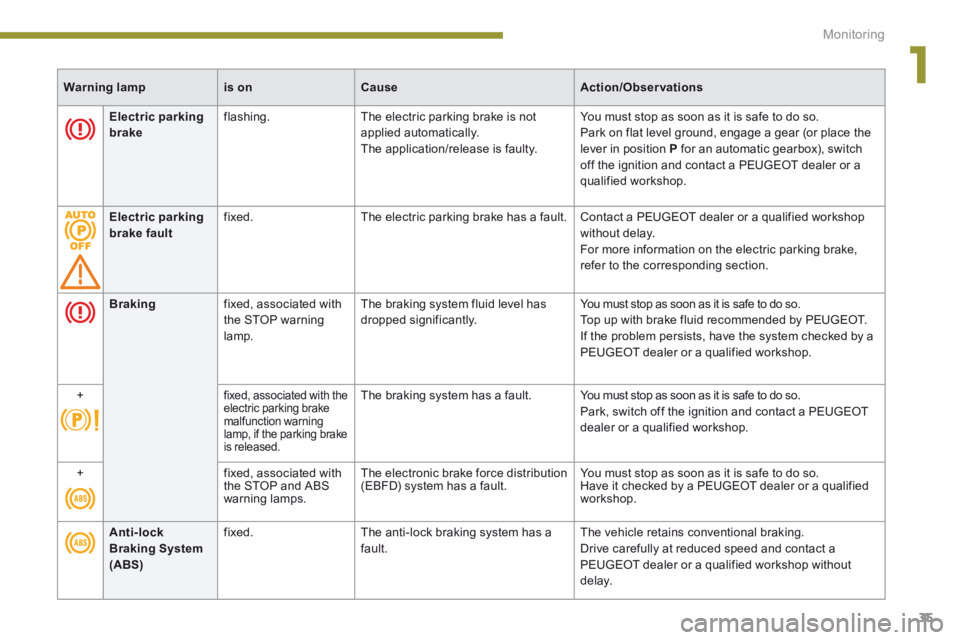
Electric parking brake flashing. The electric parking brake is not applied automatically. The application/release is faulty.
You must stop as soon as it is safe to do so. Park on flat level ground, engage a gear (or place the lever in position P for an automatic gearbox), switch off the ignition and contact a PEUGEOT dealer or a qualified workshop.
Electric parking brake fault fixed. The electric parking brake has a fault. Contact a PEUGEOT dealer or a qualified workshop without delay. For more information on the electric parking brake, refer to the corresponding section.
Warning lampis onCauseAction/Observations
Braking fixed, associated with the STOP warning lamp.
The braking system fluid level has dropped significantly. You must stop as soon as it is safe to do so. Top up with brake fluid recommended by PEUGEOT. If the problem persists, have the system checked by a PEUGEOT dealer or a qualified workshop.
+ fixed, associated with the electric parking brake malfunction warning lamp, if the parking brake is released.
The braking system has a fault. You must stop as soon as it is safe to do so. Park, switch off the ignition and contact a PEUGEOT dealer or a qualified workshop.
+ fixed, associated with the STOP and ABS warning lamps.
The electronic brake force distribution (EBFD) system has a fault. You must stop as soon as it is safe to do so. Have it checked by a PEUGEOT dealer or a qualified workshop.
Anti-lock Braking System (ABS)
fixed. The anti-lock braking system has a fault. The vehicle retains conventional braking. Drive carefully at reduced speed and contact a PEUGEOT dealer or a qualified workshop without d e l ay.
Page 47 of 404
2
Multifunction screens45
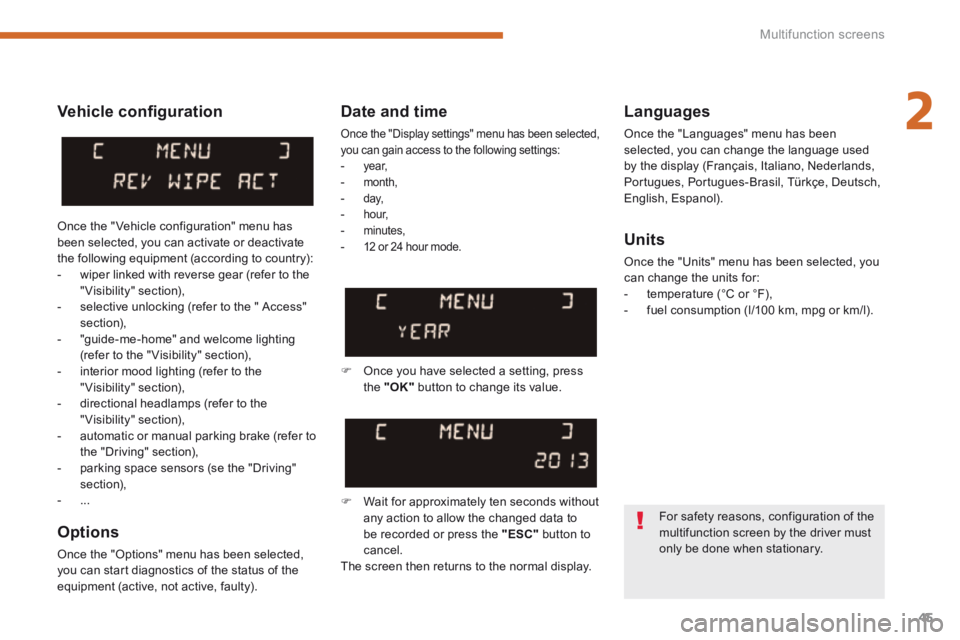
Vehicle confi guration
Options
Once the "Options" menu has been selected, you can start diagnostics of the status of the equipment (active, not active, faulty).
Languages
Once the "Languages" menu has been selected, you can change the language used by the display (Français, Italiano, Nederlands, Portugues, Portugues-Brasil, Türkçe, Deutsch, English, Espanol).
Date and time
Once the "Display settings" menu has been selected, you can gain access to the following settings: - ye a r, - month, - d ay, - h o u r, - minutes, - 12 or 24 hour mode. Units
Once the "Units" menu has been selected, you can change the units for: - temperature (°C or °F), - fuel consumption (l/100 km, mpg or km/l).
Once you have selected a setting, press the "OK" button to change its value.
Wait for approximately ten seconds without any action to allow the changed data to be recorded or press the "ESC" button to cancel. The screen then returns to the normal display.
Once the " Vehicle configuration" menu has been selected, you can activate or deactivate the following equipment (according to country): - wiper linked with reverse gear (refer to the "Visibility" section), - selective unlocking (refer to the " Access" section), - "guide-me-home" and welcome lighting (refer to the " Visibility" section), - interior mood lighting (refer to the "Visibility" section), - directional headlamps (refer to the "Visibility" section), - automatic or manual parking brake (refer to the "Driving" section), - parking space sensors (se the "Driving" section), - ...
For safety reasons, configuration of the multifunction screen by the driver must only be done when stationary.
Page 49 of 404
2
Multifunction screens47
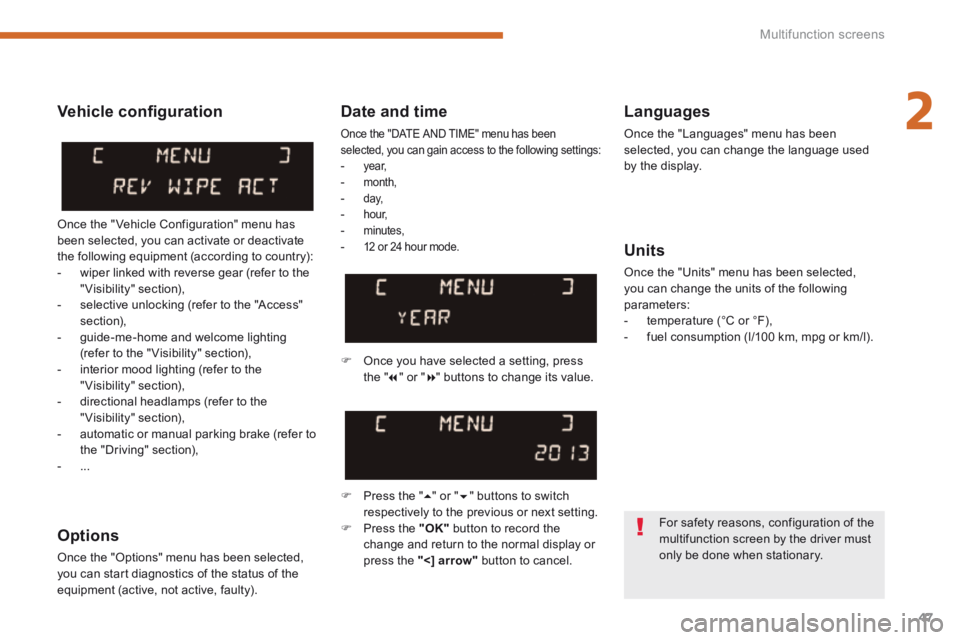
Date and time
Once the "DATE AND TIME" menu has been selected, you can gain access to the following settings: - ye a r, - month, - d ay, - h o u r, - minutes, - 12 or 24 hour mode.
Languages
Once the "Languages" menu has been selected, you can change the language used by the display.
Units
Once the "Units" menu has been selected, you can change the units of the following parameters: - temperature (°C or °F), - fuel consumption (l/100 km, mpg or km/l).
Once you have selected a setting, press t h e " " or " " buttons to change its value.
Press the " " or " " buttons to switch respectively to the previous or next setting. Press the "OK" button to record the change and return to the normal display or press the " < ] arrow" button to cancel.
Vehicle confi guration
Once the " Vehicle Configuration" menu has been selected, you can activate or deactivate the following equipment (according to country): - wiper linked with reverse gear (refer to the "Visibility" section), - selective unlocking (refer to the "Access" section), - guide-me-home and welcome lighting (refer to the " Visibility" section), - interior mood lighting (refer to the "Visibility" section), - directional headlamps (refer to the "Visibility" section), - automatic or manual parking brake (refer to the "Driving" section), - ...
Options
Once the "Options" menu has been selected, you can start diagnostics of the status of the equipment (active, not active, faulty).
For safety reasons, configuration of the multifunction screen by the driver must only be done when stationary.
Page 51 of 404
2
Multifunction screens49
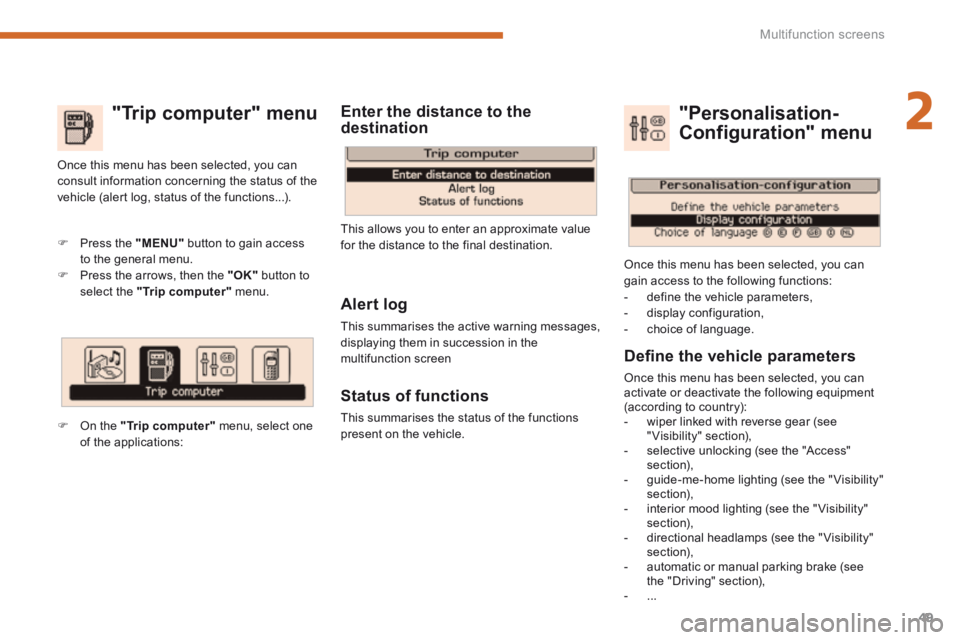
"Trip computer" menu
Alert log
This summarises the active warning messages, displaying them in succession in the multifunction screen
Status of functions
This summarises the status of the functions present on the vehicle.
Press the "MENU" button to gain access to the general menu. Press the arrows, then the "OK" button to select the "Trip computer" menu.
Once this menu has been selected, you can consult information concerning the status of the vehicle (alert log, status of the functions...).
Defi ne the vehicle parameters
Once this menu has been selected, you can activate or deactivate the following equipment (according to country): - wiper linked with reverse gear (see "Visibility" section), - selective unlocking (see the "Access" section), - guide-me-home lighting (see the " Visibility" section), - interior mood lighting (see the " Visibility" section), - directional headlamps (see the "Visibility" section), - automatic or manual parking brake (see the "Driving" section), - ...
"Personalisation-
Configuration" menu
Once this menu has been selected, you can gain access to the following functions: - define the vehicle parameters, - display configuration, - choice of language.
On the "Trip computer" menu, select one of the applications:
This allows you to enter an approximate value for the distance to the final destination.
Enter the distance to the destination
Page 54 of 404
Multifunction screens
52
"SETUP" menu (PEUGEOT Connect PEUGEOT Connect PEUGEOT
Media Navigation (NG4 3D))
Press the "SETUP" menu for access to the "SETUP" menu . It allows you to adjust settings for the following functions: - "Languages and voice functions" - "Date and time", - "Display screen", - "Units", - "System parameters".
Languages (PEUGEOT Connect Navigation (RT6))
This menu allows you to select the language used by the display.
Languages and voice functions (PEUGEOT Connect Media Navigation (NG4 3D))
This menu allows you to: - select the language used by the display, - select the settings for voice recognition (on/off, instructions on use, personal voice training...), - adjust the volume of the voice synthesiser.
Date and time
Press "SETUP". Select "Display configuration" and confirm. Select "Adjust date and time" and confirm. Select "Synchronise minutes with GPS" for the adjustment of minutes to be done automatically by satellite reception. Select the setting to modify. Conform by pressing "OK", then adjust the setting and confirm again. Adjust the settings one by one.
Select "OK" in the screen then confirm to save the settings.
Display
This menu allows you to set the brightness of the screen, the screen colour scheme and the colour of the map (day/night or auto mode).
Units
This menu allows you to select the units: temperature (°C or °F) and fuel consumption (km/l, l/100 or mpg).
System parameters
This menu allows you to restore the factory configuration, display the software version and activate scrolling text.
For safety reasons, configuration of the multifunction screen by the driver must
only be done when stationary.
* According to country.
Vehicle parameters (PEUGEOTConnect Navigation (RT6))
This menu allows you to activate or deactivate certain driving and comfort equipment * : - wiper linked with reverse gear (refer to the "Visibility" section), - selective unlocking (refer to the "Access" section), - guide-me-home and welcome lighting (refer to the " Visibility" section), - interior mood lighting (refer to the "Visibility" section), - directional headlamps (refer to the "Visibility" section), - automatic or manual parking brake (refer to the "Driving" section), - ...
Press the "SETUP" button for access to the "SETUP" menu. This allows you to select from the following functions: - "Languages", - "Date and time", - "Display", - " Vehicle parameters", - "Units", - "System".
"SETUP" menu (PEUGEOT Connect Navigation (RT6)) PEUGEOT Connect Navigation (RT6)) PEUGEOT
Page 156 of 404
Safety
154
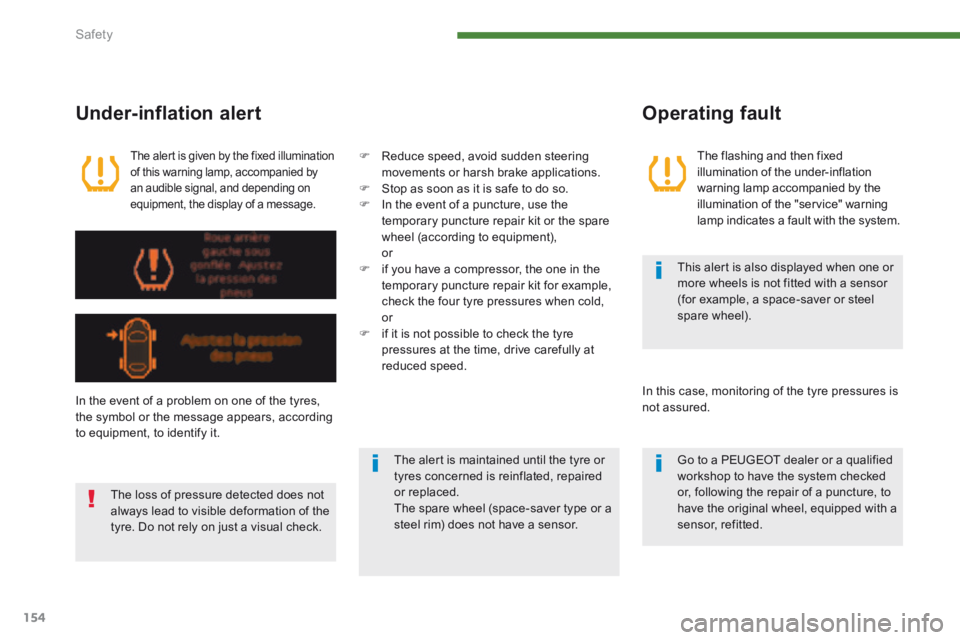
The alert is given by the fixed illumination of this warning lamp, accompanied by an audible signal, and depending on equipment, the display of a message.
Under-inflation alert
The flashing and then fixed illumination of the under-inflation warning lamp accompanied by the illumination of the "service" warning lamp indicates a fault with the system.
Operating fault
In the event of a problem on one of the tyres, the symbol or the message appears, according
to equipment, to identify it.
Reduce speed, avoid sudden steering movements or harsh brake applications. Stop as soon as it is safe to do so. In the event of a puncture, use the temporary puncture repair kit or the spare
wheel (according to equipment), or if you have a compressor, the one in the temporary puncture repair kit for example, check the four tyre pressures when cold, or if it is not possible to check the tyre pressures at the time, drive carefully at reduced speed.
The loss of pressure detected does not always lead to visible deformation of the tyre. Do not rely on just a visual check.
The alert is maintained until the tyre or tyres concerned is reinflated, repaired or replaced. The spare wheel (space-saver type or a steel rim) does not have a sensor.
This alert is also displayed when one or more wheels is not fitted with a sensor (for example, a space-saver or steel spare wheel).
In this case, monitoring of the tyre pressures is not assured.
Go to a PEUGEOT dealer or a qualified workshop to have the system checked or, following the repair of a puncture, to have the original wheel, equipped with a sensor, refitted.
Page 157 of 404
8
Safety155
Electronic stability programme (ESC)
Definitions Anti-slip regulation (ASR)
The ASR system (also known as Traction Control) optimises traction in order to limit wheel slip by acting on the brakes of the driving wheels and on the engine. It also improves the directional stability of the vehicle on acceleration.
Dynamic stability control (DSC)
If there is a difference between the path followed by the vehicle and that required by the driver, the DSC monitors each wheel and automatically acts on the brake of one or more
wheels and on the engine to return the vehicle to the required path, within the limits of the laws of physics.
Emergency braking assistance
In an emergency, this system enables you to reach the optimum braking pressure more quickly and therefore reduce the stopping distance. It is triggered according to the speed at which the brake pedal is pressed. This is felt by a reduction in the resistance of the pedal and an increase in the effectiveness of the braking.
Anti-lock braking system (ABS) and electronic brake force distribution (EBFD)
This system improves the stability and manoeuvrability of your vehicle when braking and provides improved control in corners, in particular on poor or slippery road sur faces.
The ABS prevents wheel lock in the event of emergency braking. The electronic brake force distribution system manages the braking pressure wheel by wheel.
Snow driving assistance
(Intelligent Traction Control)
Your vehicle has a system to help driving on snow: Intelligent Traction Control. This automatic system continuously checks for situations of difficult sur face adhesion that could make it difficult to move off or make progress on deep fresh snow or compacted snow. In these situations, Intelligent Traction Control limits the amount of wheel slip to provide the best traction and trajectory control. In extremely severe conditions (deep snow, mud…), it can be useful to temporarily deactivate the dynamic stability control and wheel anti-slip systems to allow a degree of wheel spin and so recover grip. It is recommended that the system be reactivated as soon as possible. Snow tyres are strongly recommended on
sur faces offering low levels of adhesion.
Electronic Stability Programme (ESC: Electronic Stability Control) incorporating the following systems: - the anti-lock braking system (ABS) and the electronic brake force distribution (EBFD), - the emergency braking assistance, - the anti-slip regulation (ASR) or traction control, - the dynamic stability control (DSC).
Page 158 of 404
Safety
156
Operation
When this warning lamp comes on, accompanied by an audible signal and a message, it indicates that there is a fault with the ABS, which could cause loss of control of the vehicle when braking.
When this warning lamp comes on, coupled with the STOP warning lamp, accompanied by an audible signal and a message, it indicates that there is a fault with the electronic brake force distribution (EBFD), which could cause loss of control of the vehicle when braking.
You must stop as soon as it is safe to do so. In both cases, contact a PEUGEOT dealer or a qualified workshop.
Anti-lock braking system (ABS) and electronic brake force distribution (EBFD)
In emergency braking, press ver y firmly without releasing the pressure.
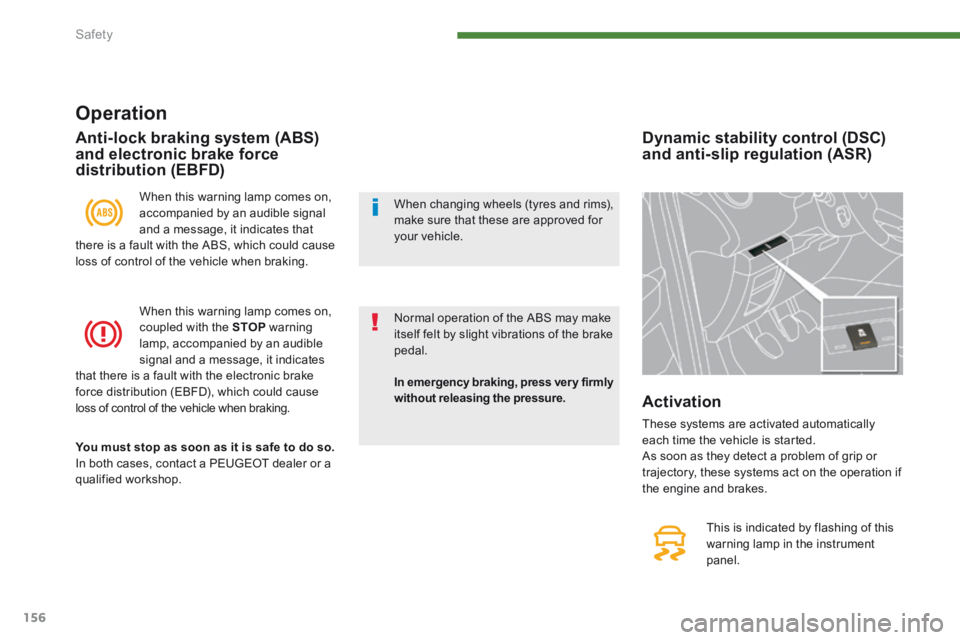
Dynamic stability control (DSC) and anti-slip regulation (ASR)
This is indicated by flashing of this
warning lamp in the instrument panel.
Activation
These systems are activated automatically each time the vehicle is started. As soon as they detect a problem of grip or trajectory, these systems act on the operation if the engine and brakes.
Normal operation of the ABS may make itself felt by slight vibrations of the brake pedal.
When changing wheels (tyres and rims), make sure that these are approved for your vehicle.
Page 159 of 404
8
Safety157
Deactivation
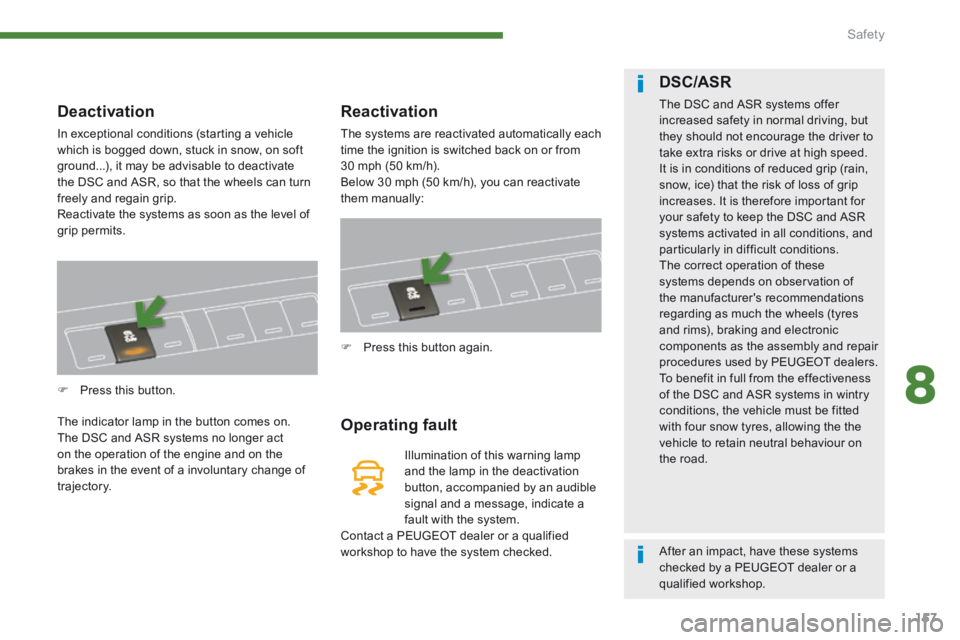
In exceptional conditions (starting a vehicle which is bogged down, stuck in snow, on soft ground...), it may be advisable to deactivate the DSC and ASR, so that the wheels can turn freely and regain grip. Reactivate the systems as soon as the level of grip permits.
Press this button.
The indicator lamp in the button comes on. The DSC and ASR systems no longer act on the operation of the engine and on the brakes in the event of a involuntary change of trajectory.
Reactivation
The systems are reactivated automatically each time the ignition is switched back on or from 30 mph (50 km/h). Below 30 mph (50 km/h), you can reactivate them manually:
Operating fault
Illumination of this warning lamp and the lamp in the deactivation button, accompanied by an audible signal and a message, indicate a fault with the system. Contact a PEUGEOT dealer or a qualified workshop to have the system checked.
Press this button again.
DSC/ASR
The DSC and ASR systems offer increased safety in normal driving, but they should not encourage the driver to take extra risks or drive at high speed. It is in conditions of reduced grip (rain, snow, ice) that the risk of loss of grip increases. It is therefore important for your safety to keep the DSC and ASR systems activated in all conditions, and particularly in difficult conditions. The correct operation of these systems depends on observation of the manufacturer's recommendations regarding as much the wheels (tyres and rims), braking and electronic components as the assembly and repair procedures used by PEUGEOT dealers. To benefit in full from the effectiveness of the DSC and ASR systems in wintry conditions, the vehicle must be fitted with four snow tyres, allowing the the vehicle to retain neutral behaviour on the road.
After an impact, have these systems checked by a PEUGEOT dealer or a qualified workshop.