display PEUGEOT 5008 2017 Manual PDF
[x] Cancel search | Manufacturer: PEUGEOT, Model Year: 2017, Model line: 5008, Model: PEUGEOT 5008 2017Pages: 404, PDF Size: 15.31 MB
Page 190 of 404
188
General points
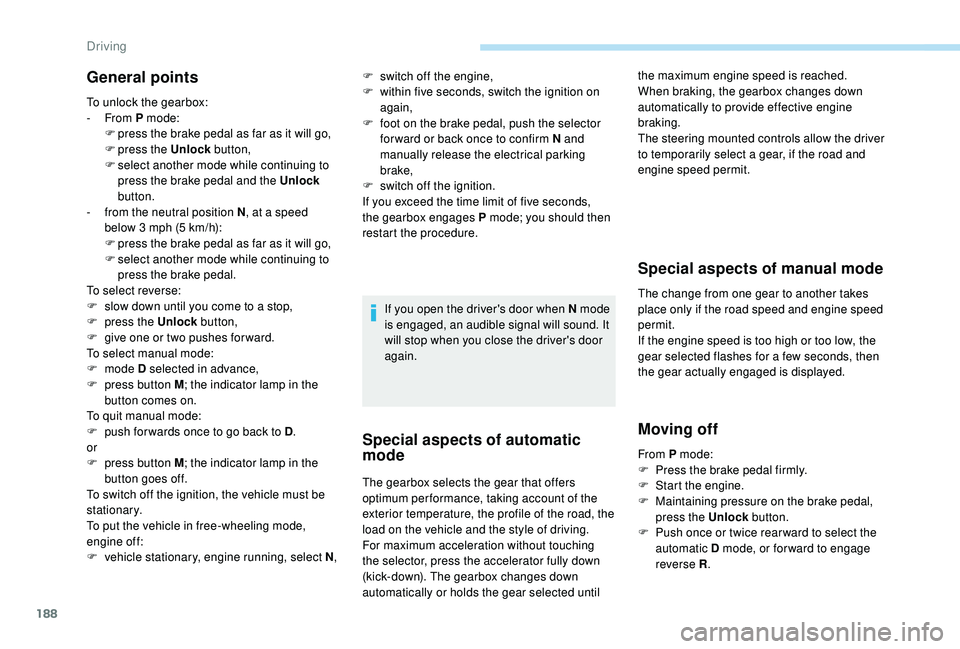
To unlock the gearbox:
- From P mode:
F
p
ress the brake pedal as far as it will go,
F
press the Unlock button,
F
s
elect another mode while continuing to
press the brake pedal and the Unlock
button.
-
f
rom the neutral position N , at a speed
below 3 mph (5 km/h):
F
p
ress the brake pedal as far as it will go,
F
s
elect another mode while continuing to
press the brake pedal.
To select reverse:
F
s
low down until you come to a stop,
F
p
ress the Unlock button,
F
g
ive one or two pushes for ward.
To select manual mode:
F
mode D selected in advance,
F
p
ress button M ; the indicator lamp in the
button comes on.
To quit manual mode:
F
p
ush for wards once to go back to D .
or
F
p
ress button M ; the indicator lamp in the
button goes off.
To switch off the ignition, the vehicle must be
stationary.
To put the vehicle in free-wheeling mode,
engine off:
F
v
ehicle stationary, engine running, select N ,If you open the driver's door when N mode
is engaged, an audible signal will sound. It
will stop when you close the driver's door
again.
Special aspects of automatic
mode
The gearbox selects the gear that offers
optimum per formance, taking account of the
exterior temperature, the profile of the road, the
load on the vehicle and the style of driving.
For maximum acceleration without touching
the selector, press the accelerator fully down
(kick-down). The gearbox changes down
automatically or holds the gear selected until
Special aspects of manual mode
The change from one gear to another takes
place only if the road speed and engine speed
permit.
If the engine speed is too high or too low, the
gear selected flashes for a few seconds, then
the gear actually engaged is displayed.
Moving off
the maximum engine speed is reached.
When braking, the gearbox changes down
automatically to provide effective engine
braking.
The steering mounted controls allow the driver
to temporarily select a gear, if the road and
engine speed permit.
F
s
witch off the engine,
F
w
ithin five seconds, switch the ignition on
again,
F
f
oot on the brake pedal, push the selector
for ward or back once to confirm N and
manually release the electrical parking
brake,
F
s
witch off the ignition.
If you exceed the time limit of five seconds,
the gearbox engages P mode; you should then
restart the procedure.
From P mode:
F
P
ress the brake pedal firmly.
F
S
tart the engine.
F
M
aintaining pressure on the brake pedal,
press the Unlock button.
F
P
ush once or twice rear ward to select the
automatic D mode, or for ward to engage
reverse R .
Driving
Page 191 of 404
189
From neutral N:
F P ress the brake pedal firmly.
F
S
tart the engine.
F
M
aintaining pressure on the brake pedal,
push rear ward to select the automatic
D mode, or for ward, while pressing the
Unlock button to engage reverse R .
Then, from P or N :
F
R
elease the brake pedal.
F
A
ccelerate progressively to automatically
release the electric parking brake.
F
W
ith the parking brake released, the vehicle
then moves off.
In severe wintry conditions (temperature
below -23°C), it is recommended that the
engine be allowed to run for a few minutes
before moving off, to ensure the correct
operation and durability of the engine and
gearbox.Stopping the vehicle
Whatever the state of the gearbox when the
ignition is switched off, P mode is engaged
automatically, with the exception of N , in which
case P mode will be engaged after a delay of
5
seconds (allowing the change to free-wheel).
Check that P mode has been engaged and
that the electric parking brake was applied
automatically; if not, apply it manually.
Operating faults
Malfunction of the gearbox
This is signalled by the illumination
of this warning lamp, accompanied
by the display of a message and an
audible signal, when the ignition is
switched on.
The gearbox switches to back-up mode: drive
mode D is locked in third gear, the steering-
mounted control paddles are inoperative,
Malfunction of the selector
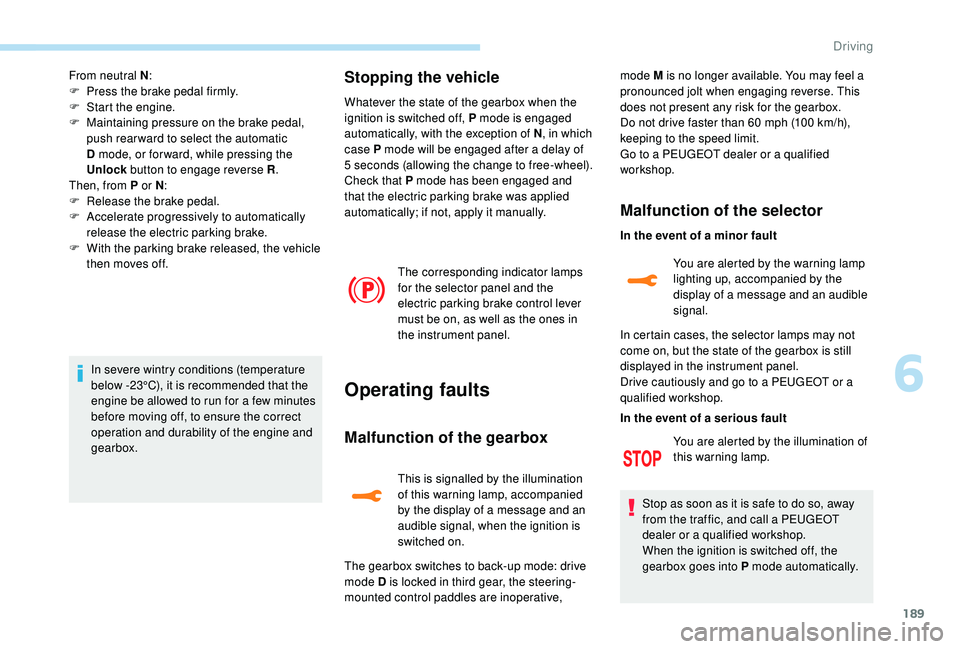
The corresponding indicator lamps
for the selector panel and the
electric parking brake control lever
must be on, as well as the ones in
the instrument panel. mode M is no longer available. You may feel a
pronounced jolt when engaging reverse. This
does not present any risk for the gearbox.
Do not drive faster than 60
mph (100 km/h),
keeping to the speed limit.
Go to a PEUGEOT dealer or a qualified
workshop.
In the event of a minor fault
In the event of a serious fault
Stop as soon as it is safe to do so, away
from the traffic, and call a PEUGEOT
dealer or a qualified workshop.
When the ignition is switched off, the
gearbox goes into P mode automatically. You are alerted by the illumination of
this warning lamp. You are alerted by the warning lamp
lighting up, accompanied by the
display of a message and an audible
signal.
In certain cases, the selector lamps may not
come on, but the state of the gearbox is still
displayed in the instrument panel.
Drive cautiously and go to a PEUGEOT or a
qualified workshop.
6
Driving
Page 193 of 404
191
SPORT
Dynamic pack
This pack influences:
- t he acoustic ambience of the engine,
-
t
he level of power assistance for the
steering,
-
acceleration,
-
h
andling gear transitions with the automatic
gearbox,
-
t
he display on the instrument panel of
information about the dynamic parameters
of the vehicle ("PERSONAL" mode).
Activation / Deactivation
F Press this button; the button indicator lamp lights up to
confirm activation of the
function.
The Dynamic pack is also managed
by the i-Cockpit Amplify function.
For more information on the i-Cockpit Amplify
function, refer to the corresponding section.
If the indicator lamp flashes, activation is
not available (example: if Park Assist is
selected).
If the indicator lamp continues flashing for
a long time, contact a PEUGEOT dealer or
a qualified workshop.
Displays
To show this information on the instrument
panel, select the "PERSONAL" mode and then
the type of information required.This telemetry information (power
output, turbocharger pressure, torque,
longitudinal and lateral acceleration, etc.)
is given as a guide only.
Gear shift indicator
(Depending on engine.)
System which reduces fuel consumption by
recommending the most appropriate gear.
Operation
Depending on the driving situation and your
vehicle's equipment, the system may advise
you to skip one (or more) gear(s). You can
follow this instruction without engaging the
intermediate gears.
Gear shift recommendations are for information
only. In fact, the road layout, the traffic density
and safety remain the deciding factors when
choosing the best gear. The driver therefore
remains responsible for deciding whether or not
to follow the indications issued by the system.
This function cannot be deactivated.
With an automatic gearbox, the system is
only active in manual mode.
The information is displayed in the instrument
panel in the form of an arrow.
6
Driving
Page 196 of 404
194
Deactivation / Reactivation
In certain circumstances, such as the need
to maintain the temperature in the passenger
compartment, it may be useful to deactivate the
Stop & Start system.
The system can be deactivated at any time,
once the ignition is switched on.
If the engine is in STOP mode, it restarts
immediately.
The Stop & Start system is reactivated
automatically every time the ignition is switched
on.
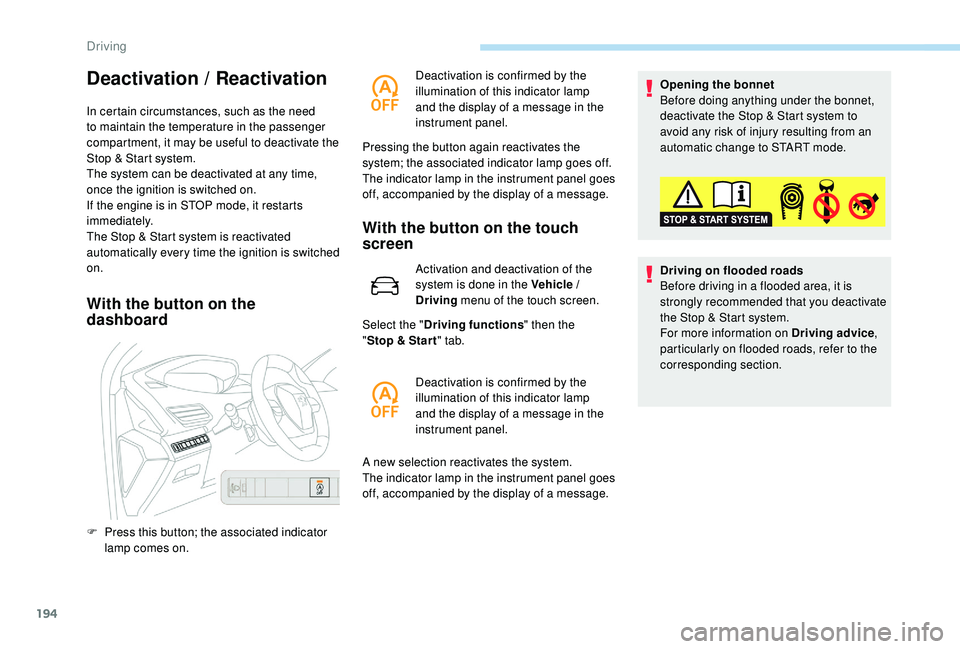
With the button on the
dashboardWith the button on the touch
screen
Activation and deactivation of the
system is done in the Vehicle /
Driving
menu of the touch screen.
Select the " Driving functions " then the
" Stop & Star t " tab.
A new selection reactivates the system.
The indicator lamp in the instrument panel goes
off, accompanied by the display of a message. Opening the bonnet
Before doing anything under the bonnet,
deactivate the Stop & Start system to
avoid any risk of injury resulting from an
automatic change to START mode.
Driving on flooded roads
Before driving in a flooded area, it is
strongly recommended that you deactivate
the Stop & Start system.
For more information on Driving advice
,
particularly on flooded roads, refer to the
corresponding section.
F
P
ress this button; the associated indicator
lamp comes on. Deactivation is confirmed by the
illumination of this indicator lamp
and the display of a message in the
instrument panel.
Pressing the button again reactivates the
system; the associated indicator lamp goes off.
The indicator lamp in the instrument panel goes
off, accompanied by the display of a message.
Deactivation is confirmed by the
illumination of this indicator lamp
and the display of a message in the
instrument panel.
Driving
Page 197 of 404
195
Operating fault
In the event of a fault with the
system, this warning lamp
flashes for a few moments in the
instrument panel, then remains on,
accompanied by the display of a
message.
Have it checked by a PEUGEOT dealer or a
qualified workshop.
If a fault occurs in STOP mode, the engine may
stall.
All of the instrument panel warning lamps come on.
It is then necessary to switch off the ignition and
start the engine again with the key or the
"START/STOP" button.
The Stop & Start system requires a
12 V battery of specific technology and
specification.
All work on this type of battery must be
carried out only by a PEUGEOT dealer or
a qualified workshop.
For more information on the 12
V batter y,
refer to the corresponding section.
Under-inflation detection
System which automatically checks the
pressures of the tyres while driving.
The system monitors the pressures in the four
tyres, once the vehicle is moving.
It compares the information given by the wheel
speed sensors with reference values, which
must be reinitialised ever y time the tyre
pressures are adjusted or a wheel changed .
The system triggers an alert as soon as it
detects a drop in the inflation pressure of one
or more tyres.
The under-inflation detection system does
not replace the need for vigilance on the
part of the driver.
This system does not avoid the need to
check the tyre pressures (including the
spare wheel) every month as well as
before a long journey.
Driving with under-inflated tyres worsens
road-holding, lengthens braking distances,
causes premature wear of the tyres,
particularly in adverse conditions (heavy
loads, high speeds, long journeys). Driving with under-inflated tyres
increases fuel consumption.
The inflation pressures defined for your
vehicle can be found on the tyre pressure
label.
For more information on the
Identification markings , refer to the
corresponding section.
Checking tyre pressures
This check should be done when the tyres
are "cold" (vehicle stopped for 1
hour or
after a journey of less than 6
miles (10 km)
at moderate speeds).
Other wise, add 0.3
bar to the pressures
shown on the label.
Snow chains
The system does not have to be
reinitialised after fitting or removing snow
chains.
6
Driving
Page 198 of 404
196
Under-inflation alert
This warning is indicated by
continuous illumination of the lamp,
an audible signal and, depending on
the equipment installed, a message
displayed on the screen.
F
R
educe speed immediately, avoid excessive
steering movements and sudden braking.
F
S
top the vehicle as soon as it is safe to do
so.
The loss of pressure detected does not
always cause visible bulging of the tyre.
Do not satisfy yourself with just a visual
check.
F
I
f you have a compressor, such as the one
in the temporary puncture repair kit, check
the pressures of the four tyres when cold.
F
I
f it is not possible to make this check
immediately, drive carefully at reduced
speed.
or
F
I
n case of a puncture, use the temporary
tyre repair kit or the spare wheel (if
equipped). The alert is kept active until the system is
reinitialised.
Reinitialisation
The system must be reinitialised after any
adjustment to the pressures of one or more
tyres, and after changing one or more wheels.
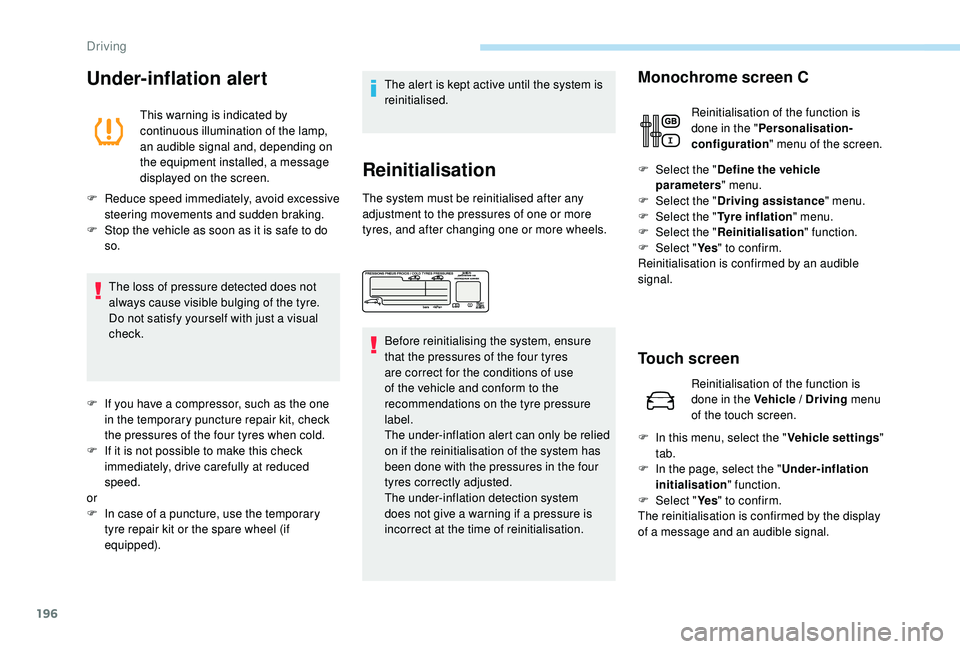
Before reinitialising the system, ensure
that the pressures of the four tyres
are correct for the conditions of use
of the vehicle and conform to the
recommendations on the tyre pressure
label.
The under-inflation alert can only be relied
on if the reinitialisation of the system has
been done with the pressures in the four
tyres correctly adjusted.
The under-inflation detection system
does not give a warning if a pressure is
incorrect at the time of reinitialisation. F
Sel
ect the "
Define the vehicle
parameters " menu.
F Sel ect the "Driving assistance " menu.
F
Sel
ect the "Tyre inflation " menu.
F
Sel
ect the "Reinitialisation " function.
F
Sel
ect "Ye s" to confirm.
Reinitialisation is confirmed by an audible
signal.
Touch screen
F In this menu, select the " Vehicle settings"
tab.
F
I
n the page, select the "
Under-inflation
initialisation " function.
F
Sel
ect "Ye s" to confirm.
The reinitialisation is confirmed by the display
of a message and an audible signal.
Monochrome screen C
Reinitialisation of the function is
done in the " Personalisation-
configuration " menu of the screen.
Reinitialisation of the function is
done in the Vehicle / Driving menu
of the touch screen.
Driving
Page 200 of 404
198
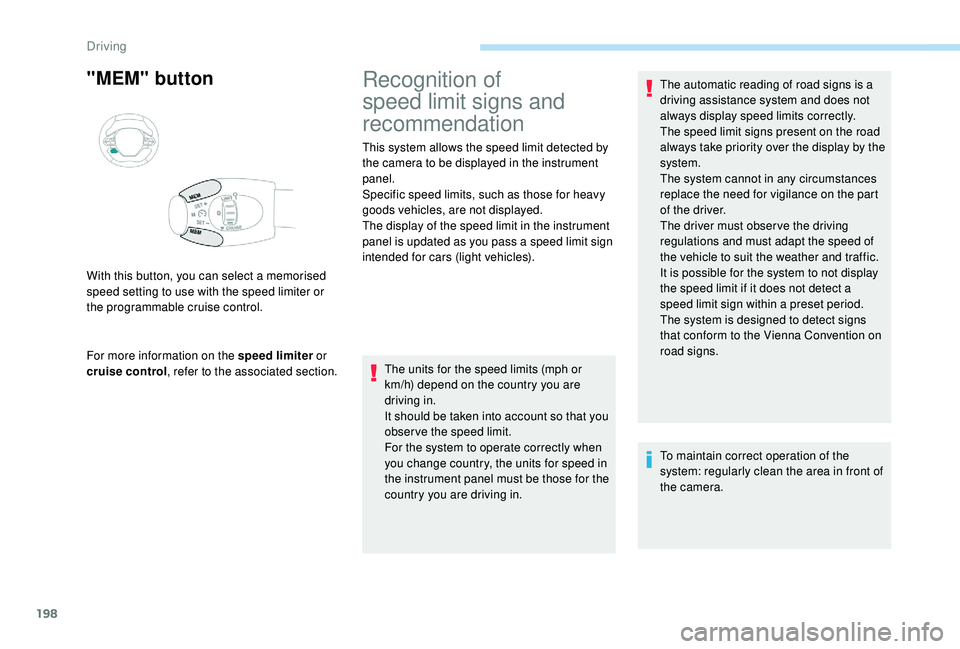
"MEM" button
For more information on the speed limiter or
cruise control , refer to the associated section.
With this button, you can select a memorised
speed setting to use with the speed limiter or
the programmable cruise control.
Recognition of
speed limit signs and
recommendation
This system allows the speed limit detected by
the camera to be displayed in the instrument
panel.
Specific speed limits, such as those for heavy
goods vehicles, are not displayed.
The display of the speed limit in the instrument
panel is updated as you pass a speed limit sign
intended for cars (light vehicles).
The units for the speed limits (mph or
km/h) depend on the country you are
driving in.
It should be taken into account so that you
obser ve the speed limit.
For the system to operate correctly when
you change country, the units for speed in
the instrument panel must be those for the
country you are driving in. The automatic reading of road signs is a
driving assistance system and does not
always display speed limits correctly.
The speed limit signs present on the road
always take priority over the display by the
system.
The system cannot in any circumstances
replace the need for vigilance on the part
of the driver.
The driver must observe the driving
regulations and must adapt the speed of
the vehicle to suit the weather and traffic.
It is possible for the system to not display
the speed limit if it does not detect a
speed limit sign within a preset period.
The system is designed to detect signs
that conform to the Vienna Convention on
road signs.
To maintain correct operation of the
system: regularly clean the area in front of
the camera.
Driving
Page 201 of 404
199
Principles
It is necessary to update your navigation
mapping regularly in order to receive
accurate information on speed limits from
the system.
Activation / Deactivation
This system allows the speed limit detected by
the camera to be displayed in the instrument
panel.
The system also processes speed limit details
from the navigation system mapping.
The system is activated or deactivated via the
vehicle configuration menu.
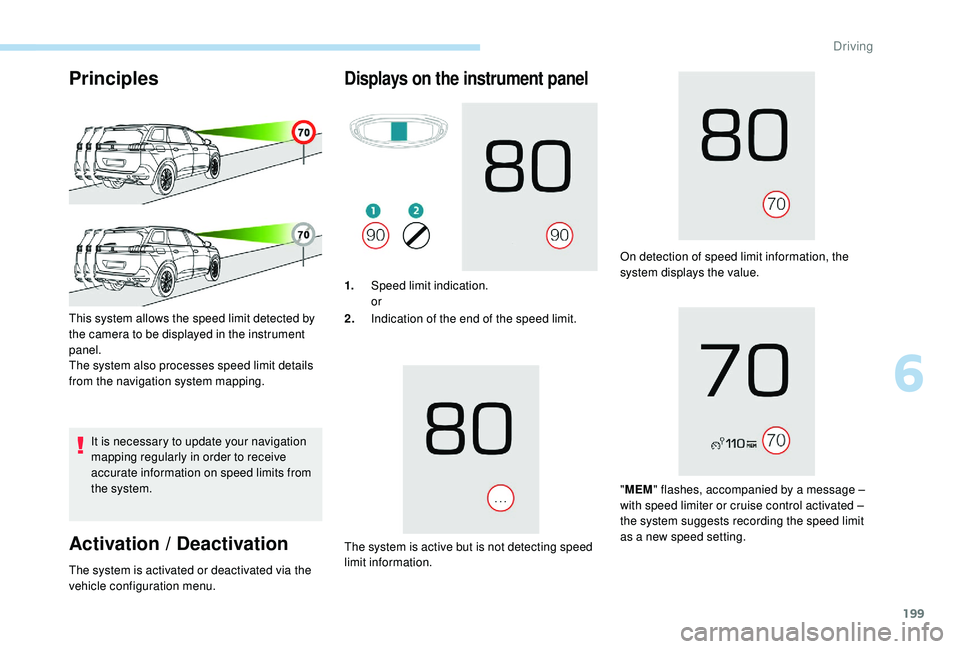
Displays on the instrument panel
1. Speed limit indication.
or
2. Indication of the end of the speed limit.
The system is active but is not detecting speed
limit information. On detection of speed limit information, the
system displays the value.
" MEM " flashes, accompanied by a message –
with speed limiter or cruise control activated –
the system suggests recording the speed limit
as a new speed setting.
6
Driving
Page 202 of 404
200
Operating limits
The legislation on speed limits is specific to
each country.
The system does not take account of reduced
speed limits in the following cases:
-
p
oor weather (rain, snow),
-
a
tmospheric pollution,
-
t
railer, caravan,
-
d
riving with a space-saver type spare wheel
or snow chains fitted,
-
p
uncture repair using the temporary repair
kit,
-
y
oung drivers, etc.
The following situations may inter fere with the
operation of the system or prevent it working:
-
p
oor visibility (inadequate street lighting,
falling snow, rain, fog),
-
w
indscreen area located in front of the
camera dirty, misted, frost-covered, snow-
covered, damaged or covered by a sticker,
-
f
ault with the camera,
-
o
bsolete or incorrect mapping,
-
h
idden road signs (other vehicles,
vegetation, snow),
-
s
peed limit signs that do not conform to the
standard, are damaged or distorted.
Memorising the speed
setting
This memorise function is in addition to the
display of Recognition of speed limit signs .
For more information on the Speed
limiter, Cruise control , or Dynamic
cruise control with Stop function , refer
to the corresponding sections.
Steering mounted controls
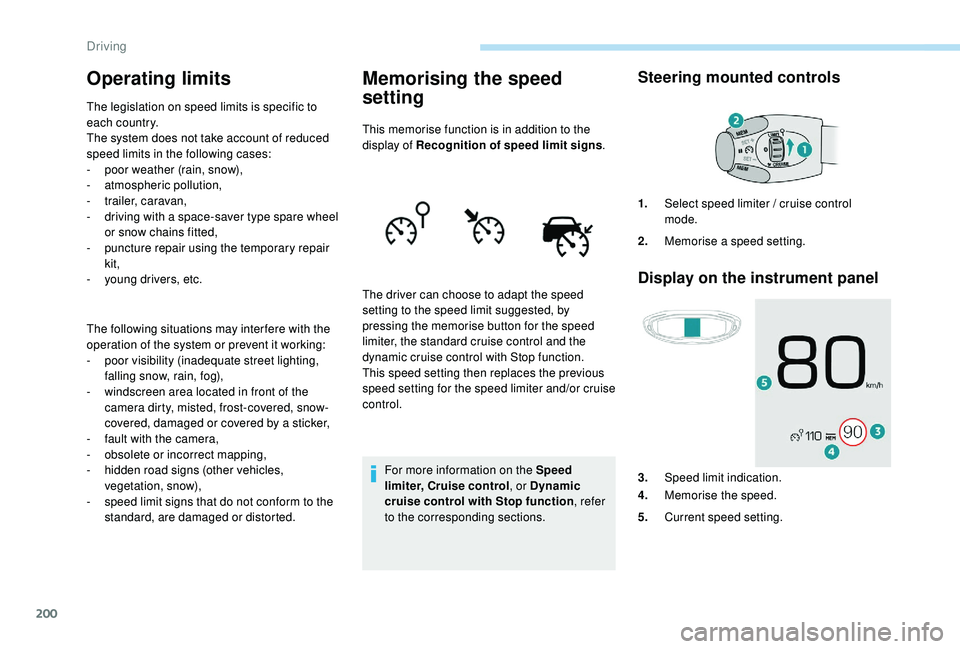
Display on the instrument panel
The driver can choose to adapt the speed
setting to the speed limit suggested, by
pressing the memorise button for the speed
limiter, the standard cruise control and the
dynamic cruise control with Stop function.
This speed setting then replaces the previous
speed setting for the speed limiter and/or cruise
control. 1.
Select speed limiter / cruise control
mode.
2. Memorise a speed setting.
3. Speed limit indication.
4. Memorise the speed.
5. Current speed setting.
Driving
Page 203 of 404
201
Memorising the speed
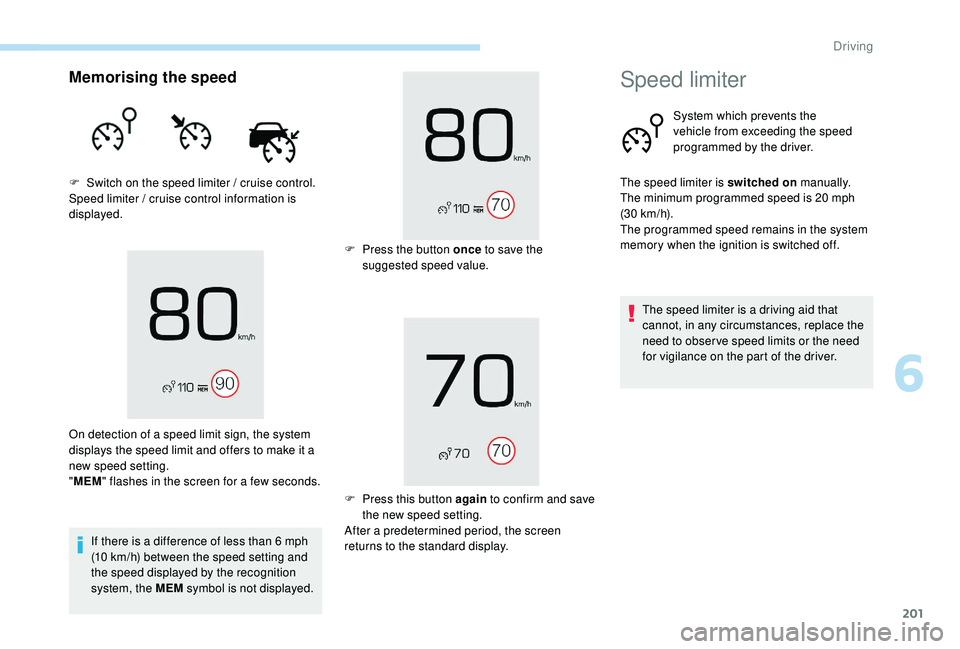
F Switch on the speed limiter / cruise control.
Speed limiter / cruise control information is
displayed.If there is a difference of less than 6
mph
(10
km/h) between the speed setting and
the speed displayed by the recognition
system, the MEM symbol is not displayed.
On detection of a speed limit sign, the system
displays the speed limit and offers to make it a
new speed setting.
"
MEM " flashes in the screen for a few seconds. F
P
ress the button once to save the
suggested speed value.
F
P
ress this button again to confirm and save
the new speed setting.
After a predetermined period, the screen
returns to the standard display.
Speed limiter
System which prevents the
vehicle from exceeding the speed
programmed by the driver.
The speed limiter is switched on manually.
The minimum programmed speed is 20
mph
(30
km/h).
The programmed speed remains in the system
memory when the ignition is switched off.
The speed limiter is a driving aid that
cannot, in any circumstances, replace the
need to obser ve speed limits or the need
for vigilance on the part of the driver.
6
Driving