park assist PEUGEOT 5008 2017 Owners Manual
[x] Cancel search | Manufacturer: PEUGEOT, Model Year: 2017, Model line: 5008, Model: PEUGEOT 5008 2017Pages: 404, PDF Size: 15.31 MB
Page 5 of 404
3
.
.
Driving recommendations 175
Anti-theft protection 1 77
Starting / Switching off the engine
with the key
1
77
Starting / Switching off the engine
with Keyless Entry and Starting
1
79
Electric parking brake
1
81
Manual gearbox
1
85
Automatic gearbox
1
85
Hill start assist
1
90
Dynamic pack
1
91
Gear shift indicator
1
91
Stop & Start
1
92
Under-inflation detection
1
95
Memorising speeds
1
97
Recognition of speed limit signs and
recommendation
1
98
Speed limiter
20
1
Cruise control
2
04
Dynamic cruise control with Stop function
2
07
Distance alert and Active Safety Brake
2
15
Fatigue detection system
2
19
Lane Departure Warning System
2
21
Active Lane Departure Warning System
2
22
Blind Spot Monitoring System
2
27
Parking sensors
2
30
Visiopark 1
- Visiopark 2
2
31
Park Assist
2
37Fuel
245
Misfuel prevention (Diesel) 2 46
Compatibility of fuels
2
46
Towing a trailer
2
48
Towbar with quickly detachable towball
2
48
Energy economy mode
2
52
Very cold climate screen
2
53
Snow chains
2
54
Fitting roof bars
2
55
Bonnet
2
56
Engine compartment
2
57
Checking levels
2
58
Checks
26
0
AdBlue
® (BlueHDi engines) 2 62
Warning triangle
2
66
Running out of fuel (Diesel)
2
66
Tool kit
2
67
Temporary puncture repair kit
2
69
Spare wheel
2
73
Changing a bulb
2
78
Changing a wiper blade
2
84
Changing a fuse
2
84
12
V battery
2
85
Towing the vehicle
2
89Characteristics of engines
and towed loads
2
91
Petrol engines
2
92
Diesel engines
2
93
Dimensions
295
Identification markings
2
96
PEUGEOT Connect Nav
PEUGEOT Connect Radio
Bluetooth audio system
Driving Practical information Technical data
Alphabetical index
Audio equipment and telematics
In the event of a breakdown
.
Contents
Page 6 of 404
4
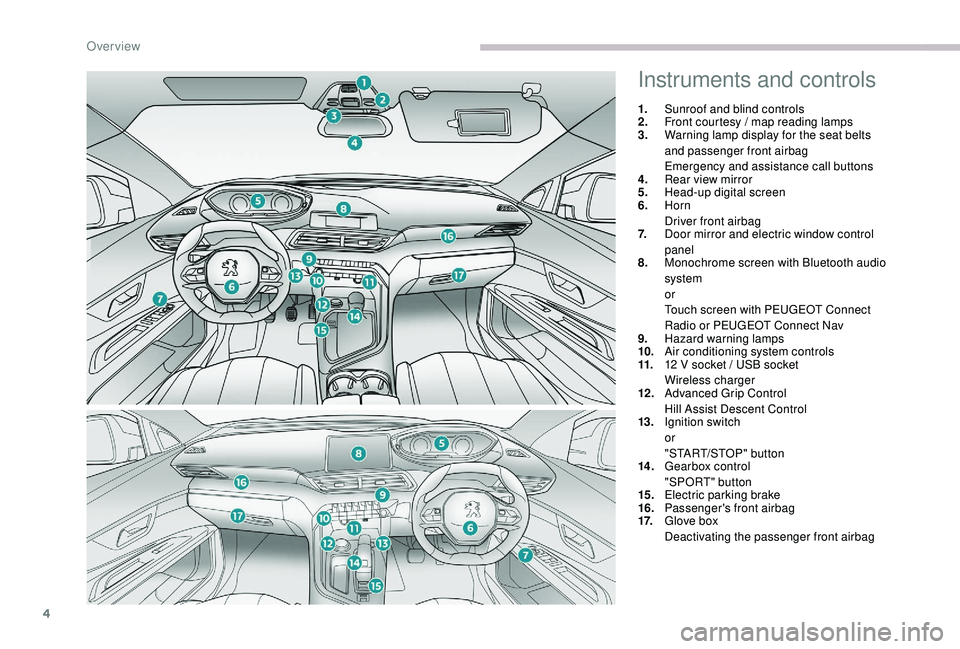
Instruments and controls
1.Sunroof and blind controls
2. Front courtesy / map reading lamps
3. Warning lamp display for the seat belts
and passenger front airbag
Emergency and assistance call buttons
4. Rear view mirror
5. Head-up digital screen
6. Horn
Driver front airbag
7. Door mirror and electric window control
panel
8. Monochrome screen with Bluetooth audio
system
or
Touch screen with PEUGEOT Connect
Radio or PEUGEOT Connect Nav
9. Hazard warning lamps
10. Air conditioning system controls
11. 12
V socket / USB socket
Wireless charger
12 . Advanced Grip Control
Hill Assist Descent Control
13. Ignition switch
or
"START/STOP" button
14 . Gearbox control
"SPORT" button
15. Electric parking brake
16. Passenger's front airbag
17. Glove box
Deactivating the passenger front airbag
Over view
Page 25 of 404
23
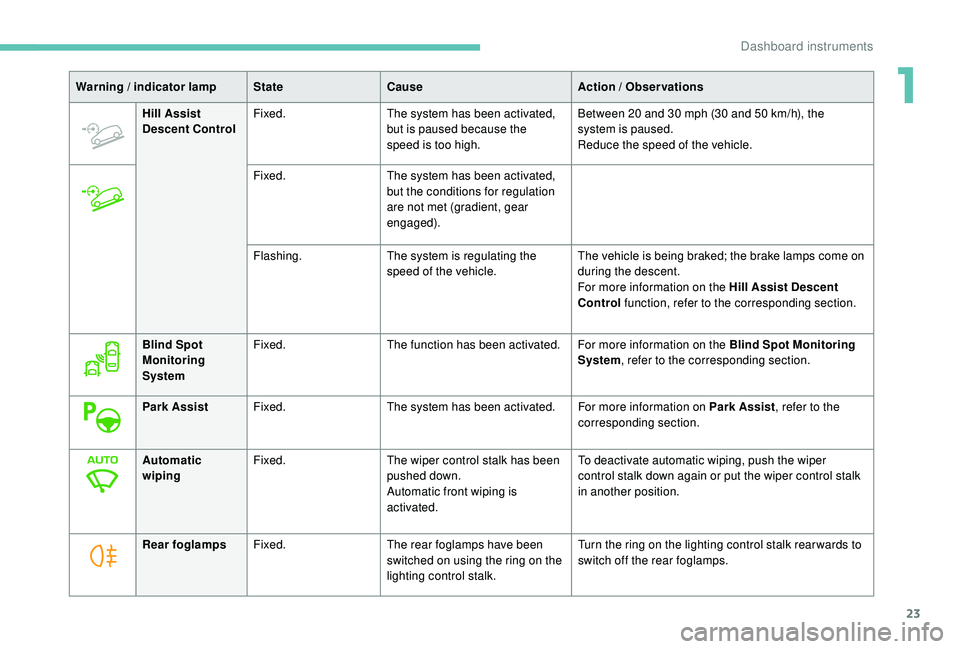
Hill Assist
Descent ControlFixed.
The system has been activated,
but is paused because the
speed is too high. Between 20
and 30 mph (30 and 50 km/h), the
system is paused.
Reduce the speed of the vehicle.
Fixed. The system has been activated,
but the conditions for regulation
are not met (gradient, gear
engaged).
Flashing. The system is regulating the
speed of the vehicle. The vehicle is being braked; the brake lamps come on
during the descent.
For more information on the Hill Assist Descent
Control
function, refer to the corresponding section.
Warning / indicator lamp
StateCause Action / Observations
Blind Spot
Monitoring
System Fixed.
The function has been activated. For more information on the Blind Spot Monitoring
System, refer to the corresponding section.
Park Assist Fixed. The system has been activated. For more information on Park Assist , refer to the
corresponding section.
Automatic
wiping Fixed.
The wiper control stalk has been
pushed down.
Automatic front wiping is
activated. To deactivate automatic wiping, push the wiper
control stalk down again or put the wiper control stalk
in another position.
Rear foglamps Fixed. The rear foglamps have been
switched on using the ring on the
lighting control stalk. Turn the ring on the lighting control stalk rear wards to
switch off the rear foglamps.
1
Dashboard instruments
Page 41 of 404
39
"Connections" menu
With the audio system on, this
menu allows a Bluetooth device
(telephone, media player) to be
paired and the connection mode
to be defined (hands-free, playing
audio files).
For more information on the "Connections"
application, refer to the "Audio equipment and
telematics" section.
"Personalisation-
configuration" menu
This menu gives access to the
following functions:
-
"
Define the vehicle parameters",
-
"
Choice of language",
-
"
Display configuration".
Define the vehicle parameters
This menu allows the activation or deactivation
of the following equipment, depending on
version:
-
"
Access to the vehicle" :
•
"
Plip action".
For more information on the Remote control
and driver door selective unlocking in
particular, refer to the "Access" section. -
"
Comfort"
:
•
"
Rear wipe in reverse gear".
For more information on the Wipers , refer
to the "Lighting and visibility" section.
•
"
Parking assistance".
For more information on Parking
assistance , refer to the "Driving" section.
•
"
Fatigue Detection System".
For more information on the Fatigue
detection system , refer to the "Driving"
section.
-
"
Driving assistance"
:
•
"
Auto. emergency braking".
For more information on the Active Safety
Brake , refer to the "Driving" section.
•
"
Speed recommendation".
For more information on Speed limit
recognition , refer to the "Driving" section.
•
"
Tyre inflation".
For more information on Under-inflation
detection and reinitialisation in particular,
refer to the "Driving" section.
Choice of language
This menu allows selection of the language
used by the screen and the instrument panel.
Display configuration
This menu gives access to the following
settings:
-
"
Choice of units",
-
"
Date and time adjustment",
-
"
Display parameters",
-
"Brightness".
Adjusting the date and time
F
P
ress the " 7" or " 8" button to display the
"Display configuration" menu, then press
OK.
F
P
ress the " 5" or " 6" button to select the
"Date and time adjustment" button, then
press OK.
F
P
ress the " 7" or " 8" button to select the
setting to modify. Confirm by pressing OK,
then modify the setting and confirm again to
save the modification.
F
A
djust the settings one by one, confirming
with the OK button.
F
P
ress the " 5" or " 6" button, then the OK
button to select the OK box and confirm or
the Back button to cancel.
As a safety measure, the driver must only
carry out operations that require sustained
attention when stationary.
1
Dashboard instruments
Page 46 of 404
44
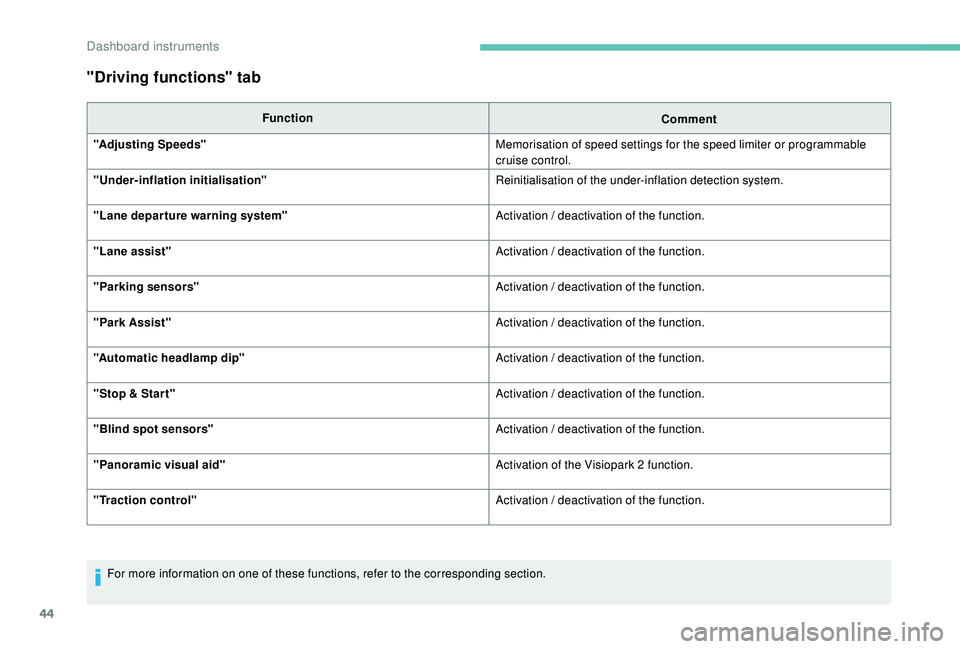
"Driving functions" tab
FunctionComment
"Adjusting Speeds" Memorisation of speed settings for the speed limiter or programmable
cruise control.
"
Under-inflation initialisation" Reinitialisation of the under-inflation detection system.
"Lane departure warning system" Activation / deactivation of the function.
"Lane assist" Activation / deactivation of the function.
"Parking sensors" Activation / deactivation of the function.
"Park Assist" Activation / deactivation of the function.
"Automatic headlamp dip" Activation / deactivation of the function.
"Stop & Star t" Activation / deactivation of the function.
"Blind spot sensors" Activation / deactivation of the function.
"Panoramic visual aid" Activation of the Visiopark 2
function.
"Traction control" Activation / deactivation of the function.
For more information on one of these functions, refer to the corresponding section.
Dashboard instruments
Page 179 of 404
177
Anti-theft protection
Electronic immobiliser
The keys contain an electronic chip which has
a secret code. When the ignition is switched
on, this code must be recognised in order for
starting to be possible.
A few seconds after switching off the ignition,
this system locks the engine control system,
therefore preventing the engine from being
started in the event of a break-in.
If the system fails, as reported by a message,
the engine will not start.
Contact a PEUGEOT dealer.
Starting / Switching off
the engine with the key
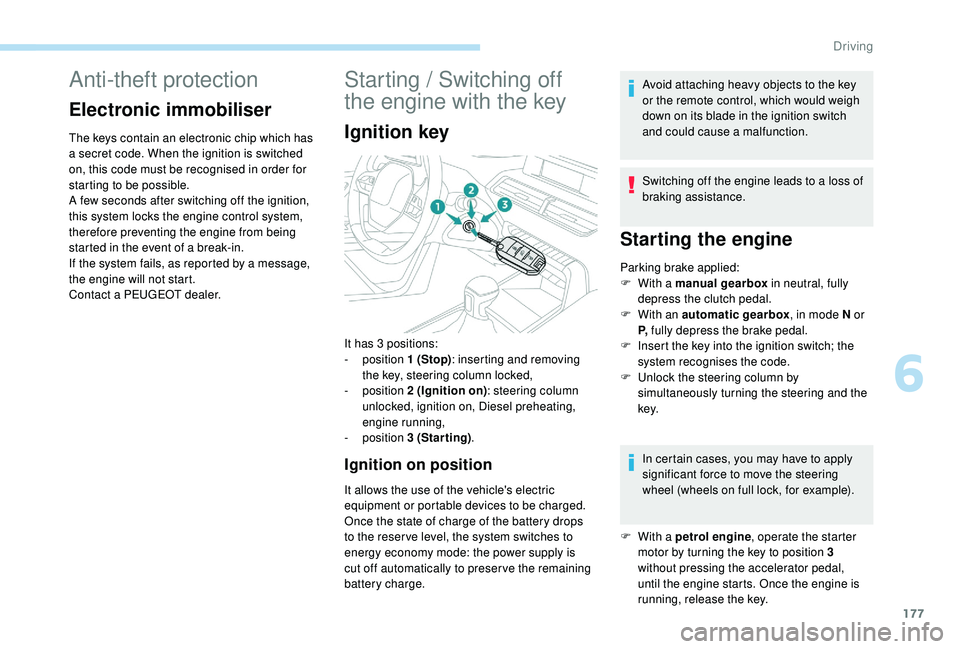
Ignition key
Ignition on position
It allows the use of the vehicle's electric
equipment or portable devices to be charged.
Once the state of charge of the battery drops
to the reser ve level, the system switches to
energy economy mode: the power supply is
cut off automatically to preser ve the remaining
battery charge.Avoid attaching heavy objects to the key
or the remote control, which would weigh
down on its blade in the ignition switch
and could cause a malfunction.
Switching off the engine leads to a loss of
braking assistance.
Starting the engine
Parking brake applied:
F
W ith a manual gearbox in neutral, fully
depress the clutch pedal.
F
W
ith an automatic gearbox , in mode N or
P, fully depress the brake pedal.
F
I
nsert the key into the ignition switch; the
system recognises the code.
F
U
nlock the steering column by
simultaneously turning the steering and the
key.
In certain cases, you may have to apply
significant force to move the steering
wheel (wheels on full lock, for example).
It has 3
positions:
-
position 1
(Stop) : inserting and removing
the key, steering column locked,
-
position 2
(Ignition on) : steering column
unlocked, ignition on, Diesel preheating,
engine running,
-
position 3
(Starting) .
F
W
ith a petrol engine , operate the starter
motor by turning the key to position 3
without pressing the accelerator pedal,
until the engine starts. Once the engine is
running, release the key.
6
Driving
Page 180 of 404
178
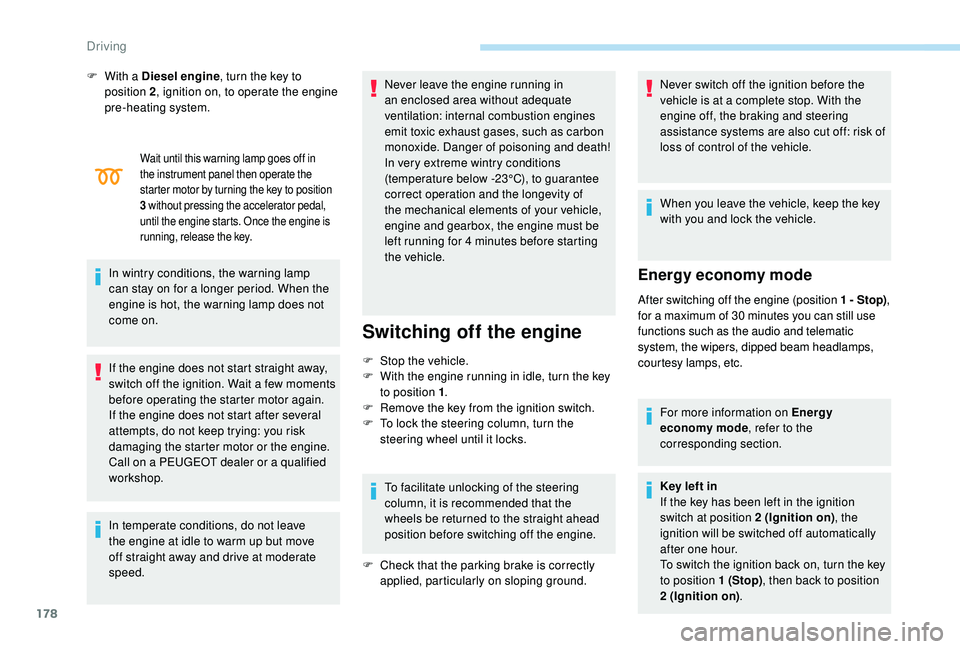
Wait until this warning lamp goes off in
the instrument panel then operate the
starter motor by turning the key to position
3
w
ithout pressing the accelerator pedal,
until the engine starts. Once the engine is
running, release the key.
In wintry conditions, the warning lamp
can stay on for a longer period. When the
engine is hot, the warning lamp does not
come on.
If the engine does not start straight away,
switch off the ignition. Wait a few moments
before operating the starter motor again.
If the engine does not start after several
attempts, do not keep trying: you risk
damaging the starter motor or the engine.
Call on a PEUGEOT dealer or a qualified
workshop.
In temperate conditions, do not leave
the engine at idle to warm up but move
off straight away and drive at moderate
speed. Never leave the engine running in
an enclosed area without adequate
ventilation: internal combustion engines
emit toxic exhaust gases, such as carbon
monoxide. Danger of poisoning and death!
In very extreme wintry conditions
(temperature below -23°C), to guarantee
correct operation and the longevity of
the mechanical elements of your vehicle,
engine and gearbox, the engine must be
left running for 4
minutes before starting
the vehicle.
Switching off the engine
F Stop the vehicle.
F W ith the engine running in idle, turn the key
to position 1 .
F
R
emove the key from the ignition switch.
F
T
o lock the steering column, turn the
steering wheel until it locks.
To facilitate unlocking of the steering
column, it is recommended that the
wheels be returned to the straight ahead
position before switching off the engine.
F
C
heck that the parking brake is correctly
applied, particularly on sloping ground. Never switch off the ignition before the
vehicle is at a complete stop. With the
engine off, the braking and steering
assistance systems are also cut off: risk of
loss of control of the vehicle.
When you leave the vehicle, keep the key
with you and lock the vehicle.
Energy economy mode
After switching off the engine (position 1 - Stop)
,
f or a maximum of 30 minutes you can still use
functions such as the audio and telematic
system, the wipers, dipped beam headlamps,
courtesy lamps, etc.
For more information on Energy
economy mode , refer to the
corresponding section.
Key left in
If the key has been left in the ignition
switch at position 2
(Ignition on), the
ignition will be switched off automatically
after one hour.
To switch the ignition back on, turn the key
to position 1
(Stop), then back to position
2
(Ignition on) .
F
W
ith a Diesel engine
, turn the key to
position 2 , ignition on, to operate the engine
pre-heating system.
Driving
Page 192 of 404
190
Hill start assist
System which keeps your vehicle immobilised
temporarily (approximately 2 seconds) when
starting on a gradient, the time it takes to
move your foot from the brake pedal to the
accelerator pedal.
This system only operates when:
-
t
he vehicle is completely stationary, with
your foot on the brake pedal,
-
c
ertain slope conditions are met,
-
w
ith the driver’s door closed.
The hill start assist system cannot be
deactivated.
Do not leave the vehicle while it is being
held in the hill start assist phase.
If you need to leave the vehicle with the
engine running, apply the parking brake
manually then ensure that the parking
brake warning lamp and the warning
lamp P in the lever of the electric parking
brake control are on fixed (not flashing).
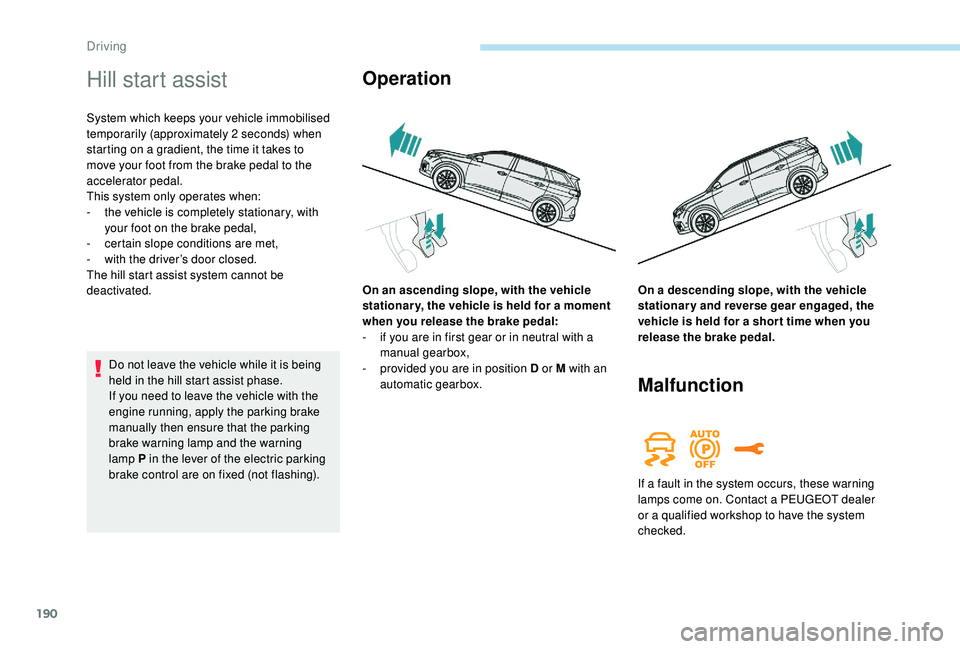
Operation
Malfunction
On an ascending slope, with the vehicle
stationar y, the vehicle is held for a moment
when you release the brake pedal:
-
i
f you are in first gear or in neutral with a
manual gearbox,
-
p
rovided you are in position D or M with an
automatic gearbox. On a descending slope, with the vehicle
stationary and reverse gear engaged, the
vehicle is held for a shor t time when you
release the brake pedal.
If a fault in the system occurs, these warning
lamps come on. Contact a PEUGEOT dealer
or a qualified workshop to have the system
checked.
Driving
Page 193 of 404
191
SPORT
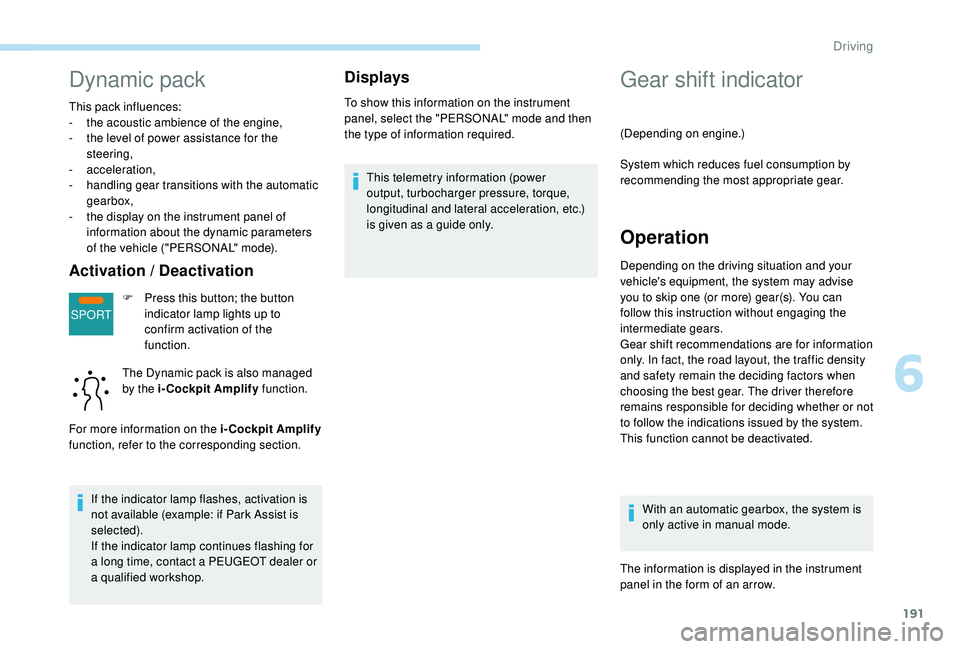
Dynamic pack
This pack influences:
- t he acoustic ambience of the engine,
-
t
he level of power assistance for the
steering,
-
acceleration,
-
h
andling gear transitions with the automatic
gearbox,
-
t
he display on the instrument panel of
information about the dynamic parameters
of the vehicle ("PERSONAL" mode).
Activation / Deactivation
F Press this button; the button indicator lamp lights up to
confirm activation of the
function.
The Dynamic pack is also managed
by the i-Cockpit Amplify function.
For more information on the i-Cockpit Amplify
function, refer to the corresponding section.
If the indicator lamp flashes, activation is
not available (example: if Park Assist is
selected).
If the indicator lamp continues flashing for
a long time, contact a PEUGEOT dealer or
a qualified workshop.
Displays
To show this information on the instrument
panel, select the "PERSONAL" mode and then
the type of information required.This telemetry information (power
output, turbocharger pressure, torque,
longitudinal and lateral acceleration, etc.)
is given as a guide only.
Gear shift indicator
(Depending on engine.)
System which reduces fuel consumption by
recommending the most appropriate gear.
Operation
Depending on the driving situation and your
vehicle's equipment, the system may advise
you to skip one (or more) gear(s). You can
follow this instruction without engaging the
intermediate gears.
Gear shift recommendations are for information
only. In fact, the road layout, the traffic density
and safety remain the deciding factors when
choosing the best gear. The driver therefore
remains responsible for deciding whether or not
to follow the indications issued by the system.
This function cannot be deactivated.
With an automatic gearbox, the system is
only active in manual mode.
The information is displayed in the instrument
panel in the form of an arrow.
6
Driving
Page 195 of 404
193
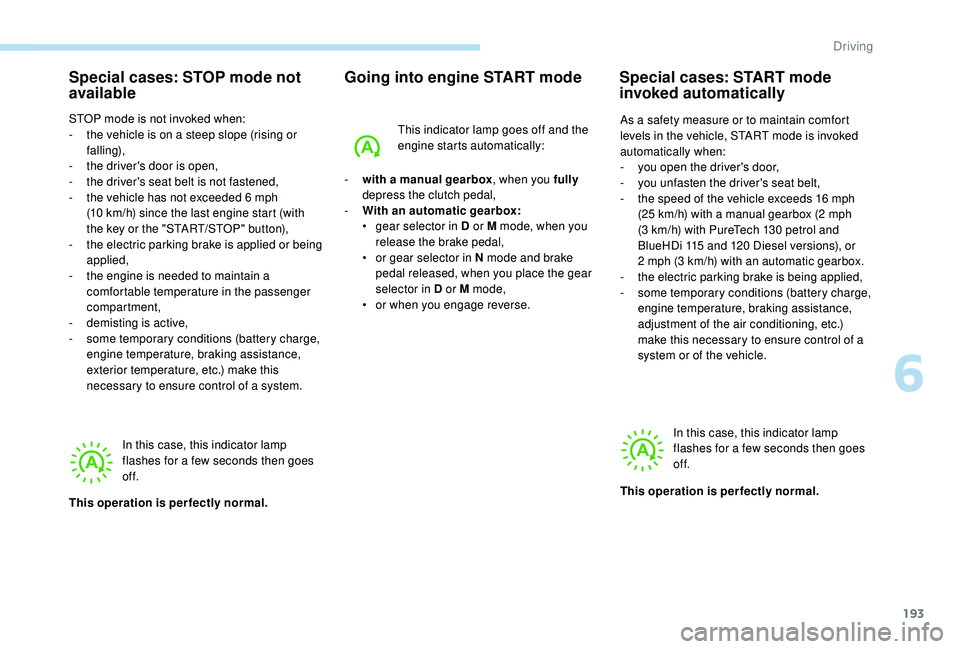
Special cases: STOP mode not
available
STOP mode is not invoked when:
- t he vehicle is on a steep slope (rising or
falling),
-
t
he driver's door is open,
-
t
he driver's seat belt is not fastened,
-
t
he vehicle has not exceeded 6 mph
(10
km/h) since the last engine start (with
the key or the "START/STOP" button),
-
t
he electric parking brake is applied or being
applied,
-
t
he engine is needed to maintain a
comfortable temperature in the passenger
compartment,
-
d
emisting is active,
-
s
ome temporary conditions (battery charge,
engine temperature, braking assistance,
exterior temperature, etc.) make this
necessary to ensure control of a system.
Going into engine START mode
In this case, this indicator lamp
flashes for a few seconds then goes
of f.
This operation is perfectly normal. -
w
ith a manual gearbox
, when you fully
depress the clutch pedal,
-
W
ith an automatic gearbox:
•
g
ear selector in D or M mode, when you
release the brake pedal,
•
o
r gear selector in N mode and brake
pedal released, when you place the gear
selector in D or M mode,
•
o
r when you engage reverse.This indicator lamp goes off and the
engine starts automatically:
Special cases: START mode
invoked automatically
As a safety measure or to maintain comfort
levels in the vehicle, START mode is invoked
automatically when:
-
y
ou open the driver's door,
-
y
ou unfasten the driver's seat belt,
-
t
he speed of the vehicle exceeds 16 mph
(25
km/h) with a manual gearbox (2 mph
(3
km/h) with PureTech 130 petrol and
BlueHDi 115
and 120 Diesel versions), or
2
mph (3 km/h) with an automatic gearbox.
-
t
he electric parking brake is being applied,
-
s
ome temporary conditions (battery charge,
engine temperature, braking assistance,
adjustment of the air conditioning, etc.)
make this necessary to ensure control of a
system or of the vehicle.
In this case, this indicator lamp
flashes for a few seconds then goes
of f.
This operation is perfectly normal.
6
Driving