wheel PEUGEOT 5008 2018 Service Manual
[x] Cancel search | Manufacturer: PEUGEOT, Model Year: 2018, Model line: 5008, Model: PEUGEOT 5008 2018Pages: 364, PDF Size: 13.03 MB
Page 188 of 364
186
Pause
The adaptive cruise control can be paused
manually by:
-
a
ction by the driver:
•
O
n button 4 (Pause).
•
O
n the brake pedal.
•
O
n the electric parking brake control.
•
B
y changing from mode D to N with an
automatic gearbox.
When the cruise control is paused, it
can only be reactivated when all of the
safety conditions are met. The message
"Activation not possible, conditions
unsuitable" is displayed while reactivation is
not possible.
To reactivate the function, the driver
must accelerate to reach at least 19
mph
(30
km/h), then press one of the
buttons 2 ,
3 or 4.
As a safety measure, wait until the current
speed reaches the speed setting to
reactivate the function by pressing button 4 .
Versions fitted with an automatic
gearbox
Following braking of the vehicle bringing it
to a
complete stop, the system holds the
vehicle stationary; the cruise control is
paused.
The driver should press the accelerator
pedal to move off, then reactivate the
system above 19
mph (30 km/h) by
pressing button 2 , 3
or 4.
If the driver takes no action following
this immobilisation, the electric parking
brake is applied automatically after a
few
minutes.
Modification of the speed
setting
Modification from the current
speed
F By successive short presses on button 2 or
3 , to raise or lower the setting in steps of
1
mph (km/h).
F
B
y a maintained press on button 2 or 3, to
raise or lower the setting in steps of 5
mph
(km/h).
Take care: the maintained press on button
2
or 3 will cause a very quick change in
the speed of your vehicle.
Modification from the speed limit
sign recognition system
F The suggested speed is displayed in the instrument panel.
Engine running and cruise control on (green),
you can modify the speed setting.
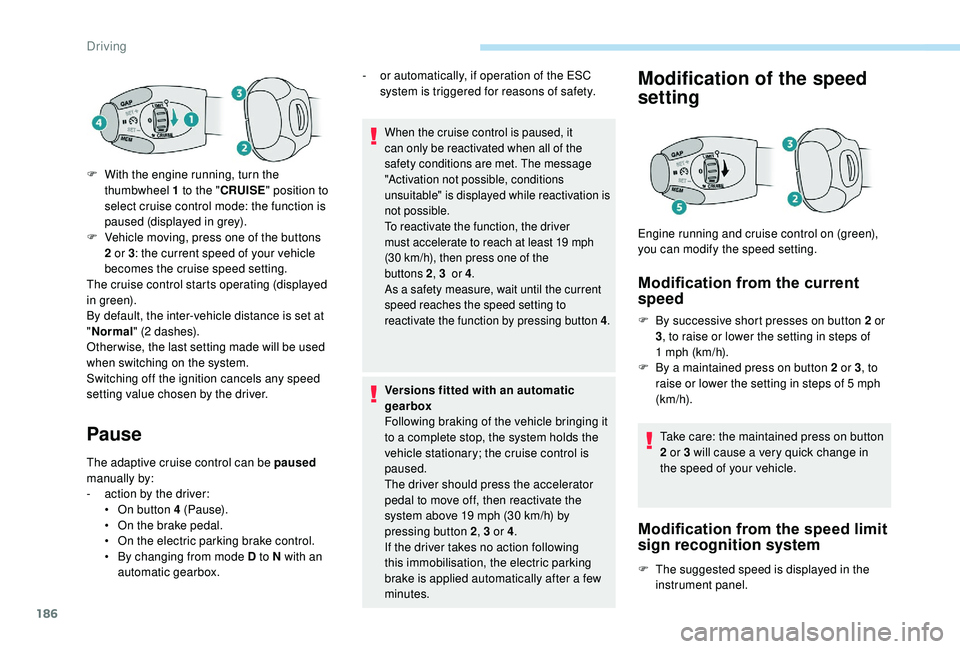
F
W
ith the engine running, turn the
thumbwheel 1
to the "
CRUISE " position to
select cruise control mode: the function is
paused (displayed in grey).
F
V
ehicle moving, press one of the buttons
2
or 3
: the current speed of your vehicle
becomes the cruise speed setting.
The cruise control starts operating (displayed
in green).
By default, the inter-vehicle distance is set at
" Normal " (2
dashes).
Other wise, the last setting made will be used
when switching on the system.
Switching off the ignition cancels any speed
setting value chosen by the driver. -
o
r automatically, if operation of the ESC
system is triggered for reasons of safety.
Driving
Page 193 of 364
191
Operating limits
The system cannot exceed the limits of the
laws of physics.
Certain situations cannot be managed by the
system and require the driver to take back
control of the vehicle.
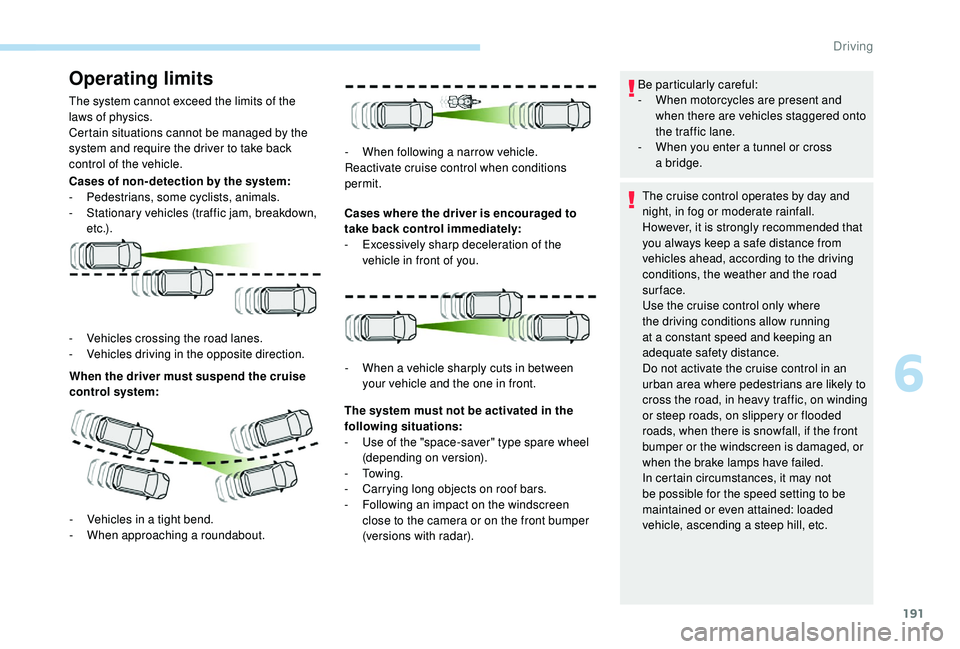
Cases of non- detection by the system:
-
Pe
destrians, some cyclists, animals.
-
S
tationary vehicles (traffic jam, breakdown,
e t c .) .
When the driver must suspend the cruise
control system: Cases where the driver is encouraged to
take back control immediately:
-
E
xcessively sharp deceleration of the
vehicle in front of you.
-
V
ehicles crossing the road lanes.
-
V
ehicles driving in the opposite direction. -
W
hen following a narrow vehicle.
Reactivate cruise control when conditions
permit.
-
V
ehicles in a tight bend.
-
W
hen approaching a
roundabout. The system must not be activated in the
following situations:
-
U
se of the "space-saver" type spare wheel
(depending on version).
-
To w i n g .
-
C
arrying long objects on roof bars.
-
F
ollowing an impact on the windscreen
close to the camera or on the front bumper
(versions with radar).
-
W
hen a vehicle sharply cuts in between
your vehicle and the one in front. Be particularly careful:
-
W hen motorcycles are present and
when there are vehicles staggered onto
the traffic lane.
-
W
hen you enter a tunnel or cross
a
bridge.
The cruise control operates by day and
night, in fog or moderate rainfall.
However, it is strongly recommended that
you always keep a
safe distance from
vehicles ahead, according to the driving
conditions, the weather and the road
sur face.
Use the cruise control only where
the driving conditions allow running
at a
constant speed and keeping an
adequate safety distance.
Do not activate the cruise control in an
urban area where pedestrians are likely to
cross the road, in heavy traffic, on winding
or steep roads, on slippery or flooded
roads, when there is snowfall, if the front
bumper or the windscreen is damaged, or
when the brake lamps have failed.
In certain circumstances, it may not
be possible for the speed setting to be
maintained or even attained: loaded
vehicle, ascending a
steep hill, etc.
6
Driving
Page 195 of 364
193
- Active Safety Brake (automatic emergency b r ak ing).
Distance Alert: it warns the driver if their
vehicle is at risk of collision with the vehicle in
front or a
pedestrian present in their traffic lane.
Intelligent emergency braking assistance:
it supplements the braking action taken by the
driver if this is inadequate.
Active Safety Brake : it intervenes following
the alert if the driver does not react quickly
enough and does not operate the vehicle's
brakes.
If the driver fails to act, it contributes
towards avoiding a
collision or limiting
its severity by reducing the speed of your
vehicle.
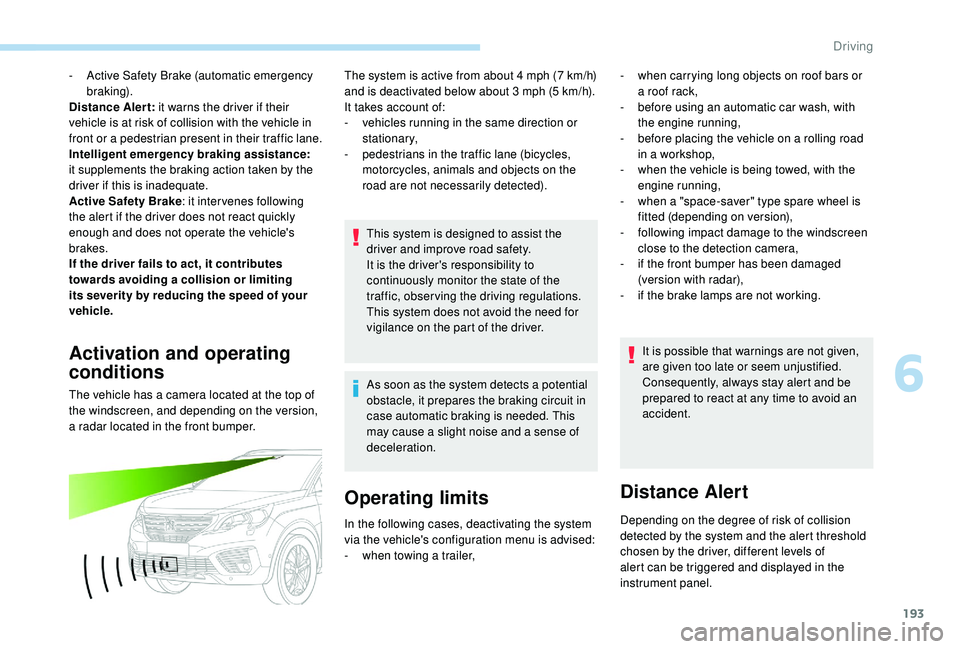
Activation and operating
conditions
The vehicle has a camera located at the top of
t he windscreen, and depending on the version,
a radar located in the front bumper. The system is active from about 4
mph (7 km/h)
and is deactivated below about 3 mph (5 km/h).
It takes account of:
-
v
ehicles running in the same direction or
stationary,
-
p
edestrians in the traffic lane (bicycles,
motorcycles, animals and objects on the
road are not necessarily detected).
This system is designed to assist the
driver and improve road safety.
It is the driver's responsibility to
continuously monitor the state of the
traffic, observing the driving regulations.
This system does not avoid the need for
vigilance on the part of the driver.
As soon as the system detects a potential
obstacle, it prepares the braking circuit in
case automatic braking is needed. This
may cause a
slight noise and a sense of
deceleration.
Operating limits
- when carrying long objects on roof bars or a roof rack,
-
b
efore using an automatic car wash, with
the engine running,
-
b
efore placing the vehicle on a rolling road
in a
workshop,
-
w
hen the vehicle is being towed, with the
engine running,
-
w
hen a "space-saver" type spare wheel is
fitted (depending on version),
-
fo
llowing impact damage to the windscreen
close to the detection camera,
-
i
f the front bumper has been damaged
(version with radar),
-
i
f the brake lamps are not working.It is possible that warnings are not given,
are given too late or seem unjustified.
Consequently, always stay alert and be
prepared to react at any time to avoid an
accident.
Distance Alert
Depending on the degree of risk of collision
detected by the system and the alert threshold
chosen by the driver, different levels of
alert can be triggered and displayed in the
instrument panel.
In the following cases, deactivating the system
via the vehicle's configuration menu is advised:
-
w
hen towing a
trailer,
6
Driving
Page 197 of 364
195
The driver can take back control of the vehicle
at any time by sharply turning the steering
wheel and/or pressing the accelerator pedal.The point at which braking is triggered
may be adjusted depending on the driving
actions of the driver, such as movement
of the steering wheel or actions at the
accelerator pedal.
Operation of the function may be felt by
slight vibration in the brake pedal.
If the vehicle comes to a
complete stop,
the automatic braking is maintained for
1
to 2 seconds.
With a
manual gearbox, in the event of
automatic emergency braking until the
vehicle comes to a
complete stop, the
engine may stall.
With an automatic gearbox, in the event
of automatic emergency braking until the
vehicle comes to a
complete stop, keep
the brake pedal pressed down to prevent
the vehicle from starting off again. After an impact, the function automatically
stops operating. Consult a
PEUGEOT
dealer or a
qualified workshop to have the
system checked.
Deactivation/Activation
By default, the system is automatically
activated at every engine start.
The system can be deactivated or activated via
the vehicle settings menu. Deactivation of the system is
signalled by the illumination of this
indicator lamp, accompanied by the
display of a
message.
The camera may be disrupted or not work
in the following situations:
-
p
oor visibility (inadequate street
lighting, falling snow, heavy rain, dense
f o g , e t c .),
-
d
azzle (headlamps of an oncoming
vehicle, low sun, reflections on a damp
road, leaving a tunnel, alternating
shade and light, etc.),
-
c
amera or radar obstructed (mud, frost,
snow, condensation, etc.).
On versions with camera alone, this
message indicates to you that the camera
is obstructed: " Driving aids camera:
visibility limited, see user guide ".
In these situations, detection performance
may be reduced.
Specific conditions for operation
The vehicle's speed must be between 3 mph
a nd 53 mph (5 km/h and 85 km/h) (versions
with camera alone) or 87
mph (140 km/h)
(versions with camera and radar) when
a
moving vehicle is detected.
The vehicle's speed must not exceed 50
mph
(80 km/h) when a
s
tationary vehicle is detected.
The vehicle's speed must not exceed 37
mph
(60
km/h) when a pedestrian is detected.
The ESC system must not be faulty.
The DSC system must not be deactivated.
All passenger seat belts must be fastened.
Driving at a
steady speed on roads with few
bends is required.
6
Driving
Page 198 of 364
196
Clean the windscreen regularly,
particularly the area in front of the camera.
The internal sur face of the windscreen can
also become misted around the camera.
In humid and cold weather, demist the
windscreen regularly.
Do not allow snow to accumulate on the
bonnet or roof of the vehicle as this could
conceal the detection camera.
Clean the front bumper, especially around
the radar, removing mud, snow, etc.
If the front bumper is to be repainted or
touched up, contact a PEUGEOT dealer
or a
qualified workshop. Certain types of
paint could inter fere with the operation of
the radar.
The system is automatically deactivated
after the use of the "space-saver" type
spare wheel is detected, or if a
fault with
the side brake lamps is detected.Malfunction
In the event of a fault with the
s ystem, you are alerted by the
illumination of this warning lamp,
accompanied by the display of
a
message and an audible signal.
Contact a
PEUGEOT dealer or a qualified
workshop to have the system checked.
Fatigue detection system
It is recommended that you take a break as
s oon as you feel tired or at least every two
hours.
Depending on version, the function either
has the "Driving time warning" only, or this
combined with the "Driver inattention alert".
The system cannot in any circumstances
replace the need for vigilance on the part
of the driver.
Do not take the wheel if you are tired.
Activation/Deactivation
The system is activated or deactivated via the
vehicle configuration menu.
For more information on the menu, refer
to the section covering your screen in the
"Instruments" section. The state of the system stays in memory when
the ignition is switched off.
Driving time warning
The system triggers an alert once it
detects that the driver has not taken
a
break after two hours of driving at
a
speed above 40 mph (65 km/h).
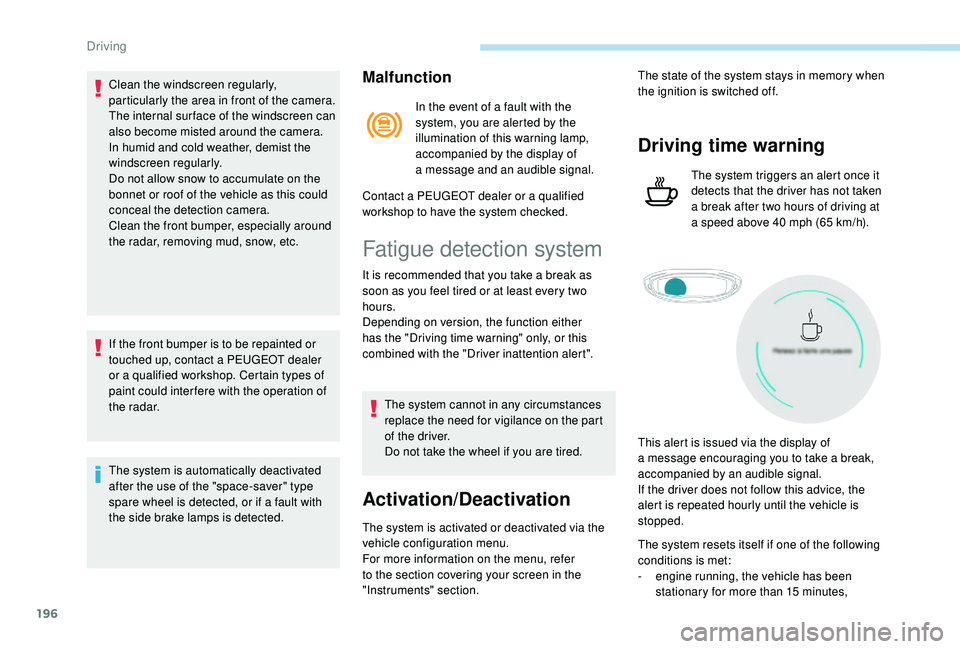
This alert is issued via the display of
a
message encouraging you to take a break,
accompanied by an audible signal.
If the driver does not follow this advice, the
alert is repeated hourly until the vehicle is
stopped.
The system resets itself if one of the following
conditions is met:
-
e
ngine running, the vehicle has been
stationary for more than 15
minutes,
Driving
Page 201 of 364
199
Conditions for operation
The speed of the vehicle must be between
40 and 112 mph (65 and 180 km/h).
The carriageway must have at least one lane
marking (solid or broken) on the ground.
The driver must hold the wheel with both
hands.
The change of trajectory must not be
accompanied by operation of the direction
indicators.
The ESC system must be activated.
This system is a
driving aid which cannot,
in any circumstances, replace the need
for vigilance on the part of the driver.
The driver should remain in control of the
vehicle in all circumstances.
The system helps the driver only when
there is a
risk of the vehicle involuntarily
wandering from the lane it is being driven
on. It does not manage the safe driving
distance, the speed of the vehicle or the
brakes.
The driver must hold the steering wheel
with both hands in a
way that allows
control to be taken back in circumstances
where the system is not able to inter vene
(if lane markings disappear, for example).
It is necessary to obser ve the driving
regulations and take a
break every two
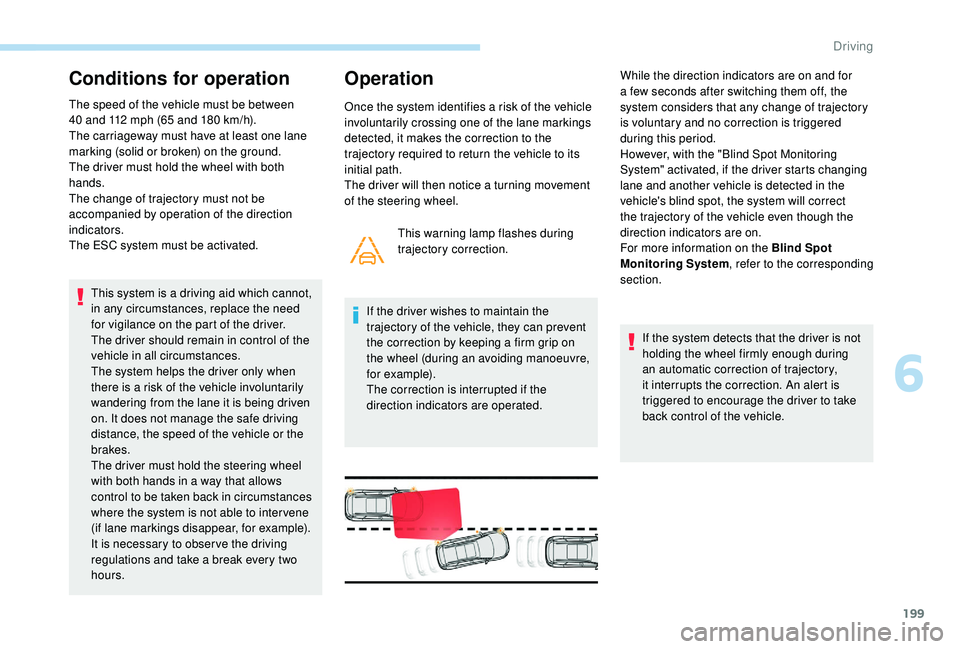
hours. This warning lamp flashes during
trajectory correction.
If the driver wishes to maintain the
trajectory of the vehicle, they can prevent
the correction by keeping a
firm grip on
the wheel (during an avoiding manoeuvre,
for example).
The correction is interrupted if the
direction indicators are operated. If the system detects that the driver is not
holding the wheel firmly enough during
an automatic correction of trajectory,
it interrupts the correction. An alert is
triggered to encourage the driver to take
back control of the vehicle.
Operation
Once the system identifies a risk of the vehicle
i nvoluntarily crossing one of the lane markings
detected, it makes the correction to the
trajectory required to return the vehicle to its
initial path.
The driver will then notice a
turning movement
of the steering wheel. While the direction indicators are on and for
a
few seconds after switching them off, the
system considers that any change of trajectory
is voluntary and no correction is triggered
during this period.
However, with the "Blind Spot Monitoring
System" activated, if the driver starts changing
lane and another vehicle is detected in the
vehicle's blind spot, the system will correct
the trajectory of the vehicle even though the
direction indicators are on.
For more information on the Blind Spot
Monitoring System , refer to the corresponding
section.
6
Driving
Page 202 of 364
200
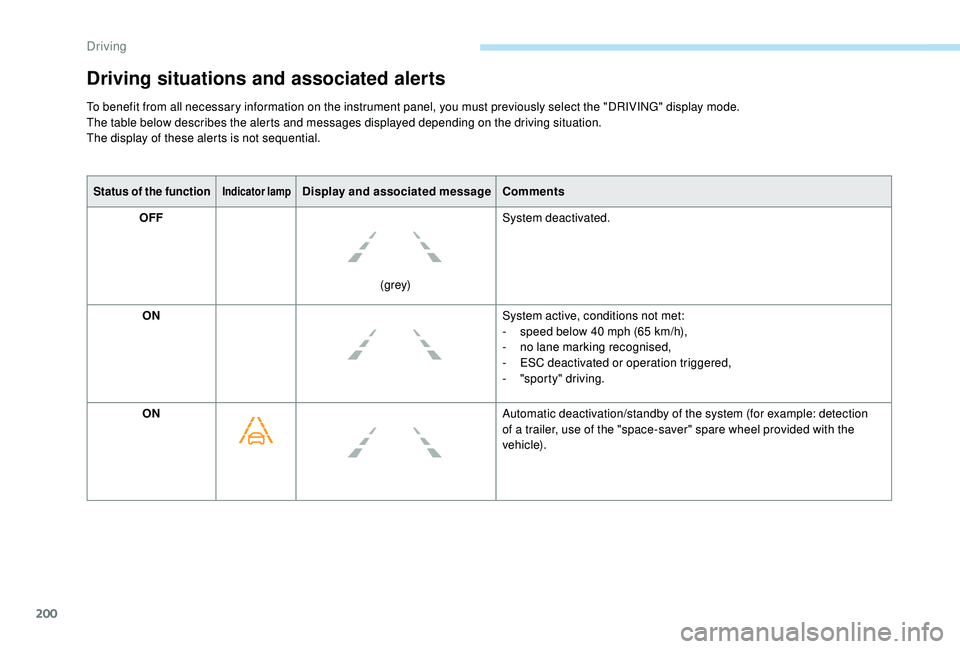
Status of the functionIndicator lampDisplay and associated messageComments
OFF
(grey)System deactivated.
ON System active, conditions not met:
-
s
peed below 40 mph (65 km/h),
-
n
o lane marking recognised,
-
E
SC deactivated or operation triggered,
-
"
sporty" driving.
ON Automatic deactivation/standby of the system (for example: detection
of a
trailer, use of the "space-saver" spare wheel provided with the
vehicle).
Driving situations and associated alerts
To benefit from all necessary information on the instrument panel, you must previously select the "DRIVING" display mode.
The table below describes the alerts and messages displayed depending on the driving situation.
The display of these alerts is not sequential.
Driving
Page 203 of 364
201
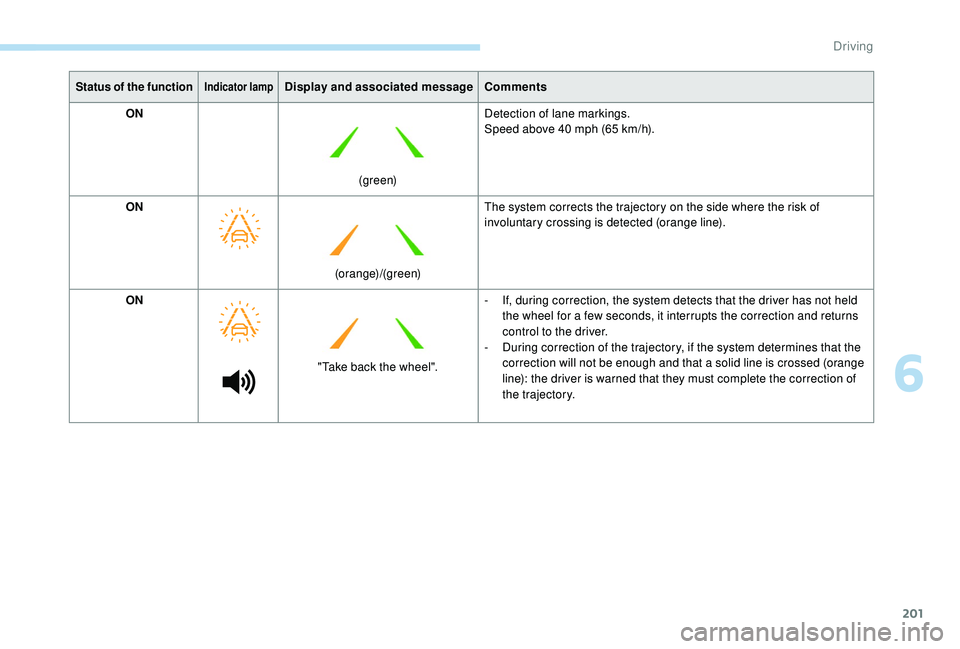
Status of the functionIndicator lampDisplay and associated messageComments
ON
(green)Detection of lane markings.
Speed above 40
mph (65 km/h).
ON (orange)/(green)The system corrects the trajectory on the side where the risk of
involuntary crossing is detected (orange line).
ON "Take back the wheel".-
I
f, during correction, the system detects that the driver has not held
the wheel for a
few seconds, it interrupts the correction and returns
control to the driver.
-
D
uring correction of the trajectory, if the system determines that the
correction will not be enough and that a
solid line is crossed (orange
line): the driver is warned that they must complete the correction of
the trajectory.
6
Driving
Page 204 of 364
202
Operating limits
The system goes into standby automatically in
the following cases:
-
E
SC deactivated or operation triggered,
-
S
peed below 40 mph (65 km/h) or greater
than 112
mph (180 km/h),
-
c
onnected electrically to a
trailer,
-
u
se of the "space-saver" spare
wheel detected (as detection is not
immediate, deactivation of the system is
recommended),
-
d
ynamic driving style detected, pressure on
the brake or accelerator pedal,
-
d
riving where there are no lane markings,
-
a
ctivation of the direction indicators,
-
c
rossing the inside line on a bend,
-
d
riving in a tight corner,
-
i
nactivity by the driver detected during
correction. The following situations may interfere with
the operation of the system or prevent it
working:
-
c
onditions of poor visibility (inadequate
street lighting, snowfall, rain, fog),
-
d
azzle (headlamps of an oncoming
vehicle, low sun, reflections on a
damp
road, leaving a
tunnel, alternating
shade and light),
-
w
indscreen area located in front of the
camera: dirty, misted, frost-covered,
snow-covered, damaged or covered by
a
s t i c ke r,
-
l
ane markings absent, worn, hidden
(snow, mud) or multiple (roadworks),
-
r
unning close to the vehicle in front
(the lane markings may not be
detected),
-
r
oads that are narrow, winding, etc.
Risk of undesirable operation
Deactivation of the system is recommended in
the following situations:
-
d
riving on a road sur face in poor condition,
-
u
nfavourable climatic conditions,
-
d
riving on slippery sur faces (ice).
Activation/Deactivation
Activation and deactivation of the
system is done in the Vehicle/
Driving menu of the touch screen.
The system state remains in memory when the
ignition is switched off.
Operating fault
In the event of a fault with the system, you are
a lerted by the illumination of these warning
lamps in the instrument panel, accompanied by
the display of a
message and an audible signal.
Have the system checked by a
PEUGEOT
dealer or a
qualified workshop.
The system is not intended for driving in the
following situations:
-
d
riving on a speed circuit,
-
d
riving with a trailer,
-
d
riving on a rolling stand,
-
d
riving on unstable sur faces.
Select the " Driving functions " then the "Lane
assist " tab.
Driving
Page 210 of 364
208
The display is immediately updated with the
type of view selected.
The state of the system is not kept in memory
when the ignition is switched off.
Principle of operation
Using one or two cameras, the close
surroundings of the vehicle are recorded whilst
manoeuvring at low speed.
An image from above your vehicle in its close
surroundings is created in real time, as the
vehicle manoeuvre progresses.
This representation facilitates the alignment of
your vehicle when parking and allows obstacles
close to the vehicle to be seen.
This image is automatically deleted if the
vehicle remains stationary for too long.When the function is activated, it is possible
that the central view is not displayed. If the
system is activated after the vehicle has
already been driven, the central view may be
completely displayed.
This system is a visual aid that cannot in
any circumstances replace the need for
vigilance on the part of the driver.
The images provided by the camera(s)
may be distorted by the relief.
In the presence of areas in shade, or in
conditions of bright sunlight or inadequate
lighting, the image may be darkened and
with lower contrast.
Recommendations on care
In bad or wintry weather, ensure that the
sensors and camera lenses are not covered
with mud, ice or snow.
Check the cleanliness of the camera lenses
regularly.
If necessary, clean the cameras with a
soft, dry
cloth.
When washing your vehicle at high pressure,
direct the lance at least 30
cm away from the
cameras and parking aid sensors.
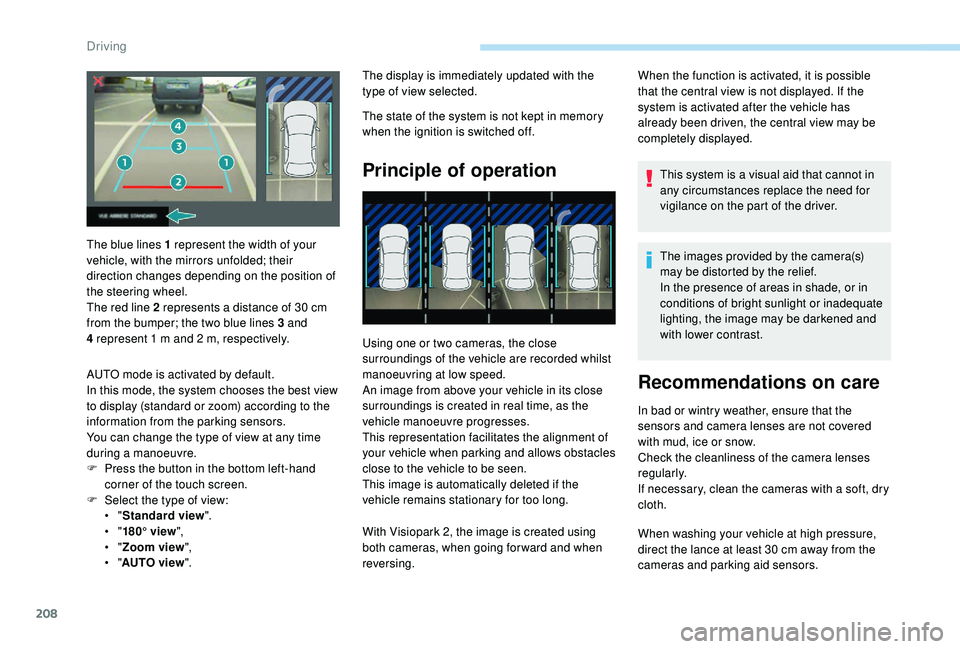
The blue lines 1
represent the width of your
vehicle, with the mirrors unfolded; their
direction changes depending on the position of
the steering wheel.
The red line 2
represents a
distance of 30
cm
from the bumper; the two blue lines 3
and
4
represent 1
m and 2
m, respectively.
AUTO mode is activated by default.
In this mode, the system chooses the best view
to display (standard or zoom) according to the
information from the parking sensors.
You can change the type of view at any time
during a
manoeuvre.
F
P
ress the button in the bottom left-hand
corner of the touch screen.
F
Sel
ect the type of view:
•
" Standard view ".
•
" 180° view ",
•
" Zoom view ",
•
" AUTO view ". With Visiopark 2, the image is created using
both cameras, when going for ward and when
reversing.
Driving