light Peugeot 508 2016 User Guide
[x] Cancel search | Manufacturer: PEUGEOT, Model Year: 2016, Model line: 508, Model: Peugeot 508 2016Pages: 371, PDF Size: 12.12 MB
Page 34 of 371
32
508 _en_Chap01_instrument-bord_ed01-2016
* According to country.
CHECK (vehicle autotest)
Automatic CHECK
With the key in the ignition on position, all of the
warning lamps for the functions tested are displayed.
th
ey are switched off after a few seconds.
At the same time, an automatic CHeC K
(vehicle autotest) is carried out.
In the presence of a fault
A "minor" fault has been detected: the warning
lamp(s) are displayed then go off.
You can start your vehicle; however, contact a
P
e
uge
Ot
dealer or a qualified workshop as
soon as possible.
A "major" fault has been detected: the
associated warning lamps(s) remain on
accompanied by the S
tO
P or S
eR
VIC
e
warning lamp.
Do not start your vehicle.
Call a P
e
uge
Ot
dealer or a qualified
workshop without delay.
Manual CHECK
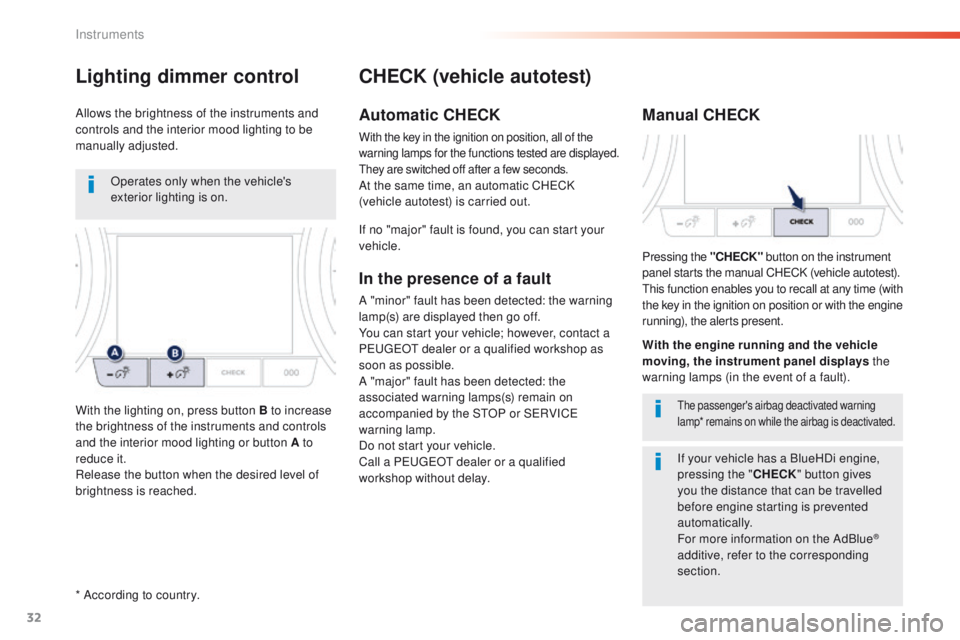
Pressing the "CHECK" button on the instrument
panel starts the manual CHeC K (vehicle autotest).
th
is function enables you to recall at any time (with
the key in the ignition on position or with the engine
running), the alerts present.
the passenger's airbag deactivated warning
lamp* remains on while the airbag is deactivated.
With the engine running and the vehicle
moving, the instrument panel displays the
warning lamps (in the event of a fault).
If no "major" fault is found, you can start your
vehicle.
Lighting dimmer control
Allows the brightness of the instruments and
controls and the interior mood lighting to be
manually adjusted.
If your vehicle has a BlueHDi engine,
pressing the "CHECK" button gives
you the distance that can be travelled
before engine starting is prevented
automatically.
For more information on the AdBlue
®
additive, refer to the corresponding
section.
Operates only when the vehicle's
exterior lighting is on.
With the lighting on, press button B to increase
the brightness of the instruments and controls
and the interior mood lighting or button A to
reduce it.
Release the button when the desired level of
brightness is reached.
Instruments
Page 45 of 371
43
508 _en_Chap01_instrument-bord_ed01-2016
touch screen
It gives access to:
- m enus for adjusting settings for vehicle
functions and systems,
-
a
udio and display configuration menus,
-
a
udio system and telephone controls and
the display of associated information.
And, depending on equipment, it allows:
-
t
he display of alert messages and the
visual parking sensors information,
-
a
ccess to the controls for the navigation
system and Internet services, and the
display of associated information.
For reasons of safety, the driver
should only carr y out operations
that require close attention, with the
vehicle stationary.
Some functions are not accessible
when driving.General operation
Recommendations
It is necessary to press firmly, particularly for
"flick" gestures (scrolling through lists, moving
the map...).
A light wipe is not enough.
th
e screen does not recognise pressing with
more than one finger.
th
is technology allows use at all temperatures
and when wearing gloves.
Do not use pointed objects on the touch
screen.
Do not touch the touch screen with wet hands.
us
es a soft clean cloth to clean the touch
screen.
State of indicator lamps
Some buttons contain an indicator lamp that
gives the state of the corresponding function.
gr
een indicator: you have switched on the
corresponding function.
Orange indicator: you have switched off the
corresponding function.
1
Instruments
Page 54 of 371
52
508_en_Chap02_ouvertures_ed01-2016
F Press the closed padlock to locate your locked vehicle in a
car park.
Locating your vehicle
this is indicated by lighting of the courtesy
lamps and flashing of the direction indicators
for a few seconds.
Anti-theft protection
Electronic engine immobiliser
the key contains an electronic chip which has
a special code. When the ignition is switched
on, this code must be recognised in order for
starting to be possible.
th
is electronic engine immobiliser locks the
engine management system a few moments
after the ignition is switched off and prevents
starting of the engine by anyone who does not
have the key.
In the event of a fault, you are
informed by illumination of this
warning lamp, an audible signal and
a message in the screen.
Keep safely, away from your vehicle,
the label attached to the keys given to
you on acquisition of the vehicle.
In this case, your vehicle will not start; contact
a P
e
uge
Ot
dealer as soon as possible.
Access
Page 60 of 371
58
508_en_Chap02_ouvertures_ed01-2016
Normal locking
Using the remote control
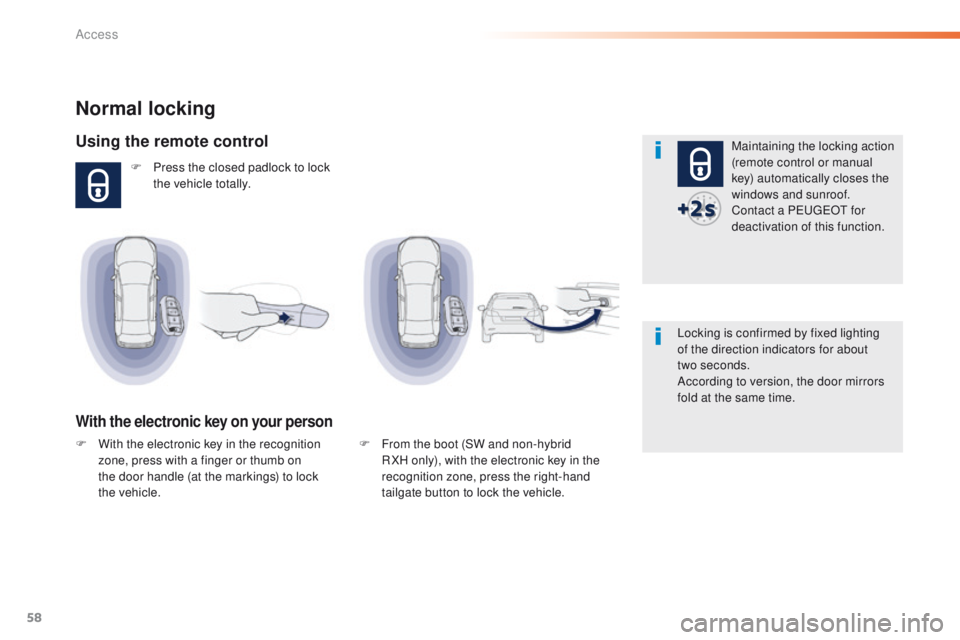
F Press the closed padlock to lock the vehicle totally.
With the electronic key on your person
Maintaining the locking action
(remote control or manual
key) automatically closes the
windows and sunroof.
Contact a P
e
uge
Ot
for
deactivation of this function.
Locking is confirmed by fixed lighting
of the direction indicators for about
two
seconds.
According to version, the door mirrors
fold at the same time.
F
F
rom the boot (SW and non-hybrid
R XH only), with the electronic key in the
recognition zone, press the right-hand
tailgate button to lock the vehicle.
F
W
ith the electronic key in the recognition
zone, press with a finger or thumb on
the door handle (at the markings) to lock
the
vehicle.
Access
Page 63 of 371
61
508_en_Chap02_ouvertures_ed01-2016
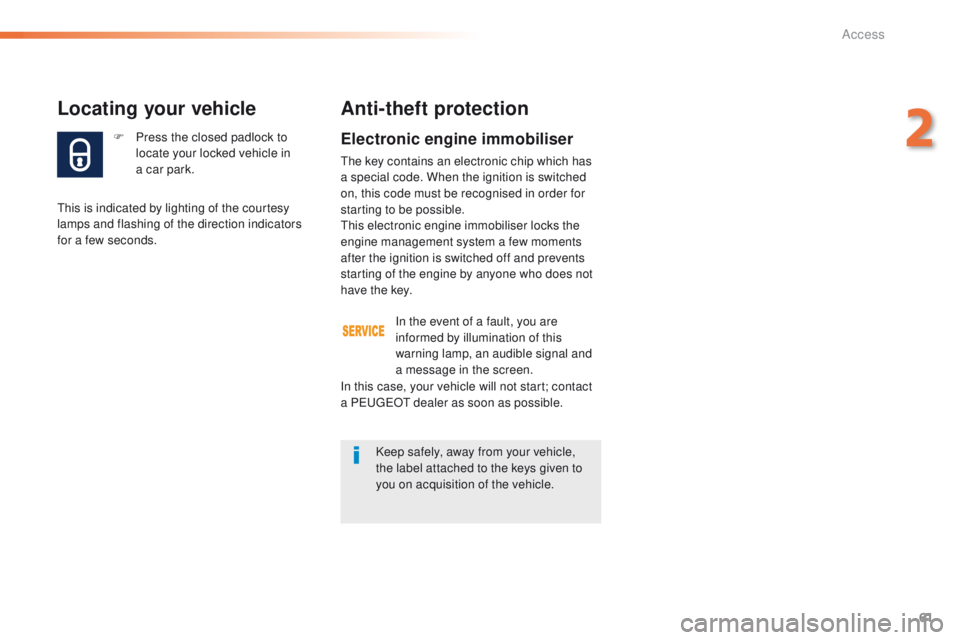
F Press the closed padlock to locate your locked vehicle in
a
car park.
Locating your vehicle
this is indicated by lighting of the courtesy
lamps and flashing of the direction indicators
for a few seconds.
Anti-theft protection
Electronic engine immobiliser
the key contains an electronic chip which has
a special code. When the ignition is switched
on, this code must be recognised in order for
starting to be possible.
th
is electronic engine immobiliser locks the
engine management system a few moments
after the ignition is switched off and prevents
starting of the engine by anyone who does not
have the key.
In the event of a fault, you are
informed by illumination of this
warning lamp, an audible signal and
a message in the screen.
In this case, your vehicle will not start; contact
a P
e
uge
Ot
dealer as soon as possible.
Keep safely, away from your vehicle,
the label attached to the keys given to
you on acquisition of the vehicle.
2
Access
Page 69 of 371
67
508_en_Chap02_ouvertures_ed01-2016
Motorised closing
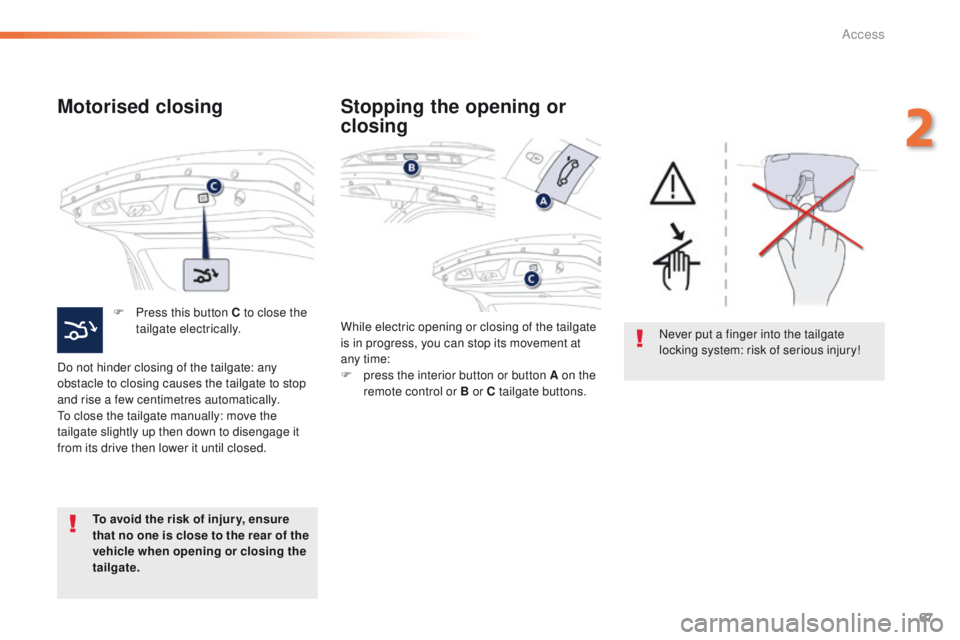
F Press this button C to close the tailgate electrically.
Do not hinder closing of the tailgate: any
obstacle to closing causes the tailgate to stop
and rise a few centimetres automatically.
to c
lose the tailgate manually: move the
tailgate slightly up then down to disengage it
from its drive then lower it until closed.
To avoid the risk of injur y, ensure
that no one is close to the rear of the
vehicle when opening or closing the
tailgate. While electric opening or closing of the tailgate
is in progress, you can stop its movement at
any time:
F
p
ress the interior button or button A on the
remote control or B or C tailgate buttons.
Stopping the opening or
closing
Never put a finger into the tailgate
locking system: risk of serious injury!
2
Access
Page 84 of 371
82
508_en_Chap03_ergonomie-et-confort_ed01-2016
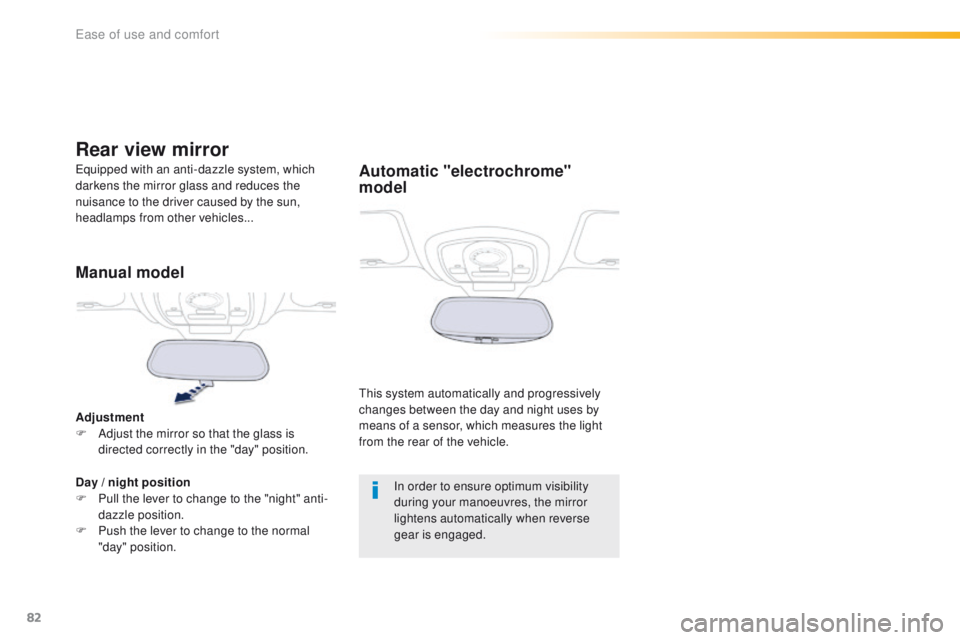
Automatic "electrochrome"
model
this system automatically and progressively
changes between the day and night uses by
means of a sensor, which measures the light
from the rear of the vehicle.
eq
uipped with an anti-dazzle system, which
darkens the mirror glass and reduces the
nuisance to the driver caused by the sun,
headlamps from other vehicles...
Rear view mirror
Manual model
Adjustment
F A djust the mirror so that the glass is
directed correctly in the "day" position.
Day
/ night position
F
P
ull the lever to change to the "night" anti-
dazzle position.
F
P
ush the lever to change to the normal
"day" position. In order to ensure optimum visibility
during your manoeuvres, the mirror
lightens automatically when reverse
gear is engaged.
ease of use and comfort
Page 92 of 371
90
508_en_Chap03_ergonomie-et-confort_ed01-2016
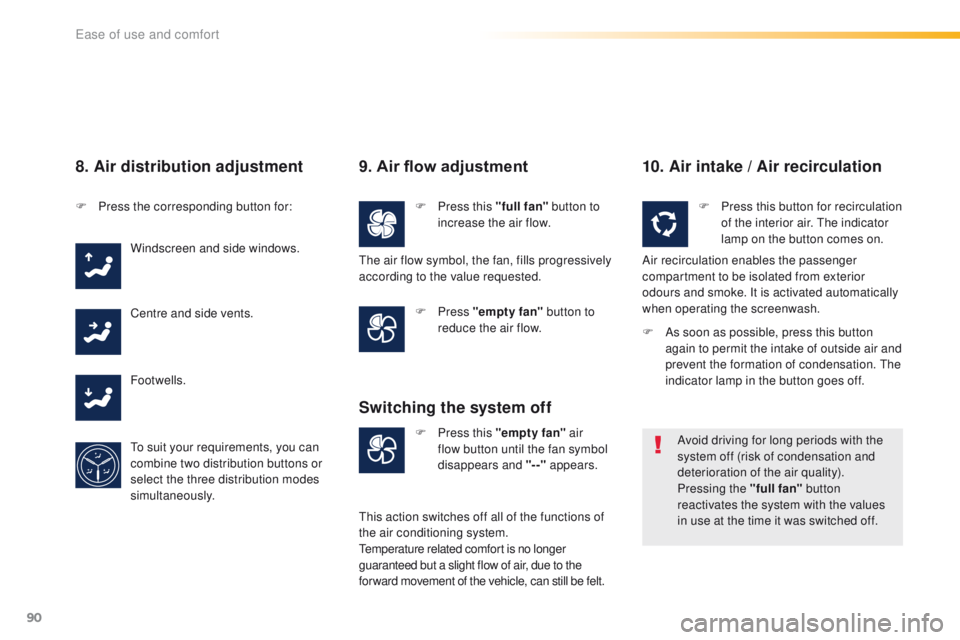
8. Air distribution adjustment
F Press the corresponding button for:Windscreen and side windows.
Centre and side vents.
Footwells.
to s
uit your requirements, you can
combine two distribution buttons or
select the three distribution modes
simultaneously.
9. Air flow adjustment
F Press this "full fan" button to
increase the air flow.
F
Press "empty fan" button to
reduce the air flow.
10. Air intake / Air recirculation
F Press this "empty fan" air
flow button until the fan symbol
disappears and "--" appears.
Switching the system off
F Press this button for recirculation
of the interior air. th e indicator
lamp on the button comes on.
Air recirculation enables the passenger
compartment to be isolated from exterior
odours and smoke. It is activated automatically
when operating the screenwash.
Avoid driving for long periods with the
system off (risk of condensation and
deterioration of the air quality).
Pressing the "full fan" button
reactivates the system with the values
in use at the time it was switched off.
th
e air flow symbol, the fan, fills progressively
according to the value requested.
th
is action switches off all of the functions of
the air conditioning system.
te
mperature related comfort is no longer
guaranteed but a slight flow of air, due to the
for ward movement of the vehicle, can still be felt. F
A
s soon as possible, press this button
again to permit the intake of outside air and
prevent the formation of condensation.
t
h
e
indicator lamp in the button goes off.
ease of use and comfort
Page 95 of 371
93
508_en_Chap03_ergonomie-et-confort_ed01-2016
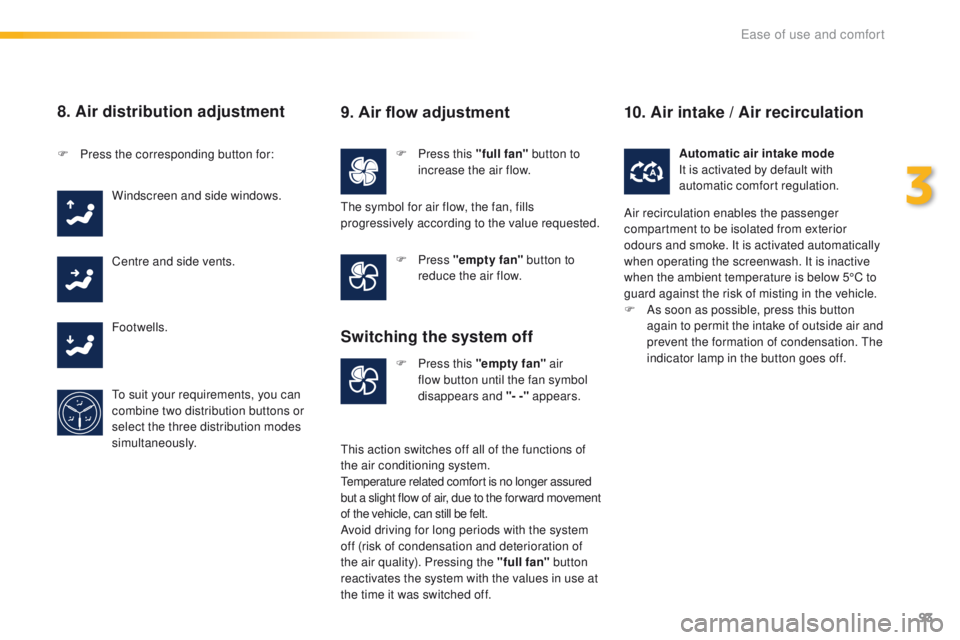
8. Air distribution adjustment
F Press this "full fan" button to
increase the air flow.
F
P
ress the corresponding button for:
Windscreen and side windows.
Centre and side vents.
Footwells.
to s
uit your requirements, you can
combine two distribution buttons or
select the three distribution modes
simultaneously. F
Press "empty fan" button to
reduce the air flow.
F
P
ress this "empty fan" air
flow button until the fan symbol
disappears and "- -" appears. Automatic air intake mode
It is activated by default with
automatic comfort regulation.
9. Air flow adjustment
the symbol for air flow, the fan, fills
progressively according to the value requested.
Switching the system off
this action switches off all of the functions of
the air conditioning system.
te
mperature related comfort is no longer assured
but a slight flow of air, due to the for ward movement
of the vehicle, can still be felt.
Avoid driving for long periods with the system
off (risk of condensation and deterioration of
the air quality). Pressing the "full fan" button
reactivates the system with the values in use at
the time it was switched off.
10. Air intake / Air recirculation
Air recirculation enables the passenger
compartment to be isolated from exterior
odours and smoke. It is activated automatically
when operating the screenwash. It is inactive
when the ambient temperature is below 5°C to
guard against the risk of misting in the vehicle.
F
A
s soon as possible, press this button
again to permit the intake of outside air and
prevent the formation of condensation.
t
h
e
indicator lamp in the button goes off.
3
ease of use and comfort
Page 97 of 371
95
508_en_Chap03_ergonomie-et-confort_ed01-2016
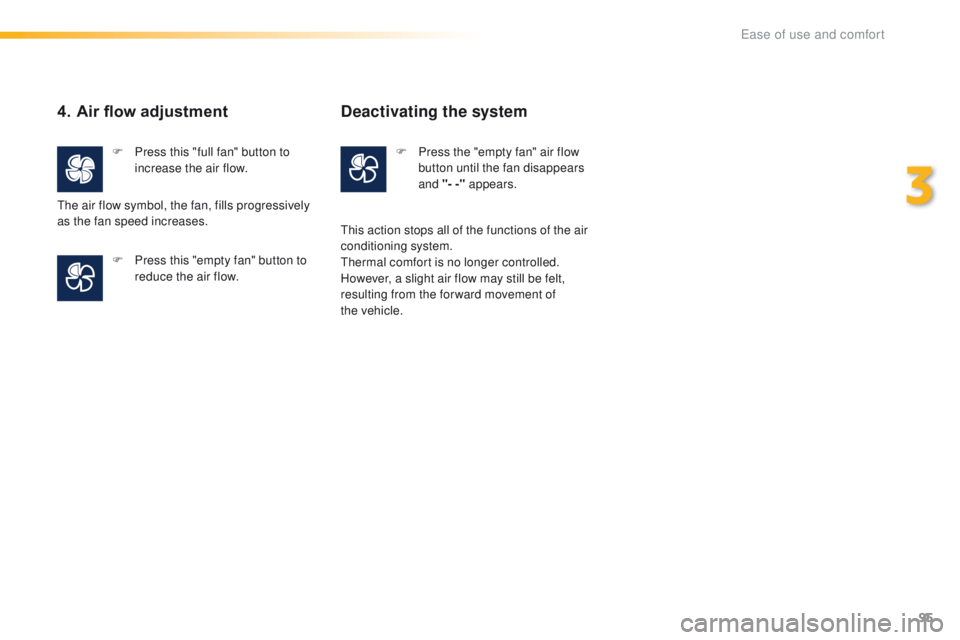
4. Air flow adjustment
F Press this "full fan" button to increase the air flow.
F
P
ress this "empty fan" button to
reduce the air flow.
th
e air flow symbol, the fan, fills progressively
as the fan speed increases.
Deactivating the system
F Press the "empty fan" air flow button until the fan disappears
and "- -" appears.
th
is action stops all of the functions of the air
conditioning system.
th
ermal comfort is no longer controlled.
However, a slight air flow may still be felt,
resulting from the for ward movement of
the
vehicle.
3
ease of use and comfort