light Peugeot 508 2018 Service Manual
[x] Cancel search | Manufacturer: PEUGEOT, Model Year: 2018, Model line: 508, Model: Peugeot 508 2018Pages: 320, PDF Size: 10.09 MB
Page 108 of 320
106
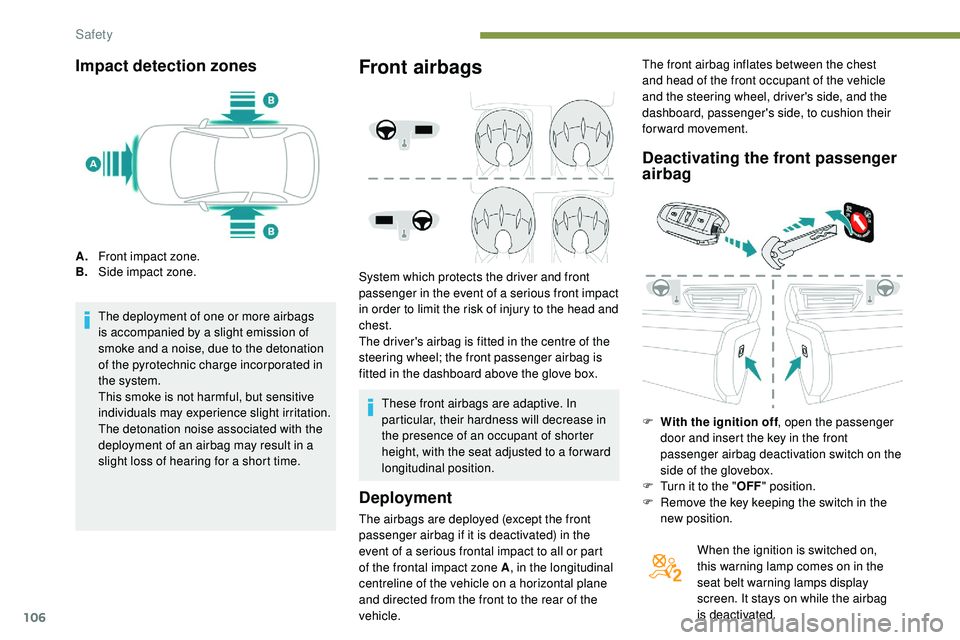
Impact detection zones
A.Front impact zone.
B. Side impact zone.
The deployment of one or more airbags
is accompanied by a slight emission of
smoke and a noise, due to the detonation
of the pyrotechnic charge incorporated in
the system.
This smoke is not harmful, but sensitive
individuals may experience slight irritation.
The detonation noise associated with the
deployment of an airbag may result in a
slight loss of hearing for a short time.
Front airbags
System which protects the driver and front
passenger in the event of a serious front impact
in order to limit the risk of injury to the head and
chest.
The driver's airbag is fitted in the centre of the
steering wheel; the front passenger airbag is
fitted in the dashboard above the glove box.
Deployment
The airbags are deployed (except the front
passenger airbag if it is deactivated) in the
event of a serious frontal impact to all or part
of the frontal impact zone A , in the longitudinal
centreline of the vehicle on a horizontal plane
and directed from the front to the rear of the
vehicle.
Deactivating the front passenger
airbag
F With the ignition off , open the passenger
door and insert the key in the front
passenger airbag deactivation switch on the
side of the glovebox.
F
T
urn it to the " OFF" position.
F
R
emove the key keeping the switch in the
new position.
When the ignition is switched on,
this warning lamp comes on in the
seat belt warning lamps display
screen. It stays on while the airbag
is deactivated.
These front airbags are adaptive. In
particular, their hardness will decrease in
the presence of an occupant of shorter
height, with the seat adjusted to a for ward
longitudinal position. The front airbag inflates between the chest
and head of the front occupant of the vehicle
and the steering wheel, driver's side, and the
dashboard, passenger's side, to cushion their
for ward movement.
Safety
Page 111 of 320
109
Lateral airbags
Use only approved covers on the seats,
compatible with the deployment of the
lateral airbags. For information on the
product range of seat covers suitable for
your vehicle, contact a PEUGEOT dealer.
Do not fix or attach anything to the seat
backrests (clothes, etc.) as this could
cause injuries to the thorax or arm when
the lateral airbag is deployed.
Do not sit with the upper part of the body
any nearer to the door than necessary.
The vehicle's front door panels include
side impact sensors.
A damaged door or any unauthorised or
incorrectly executed work (modification or
repair) on the front doors or their interior
trim could compromise the operation of
these sensors – risk of malfunction of the
lateral airbags!
Such work must only be done by a
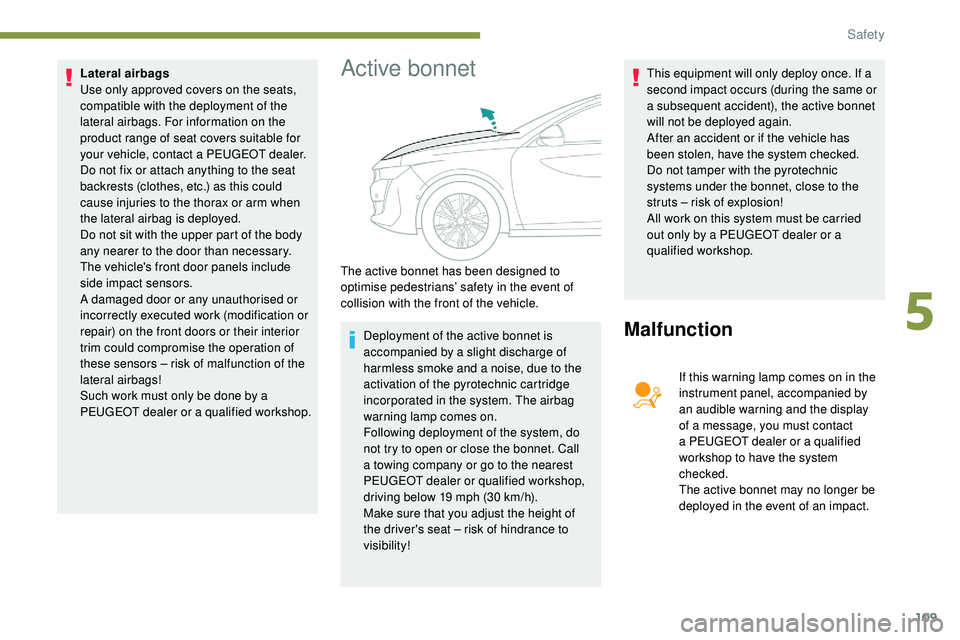
PEUGEOT dealer or a qualified workshop.Active bonnet
Deployment of the active bonnet is
accompanied by a slight discharge of
harmless smoke and a noise, due to the
activation of the pyrotechnic cartridge
incorporated in the system. The airbag
warning lamp comes on.
Following deployment of the system, do
not try to open or close the bonnet. Call
a towing company or go to the nearest
PEUGEOT dealer or qualified workshop,
driving below 19 mph (30 km/h).
Make sure that you adjust the height of
the driver's seat – risk of hindrance to
visibility! This equipment will only deploy once. If a
second impact occurs (during the same or
a subsequent accident), the active bonnet
will not be deployed again.
After an accident or if the vehicle has
been stolen, have the system checked.
Do not tamper with the pyrotechnic
systems under the bonnet, close to the
struts – risk of explosion!
All work on this system must be carried
out only by a PEUGEOT dealer or a
qualified workshop.Malfunction
If this warning lamp comes on in the
instrument panel, accompanied by
an audible warning and the display
of a message, you must contact
a PEUGEOT dealer or a qualified
workshop to have the system
checked.
The active bonnet may no longer be
deployed in the event of an impact.
The active bonnet has been designed to
optimise pedestrians’ safety in the event of
collision with the front of the vehicle.
5
Safety
Page 126 of 320
124
Driving recommendations
Observe the driving regulations and remain
vigilant whatever the traffic conditions.
Pay close attention to the traffic and keep your
hands on the wheel so that you are ready to
react at any time to any eventuality.
As a safety measure, the driver should only
carry out any operations that require close
attention when the vehicle is stationary.
On a long journey, a break every two hours is
strongly recommended.
In bad weather, drive smoothly, anticipate the
need to brake and increase the distance from
other vehicles.Never leave the engine running in
an enclosed area without adequate
ventilation: internal combustion engines
emit toxic exhaust gases, such as carbon
monoxide. There is a risk of poisoning and
death!
In very severe wintry conditions
(temperatures below -23°C), to guarantee
correct operation and the longevity of
the mechanical elements of your vehicle
(engine and gearbox), the engine must be
left running for 4 minutes before driving.
Important!
Never drive with the parking brake applied
– Risk of overheating and damage to the
braking system!
As the exhaust system of your vehicle
is very hot, even several minutes after
switching off the engine, never park or run
the engine on inflammable sur faces (dry
grass, fallen leaves, etc.) – Risk of fire!
Never leave a vehicle unsuper vised with
the engine running. If you have to leave
your vehicle with the engine running, apply
the parking brake and put the gearbox into
neutral or position N or P , depending on
the type of gearbox.
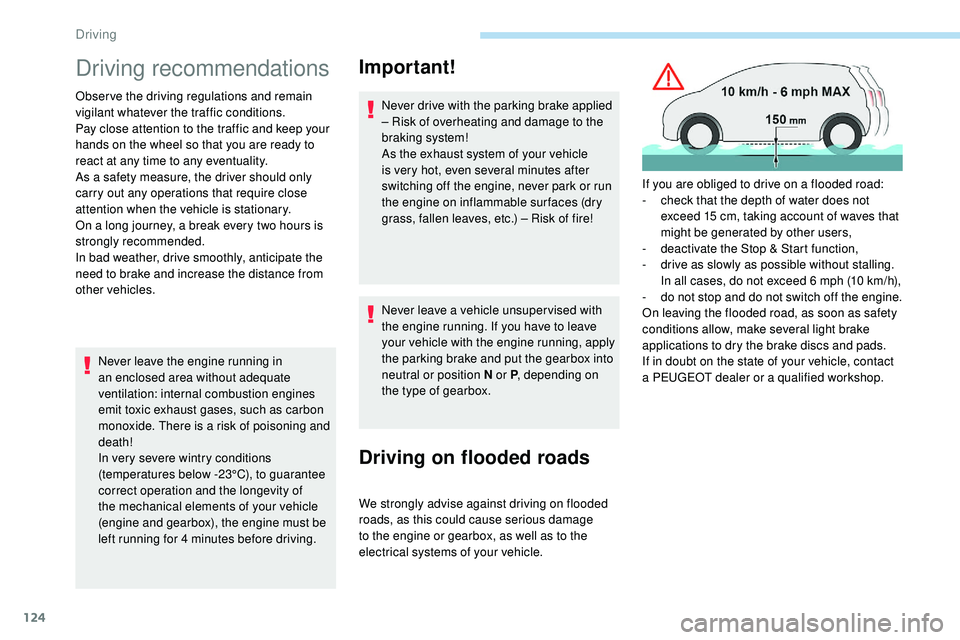
Driving on flooded roads
We strongly advise against driving on flooded
roads, as this could cause serious damage
to the engine or gearbox, as well as to the
electrical systems of your vehicle. If you are obliged to drive on a flooded road:
-
c
heck that the depth of water does not
exceed 15 cm, taking account of waves that
might be generated by other users,
-
d
eactivate the Stop & Start function,
-
d
rive as slowly as possible without stalling.
In all cases, do not exceed 6 mph (10 km/h),
-
d
o not stop and do not switch off the engine.
On leaving the flooded road, as soon as safety
conditions allow, make several light brake
applications to dry the brake discs and pads.
If in doubt on the state of your vehicle, contact
a PEUGEOT dealer or a qualified workshop.
Driving
Page 127 of 320
125
In case of towing
Driving with a trailer places greater
demands on the towing vehicle and
requires extra care from the driver.
Side wind
F Take into account the increased sensitivity to wind.
Cooling
Towing a trailer on a slope increases the
temperature of the coolant.
As the fan is electrically controlled, its cooling
capacity is not dependent on the engine speed.
F
T
o lower the engine speed, reduce your
speed.
The maximum towable load on an incline
depends on the gradient and the exterior
temperature.
In all cases, keep a check on the coolant
temperature.
F
I
f this warning lamp and the STOP
warning lamp come on, stop the
vehicle and switch off the engine
as soon as possible.
New vehicle
Do not pull a trailer before having driven at least
approximately 620 miles (1,000 kilometres).
Braking
Towing a trailer increases the braking distance.
To avoid overheating of the brakes, the use of
engine braking is recommended.
Ty r e s
F Check the tyre pressures of the towing vehicle and of the trailer, observing the
recommended pressures.
Lighting
F Check the electrical lighting and signalling on the trailer and the headlamp beam height
of your vehicle.
For more information on Headlamp
adjustment , refer to the corresponding
section.
Certain driving or manoeuvring aid
functions are automatically disabled
if
an approved towbar is used.
Anti-theft protection
Electronic immobiliser
The keys contain an electronic chip which has
a secret code. When the ignition is switched
on, this code must be recognised in order for
starting to be possible.
A few seconds after switching off the ignition,
this system locks the engine control system,
therefore preventing the engine from being
started in the event of a break-in.
If the system fails, as reported by a message,
the engine will not start.
Contact the PEUGEOT dealer.
Starting/Switching off the
engine
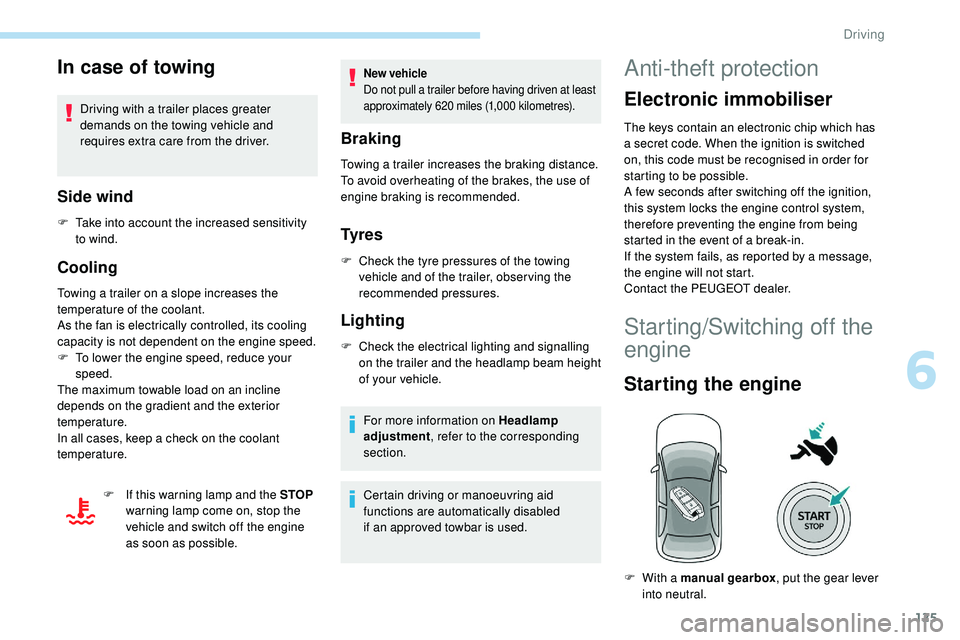
Starting the engine
F With a manual gearbox , put the gear lever
into neutral.
6
Driving
Page 128 of 320
126
The Keyless Entry and Starting electronic
key must be inside the vehicle.
If the electronic key is not detected in this
zone, a message is displayed.
Move the electronic key into this zone so
that the engine can be started.
If there is still a problem, refer to the "Key
not detected – Back-up starting" section.
F
P
ress the " START/STOP " button while
maintaining pressure on the pedal until the
engine starts.
The steering column unlocks and the engine
starts.
On certain versions with the automatic gearbox
(EAT6/EAT8), the steering column does not
lock.
For Diesel engines , in sub-zero temperatures
and/or when the engine is cold, the start will
only take place once the preheater warning
lamp is off. F
W
ith a manual gearbox
, you should keep
the clutch pedal fully depressed and not
press the " START/STOP " button again until
the engine is running.
F
W
ith an automatic gearbox
, you should
keep the brake pedal fully depressed and
not press the " START/STOP" button again
until the engine is running.
If one of the starting conditions is not met,
a reminder message is displayed in the
instrument panel.
In some circumstances, it is necessary to turn
the steering wheel slightly while pressing the
" START/STOP " button to assist unlocking of
the steering column.
F
W
ith the electronic key inside the vehicle,
fully depress the clutch pedal.
or
F
W
ith an automatic gearbox
, select mode P
or N .
F
W
ith the electronic key inside the vehicle,
press the brake pedal. If this warning lamp comes on after
pressing the "
START/STOP " button:
With petrol engines , after a cold start,
preheating the catalytic converter can
cause noticeable engine vibrations for
up to 2 minutes while stationary with the
engine running (accelerated idle speed).
If the engine stalls, release the clutch
pedal and push it all the way down again,
the engine will restart automatically. As a safety measure, never leave the
vehicle while the engine is running.
Switching off the engine
F Immobilise the vehicle, engine at idle.
F
W ith a manual gearbox , preferably put the
gear lever into neutral.
F
W
ith an automatic gearbox , preferably
select mode P or N .
F
W
ith the electronic key inside the vehicle,
press the " START/STOP " button.
The engine stops and the steering column
locks.
In some circumstances, it is necessary to turn
the steering wheel to lock the steering column.
On certain versions with the automatic gearbox
(EAT6/EAT8), the steering column does not
lock, but the gearbox locks in mode P .
If the vehicle is not immobilised, the
engine will not stop.
Never leave your vehicle with the
electronic key still inside.
Switching off the engine leads to a loss of
braking assistance.
Driving
Page 137 of 320
135
Then, from D or R:
F R elease the brake pedal.
F
A
ccelerate progressively to automatically
release the electric parking brake.
F
W
ith the parking brake released, the vehicle
then moves off.
In severe wintry conditions (temperature
below -23°C), it is recommended that the
engine be allowed to run for a few minutes
before moving off, to ensure the correct
operation and durability of the engine and
gearbox.
Stopping the vehicle
Whatever the state of the gearbox when the
ignition is switched off, mode P is engaged
automatically and immediately.
However, in mode N , mode P will be engaged
after a duration of 5 seconds (allowing for the
process of putting the vehicle to free-wheeling).
Check that mode P has been engaged and that
the electric parking brake has been applied
automatically; if not, apply it manually.
Gearbox operating fault
The corresponding indicator lamps in
the selector and the electric parking
brake control lever must be on, as well
as those in the instrument panel.
Hill start assist
System which keeps your vehicle immobilised
temporarily (approximately 2 seconds) when
starting on a gradient, the time it takes to
move your foot from the brake pedal to the
accelerator pedal.
This system only operates when:
-
t
he vehicle has been brought to a complete
stop, with your foot on the brake pedal,
-
c
ertain slope conditions are met,
-
w
ith the driver’s door closed.
This is signalled by the illumination
of this warning lamp, accompanied
by the display of a message and an
audible signal, when the ignition is
switched on.
Go to a PEUGEOT dealer or a qualified
workshop.
Do not drive faster than 62 mph (100
km/h),
keeping to the speed limit.
The gearbox switches to back-up mode: mode
D is locked in third gear, the steering-mounted
control paddles are inoperative, mode M is no
longer available. You may feel a pronounced
jolt when engaging reverse. This does not
present any risk for the gearbox.
Selector operating fault
Minor malfunction
You are alerted by this warning lamp
lighting up, accompanied by the
display of a message and an audible
signal.
Drive cautiously and go to a PEUGEOT or a
qualified workshop.
Major malfunction
You are alerted by the illumination of
this warning lamp.
Stop as soon as it is safe to do so, away
from the traffic, and call a PEUGEOT
dealer or a qualified workshop.
When the ignition is switched off, the
gearbox goes into mode P automatically.
In certain cases, the selector lamps may not
come on, but the state of the gearbox is still
displayed in the instrument panel.
6
Driving
Page 140 of 320
138
Choice of a mode
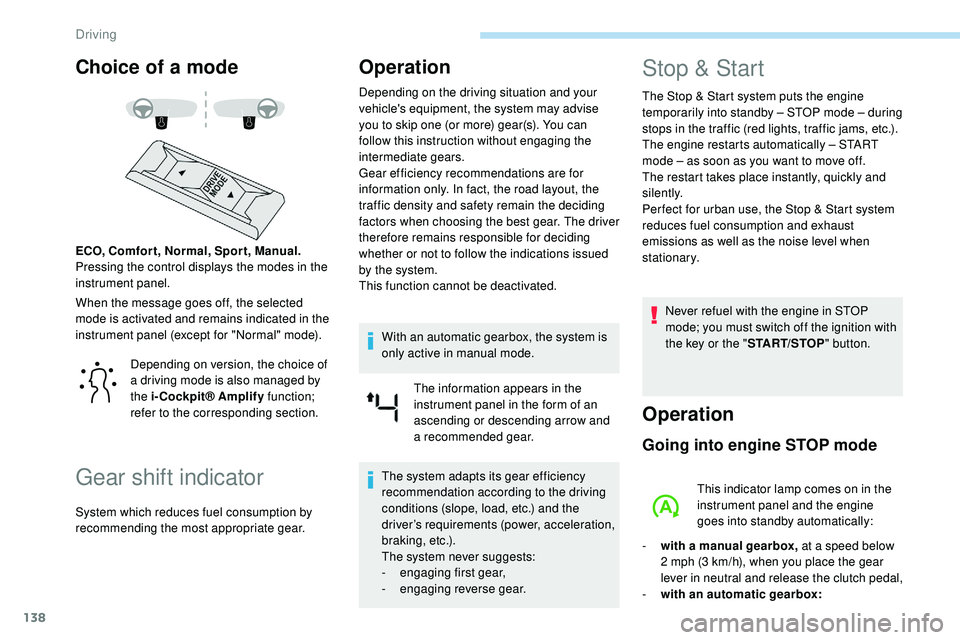
When the message goes off, the selected
mode is activated and remains indicated in the
instrument panel (except for "Normal" mode). ECO, Comfor t, Normal, Spor t, Manual.
Pressing the control displays the modes in the
instrument panel.
Gear shift indicator
Operation
Depending on the driving situation and your
vehicle's equipment, the system may advise
you to skip one (or more) gear(s). You can
follow this instruction without engaging the
intermediate gears.
Gear efficiency recommendations are for
information only. In fact, the road layout, the
traffic density and safety remain the deciding
factors when choosing the best gear. The driver
therefore remains responsible for deciding
whether or not to follow the indications issued
by the system.
This function cannot be deactivated.With an automatic gearbox, the system is
only active in manual mode. The information appears in the
instrument panel in the form of an
ascending or descending arrow and
a recommended gear.
The system adapts its gear efficiency
recommendation according to the driving
conditions (slope, load, etc.) and the
driver’s requirements (power, acceleration,
b r a k i n g , e t c .) .
The system never suggests:
-
e
ngaging first gear,
-
enga
ging reverse gear.
Stop & Start
The Stop & Start system puts the engine
t emporarily into standby – STOP mode – during
stops in the traffic (red lights, traffic jams, etc.).
The engine restarts automatically – START
mode – as soon as you want to move off.
The restart takes place instantly, quickly and
silently.
Per fect for urban use, the Stop & Start system
reduces fuel consumption and exhaust
emissions as well as the noise level when
stationary.
Never refuel with the engine in STOP
mode; you must switch off the ignition with
the key or the " START/STOP" button.
Operation
Going into engine STOP mode
This indicator lamp comes on in the
instrument panel and the engine
goes into standby automatically:
-
w
ith a manual gearbox, at a speed below
2 mph (3
km/h), when you place the gear
lever in neutral and release the clutch pedal,
-
w
ith an automatic gearbox:
Depending on version, the choice of
a driving mode is also managed by
the i-Cockpit® Amplify
function;
refer to the corresponding section.
System which reduces fuel consumption by
recommending the most appropriate gear.
Driving
Page 146 of 320
144
To maintain correct operation of the
system: regularly clean the area in front of
the camera.
The internal sur face of the windscreen can
also become misted around the camera.
In humid and cold weather, demist the
windscreen regularly.
Specific speed limits, such as those for
heavy goods vehicles, are not displayed.
The display of the speed limit in the
instrument panel is updated as you pass
a speed limit sign intended for cars (light
vehicles).
Activation/Deactivation
By default, the system is automatically
activated at every engine start.The function is activated and
deactivated in the Driving /Vehicle
menu of the touch screen.
Displays in the instrument
panel
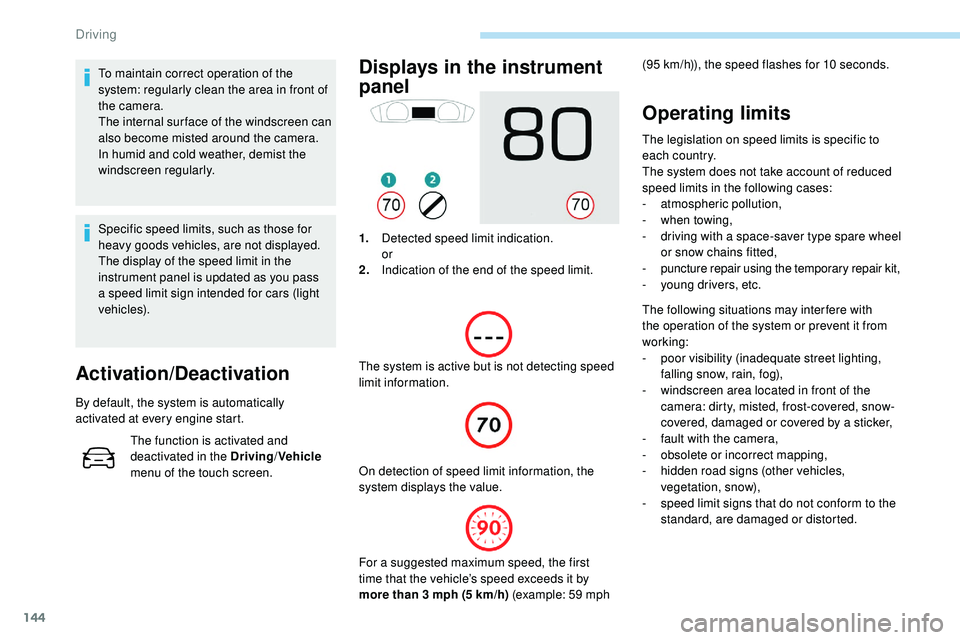
1. Detected speed limit indication.
or
2. Indication of the end of the speed limit.
The system is active but is not detecting speed
limit information. On detection of speed limit information, the
system displays the value.
Operating limits
The legislation on speed limits is specific to
each country.
The system does not take account of reduced
speed limits in the following cases:
-
a
tmospheric pollution,
-
w
hen towing,
-
d
riving with a space-saver type spare wheel
or snow chains fitted,
-
p
uncture repair using the temporary repair kit,
-
y
oung drivers, etc.
The following situations may interfere with
the operation of the system or prevent it from
working:
-
p
oor visibility (inadequate street lighting,
falling snow, rain, fog),
-
w
indscreen area located in front of the
camera: dirty, misted, frost-covered, snow-
covered, damaged or covered by a sticker,
-
f
ault with the camera,
-
o
bsolete or incorrect mapping,
-
h
idden road signs (other vehicles,
vegetation, snow),
-
s
peed limit signs that do not conform to the
standard, are damaged or distorted.
(95
km/h)), the speed flashes for 10 seconds.
For a suggested maximum speed, the first
time that the vehicle’s speed exceeds it by
more than 3 mph (5
km/h) (example: 59 mph
Driving
Page 155 of 320
153
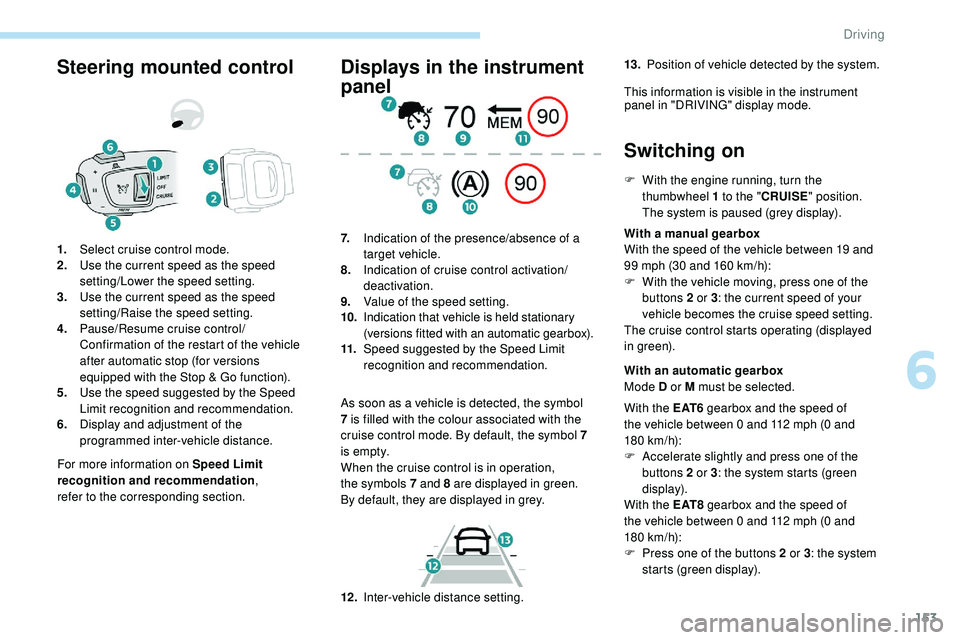
Steering mounted control
For more information on Speed Limit
recognition and recommendation,
refer
to
the corresponding section.
1.
Select cruise control mode.
2. Use the current speed as the speed
setting/Lower the speed setting.
3. Use the current speed as the speed
setting/Raise the speed setting.
4. Pause/Resume cruise control/
Confirmation of the restart of the vehicle
after automatic stop (for versions
equipped with the Stop & Go function).
5. Use the speed suggested by the Speed
Limit recognition and recommendation.
6. Display and adjustment of the
programmed inter-vehicle distance.
Displays in the instrument
panel
As soon as a vehicle is detected, the symbol
7
is filled with the colour associated with the
cruise control mode. By default, the symbol 7
i s e m pt y.
When the cruise control is in operation,
the
symbols 7 and 8 are displayed in green.
By
default, they are displayed in grey.
7.
Indication of the presence/absence of a
target vehicle.
8. Indication of cruise control activation/
deactivation.
9. Value of the speed setting.
10. Indication that vehicle is held stationary
(versions fitted with an automatic gearbox).
11. Speed suggested by the Speed Limit
recognition and recommendation.
Switching on
F With the engine running, turn the
thumbwheel 1 to the "CRUISE" position.
The system is paused (grey display).
With a manual gearbox
With the speed of the vehicle between 19 and
99 mph (30 and 160
km/h):
F
W
ith the vehicle moving, press one of the
buttons 2 or 3 : the current speed of your
vehicle becomes the cruise speed setting.
The cruise control starts operating (displayed
in green).
12 . Inter-vehicle distance setting. With an automatic gearbox
Mode D or M must be selected.
With the E AT 6 gearbox and the speed of
the vehicle between 0 and 112 mph (0
and
180
km/h):
F
A
ccelerate slightly and press one of the
buttons 2 or 3 : the system starts (green
display).
With the E AT 8 gearbox and the speed of
the vehicle between 0 and 112 mph (0
and
180
km/h):
F
P
ress one of the buttons 2 or 3 : the system
starts (green display).
13.
Position of vehicle detected by the system.
This information is visible in the instrument panel in "DRIVING" display mode.
6
Driving
Page 162 of 320
160
The cruise control operates by day and
night, in fog or moderate rainfall.
However, it is strongly recommended that
you always keep a safe distance from
vehicles ahead, according to the driving
conditions, the weather and the road
sur face.
Use the cruise control only where the
driving conditions allow running at a
constant speed and keeping an adequate
safety distance.
Do not activate the cruise control in urban
areas where pedestrians are likely to
cross the road, in heavy traffic, on winding
or steep roads, on slippery or flooded
roads, when there is snowfall, if the front
bumper or windscreen is damaged or
when the brake lamps have failed.
In certain circumstances, it may not
be possible for the speed setting to be
maintained or even attained: loaded
vehicle, ascending a steep hill, etc.The system is not intended for the
following situations:
-
i
f the front end of the vehicle has
been modified (addition of long-range
headlamps, painting of the front
bumper),
-
d
riving on a racing circuit,
-
r
unning on a rolling road,
-
u
se of snow chains, non-slip covers or
studded tyres.
The use of mats not approved by
PEUGEOT may inter fere with the
operation of the cruise control.
To avoid any risk of jamming the pedals:
-
e
nsure that the mat is secured
c o r r e c t l y,
-
n
ever place one mat on top of another.The following situations may interfere with
the operation of the system or prevent it
from working:
-
d
riving on a winding road,
-
p
oor visibility (inadequate street
lighting, falling snow, heavy rain, dense
f o g , e t c .),
-
d
azzle (headlamps of an oncoming
vehicle, low sun, reflections on a damp
road, leaving a tunnel, alternating
shade and light, etc.),
-
c
amera or radar obstructed (mud, frost,
snow, condensation, etc.).
In these situations, detection performance
may be reduced.
Operation of the radar, located in the
front bumper, may be impaired by the
accumulation of dirt (dust, mud, etc.) or in
certain weather conditions (snow, frost,
e t c .) .
Do not stick any items to the radar's
protective cover.
Clean the front bumper regularly.
Clean the windscreen regularly,
particularly the area in front of the
detection camera.
Do not allow snow to accumulate on the
bonnet or roof of the vehicle, as this could
obscure the camera.
Driving