battery Peugeot 807 2013 User Guide
[x] Cancel search | Manufacturer: PEUGEOT, Model Year: 2013, Model line: 807, Model: Peugeot 807 2013Pages: 234, PDF Size: 9.8 MB
Page 117 of 234
11 5
Checks
CHECKS
6
CHECKS
To check the main levels
and certain components,
in accordance with the
manufacturer's servicing schedule,
refer to the pages of the servicing
booklet which correspond to your
vehicle's engine.
Only use products recommended
by PEUGEOT or products
of equivalent quality and
specifi cation.
In order to optimise the operation
of units as important as the braking
system, PEUGEOT selects and offers
specifi c products.
In order to avoid damaging the
electrical units, high pressure washing
to clean the engine compartment is
strictly prohibited.
Oil filter
Change the fi lter regularly, in
accordance with the servicing
schedule. Refer to the servicing booklet to
fi nd out the replacement interval
for these components.
Depending on the environment (dusty
atmosphere...) and the use of the
vehicle (urban driving...), change them
twice as often if necessary.
Refer to the "Under the bonnet" section
of chapter 6.
Particle emission filter (Diesel)
It is imperative that particle emission
fi lter maintenance is carried out by a
PEUGEOT dealer.
On acceleration after the vehicle has
been running for a prolonged period
at very low speed or at idle, you may,
in exceptional circumstances, notice
the emission of water vapour at the
exhaust. This water vapour does not
have any adverse effect on vehicle
handling or the environment.
Battery
At the start of winter, have your battery
checked by a PEUGEOT dealer.
Brake pads
Brake pad wear depends on the style
of driving, in particular for vehicles
which are used in town, over short
distances. It may be necessary to
check the thickness of the pads, even
between services.
Unless there is a leak on the circuit, a
drop in the brake fl uid level indicates
that the brake pads are worn.
Brake disc/drum wear status
For any information relating to
checking the brake disc/drum wear
status, contact a PEUGEOT dealer.
Handbrake
Where the handbrake travel is too
great or there is a reduction in the
performance of the system, the
handbrake should be adjusted, even
between services.
Have the system checked by a
PEUGEOT dealer.
Carbon filter and passenger
compartment filter
The carbon fi lter permits continuous
and effective fi ltering of dust.
If the passenger compartment fi lter
becomes clogged, this may reduce
the performance of the air conditioning
system and generate unpleasant
odours.
We recommend the use of a combined
passenger compartment fi lter. By
means of its second special active
fi lter, it contributes to the purifi cation
of the air breathed by the occupants
and to the cleanness of the passenger
compartment (reduction of allergic
symptoms, unpleasant odours and
greasy deposits).
Manual gearbox
Have the level checked in accordance with
the manufacturer’s servicing schedule.
Page 118 of 234
11 6
Battery
ECONOMY MODE FUNCTION
After the engine has stopped, with
the key in the ignition position, certain
functions (windscreen wiper, electric
windows, courtesy lights, audio
equipment, etc.) can only be used for a
cumulative duration of thirty minutes, to
prevent discharging the battery.
Once the thirty minutes are over, the
message "Economy mode active"
appears on the display and the active
functions are put on standby.
To resume the use of these functions
immediately, start the engine and let it
run for a few seconds.
A fl at battery will prevent the engine
from starting.
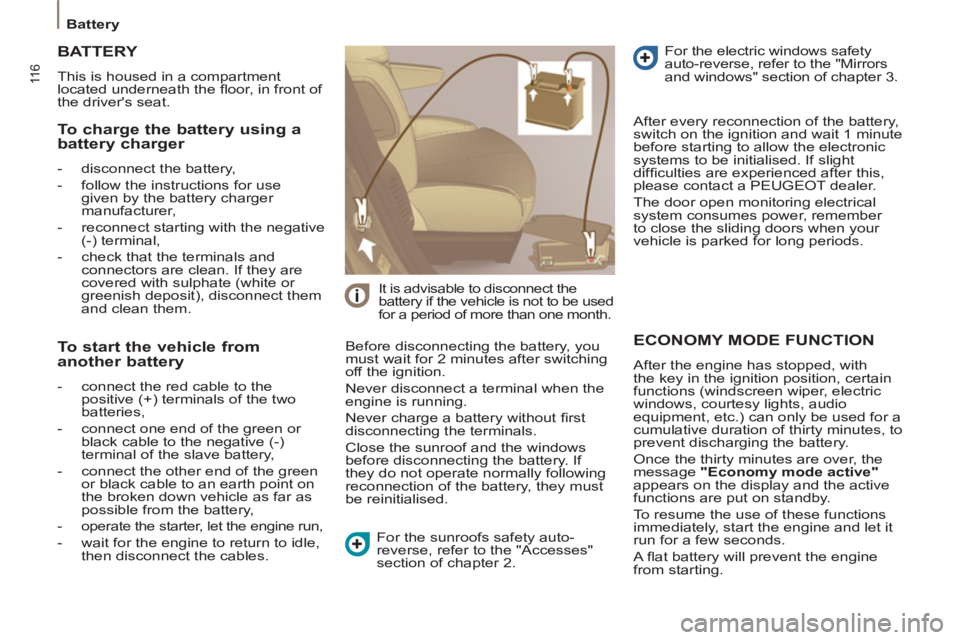
To charge the battery using a
battery charger
- disconnect the battery,
- follow the instructions for use
given by the battery charger
manufacturer,
- reconnect starting with the negative
(-) terminal,
- check that the terminals and
connectors are clean. If they are
covered with sulphate (white or
greenish deposit), disconnect them
and clean them.
TERY
BATT
This is housed in a compartment
located underneath the fl oor, in front of
the driver's seat.
Before disconnecting the battery, you
must wait for 2 minutes after switching
off the ignition.
Never disconnect a terminal when the
engine is running.
Never charge a battery without fi rst
disconnecting the terminals.
Close the sunroof and the windows
before disconnecting the battery. If
they do not operate normally following
reconnection of the battery, they must
be reinitialised.
It is advisable to disconnect the
battery if the vehicle is not to be used
for a period of more than one month.
After every reconnection of the battery,
switch on the ignition and wait 1 minute
before starting to allow the electronic
systems to be initialised. If slight
diffi culties are experienced after this,
please contact a PEUGEOT dealer.
The door open monitoring electrical
system consumes power, remember
to close the sliding doors when your
vehicle is parked for long periods.
To start the vehicle from
another battery
- connect the red cable to the
positive (+) terminals of the two
batteries,
- connect one end of the green or
black cable to the negative (-)
terminal of the slave battery,
- connect the other end of the green
or black cable to an earth point on
the broken down vehicle as far as
possible from the battery,
- operate the starter, let the engine run,
- wait for the engine to return to idle,
then disconnect the cables. For the sunroofs safety auto-
reverse, refer to the "Accesses"
section of chapter 2. For the electric windows safety
auto-reverse, refer to the "Mirrors
and windows" section of chapter 3.
Page 126 of 234
124
Changing a fuse
CHANGING A FUSE
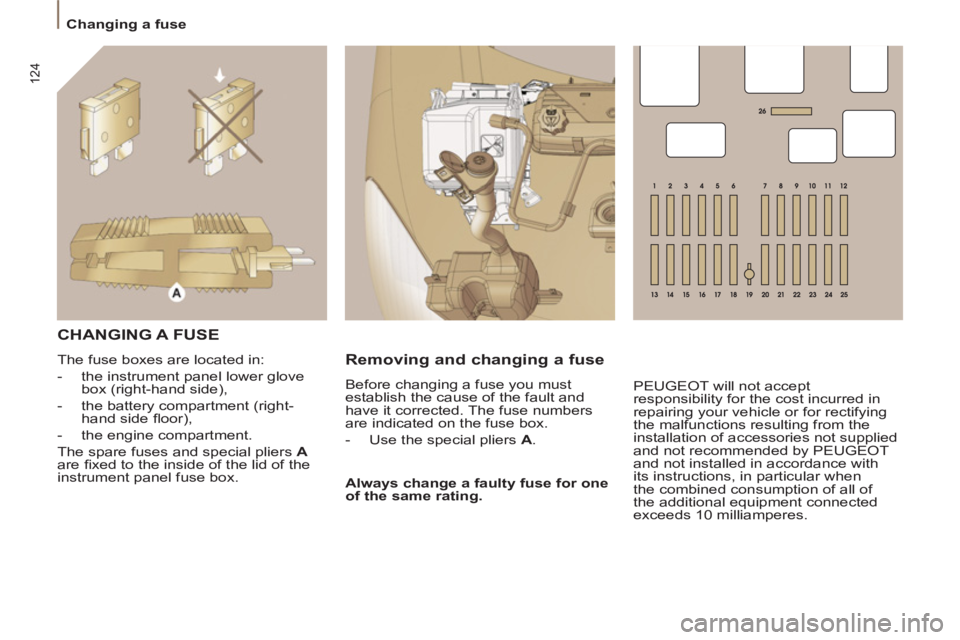
The fuse boxes are located in:
- the instrument panel lower glove
box (right-hand side),
- the battery compartment (right-
hand side fl oor),
- the engine compartment.
The spare fuses and special pliers A
are fi xed to the inside of the lid of the
instrument panel fuse box. Before changing a fuse you must
establish the cause of the fault and
have it corrected. The fuse numbers
are indicated on the fuse box.
- Use the special pliers A
.
Always change a faulty fuse for one
of the same rating.
Removing and changing a fuse
PEUGEOT will not accept
responsibility for the cost incurred in
repairing your vehicle or for rectifying
the malfunctions resulting from the
installation of accessories not supplied
and not recommended by PEUGEOT
and not installed in accordance with
its instructions, in particular when
the combined consumption of all of
the additional equipment connected
exceeds 10 milliamperes.
Page 128 of 234
126
Changing a fuse
TERY COMPARTMENT
BATT
USESFUS
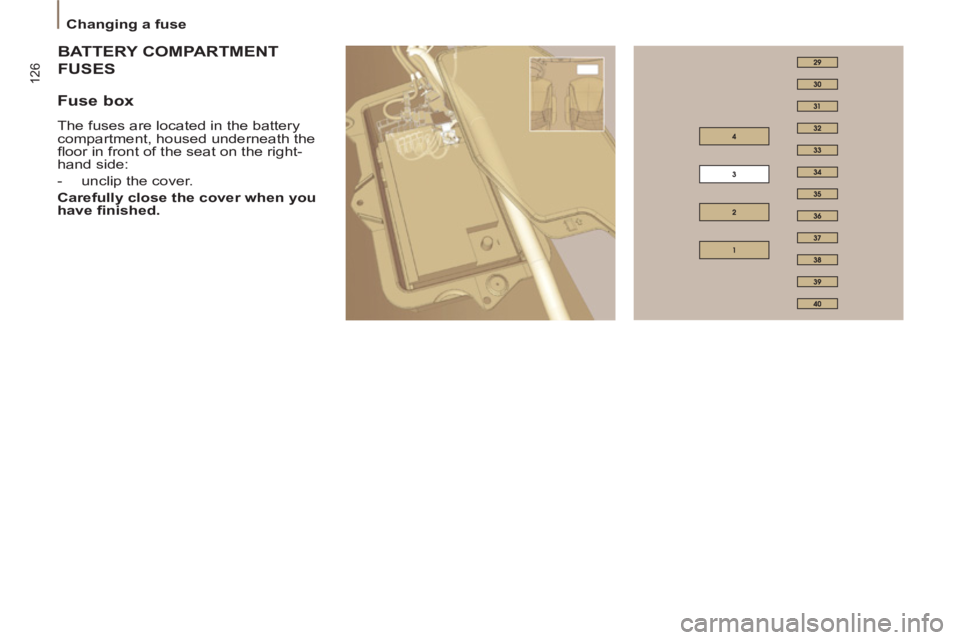
Fuse box
The fuses are located in the battery
compartment, housed underneath the
fl oor in front of the seat on the right-
hand side:
- unclip the cover.
Carefully close the cover when you
have fi nished.
Page 141 of 234
9.1
The system is protected in such a way that it will onlyoperate in your vehicle.
01 First steps - Control panel
For safety reasons, the driver must carry out operations
which require prolonged attention while the vehicle is stationary.
When the en
gine is switched off and to prevent
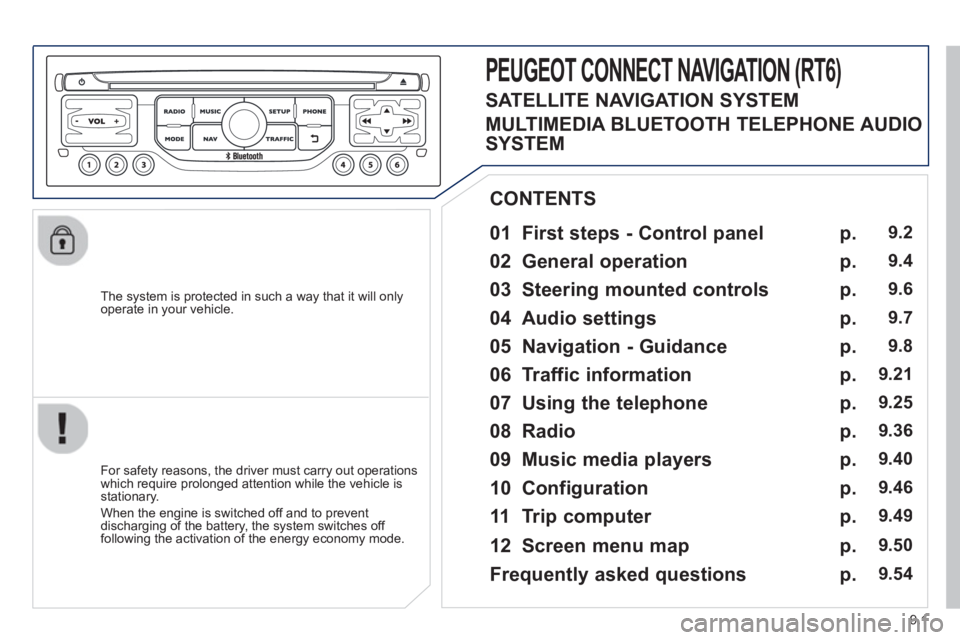
discharging of the battery, the system switches off following the activation of the energy economy mode.
CONTENTS
02 General o
peration
03 Steerin
g mounted controls
04 Audio settin
gs
05 Navi
gation - Guidance
06 Traffic information
07 Usin
g the telephone
0
8 Radio
09 Music media pla
yers
10 Confi
guration
11 Tr i
p computer
p.
p.
p.
p.
p.
p.
p.
p.
p.
p.
p.
9.2
9.4
9.6
9.7
9
.8
9.21
9.25
9.
36
9.40
9.
46
9.49
PEUGEOT CONNECT NAVIGATION (RT6)
12 Screen menu map p. 9.50
Frequently asked questions p. 9.54
SATELLITE NAVIGATION SYSTEM
MULTIMEDIA BLUETOOTH TELEPHONE AUDIO
SYSTEM
Page 199 of 234
9.59
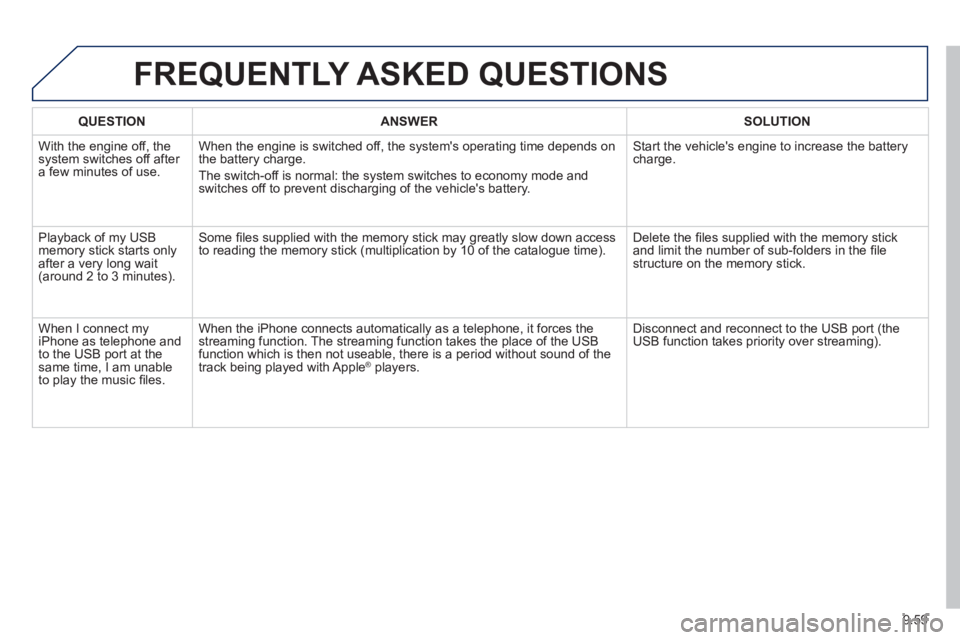
FREQUENTLY ASKED QUESTIONS
QUESTIONANSWERSOLUTION
With the engine off, the system switches off after a few minutes of use.When the en
gine is switched off, the system's operating time depends on
the battery charge.
The switch-off is normal: the s
ystem switches to economy mode and
switches off to prevent discharging of the vehicle's battery. Start the vehicle's en
gine to increase the batterycharge.
Pla
yback of my USB memory stick starts only
after a very long wait (around 2 to 3 minutes).
Some fi les supplied with the memory stick may greatly slow down access
to reading the memory stick (multiplication by 10 of the catalogue time). Delete the fi les supplied with the memory stickand limit the number of sub-folders in the fi le structure on the memory stick.
When I connect m
yiPhone as telephone and
to the USB port at thesame time, I am unable
to play the music fi les. When the iPhone connects automaticall
y as a telephone, it forces the
streaming function. The streaming function takes the place of the USB
function which is then not useable, there is a period without sound of the
track being played with Apple® players.®
Disconnect and reconnect to the USB port (the USB function takes priority over streaming).
Page 201 of 234
9.61
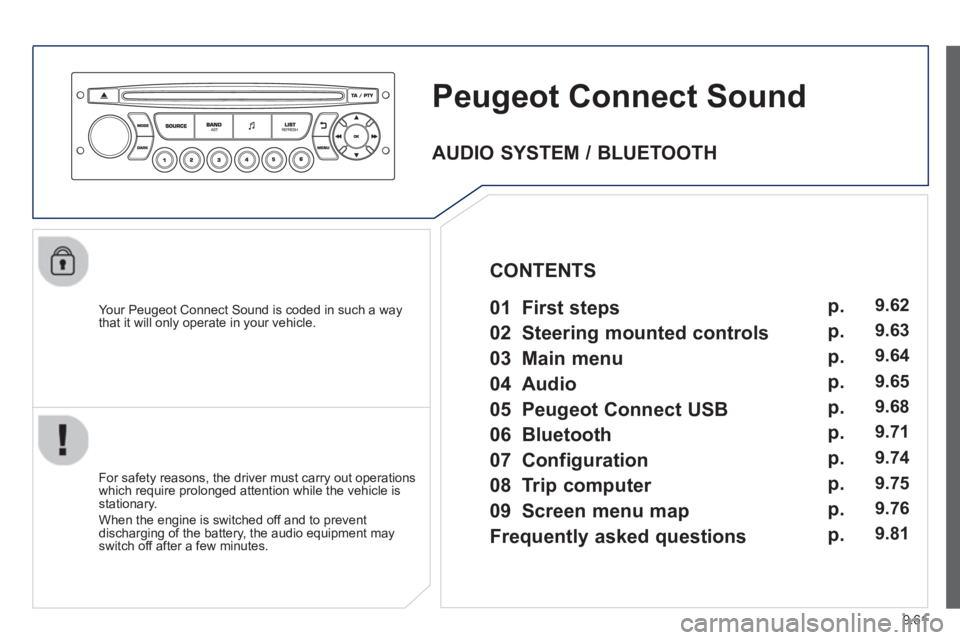
Peugeot Connect Sound
Your Peugeot Connect Sound is coded in such a way
that it will only operate in your vehicle.
For safet
y reasons, the driver must carry out operations
which require prolonged attention while the vehicle is stationary.
When the en
gine is switched off and to prevent
discharging of the battery, the audio equipment mayswitch off after a few minutes.
AUDIO SYSTEM / BLUETOOTH
01 First ste
ps
02 Steerin
g mounted controls
03 Main menu
04 Audio
05 Peu
geot Connect USB
06 Bluetooth
07 Confi
guration
08 Tri
p computer
CONTENTS
09 Screen menu ma
p
Frequentl
y asked questions
p.
p.
p.
p.
p.
p.
p.
p.
p.
p.
9.62
9.63
9.64
9.65
9.
68
9.71
9.74
9.75
9.7
6
9.81
Page 221 of 234
9.81
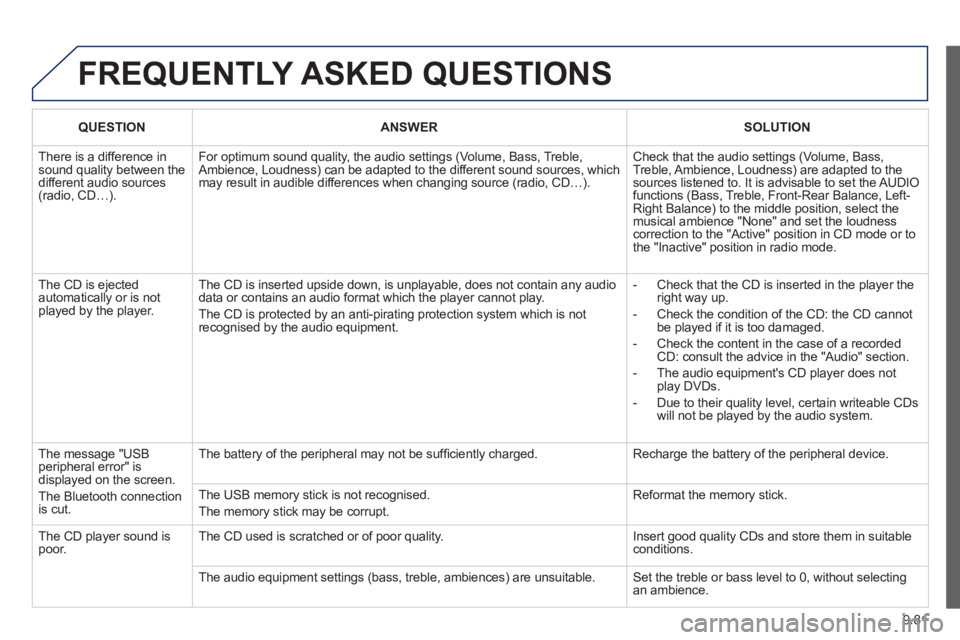
FREQUENTLY ASKED QUESTIONS
QUESTIONANSWERSOLUTION
There is a difference insound quality between thedifferent audio sources (radio, CD…).
For optimum sound quality, the audio settings (Volume, Bass, Treble,Ambience, Loudness) can be adapted to the different sound sources, whichmay result in audible differences when changing source (radio, CD…).
Check that the audio settings (Volume, Bass, Treble, Ambience, Loudness) are adapted to the sources listened to. It is advisable to set the AUDIOfunctions (Bass, Treble, Front-Rear Balance, Left-Right Balance) to the middle position, select themusical ambience "None" and set the loudness correction to the "Active" position in CD mode or tothe "Inactive" position in radio mode.
The CD is ejected automatically or is not played by the player.
The CD is inserted upside down, is unplayable, does not contain any audio data or contains an audio format which the player cannot play.
The CD is protected by an anti-pirating protection system which is not recognised by the audio equipment.
- Check that the CD is inserted in the player the right way up.
- Check the condition of the CD: the CD cannot be played if it is too damaged.
- Check the content in the case of a recordedCD: consult the advice in the "Audio" section.
- The audio equipment's CD player does not play DVDs.
- Due to their quality level, certain writeable CDswill not be played by the audio system.
The message "USBperipheral error" is displayed on the screen.
The Bluetooth connection is cut.
The battery of the peripheral may not be suffi ciently charged.
Recharge the battery of the peripheral device.
The USB memory stick is not recognised.
The memory stick may be corrupt.
Reformat the memory stick.
The CD player sound is poor. The CD used is scratched or of poor quality.
Insert good quality CDs and store them in suitableconditions.
The audio equipment settings (bass, treble, ambiences) are unsuitable. Set the treble or bass level to 0, without selectingan ambience.
Page 222 of 234
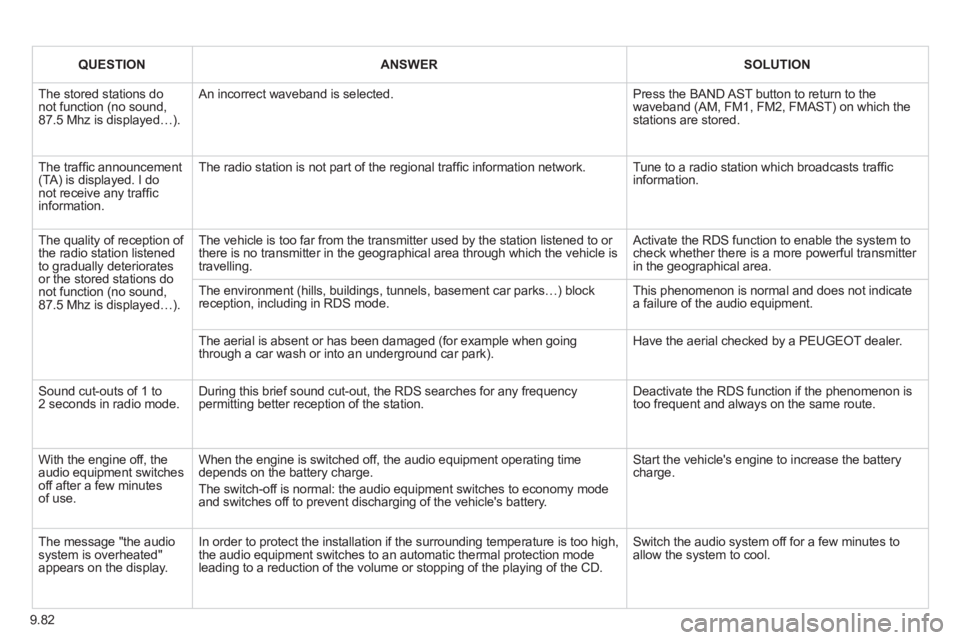
9.82
QUESTIONANSWERSOLUTION
The stored stations do not function (no sound,87.5 Mhz is displayed…).
An incorrect waveband is selected.
Press the BAND AST button to return to thewaveband (AM, FM1, FM2, FMAST) on which the stations are stored.
The traffi c announcement(TA) is displayed. I do not receive any traffi c information.
The radio station is not part of the regional traffi c information network.
Tune to a radio station which broadcasts traffi c information.
The quality of reception of the radio station listened to gradually deterioratesor the stored stations donot function (no sound,87.5 Mhz is displayed…).
The vehicle is too far from the transmitter used by the station listened to or there is no transmitter in the geographical area through which the vehicle is travelling.
Activate the RDS function to enable the system tocheck whether there is a more powerful transmitter in the geographical area.
The environment (hills, buildings, tunnels, basement car parks…) block reception, including in RDS mode. This phenomenon is normal and does not indicate a failure of the audio equipment.
The aerial is absent or has been damaged (for example when goingthrough a car wash or into an underground car park).
Have the aerial checked by a PEUGEOT dealer.
Sound cut-outs of 1 to 2 seconds in radio mode. During this brief sound cut-out, the RDS searches for any frequencypermitting better reception of the station.
Deactivate the RDS function if the phenomenon istoo frequent and always on the same route.
With the engine off, theaudio equipment switches off after a few minutesof use.
When the engine is switched off, the audio equipment operating time depends on the battery charge.
The switch-off is normal: the audio equipment switches to economy modeand switches off to prevent discharging of the vehicle's battery.
Start the vehicle's engine to increase the battery charge.
The message "the audio system is overheated" appears on the display.
In order to protect the installation if the surrounding temperature is too high,the audio equipment switches to an automatic thermal protection mode leading to a reduction of the volume or stopping of the playing of the CD.
Switch the audio system off for a few minutes to allow the system to cool.
Page 223 of 234
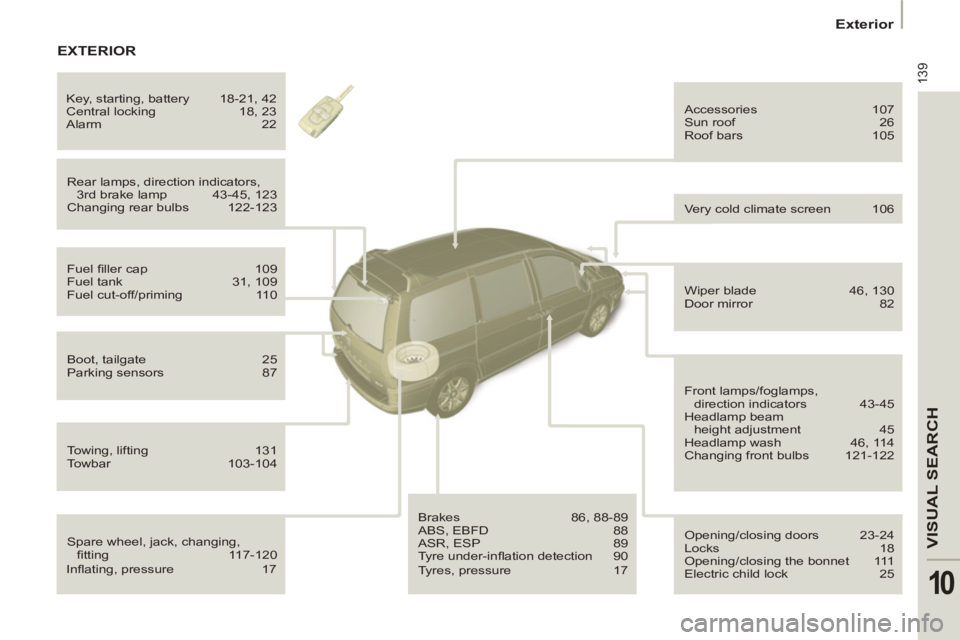
139
VISUAL SEARCH
10
Exterior
Spare wheel, jack, changing,
fi tting 117-120 Rear lamps, direction indicators,
3rd brake lamp 43-45, 123
Changing rear bulbs 122-123 Accessories 107
Sun roof 26
Roof bars 105
Fuel fi ller cap 109
Fuel tank 31, 109
Fuel cut-off/priming 110
Boot, tailgate 25
Parking sensors 87
Towing, lifting 131
Towbar 103-104
Brakes 86, 88-89
ABS, EBFD 88
ASR, ESP 89
Tyre under-infl ation detection 90 Opening/closing doors 23-24
Locks 18
Opening/closing the bonnet 111
Electric child lock 25
Wiper blade 46, 130
Door mirror 82
Front lamps/foglamps,
direction indicators 43-45
Headlamp beam
height adjustment 45
Headlamp wash 46, 114
Changing front bulbs 121-122 Very cold climate screen 106 Key, starting, battery 18-21, 42
Central locking 18, 23
Alarm 22
EXTERIOR
Infl ating, pressure 17
Tyres, pressure 17