key Peugeot 807 2013 Owner's Guide
[x] Cancel search | Manufacturer: PEUGEOT, Model Year: 2013, Model line: 807, Model: Peugeot 807 2013Pages: 234, PDF Size: 9.8 MB
Page 118 of 234
11 6
Battery
ECONOMY MODE FUNCTION
After the engine has stopped, with
the key in the ignition position, certain
functions (windscreen wiper, electric
windows, courtesy lights, audio
equipment, etc.) can only be used for a
cumulative duration of thirty minutes, to
prevent discharging the battery.
Once the thirty minutes are over, the
message "Economy mode active"
appears on the display and the active
functions are put on standby.
To resume the use of these functions
immediately, start the engine and let it
run for a few seconds.
A fl at battery will prevent the engine
from starting.
To charge the battery using a
battery charger
- disconnect the battery,
- follow the instructions for use
given by the battery charger
manufacturer,
- reconnect starting with the negative
(-) terminal,
- check that the terminals and
connectors are clean. If they are
covered with sulphate (white or
greenish deposit), disconnect them
and clean them.
TERY
BATT
This is housed in a compartment
located underneath the fl oor, in front of
the driver's seat.
Before disconnecting the battery, you
must wait for 2 minutes after switching
off the ignition.
Never disconnect a terminal when the
engine is running.
Never charge a battery without fi rst
disconnecting the terminals.
Close the sunroof and the windows
before disconnecting the battery. If
they do not operate normally following
reconnection of the battery, they must
be reinitialised.
It is advisable to disconnect the
battery if the vehicle is not to be used
for a period of more than one month.
After every reconnection of the battery,
switch on the ignition and wait 1 minute
before starting to allow the electronic
systems to be initialised. If slight
diffi culties are experienced after this,
please contact a PEUGEOT dealer.
The door open monitoring electrical
system consumes power, remember
to close the sliding doors when your
vehicle is parked for long periods.
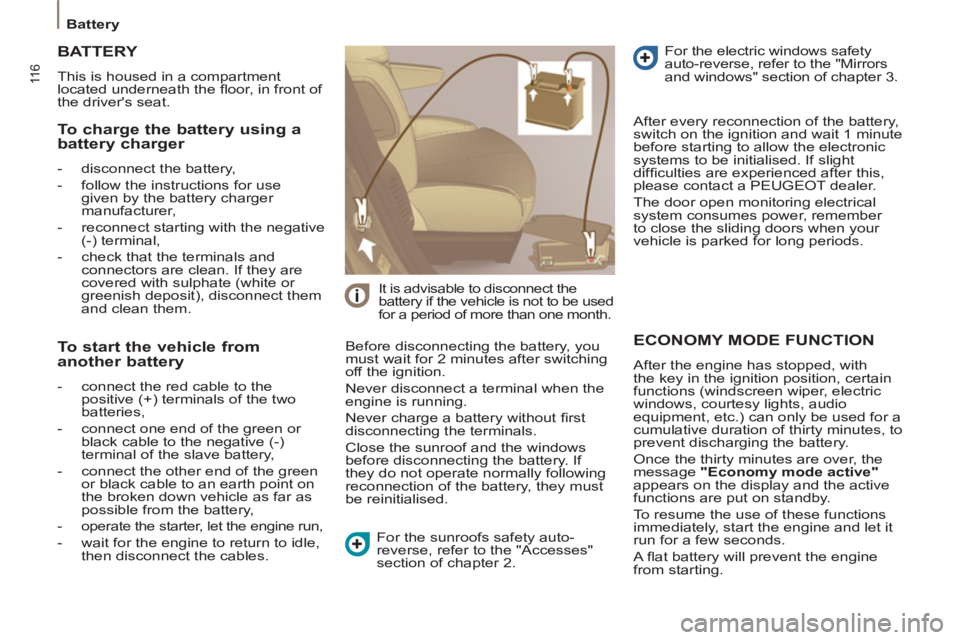
To start the vehicle from
another battery
- connect the red cable to the
positive (+) terminals of the two
batteries,
- connect one end of the green or
black cable to the negative (-)
terminal of the slave battery,
- connect the other end of the green
or black cable to an earth point on
the broken down vehicle as far as
possible from the battery,
- operate the starter, let the engine run,
- wait for the engine to return to idle,
then disconnect the cables. For the sunroofs safety auto-
reverse, refer to the "Accesses"
section of chapter 2. For the electric windows safety
auto-reverse, refer to the "Mirrors
and windows" section of chapter 3.
Page 170 of 234
9.30
07USING THE TELEPHONE
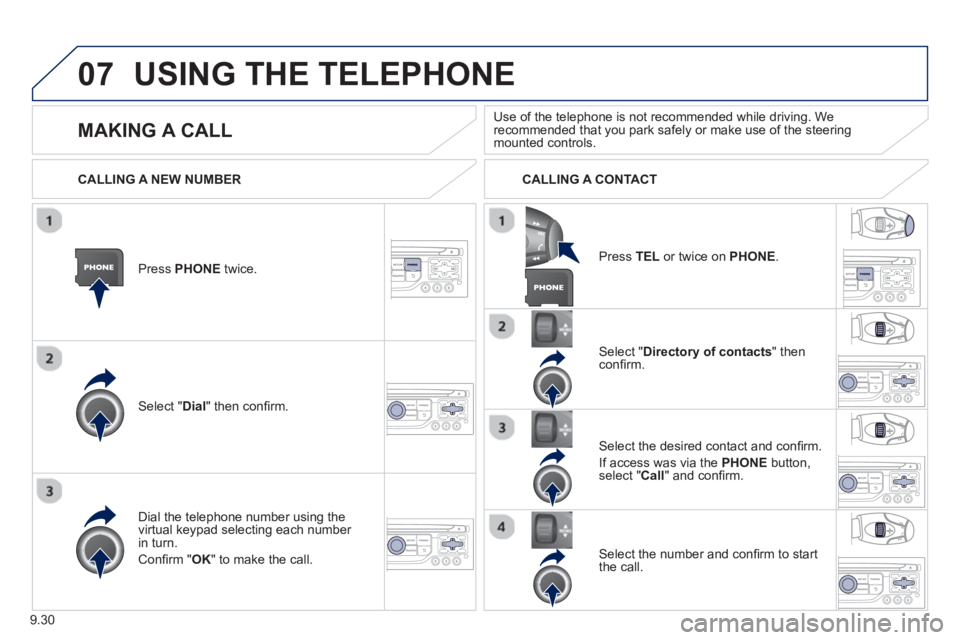
Press PHONEtwice.
Select " Dial" then confi rm.
Select " Directory of contacts" thenconfi rm.
Dial the telephone number usin
g the
virtual keypad selecting each number in turn.
Confi rm " OK " to make the call.
Pr
ess TELor twice on PHONE.
CALLING A NEW NUMBER CALLING A CONTACT
Select the desired contact and confi rm.
I
f access was via the PHONEbutton,select "Call" and confi rm.
Select the number and confi rm to start
the call.
MAKING A CALL
Use of the telephone is not recommended while driving. Werecommended that you park safely or make use of the steering mounted controls.
Page 173 of 234
9.33
07
OPTIONS DURING A CALL *
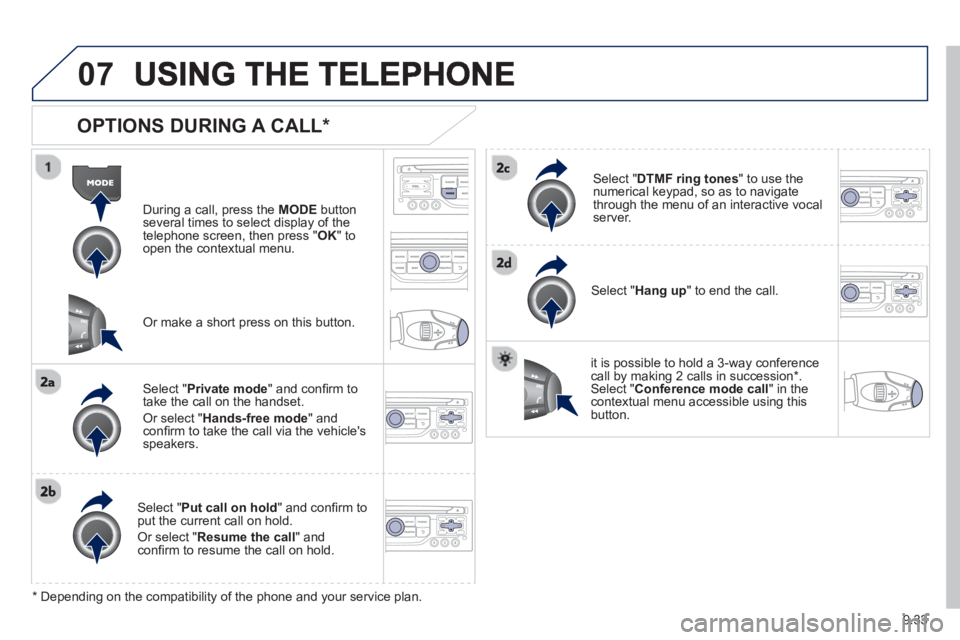
During a call, press the MODE
button
several times to select display of the
telephone screen, then press " OK " to
open the contextual menu.
Select " Private mode
" and confi rm totake the call on the handset.
Or select " Hands-free mode" andconfi rm to take the call via the vehicle's
speakers.
Select " Put call on hold" and confi rm to put the current call on hold.
Or select " Resume the call" andconfi rm to resume the call on hold.
Select " DTMF ring tones
" to use thenumerical keypad, so as to navigate
through the menu of an interactive vocal server.
Select " Hang up " to end the call.
*
Depending on the compatibility of the phone and your service plan.
it is possible to hold a 3-wa
y conferencecall by making 2 calls in succession*. Select "Conferencemode call" in the contextual menu accessible using thisbutton.
Or make a short press on this button.
Page 178 of 234
9.38
08
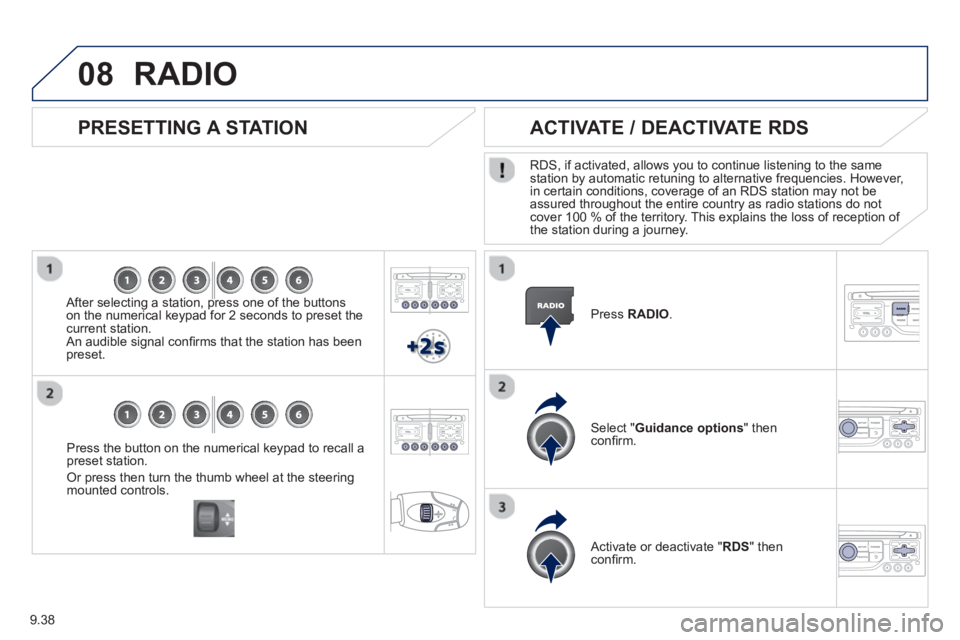
Press the button on the numerical keypad to recall a
preset station.
Or press then turn the thumb wheel at the steeringmounted controls.
PRESETTING A STATION
After selecting a station, press one of the buttonson the numerical keypad for 2 seconds to preset the current station.
An audible signal confi rms that the station has been preset. Pr
ess RADIO.
ACTIVATE / DEACTIVATE RDS
RDS, if activated, allows you to continue listening to the samestation by automatic retuning to alternative frequencies. However,
in certain conditions, coverage of an RDS station may not be
assured throughout the entire country as radio stations do notcover 100 % of the territory. This explains the loss of reception of
the station during a journey.
Select " Guidance options
" then confi rm.
Activate or deactivate "RDS " then confi rm.
RADIO
Page 181 of 234
9.41
09MUSIC MEDIA PLAYERS
CD, MP3 CD / USB PLAYER
The audio equipment will only play audio fi les with ".wma, .aac, .fl ac, .ogg and .mp3" fi le extensions and with a bit rate of between 32 Kbps
and 320 Kbps.
It also supports VBR
(Variable Bit Rate) mode.
No other t
ype of fi le (.mp4, .m3u...) can be played.
WMA
fi les must be of the standard wma 9 type.
The samplin
g rates supported are 11, 22, 44 and 48 KHz.
It is advisable to restrict fi le names to 20 characters, without usin
g of special characters (e.g.: " " ? ; ù) to avoid any playing and displayingproblems.
In order to be able to pla
y a recorded CDR or CDRW, when recording
it is preferable to select the ISO 9660 level 1, 2 or Joliet standard.
If the disc is recorded in another format it ma
y not be played correctly.
It is recommended that the same recordin
g standard is always used
for an individual disc, with as low a speed as possible (4x maximum)for optimum sound quality.
In the particular case o
f a multi-session CD, the Joliet standard isrecommended.
INFORMATION AND ADVICE
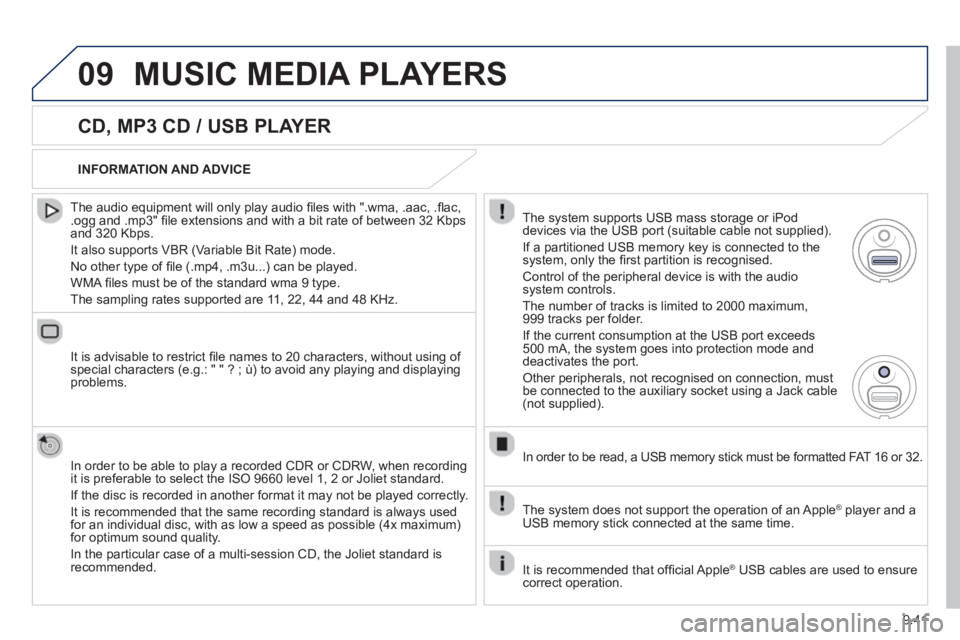
The s
ystem supports USB mass storage or iPod
devices via the USB port (suitable cable not supplied).
I
f a partitioned USB memory key is connected to the system, only the fi rst partition is recognised.
Control of the peripheral device is with the audiosystem controls.
The number of tracks is limited to 2000 maximum,
999 tracks per folder.
I
f the current consumption at the USB port exceeds 500 mA, the system goes into protection mode and
deactivates the port.
Other peripherals, not recognised on connection, must
be connected to the auxiliary socket using a Jack cable (not supplied).
In order to be read, a USB memor
y stick must be formatted FAT 16 or 32.
The s
ystem does not support the operation of an Apple Æplayer and a USB memory stick connected at the same time.
It is recommended that o
ffi cial Apple Æ USB cables are used to ensure Æ
correct operation.
Page 212 of 234
9.72
06
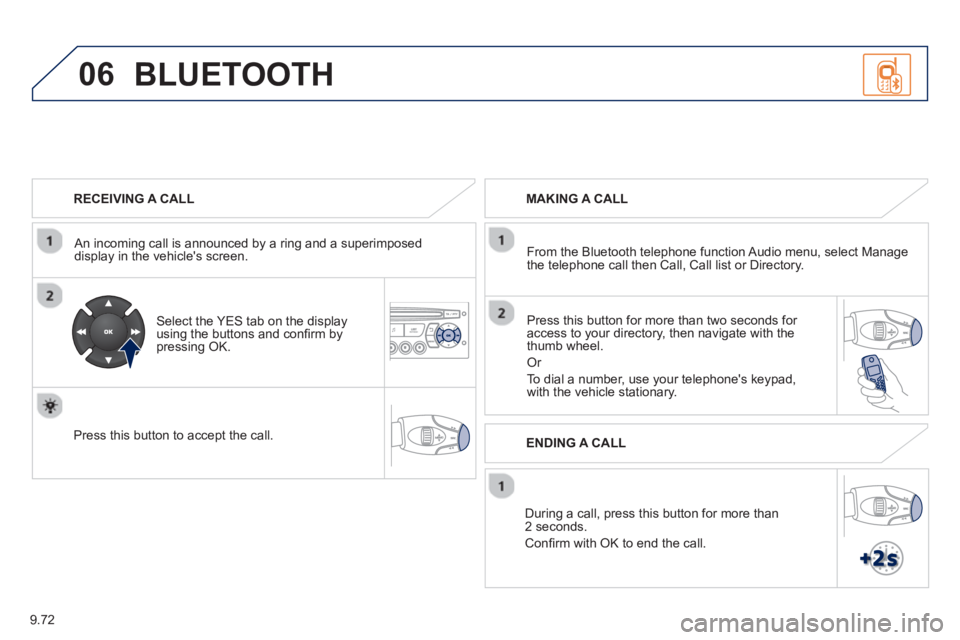
RECEIVING A CALL
An incomin
g call is announced by a ring and a superimposed
display in the vehicle's screen.
Select the YES tab on the display
using the buttons and confi rm bypressing OK.
Press this button to acce
pt the call.
MAKING A CALL
From the Bluetooth telephone
function Audio menu, select Manage
the telephone call then Call, Call list or Directory.
Pr
ess this button for more than two seconds for
access to your directory, then navigate with the
thumb wheel.
Or
To dial a number, use your telephone's keypad,with the vehicle stationary.
Durin
g a call, press this button for more than2 seconds.
Confi rm with OK to end the call.
BLUETOOTH
ENDING A CALL
Page 213 of 234
9.73
06
Initiate the pairing between the telephone and
the vehicle. This pairing can be initiated from
the vehicle's telephone function menu or via the
telephone's ke
ypad. See steps 1 to 9 on theprevious pages. During the pairing phase, the
vehicle must be stationary with the key in the
i
gnition.
Select the telephone to be connected from the telephone functionmenu.
The audio s
ystem connects to a newly paired telephone automatically.
BLUETOOTH AUDIO STREAMING *
Wireless transmission of the telephone's music fi les via the audioequipment. The telephone must be able to manage the appropriate
Bluetooth profi les (Profi les A2DP / AVRCP).
*
Depending on the compatibility of the telephone.
**
In certain cases, playing of the Audio fi les must be initiated from the
keypad.
***
If the tele
phone supports the function.
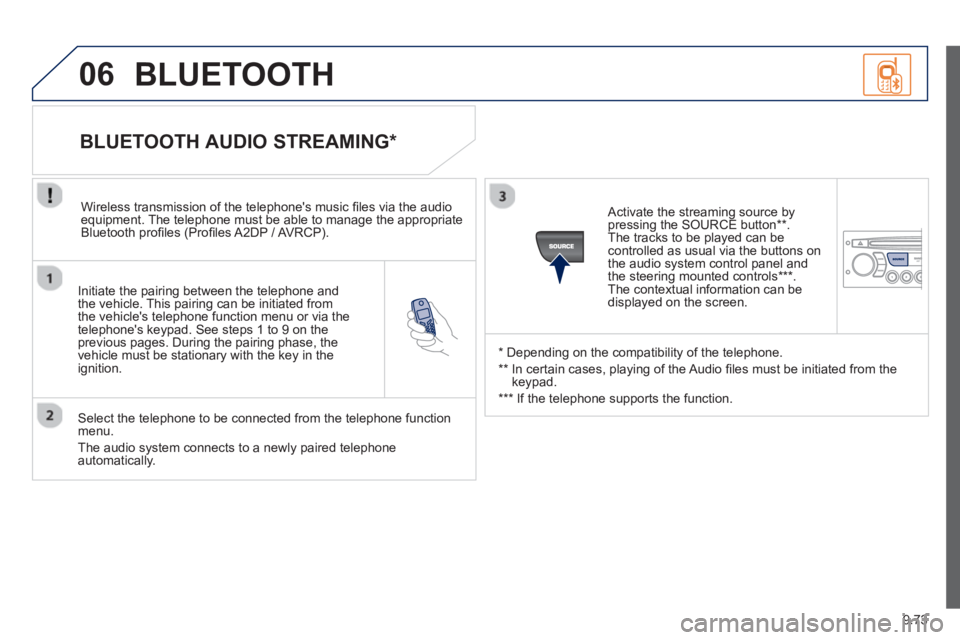
Activate the streaming source by
pressin
g the SOURCE button ** .
The tracks to be played can becontrolled as usual via the buttons on
the audio system control panel and
the steering mounted controls *** .
The contextual information can bedisplayed on the screen.
BLUETOOTH
Page 223 of 234
139
VISUAL SEARCH
10
Exterior
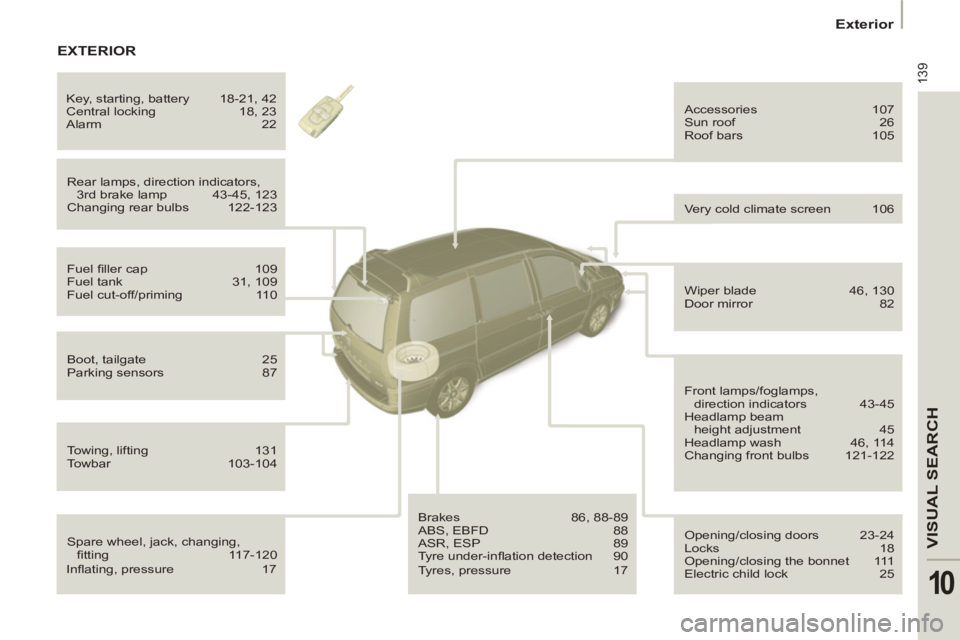
Spare wheel, jack, changing,
fi tting 117-120 Rear lamps, direction indicators,
3rd brake lamp 43-45, 123
Changing rear bulbs 122-123 Accessories 107
Sun roof 26
Roof bars 105
Fuel fi ller cap 109
Fuel tank 31, 109
Fuel cut-off/priming 110
Boot, tailgate 25
Parking sensors 87
Towing, lifting 131
Towbar 103-104
Brakes 86, 88-89
ABS, EBFD 88
ASR, ESP 89
Tyre under-infl ation detection 90 Opening/closing doors 23-24
Locks 18
Opening/closing the bonnet 111
Electric child lock 25
Wiper blade 46, 130
Door mirror 82
Front lamps/foglamps,
direction indicators 43-45
Headlamp beam
height adjustment 45
Headlamp wash 46, 114
Changing front bulbs 121-122 Very cold climate screen 106 Key, starting, battery 18-21, 42
Central locking 18, 23
Alarm 22
EXTERIOR
Infl ating, pressure 17
Tyres, pressure 17