charging PEUGEOT BOXER 2021 Owner's Manual
[x] Cancel search | Manufacturer: PEUGEOT, Model Year: 2021, Model line: BOXER, Model: PEUGEOT BOXER 2021Pages: 212, PDF Size: 6.37 MB
Page 164 of 212
162
Audio system
Audio system
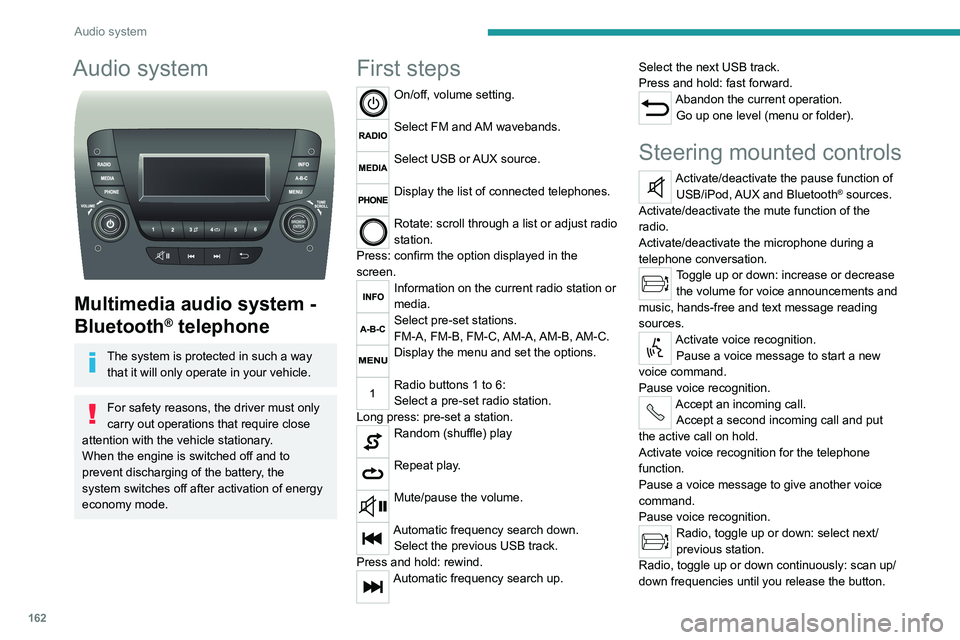
Multimedia audio system -
Bluetooth
® telephone
The system is protected in such a way that it will only operate in your vehicle.
For safety reasons, the driver must only
carry out operations that require close
attention with the
vehicle stationary.
When the engine is switched off and to
prevent discharging of the battery, the
system switches off after activation of energy
economy mode.
First steps
On/off, volume setting.
Select FM and AM wavebands.
Select USB or AUX source.
Display the list of connected telephones.
Rotate: scroll through a list or adjust radio
station.
Press: confirm the option displayed in the
screen.
Information on the current radio station or
media.
Select pre-set stations.
FM-A, FM-B, FM-C, AM-A, AM-B, AM-C.
Display the menu and set the options.
Radio buttons 1 to 6:
Select a pre-set radio station.
Long press: pre-set a station.
Random (shuffle) play
Repeat play.
Mute/pause the volume.
Automatic frequency search down. Select the previous USB track.
Press and hold: rewind.
Automatic frequency search up. Select the next USB track.
Press and hold: fast forward.
Abandon the current operation.
Go up one level (menu or folder).
Steering mounted controls
Activate/deactivate the pause function of USB/iPod, AUX and Bluetooth® sources.
Activate/deactivate the mute function of the
radio.
Activate/deactivate the microphone during a
telephone conversation.
Toggle up or down: increase or decrease the volume for voice announcements and
music, hands-free and text message reading
sources.
Activate voice recognition. Pause a voice message to start a new
voice command.
Pause voice recognition.
Accept an incoming call. Accept a second incoming call and put
the active call on hold.
Activate voice recognition for the telephone
function.
Pause a voice message to give another voice
command.
Pause voice recognition.
Radio, toggle up or down: select next/
previous station.
Radio, toggle up or down continuously: scan up/
down frequencies until you release the button.
Page 171 of 212
169
Touch screen audio and telematics system
12Touch screen audio and telematics system
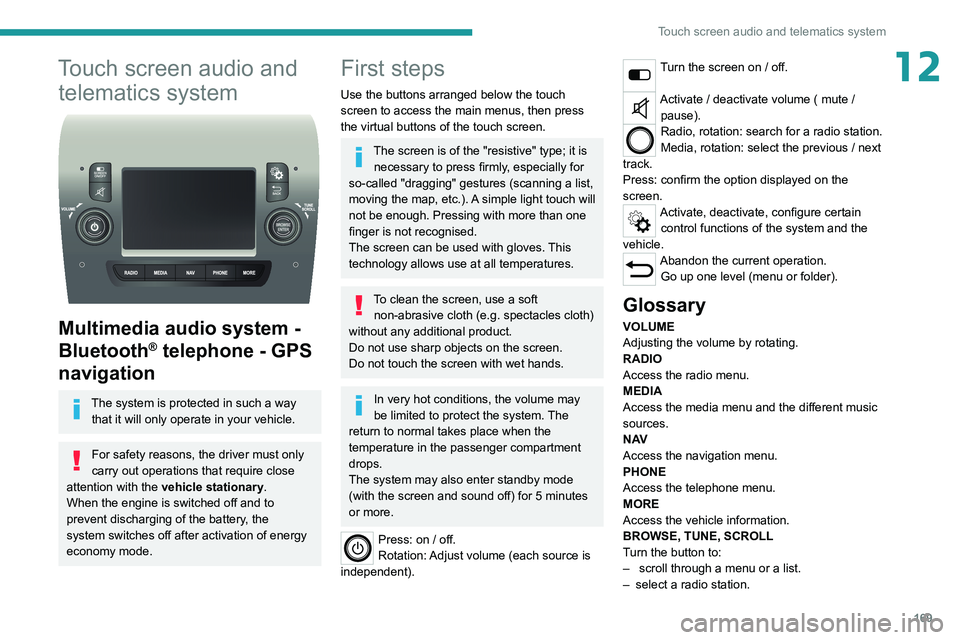
Multimedia audio system -
Bluetooth
® telephone - GPS
navigation
The system is protected in such a way
that it will only operate in your vehicle.
For safety reasons, the driver must only
carry out operations that require close
attention with the
vehicle stationary.
When the engine is switched off and to
prevent discharging of the battery, the
system switches off after activation of energy
economy mode.
First steps
Use the buttons arranged below the touch
screen to access the main menus, then press
the virtual buttons of the touch screen.
The screen is of the "resistive" type; it is necessary to press firmly, especially for
so-called "dragging" gestures (scanning a list,
moving the map, etc.). A simple light touch will
not be enough. Pressing with more than one
finger is not recognised.
The screen can be used with gloves. This
technology allows use at all temperatures.
To clean the screen, use a soft non-abrasive cloth (e.g. spectacles cloth)
without any additional product.
Do not use sharp objects on the screen.
Do not touch the screen with wet hands.
In very hot conditions, the volume may
be limited to protect the system. The
return to normal takes place when the
temperature in the passenger compartment
drops.
The system may also enter standby mode
(with the screen and sound off) for 5 minutes
or more.
Press: on / off.
Rotation: Adjust volume (each source is
independent).
Turn the screen on / off.
Activate / deactivate volume ( mute / pause).
Radio, rotation: search for a radio station.
Media, rotation: select the previous / next
track.
Press: confirm the option displayed on the
screen.
Activate, deactivate, configure certain control functions of the system and the
vehicle.
Abandon the current operation. Go up one level (menu or folder).
Glossary
VOLUME
Adjusting the volume by rotating.
RADIO
Access the radio menu.
MEDIA
Access the media menu and the different music
sources.
N AV
Access the navigation menu.
PHONE
Access the telephone menu.
MORE
Access the vehicle information.
BROWSE, TUNE, SCROLL
Turn the button to:
–
scroll through a menu or a list.
–
select a radio station.
Page 186 of 212
184
ALPINE® X902D system
ALPINE® X902D system
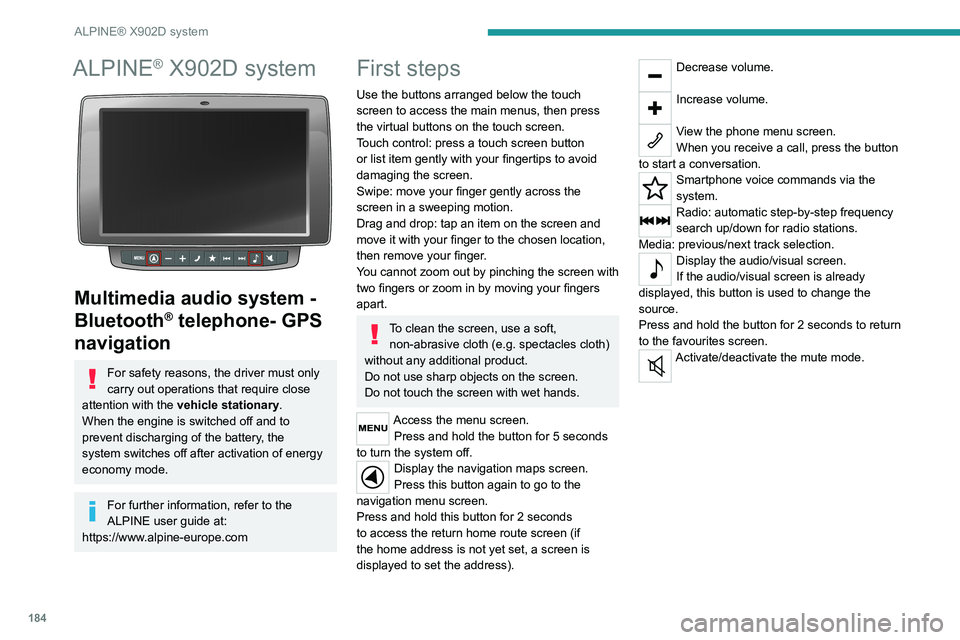
Multimedia audio system -
Bluetooth
® telephone- GPS
navigation
For safety reasons, the driver must only
carry out operations that require close
attention with the vehicle stationary.
When the engine is switched off and to
prevent discharging of the battery, the
system switches off after activation of energy
economy mode.
For further information, refer to the
ALPINE user guide at:
https://www.alpine-europe.com
First steps
Use the buttons arranged below the touch
screen to access the main menus, then press
the virtual buttons on the touch screen.
Touch control: press a touch screen button
or list item gently with your fingertips to avoid
damaging the screen.
Swipe: move your finger gently across the
screen in a sweeping motion.
Drag and drop: tap an item on the screen and
move it with your finger to the chosen location,
then remove your finger.
You cannot zoom out by pinching the screen with
two fingers or zoom in by moving your fingers
apart.
To clean the screen, use a soft, non-abrasive cloth (e.g. spectacles cloth)
without any additional product.
Do not use sharp objects on the screen.
Do not touch the screen with wet hands.
Access the menu screen. Press and hold the button for 5 seconds
to turn the system off.
Display the navigation maps screen.
Press this button again to go to the
navigation menu screen.
Press and hold this button for 2 seconds
to access the return home route screen (if
the home address is not yet set, a screen is
displayed to set the address).
Decrease volume.
Increase volume.
View the phone menu screen.
When you receive a call, press the button
to start a conversation.
Smartphone voice commands via the
system.
Radio: automatic step-by-step frequency
search up/down for radio stations.
Media: previous/next track selection.
Display the audio/visual screen.
If the audio/visual screen is already
displayed, this button is used to change the
source.
Press and hold the button for 2 seconds to return
to the favourites screen.
Activate/deactivate the mute mode.
Page 192 of 212
190
Alphabetical index
A
ABS 29
Accelerated charging unit (Wallbox)
71
Accessories
28
Active Safety Brake
90–92
AdBlue®
86
AdBlue® tank
87
Adjusting the date
21
Adjusting the seat angle
18
Adjusting the seat belt height
60–61
Adjusting the time
21
Advice on care and maintenance
70, 88
Advice on driving
6, 69–70
Airbags
35, 37
Airbags, curtain
35
Airbags, front
62–63
Airbags, lateral
35
Air conditioning
23, 39–40
Air conditioning, additional
39–40
Air conditioning, automatic
24
Air conditioning, manual
24
Air vents
23
Alarm
27–28
Anti-lock braking system (ABS)
29
Armrest, front
19
ASR
29
Assistance, emergency braking
29, 64
Audible warning
28
Audio streaming (Bluetooth)
173–174
Audio system
134
B
Battery 45
Battery, 12 V
111–112, 102
Battery, ancillaries
102
Blind spot sensors
61
BlueHDi
14, 83
Bluetooth (hands-free)
137, 177–178
Bluetooth (telephone)
137, 177–178
Bodywork
89
Bonnet
79
Brake discs
85
Brakes
85
Braking, automatic emergency
90–92
Brightness
8
Bulbs (changing)
97
Bulbs (changing, type)
97
C
Cable, audio 136, 145
Cable, Jack
136, 145
Capacity, fuel tank
68
Care of the bodywork
89
CCS (Combined Charging System)
74
CD
145
CD, MP3
145
Centre console
4
Changing a bulb
97
Changing a fuse
101
Changing to free-wheeling
105
Charging cable (Electric) 71
Charging connector (Electric)
70, 101–103
Charging flap (Electric)
70, 101–103
Charging system (Electric)
5, 6, 69
Charging the traction battery
(Electric)
69, 101–103
Checking the levels
109–111
Checks
111 – 11 3
Checks, routine
111 – 11 3
Children
33
Child seats
33, 63–65
Cigar lighter
35
Cleaning (advice)
70, 116–117
Collision Risk Alert
90–92
Configuration, vehicle
15, 21
Container, AdBlue®
87
Control, heated seats
19
Control stalk, lighting
23
Control stalk, wipers
26
Control unit
71
Courtesy lamp, front
43–46
Courtesy lamp, rear
36
Courtesy lamps
36
Cruise control
85–86
D
DAB (Digital Audio Broadcasting) -
Digital radio
144
Dashboard
4
Daytime running lamps, LED
23
Page 193 of 212
191
Alphabetical index
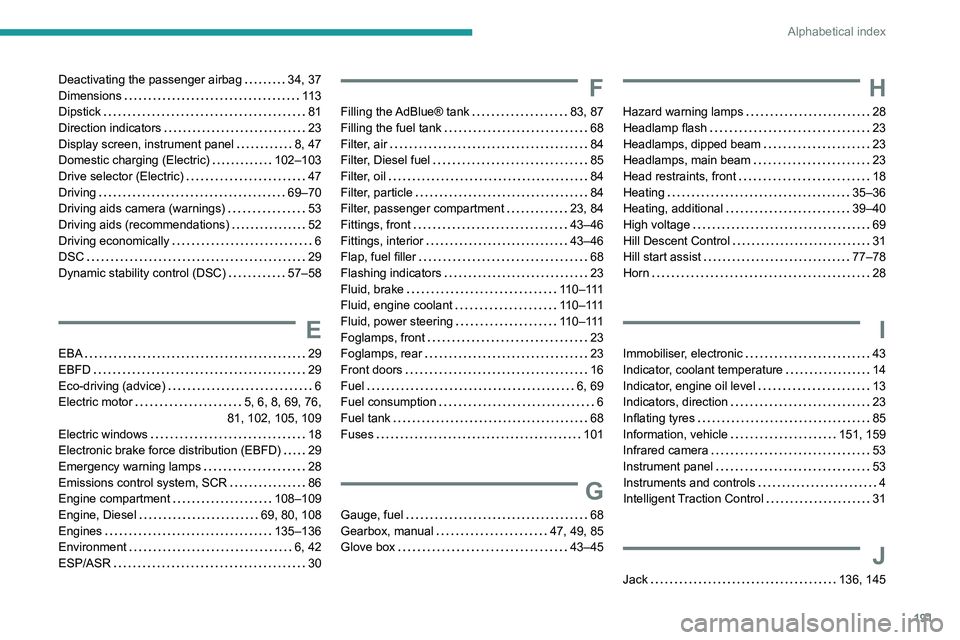
Deactivating the passenger airbag 34, 37
Dimensions
11 3
Dipstick
81
Direction indicators
23
Display screen, instrument panel
8, 47
Domestic charging (Electric)
102–103
Drive selector (Electric)
47
Driving
69–70
Driving aids camera (warnings)
53
Driving aids (recommendations)
52
Driving economically
6
DSC
29
Dynamic stability control (DSC)
57–58
E
EBA 29
EBFD
29
Eco-driving (advice)
6
Electric motor
5, 6, 8, 69, 76,
81, 102, 105, 109
Electric windows
18
Electronic brake force distribution (EBFD)
29
Emergency warning lamps
28
Emissions control system, SCR
86
Engine compartment
108–109
Engine, Diesel
69, 80, 108
Engines
135–136
Environment
6, 42
ESP/ASR
30
F
Filling the AdBlue® tank 83, 87
Filling the fuel tank
68
Filter, air
84
Filter, Diesel fuel
85
Filter, oil
84
Filter, particle
84
Filter, passenger compartment
23, 84
Fittings, front
43–46
Fittings, interior
43–46
Flap, fuel filler
68
Flashing indicators
23
Fluid, brake
110–111
Fluid, engine coolant
110–111
Fluid, power steering
110–111
Foglamps, front
23
Foglamps, rear
23
Front doors
16
Fuel
6, 69
Fuel consumption
6
Fuel tank
68
Fuses
101
G
Gauge, fuel 68
Gearbox, manual
47, 49, 85
Glove box
43–45
H
Hazard warning lamps 28
Headlamp flash
23
Headlamps, dipped beam
23
Headlamps, main beam
23
Head restraints, front
18
Heating
35–36
Heating, additional
39–40
High voltage
69
Hill Descent Control
31
Hill start assist
77–78
Horn
28
I
Immobiliser, electronic 43
Indicator, coolant temperature
14
Indicator, engine oil level
13
Indicators, direction
23
Inflating tyres
85
Information, vehicle
151, 159
Infrared camera
53
Instrument panel
53
Instruments and controls
4
Intelligent Traction Control
31
J
Jack 136, 145
Page 194 of 212
192
Alphabetical index
K
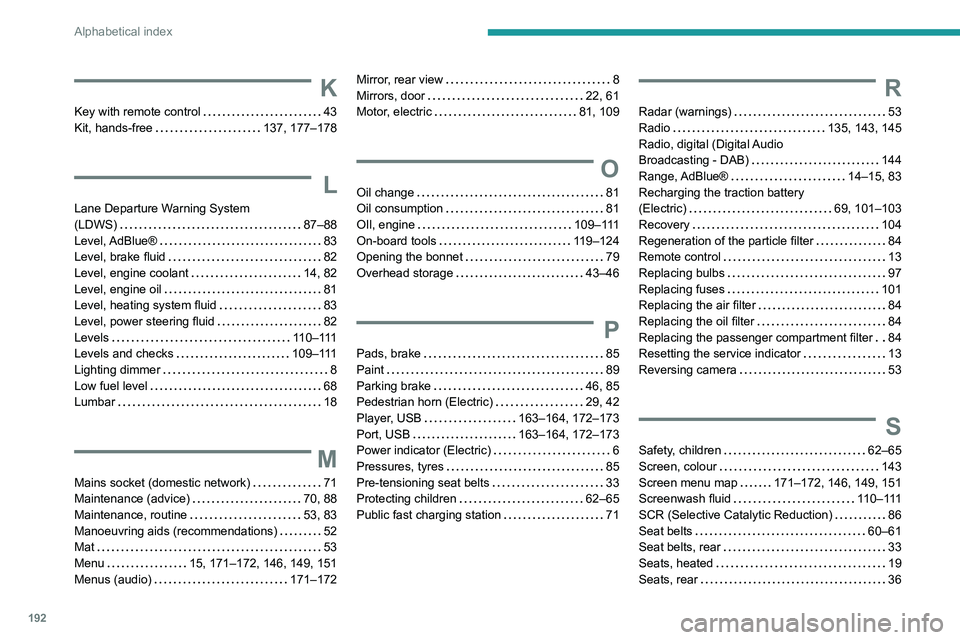
Key with remote control 43
Kit, hands-free
137, 177–178
L
Lane Departure Warning System
(LDWS)
87–88
Level, AdBlue®
83
Level, brake fluid
82
Level, engine coolant
14, 82
Level, engine oil
81
Level, heating system fluid
83
Level, power steering fluid
82
Levels
110–111
Levels and checks
109–111
Lighting dimmer
8
Low fuel level
68
Lumbar
18
M
Mains socket (domestic network) 71
Maintenance (advice)
70, 88
Maintenance, routine
53, 83
Manoeuvring aids (recommendations)
52
Mat
53
Menu
15, 171–172, 146, 149, 151
Menus (audio)
171–172
Mirror, rear view 8
Mirrors, door
22, 61
Motor, electric
81, 109
O
Oil change 81
Oil consumption
81
OIl, engine
109–111
On-board tools
119–124
Opening the bonnet
79
Overhead storage
43–46
P
Pads, brake 85
Paint
89
Parking brake
46, 85
Pedestrian horn (Electric)
29, 42
Player, USB
163–164, 172–173
Port, USB
163–164, 172–173
Power indicator (Electric)
6
Pressures, tyres
85
Pre-tensioning seat belts
33
Protecting children
62–65
Public fast charging station
71
R
Radar (warnings) 53
Radio
135, 143, 145
Radio, digital (Digital Audio
Broadcasting - DAB)
144
Range, AdBlue®
14–15, 83
Recharging the traction battery
(Electric)
69, 101–103
Recovery
104
Regeneration of the particle filter
84
Remote control
13
Replacing bulbs
97
Replacing fuses
101
Replacing the air filter
84
Replacing the oil filter
84
Replacing the passenger compartment filter
84
Resetting the service indicator
13
Reversing camera
53
S
Safety, children 62–65
Screen, colour
143
Screen menu map
171–172, 146, 149, 151
Screenwash fluid
110–111
SCR (Selective Catalytic Reduction)
86
Seat belts
60–61
Seat belts, rear
33
Seats, heated
19
Seats, rear
36
Page 195 of 212
193
Alphabetical index
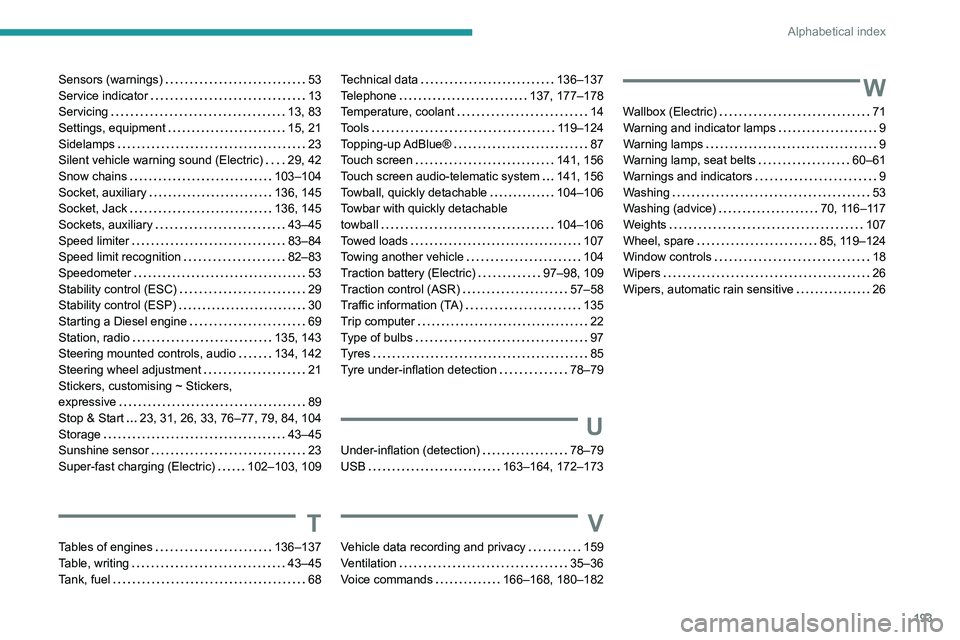
Sensors (warnings) 53
Service indicator
13
Servicing
13, 83
Settings, equipment
15, 21
Sidelamps
23
Silent vehicle warning sound (Electric)
29, 42
Snow chains
103–104
Socket, auxiliary
136, 145
Socket, Jack
136, 145
Sockets, auxiliary
43–45
Speed limiter
83–84
Speed limit recognition
82–83
Speedometer
53
Stability control (ESC)
29
Stability control (ESP)
30
Starting a Diesel engine
69
Station, radio
135, 143
Steering mounted controls, audio
134, 142
Steering wheel adjustment
21
Stickers, customising ~ Stickers,
expressive
89
Stop & Start
23, 31, 26, 33, 76–77, 79, 84, 104
Storage
43–45
Sunshine sensor
23
Super-fast charging (Electric)
102–103, 109
T
Tables of engines 136–137
Table, writing
43–45
Tank, fuel
68
Technical data 136–137
Telephone
137, 177–178
Temperature, coolant
14
Tools
119–124
Topping-up AdBlue®
87
Touch screen
141, 156
Touch screen audio-telematic system
141, 156
Towball, quickly detachable
104–106
Towbar with quickly detachable
towball
104–106
Towed loads
107
Towing another vehicle
104
Traction battery (Electric)
97–98, 109
Traction control (ASR)
57–58
Traffic information (TA)
135
Trip computer
22
Type of bulbs
97
Tyres
85
Tyre under-inflation detection
78–79
U
Under-inflation (detection) 78–79
USB
163–164, 172–173
V
Vehicle data recording and privacy 159
Ventilation
35–36
Voice commands
166–168, 180–182
W
Wallbox (Electric) 71
Warning and indicator lamps
9
Warning lamps
9
Warning lamp, seat belts
60–61
Warnings and indicators
9
Washing
53
Washing (advice)
70, 116–117
Weights
107
Wheel, spare
85, 119–124
Window controls
18
Wipers
26
Wipers, automatic rain sensitive
26