wheel PEUGEOT EXPERT 2018 Owner's Guide
[x] Cancel search | Manufacturer: PEUGEOT, Model Year: 2018, Model line: EXPERT, Model: PEUGEOT EXPERT 2018Pages: 416, PDF Size: 14.12 MB
Page 209 of 416
207
Switching on/Pause
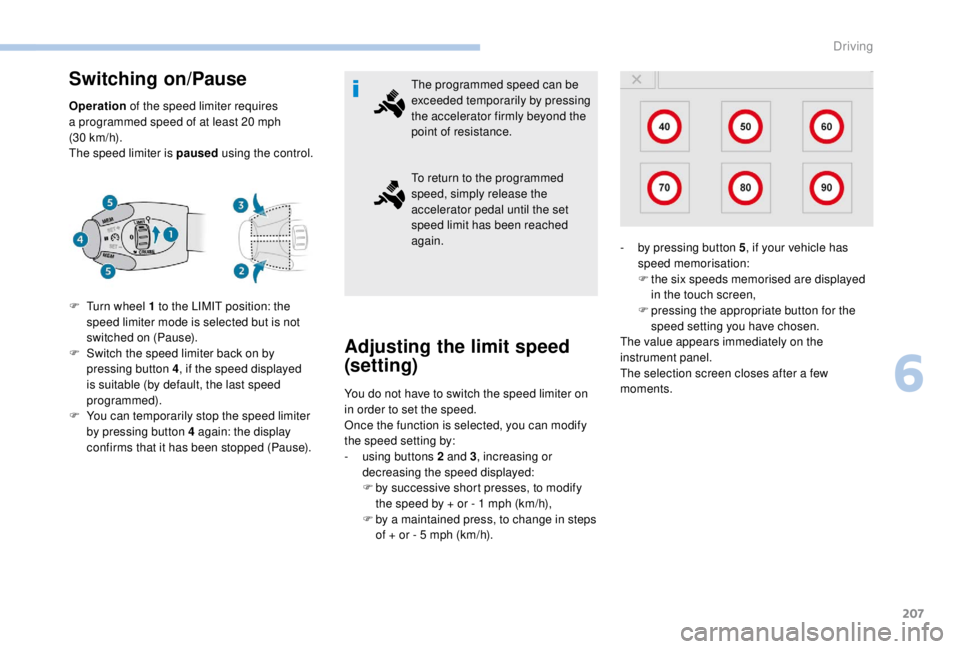
Operation of the speed limiter requires
a programmed speed of at least 20 mph
(30
km/h).
The speed limiter is paused using the control.
F
T
urn wheel 1 to the LIMIT position: the
speed limiter mode is selected but is not
switched on (Pause).
F
S
witch the speed limiter back on by
pressing button 4, if the speed displayed
is suitable (by default, the last speed
programmed).
F
Y
ou can temporarily stop the speed limiter
by pressing button 4
again: the display
confirms that it has been stopped (Pause). The programmed speed can be
exceeded temporarily by pressing
the accelerator firmly beyond the
point of resistance.
To return to the programmed
speed, simply release the
accelerator pedal until the set
speed limit has been reached
again.
Adjusting the limit speed
(set ting)
You do not have to switch the speed limiter on
in order to set the speed.
Once the function is selected, you can modify
the speed setting by:
-
u
sing buttons 2 and 3, increasing or
decreasing the speed displayed:
F
b
y successive short presses, to modify
the speed by + or - 1
mph (km/h),
F
b
y a maintained press, to change in steps
of + or - 5
mph (km/h). -
b
y pressing button 5
, if your vehicle has
speed memorisation:
F
t
he six speeds memorised are displayed
in the touch screen,
F
p
ressing the appropriate button for the
speed setting you have chosen.
The value appears immediately on the
instrument panel.
The selection screen closes after a few
moments.
6
Driving
Page 210 of 416
208
For more information on Speed
limit recognition, refer to the
corresponding section.
Temporarily exceeding the
speed setting
F Press firmly on the accelerator pedal,
going beyond the point of resistance, to
exceed the programmed speed limit.
The speed limiter is deactivated temporarily
and the displayed programmed speed flashes.
An audible signal accompanies the flashing
of the programmed speed when exceeding
the speed is not due to an action by the driver
(steep hill, etc.).
As soon as the vehicle's speed returns to the
programmed value, the limiter operates again:
the display of the programmed speed becomes
steady again.
Switching off Operating fault
On sharp acceleration, as when
descending a steep hill, the speed limiter
will not be able to prevent the vehicle from
exceeding the programmed speed.
The speed limiter is deactivated
temporarily and the displayed
programmed speed flashes.
An audible signal accompanies the
flashing of the programmed speed when
exceeding the speed is not due to an
action by the driver.
-
b
y pressing button 5
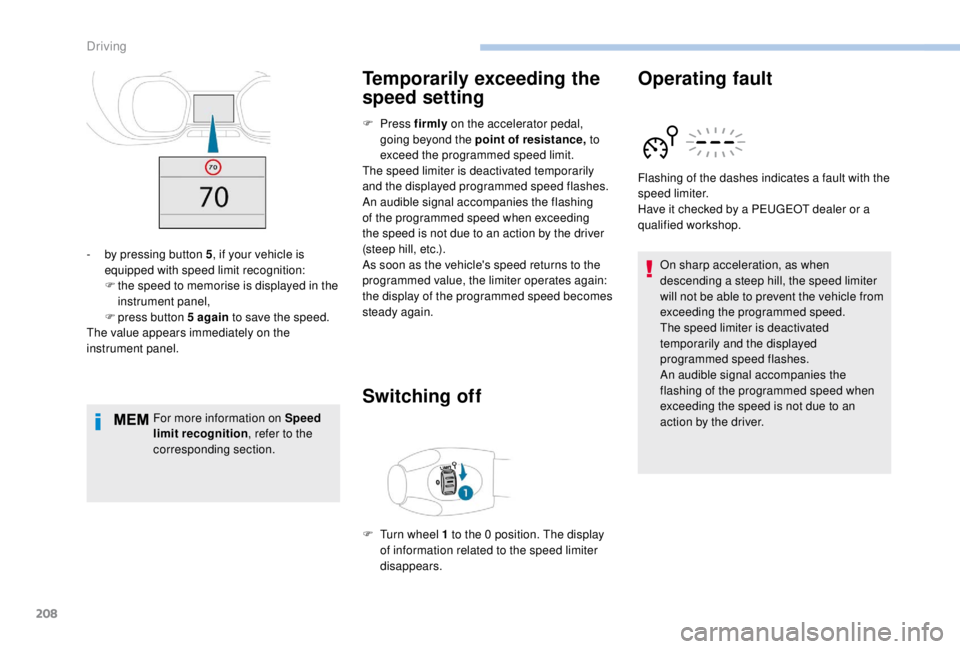
, if your vehicle is
equipped with speed limit recognition:
F
t
he speed to memorise is displayed in the
instrument panel,
F
press button 5
again to save the speed.
The value appears immediately on the
instrument panel.
F
T
urn wheel 1
to the 0
position. The display
of information related to the speed limiter
disappears. Flashing of the dashes indicates a fault with the
speed limiter.
Have it checked by a PEUGEOT dealer or a
qualified workshop.
Driving
Page 212 of 416
210
Switching on
The cruise control is switched on manually: it
requires a minimum vehicle speed of 25 mph
(40
km/h).
With a manual gearbox, third or fourth gear or
higher must be engaged.
With an automatic gearbox, second gear or
higher must be engaged. It is possible to exceed the programmed
speed temporarily by depressing the
accelerator pedal.
To return to the programmed speed,
simply release the accelerator pedal until
the programmed cruise speed is reached
again.
Modification of the initial
speed (setting)
If the cruise control is on, you can then modify
the initial speed:
-
u
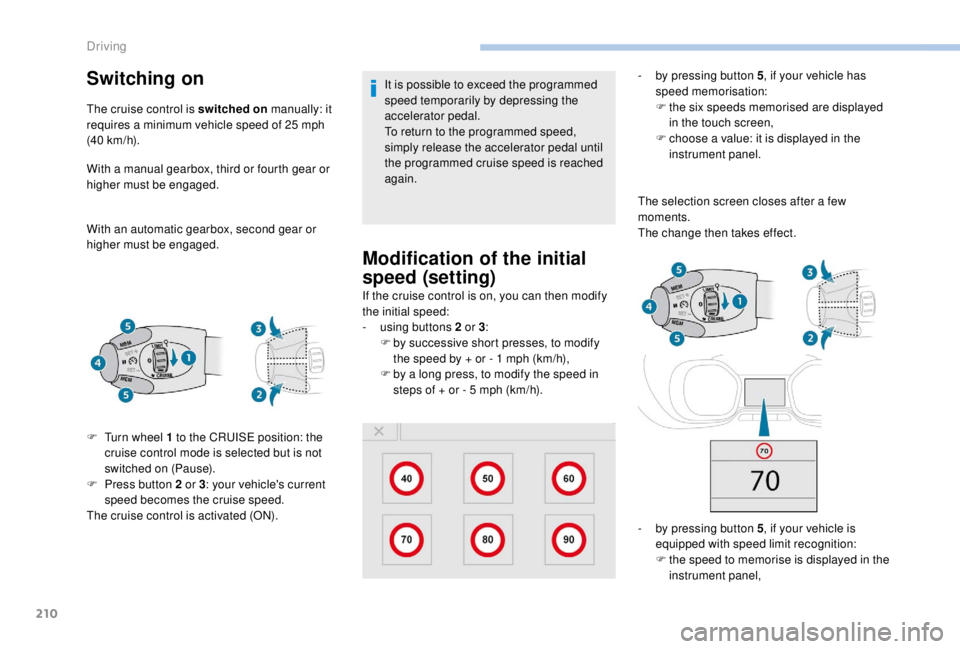
sing buttons 2 or 3:
F
b
y successive short presses, to modify
the speed by + or - 1
mph (km/h),
F
b
y a long press, to modify the speed in
steps of + or - 5
mph (km/h). -
b
y pressing button 5
, if your vehicle has
speed memorisation:
F
t
he six speeds memorised are displayed
in the touch screen,
F
c
hoose a value: it is displayed in the
instrument panel.
The selection screen closes after a few
moments.
The change then takes effect.
-
b
y pressing button 5, if your vehicle is
equipped with speed limit recognition:
F
t
he speed to memorise is displayed in the
instrument panel,
F
T
urn wheel 1
to the CRUISE position: the
cruise control mode is selected but is not
switched on (Pause).
F
P
ress button 2
or 3 : your vehicle's current
speed becomes the cruise speed.
The cruise control is activated (ON).
Driving
Page 213 of 416
211
The value appears immediately on the
instrument panel.For more information on Speed limit
recognition , refer to the corresponding
section.
Pause
The cruise control is paused manually or by
pressing the brake or clutch pedal or if the
ESC system is invoked for safety reasons.
Exceeding programmed
speed
If the programmed speed is exceeded, the
displayed speed flashes.
Once the vehicle returns to the programmed
speed, the display becomes steady again.
Switching off
F press button 5 again to save the speed.
Once switched on, you can pause the cruise
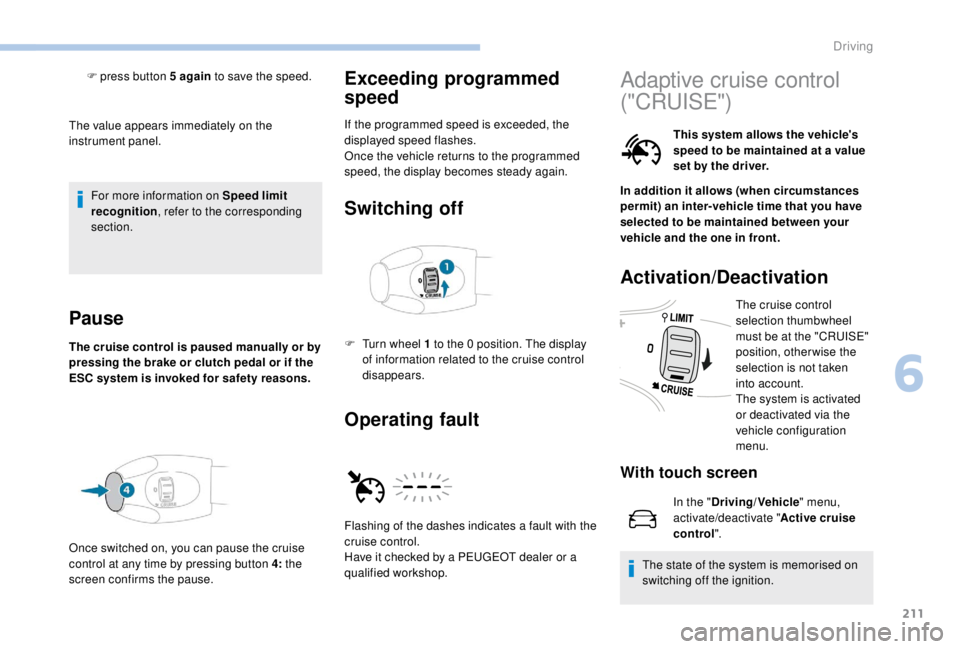
control at any time by pressing button 4: the
screen confirms the pause.
Operating fault
F Turn wheel 1 to the 0 position. The display
of information related to the cruise control
disappears.
Flashing of the dashes indicates a fault with the
cruise control.
Have it checked by a PEUGEOT dealer or a
qualified workshop.
Adaptive cruise control
("CRUISE")
This system allows the vehicle's
speed to be maintained at a value
set by the driver.
In addition it allows (when circumstances
permit) an inter-vehicle time that you have
selected to be maintained between your
vehicle and the one in front.
Activation/Deactivation
The cruise control
selection thumbwheel
must be at the "CRUISE"
position, otherwise the
selection is not taken
into account.
The system is activated
or deactivated via the
vehicle configuration
menu.
With touch screen
In the " Driving/Vehicle " menu,
activate/deactivate " Active cruise
control".
The state of the system is memorised on
switching off the ignition.
6
Driving
Page 215 of 416
213
The adaptive cruise control must be selected in
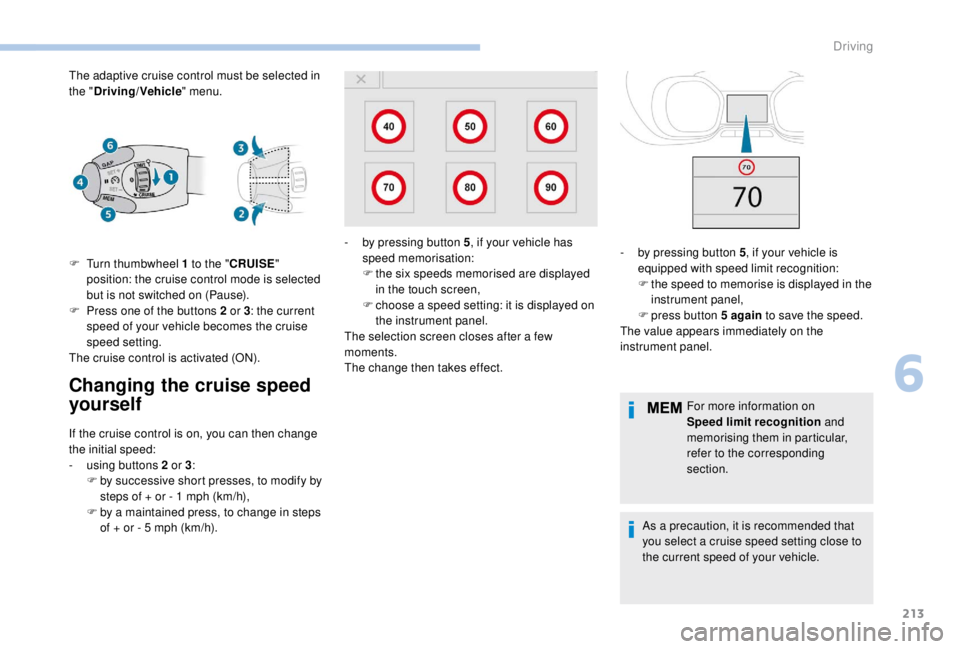
the "Driving/Vehicle " menu.
Changing the cruise speed
yourself
F Turn thumbwheel 1 to the "CRUISE "
position: the cruise control mode is selected
but is not switched on (Pause).
F
P
ress one of the buttons 2 or 3: the current
speed of your vehicle becomes the cruise
speed setting.
The cruise control is activated (ON).
If the cruise control is on, you can then change
the initial speed:
-
u
sing buttons 2 or 3:
F
b
y successive short presses, to modify by
steps of + or - 1
mph (km/h),
F
b
y a maintained press, to change in steps
of + or - 5
mph (km/h). For more information on
Speed limit recognition
and
memorising them in particular,
refer to the corresponding
section.
As a precaution, it is recommended that
you select a cruise speed setting close to
the current speed of your vehicle.
-
b
y pressing button 5
, if your vehicle has
speed memorisation:
F t he six speeds memorised are displayed
in the touch screen,
F
c
hoose a speed setting: it is displayed on
the instrument panel.
The selection screen closes after a few
moments.
The change then takes effect. -
b y pressing button 5
, if your vehicle is
equipped with speed limit recognition:
F
t
he speed to memorise is displayed in the
instrument panel,
F
press button 5
again to save the speed.
The value appears immediately on the
instrument panel.
6
Driving
Page 221 of 416
219
After an impact, the function automatically
stops operating. Consult a PEUGEOT
dealer or a qualified workshop to have the
system checked.
Operating limits
In the following cases, deactivating the
system via the vehicle's configuration menu is
recommended:
-
w
hen towing a trailer or caravan,
-
w
hen a load on the roof rack extends
beyond the windscreen (for example: long
objects),
-
w
hen the vehicle is being towed, with the
engine running,
-
w
hen a "space-saver" type spare wheel is
fitted (if your vehicle has one),
-
w
hen on a rolling stand for a ser vice in a
workshop,
-
w
hen in an automatic car wash,
-
i
f the brake lamps are not working. Because of limits in the operation of the
system, it is possible that warnings are
not given, are given too late or seem
unjustified. Consequently, always stay
alert and be prepared to react at any time
to avoid an accident.
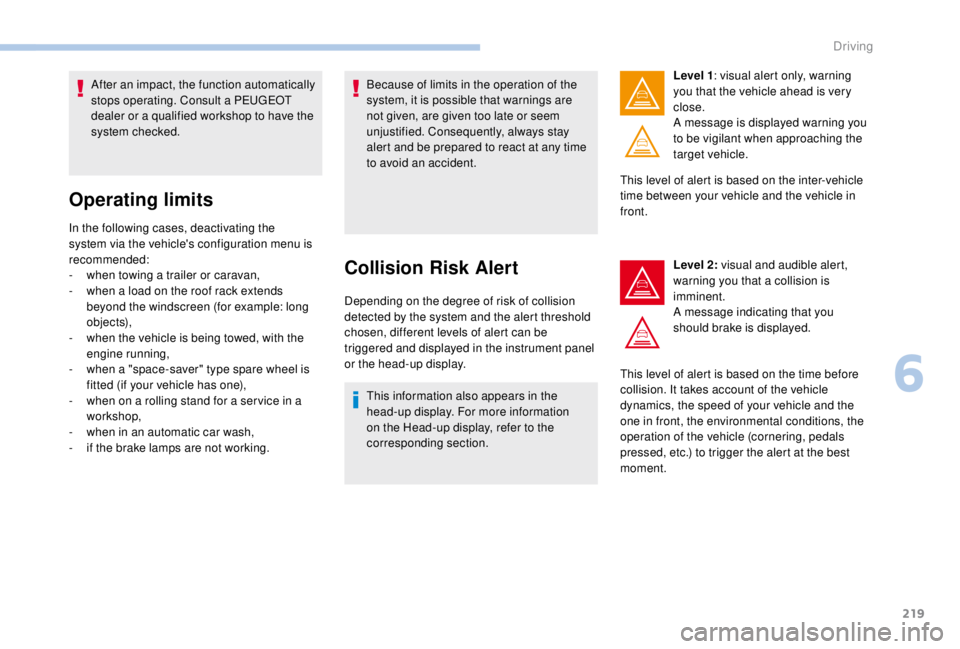
Collision Risk Alert
Depending on the degree of risk of collision
detected by the system and the alert threshold
chosen, different levels of alert can be
triggered and displayed in the instrument panel
or the head-up display.
This information also appears in the
head-up display. For more information
on the Head-up display, refer to the
corresponding section. Level 1
: visual alert only, warning
you that the vehicle ahead is very
close.
A message is displayed warning you
to be vigilant when approaching the
target vehicle.
This level of alert is based on the inter-vehicle
time between your vehicle and the vehicle in
front.
Level 2: visual and audible alert,
warning you that a collision is
imminent.
A message indicating that you
should brake is displayed.
This level of alert is based on the time before
collision. It takes account of the vehicle
dynamics, the speed of your vehicle and the
one in front, the environmental conditions, the
operation of the vehicle (cornering, pedals
pressed, etc.) to trigger the alert at the best
moment.
6
Driving
Page 222 of 416
220
Where the speed of your vehicle is too
high approaching another vehicle, the first
level of alert may not be displayed: the
level 2 alert may be displayed directly.
Furthermore, the level 1
alert is never
displayed with the " Close" threshold.
Programming the alert
thresholds
The thresholds for triggering an alert determine
how you wish to be warned of the presence of a
vehicle moving or stationary ahead of you, or a
pedestrian in your traffic lane.
You can select one of three thresholds:
-
"Distant ", to be warned early (cautious
driving).
-
"Normal ".
-
"Close ", to be warned later.
With audio system
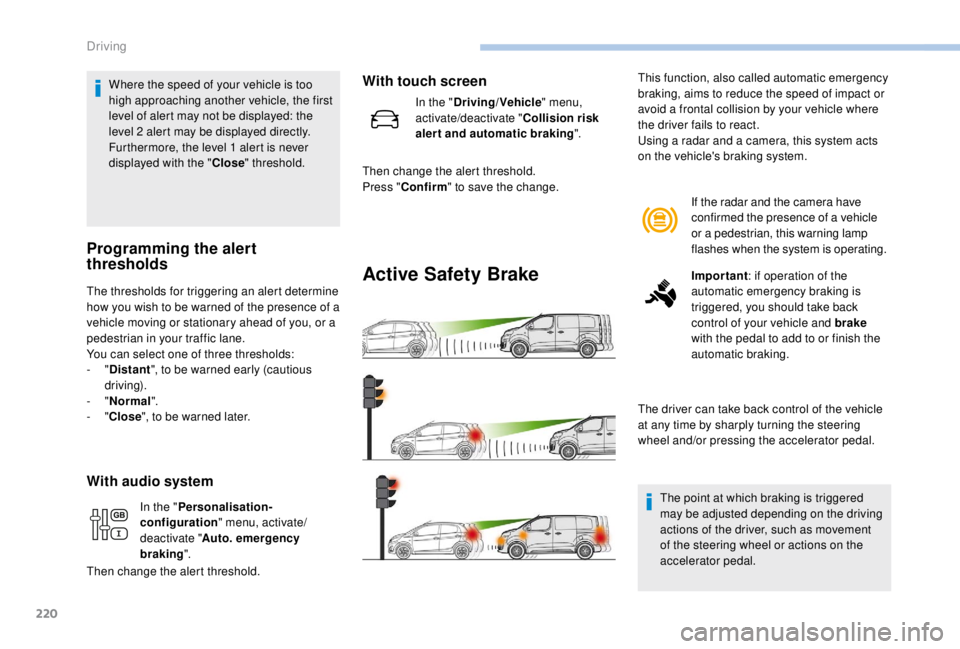
Active Safety Brake
If the radar and the camera have
confirmed the presence of a vehicle
or a pedestrian, this warning lamp
flashes when the system is operating.
Important : if operation of the
automatic emergency braking is
triggered, you should take back
control of your vehicle and brake
with the pedal to add to or finish the
automatic braking.
The driver can take back control of the vehicle
at any time by sharply turning the steering
wheel and/or pressing the accelerator pedal.
The point at which braking is triggered
may be adjusted depending on the driving
actions of the driver, such as movement
of the steering wheel or actions on the
accelerator pedal.
This function, also called automatic emergency
braking, aims to reduce the speed of impact or
avoid a frontal collision by your vehicle where
the driver fails to react.
Using a radar and a camera, this system acts
on the vehicle's braking system.
In the " Personalisation-
configuration " menu, activate/
deactivate " Auto. emergency
braking ".
Then change the alert threshold.
With touch screen
In the " Driving/Vehicle " menu,
activate/deactivate " Collision risk
alert and automatic braking ".
Then change the alert threshold.
Press " Confirm " to save the change.
Driving
Page 225 of 416
223
Fatigue detection system
It is recommended that you take a break as
soon as you feel tired or at least every two
hours.The system cannot in any circumstances
replace the need for vigilance on the part
of the driver.
Do not take the wheel if you are tired.
Driving time warning
The system triggers an alert once it
detects that the driver has not taken
a break after two hours of driving at
a speed above 40
mph (65 km/h).This alert is issued via the display of a
message encouraging you to take a break,
accompanied by an audible signal.
If the driver does not follow this advice, the
alert is repeated hourly until the vehicle is
stopped.
The system resets itself if one of the following
conditions is met:
-
e
ngine running, the vehicle has been
stationary for more than 15
minutes,
-
t
he ignition has been switched off for a few
minutes,
-
t
he driver's seat belt is unfastened and their
door is open.
As soon as the speed of the vehicle drops
below 40 mph (65 km/h), the system goes
into standby.
The driving time is counted again once the
speed is above 40
mph (65 km/h).
Activation/Deactivation
The system is activated or deactivated via the
vehicle configuration menu.
With audio system
In the "Personalisation-
configuration " menu, activate/
deactivate " Fatigue Detection
System ".
With touch screen
In the "Driving/Vehicle " menu,
activate/deactivate " Fatigue
Detection System ".
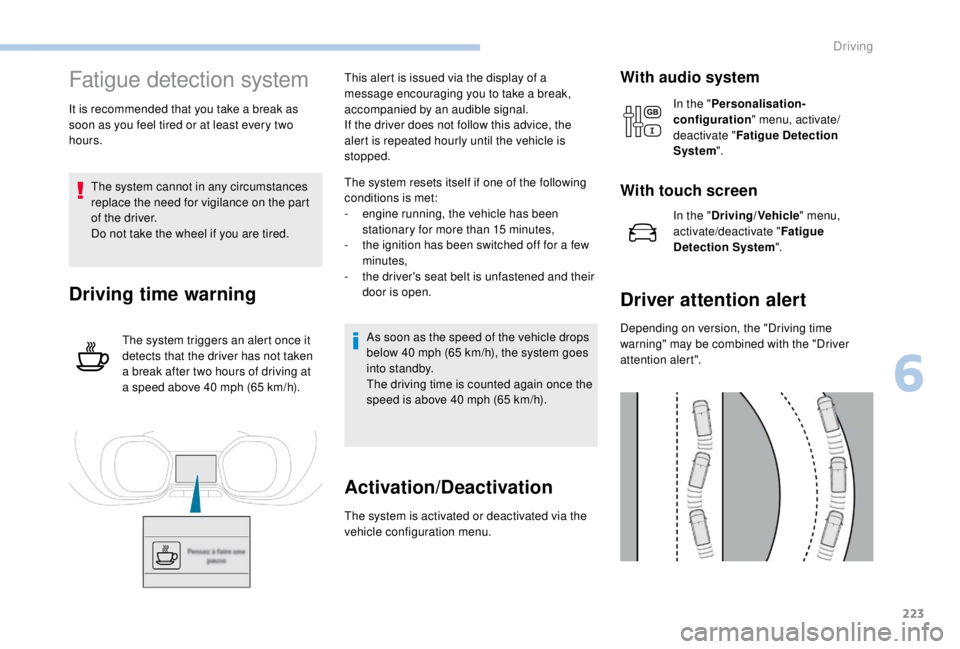
Driver attention alert
Depending on version, the "Driving time
warning" may be combined with the "Driver
attention alert".
6
Driving
Page 233 of 416
231
Principle of operation
The images provided by the cameras may
be distorted by the environment (external
conditions, driving mode, etc.).
The presence of areas in shadow, bright
sunlight, or poor lighting conditions may
make the image dark and reduce contrast.
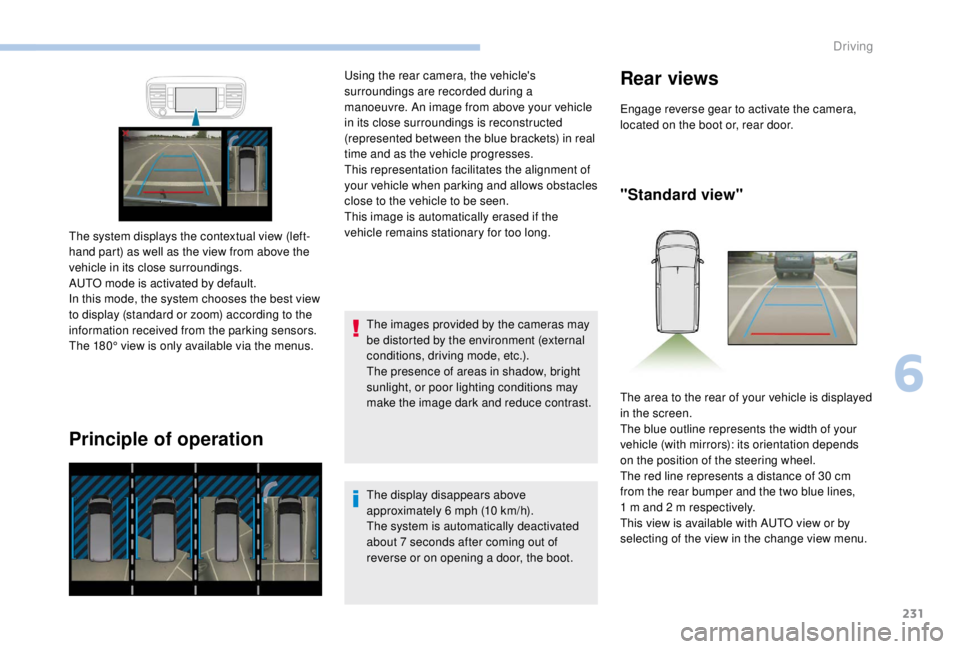
The system displays the contextual view (left-
hand part) as well as the view from above the
vehicle in its close surroundings.
AUTO mode is activated by default.
In this mode, the system chooses the best view
to display (standard or zoom) according to the
information received from the parking sensors.
The 180° view is only available via the menus. Using the rear camera, the vehicle's
surroundings are recorded during a
manoeuvre. An image from above your vehicle
in its close surroundings is reconstructed
(represented between the blue brackets) in real
time and as the vehicle progresses.
This representation facilitates the alignment of
your vehicle when parking and allows obstacles
close to the vehicle to be seen.
This image is automatically erased if the
vehicle remains stationary for too long.
The display disappears above
approximately 6 mph (10 km/h).
The system is automatically deactivated
about 7
seconds after coming out of
reverse or on opening a door, the boot.
Rear views
Engage reverse gear to activate the camera,
located on the boot or, rear door.
"Standard view"
The area to the rear of your vehicle is displayed
in the screen.
The blue outline represents the width of your
vehicle (with mirrors): its orientation depends
on the position of the steering wheel.
The red line represents a distance of 30
cm
from the rear bumper and the two blue lines,
1
m and 2 m respectively.
This view is available with AUTO view or by
selecting of the view in the change view menu.
6
Driving
Page 236 of 416
234
Under-inflation detection
This system automatically monitors the tyre
pressure while driving.
The system monitors the pressure in all four
tyres, once the vehicle is moving.
It compares the information given by the
wheel speed sensors with reference values,
which must be reinitialised after ever y tyre
pressure adjustment or wheel change.
The system triggers an alert as soon as it
detects a drop in the pressure of one or more
tyres.
The tyre under-inflation detection system
does not replace the need for vigilance on
the part of the driver.
This system still requires you to check the
tyre inflation pressure (including the spare
wheel) every month as well as before a
long journey.
Driving with under-inflated tyres impairs
handling, extends braking distances and
causes early tyre wear, particularly in
adverse conditions (heavy loads, high
speeds, long journeys). Driving with under-inflated tyres
increases fuel consumption.
The tyre pressure specifications for your
vehicle can be found on the tyre pressure
label.
For more information on the
Identification markings , refer to the
corresponding section.
Tyre pressures should be checked when
the tyres are "cold" (vehicle stopped for
1
hour or after a journey of less than
6
miles (10 km) at moderate speeds).
Other wise (when hot), add 0.3
bar to the
pressures shown on the label.
Snow chains
The system does not have to be
reinitialised after fitting or removing snow
chains. Spare wheel
The steel spare wheel does not have an
under-inflation detection sensor.
Under-inflation alert
This warning is indicated by
continuous illumination of the lamp,
an audible signal and, depending on
the equipment installed, a message
displayed on the screen.
F
R
educe speed immediately, avoid excessive
steering movements and sudden braking.
F
S
top the vehicle as soon as it is safe to do
so.
The loss of pressure detected does not
always cause visible bulging of the tyre.
Do not satisfy yourself with just a visual
check.
F
I
n the event of a puncture, use the
temporary puncture repair kit or the spare
wheel (depending on equipment),
or
F
i
f you have a compressor, such as the one
in the temporary puncture repair kit, check
the pressures of the four tyres when cold,
Driving