mirror Peugeot Expert VU 2016 Owner's Guide
[x] Cancel search | Manufacturer: PEUGEOT, Model Year: 2016, Model line: Expert VU, Model: Peugeot Expert VU 2016Pages: 599, PDF Size: 13.14 MB
Page 256 of 599
254
Expert_en_Chap06_conduite_ed01-2016
Operating fault
Have it checked by a PEugEo t dealer or a
qualified workshop.
th
e system may suffer temporary
interference in certain weather
conditions (rain, hail...).
In particular, driving on a wet sur face
or moving from a dry area to a wet area
can cause false alerts (for example, the
presence of a fog of water droplets in
the blind spot angle is interpreted as a
vehicle).
In bad or wintry weather, ensure that
the sensors are not covered by mud,
ice or snow.ta ke care not to cover the warning zone
in the door mirrors or the detection
zones on the front and rear bumpers
with adhesive labels or other objects;
they may hamper the correct operation
of the system.
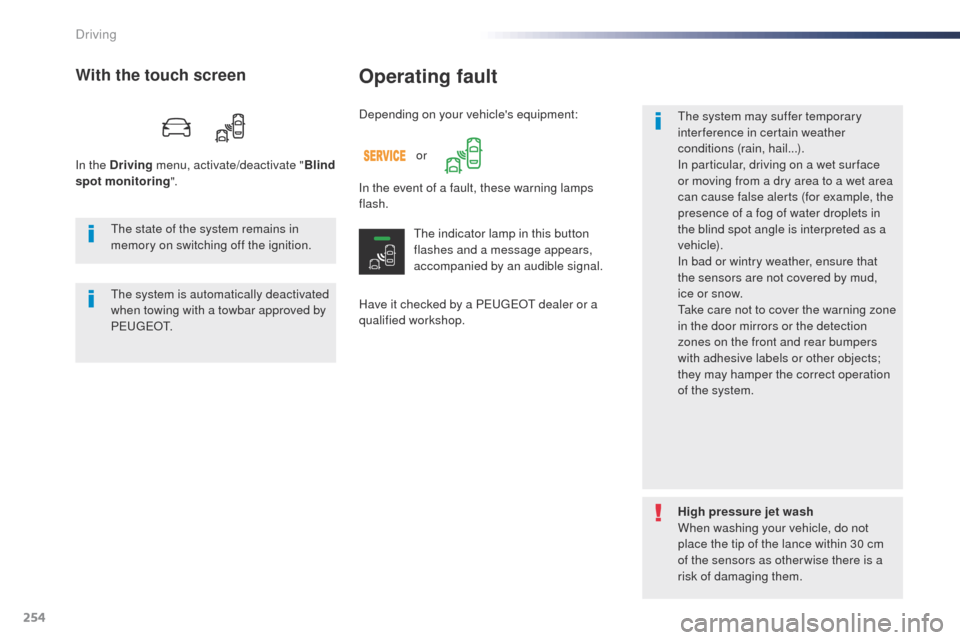
Depending on your vehicle's equipment:
With the touch screen
In the Driving
menu, activate/deactivate " Blind
spot monitoring ".
In the event of a fault, these warning lamps
flash.
th
e indicator lamp in this button
flashes and a message appears,
accompanied by an audible signal.
th
e state of the system remains in
memory on switching off the ignition.
th
e system is automatically deactivated
when towing with a towbar approved by
P E
u
g
Eo
t .
High pressure jet wash
When washing your vehicle, do not
place the tip of the lance within 30 cm
of the sensors as otherwise there is a
risk of damaging them.
or
Driving
Page 260 of 599
258
Expert_en_Chap06_conduite_ed01-2016
Reversing camera with display in the interior mirror
the visual aid reversing camera is activated
automatically when reverse gear is engaged.
th
e function may be completed with parking
sensors.
op
ening the tailgate or rear door
(depending on equipment) can interfere
with the display.
If a side door is open, allow for the
space it occupies.
Some deformation of the image is
normal.
th
e reversing camera cannot in any
circumstances be a substitute for
vigilance on the part of the driver. Check the cleanliness of the camera
lens regularly.
Clean the reversing camera regularly
using a soft, dry cloth.
th
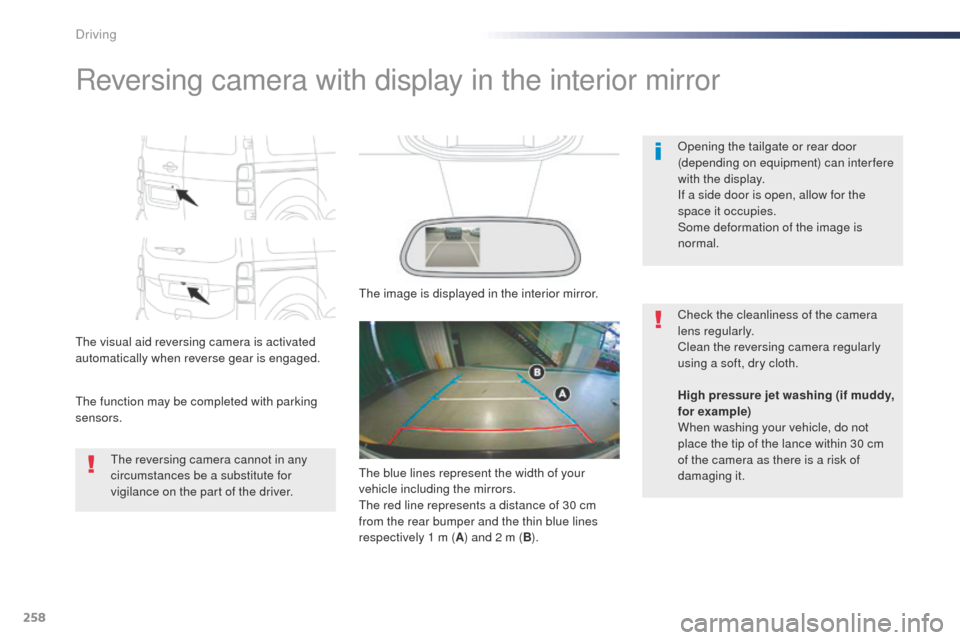
e image is displayed in the interior mirror.
High pressure jet washing (if muddy,
for example)
When washing your vehicle, do not
place the tip of the lance within 30
cm
of the camera as there is a risk of
damaging it.
th
e blue lines represent the width of your
vehicle including the mirrors.
th
e red line represents a distance of 30 cm
from the rear bumper and the thin blue lines
respectively 1 m ( A) and 2 m ( B).
Driving
Page 262 of 599

260
Expert_en_Chap06_conduite_ed01-2016
"Standard view""180° view"
"Zoom view" (reconstructed)
the camera records the surroundings during a
manoeuvre in order to create a reconstruction
of the view from above the rear of the vehicle in
its close surroundings, allowing the vehicle to
be manoeuvred among the obstacles nearby.
th
is view is available with A
u
to view or by
selecting of the view in the change view menu.
180° view makes it possible to reverse out of
a parking space while being able to see the
arrival of vehicles, pedestrians or cyclists.
th
is view is not recommended for carrying out
a complete manoeuvre.
It is made up of the following:
th
e area to the rear of your vehicle is displayed
in the screen.
th
e blue outline represents the width of your
vehicle (with mirrors): its orientation depends
on the position of the steering wheel.
th
e red line represents a distance of 30
cm
from the rear bumper and the two blue lines,
1 m and 2 m respectively.
Rear views
Engage reverse gear to activate the camera,
located on the tailgate or rear door.
th
e rear parking sensors also
provide information on the vehicle's
surroundings.
ob
stacles may appear further away
than they are in reality.
It is important to check the side views
using the mirrors during the manoeuvre.
Driving
Page 320 of 599
318
Expert_en_Chap08_En-cas-de-panne_ed01-2016
FuseN° Rating
(A) Functions
F1 10Electric power steering, clutch switch
F4 15Horn.
F5 20Front/rear screenwash pump.
F6 20Front/rear screenwash pump.
F7 10Rear 12 V accessory socket.
F8 20Single or double rear wipers.
F10/ F11 30Front and rear, exterior, interior locks.
F13 10Front air conditioning controls, radio controls, gear lever, head-
up display.
F14 5Alarm, emergency and assistance calls.
F17 5Instrument panel.
F19 3Steering mounted controls.
F21 3"Keyless Entry and Starting" system or ignition switch.
F22 3Rain and sunshine sensor, multifunction detection camera.
F23 5Seat belt unfastened or not fastened display screen.
F24 5
tou
ch screen, reversing camera and parking sensors.
F25 5Airbags.
F29 20Audio system, touch screen, CD player, navigation.
F31 15Audio system (battery +).
F32 15Front 12 V accessory socket.
F34 5Blind spot monitoring system, door mirror electric controls.
F35 5Heated washer jets, headlamp beam height control.
F36 5
to
rch charger, rear courtesy lamp.Version 1 (Eco)
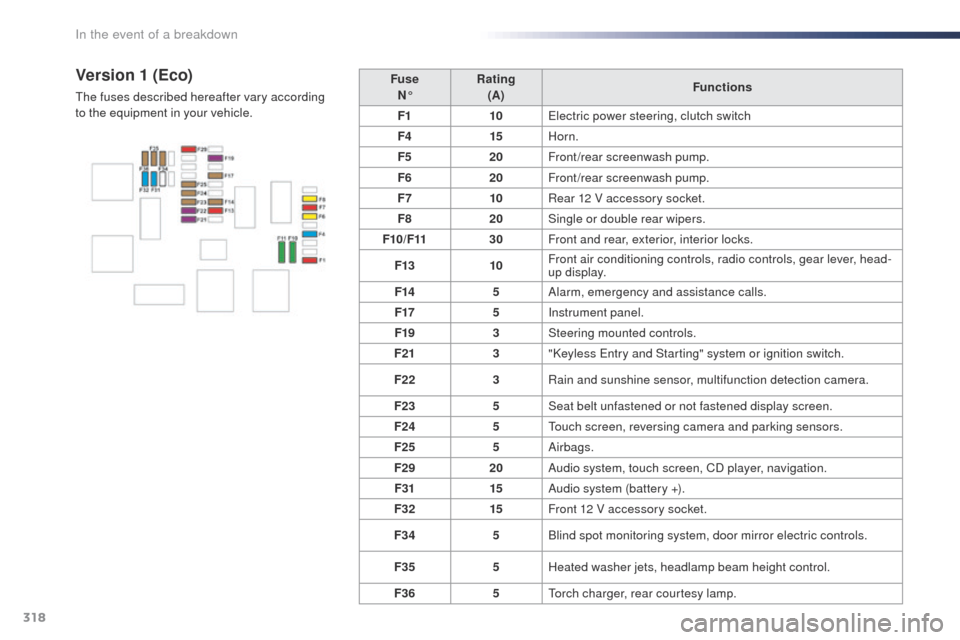
the fuses described hereafter vary according
to the equipment in your vehicle.
In the event of a breakdown
Page 321 of 599
319
Expert_en_Chap08_En-cas-de-panne_ed01-2016
FuseN° Rating
(A) Functions
F1 3"Keyless Entry and Starting" system or ignition switch.
F5 5
tou
ch screen, reversing camera and parking sensors.
F7 10Rear air conditioning controls, Hi-Fi amplifier.
F8 20Single or double rear wiper.
F10/F11 30Front and rear, exterior, interior locks.
F12 3Alarm.
F17 10Rear 12 V accessory socket.
F18 5Emergency and assistance calls.
F21 3
to
rch charger, rear courtesy lamp.
F22 3
gl
ove box lamp, rear courtesy lamps.
F23 5Blind spot monitoring system, door mirror electric controls.
F24 5Steering mounted controls.
F25 5Headlamp beam height control.
F26 3Seat belt unfastened or not fastened display screen.
F27 3Rain and sunshine sensor, multifunction detection camera.
F28 10Front air conditioning controls, radio controls, gear lever, head-
up display.
F30A or B 15Audio system (battery +).
F31 5Airbags.
F33 15Front 12 V accessory socket.
F35 5Instrument panel.
F36 20Audio system, touch screen, CD player, navigation.Version 2 (Full)
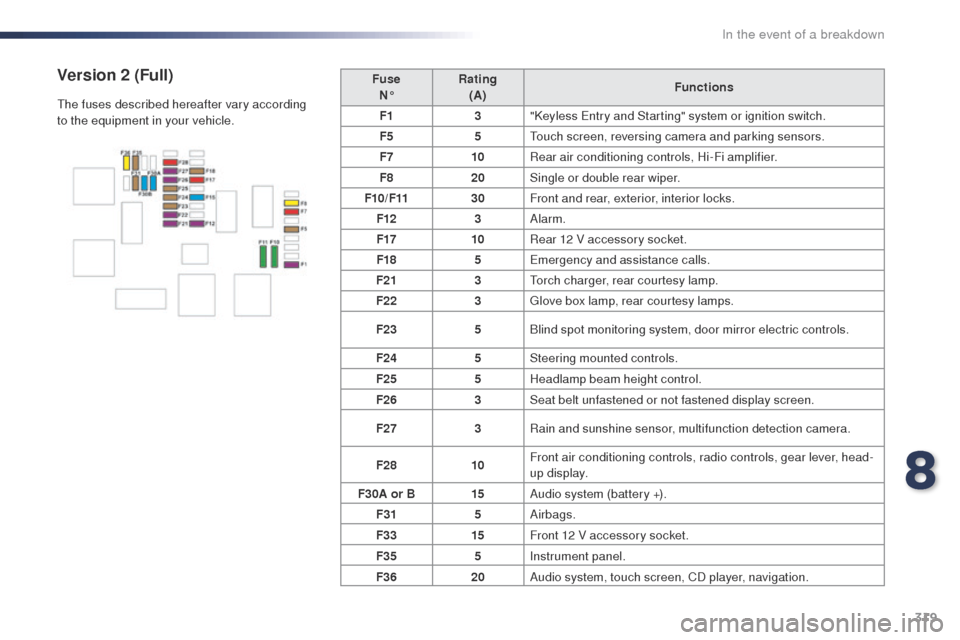
the fuses described hereafter vary according
to the equipment in your vehicle.
8
In the event of a breakdown
Page 330 of 599

328
Expert_en_Chap09_caracteristiques-techniques_ed01-2016
Mirrors folded
Side-hinged doors TailgateC o m p a c t ( L1)
Standard (L2)
Long (L3)
* Increased payload.
** Payload increased with high body.
*** Depending on the country of sale.
Dimensions (in mm)
these dimensions have been measured on an unladen vehicle.
technical data
Page 332 of 599

330
Expert_en_Chap09_caracteristiques-techniques_ed01-2016
Mirrors folded
Side-hinged doors TailgateC o m p a c t ( L1)
Standard (L2)
Long (L3)
* Increased payload.
** Payload increased with high body.
*** Depending on the country of sale.
technical data
Page 345 of 599
343
12:13
23 °C531 kHz
Expert_en_Chap10b_NAC-1_ed01-2016
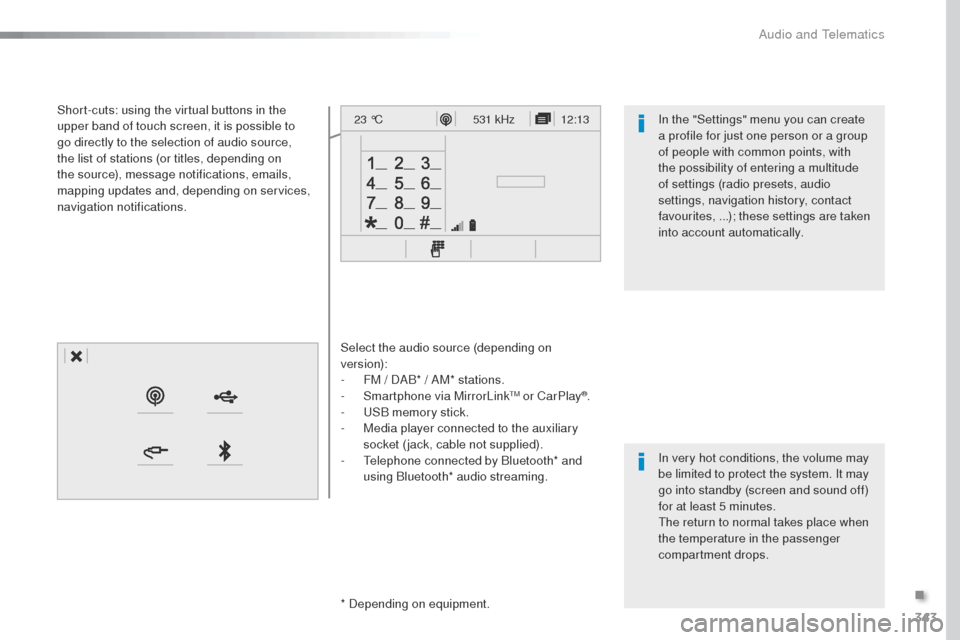
Select the audio source (depending on
version):
-
F
M / DAB* / AM* stations.
-
S
martphone via MirrorLink
tM or CarPlay®.
-
uS
B memory stick.
-
M
edia player connected to the auxiliary
socket (jack, cable not supplied).
-
t
e
lephone connected by Bluetooth* and
using Bluetooth* audio streaming.
* Depending on equipment.
Short-cuts: using the virtual buttons in the
upper band of touch screen, it is possible to
go directly to the selection of audio source,
the list of stations (or titles, depending on
the source), message notifications, emails,
mapping updates and, depending on services,
navigation notifications.
In very hot conditions, the volume may
be limited to protect the system. It may
go into standby (screen and sound off)
for at least 5 minutes.
th
e return to normal takes place when
the temperature in the passenger
compartment drops. In the "Settings" menu you can create
a profile for just one person or a group
of people with common points, with
the possibility of entering a multitude
of settings (radio presets, audio
settings, navigation history, contact
favourites, ...); these settings are taken
into account automatically.
.
Audio and telematics
Page 347 of 599
345
12:13
23 °C12:13
23 °C531 kHz
FM/87.5 MHz
87.5MHz 12:13
23 °C 87.5 MHz
12:13
23 °C531 kHz12:13
23 °C
Expert_en_Chap10b_NAC-1_ed01-2016
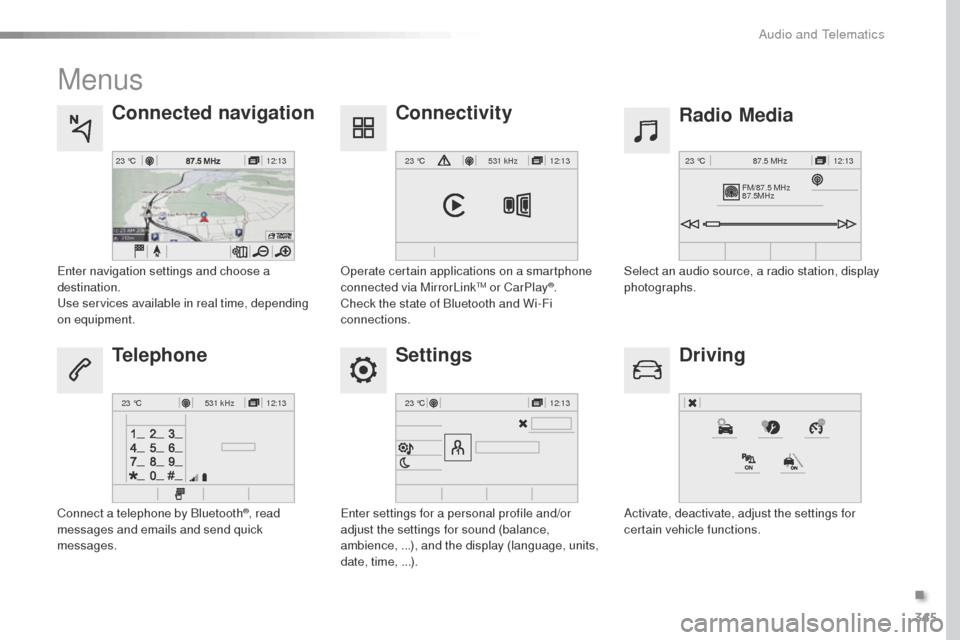
Menus
Settings Radio Media
Connected navigation
Driving
Connectivity
Telephone
Enter settings for a personal profile and/or
adjust the settings for sound (balance,
ambience, ...), and the display (language, units,
date, time, ...). Select an audio source, a radio station, display
photographs.
Enter navigation settings and choose a
destination.
use
services available in real time, depending
on equipment.
Activate, deactivate, adjust the settings for
certain vehicle functions.
op
erate certain applications on a smartphone
connected via MirrorLink
tM or CarPlay®.
Check the state of Bluetooth and Wi-Fi
connections.
Connect a telephone by Bluetooth
®, read
messages and emails and send quick
messages.
.
Audio and telematics
Page 371 of 599
369
Expert_en_Chap10b_NAC-1_ed01-2016
As a safety measure and because it
requires sustained attention by the
driver, using a smartphone when
driving is prohibited.
All operations must be done with the
vehicle stationary.
Connected navigation connection
the principles and standards
are constantly changing. For
communication between your
smartphone and the system to operate
correctly, we recommend that you
keep your smar tphone's operating
system up to date, and the time and
date on your smar tphone and the
system correct.
th
e services offered with connected
navigation are as follows.
A connected services pack:
-
Weather,
-
F
illing stations,
-
C
ar park,
-
t
r a f f i c ,
-
PoI
, local search.
A Danger area pack.
Activate the Bluetooth function on the
telephone and ensure that it is visible
to all (see the "Connectivity" section). Connect the
u
S
B cable.
th
e smartphone is in charge mode
when connected by
u
S
B cable.
th
e system is automatically
connected to the modem included
for the "Emergency or assistance
calls" services and does not require
a connection provided by the user via
their smartphone.
on t
he arrival of "
t
o
Mt
o
M tR
AFFIC", the services are
available.
For access to connected navigation, you
can use the connection provided by the
vehicle via the "Emergency or assistance
call" services or use your smartphone as
a modem.
Activate and enter settings for
sharing the smartphone connection. Restrictions of use:
-
W
ith CarPlay
®, connection sharing is
only with a Wi-Fi connection.
-
W
ith MirrorLink
tM, connection
sharing is only with a uS B
connection.
th
e quality of services depends on the
quality of the network connection. Select a Wi-Fi connection found by
the system and connect to it (see the
"Connectivity" section).
USB connection
Network connection provided by
the vehicle Network connection provided by
the user
Bluetooth connection
Wi-Fi connection
.
Audio and telematics