CAN Ram 1500 2015 Owner's Manual
[x] Cancel search | Manufacturer: RAM, Model Year: 2015, Model line: 1500, Model: Ram 1500 2015Pages: 871, PDF Size: 24.83 MB
Page 233 of 871
The key symbol indicates that this outlet can supply
power when the key is in the ON/RUN or ACC posi-
tions.
All accessories connected to the outlet(s) should be
removed or turned off when the vehicle is not in use to
protect the battery against discharge.
WARNING!
To avoid serious injury or death:
•Only devices designed for use in this type of outlet
should be inserted into any 12 Volt outlet.
•Do not touch with wet hands.
•Close the lid when not in use and while driving the
vehicle.
•If this outlet is mishandled, it may cause an electric
shock and failure.
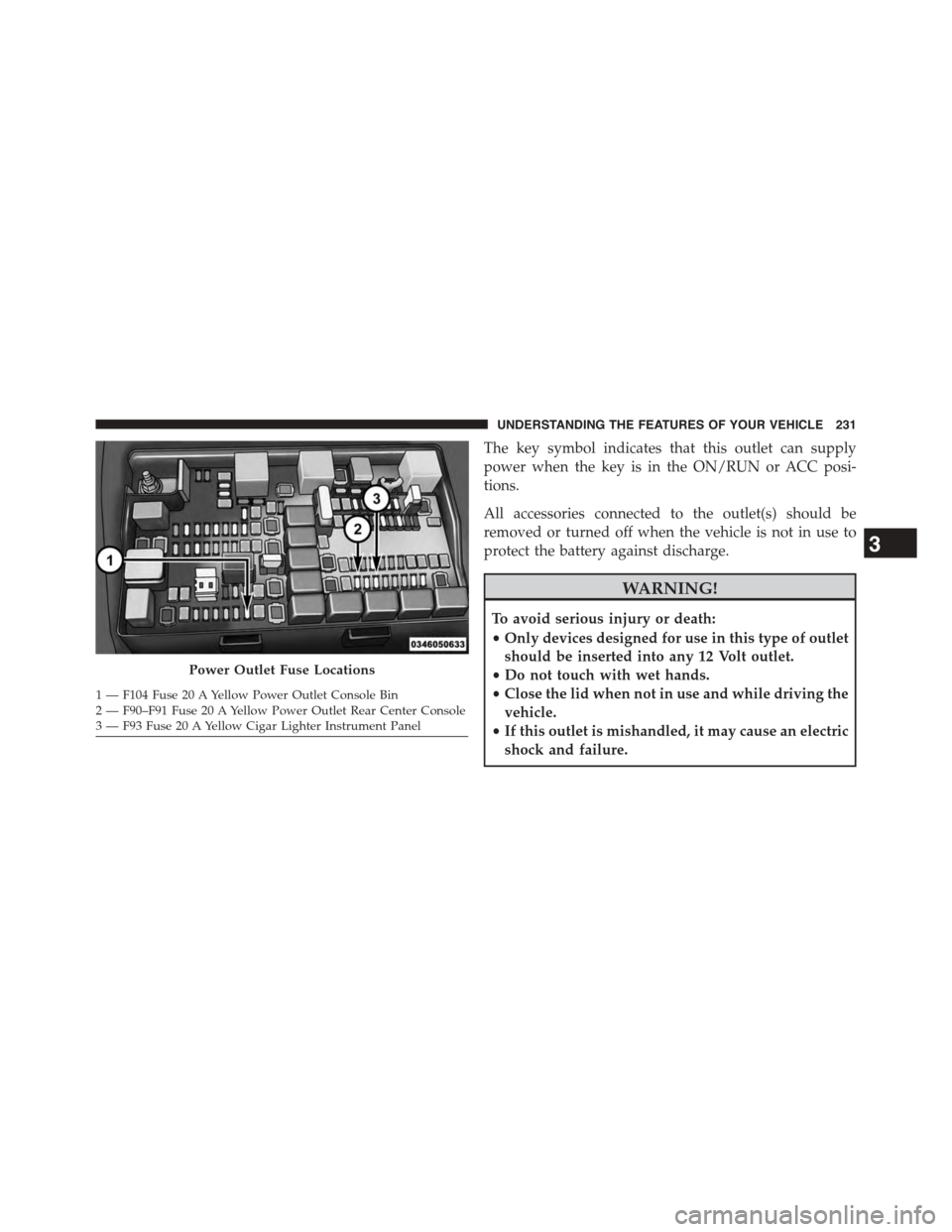
Power Outlet Fuse Locations
1—F104Fuse20AYellowPowerOutletConsoleBin2 — F90–F91 Fuse 20 A Yellow Power Outlet Rear Center Console3—F93Fuse20AYellowCigarLighterInstrumentPanel
3
UNDERSTANDING THE FEATURES OF YOUR VEHICLE 231
Page 234 of 871

CAUTION!
•Many accessories that can be plugged in draw
power from the vehicle’s battery, even when not in
use (i.e., cellular phones, etc.). Eventually, if
plugged in long enough, the vehicle’s battery will
discharge sufficiently to degrade battery life and/or
prevent the engine from starting.
•Accessories that draw higher power (i.e., coolers,
vacuum cleaners, lights, etc.), will discharge the
battery even more quickly. Only use these intermit-
tently and with greater caution.
•After the use of high power draw accessories, or
long periods of the vehicle not being started (with
accessories still plugged in), the vehicle must be
driven a sufficient length of time to allow the
generator to recharge the vehicle’s battery.
CIGAR LIGHTER AND ASH RECEIVER — IF
EQUIPPED
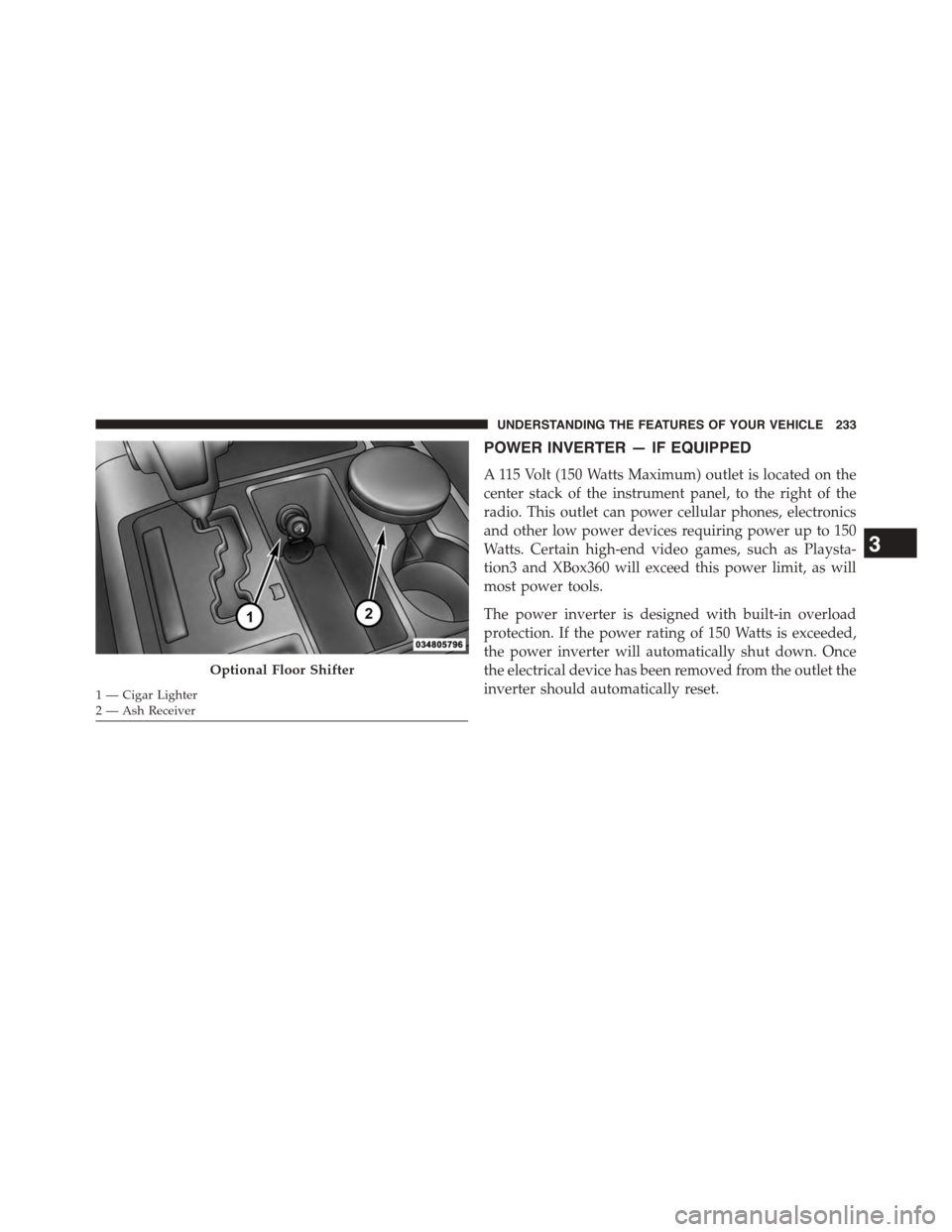
A removable ash receiver and cigar lighter are available.
For vehicles with a bench seat the cupholder tray can be
used to hold the ash receiver.
232 UNDERSTANDING THE FEATURES OF YOUR VEHICLE
Page 235 of 871
POWER INVERTER — IF EQUIPPED
A 115 Volt (150 Watts Maximum) outlet is located on the
center stack of the instrument panel, to the right of the
radio. This outlet can power cellular phones, electronics
and other low power devices requiring power up to 150
Watts. Certain high-end video games, such as Playsta-
tion3 and XBox360 will exceed this power limit, as will
most power tools.
The power inverter is designed with built-in overload
protection. If the power rating of 150 Watts is exceeded,
the power inverter will automatically shut down. Once
the electrical device has been removed from the outlet the
inverter should automatically reset.
Optional Floor Shifter
1 — Cigar Lighter2 — Ash Receiver
3
UNDERSTANDING THE FEATURES OF YOUR VEHICLE 233
Page 242 of 871

Center Storage Compartment — If Equipped
The center storage compartment is located between the
driver and passenger seats. The storage compartment
provides an armrest and contains both and upper and
lower storage area.
WARNING!
•This armrest is not a seat. Anyone seated on the
armrest could be seriously injured during vehicle
operation, or a collision. Only use the center seat-
ing position when the armrest is fully upright.
•In a collision, the latch may open if the total weight
of the items stored exceeds about 10 lbs (4.5 kg).
These items could be thrown about endangering
occupants of the vehicle. Items stored should not
exceed a total of 10 lbs (4.5 kg).
Pull on the upper handle on the front of the armrest to
raise the cover. The upper storage area contains a 12 Volt
power outlet that can be used to power small electrical
devices, refer to “Electrical Power Outlets” for further
information.
Center Storage Compartment
240 UNDERSTANDING THE FEATURES OF YOUR VEHICLE
Page 244 of 871
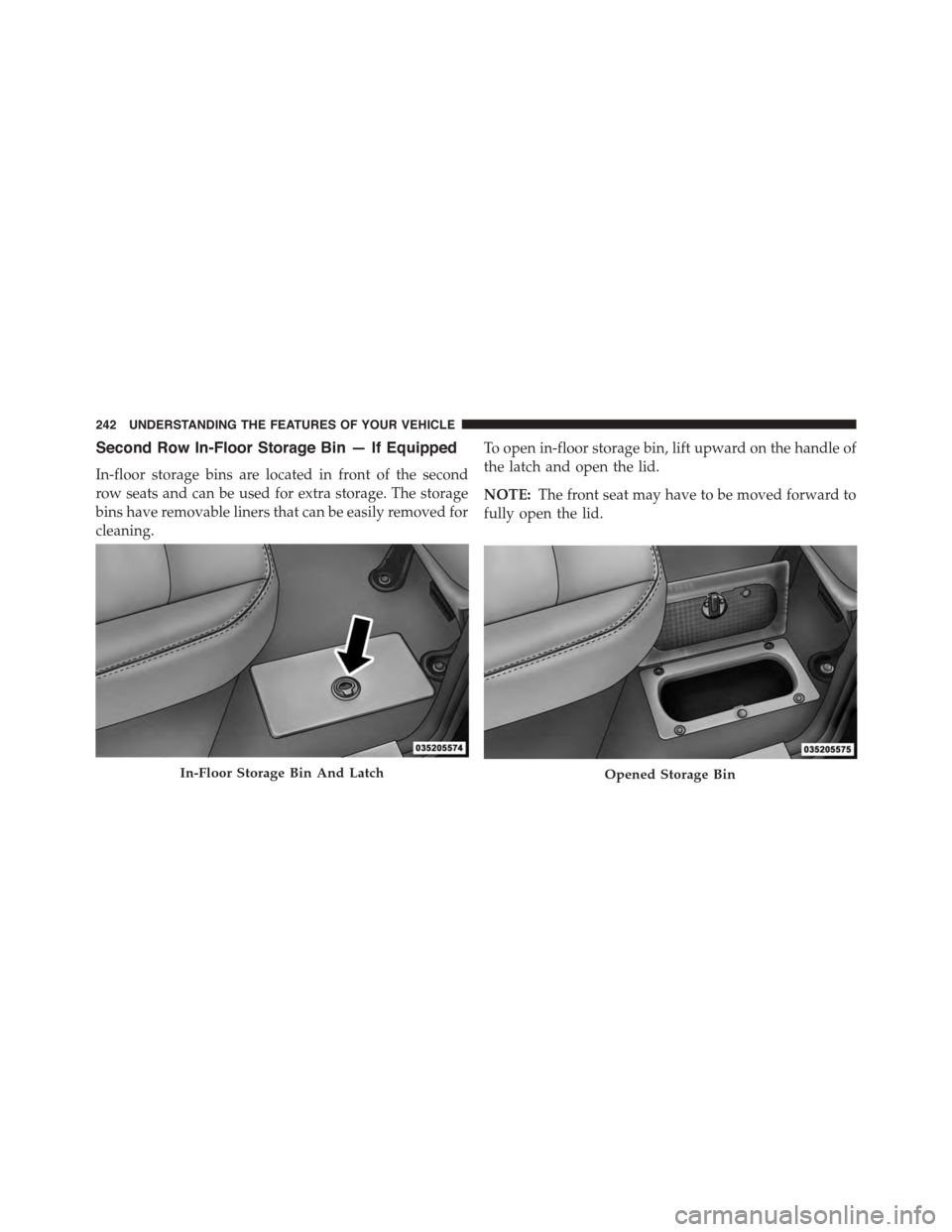
Second Row In-Floor Storage Bin — If Equipped
In-floor storage bins are located in front of the second
row seats and can be used for extra storage. The storage
bins have removable liners that can be easily removed for
cleaning.
To open in-floor storage bin, lift upward on the handle of
the latch and open the lid.
NOTE:The front seat may have to be moved forward to
fully open the lid.
In-Floor Storage Bin And LatchOpened Storage Bin
242 UNDERSTANDING THE FEATURES OF YOUR VEHICLE
Page 245 of 871
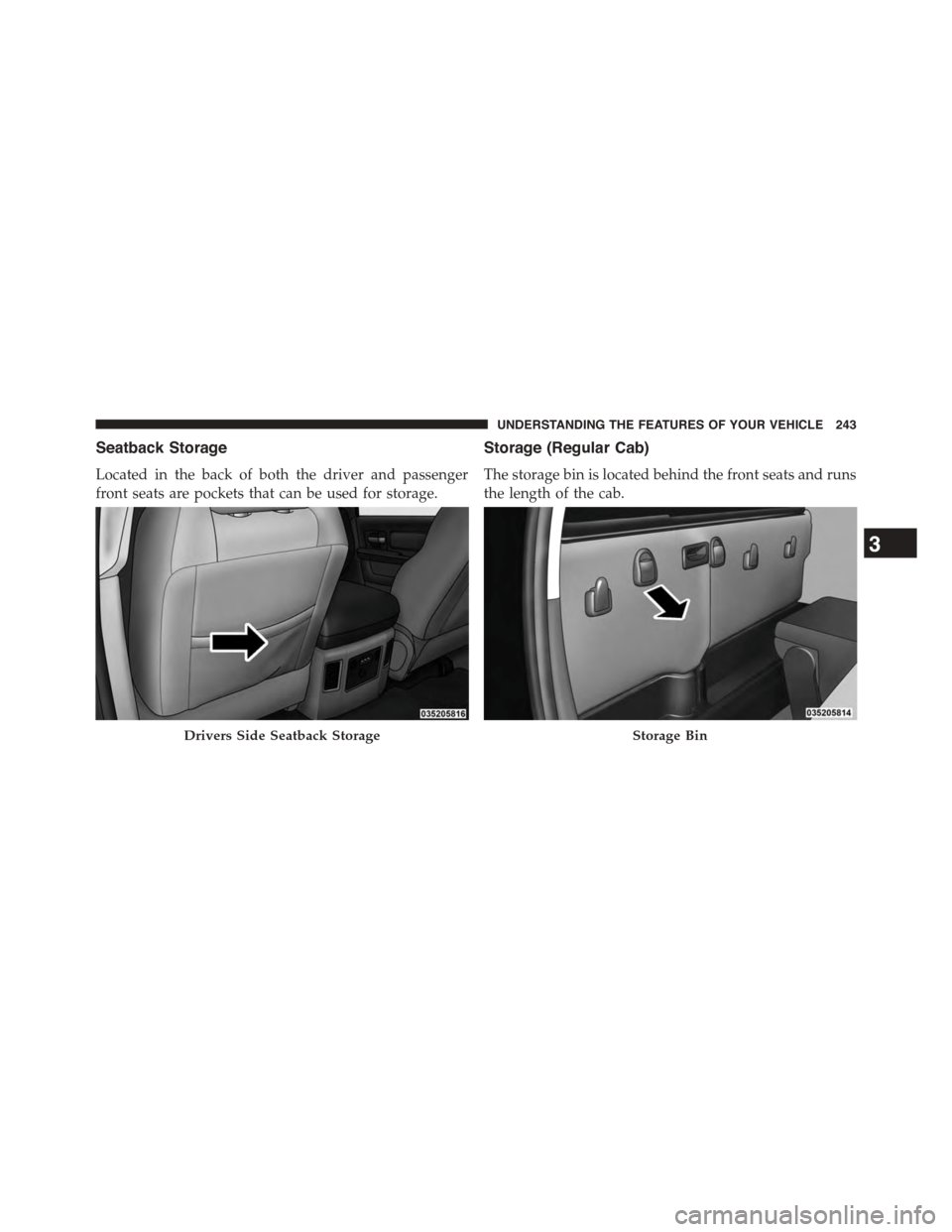
Seatback Storage
Located in the back of both the driver and passenger
front seats are pockets that can be used for storage.
Storage (Regular Cab)
The storage bin is located behind the front seats and runs
the length of the cab.
Drivers Side Seatback StorageStorage Bin
3
UNDERSTANDING THE FEATURES OF YOUR VEHICLE 243
Page 246 of 871

Storage and Seats (Crew Cab)
The Crew Cab models provide additional storage under
the rear seats. Lift the seats to access the storage com-
partment.
To open the storage compartments, lift upward on the
handle of the latch and open the lid.
CAUTION!
Always lift the storage compartment lids by using
the handle. Failure to lift the lids by using the handle
can result in damage to the lids.
Crew Cab Storage
244 UNDERSTANDING THE FEATURES OF YOUR VEHICLE
Page 248 of 871

CAUTION!
Failure to follow these cautions can cause damage to
the heating elements:
•Use care when washing the inside of the rear
window. Do not use abrasive window cleaners on
the interior surface of the window. Use a soft cloth
and a mild washing solution, wiping parallel to the
heating elements. Labels can be peeled off after
soaking with warm water.
•Do not use scrapers, sharp instruments, or abrasive
window cleaners on the interior surface of the
window.
•Keep all objects a safe distance from the window.
Power Sliding Rear Window — If Equipped
The switch for the power sliding rear window is located
on the overhead console.
Push the switch to the right to open the glass. Pull the
switch to the left to close the glass.
Rear Window Switch
246 UNDERSTANDING THE FEATURES OF YOUR VEHICLE
Page 254 of 871
NOTE:If you are installing a Toolbox, Ladder Rack or
Headache Rack at the front of the Pickup Box, you must
use Mopar Box Reinforcement Brackets that are available
from your authorized dealer.
You can carry wide building materials (sheets of ply-
wood, etc.) by building a raised load floor. Place lumber
across the box in the indentations provided above the
wheel housings and in the bulkhead dividers to form the
floor.
WARNING!
•The pickup box is intended for load carrying pur-
poses only, not for passengers, who should sit in
seats and use seat belts.
(Continued)
WARNING!(Continued)
•Care should always be exercised when operating a
vehicle with unrestrained cargo. Vehicle speeds
may need to be reduced. Severe turns or rough
roads may cause shifting or bouncing of the cargo
that may result in vehicle damage. If wide building
materials are to be frequently carried, the installa-
tion of a support is recommended. This will re-
strain the cargo and transfer the load to the pickup
box floor.
•If you wish to carry more than 600 lbs (272 kg) of
material suspended above the wheelhouse, sup-
ports must be installed to transfer the weight of the
load to the pickup box floor or vehicle damage may
result. The use of proper supports will permit
loading up to the rated payload.
•Unrestrained cargo may be thrown forward in an
accident causing serious or fatal injury.
252 UNDERSTANDING THE FEATURES OF YOUR VEHICLE
Page 255 of 871
There are stampings in the sheet metal on the inner side
bulkheads of the box in front of and behind both wheel
housings. Place wooden boards across the box from side
to side to create separate load compartments in the
pickup box.
There are four tie-down cleats bolted to the lower sides of
the pickup box that can sustain loads up to 1000 lbs
(450 kg) total.
Cargo Camera — If Equipped
Your vehicle may be equipped with the Cargo Camera
that allows you to see an image of the inside of the
pickup box. The image will be displayed in the
Uconnect® screen.
A display timer is initiated when the cargo camera image
is displayed. The image will continue to be displayed
until the display timer exceeds 10 seconds and the vehicle
speed is above 8 mph (13 km/h) or the image is deacti-
vated by touching the Uconnect® display.
NOTE:If the vehicle speed remains below 8 mph
(13 km/h), the cargo camera image will be displayed
continuously until deactivated by touching the
Uconnect® display.
The Cargo Camera is located in the bottom center area of
the center high-mounted stoplamp (CHMSL).
NOTE:If snow, ice, mud, or any foreign substance builds
up on the camera lens, clean the lens, rinse with water,
and dry with a soft cloth. Do not cover the lens.
Turning Cargo Camera On Or Off — With
Uconnect® 8.4A/8.4AN
1. Press the “Controls” button located on the bottom of
the Uconnect® display.
2. Press the “Cargo Camera” buttonto turn the
Cargo Camera system ON.
3
UNDERSTANDING THE FEATURES OF YOUR VEHICLE 253