CAN Ram 1500 2015 Manual Online
[x] Cancel search | Manufacturer: RAM, Model Year: 2015, Model line: 1500, Model: Ram 1500 2015Pages: 871, PDF Size: 24.83 MB
Page 171 of 871

Center (EVIC)” or “Driver Information Display (DID)” in
“Understanding Your Instrument Panel” for further in-
formation.
Automatic High Beam Headlamp Control — If
Equipped
The Automatic High Beam Headlamp Control system
provides increased forward lighting at night by automat-
ing high beam control through the use of a digital camera
mounted on the inside rearview mirror. This camera
detects vehicle specific light and automatically switches
from high beams to low beams until the approaching
vehicle is out of view.
NOTE:
•If your vehicle is equipped with a touchscreen the
Automatic High Beam Headlamp Control can be
turned on or off using the Uconnect® System. Refer to
“Uconnect® Settings” in “Understanding Your Instru-
ment Panel” for further information.
•If your vehicle is not equipped with a touchscreen the
Automatic High Beam Headlamp Control can be turned
on or off using the Electronic Vehicle Information Center
(EVIC) or Driver Information Display (DID). Refer to
“Electronic Vehicle Information Center (EVIC)” or
“Driver Information Display (DID)” in “Understanding
Your Instrument Panel” for further information.
•Broken, muddy, or obstructed headlights and taillights
of vehicles in the field of view will cause headlights to
remain on longer (closer to the vehicle). Also, dirt, film,
and other obstructions on the windshield or camera
lens will cause the system to function improperly.
3
UNDERSTANDING THE FEATURES OF YOUR VEHICLE 169
Page 174 of 871
Lights-On Reminder
If the headlights, parking lights, or cargo lights are left on
after the ignition is turned OFF, a chime will sound when
the driver ’s door is opened.
Battery Saver
To protect the life of your vehicle’s battery, load shedding
is provided for both the interior and exterior lights.
If the ignition is OFF and any door is left ajar for 10
minutes or the dimmer control is rotated all the way up
to the dome ON position for 10 minutes, the interior
lights will automatically turn off.
NOTE:Battery saver mode is cancelled if the ignition is
ON.
If the headlights remain on while the ignition is cycled
OFF, the exterior lights will automatically turn off after
eight minutes. If the headlights are turned on and left on
for eight minutes while the ignition is OFF, the exterior
lights will automatically turn off.
Interior Lights
Courtesy and dome lights are turned on when the front
doors are opened, when the dimmer control (rotating
wheel on the bottom of the switch) is rotated to the far
right detent position. If your vehicle is equipped with
Remote Keyless Entry (RKE) and the UNLOCK button is
pressed on the RKE transmitter the courtesy and dome
lights will turn on. When a door is open and the interior
lights are on, rotating the dimmer control all the way left,
to the OFF detent, will cause all the interior lights to go
out. This is also known as the#Party#mode because it
allows the doors to stay open for extended periods of
time without discharging the vehicle’s battery.
172 UNDERSTANDING THE FEATURES OF YOUR VEHICLE
Page 175 of 871
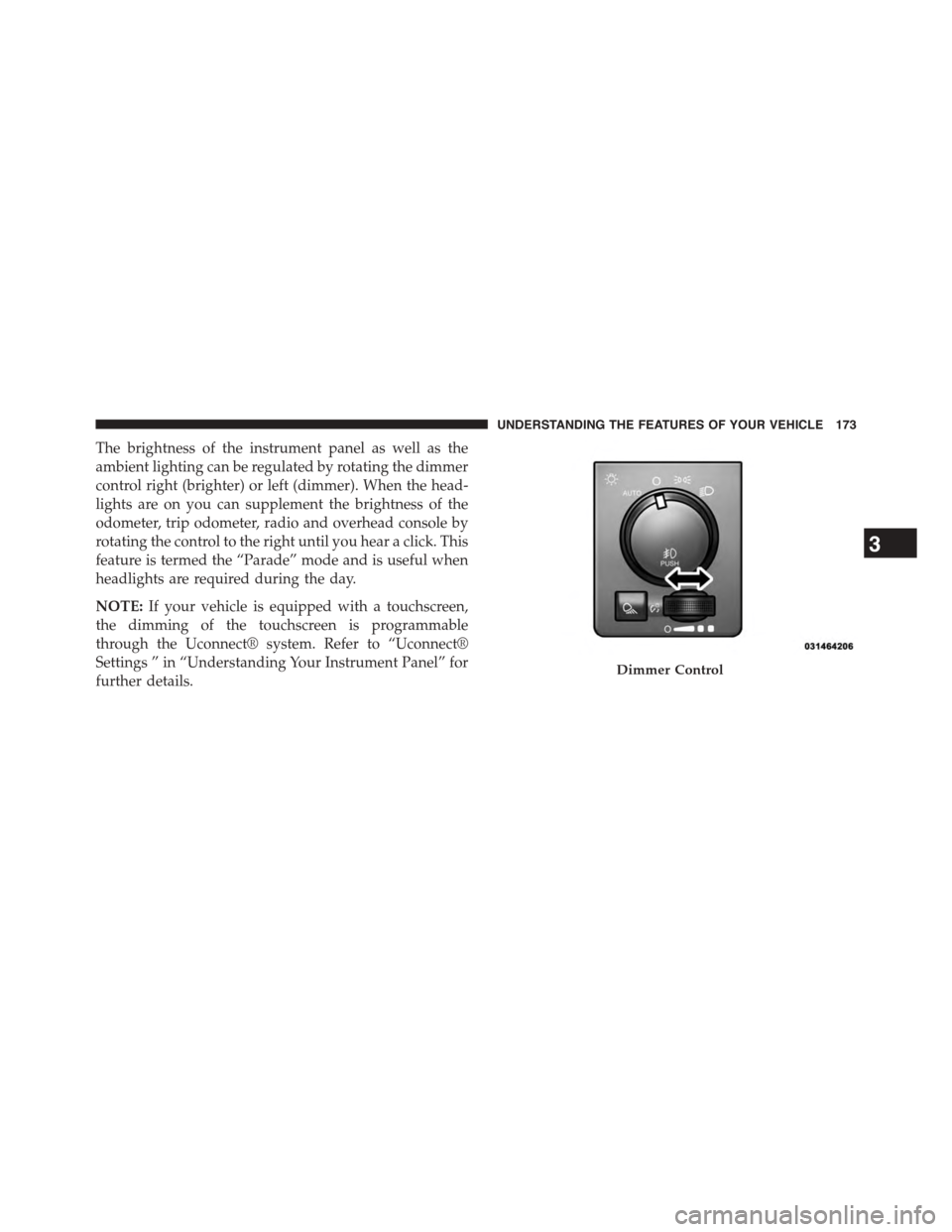
The brightness of the instrument panel as well as the
ambient lighting can be regulated by rotating the dimmer
control right (brighter) or left (dimmer). When the head-
lights are on you can supplement the brightness of the
odometer, trip odometer, radio and overhead console by
rotating the control to the right until you hear a click. This
feature is termed the “Parade” mode and is useful when
headlights are required during the day.
NOTE:If your vehicle is equipped with a touchscreen,
the dimming of the touchscreen is programmable
through the Uconnect® system. Refer to “Uconnect®
Settings ” in “Understanding Your Instrument Panel” for
further details.Dimmer Control
3
UNDERSTANDING THE FEATURES OF YOUR VEHICLE 173
Page 179 of 871
NOTE:If either light remains on and does not flash, or
there is a very fast flash rate, check for a defective outside
light bulb. If an indicator fails to light when the lever is
moved, it would suggest that the indicator bulb is
defective.
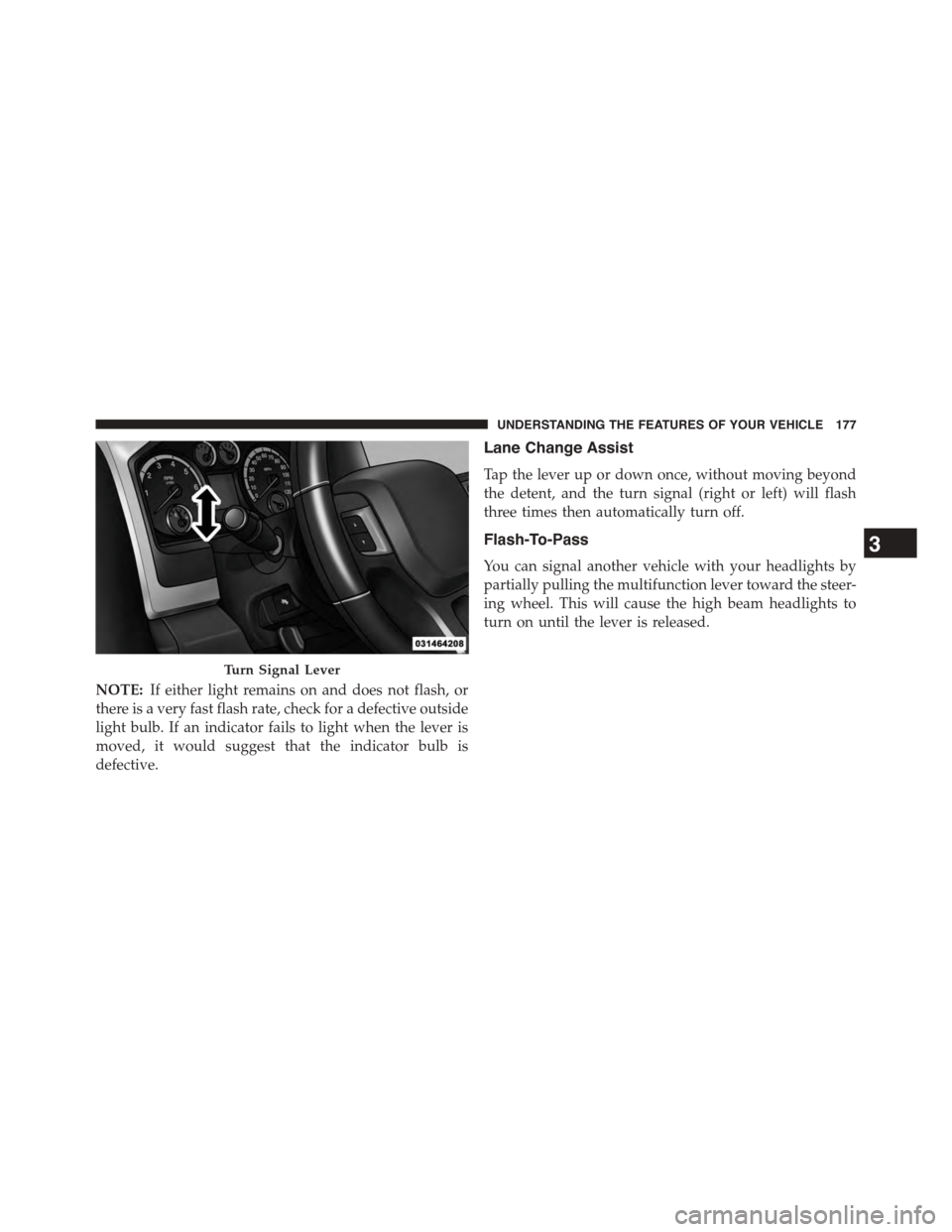
Lane Change Assist
Tap the lever up or down once, without moving beyond
the detent, and the turn signal (right or left) will flash
three times then automatically turn off.
Flash-To-Pass
You can signal another vehicle with your headlights by
partially pulling the multifunction lever toward the steer-
ing wheel. This will cause the high beam headlights to
turn on until the lever is released.
Turn Signal Lever
3
UNDERSTANDING THE FEATURES OF YOUR VEHICLE 177
Page 181 of 871
Windshield Wiper Operation
Rotate the end of the lever upward, to the first detent past
the intermittent settings for low-speed wiper operation.
Rotate the end of the lever upward to the second detent
past the intermittent settings for high-speed wiper opera-
tion.
Intermittent Wiper System
The intermittent feature of this system was designed for
use when weather conditions make a single wiping cycle,
with a variable pause between cycles, desirable. For
maximum delay between cycles, rotate the control knob
into the upper end of the delay range.
The delay interval decreases as you rotate the knob until
it enters the low continual speed position. The delay can
be regulated from a maximum of about 18 seconds
between cycles, to a cycle every one second. The delay
intervals will double in duration when the vehicle speed
is 10 mph (16 km/h) or less.
Windshield Washers
To use the windshield washer, push the washer knob,
located on the end of the multifunction lever, inward to
the second detent. Washer fluid will be sprayed and the
wiper will operate for two to three cycles after the washer
knob is released from this position.
If the washer knob is depressed while in the delay range,
the wiper will operate for several seconds after the
washer knob is released. It will then resume the intermit-
tent interval previously selected. If the washer knob is
pushed while in the off position, the wiper will turn on
and cycle approximately three times after the wash knob
is released.
To prevent freeze-up of your windshield washer system
in cold weather, select a solution or mixture that meets or
exceeds the temperature range of your climate. This
rating information can be found on most washer fluid
containers.
3
UNDERSTANDING THE FEATURES OF YOUR VEHICLE 179
Page 182 of 871

WARNING!
Sudden loss of visibility through the windshield
could lead to a collision. You might not see other
vehicles or other obstacles. To avoid sudden icing of
the windshield during freezing weather, warm the
windshield with the defroster before and during
windshield washer use.
Mist Feature
When a single wipe to clear off road mist or spray from
a passing vehicle is needed, push the washer knob,
located on the end of the multifunction lever, inward to
the first detent and release. The wipers will cycle one
time and automatically shut off.
NOTE:The mist feature does not activate the washer
pump; therefore, no washer fluid will be sprayed on the
windshield. The wash function must be used in order to
spray the windshield with washer fluid.
Rain Sensing Wipers — If Equipped
This feature senses moisture on the windshield and
automatically activates the wipers for the driver. The
feature is especially useful for road splash or overspray
from the windshield washers of the vehicle ahead. Rotate
the end of the multifunction lever to one of five settings
to activate this feature.
NOTE:If your vehicle is equipped with a touchscreen,
this feature can be programmed through the Uconnect®
system. Refer to “Uconnect® Settings” in “Understand-
ing Your Instrument Panel” for further information.
If your vehicle is not equipped with a touchscreen, this
feature can be programmed through the Electronic Ve-
hicle Information Center (EVIC) or Driver Information
Display (DID). Refer to “Electronic Vehicle Information
Center (EVIC)” or “Driver Information Display (DID)” in
“Understanding Your Instrument Panel” for further in-
formation.
180 UNDERSTANDING THE FEATURES OF YOUR VEHICLE
Page 183 of 871
The sensitivity of the system can be adjusted with the
multifunction lever. Wiper delay position 1 is the least
sensitive, and wiper delay position 5 is the most sensi-
tive. Setting 3 should be used for normal rain conditions.
Settings 1 and 2 can be used if the driver desires less
wiper sensitivity. Setting 4 and 5 can be used if the driver
desires more sensitivity. Place the wiper switch in the
OFF position when not using the system.
NOTE:
•The Rain Sensing feature will not operate when the
wiper switch is in the low or high-speed position.
•The Rain Sensing feature may not function properly
when ice, or dried salt water is present on the wind-
shield.
•Use of Rain-X® or products containing wax or silicone
may reduce Rain Sensing performance.
The Rain Sensing system has protection features for the
wiper blades and arms, and will not operate under the
following conditions:
•Low Ambient Temperature— When the ignition is
first turned ON, the Rain Sensing system will not
operate until the wiper switch is moved, vehicle speed
is greater than 0 mph (0 km/h), or the outside tem-
perature is greater than 32°F (0°C).
•Transmission In NEUTRAL Position— When the
ignition is ON, and the transmission is in the NEU-
TRAL position, the Rain Sensing system will not
operate until the wiper switch is moved, vehicle speed
is greater than 5 mph (8 km/h), or the shift lever is
moved out of the NEUTRAL position.
3
UNDERSTANDING THE FEATURES OF YOUR VEHICLE 181
Page 184 of 871
Remote Start Mode Inhibit— On vehicles equipped
with Remote Starting system, Rain Sensing wipers are
not operational when the vehicle is in the remote start
mode. Once the operator is in the vehicle and has placed
the ignition switch in the RUN position, rain sensing
wiper operation can resume, if it has been selected, and
no other inhibit conditions (mentioned previously) exist.
TILT STEERING COLUMN
This feature allows you to tilt the steering column
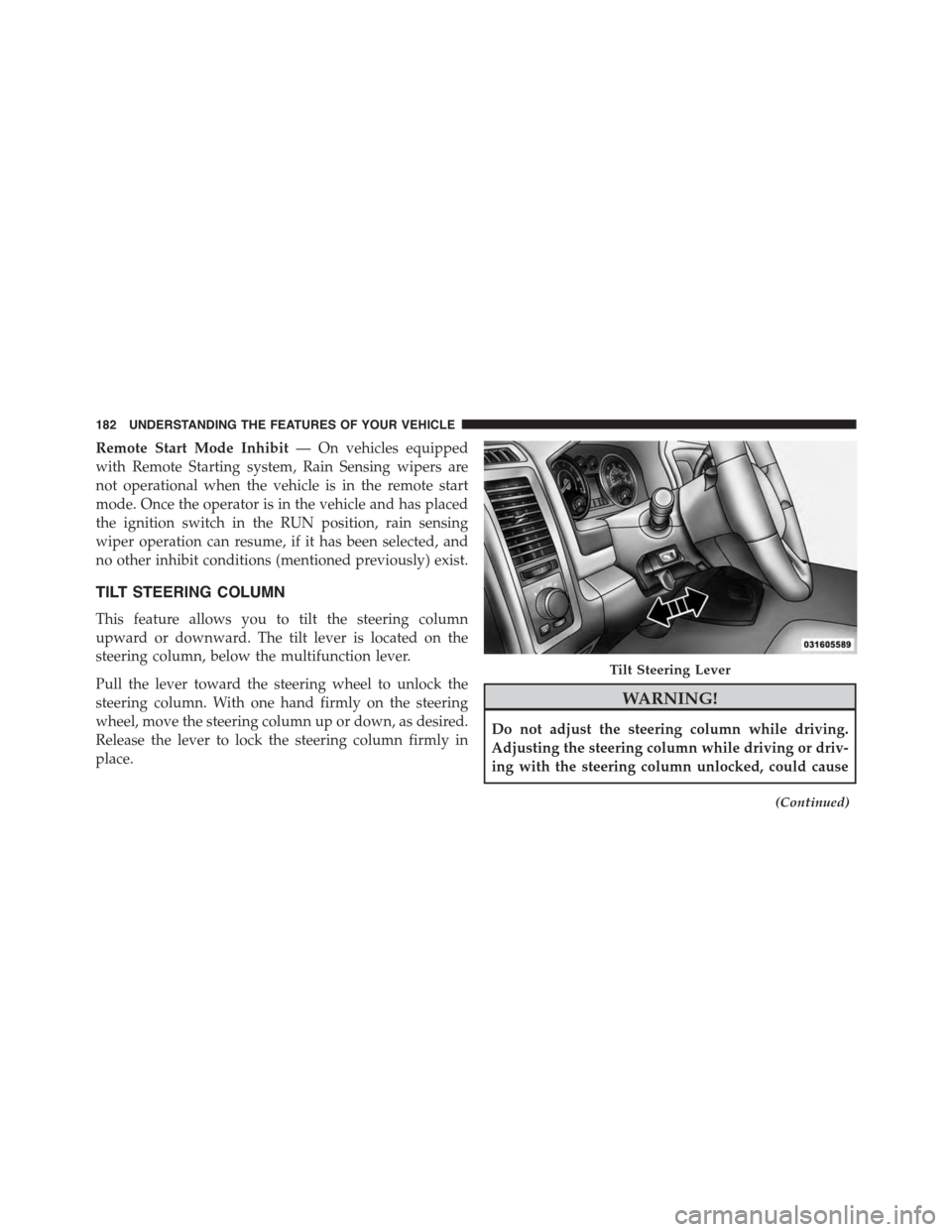
upward or downward. The tilt lever is located on the
steering column, below the multifunction lever.
Pull the lever toward the steering wheel to unlock the
steering column. With one hand firmly on the steering
wheel, move the steering column up or down, as desired.
Release the lever to lock the steering column firmly in
place.
WARNING!
Do not adjust the steering column while driving.
Adjusting the steering column while driving or driv-
ing with the steering column unlocked, could cause
(Continued)
Tilt Steering Lever
182 UNDERSTANDING THE FEATURES OF YOUR VEHICLE
Page 185 of 871
WARNING!(Continued)
the driver to lose control of the vehicle. Failure to
follow this warning may result in serious injury or
death.
HEATED STEERING WHEEL — IF EQUIPPED
The steering wheel contains a heating element that helps
warm your hands in cold weather. The heated steering
wheel has only one temperature setting. Once the heated
steering wheel has been turned on it will operate for
approximately 30 to 80 minutes before automatically
shutting off. The heated steering wheel can shut off early
or may not turn on when the steering wheel is already
warm.
The heated steering wheel control button is located on
the center of the instrument panel below the climate
controls.
If your vehicle is equipped with a touchscreen, the heated
steering wheel control button is located within the cli-
mate or controls screen of the touchscreen.
•Press the heated steering wheel buttononce to
turn the heating element On.
•Press the heated steering wheel buttona second
time to turn the heating element Off.
NOTE:The engine must be running for the heated
steering wheel to operate.
Vehicles Equipped With Remote Start
On models that are equipped with remote start, the
heated steering wheel can be programed to come on
during a remote start.
3
UNDERSTANDING THE FEATURES OF YOUR VEHICLE 183
Page 186 of 871
If your vehicle is equipped with a touchscreen, this
feature can be programmed through the Uconnect®
system. Refer to “Uconnect® Settings” in “Understand-
ing Your Instrument Panel” for further information.
If your vehicle is not equipped with a touchscreen, this
feature can be programmed through the Electronic Ve-
hicle Information Center (EVIC) or Driver Information
Display (DID). Refer to “Electronic Vehicle Information
Center (EVIC)” or “Driver Information Display (DID)” in
“Understanding Your Instrument Panel” for further in-
formation.
WARNING!
•Persons who are unable to feel pain to the skin
because of advanced age, chronic illness, diabetes,
spinal cord injury, medication, alcohol use, exhaus-
tion, or other physical conditions must exercise
care when using the steering wheel heater. It may
cause burns even at low temperatures, especially if
used for long periods.
•Do not place anything on the steering wheel that
insulates against heat, such as a blanket or steering
wheel covers of any type and material. This may
cause the steering wheel heater to overheat.
184 UNDERSTANDING THE FEATURES OF YOUR VEHICLE