NAV Ram 1500 2020 User Guide
[x] Cancel search | Manufacturer: RAM, Model Year: 2020, Model line: 1500, Model: Ram 1500 2020Pages: 674, PDF Size: 32.69 MB
Page 227 of 674

SAFETY 225
• Medium• When the sensitivity of FCW is set to the “Medium”setting and the system status is “Only Warning”, this
allows the system to warn the driver of a possible colli -
sion with the vehicle in front using audible/visual
warnings.
• Near • When the sensitivity of FCW is set to the “Near” settingand the system status is “Only Warning”, this allows
the system to warn the driver of a possible closer colli -
sions with the vehicle in front using audible/visual
warnings.
• This setting provides less reaction time than the “Far” and “Medium” settings, which allows for a more
dynamic driving experience.
• More dynamic or aggressive drivers that want to avoid frequent warnings may prefer this setting. FCW Limited Warning
If the instrument cluster displays “ACC/FCW Limited Func
-
tionality” or “ACC/FCW Limited Functionality Clean Front
Windshield” momentarily, there may be a condition that
limits FCW functionality. Although the vehicle is still drive -
able under normal conditions, the active braking may not be
fully available. Once the condition that limited the system
performance is no longer present, the system will return to
its full performance state. If the problem persists, see an
authorized dealer.
Service FCW Warning
If the system turns off, and the instrument cluster displays:
• ACC/FCW Unavailable Service Required
• Cruise/FCW Unavailable Service Required
This indicates there is an internal system fault. Although the
vehicle is still drivable under normal conditions, have the
system checked by an authorized dealer.
4
2020_DT_1500_OM_US.book Page 225
Page 233 of 674

SAFETY 231
If the ignition switch is cycled, this sequence will repeat,
providing the system fault still exists. If the system fault no
longer exists, the “Tire Pressure Monitoring System Warning
Light” will no longer flash, and the "SERVICE TPM
SYSTEM" message will no longer display, and a pressure
value will display in place of the dashes. A system fault can
occur due to any of the following:
• Signal interference due to electronic devices or drivingnext to facilities emitting the same radio frequencies as the
Tire Pressure Monitor (TPM) sensors
• Installing aftermarket window tinting that contains mate -
rials that may block radio wave signals
• Accumulation of snow or ice around the wheels or wheel housings
• Using tire chains on the vehicle
• Using wheels/tires not equipped with TPM sensors
A system fault may occur due to an incorrect TPM sensor loca -
tion condition. When a system fault occurs due to an incorrect
TPM sensor location, the “Tire Pressure Monitoring System
(TPMS) Warning Light” will flash on and off for 75 seconds
and then remain on solid. The system fault will also sound a
chime. In addition, the instrument cluster will display a “Tire
Pressure Temporarily Unavailable” message in place of the
tire pressure display screen. If the ignition switch is cycled, this sequence will repeat, providing the system fault still
exists. If the system fault no longer exists, the “Tire Pressure
Monitoring System Warning Light” will no longer flash and
the tire pressure display screen will be displayed showing the
tire pressure values the correct locations.
Vehicles With Non Matching Full Size Spare Or Compact
Spare
• The non matching full size spare or compact spare tire
does not have a TPM sensor. Therefore, the TPMS will not
monitor the pressure in the non matching full size spare or
compact spare tire.
• If you install the non matching full size spare or compact spare tire in place of a road tire that has a pressure below
the low-pressure warning limit, upon the next ignition
switch cycle, the Tire Pressure Monitoring System (TPMS)
Warning Light and a “LOW TIRE” message will remain
ON and a chime will sound. In addition, the graphic in the
instrument cluster will still display a pressure value in a
different color and an “Inflate to XX” message.
• After driving the vehicle for up to 20 minutes above 15 mph (24 km/h), the Tire Pressure Monitoring System
(TPMS) Warning Light will flash on and off for 75 seconds
and then remain on solid. In addition, the instrument
4
2020_DT_1500_OM_US.book Page 231
Page 333 of 674
STARTING AND OPERATING 331
AXLE LOCKER SYSTEM — IF EQUIPPED
This vehicle is equipped with an electronically locking rear
differential. This differential, when engaged, mechanically
lock together the axle shafts forcing the wheels to spin at an
equal rate. The locking of the rear differential should only be
engaged during low-speed, extreme off-road situations
where one wheel is likely to not be in contact with the
ground. It is not recommended to drive the vehicle with the
differentials locked on pavement due to the reduced ability
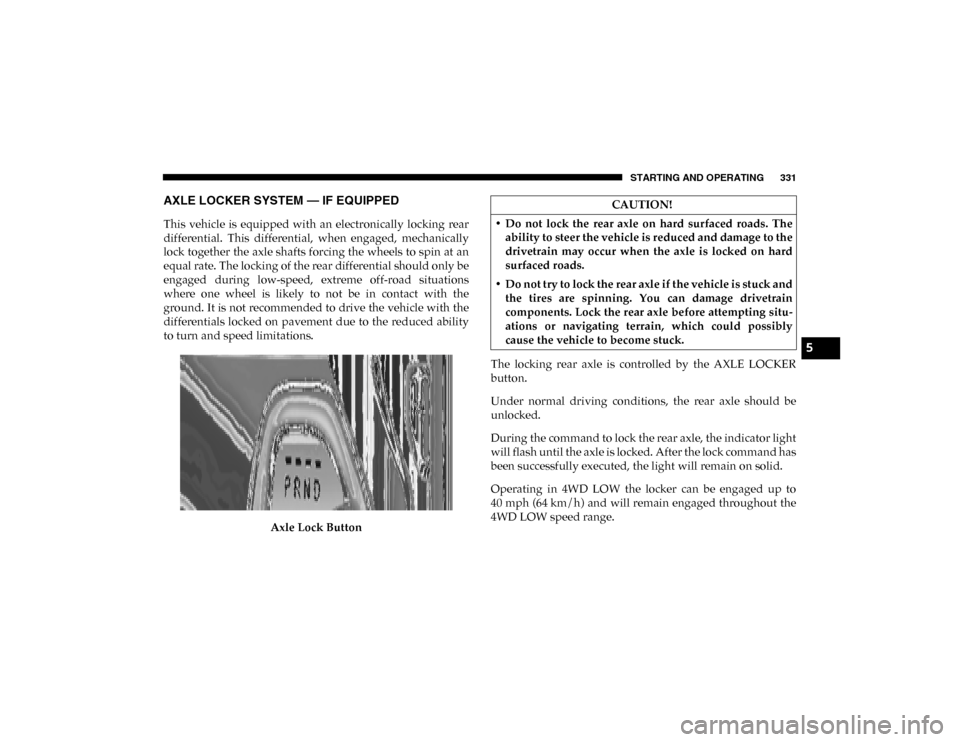
to turn and speed limitations.Axle Lock Button The locking rear axle is controlled by the AXLE LOCKER
button.
Under normal driving conditions, the rear axle should be
unlocked.
During the command to lock the rear axle, the indicator light
will flash until the axle is locked. After the lock command has
been successfully executed, the light will remain on solid.
Operating in 4WD LOW the locker can be engaged up to
40 mph (64 km/h) and will remain engaged throughout the
4WD LOW speed range.
CAUTION!
• Do not lock the rear axle on hard surfaced roads. The ability to steer the vehicle is reduced and damage to the
drivetrain may occur when the axle is locked on hard
surfaced roads.
• Do not try to lock the rear axle if the vehicle is stuck and the tires are spinning. You can damage drivetrain
components. Lock the rear axle before attempting situ -
ations or navigating terrain, which could possibly
cause the vehicle to become stuck.
5
2020_DT_1500_OM_US.book Page 331
Page 354 of 674

352 STARTING AND OPERATING
Adaptive Cruise Control (ACC) Menu
The instrument cluster display will show the current ACC
system settings. The instrument cluster display is located in
the center of the instrument cluster. The information it
displays depends on ACC system status.
Push the Adaptive Cruise Control (ACC) on/off button
(located on the steering wheel) until one of the following
appears in the instrument cluster display:
Adaptive Cruise Control Off
When ACC is deactivated, the display will read “Adaptive
Cruise Control Off.”Adaptive Cruise Control Ready
When ACC is activated, but the vehicle speed setting has not
been selected, the display will read “Adaptive Cruise
Control Ready.”
Adaptive Cruise Control Set
When the SET (+) or the SET (-) button (located on the
steering wheel) is pushed, the display will read “ACC SET.”
When ACC is set, the set speed will show in the instrument
cluster display.
The ACC screen may display once again if any ACC activity
occurs, which may include any of the following:
• System Cancel
• Driver Override
• System Off
• ACC Proximity Warning
• ACC Unavailable Warning
The instrument cluster display will return to the last
display selected after five seconds of no ACC display
activity
WARNING!
When the ACC system is resumed, the driver must
ensure that there are no pedestrians, vehicles or objects
in the path of the vehicle. Failure to follow these
warnings can result in a collision and death or serious
personal injury.
2020_DT_1500_OM_US.book Page 352
Page 355 of 674

STARTING AND OPERATING 353
Display Warnings And Maintenance
“Wipe Front Radar Sensor In Front Of Vehicle” Warning
The “ACC/FCW Unavailable Wipe Front Radar Sensor”
warning will display and also a chime will indicate when
conditions temporarily limit system performance.
This most often occurs at times of poor visibility, such as in
snow or heavy rain. The ACC system may also become
temporarily blinded due to obstructions, such as mud, dirt or
ice. In these cases, the instrument cluster display will display
“ACC/FCW Unavailable Wipe Front Radar Sensor” and the
system will deactivate.
The “ACC/FCW Unavailable Wipe Front Radar Sensor”
message can sometimes be displayed while driving in highly
reflective areas (i.e. tunnels with reflective tiles, or ice and
snow). The ACC system will recover after the vehicle has left
these areas. Under rare conditions, when the radar is not
tracking any vehicles or objects in its path this warning may
temporarily occur.
NOTE:
If the “ACC/FCW Unavailable Wipe Front Radar Sensor”
warning is active Normal (Fixed Speed) Cruise Control is
still available. For additional information refer to “Normal
(Fixed Speed) Cruise Control Mode” in this section.If weather conditions are not a factor, the driver should
examine the sensor. It may require cleaning or removal of an
obstruction. The sensor is located in the camera in the center
of the windshield, on the forward side of the rearview
mirror.
To keep the ACC System operating properly, it is important
to note the following maintenance items:
• Always keep the sensor clean. Carefully clear the wind
-
shield.
• Do not remove any screws from the sensor. Doing so could cause an ACC system malfunction or failure and require a
sensor realignment.
• Do not attach or install any accessories near the sensor, including transparent material or aftermarket grilles.
Doing so could cause an ACC system failure or malfunc -
tion.
When the condition that deactivated the system is no longer
present, the system will return to the “Adaptive Cruise
Control Off” state and will resume function by simply reac -
tivating it.
5
2020_DT_1500_OM_US.book Page 353
Page 356 of 674

354 STARTING AND OPERATING
NOTE:
• If the “ACC/FCW Unavailable Wipe Front Radar Sensor”message occurs frequently (e.g. more than once on every
trip) without any snow, rain, mud, or other obstruction,
have the radar sensor realigned at your authorized dealer.
• Installing a snow plow, front-end protector, an after -
market grille or modifying the grille is not recommended.
Doing so may block the sensor and inhibit ACC/FCW
operation.
“Clean Front Windshield” Warning
The “ACC/FCW Limited Functionality Clean Front Wind -
shield” warning will display and also a chime will indicate
when conditions temporarily limit system performance. This
most often occurs at times of poor visibility, such as in snow
or heavy rain and fog. The ACC system may also become
temporarily blinded due to obstructions, such as mud, dirt,
or ice on windshield, driving directly into the sun and fog on
the inside of glass. In these cases, the instrument cluster
display will show “ACC/FCW Limited Functionality Clean
Front Windshield” and the system will have degraded
performance.
The “ACC/FCW Limited Functionality Clean Front Wind -
shield” message can sometimes be displayed while driving in adverse weather conditions. The ACC/FCW system will
recover after the vehicle has left these areas. Under rare
conditions, when the camera is not tracking any vehicles or
objects in its path this warning may temporarily occur.
If weather conditions are not a factor, the driver should
examine the windshield and the camera located on the back
side of the inside rear view mirror. They may require
cleaning or removal of an obstruction.
When the condition that created limited functionality is no
longer present, the system will return to full functionality.
NOTE:
If the “ACC/FCW Limited Functionality Clean Front Wind
-
shield” message occurs frequently (e.g. more than once on
every trip) without any snow, rain, mud, or other obstruc -
tion, have the windshield and forward facing camera
inspected at your authorized dealer.
Service ACC/FCW Warning
If the system turns off, and the instrument cluster displays
“ACC/FCW Unavailable Service Required” or “Cruise/
FCW Unavailable Service Required”, there may be an
internal system fault or a temporary malfunction that limits
ACC functionality. Although the vehicle is still drivable
under normal conditions, ACC will be temporarily unavail -
2020_DT_1500_OM_US.book Page 354
Page 370 of 674
368 STARTING AND OPERATING
Front Park Assist Audible Alerts
ParkSense will turn off the Front Park Assist audible alert
(chime) after approximately three seconds when an obstacle
has been detected, the vehicle is stationary, and brake pedal
is applied.
Adjustable Chime Volume Settings
The Front and Rear chime volume settings are program-
mable.
• The settings may be programmed through the Uconnect System. Refer to “Uconnect Settings ” in “Multimedia” for
further information.
Enabling And Disabling Front And/Or Rear ParkSense
Front ParkSense can be enabled and disabled with the Front
ParkSense switch.
Rear ParkSense can be enabled and disabled with the Rear
ParkSense switch.
When the Front or Rear ParkSense switch is pushed
to disable the system, the instrument cluster display
will show a vehicle graphic of the Front or Rear Park-
Sense on/off state for two seconds. Refer to “Instrument
Cluster Display” in “Getting To Know Your Instrument
Panel” for further information. When the gear selector is moved to REVERSE and the Front
or Rear system is disabled, the instrument cluster display
will show a vehicle graphic with "OFF" on the corresponding
side. This vehicle graphic will be displayed for as long as the
vehicle is in REVERSE.
NOTE:
Arc alerts from the enabled ParkSense system, will interrupt
the five second messages, and the instrument cluster display
will show the vehicle graphic with the corresponding arcs
and "OFF" message.
The Front or Rear ParkSense switch LED will be on when
Front or Rear ParkSense is disabled or requires service. The
Front or Rear ParkSense switch LED will be off when the
Front or Rear system is enabled. If the Front or Rear Park
-
Sense switch is pushed, and the system requires service, the
Front or Rear ParkSense switch LED will blink momentarily,
and then the LED will be on.
Service The ParkSense Park Assist System
During vehicle start up, when the ParkSense System has
detected a faulted condition, the instrument cluster will
actuate a single chime, once per ignition cycle, and it will
display the "PARKSENSE UNAVAILABLE WIPE REAR
SENSORS", "PARKSENSE UNAVAILABLE WIPE FRONT
2020_DT_1500_OM_US.book Page 368
Page 371 of 674

STARTING AND OPERATING 369
SENSORS", or the "PARKSENSE UNAVAILABLE SERVICE
REQUIRED" message for five seconds. When the gear
selector is moved to REVERSE and the system has detected a
faulted condition, the instrument cluster display will display
a "WIPE OFF" message on the corresponding blocked system
while the vehicle is in REVERSE. The system will continue to
provide arc alerts for the side that is functioning properly.
Refer to “Instrument Cluster Display” in “Getting To Know
Your Instrument Panel” for further information.
If "PARKSENSE UNAVAILABLE WIPE REAR SENSORS" or
"PARKSENSE UNAVAILABLE WIPE FRONT SENSORS"
appears in the instrument cluster display make sure the
outer surface and the underside of the rear fascia/bumper
and/or front fascia/bumper is clean and clear of snow, ice,
mud, dirt or other obstruction and then cycle the ignition. If
the message continues to appear see your authorized dealer.
NOTE:
Water from a car wash or road slush in freezing weather may
also cause sensors to become blocked.
If the "PARKSENSE UNAVAILABLE SERVICE REQUIRED"
message appears in the instrument cluster display, see your
authorized dealer.Cleaning The ParkSense System
Clean the ParkSense sensors with water, car wash soap and
a soft cloth. Do not use rough or hard cloths. Do not scratch
or poke the sensors. Otherwise, you could damage the
sensors.
ParkSense System Usage Precautions
NOTE:
• Ensure that the front and rear bumper are free of snow, ice,mud, dirt and debris to keep the ParkSense system oper -
ating properly.
• Jackhammers, large trucks, and other vibrations could affect the performance of ParkSense.
• When you turn Front or Rear ParkSense off, the instrument cluster display will show a vehicle graphic of the Front or
Rear ParkSense on/off state for two seconds. Furthermore,
once you turn Front or Rear ParkSense off, it remains off
until you turn it on again, even if you cycle the ignition key.
• When you move the gear selector to the REVERSE position and Front or Rear ParkSense is turned off, the instrument
cluster display will show a vehicle graphic with "OFF" in
the corresponding side. This vehicle graphic will be
displayed for as long as the vehicle is in REVERSE.
5
2020_DT_1500_OM_US.book Page 369
Page 372 of 674

370 STARTING AND OPERATING
• ParkSense, when on, will reduce the volume of the radiowhen it is sounding a tone.
• Clean the ParkSense sensors regularly, taking care not to scratch or damage them. The sensors must not be covered
with ice, snow, slush, mud, dirt or debris. Failure to do so
can result in the system not working properly. The Park -
Sense system might not detect an obstacle behind or in
front of the fascia/bumper, or it could provide a false indi -
cation that an obstacle is behind or in front of the fascia/
bumper.
• Use the ParkSense switch to turn the ParkSense system off if obstacles such as bicycle carriers, trailer hitches, etc. are
placed near the rear fascia/bumper. Failure to do so can
result in the system misinterpreting a close obstacle as a
sensor problem, causing the “PARKSENSE UNAVAIL -
ABLE SERVICE REQUIRED” message to be appear in the
instrument cluster display.
• On vehicles equipped with a tailgate, ParkSense should be disabled when the tailgate is in the lowered or open posi -
tion. A lowered tailgate could provide a false indication
that an obstacle is behind the vehicle and could also cause
a false braking event.WARNING!
• Drivers must be careful when backing up even when using ParkSense. Always check carefully behind your
vehicle, look behind you, and be sure to check for
pedestrians, animals, other vehicles, obstructions, and
blind spots before backing up. You are responsible for
safety and must continue to pay attention to your
surroundings. Failure to do so can result in serious
injury or death.
• Before using ParkSense, it is strongly recommended that the ball mount and hitch ball assembly is discon -
nected from the vehicle when the vehicle is not used for
towing. Failure to do so can result in injury or damage
to vehicles or obstacles because the hitch ball will be
much closer to the obstacle than the rear fascia when
the loudspeaker sounds the continuous tone. Also, the
sensors could detect the ball mount and hitch ball
assembly, depending on its size and shape, and give a
false indication that an obstacle is behind the vehicle,
and could cause false braking.
2020_DT_1500_OM_US.book Page 370
Page 400 of 674

398 STARTING AND OPERATING
NOTE:
If snow, ice, mud, or any foreign substance builds up on the
camera lens, clean the lens, rinse with water, and dry with a
soft cloth. Do not cover the lens.
Zoom View
When the Rear View Camera image is being displayed, and
the vehicle speed is below 8 mph (13 km/h) while in any
gear selector position, Zoom View is available. By pressing
the “magnifying glass” icon in the upper left of the display
screen, the image will zoom in to four times the standard
view. Pressing the icon a second time will return the view to
the standard Backup Camera display.
When Zoom View is selected while the vehicle is in
REVERSE, then shifted to DRIVE, the camera delay view will
display the standard Backup Camera view. If the vehicle is
then returned to REVERSE gear from DRIVE, the Zoom
View selection will automatically resume.
Shifting to NEUTRAL from any gear will maintain the
selected view (Zoom or Standard) as long as the vehicle is
below 8 mph (13 km/h).
If the vehicle is in PARK, Zoom View is available until the
gear selector is placed in DRIVE or REVERSE and speeds are
at or above 8 mph (13 km/h). NOTE:
• If the vehicle in is DRIVE, NEUTRAL, or REVERSE, and
speed is greater than or equal to 8 mph (13 km/h), ZoomView is unavailable and the icon will appear grey.
• While in Zoom View, the guidelines will not be visible.
SURROUND VIEW CAMERA SYSTEM — IF EQUIPPED
Your vehicle may be equipped with the Surround View
Camera System that allows you to see an on-screen image of
the surroundings and top view of your vehicle whenever the
gear selector is put into REVERSE or a different view is
selected through the on screen soft buttons. The top view of
the vehicle will show which doors are open. The image will
be displayed on the touchscreen display along with a caution
note “Check Entire Surroundings” across the top of the
screen. After five seconds, this note will disappear. The
Surround View Camera System is comprised of four sequen -
tial cameras located in the front grille, rear tailgate and side
mirrors.
NOTE:
The Surround View Camera System has programmable
settings that may be selected through the Uconnect System.
Refer to “Uconnect Settings” in “Multimedia” for further
information.
2020_DT_1500_OM_US.book Page 398