NAV Ram 1500 2020 Owner's Guide
[x] Cancel search | Manufacturer: RAM, Model Year: 2020, Model line: 1500, Model: Ram 1500 2020Pages: 674, PDF Size: 32.69 MB
Page 403 of 674
STARTING AND OPERATING 401
Front Cross Path View Pressing the Front Cross Path soft key will give the
driver a wider angle view of the front camera system.
The Top view will be disabled when this is selected.
Rear View Camera Pressing the Backup Camera soft key will provide a
full screen rear view with Zoom View.
NOTE:
If the Backup Camera view was selected through the
Surround View Screen, exiting out of the Rear View Camera
screen will return to the Surround View Screen. If the Backup
Camera was manually activated through the Controls menu
of the Uconnect display, exiting out of the display screen will
return to the Controls menu.
Zoom View
When the Rear View Camera image is being displayed, and
the vehicle speed is below 8 mph (13 km/h) while in any
gear selector position, Zoom View is available. By pressing
the “magnifying glass” icon in the upper left of the display
screen, the image will zoom in to four times the standard
view. Pressing the icon a second time will return the view to
the standard Backup Camera display. When Zoom View is selected while the vehicle is in
REVERSE, then shifted to DRIVE, the camera delay view will
display the standard Backup Camera view. If the vehicle is
then returned to REVERSE gear from DRIVE, the Zoom
View selection will automatically resume.
Shifting to NEUTRAL from any gear will maintain the
selected view (Zoom or Standard) as long as the vehicle is
below 8 mph (13 km/h).
If the vehicle is in PARK, Zoom View is available until the
gear selector is placed in DRIVE or REVERSE and speeds are
at or above 8 mph (13 km/h).
NOTE:
• If the vehicle in is DRIVE, NEUTRAL, or REVERSE, and speed is greater than or equal to 8 mph (13 km/h), ZoomView is unavailable and the icon will appear grey.
• While in Zoom View, the guidelines will not be visible.
Deactivation
The system is deactivated in the following conditions if it
was activated automatically:
• When the vehicle is shifted out of REVERSE (with camera delay turned on), the camera image will continue to be
displayed for up to 10 seconds after shifting out of
5
2020_DT_1500_OM_US.book Page 401
Page 437 of 674
IN CASE OF EMERGENCY 435
Even if the SOS Call system is fully functional, factors
beyond FCA US LLC’s control may prevent or stop the SOS
Call system operation. These include, but are not limited to,
the following factors:
• Delayed accessories mode is active
• The ignition is in the OFF position
• The vehicle’s electrical systems are not intact
• The SOS Call system software and/or hardware aredamaged during a crash
• The vehicle battery loses power or becomes disconnected during a vehicle crash
• LTE (voice/data) or 4G (data) network and/or Global Positioning Satellite signals are unavailable or obstructed
• Equipment malfunction at the SOS operator facility • Operator error by the SOS operator
• LTE (voice/data) or 4G (data) network congestion
• Weather
• Buildings, structures, geographic terrain, or tunnels
NOTE:
• Your vehicle may be transmitting data as authorized by
the subscriber.
• Never place anything on or near the vehicle’s LTE (voice/ data) or 4G (data) and GPS antennas. You could prevent
LTE (voice/data) or 4G (data) and GPS signal reception,
which can prevent your vehicle from placing an emer -
gency call. An operable LTE (voice/data) or 4G (data)
network connection and a GPS signal is required for the
SOS Call system to function properly.
• The Occupant Restraint Control module turns on the
air bag Warning Light on the instrument panel if a
malfunction in any part of the system is detected. If the
Air Bag Warning Light is illuminated, have your autho -
rized dealer service the Occupant Restraint Control
system immediately.
WARNING! (Continued)
WARNING!
ALWAYS obey traffic laws and pay attention to the road.
ALWAYS drive safely with your hands on the steering
wheel. You have full responsibility and assume all risks
related to the use of the features and applications in this
vehicle. Only use the features and applications when it is
safe to do so. Failure to do so may result in an accident
involving serious injury or death.
6
2020_DT_1500_OM_US.book Page 435
Page 481 of 674

IN CASE OF EMERGENCY 479
Proper towing or lifting equipment is required to prevent
damage to your vehicle. Use only tow bars and other equip-
ment designed for this purpose, following equipment manu-
facturer’s instructions. Use of safety chains is mandatory.
Attach a tow bar or other towing device to main structural
members of the vehicle, not to bumpers or associated
brackets. State and local laws regarding vehicles under tow
must be observed.
If you must use the accessories (wipers, defrosters, etc.)
while being towed, the ignition must be in the ON/RUN
mode, not the ACC mode. If the key fob is unavailable or the vehicle's battery is
discharged, refer to ”Manual Park Release” in this section for
instructions on shifting the transmission out of PARK for
towing.
Towing
Condition Wheels OFF
The Ground 2WD Models
4WD Models
Flat Tow NONE If transmission is operable:
• Transmission in
NEUTRAL
• 30 mph (48 km/h) max speed
• 30 miles (48 km) max distance See instructions in “Recreational Towing”
under “Starting And Operating”
• Automatic Transmission in
PARK
• Transfer Case in NEUTRAL (N)
• Tow in forward direction
Wheel Lift Or Dolly Tow Front
NOT ALLOWED
Rear OK NOT ALLOWED
Flatbed ALL BEST METHOD BEST METHOD
CAUTION!
• Do not use sling type equipment when towing. Vehicle damage may occur.
• When securing the vehicle to a flat bed truck, do not attach to front or rear suspension components. Damage
to your vehicle may result from improper towing.
6
2020_DT_1500_OM_US.book Page 479
Page 559 of 674

557
MULTIMEDIA
UCONNECT SYSTEMS
For detailed information about your Uconnect system, refer
to your Uconnect Owner’s Manual Supplement.
NOTE:
Uconnect screen images are for illustration purposes only
and may not reflect exact software for your vehicle.
DRAG & DROP MENU BAR
The Uconnect features and services in the main menu bar are
easily changed for your convenience. Simply follow these
steps:Uconnect 4C NAV With 12-inch Display Main Menu
9
2020_DT_1500_OM_US.book Page 557
Page 563 of 674

MULTIMEDIA 561
Language
After pressing the Language button on the touchscreen, the following settings will be available:
Display
After pressing the Display button on the touchscreen, the following settings will be available.Setting Name
Selectable Options
Set Language EnglishFrançais Español
NOTE:
When the “Set Language” feature is selected, you may select one of multiple languages (English / Français / Español) for all
display nomenclature, including the trip functions and the navigation system (if equipped). Press the Set Language button
on the touchscreen, and then press the desired language button on the touchscreen until a check-mark appears next to the
language, showing that setting has been selected.
Setting Name Selectable Options
Display Mode AutoManual
Touchscreen Beep OnOff
Fuel Saver Display OnOff
NOTE:
The “Fuel Saver Display” feature will allow you to enable fuel saver mode and will be displayed in the instrument cluster
display.
9
2020_DT_1500_OM_US.book Page 561
Page 566 of 674

564 MULTIMEDIA
ParkView Backup Camera Active GuidelinesOnOff
NOTE:
Your vehicle may be equipped with the ParkView Backup Camera Active Guidelines that allows you to see active guidelines
over the ParkView Back up camera display whenever the gear selector is put into REVERSE. The image will be displayed on
the radio touchscreen display along with a caution note to “check entire surroundings” across the top of the screen. After
five seconds, this note disappears. ParkView Backup Camera Delay OnOff
NOTE:
When the vehicle is shifted out of REVERSE (with camera delay turned OFF), the rear camera mode is exited and the navi -
gation or audio screen appears again. When the vehicle is shifted out of REVERSE (with camera delay turned ON), the rear
view image with dynamic grid lines will be displayed for up to 10 seconds after shifting out of REVERSE unless the forward
vehicle speed exceeds 8 mph (12 km/h), the transmission is shifted into PARK or the ignition is switched to the OFF position.
Rain Sensing Auto Wipers — If Equipped OnOff
NOTE:
When the “Rain Sensing Auto Wipers” feature is selected, the system automatically activates the windshield wipers if it
senses moisture on the windshield. Trailer Length For Blind Spot Alert — If Equipped Auto
Max (39.5 feet)
Hill Start Assist — If Equipped OnOff
NOTE:
When the “Hill Start Assist” feature is selected, the Hill Start Assist (HSA) system becomes active. Setting Name
Selectable Options
2020_DT_1500_OM_US.book Page 564
Page 578 of 674
576 MULTIMEDIA
Uconnect 4/4C/4C NAV Settings
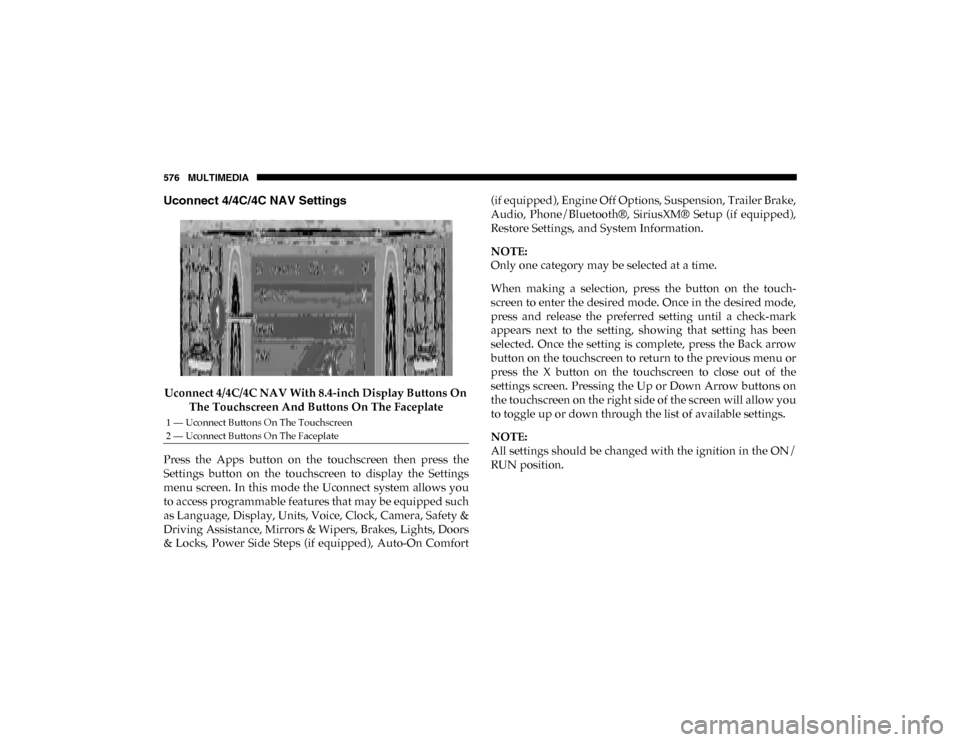
Uconnect 4/4C/4C NAV With 8.4-inch Display Buttons On The Touchscreen And Buttons On The Faceplate
Press the Apps button on the touchscreen then press the
Settings button on the touchscreen to display the Settings
menu screen. In this mode the Uconnect system allows you
to access programmable features that may be equipped such
as Language, Display, Units, Voice, Clock, Camera, Safety &
Driving Assistance, Mirrors & Wipers, Brakes, Lights, Doors
& Locks, Power Side Steps (if equipped), Auto-On Comfort (if equipped), Engine Off Options, Suspension, Trailer Brake,
Audio, Phone/Bluetooth®, SiriusXM® Setup (if equipped),
Restore Settings, and System Information.
NOTE:
Only one category may be selected at a time.
When making a selection, press the button on the touch
-
screen to enter the desired mode. Once in the desired mode,
press and release the preferred setting until a check-mark
appears next to the setting, showing that setting has been
selected. Once the setting is complete, press the Back arrow
button on the touchscreen to return to the previous menu or
press the X button on the touchscreen to close out of the
settings screen. Pressing the Up or Down Arrow buttons on
the touchscreen on the right side of the screen will allow you
to toggle up or down through the list of available settings.
NOTE:
All settings should be changed with the ignition in the ON/
RUN position.
1 — Uconnect Buttons On The Touchscreen
2 — Uconnect Buttons On The Faceplate
2020_DT_1500_OM_US.book Page 576
Page 579 of 674

MULTIMEDIA 577
Language
After pressing the Language button on the touchscreen, the following settings will be available:
Display
After pressing the Display button on the touchscreen, the following settings will be available:Setting Name
Selectable Options
Set Language EnglishFrançais Español
NOTE:
When the “Set Language” feature is selected, you may select one of multiple languages (English / Français / Español) for all
display nomenclature, including the trip functions and the navigation system (if equipped). Press the Set Language button
on the touchscreen, and then press the desired language button on the touchscreen until a check-mark appears next to the
language, showing that setting has been selected.
Setting Name Selectable Options
Display Mode AutoManual
NOTE:
When Day or Night is selected for the Display Mode, the usage of the Parade Mode feature will cause the radio to activate
the Display Brightness Day control even though the headlights are on. Display Brightness With Headlights ON –
+
NOTE:
To make changes to the "Display Brightness with Headlights ON" setting, the headlights must be on and the interior dimmer
switch must not be in the "party" or "parade" positions.
9
2020_DT_1500_OM_US.book Page 577
Page 580 of 674

578 MULTIMEDIA
Display Brightness With Headlights OFF –
+
NOTE:
To make changes to the "Display Brightness with Headlights OFF" setting, the headlights must be off and the interior dimmer
switch must not be in the "party" or "parade" positions. Set Theme — If Equipped Pre-configured Themes
Touchscreen Beep OnOff
Controls Screen Time-Out — If Equipped On
Off
Fuel Saver Display in Cluster — If Equipped On
Off
NOTE:
When selected, the system displays fuel saver mode in the instrument cluster. Navigation Next Turn Pop-ups
Displayed In Cluster — If Equipped On
Off
Phone Pop-ups Displayed in Cluster — If Equipped On
Off
Setting Name
Selectable Options
2020_DT_1500_OM_US.book Page 578
Page 581 of 674

MULTIMEDIA 579
Units
After pressing the Units button on the touchscreen, you may select each unit of measure independently displayed in the instru-
ment cluster display and navigation system (if equipped). The following selectable units of measure are listed below:
Voice
After pressing the Voice button on the touchscreen, the following settings will be available: Setting Name
Selectable Options
Units USMetric Custom
NOTE:
When the “Custom” setting is selected, units will appear according to your personally configured settings. To configure these
settings, press the “Custom” bar. The following settings will appear: Speed MPH km/h
Distance mi km
Fuel Consumption MPG (US)MPG (UK) L/100 km km/L
Pressure PSIkPa bar
Temperature °F °C
Setting Name Selectable Options
Voice Response Length Brief Detailed
Show Command List Neverw/Help Always9
2020_DT_1500_OM_US.book Page 579