light RAM 1500 2023 User Guide
[x] Cancel search | Manufacturer: RAM, Model Year: 2023, Model line: 1500, Model: RAM 1500 2023Pages: 416, PDF Size: 20.59 MB
Page 19 of 416
GETTING TO KNOW YOUR VEHICLE17
Using The Panic Feature
To turn the Panic feature on or off, push the Panic button
on the key fob. When the Panic feature is activated, the
turn signals will flash, the horn may pulse on and off
(if equipped with horn alarm), and the interior lights will
turn on.
The Panic feature will stay on for three minutes unless you
turn it off by either pushing the Panic button a second time
or driving the vehicle at a speed of 15 mph (24 km/h) or
greater.
NOTE:
The interior lights will turn off if you place the ignition in
the ON/RUN position while the Panic feature is
activated. However, the exterior lights and horn
(if equipped with horn alarm) will remain on.
You may need to be less than 35 ft (11 m) from the
vehicle when using the key fob to turn off the Panic
feature due to the radio frequency noises emitted by
the system.
Key Left Vehicle Feature
If a valid key fob is no longer detected inside the vehicle
while the vehicle’s ignition system is in the ON/RUN or
START position, the message “Key Fob Has Left The
Vehicle” will be shown in the instrument cluster display
along with an interior chime. An exterior audible and visual
alert will also be activated to warn the driver.
The vehicle’s horn will rapidly chirp three times along with
a single flash of the vehicle’s exterior lights.
NOTE:
The doors have to be open and then closed in order for
the vehicle to detect a key fob; the Key Left Vehicle
feature will not activate until all of the doors are closed.
These alerts will not be activated in situations where
the vehicle’s engine is left running with the key fob
inside.
Air Suspension (Remote Lowering Of The
Vehicle) — If Equipped
For easy entry and loading, your vehicle can be
lowered by pushing the key fob air suspension
lowering button two times. When air
suspension lowering is requested using the key
fob, the vehicle will send a series of chirps and flashes to
alert the customer that the operation has begun and will
continue these alerts until it successfully lowers.
The following conditions must be met for the vehicle to
lower remotely:
The vehicle must not already be in Entry/Exit ride
height.
The vehicle battery must be fully charged.
All doors must be closed.
The key fob must be out of the vehicle.
Gear selector must be in PARK.
NOTE:Ensure the vehicle is clear of all objects, pets, and people
prior to remote lowering. Canceling Remote Lowering
Vehicle lowering can be canceled at anytime. When
vehicle lowering is canceled, the vehicle will raise to the
next defined level and lock out the remote lowering
feature for five seconds until a new request is made.
To cancel vehicle lowering, push the key fob air
suspension lowering button one time during the lowering
process. When vehicle lowering is canceled, the horn will
chirp two times and the turn signal lamps will flash four
times. Once raising is completed, the horn will chirp
one time.
NOTE:More information on air suspension is provided later in
this manual, see Úpage 134.
Replacing The Battery In The Key Fob
The replacement battery model is one CR2450 battery.
NOTE:
Customers are recommended to use a battery
obtained from Mopar®. Aftermarket coin battery
dimensions may not meet the original OEM coin battery
dimensions.
Perchlorate Material — special handling may apply. See
www.dtsc.ca.gov/hazardouswaste/perchlorate for
further information.
2
23_DT_OM_EN_USC_t.book Page 17
Page 21 of 416

GETTING TO KNOW YOUR VEHICLE19
Programming And Requesting Additional
Key Fobs
Programming the key fob may be performed by an
authorized dealer.
NOTE:
Once a key fob is programmed to a vehicle, it cannot be
repurposed and reprogrammed to another vehicle.
Only key fobs that are programmed to the vehicle elec -
tronics can be used to start and operate the vehicle. Duplication of key fobs may be performed at an authorized
dealer. This procedure consists of programming a blank
key fob to the vehicle electronics. A blank key fob is one
that has never been programmed.
NOTE:
When having the Sentry Key Immobilizer system
serviced, bring all vehicle keys with you to an autho -
rized dealer.
Keys must be ordered to the correct key cut to match
the vehicle locks.
SENTRY KEY
The Sentry Key Immobilizer system prevents unauthorized
vehicle operation by disabling the engine. The system
does not need to be armed or activated. Operation is
automatic, regardless of whether the vehicle is locked or
unlocked.
The system uses a key fob, keyless push button ignition
and a Radio Frequency (RF) receiver to prevent
unauthorized vehicle operation. Therefore, only key fobs
that are programmed to the vehicle can be used to start
and operate the vehicle. The system cannot reprogram a
key fob obtained from another vehicle. After placing the ignition in the ON/RUN position, the
Vehicle Security Light will turn on for three seconds for a
bulb check. If the light remains on after the bulb check, it
indicates that there is a problem with the electronics.
In addition, if the light begins to flash after the bulb check,
it indicates that someone attempted to start the engine
with an invalid key fob. In the event that a valid key fob is
used to start the engine but there is an issue with the
vehicle electronics, the engine will start and shut off after
two seconds.
If the Vehicle Security Light turns on during normal vehicle
operation (vehicle running for longer than 10 seconds), it
indicates that there is a fault in the electronics. Should
this occur, have the vehicle serviced as soon as possible
by an authorized dealer.
All of the key fobs provided with your new vehicle have
been programmed to the vehicle electronics
Úpage 402.
NOTE:A key fob that has not been programmed is also
considered an invalid key.
WARNING!
The integrated key fob contains a coin cell battery.
Do not ingest the battery; there is a chemical burn
hazard. If the coin cell battery is swallowed, it can
cause severe internal burns in just two hours and
can lead to death.
If you think a battery may have been swallowed or
placed inside any part of the body, seek immediate
medical attention.
Keep new and used batteries away from children.
If the battery compartment does not close securely,
stop using the product and keep it away from
children.
WARNING!
Always remove the key fobs from the vehicle and lock
all doors when leaving the vehicle unattended.
For vehicles equipped with Keyless Enter ‘n Go™
Ignition, always remember to place the ignition in the
OFF position when exiting the vehicle.
CAUTION!
The Sentry Key Immobilizer system is not compatible
with some aftermarket Remote Start systems. Use of
these systems may result in vehicle starting problems
and loss of security protection.
2
23_DT_OM_EN_USC_t.book Page 19
Page 23 of 416

GETTING TO KNOW YOUR VEHICLE21
NOTE:
The key fob may not be detected by the vehicle Keyless
Enter ‘n Go™ system if it is located next to a mobile
phone, laptop or other electronic device; these devices
may block the key fob’s wireless signal and prevent the
Keyless Enter ‘n Go™ system from starting the vehicle.
For more information on normal engine starting, see
Úpage 118.
When opening the driver's door and the ignition is in
the ON/RUN position (engine not running), a chime will
sound to remind you to place the ignition in the OFF
position. In addition to the chime, the message “Igni-
tion or Accessory ON” will display in the cluster.
REMOTE START — IF EQUIPPED
This system uses the key fob to start the engine
conveniently from outside the vehicle while still
maintaining security. The system has a range
of approximately 328 ft (100 m).
Remote Start is used to defrost windows in cold weather
and to reach a comfortable climate in all ambient
conditions before the customer enters the vehicle.
NOTE:Obstructions between the vehicle and key fob may reduce
this range Úpage 402.
HOW TO USE REMOTE START
Push and release the Remote Start button on the key fob
twice within five seconds. The vehicle doors will lock, the
parking lights will flash, and the horn will chirp twice
(if programmed). Then, the engine will start, and the
vehicle will remain in the Remote Start mode for a
15 minute cycle.
Pushing the Remote Start button a third time shuts the
engine off. To drive the vehicle, push the unlock button, and place the
ignition in the ON/RUN position.
NOTE:
With Remote Start, the engine will only run for
15 minutes.
Remote Start can only be used twice.
If an engine fault is present or fuel level is low, the
vehicle will start and then shut down in 10 seconds.
The parking lights will turn on and remain on during
Remote Start mode.
For security, power window and power sunroof opera -
tion (if equipped) are disabled when the vehicle is in
the Remote Start mode.
The ignition must be placed in the ON/RUN position
before the Remote Start sequence can be repeated for
a third cycle.
All of the following conditions must be met before the
engine will remote start:
Gear selector in PARK
Doors closed
Hood closed
Hazard switch off
Brake switch inactive (brake pedal not pressed)
Battery at an acceptable charge level
CAUTION!
An unlocked vehicle is an invitation for thieves. Always
remove key fob from the vehicle and lock all doors
when leaving the vehicle unattended.
WARNING!
Do not start or run an engine in a closed garage or
confined area. Exhaust gas contains carbon
monoxide (CO) which is odorless and colorless.
Carbon monoxide is poisonous and can cause
serious injury or death when inhaled.
Keep key fobs away from children. Operation of the
Remote Start system, windows, door locks or other
controls could cause serious injury or death.2
23_DT_OM_EN_USC_t.book Page 21
Page 24 of 416

22GETTING TO KNOW YOUR VEHICLE
Panic button not pushed
Fuel meets minimum requirement
System not disabled from previous Remote Start event
Vehicle Security system not active
Malfunction Indicator Light (MIL) is not illuminated
TO EXIT REMOTE START MODE
To drive the vehicle after a Remote Start, unlock the doors
using the key fob or Passive Entry and disarm the Vehicle
Security system (if equipped). Then, prior to the end of the
15 minute cycle, press the brake pedal and push and
release the START/STOP ignition button.
The Remote Start system will turn the engine off if the
Remote Start button on the key fob is pushed again, or if
the engine is allowed to run for the entire 15 minute cycle.
Once the ignition is placed in the ON/RUN position, the
climate controls will resume the previously set operations
(temperature, blower control, etc.).
NOTE:
To avoid unintentional shutdowns, the system will
disable for two seconds after receiving a valid Remote
Start request.
For vehicles equipped with the Keyless Enter ‘n Go™ —
Passive Entry feature, the message “Remote Start
Active — Push Start Button” will display in the instru -
ment cluster display until you push the START/STOP
ignition button.
REMOTE START FRONT DEFROST
A
CTIVATION — IF EQUIPPED
When Remote Start is active, and the outside ambient
temperature is 40°F (4.5°C) or below, the system will
automatically activate front defrost for 15 minutes or less.
The time is dependent on the ambient temperature. Once
the timer expires, the system will automatically adjust the
settings depending on ambient conditions. See “Remote
Start Comfort Systems — If Equipped” in the next section
for detailed operation.
REMOTE START COMFORT SYSTEMS —
I
F EQUIPPED
When Remote Start is activated, the front and rear defrost
will automatically turn on in cold weather. The heated
steering wheel and driver heated seat feature will turn on
if programmed in the Comfort menu screen within
Uconnect Settings
Úpage 191. In warm weather, the
driver vented seat feature will automatically turn on when
the Remote Start is activated and is programmed in the
Comfort menu screen. The vehicle will adjust the climate control settings
depending on the outside ambient temperature.
Automatic Temperature Control (ATC) — If Equipped
The climate controls automatically adjust to an optimal
temperature and mode, dependent on the outside
ambient temperature. When the ignition is placed in the
ON/RUN position, the climate controls will resume their
previous settings.
Manual Temperature Control (MTC) — If Equipped
In ambient temperatures of 40°F (4.5°C) or below, the
climate settings will default to maximum heat, with
fresh air entering the cabin. If the front defrost timer
expires, the vehicle will enter Mix Mode.
In ambient temperatures from 40°F (4.5°C) to 78°F
(26°C), the climate settings will be based on the last
settings selected by the driver.
In ambient temperatures of 78°F (26°C) or above, the
climate settings will default to MAX A/C, Bi-Level mode,
with Recirculation on.
For more information on ATC, MTC, and climate control
settings, see
Úpage 54.
NOTE:These features will stay on through the duration of Remote
Start, or until the ignition is placed in the ON/RUN
position. The climate control settings will change, and exit
the automatic defaults, if manually adjusted by the driver
while the vehicle is in Remote Start mode. This includes
turning the climate controls off using the OFF button.
WARNING!
Do not start or run an engine in a closed garage or
confined area. Exhaust gas contains carbon
monoxide (CO) which is odorless and colorless.
Carbon monoxide is poisonous and can cause
serious injury or death when inhaled.
Keep key fobs away from children. Operation of the
Remote Start system, windows, door locks or other
controls could cause serious injury or death.
23_DT_OM_EN_USC_t.book Page 22
Page 25 of 416

GETTING TO KNOW YOUR VEHICLE23
REMOTE START WINDSHIELD WIPER
D
E-ICER ACTIVATION — IF EQUIPPED
When Remote Start is active and the outside ambient
temperature is less than 33°F (0.6°C), the Windshield
Wiper De-Icer will activate. Exiting Remote Start will
resume its previous operation. If the Windshield Wiper
De-Icer was active, the timer and operation will continue.
REMOTE START ABORT MESSAGE
One of the following messages will display in the
instrument cluster display if the vehicle fails to remote
start, or exits Remote Start prematurely:
Remote Start Canceled — Door Open
Remote Start Canceled — Hood Open
Remote Start Canceled — Fuel Low
Remote Start Canceled — Too Cold
Remote Start Canceled — Time Expired
Remote Start Disabled — Start Vehicle to Reset
The message will stay active until the ignition is placed in
the ON/RUN position.
VEHICLE SECURITY SYSTEM — IF EQUIPPED
The Vehicle Security system monitors the vehicle doors,
hood, tailgate, and the Keyless Enter ‘n Go™ Ignition for
unauthorized operation. While the Vehicle Security system
is armed, interior switches for door locks and tailgate
release are disabled. If something triggers the alarm, the
Vehicle Security system will provide the following audible
and visible signals:
The horn will pulse.
The turn signals will flash.
The Vehicle Security Light, located in the lower right
corner of the instrument cluster display, will flash.
TO ARM THE SYSTEM
Follow these steps to arm the Vehicle Security system:
1. Make sure the vehicle’s ignition is placed in the OFF
position.
For vehicles equipped with Keyless Entry, make
sure the vehicle’s keyless ignition system is OFF.
2. Perform one of the following methods to lock the vehicle:
Push the lock button on the interior power door
lock switch with the driver and/or passenger door
open.
Push the lock button on the exterior Passive Entry
door handle with a valid key fob available in the
same exterior zone
Úpage 25.
Push the lock button on the key fob.
3. If any doors are open, close them.
TO DISARM THE SYSTEM
The Vehicle Security system can be disarmed using any of
the following methods:
Push the unlock button on the key fob.
Grab the Passive Entry door handle to unlock the door
Úpage 25.
Cycle the ignition out of the OFF position to disarm
the system.
NOTE:
The driver's door key cylinder cannot arm or disarm the
Vehicle Security system. Use of the door key cylinder
when the system is armed will sound the alarm when
the door is opened.
The Vehicle Security system remains armed when the
power tailgate (if equipped) is opened using the
tailgate button on the key fob.
If Passive Entry (if equipped) is used to unlock the
tailgate, the Vehicle Security system is disarmed and
the rest of the vehicle doors will remain locked unless
all doors are set to unlock on first press within Ucon -
nect Settings.
When the Vehicle Security system is armed, the interior
power door lock switches will not unlock the doors.
The Vehicle Security system is designed to protect your
vehicle. However, you can create conditions where the
system will give you a false alarm. If one of the previously
described arming sequences has occurred, the Vehicle
Security system will arm regardless of whether you are in
the vehicle or not. If you remain in the vehicle and open a
door, the alarm will sound. If this occurs, disarm the
Vehicle Security system.
If the Vehicle Security system is armed and the battery
becomes disconnected, the Vehicle Security system will
remain armed when the battery is reconnected; the
exterior lights will flash, and the horn will sound. If this
occurs, disarm the Vehicle Security system.
2
23_DT_OM_EN_USC_t.book Page 23
Page 29 of 416

GETTING TO KNOW YOUR VEHICLE27
NOTE:DO NOT grab the door handle when pushing the door
handle lock button. This could unlock the door(s).
Do NOT Grab The Door Handle When Locking
NOTE:
After pushing the door handle button, you must wait
two seconds before you can lock or unlock the doors,
using either Passive Entry door handle. This is done to
allow you to check if the vehicle is locked by pulling the
door handle without the vehicle unlocking.
If Passive Entry is disabled using the Uconnect
Settings, the key protection described in
"Frequency Operated Button Integrated Key
(FOBIK-Safe)" remains active/functional.
The Passive Entry system will not operate if the key fob
battery is depleted.
The LED light on the key fob will not blink if the key
fob battery is low or fully depleted, but a low key
fob battery condition will still support the Passive
Entry system functionality. When the key fob
battery is low, the instrument cluster will display a
message indicating that the key fob battery is low
Úpage 402.
AUTOMATIC UNLOCK DOORS ON EXIT —
I
F EQUIPPED
The doors will unlock automatically on vehicles with power
door locks after the following sequence of actions:
1. The Automatic Unlock Doors On Exit feature is
enabled within the Uconnect system.
2. All doors are closed.
3. The gear selector was not in PARK, then is placed in PARK.
4. Any door is opened.
AUTOMATIC DOOR LOCKS —
I
F EQUIPPED
The auto door lock feature default condition is enabled.
When enabled, the door locks will lock automatically when
the vehicle's speed exceeds 15 mph (24 km/h). The auto
door lock feature is enabled/disabled in the Uconnect
Settings
Úpage 191.
CHILD-PROTECTION DOOR LOCK
S
YSTEM — REAR DOORS
To provide a safer environment for small children riding in
the rear seats, the rear doors are equipped with a
Child-Protection Door Lock system.
To use the system, open each rear door, use a flat-blade
screwdriver, and rotate the dial to the lock or unlock
position. When the system on a door is engaged, that door
can only be opened by using the outside door handle even
if the inside door lock is in the unlocked position.
Child Lock Control
2
23_DT_OM_EN_USC_t.book Page 27
Page 33 of 416
GETTING TO KNOW YOUR VEHICLE31
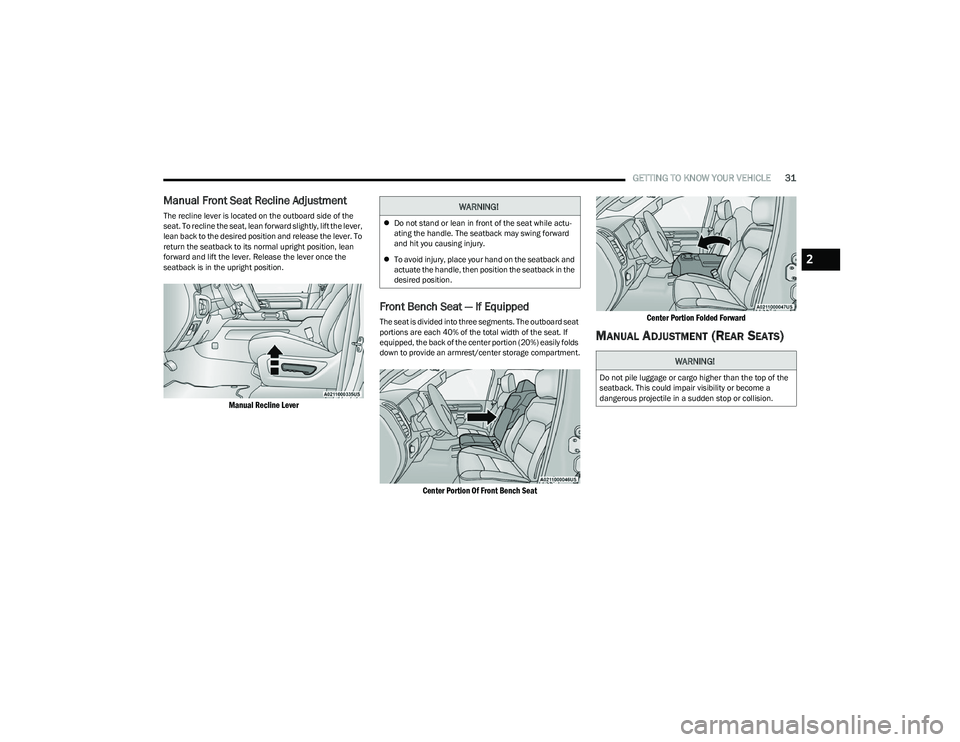
Manual Front Seat Recline Adjustment
The recline lever is located on the outboard side of the
seat. To recline the seat, lean forward slightly, lift the lever,
lean back to the desired position and release the lever. To
return the seatback to its normal upright position, lean
forward and lift the lever. Release the lever once the
seatback is in the upright position.
Manual Recline Lever
Front Bench Seat — If Equipped
The seat is divided into three segments. The outboard seat
portions are each 40% of the total width of the seat. If
equipped, the back of the center portion (20%) easily folds
down to provide an armrest/center storage compartment.
Center Portion Of Front Bench Seat Center Portion Folded Forward
MANUAL ADJUSTMENT (REAR SEATS)
WARNING!
Do not stand or lean in front of the seat while actu-
ating the handle. The seatback may swing forward
and hit you causing injury.
To avoid injury, place your hand on the seatback and
actuate the handle, then position the seatback in the
desired position.
WARNING!
Do not pile luggage or cargo higher than the top of the
seatback. This could impair visibility or become a
dangerous projectile in a sudden stop or collision.
2
23_DT_OM_EN_USC_t.book Page 31
Page 36 of 416

34GETTING TO KNOW YOUR VEHICLE
Front Heated Seats — If Equipped
The heated seat control buttons are located on
the center stack below the radio screen, or
within the Uconnect system.
Press the heated seat button once to turn the HI
setting on.
Press the heated seat button a second time to turn the
MED setting on.
Press the heated seat button a third time to turn the
LO setting on.
Press the heated seat button a fourth time to turn the
heating elements off.
NOTE:
Once a heat setting is selected, heat will be felt within
two to five minutes.
The engine must be running for the heated seats to
operate.
The level of heat selected will stay on until the operator
changes it.
For information on use with the Remote Start system, see
Úpage 22.
Rear Heated Seats — If Equipped
On some models, the two rear outboard seats
may be equipped with heated seats. There are
two heated seat switches that allow the rear
passengers to operate the seats
independently. The heated seat switches for each heater
are located on the rear of the center console. You can choose from HI, MED, LO, or OFF heat settings.
Indicator lights in each switch indicate the level of heat in
use.
Push the heated seat button once to turn the HI
setting on.
Push the heated seat button a second time to turn the
MED setting on.
Push the heated seat button a third time to turn the
LO setting on.
Push the heated seat button a fourth time to turn the
heating elements off.
NOTE:The level of heat selected will stay on until the operator
changes it.
VENTILATED SEATS — IF EQUIPPED
Front Ventilated Seats
The ventilated seat control buttons are located
on the center stack below the radio screen, or
within the Uconnect system. The fans operate
at three speeds: HI, MED and LO.
Press the ventilated seat button once to choose HI.
Press the ventilated seat button a second time to
choose MED.
Press the ventilated seat button a third time to choose
LO.
Press the ventilated seat button a fourth time to turn
the ventilation off.
NOTE:The engine must be running for the ventilated seats to
operate.
For information on use with the Remote Start system, see
Úpage 22.
Rear Ventilated Seats — If Equipped
If equipped, the two outboard rear seats will
have ventilated seats. The rear ventilated seat
control switches are located on the rear of the
center console.
The fans operate at three speeds: HI, MED, and LO. Push
the ventilated seat buttons to toggle through the speeds,
or to turn the feature off.
NOTE:The engine must be running for the ventilated seats to
operate.
PLASTIC GROCERY BAG RETAINERS —
I
F EQUIPPED
Retainer hooks which will hold plastic grocery bag handles
are attached to the underside of the rear seat cushion. To
access these hooks, lift the rear seat cushion upward.
HEAD RESTRAINTS
Head restraints are designed to reduce the risk of injury by
restricting head movement in the event of a rear impact.
Head restraints should be adjusted so that the top of the
head restraint is located above the top of your ear.
23_DT_OM_EN_USC_t.book Page 34
Page 40 of 416
38GETTING TO KNOW YOUR VEHICLE
DRIVER ADJUSTABLE PEDALS —
IF EQUIPPED
The adjustable pedals system is designed to allow a
greater range of driver comfort for steering wheel tilt and
seat position. This feature allows the brake and
accelerator pedals to move toward or away from the driver
to provide improved position with the steering wheel.
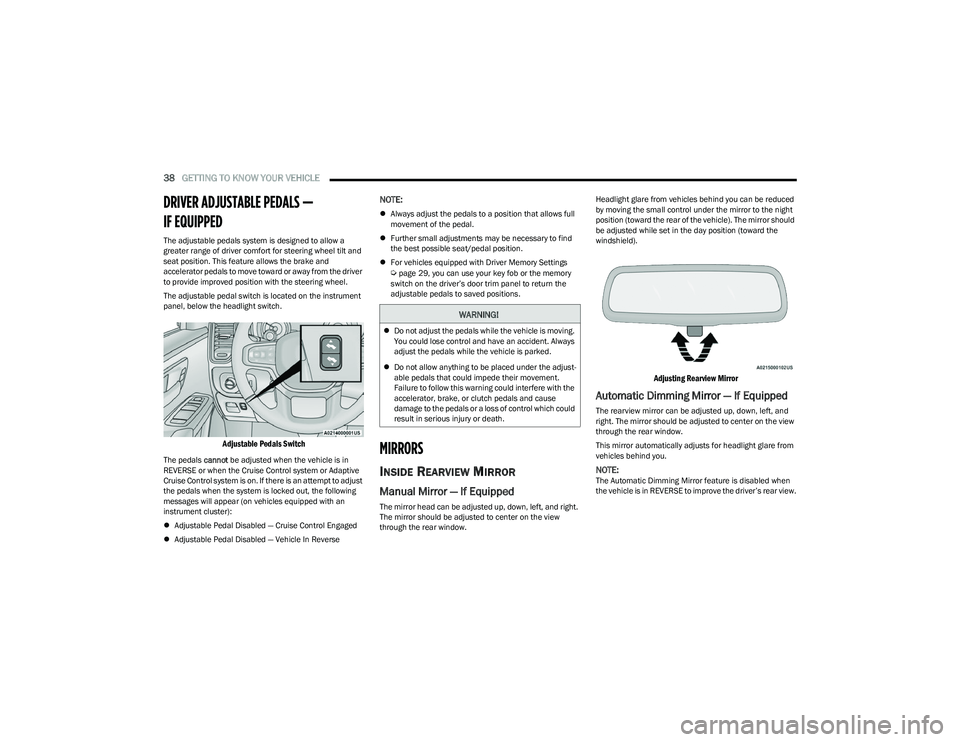
The adjustable pedal switch is located on the instrument
panel, below the headlight switch.
Adjustable Pedals Switch
The pedals cannot be adjusted when the vehicle is in
REVERSE or when the Cruise Control system or Adaptive
Cruise Control system is on. If there is an attempt to adjust
the pedals when the system is locked out, the following
messages will appear (on vehicles equipped with an
instrument cluster):
Adjustable Pedal Disabled — Cruise Control Engaged
Adjustable Pedal Disabled — Vehicle In Reverse
NOTE:
Always adjust the pedals to a position that allows full
movement of the pedal.
Further small adjustments may be necessary to find
the best possible seat/pedal position.
For vehicles equipped with Driver Memory Settings
Úpage 29, you can use your key fob or the memory
switch on the driver’s door trim panel to return the
adjustable pedals to saved positions.
MIRRORS
INSIDE REARVIEW MIRROR
Manual Mirror — If Equipped
The mirror head can be adjusted up, down, left, and right.
The mirror should be adjusted to center on the view
through the rear window. Headlight glare from vehicles behind you can be reduced
by moving the small control under the mirror to the night
position (toward the rear of the vehicle). The mirror should
be adjusted while set in the day position (toward the
windshield).
Adjusting Rearview Mirror
Automatic Dimming Mirror — If Equipped
The rearview mirror can be adjusted up, down, left, and
right. The mirror should be adjusted to center on the view
through the rear window.
This mirror automatically adjusts for headlight glare from
vehicles behind you.
NOTE:The Automatic Dimming Mirror feature is disabled when
the vehicle is in REVERSE to improve the driver’s rear view.
WARNING!
Do not adjust the pedals while the vehicle is moving.
You could lose control and have an accident. Always
adjust the pedals while the vehicle is parked.
Do not allow anything to be placed under the adjust -
able pedals that could impede their movement.
Failure to follow this warning could interfere with the
accelerator, brake, or clutch pedals and cause
damage to the pedals or a loss of control which could
result in serious injury or death.
23_DT_OM_EN_USC_t.book Page 38
Page 41 of 416

GETTING TO KNOW YOUR VEHICLE39
The Automatic Dimming feature can be turned on or off
through the touchscreen.
Automatic Dimming Mirror
Digital Rearview Mirror — If Equipped
The Digital Rearview Mirror provides a high definition,
wide and unobstructed view of the road behind while
driving.
Position the mirror in the regular Automatic Dimming
Mirror mode, then activate the Digital Rearview Mirror
mode.
To activate the Digital Rearview Mirror, pull the on/off
control lever on the bottom of the mirror rearward toward
the driver.
Digital Rearview Mirror
Push the menu button next to the on/off control/toggle to
access the following mirror options:
Brightness
Tilt
Use the left and right buttons to scroll through menu
options.
When not in use, push the on/off forward toward the
windshield to return the mirror to the regular Automatic
Dimming Mirror.
NOTE:The Digital Rearview Mirror is not as effective during
nighttime driving in low light applications due to low
ambient light levels. In the event that it provides the user
with less than expected vision, the mirror can be reverted
to a normal reflective Automatic Dimming Mirror by
pushing the control/toggle forward in the vehicle and
putting the mirror into Automatic Dimming Mirror mode.
ILLUMINATED VANITY MIRROR
To access an illuminated vanity mirror, flip down one of the
visors and lift the cover.
Lift Cover For Illuminated Mirror
CAUTION!
To avoid damage to the mirror during cleaning, never
spray any cleaning solution directly onto the mirror.
Apply the solution onto a clean cloth and wipe the
mirror clean.
1 — On/Off Control/Toggle
2 — Menu Button
3 — Left Scroll Button
4 — Right Scroll Button
2
23_DT_OM_EN_USC_t.book Page 39