Eco RENAULT KOLEOS 2018 Workshop Manual
[x] Cancel search | Manufacturer: RENAULT, Model Year: 2018, Model line: KOLEOS, Model: RENAULT KOLEOS 2018Pages: 332, PDF Size: 8.91 MB
Page 134 of 332
2.30
Replacing wheels/tyres
This system requires specific equip-
ment (wheels, tyres, hubcaps, etc.).
Please see the information on “Tyres”
in Section 5.
Contact an approved Dealer to fit new
tyres and to find out about available ac-
cessories compatible with the system
and available from your dealer net-
work: the use of any other accessory
could affect the correct operation of the
system or damage a sensor.
Emergency spare wheel
If the vehicle is equipped with an emer- -
gency spare wheel, it will not have a
sensor.
TYRE PRESSURE MONITORING SYSTEM (3/3)
“Tyres location failure”
This message “Tyres location failure”
appears when driving if one or more
wheels have been fitted with sensors
not recognised by Renault.
Consult an approved dealer
Readjustment of tyre
pressures
The tyre pressures should be ad-
justed when cold (please refer to the
label located on the edge of the driver’s
door). If the tyre pressures cannot be
checked when the tyres are cold, the
recommended pressures should be in-
creased by 0.2 to 0.3 bar (3 PSI).
Never deflate a hot tyre.
Tyre repair product and
inflation kit
Because the valves are specially de-
signed, only use equipment approved
by the approved network. Please refer
to “Tyre inflation kit” in Section 5.
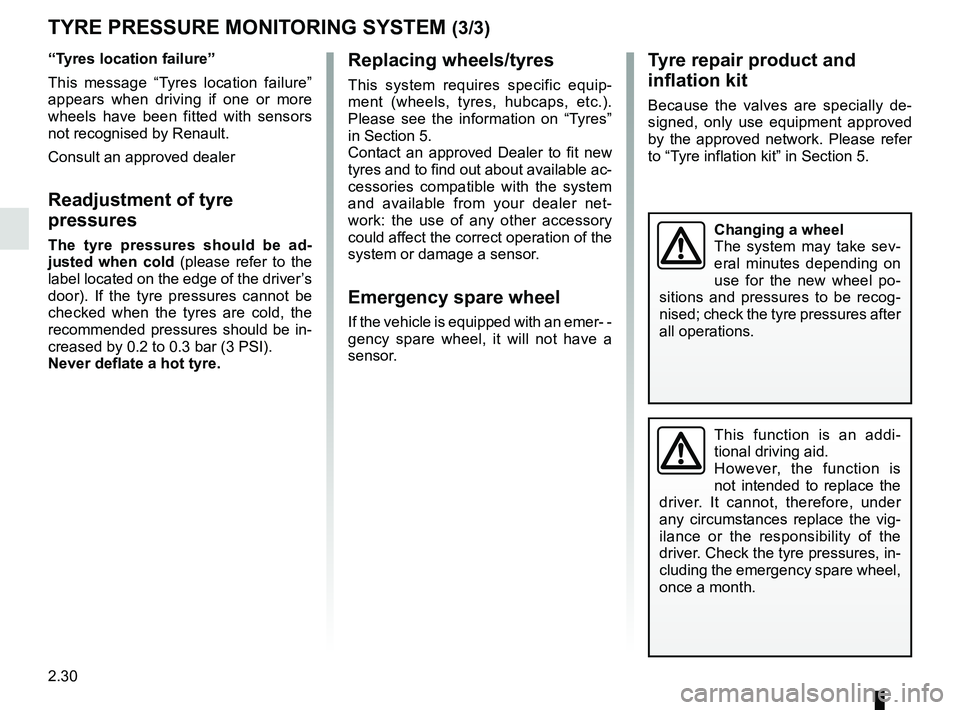
Changing a wheel
The system may take sev-
eral minutes depending on
use for the new wheel po-
sitions and pressures to be recog-
nised; check the tyre pressures after
all operations.
This function is an addi-
tional driving aid.
However, the function is
not intended to replace the
driver. It cannot, therefore, under
any circumstances replace the vig-
ilance or the responsibility of the
driver. Check the tyre pressures, in-
cluding the emergency spare wheel,
once a month.
Page 137 of 332
2.33
DRIVING CORRECTION DEVICES AND AIDS (3/4)
The traction control system offers ad-
ditional safety. It is recommended that
you do not drive with the function di-
sabled. Correct this as soon as pos-
sible by pressing the switch 1 again.
Note: The function is reactivated auto-
matically when the ignition is switched
on or when a speed of approximately
24 mph (40 km/h) is exceeded.
Emergency brake assistThis system supplements the ABS
and helps reduce vehicle stopping dis-
tances.
Operating principle
The system detects an emergency
braking situation. In this case, the brak-
ing assistance immediately develops
maximum power and may trigger ABS
regulation. ABS braking is maintained
as long as the brake pedal is not re-
leased.
Hazard warning lights illumination
Depending on the vehicle, these may
light up in the event of sudden decel-
eration.
These functions are an ad-
ditional aid in the event of
critical driving conditions,
enabling the vehicle behav-
iour to be adapted to suit the driving
conditions.
However, the functions do not take
the place of the driver. They do
not increase the vehicle’s limits
and should not encourage you
to drive more quickly. Therefore,
they can under no circumstances
replace the vigilance or responsibil-
ity of the driver when manoeuvring
the vehicle (the driver must always
be ready for sudden incidents which
may occur when driving).
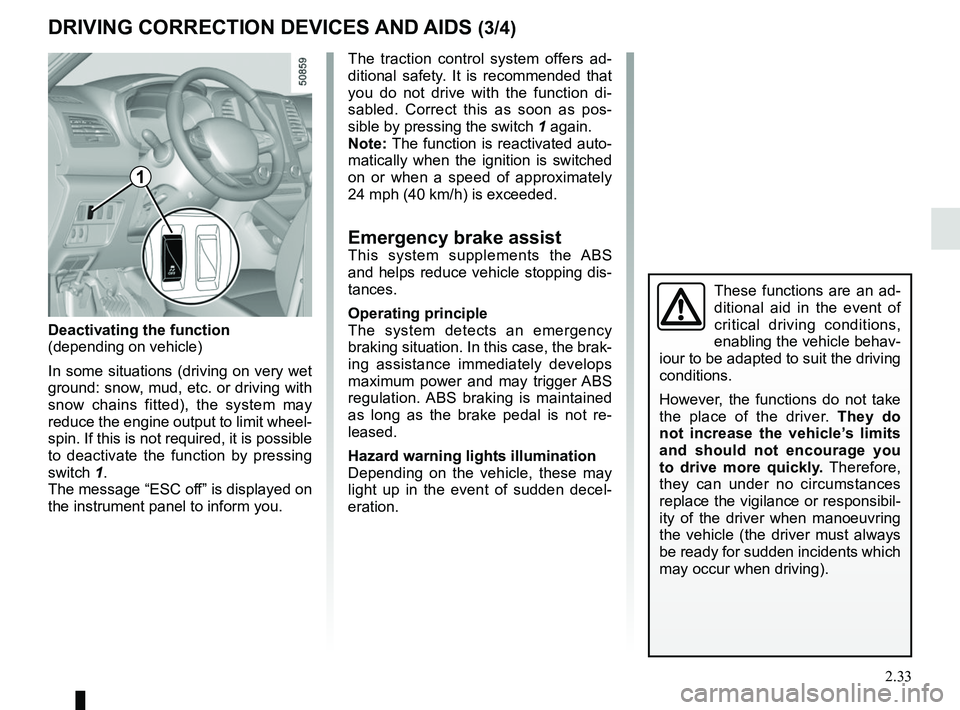
Deactivating the function
(depending on vehicle)
In some situations (driving on very wet
ground: snow, mud, etc. or driving with
snow chains fitted), the system may
reduce the engine output to limit wheel-
spin. If this is not required, it is possible
to deactivate the function by pressing
switch 1.
The message “ESC off” is displayed on
the instrument panel to inform you.
1
Page 138 of 332
2.34
DRIVING CORRECTION DEVICES AND AIDS (4/4)
Hill start assistance
Depending on the gradient of the in-
cline, this system assists the driver
when starting on a hill. It prevents the
vehicle from rolling backwards by au-
tomatically applying the brakes when
the driver lifts his/her foot off the brake
pedal to depress the accelerator pedal.
System operation
It only operates when the gear lever is
in a position other than neutral (other
than N or P for automatic transmis-
sions) and the vehicle is completely
stationary (brake pedal depressed)
The system holds the vehicle for ap-
proximately 2 seconds. The brakes are
then released (the vehicle will move ac-
cording to the slope).
The hill start assistance
system cannot completely
prevent the vehicle from
rolling backwards in all sit-
uations (extremely steep gradients,
etc.).
In all cases, the driver may depress
the brake pedal to prevent the vehi-
cle from rolling backwards.
The hill start assistance function
should not be used for prolonged
stops: use the brake pedal.
This function is not designed to im-
mobilise the vehicle permanently.
If necessary, use the brake pedal to
stop the vehicle.
The driver must remain particularly
vigilant when driving on slippery or
low-grip surfaces and/or on hills.
Risk of serious injury.
Page 139 of 332
2.35
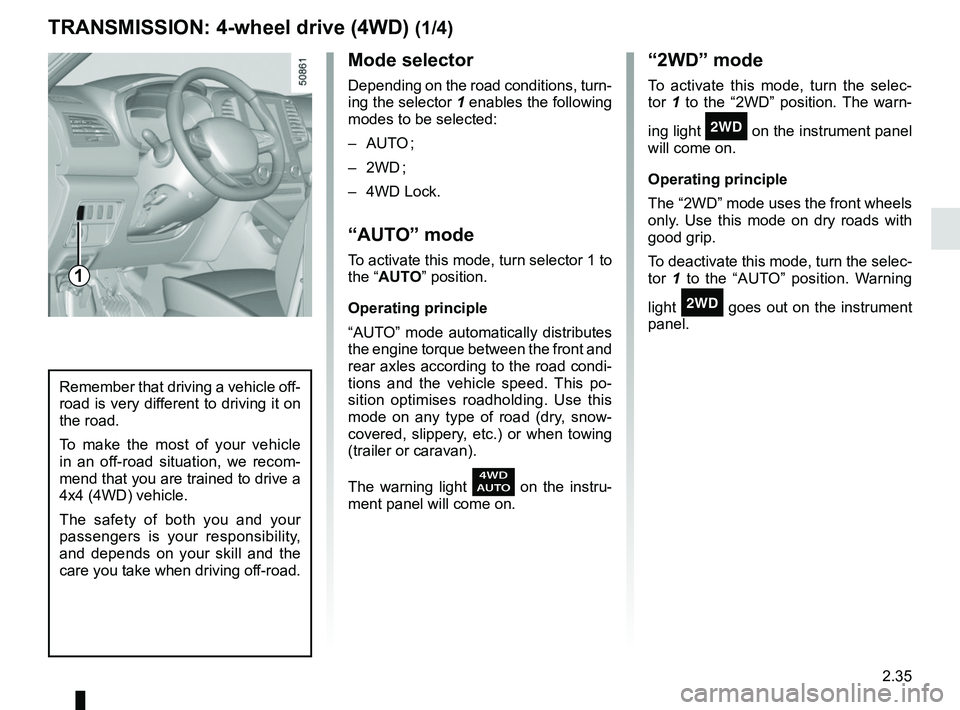
Mode selector
Depending on the road conditions, turn-
ing the selector 1 enables the following
modes to be selected:
– AUTO ;
– 2WD ;
– 4WD Lock.
“AUTO” mode
To activate this mode, turn selector 1 to
the “AUTO” position.
Operating principle
“AUTO” mode automatically distributes
the engine torque between the front and
rear axles according to the road condi-
tions and the vehicle speed. This po-
sition optimises roadholding. Use this
mode on any type of road (dry, snow-
covered, slippery, etc.) or when towing
(trailer or caravan).
The warning light
on the instru-
ment panel will come on.
TRANSMISSION: 4-wheel drive (4WD) (1/4)
“2WD” mode
To activate this mode, turn the selec-
tor 1 to the “2WD” position. The warn-
ing light
‘ on the instrument panel
will come on.
Operating principle
The “2WD” mode uses the front wheels
only. Use this mode on dry roads with
good grip.
To deactivate this mode, turn the selec-
tor 1 to the “AUTO” position. Warning
light
‘ goes out on the instrument
panel.
Remember that driving a vehicle off-
road is very different to driving it on
the road.
To make the most of your vehicle
in an off-road situation, we recom-
mend that you are trained to drive a
4x4 (4WD) vehicle.
The safety of both you and your
passengers is your responsibility,
and depends on your skill and the
care you take when driving off-road.
1
Page 140 of 332
2.36
TRANSMISSION: 4-wheel drive (4WD) (2/4)
This problem may be resolved by
changing the tyres. Always use four
identical tyres (same brand, profile,
etc.) and with similar wear.
In the event of excessive wheelspin, the
mechanical components may overheat.
If this happens:
– at first, the
’ warning light
comes on. “4WD Lock” mode is still
active – however, we recommend
that you stop as soon as possible to
allow the system to cool down (until
the warning light goes out);
– if the wheels still spin, the system au- tomatically switches to “2WD” mode
to protect the mechanical compo-
nents.
The message “4WD overheating” is
displayed on the instrument panel.
The mode cannot be changed while
the message is displayed.
Note: If the vehicle speed exceeds
approximately 24.8 mph (40 km/h) in
“4WD Lock” mode, the system auto-
matically switches back to “AUTO”
mode.
The
’ warning light goes out and
the
warning light comes on.
Special features of the
4-wheel drive transmission
The vehicle may make more noise when
the “AUTO” or “4WD Lock” modes are
activated. This is normal. If the system
detects a difference in the dimensions
of the front and rear wheels (eg. un-
derinflation, severe wear on an axle),
the system automatically switches to
“2WD” mode.
The message “4WD unavailable unsuit-
able tyres” is displayed on the instru-
ment panel. Drive as soon as possible
at a moderate speed to an approved
dealer.
“4WD Lock” mode
To activate this mode, turn selector 1 to
the “4WD Lock” position. The selector
the returns to the “AUTO” position. The
’ indicator light will light up on the
instrument panel.
Operating principle
“4WD Lock” mode distributes the
engine torque between the front and
rear axles in order to optimise the per-
formance capacity of the vehicle in off-
road situations. This mode should only
be used in extreme driving conditions
(mud, steep slopes, sand).
To deactivate this mode, turn selector 1
to the “4WD Lock” position again. The
warning light goes out on the instru-
ment panel.
Page 141 of 332
2.37
TRANSMISSION: 4-wheel drive (4WD) (3/4)
Electronic stability program and
traction control when driving off-
road
When driving on soft ground (sand,
mud, deep snow), we recommend that
you deactivate the ESC function by
pressing the “ESC” switch.
In this case, only individual wheel brak-
ing remains active. This function ap-
plies the brake to any wheel that is slip-
ping, allowing the engine torque to be
transferred to the wheels with the most
grip. This is particularly useful when
crossing a bridge.
All the ESC functions will be reacti-
vated when the vehicle speed reaches
approximately 31 mph (50 km/h)
(24.8 mph [40 km/h] in 4WD Lock
mode), when the engine is restarted
or when the “ESC” switch is pressed
again.Operating faults
If the system detects an operating fault,
it automatically switches to “2WD”
mode. The message “Check 4WD” is
displayed on the instrument panel, and
the
‘ and © warning lights
come on.
Drive as soon as possible at a moder-
ate speed to an approved dealer.
For certain operating faults, the system
may not be able to switch to “2WD” or
"4WD Lock” mode. “AUTO” mode re-
mains active.
Contact an approved dealer as soon as
possible.
After stopping the engine, the system
may take up to five minutes to cool
down.
If the system detects excessive wheel-
spin on the front wheels, it adapts the
engine to run in a way that reduces
wheelspin.
Anti-lock braking in
LOCK mode
When “4WD Lock” mode is active, the
ABS switches to off-road mode. In this
case, the wheels may lock intermit-
tently to achieve better grip, thus reduc-
ing braking distances on soft ground.
When this mode is active:
– the vehicle’s manoeuvrability is lim- ited during braking. This operating
mode is therefore not recommended
in very low-grip conditions (eg. ice).
– there may be some noise. This is normal, and does not indicate an op-
erating fault.
Page 149 of 332
2.45
ACTIVE EMERGENCY BRAKING (7/11)
System B (continued)
Detection of vehicles
Operation
When driving (speed between about
4.34 and 99.2 mph (7 and 160 km/h)), if
there is a risk of collision with the vehi-
cle in front, the system:
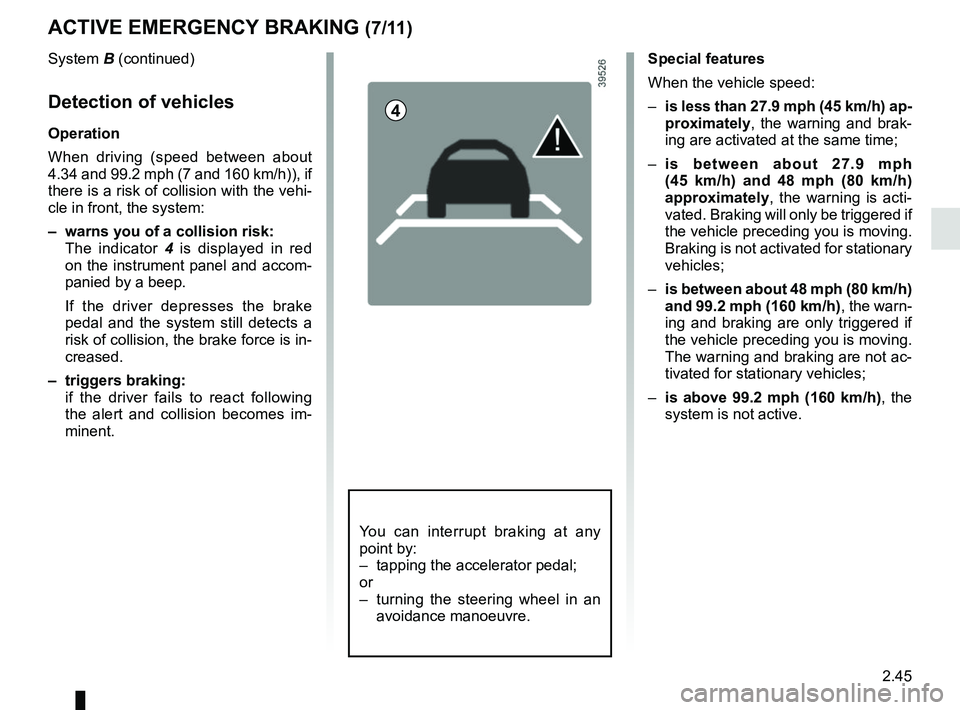
– warns you of a collision risk:
The indicator 4 is displayed in red
on the instrument panel and accom-
panied by a beep.
If the driver depresses the brake
pedal and the system still detects a
risk of collision, the brake force is in-
creased.
– triggers braking:
if the driver fails to react following the alert and collision becomes im-
minent.
4
You can interrupt braking at any
point by:
– tapping the accelerator pedal;
or
– turning the steering wheel in an avoidance manoeuvre.
Special features
When the vehicle speed:
– is less than 27.9 mph (45 km/h) ap-
proximately, the warning and brak-
ing are activated at the same time;
– is between about 27.9 mph
(45 km/h) and 48 mph (80 km/h)
approximately, the warning is acti-
vated. Braking will only be triggered if
the vehicle preceding you is moving.
Braking is not activated for stationary
vehicles;
– is between about 48 mph (80 km/h)
and 99.2 mph (160 km/h) , the warn-
ing and braking are only triggered if
the vehicle preceding you is moving.
The warning and braking are not ac-
tivated for stationary vehicles;
– is above 99.2 mph (160 km/h), the
system is not active.
Page 156 of 332
2.52
2
65
Adjustment
Vehicles fitted with a navigation
system
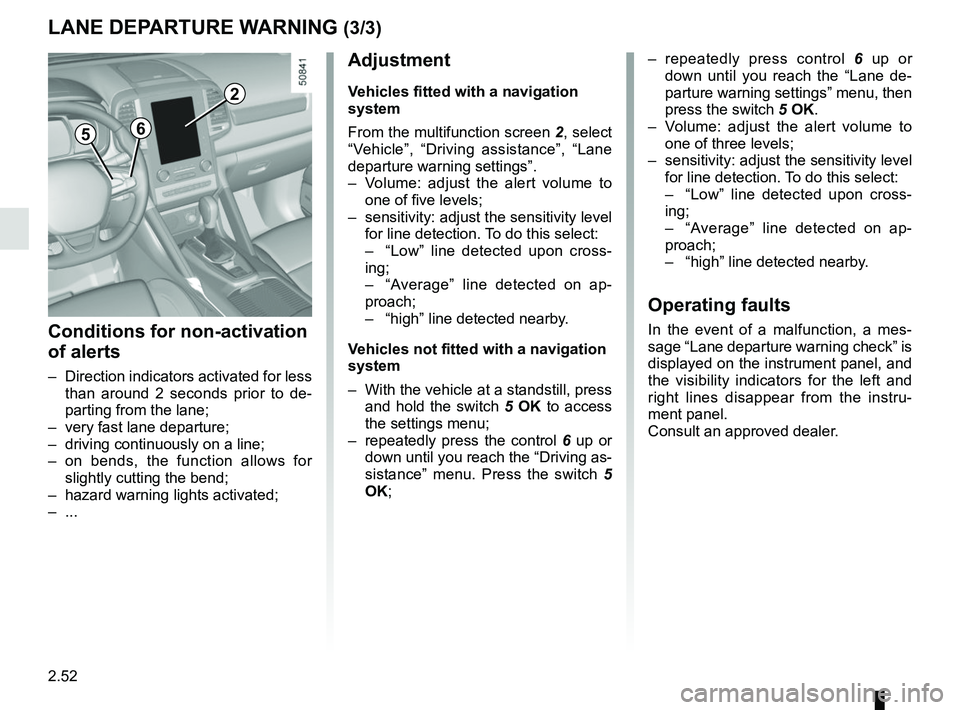
From the multifunction screen 2, select
“Vehicle”, “Driving assistance”, “Lane
departure warning settings”.
– Volume: adjust the alert volume to one of five levels;
– sensitivity: adjust the sensitivity level for line detection. To do this select:
– “Low” line detected upon cross-
ing;
– “Average” line detected on ap-
proach;
– “high” line detected nearby.
Vehicles not fitted with a navigation
system
– With the vehicle at a standstill, press and hold the switch 5 OK to access
the settings menu;
– repeatedly press the control 6 up or
down until you reach the “Driving as-
sistance” menu. Press the switch 5
OK;
– repeatedly press control 6 up or
down until you reach the “Lane de-
parture warning settings” menu, then
press the switch 5 OK.
– Volume: adjust the alert volume to one of three levels;
– sensitivity: adjust the sensitivity level for line detection. To do this select:
– “Low” line detected upon cross-
ing;
– “Average” line detected on ap-
proach;
– “high” line detected nearby.
Operating faults
In the event of a malfunction, a mes-
sage “Lane departure warning check” is
displayed on the instrument panel, and
the visibility indicators for the left and
right lines disappear from the instru-
ment panel.
Consult an approved dealer.
LANE DEPARTURE WARNING (3/3)
Conditions for non-activation
of alerts
– Direction indicators activated for less than around 2 seconds prior to de-
parting from the lane;
– very fast lane departure;
– driving continuously on a line;
– on bends, the function allows for slightly cutting the bend;
– hazard warning lights activated;
– ...
Page 161 of 332
2.57
1
BLIND SPOT WARNING (3/4)
Operation
This function will indicate:
– when the vehicle speed is between approximately 30 km/h (19 mph) and
140 km/h (87 mph);
– when another vehicle is in the blind spot area and travelling in the same
direction as your vehicle.
If another vehicle is being overtaken,
the indicator 6 will be activated only if
that vehicle remains in the blind spot for
more than one second.
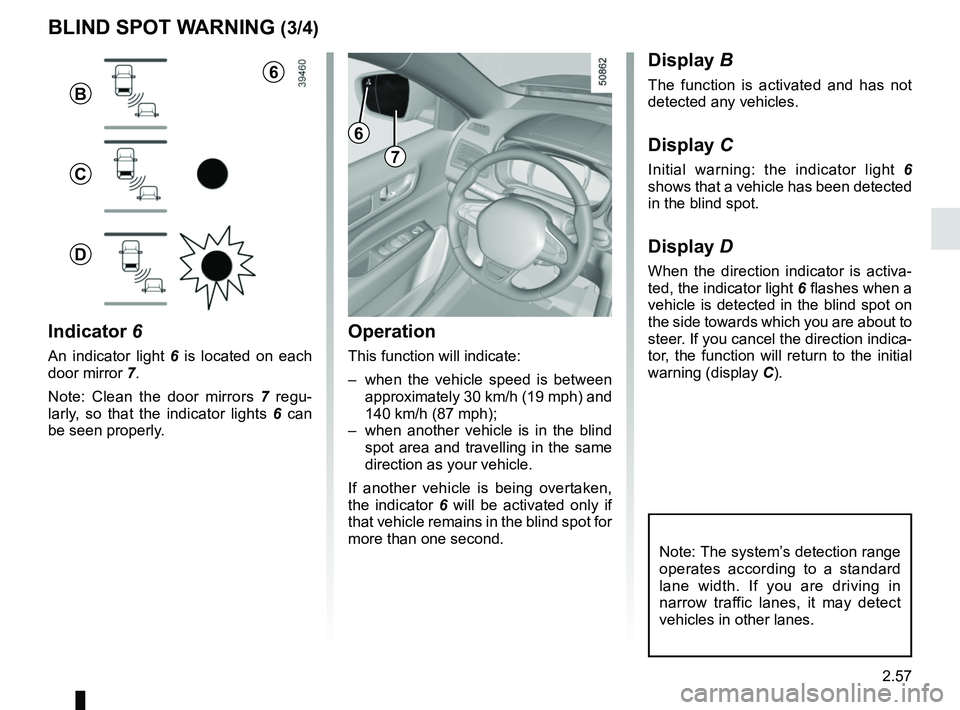
Indicator 6
An indicator light 6 is located on each
door mirror 7.
Note: Clean the door mirrors 7 regu-
larly, so that the indicator lights 6 can
be seen properly.
Display B
The function is activated and has not
detected any vehicles.
Display C
Initial warning: the indicator light 6
shows that a vehicle has been detected
in the blind spot.
Display D
When the direction indicator is activa-
ted, the indicator light 6 flashes when a
vehicle is detected in the blind spot on
the side towards which you are about to
steer. If you cancel the direction indica-
tor, the function will return to the initial
warning (display C).
7
6
B
C
D
Note: The system’s detection range
operates according to a standard
lane width. If you are driving in
narrow traffic lanes, it may detect
vehicles in other lanes.
6
Page 163 of 332
2.59
Operating principle
The system detects speed limit signs
on the side of the road and displays the
speed limit.
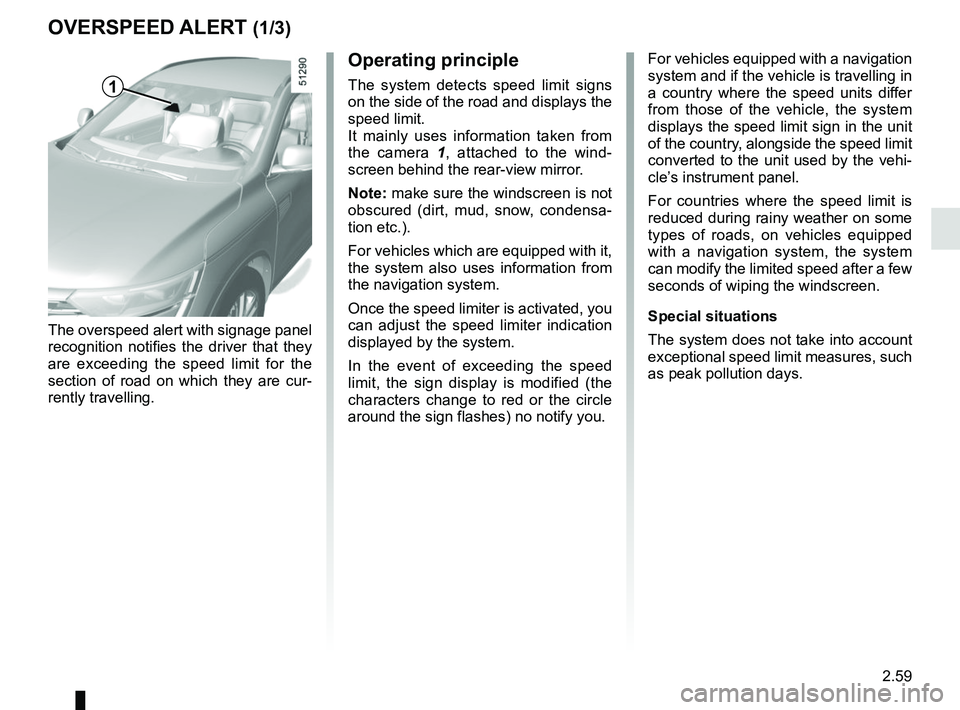
It mainly uses information taken from
the camera 1, attached to the wind-
screen behind the rear-view mirror.
Note: make sure the windscreen is not
obscured (dirt, mud, snow, condensa-
tion etc.).
For vehicles which are equipped with it,
the system also uses information from
the navigation system.
Once the speed limiter is activated, you
can adjust the speed limiter indication
displayed by the system.
In the event of exceeding the speed
limit, the sign display is modified (the
characters change to red or the circle
around the sign flashes) no notify you.
OVERSPEED ALERT (1/3)
The overspeed alert with signage panel
recognition notifies the driver that they
are exceeding the speed limit for the
section of road on which they are cur-
rently travelling. For vehicles equipped with a navigation
system and if the vehicle is travelling in
a country where the speed units differ
from those of the vehicle, the system
displays the speed limit sign in the unit
of the country, alongside the speed limit
converted to the unit used by the vehi-
cle’s instrument panel.
For countries where the speed limit is
reduced during rainy weather on some
types of roads, on vehicles equipped
with a navigation system, the system
can modify the limited speed after a few
seconds of wiping the windscreen.
Special situations
The system does not take into account
exceptional speed limit measures, such
as peak pollution days.
1