set SAAB 9-3 2007 User Guide
[x] Cancel search | Manufacturer: SAAB, Model Year: 2007, Model line: 9-3, Model: SAAB 9-3 2007Pages: 304, PDF Size: 26.16 MB
Page 92 of 304
92 Instruments and controlsResetting a single function
1 Select the function you wish to reset
using the steering wheel controls, or
.
Fuel Ø (the value is rest to 10l/100 km)
Tr i p (Dist used as trip meter)
2 Press and hold the CLR button for
approx. 1 second.
The selected function will now be reset.
Resetting the trip computer
Press and hold the CLR button (approx.
3 seconds) until audible confirmation is
given.
The following functions will be rest:
Fuel Ø (the value is reset to 10l/
100 km)
D.T.E. (the value is reset to the
distance possible on the remaining fuel
if fuel consumption is 10l/100 km, lower
consumption means a longer possible
distance)
Tr i p (Dist used as trip meter)Speed warning
This value is preset to 55 mph (90 km/h).
The value can be set to between 0 and
150 mph (0 and 250 km/h).
1 Select Speed W using the steering
wheel controls, or .
2 Press and hold the SET button until
given audible confirmation.
3 Adjust the speed using the steering
wheel controls.
4 Confirm the setting by pressing the SET
button.
Go back/modify using the CLR-button.
The word ON on the right-hand side of the
display indicates when the speed warning
function is active.
An audible alarm will sound if the set speed
is exceeded.
Disengage the function with the CLR button.
Re-engage the function using the SET but-
ton.Calculating the arrival time
(When will I arrive if I know how far I have to
drive?)
This function should be used before starting
out a journey.
To calculate the arrival time, the distance
must first be given.
1 Select Dist using the steering wheel
controls, or .
2 Press and hold the SET button until
given audible confirmation.
3 Set the distance to the destination using
the steering wheel controls.
4 Confirm the setting by pressing the SET
button.
The calculated arrival time will now appear
on the right-hand side of the display.
If you take a break, this time will be added to
the previously calculated arrival time.93_U S _M 07.book Page 92 W ednesday, April 12, 2006 9:30 AM
ProCarManuals.com
Page 93 of 304

93 Instruments and controls
You can check the distance left by selecting
Dist. At the same time you can check the
calculated time of arrival.
After the distance to destination has
decreased to zero, Dist will function as a trip
meter (see Using DIST as a trip meter). The
starting value for the trip meter will be the
last distance set for the Dist function.
Example: The Dist function is set to
100 miles. After the count-down has
reached 0 miles, Dist will act as a trip meter
beginning at 100 miles.Calculating the arrival time if a specified
average speed is maintained
(When will I arrive if I know how far I have to
drive and know what my average speed will
be?)
This function should be used before starting
out a journey.
First, set the distance under Dist.
1 Then select Speed Ø function.
2 Press and hold the SET button until
given audible confirmation.
3 Set the estimated average speed using
the steering wheel controls.
4 Confirm the setting by pressing the SET
button.
The distance and the calculated time of
arrival is now displayed.
The time of arrival is updated during the
journey based on the average speed since
Dist was set. The speed of the car must
exceed 12 mph (20 km/h).
By selecting Dist during the journey, you
can see how much distance is left to travel.
When Dist reaches zero it acts as a trip
meter. The trip meter starts from the dis-
tance that was set previously.
NIGHTPANELTo improve night-driving conditions inside
the car, the Night Panel mode can be
selected. In this mode, the amount of infor-
mation displayed is reduced, and only the
most important instruments and displays
will be illuminated.
When the NIGHTPANEL button is pressed,
only the speedometer will be illuminated.
All other instrument lighting will be switched
off and the needles drop to zero.
Note: All indicator and warning lights and
messages will operate normally if required.
Temp (when the outside temperature falls
or rises to between 26 and 38°F (–3 and
+3°C)) and D.T.E. (when the remaining fuel
is only sufficient for approx. 80 miles
(50 km) of driving) are even shown in Night
Panel model.
93_U S _M 07.book Page 93 W ednesday, April 12, 2006 9:30 AM
ProCarManuals.com
Page 94 of 304
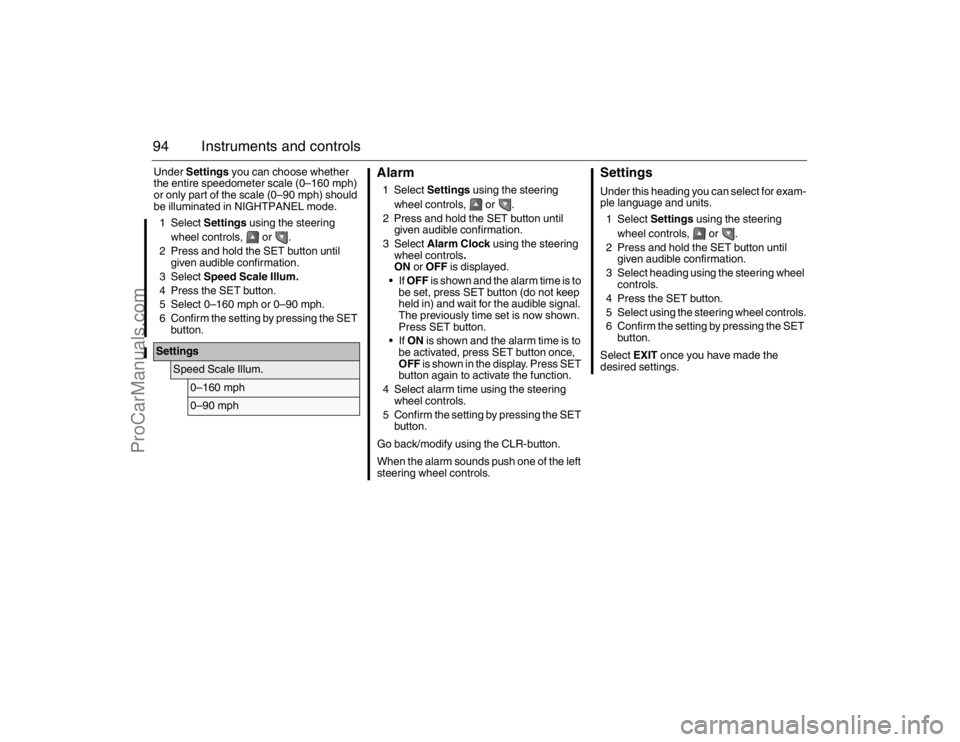
94 Instruments and controlsUnder Settings you can choose whether
the entire speedometer scale (0–160 mph)
or only part of the scale (0–90 mph) should
be illuminated in NIGHTPANEL mode.
1 Select Settings using the steering
wheel controls, or .
2 Press and hold the SET button until
given audible confirmation.
3 Select Speed Scale Illum.
4 Press the SET button.
5 Select 0–160 mph or 0–90 mph.
6 Confirm the setting by pressing the SET
button.
Alarm1 Select Settings using the steering
wheel controls, or .
2 Press and hold the SET button until
given audible confirmation.
3 Select Alarm Clock using the steering
wheel controls.
ON or OFF is displayed.
If OFF is shown and the alarm time is to
be set, press SET button (do not keep
held in) and wait for the audible signal.
The previously time set is now shown.
Press SET button.
If ON is shown and the alarm time is to
be activated, press SET button once,
OFF is shown in the display. Press SET
button again to activate the function.
4 Select alarm time using the steering
wheel controls.
5 Confirm the setting by pressing the SET
button.
Go back/modify using the CLR-button.
When the alarm sounds push one of the left
steering wheel controls.
SettingsUnder this heading you can select for exam-
ple language and units.
1 Select Settings using the steering
wheel controls, or .
2 Press and hold the SET button until
given audible confirmation.
3 Select heading using the steering wheel
controls.
4 Press the SET button.
5 Select using the steering wheel controls.
6 Confirm the setting by pressing the SET
button.
Select EXIT once you have made the
desired settings.
Settings
Speed Scale Illum.
0–160 mph0–90 mph
93_U S _M 07.book Page 94 W ednesday, April 12, 2006 9:30 AM
ProCarManuals.com
Page 95 of 304
95 Instruments and controls
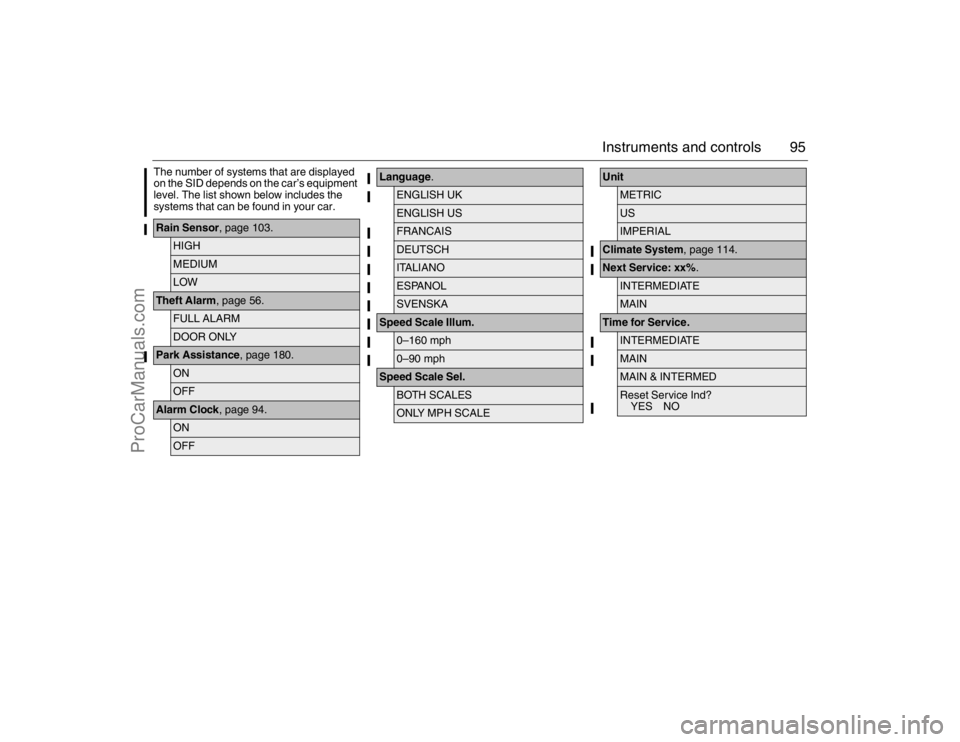
The number of systems that are displayed
on the SID depends on the car’s equipment
level. The list shown below includes the
systems that can be found in your car.Rain Sensor, page 103.
HIGHMEDIUMLOW
Theft Alarm, page 56.
FULL ALARMDOOR ONLY
Park Assistance, page 180.
ONOFF
Alarm Clock, page 94.
ONOFF
Language.
ENGLISH UKENGLISH USFRANCAISDEUTSCHITALIANOESPANOLSVENSKA
Speed Scale Illum.
0–160 mph0–90 mph
Speed Scale Sel.
BOTH SCALESONLY MPH SCALE
Unit
METRICUSIMPERIAL
Climate System, page 114.Next Service: xx%.
INTERMEDIATEMAIN
Time for Service.
INTERMEDIATEMAINMAIN & INTERMEDReset Service Ind?
YES NO
93_U S _M 07.book Page 95 W ednesday, April 12, 2006 9:30 AM
ProCarManuals.com
Page 96 of 304

96 Instruments and controlsExplanation of the various selections under
Settings.Resetting the service indication
Reset the service indication in accordance
with the following:
1 Turn the remote control to the ON posi-
tion, the engine must be switched off.
2 Select Settings using the steering
wheel controls, or .
3 Press and hold the SET button until
given audible confirmation.
4 Select Time for Service.
5 Press the SET button.
6 To the question Reset Service Ind?
select YES (Press CLR button to undo).
ClockAdjustments can be made in the Infotain-
ment system.
See separate Manual. Rain Sensor
The sensitivity has three levels.
Park Assistance
The Park Assistance can be shut off by
choosing OFF.
Alarm Clock
Setting of alarm clock is possible.
Language
Select the desired language. The
number of languages can vary
between markets.
Speed Scale Illum.
Select the proportion of the speedo-
meter to be illuminated in NIGHT-
PANEL mode.
Speed Scale Sel.
Select if both scales or just mph-scale
shall be illuminated in NIGHTPANEL
mode.
Unit
Select the desired group of units.
Next Service: xx%
Displayed percentage is approximately
equivalent to the condition of the
engine oil. 100% is equivalent to new
engine oil. The type of service that is
required is also shown here.
Time for Service.
:When it is time for service the required
service type is displayed.INTERMEDIATE
MAIN
MAIN & INTERMED
A service indication must only be
reset after the service has been
performed.
93_U S _M 07.book Page 96 W ednesday, April 12, 2006 9:30 AM
ProCarManuals.com
Page 100 of 304
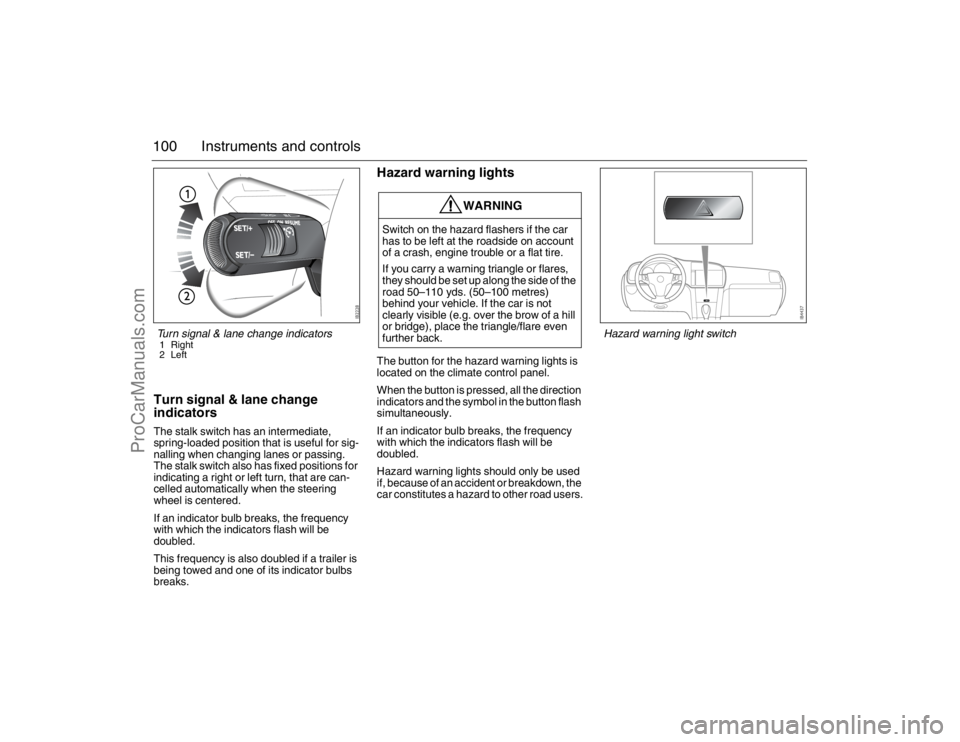
100 Instruments and controlsTurn signal & lane change
indicatorsThe stalk switch has an intermediate,
spring-loaded position that is useful for sig-
nalling when changing lanes or passing.
The stalk switch also has fixed positions for
indicating a right or left turn, that are can-
celled automatically when the steering
wheel is centered.
If an indicator bulb breaks, the frequency
with which the indicators flash will be
doubled.
This frequency is also doubled if a trailer is
being towed and one of its indicator bulbs
breaks.
Hazard warning lightsThe button for the hazard warning lights is
located on the climate control panel.
When the button is pressed, all the direction
indicators and the symbol in the button flash
simultaneously.
If an indicator bulb breaks, the frequency
with which the indicators flash will be
doubled.
Hazard warning lights should only be used
if, because of an accident or breakdown, the
car constitutes a hazard to other road users.
WARNING
Switch on the hazard flashers if the car
has to be left at the roadside on account
of a crash, engine trouble or a flat tire.
If you carry a warning triangle or flares,
they should be set up along the side of the
road 50–110 yds. (50–100 metres)
behind your vehicle. If the car is not
clearly visible (e.g. over the brow of a hill
or bridge), place the triangle/flare even
further back.
Turn signal & lane change indicators1 Right
2 Left
Hazard warning light switch
93_U S _M 07.book Page 100 W ednesday, April 12, 2006 9:30 AM
ProCarManuals.com
Page 101 of 304
101 Instruments and controls
Back-Up The back-up lights come on automatically
when reverse gear is engaged or selected
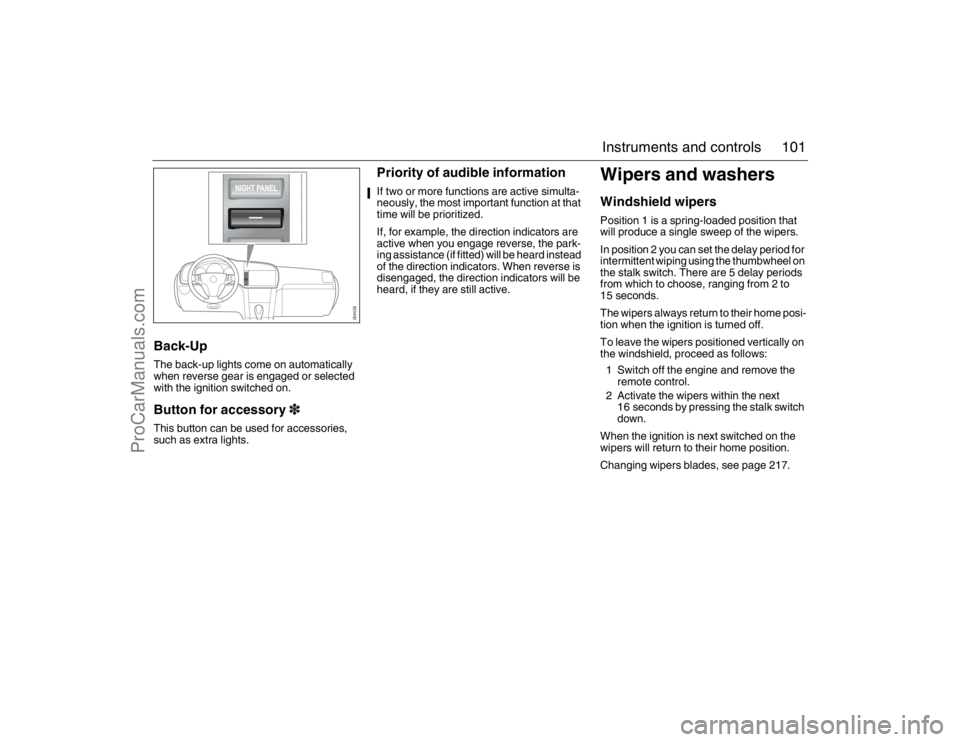
with the ignition switched on.Button for accessory3This button can be used for accessories,
such as extra lights.
Priority of audible informationIf two or more functions are active simulta-
neously, the most important function at that
time will be prioritized.
If, for example, the direction indicators are
active when you engage reverse, the park-
ing assistance (if fitted) will be heard instead
of the direction indicators. When reverse is
disengaged, the direction indicators will be
heard, if they are still active.
Wipers and washersWindshield wipersPosition 1 is a spring-loaded position that
will produce a single sweep of the wipers.
In position 2 you can set the delay period for
intermittent wiping using the thumbwheel on
the stalk switch. There are 5 delay periods
from which to choose, ranging from 2 to
15 seconds.
The wipers always return to their home posi-
tion when the ignition is turned off.
To leave the wipers positioned vertically on
the windshield, proceed as follows:
1 Switch off the engine and remove the
remote control.
2 Activate the wipers within the next
16 seconds by pressing the stalk switch
down.
When the ignition is next switched on the
wipers will return to their home position.
Changing wipers blades, see page 217.
93_U S _M 07.book Page 101 W ednesday, April 12, 2006 9:30 AM
ProCarManuals.com
Page 102 of 304
102 Instruments and controls
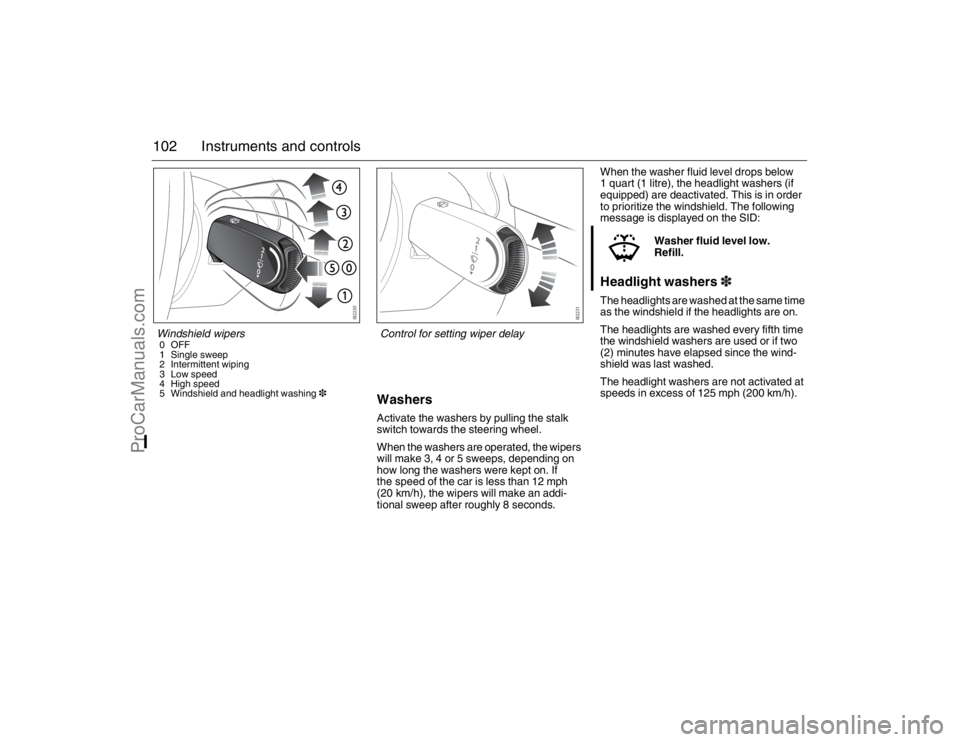
WashersActivate the washers by pulling the stalk
switch towards the steering wheel.
When the washers are operated, the wipers
will make 3, 4 or 5 sweeps, depending on
how long the washers were kept on. If
the speed of the car is less than 12 mph
(20 km/h), the wipers will make an addi-
tional sweep after roughly 8 seconds.When the washer fluid level drops below
1 quart (1 litre), the headlight washers (if
equipped) are deactivated. This is in order
to prioritize the windshield. The following
message is displayed on the SID:
Headlight washers3The headlights are washed at the same time
as the windshield if the headlights are on.
The headlights are washed every fifth time
the windshield washers are used or if two
(2) minutes have elapsed since the wind-
shield was last washed.
The headlight washers are not activated at
speeds in excess of 125 mph (200 km/h).Washer fluid level low.
Refill.
Windshield wipers0OFF
1 Single sweep
2 Intermittent wiping
3 Low speed
4 High speed
5 Windshield and headlight washing3
Control for setting wiper delay
93_U S _M 07.book Page 102 W ednesday, April 12, 2006 9:30 AM
ProCarManuals.com
Page 103 of 304
103 Instruments and controls
Rain sensor3When the rain sensor is activated the follow-
ing symbol is displayed in SID .
The rain sensor automatically controls the
windshield wipers. The sensor is located on
the windshield beside the rearview mirror.
The system varies the frequency of wiping
between single sweeps and continuous
wiping, depending on the amount of pre-
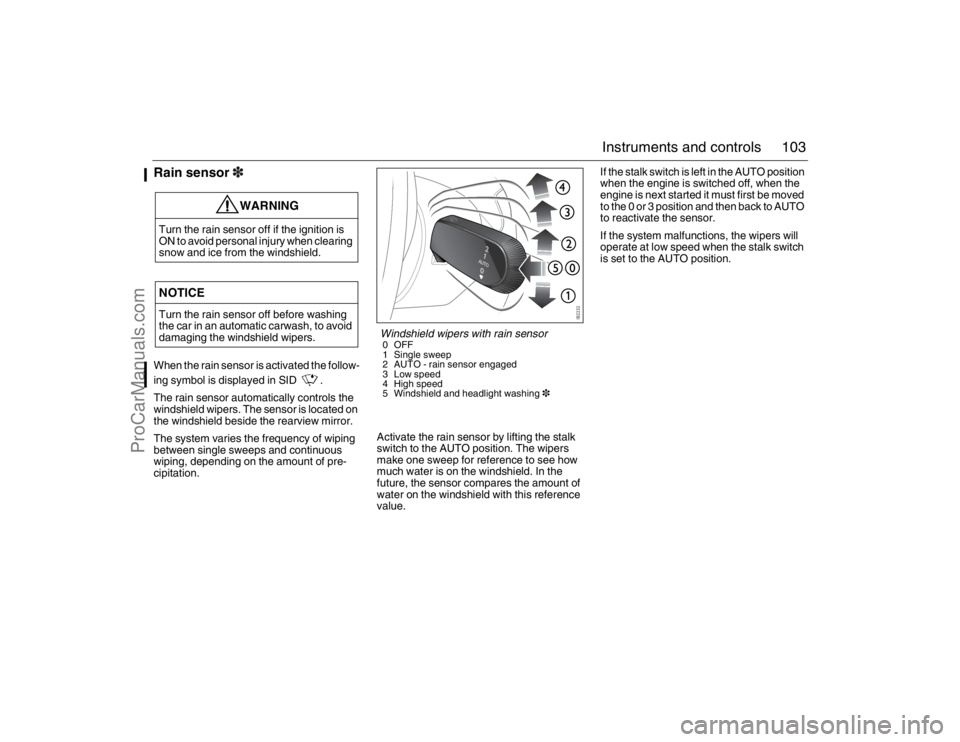
cipitation.Activate the rain sensor by lifting the stalk
switch to the AUTO position. The wipers
make one sweep for reference to see how
much water is on the windshield. In the
future, the sensor compares the amount of
water on the windshield with this reference
value.If the stalk switch is left in the AUTO position
when the engine is switched off, when the
engine is next started it must first be moved
to the 0 or 3 position and then back to AUTO
to reactivate the sensor.
If the system malfunctions, the wipers will
operate at low speed when the stalk switch
is set to the AUTO position.
WARNING
Turn the rain sensor off if the ignition is
ON to avoid personal injury when clearing
snow and ice from the windshield.NOTICETurn the rain sensor off before washing
the car in an automatic carwash, to avoid
damaging the windshield wipers.
Windshield wipers with rain sensor0OFF
1 Single sweep
2 AUTO - rain sensor engaged
3 Low speed
4 High speed
5 Windshield and headlight washing3
93_U S _M 07.book Page 103 W ednesday, April 12, 2006 9:30 AM
ProCarManuals.com
Page 104 of 304
104 Instruments and controlsAdjusting sensitivity
The sensitivity of the rain sensor can be
adjusted under Settings. If you increase the
sensitivity, the wipers will make one sweep
for reference.
1 Select Settings using the steering
wheel controls, or .
2 Press and hold the SET button until
given audible confirmation.
3 Select Rain Sensor.
4 Press the SET button.
5 Select the sensitivity.
6 Confirm this selection by pressing the
SET button.
Go back/modify using the CLR-button.The sensitivity of the sensor is also affected
by the amount of daylight. The sensor is
somewhat more sensitive at night. This
adjustment is automatic.Explanation of sensor sensitivity.
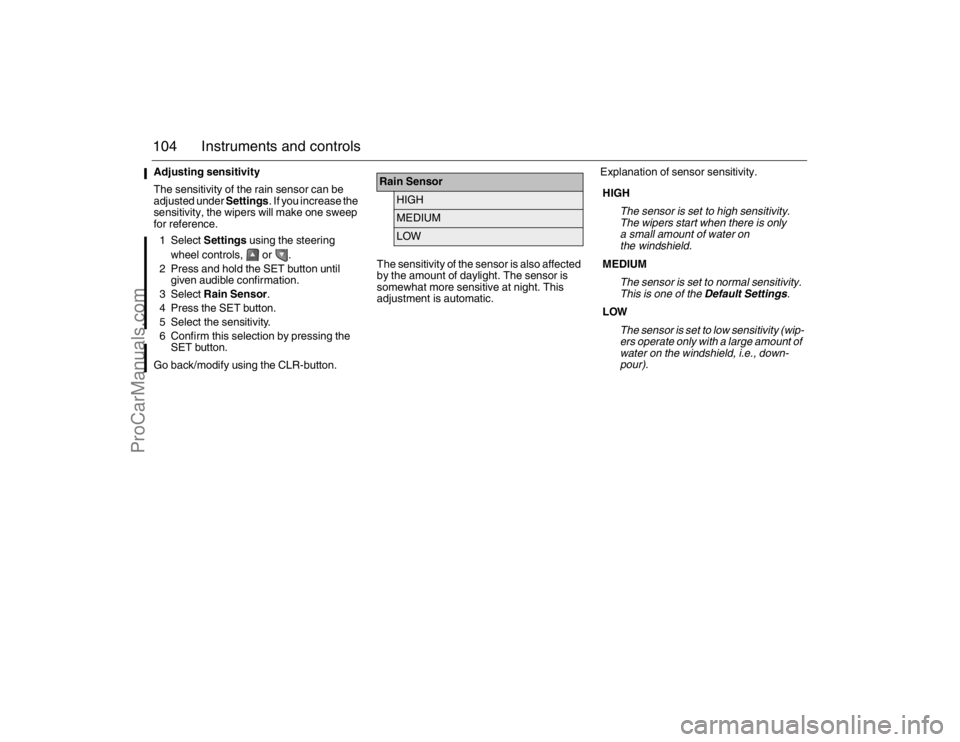
Rain Sensor
HIGHMEDIUMLOW
HIGH
The sensor is set to high sensitivity.
The wipers start when there is only
a small amount of water on
the windshield.
MEDIUM
The sensor is set to normal sensitivity.
This is one of the Default Settings.
LOW
The sensor is set to low sensitivity (wip-
ers operate only with a large amount of
water on the windshield, i.e., down-
pour).
93_U S _M 07.book Page 104 W ednesday, April 12, 2006 9:30 AM
ProCarManuals.com