gearbox Seat Alhambra 2011 User Guide
[x] Cancel search | Manufacturer: SEAT, Model Year: 2011, Model line: Alhambra, Model: Seat Alhambra 2011Pages: 385, PDF Size: 7.92 MB
Page 181 of 385
179
Driving
To release the gear selector lever lock, press and hold the brake pedal with
the ignition on. Pre s
s simultaneously on the selector lever lock.
The selector lever lock is not engaged if the selector lever is moved quickly
through position N (e.g. when shifting from R to D). This makes it possible,
for instance, to rock the vehicle backwards and forwards if it is stuck in
snow or mud. The selector lever lock engages automatically if the brake
pedal is not pressed and the lever is in position N for more than about one
second at a speed of less than 5 km/h (3 mph).
In vehicles with a DSG ®
automatic gearbox, on rare occasions the selector
lever lock may not engage. In this case, the transmission is locked to pre-
vent the vehicle from moving accidentally. The green control light flashes
and an information text is displayed. Proceed as follows to engage the se-
lector lever lock:
● Press the brake pedal and then release. WARNING
Placing the selector lever in an incorrect position may cause loss of con-
tro l
of the vehicle and a serious accident.
● Do not press the accelerator when engaging a range of gears.
● With the engine running and a range of gears selected, the vehicle
wil
l move off when the brake pedal is released.
● Never select reverse gear or the parking lock while driving. WARNING
Unintentional movements of the vehicle could cause serious injury.
● As a driver, you should never leave your vehicle if the engine is run-
ning and a g e
ar is engaged. If you have to leave your vehicle while the
engine is running, you must apply the electronic parking brake and en-
gage parking lock P. WARNING (Continued)
● Whi le the engine is running and with the D, S or R range of gears se-
l ect
ed, keep the brake pressed to keep the vehicle at a standstill. Trans-
mission is not totally interrupted either when the vehicle is idling or
when the vehicle continues moving forwards.
● Never engage the R or P gear ranges when the vehicle is moving.
● Never leave the vehicle with the gear selector in N. The vehicle may
move do
wnhill regardless of whether the engine is switched on or not. CAUTION
If, when the vehicle is at a standstill, the electronic parking brake is not ap-
plied and the br ak
e pedal is released while in position P, the vehicle may
move a few centimetres forwards or backwards. Note
If, while driving, the selector lever is accidentally placed in position N, lift
y our f
oot off the accelerator. Wait until the engine is running at idle speed
before selecting a new gear ratio. Safety First Operating instructions Practical tips Technical Data
Page 182 of 385
180
Driving
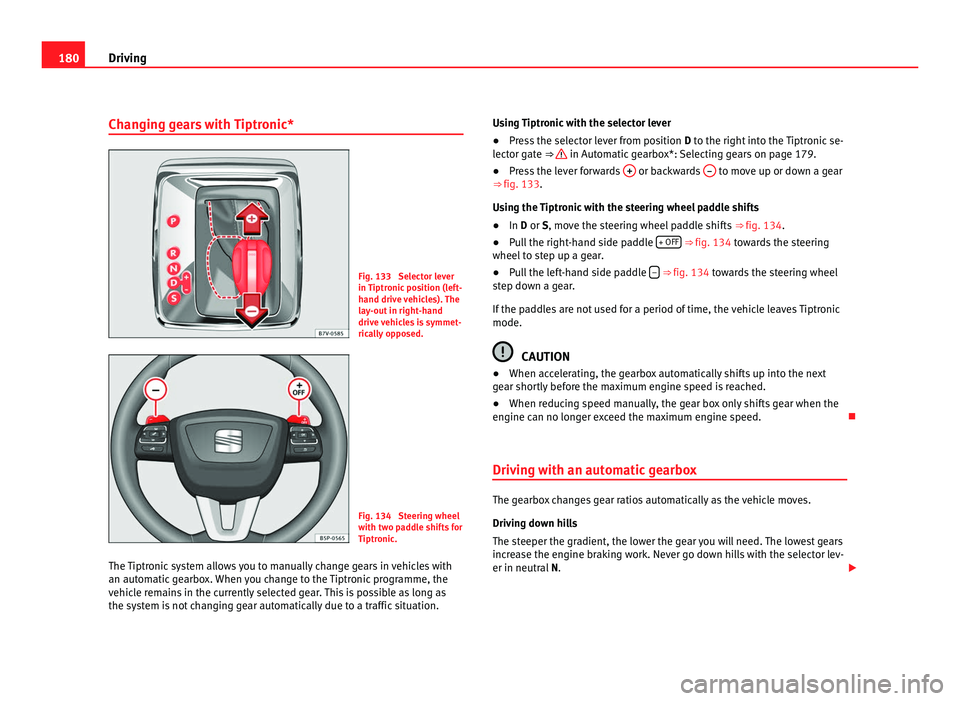
Changing gears with Tiptronic* Fig. 133 Selector lever
in Tiptr
onic
position (left-
hand drive vehicles). The
lay-out in right-hand
drive vehicles is symmet-
rically opposed. Fig. 134 Steering wheel
with tw
o p
addle shifts for
Tiptronic.
The Tiptronic system allows you to manually change gears in vehicles with
an automatic
gearbox. When you change to the Tiptronic programme, the
vehicle remains in the currently selected gear. This is possible as long as
the system is not changing gear automatically due to a traffic situation. Using Tiptronic with the selector lever
●
Press the selector lever from position D to the right int
o the Tiptronic se-
lector gate ⇒ in Automatic gearbox*: Selecting gears on page 179.
● Press the lever forwards + or backwards
– to move up or down a gear
⇒ fig. 133.
Us in
g the Tiptronic with the steering wheel paddle shifts
● In D or S, move the s
teering wheel paddle shifts ⇒ fig. 134.
● Pull the right-hand side paddle + OFF ⇒
fig. 134 t
owards the steering
wheel to step up a gear.
● Pull the left-hand side paddle – ⇒ fig. 134 to
w
ards the steering wheel
step down a gear.
If the paddles are not used for a period of time, the vehicle leaves Tiptronic
mode. CAUTION
● When acc el
erating, the gearbox automatically shifts up into the next
gear shortly before the maximum engine speed is reached.
● When reducing speed manually, the gear box only shifts gear when the
engine can no lon
ger exceed the maximum engine speed.
Driving with an automatic gearbox The gearbox changes gear ratios automatically as the vehicle moves.
Drivin
g do
wn hills
The steeper the gradient, the lower the gear you will need. The lowest gears
increase the engine braking work. Never go down hills with the selector lev-
er in neutral N.
Page 183 of 385
181
Driving
● You should reduce speed accordingly.
● Pre
ss the selector lever from position D to the right int
o the Tiptronic se-
lector gate ⇒ page 180.
● Gently pull the selector lever back to change down a gear.
● ALTERNATIVELY: Reduce u
sing the steering wheel paddles ⇒ page 180.
Emergency program
If all the selector lever positions on the instrument panel display are shown
with a light-coloured background, this means there is a fault in the system.
The automatic gearbox will operate in emergency programme mode. When
the emergency program is activated, it is possible to drive the vehicle how-
ever, at low speeds and within a selected range of gears.
For the DSG ®
dual clutch gearbox, in some cases, this may mean that re-
verse gear does not engage . The gearbox should be checked by a Technical
Service as soon as possible.
Overload protection for the 6-speed DSG gearbox ®
When the clutch is overloaded, the vehicle begins to jerk and the selector
lever position indicator begins to flash. To prevent damage to the clutch,
this interrupts the power transmission between the engine and the gearbox.
There is no more traction and it is not possible to accelerate. If the clutch is
opened automatically due to overloading, press the brake pedal. Wait a few
seconds before starting to move again.
Kick-down
The kick-down system provides maximum acceleration when the gear selec-
tor lever is in the positions D, S or in the Tiptronic position.
When the accelerator pedal is pressed right down, the automatic gearbox
will shift down to a lower gear, depending on road speed and engine speed.
This takes advantage of the maximum acceleration of the vehicle ⇒ .
When the acc el
erator is pressed to the floor, the automatic gearbox shifts to
the next gear only after the engine reaches the specified maximum engine
speed. Launch-Control Programme
The Launch-C
ontrol programme enables maximum acceleration while at a
standstill.
● Deactivate the ASR (TCS) ⇒ page 183.
● Pr
ess and hold the brake pedal with your left foot.
● Place the selector lever in position S or Tiptronic
.
● Press the accelerator with the right foot until the vehicle reaches an en-
gine speed of ap
proximately 3200 rpm.
● Lift the left foot off the brake ⇒ . The vehicle starts with maximum ac-
cel er
ation.
● Turn on the ASR (TCS) after accelerating! WARNING
Rapid acceleration can cause loss of traction and skidding, especially on
slip per
y ground. This could cause loss of control of the vehicle resulting
in an accident and considerable damage.
● Only use kick-down and rapid acceleration when weather conditions,
surf
ace conditions and traffic conditions permit; accelerate and drive in a
manner that does not endanger other road users.
● Please remember that the drive wheels can slip and the vehicle can
skid if the ASR (T
CS) is turned off, especially on slippery ground.
● Turn on the ASR (TCS) after accelerating. CAUTION
● If you stop on a hill with a gear ratio engaged, do not try to prevent the
v ehic
le from rolling back by pressing on the accelerator. This could cause
overheating and damage the automatic gearbox.
● Never allow the vehicle to move with the gear selector lever in N, espe-
c
ially with the engine turned off. The automatic gearbox will not be lubrica-
ted and could be damaged. Safety First Operating instructions Practical tips Technical Data
Page 188 of 385
186
Driving
Automatic release of the electronic parking brake on starting the engine
The electr onic
parking brake is automatically released when the vehicle
starts moving, if the driver's door is closed and the driver is wearing his/her
seat belt. In vehicles with a manual gearbox the clutch pedal should also be
pressed to the floor before starting the engine so that the system recogni-
ses that the parking brake should be released.
Emergency braking function
Only use the emergency braking function if the vehicle cannot be stopped
with the brake pedal ⇒ !
● Pull button hard to stop the vehicle. The warning display will be ac-
c omp
anied by the corresponding warning chime.
● To stop the braking process, release the button or press the accelerator. WARNING
The incorrect use of the electronic parking brake may result in serious ac-
cident .
● Nev
er use the electronic parking brake to brake the vehicle except in
an emergency
. The braking distance is considerably longer, because
braking is only applied to the rear wheels. Always use the foot brake.
● Never accelerate from the engine compartment with the engine run-
ning and a ge
ar or a gear range engaged. The vehicle could move, even if
the parking brake is applied. Note
● In vehicles with a manual gearbox: When the clutch pedal is released
and the ac c
elerator pressed at the same time, the electronic parking brake
is automatically released.
● If the vehicle battery is flat, it will not be possible to disconnect the elec-
tronic p
arking brake. Use the jump-start ⇒ page 337. ●
When the electronic
parking brake is applied or released, noises may be
heard.
● If the electronic parking brake has not been used for a long while, the
syst
em sometimes performs automatic and audible checks while the vehi-
cle is at a standstill.
Parking When parking your vehicle, all legal requirements should be observed.
To p
ark
the vehicle
Complete operations only in the sequence given.
● Park the vehicle on a suitable surface ⇒ .
● Press and hold the brake pedal until the vehicle comes to a standstill.
● Connect the electronic parking brake ⇒ page 185.
● F
or an automatic gearbox, move the selector lever to position P.
● Switch off the engine and release the brake pedal.
● Remove the key from the ignition.
● If necessary, turn the steering wheel slightly to lock the steering.
● With a manual gearbox, engage the 1st gear on flat ground and slopes,
or even the rev
erse gear on hills, and release the clutch pedal.
● Ensure that all passengers leave the vehicle, especially children.
● When leaving the vehicle, take all keys with you.
● Lock the vehicle.
Additiona
l information for steep slopes and hills
Before switching off the engine, rotate the steering wheel so that if the vehi-
cle should move then it will be held by the kerb.
Page 197 of 385
195
Driving
If any of the conditions necessary for the Auto Hold function change while
the v ehic
le stopped, the system is turned off as is the indicator on the but-
ton ⇒ fig. 138. The electronic parking brake engages where necessary to
park the vehicle safely ⇒ .
Condition s
for keeping the vehicle at a standstill with Auto Hold:
● The driver's door must be closed.
● The driver's seat belt must be buckled.
● The engine must be running.
● The ASR (TCS) system must be switched on ⇒ page 183.
Sw
itching Auto Hold on and off manually
Press the AUTO HOLD button ⇒ . The control lamp on the button switches
off when the Aut o Ho
ld function is switched off.
Permanent Auto Hold connection
The Auto Hold function must be switched on every time the engine is star-
ted. However, to switch the Auto Hold function on permanently, the mark
must be switched on in the Settings menu, “Autohold” submenu
⇒ page 62.
Auto Hold works automatically under the following conditions: All points must be fulfilled simultaneously ⇒ :
manual gearbox Automatic gearbox
1. If the vehicle is
stop
ped using the brake pedal on a flat or slope.2. The engine must be running smoothly.
3. On a slope, the 1st gear is engag-
ed uphil
l
or the reverse gear is en-
gaged for a downhill. The clutch
must be held down. A gear for driving is selected from
R, D or S.
Upon accelerating and pressing in
the clut
c
h simultaneously, the
brake releases gradually. Upon accelerating, the brake re-
le
a
ses gradually. Auto Hold turns off automatically under the following conditions:
manual gearbox Automatic gearbox
1. If one of the conditions mentioned in table on page 195 changes.
2. If the engine is not running regularly or if there is a malfunction.
3. When changing to idle speed. If the selector lever is placed in
neutral
(N
). 4. If the engine is turned off or stalls. If the engine is switched off.
5. If the driver accelerates while
pre
s
sing the clutch in. If the vehicle is accelerated.
6. When one of the wheels has mini-
mal
c
ontact with the ground (for
example, on uneven ground). WARNING
The Auto Hold technology is limited by the laws of physics. The improved
comf or
t provided by Auto Hold should never prompt you to take risks.
● Never leave the vehicle running and with the Auto Hold function
switc
hed on.
● Auto Hold cannot always stop the vehicle uphill and downhill (for ex-
ample, if
the ground is slippery or frozen). CAUTION
Before entering an automatic car wash, alwa
ys switch the Auto Hold func-
tion off, as it could be damaged when the electronic parking brake automat-
ically engages. Safety First Operating instructions Practical tips Technical Data
Page 198 of 385
196
Driving
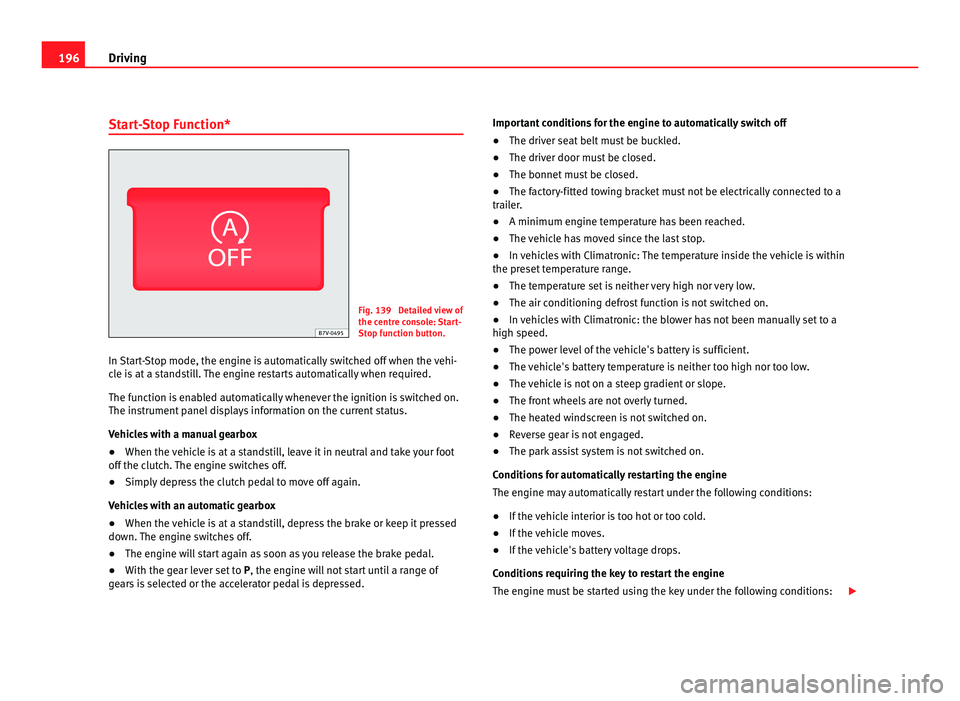
Start-Stop Function* Fig. 139 Detailed view of
the centr
e c
onsole: Start-
Stop function button.
In Start-Stop mode, the engine is automatically switched off when the vehi-
cle i
s at a standstill. The engine restarts automatically when required.
The function is enabled automatically whenever the ignition is switched on.
The instrument panel displays information on the current status.
Vehicles with a manual gearbox
● When the vehicle is at a standstill, leave it in neutral and take your foot
off the clut
ch. The engine switches off.
● Simply depress the clutch pedal to move off again.
Vehicl
es with an automatic gearbox
● When the vehicle is at a standstill, depress the brake or keep it pressed
down. The en
gine switches off.
● The engine will start again as soon as you release the brake pedal.
● With the gear lever set to P, the engine wi
ll not start until a range of
gears is selected or the accelerator pedal is depressed. Important conditions for the engine to automatically switch off
●
The driver seat belt must be buckled.
● The driver door must be closed.
● The bonnet must be closed.
● The factory-fitted towing bracket must not be electrically connected to a
trail
er.
● A minimum engine temperature has been reached.
● The vehicle has moved since the last stop.
● In vehicles with Climatronic: The temperature inside the vehicle is within
the preset
temperature range.
● The temperature set is neither very high nor very low.
● The air conditioning defrost function is not switched on.
● In vehicles with Climatronic: the blower has not been manually set to a
high speed.
● The pow
er level of the vehicle's battery is sufficient.
● The vehicle's battery temperature is neither too high nor too low.
● The vehicle is not on a steep gradient or slope.
● The front wheels are not overly turned.
● The heated windscreen is not switched on.
● Reverse gear is not engaged.
● The park assist system is not switched on.
Conditions
for automatically restarting the engine
The engine may automatically restart under the following conditions:
● If the vehicle interior is too hot or too cold.
● If the vehicle moves.
● If the vehicle's battery voltage drops.
Conditions
requiring the key to restart the engine
The engine must be started using the key under the following conditions:
Page 199 of 385
197
Driving
● If the driver unbuckles his/her seat belt.
● If the driv
er's door is opened.
● If the bonnet is opened.
● In vehicles with a manual gearbox: If a gear has been selected.
Switc
hing Start-Stop mode on and off manually
● Press the button on the centre console ⇒
fig. 139.
● The b
utton will light up when the Start-Stop function is switched off.
The engine wi
ll start immediately if the vehicle is in Stop mode when it is
switched off manually. WARNING
The brake servo and the power steering do not work when the engine is
swit c
hed off.
● Never allow the vehicle to move when the engine is switched off. CAUTION
Using the Start-Stop function for a long period at very high outdoor temper-
atur e
s could damage the vehicle's battery. Note
In some cases, you may have to restart the vehicle using the key. Observe
the corr e
sponding message on the instrument panel display. Safety First Operating instructions Practical tips Technical Data
Page 228 of 385
226
Driving and the environment
Economic driving style Changing gear early
General
in
structions: The highest gear is always the most economical gear.
As a guideline, for the majority of vehicles: At a speed of 30 km/h, drive in
third gear, at 40 km/h in fourth gear and at 50 km/h in fifth gear.
In addition, skipping gears when shifting up helps to save fuel, weather and
traffic conditions permitting.
Do not wait until the last moment before changing gear. Only use first gear
when you move off and change to second gear quickly. Avoid the kick-down
function in vehicles with automatic gearbox.
Vehicles with a gear display help to achieve an economical driving style as
the display indicates the best moment to change gear.
Let the vehicle roll
If you take your foot off the accelerator, the fuel supply is stopped and con-
sumption is reduced.
Allow the vehicle to roll without accelerating, for example when approach-
ing a red traffic light. However, if the vehicle is rolling too slowly or the dis-
tance is too long, the clutch pedal should be pressed to declutch. The en-
gine will then operate at idle speed.
If the vehicle is going to be at a standstill for a period of time, switch off the
engine; for example, while waiting at a level crossing. In vehicles which
have the Start-Stop function on, the engine switches off automatically when
the vehicle is not moving.
Think ahead and “flow” with the traffic
Frequent acceleration and braking considerably increase fuel consumption.
If you think ahead as you drive and keep a safe distance from the vehicle in
front, it is possible to slow down by simply lifting your foot off the accelera-
tor. This eliminates the need for constant braking and acceleration. Calm and steady driving
Cons
tancy is more important than speed: The more you drive at a constant
speed, the lower the fuel consumption.
When driving on the motorway, it is more efficient to drive at a constant and
more moderate speed than to be continuously accelerating and braking. As
a general rule, you will reach your destination just as quickly when you drive
at a constant speed.
The cruise control function helps you to achieve a constant style of driving.
Moderate use of additional electrical appliances
It is important to travel in comfort, but convenience systems should be used
in an ecological manner.
Some equipment, when connected, increase fuel consumption considera-
bly, for example:
● Air conditioning cooling system: If the air conditioning system is re-
quired to c
ool to significantly lower temperatures than the true outside tem-
perature, it will require a large quantity of energy from the engine. There-
fore, we recommend that the selected temperature for the vehicle is not too
different to the outside temperature. It is a good idea to open all the win-
dows of the car before starting your journey, and to drive a short distance
with all the windows open to allow the vehicle to cool down slightly. Only
then should you close all the windows and switch on the air conditioning.
Keep windows closed when travelling at high speeds. Driving with the win-
dows open increases fuel consumption.
● Switch off the seat heating when the seats have warmed up.
● Switch off the heated rear window and the windscreen heating when the
window
s have demisted and are free of ice.
● Do not leave the auxiliary heater switched on when the vehicle is mov-
ing ⇒ p
age 163.
Page 230 of 385
228
Driving and the environment
Avoid carrying unnecessary loads
The lighter the v
ehicle, the more economical and ecological the driving
style. For example, an additional weight of 100 kg will increase fuel con-
sumption up to 0.3 l/100 km.
Remove any unnecessary objects or loads from the vehicle.
Remove optional equipment and unnecessary accessories
The more aerodynamic the vehicle, the lower the fuel consumption. Option-
al equipment and accessories (such as roof racks or bike carriers) reduce
the aerodynamic benefits of the vehicle.
Therefore, we recommend you remove all optional and unnecessary equip-
ment and racks, especially if you intend to drive at high speeds.
Engine management and exhaust gas
purification sy
stem
Introduction Additional information and warnings:
●
Changing gear ⇒ p ag
e 174
● Refuelling ⇒ pag
e 264
● Fuel ⇒ page 267
● En
gine oil ⇒ pag
e 279
● Vehicle battery ⇒ pag
e 288
● Information stored in the control units ⇒ pag
e 257
● Tow-starting and towing away ⇒ pag
e 340 WARNING
The components of the exhaust system reach very high temperatures.
This c
ould cause a fire.
● Always park your vehicle so that no part of the exhaust system can
come in cont
act with flammable materials (such as dried grass).
● Do not apply additional underseal or anti-corrosion coatings to the
exhau
st pipes, catalytic converter, heat shields or the diesel particulate
filter.
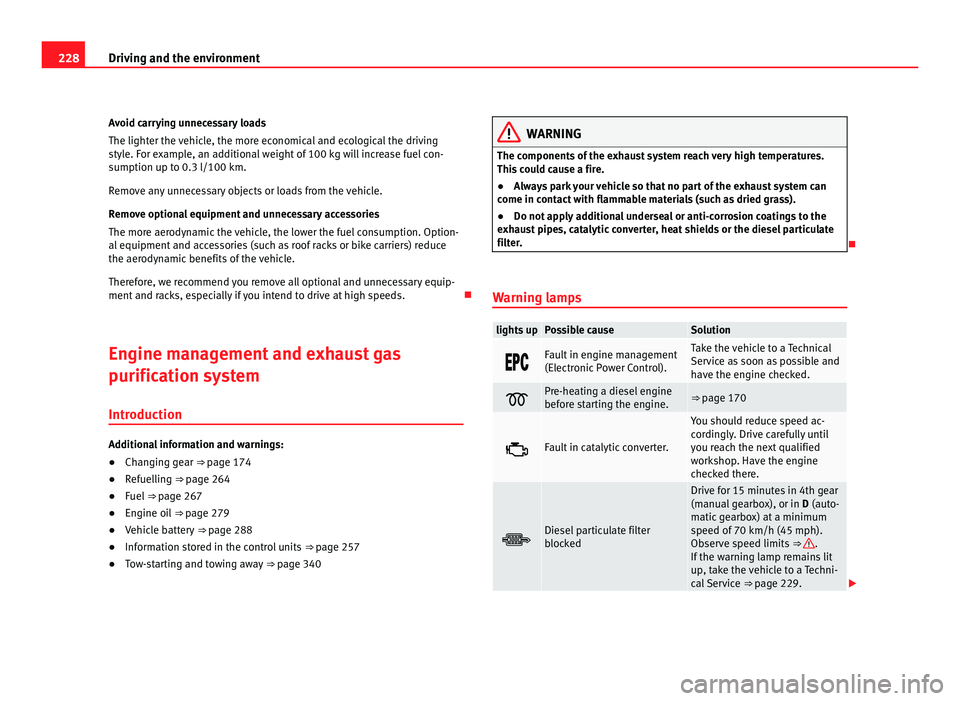
Warning lamps lights up Possible cause Solution
Fault in engine management
(Electr
onic
Power Control). Take the vehicle to a Technical
Serv
ic
e as soon as possible and
have the engine checked. Pre-heating a diesel engine
befor
e s
tarting the engine. ⇒ page 170
Fault in catalytic converter. You should reduce speed ac-
cor
din
gly. Drive carefully until
you reach the next qualified
workshop. Have the engine
checked there. Diesel particulate filter
bloc
k
ed Drive for 15 minutes in 4th gear
(manual
g
earbox), or in D (auto-
matic gearbox) at a minimum
speed of 70 km/h (45 mph).
Observe speed limits ⇒ .
If the w arnin
g lamp remains lit
up, take the vehicle to a Techni-
cal Service ⇒ page 229.
Page 232 of 385
230
Driving and the environment
●Never run the tank completely dry.
● Do not t
op up with too much engine oil ⇒ page 279.
● Do not
tow-start the vehicle; use the starter cables ⇒ page 337.
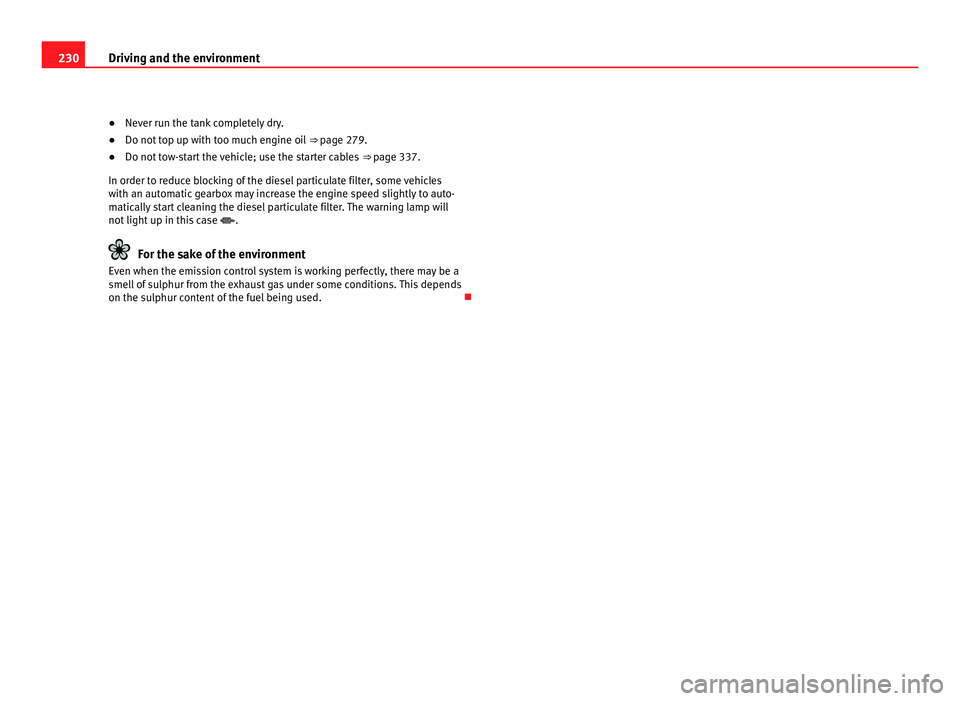
In or
der to reduce blocking of the diesel particulate filter, some vehicles
with an automatic gearbox may increase the engine speed slightly to auto-
matically start cleaning the diesel particulate filter. The warning lamp will
not light up in this case .For the sake of the environment
Even when the emission control system is working perfectly, there may be a
smell of
sulphur from the exhaust gas under some conditions. This depends
on the sulphur content of the fuel being used.