light Seat Alhambra 2011 Repair Manual
[x] Cancel search | Manufacturer: SEAT, Model Year: 2011, Model line: Alhambra, Model: Seat Alhambra 2011Pages: 385, PDF Size: 7.92 MB
Page 150 of 385
148
Seats and storage compartments
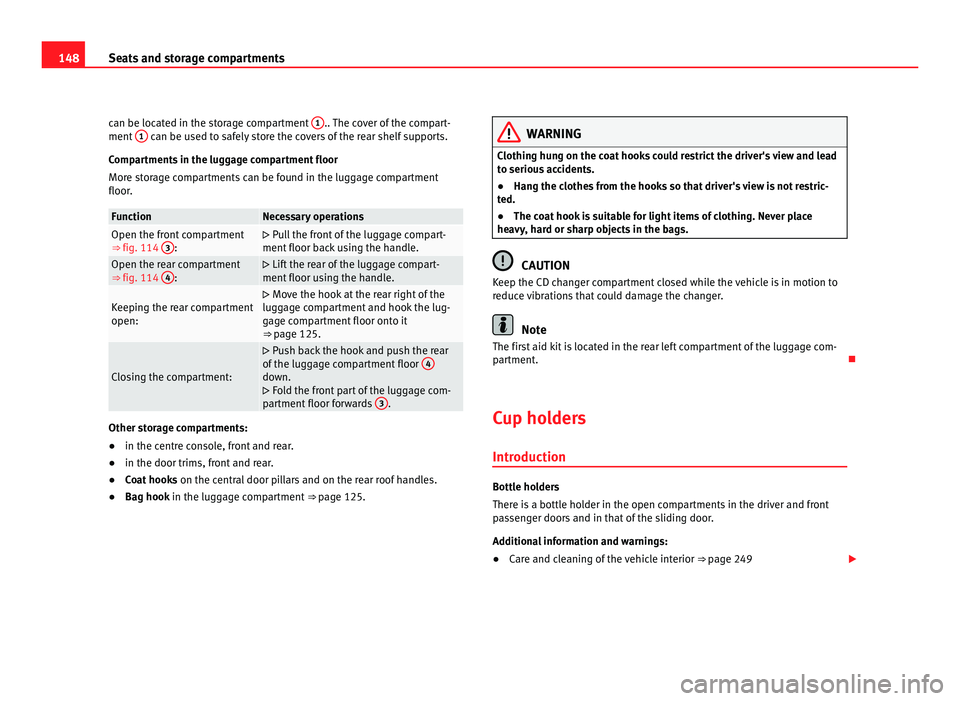
can be located in the storage compartment 1 .. The cover of the compart-
ment 1 can be used to safely store the covers of the rear shelf supports.
Comp ar
tments in the luggage compartment floor
More storage compartments can be found in the luggage compartment
floor. Function Necessary operations
Open the front compartment
⇒ fig. 114
3 :
Pull the front of the luggage compart-
ment floor b
ack using the handle. Open the rear compartment
⇒ fig. 114
4 :
Lift the rear of the luggage compart-
ment floor u
sing the handle. Keeping the rear compartment
open:
Move the hook at the rear right of the
lug g
age compartment and hook the lug-
gage compartment floor onto it
⇒ page 125. Closing the compartment:
Push back the hook and push the rear
of the lug
gage compartment floor 4 down.
Fo l
d the front part of the luggage com-
partment floor forwards 3 .
Other storage compartments:
●
in the centre console, front and rear.
● in the door trims, front and rear.
● Coat hooks on the centr al
door pillars and on the rear roof handles.
● Bag hook in the luggag
e compartment ⇒ page 125. WARNING
Clothing hung on the coat hooks could restrict the driver's view and lead
to seriou s
accidents.
● Hang the clothes from the hooks so that driver's view is not restric-
ted.
● The co
at hook is suitable for light items of clothing. Never place
heavy, h
ard or sharp objects in the bags. CAUTION
Keep the CD changer compartment closed while the vehicle is in motion to
reduc e
vibrations that could damage the changer. Note
The first aid kit is located in the rear left compartment of the luggage com-
par tment
.
Cup holders Introduction Bottle holders
There i
s
a bottle holder in the open compartments in the driver and front
passenger doors and in that of the sliding door.
Additional information and warnings:
● Care and cleaning of the vehicle interior ⇒ pag
e 249
Page 152 of 385
150
Seats and storage compartments
Cup holders, rear* Fig. 116 Centre console,
re
ar section: f
olding out
the cup holder.
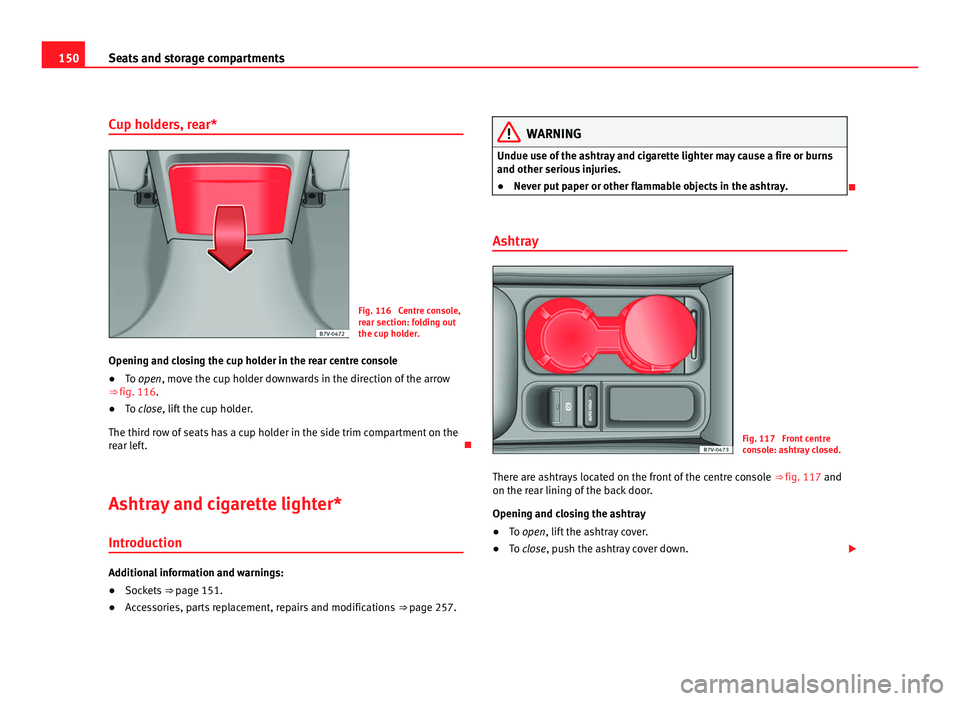
Opening and closing the cup holder in the rear centre console
● To open, move the c
up holder downwards in the direction of the arrow
⇒ fig. 116.
● To close, lift the cup holder.
The third r
ow of seats has a cup holder in the side trim compartment on the
rear left.
Ashtray and cigarette lighter*
Introduction Additional information and warnings:
●
Sockets ⇒ page 151.
● A
ccessories, parts replacement, repairs and modifications ⇒ page 257. WARNING
Undue use of the ashtray and cigarette lighter may cause a fire or burns
and other serious injurie
s.
● Never put paper or other flammable objects in the ashtray.
Ashtray Fig. 117 Front centre
con
so
le: ashtray closed.
There are ashtrays located on the front of the centre console ⇒ fig. 117 and
on the rear linin
g of the back door.
Opening and closing the ashtray
● To open, lift the ashtray cover.
● To
close, push the ashtray cover down.
Page 153 of 385
151
Seats and storage compartments
Emptying the ashtray
● Remove the ashtray from the cup holder or lining of the door by pulling
it up w
ards.
● After emptying the ashtray, insert it from above into the cup holder or
door lining.
Cig
arette lighter Fig. 118 Front centre
con
so
le: lighter.
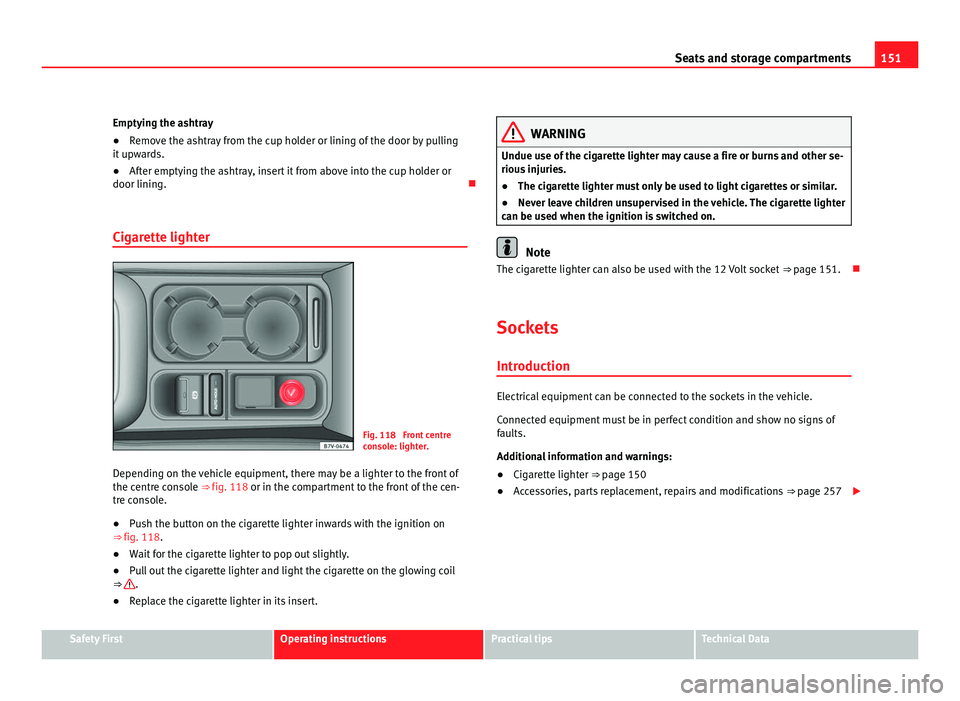
Depending on the vehicle equipment, there may be a lighter to the front of
the centre c
onsole ⇒ fig. 118 or in the compartment to the front of the cen-
tre console.
● Push the button on the cigarette lighter inwards with the ignition on
⇒ fig. 118.
● Wait for the cigarette lighter to pop out slightly.
● Pull out the cigarette lighter and light the cigarette on the glowing coil
⇒ .
● Replace the cigarette lighter in its insert. WARNING
Undue use of the cigarette lighter may cause a fire or burns and other se-
rious injurie
s.
● The cigarette lighter must only be used to light cigarettes or similar.
● Never leave children unsupervised in the vehicle. The cigarette lighter
can be used when the ignition i
s switched on. Note
The cigarette lighter can also be used with the 12 Volt socket ⇒ pag
e 151.
Sockets Intr oduction Electrical equipment can be connected to the sockets in the vehicle.
Connect
ed equipment
must be in perfect condition and show no signs of
faults.
Additional information and warnings:
● Cigarette lighter
⇒ page 150
● A
ccessories, parts replacement, repairs and modifications ⇒ page 257
Safety First Operating instructions Practical tips Technical Data
Page 156 of 385
154
Seats and storage compartments LED on the socket
⇒ fig. 120Steady green light: The child safety device is unlocked. The
sock
et
can now be used. Flashing red light: There is some kind of fault (e.g. discon-
nection due to e
x
cess current or tempera-
ture). Heat protection
The 230 V
o
lt Euro power connector converter switches off automatically
when a certain temperature is exceeded. This disconnect prevents overheat-
ing in the event of an increase in power consumption of the connected ap-
pliance and where the atmospheric temperature is too high. The converter
will switch on again automatically after it has cooled down. Appliances that
are switched on and connected to the socket will start up again. Therefore,
switch off all electrical appliances connected to the socket when the current
converter switches off due to overheating. WARNING
High voltage in the electrical installation!
● Liquids must not be spilt over the socket.
● Do not plug adapters or extension cords into the 230 Volt Euro power
connect or
. Otherwise, the built-in child safety device will switch off and
the connector will become live.
● Do not plug current conductors such as a knitting needle into the 230
Volt
Euro power connector. CAUTION
● Always follow the operating instructions for the appliances to be con-
nect ed!
● Nev
er exceed the maximum power rating as this could damage the vehi-
cle's
general electrical system. ●
12 volt socket:
– Only
use accessories with approved electromagnetic compatibility ac-
cordin
g to current regulations.
– Never power the socket.
● 230 Volt Euro socket:
– Do not hang appliances or plugs that are too heavy (e.g. a transform-
er) from the sock
et.
– Do not connect lamps which contain a neon tube.
– Only plug appliances with a voltage that matches the socket voltage
into the sock
et.
– In the event of consumers with a high start-up current, surge protec-
tion prevents
them from switching on. In this case, unplug the consumer
and try plugging it back in after around 10 seconds. Note
● Some app li
ances may not work properly in the 230 Volt Euro power con-
nector due to a lack of power (Watts).
● The 230 Watt Euro power connector can be modified for 115 Watt appli-
ances
and vice versa. Consult a specialist shop for advice on accessories to
adapt the connector. SEAT recommends visiting a Technical Service.
Page 158 of 385
156
Heating, Ventilation and Air conditioning Note
● When the coo lin g system is turned off, air coming from the outside will
not be dried. To avoid fogging up the windows, SEAT recommends leaving
the cooler (compressor) on. To do this, press the AC button. The button in-
dicat or shou
ld light up.
● If the humidity and temperature outside the vehicle are high, condens
a-
tion can drip off the evaporator in the cooling system and form a pool un-
derneath the vehicle, this is completely normal and there is no need to sus-
pect a leak.
● Keep the air vents in front of the windscreen free of snow, ice and leaves
to ens
ure heating and cooling are not impaired and to prevent the windows
from misting over.
Page 159 of 385
157
Heating, Ventilation and Air conditioning
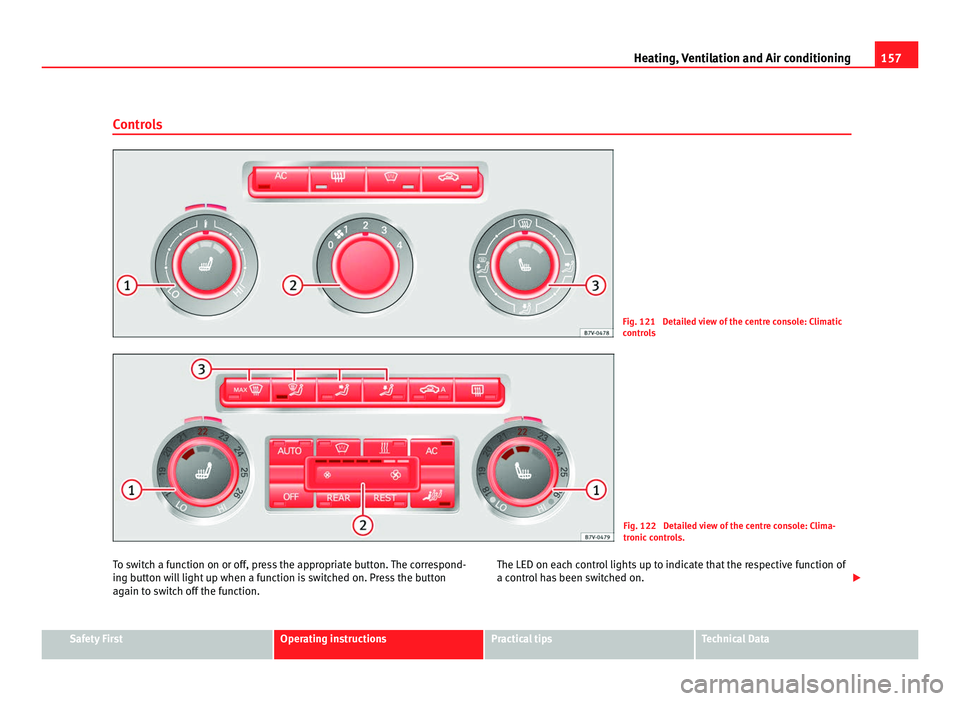
Controls Fig. 121 Detailed view of the centre console: Climatic
contr
o
ls Fig. 122 Detailed view of the centre console: Clima-
tronic
c
ontrols.
To switch a function on or off, press the appropriate button. The correspond-
ing butt
on will light up when a function is switched on. Press the button
again to switch off the function. The LED on each control lights up to indicate that the respective function of
a contro
l has been switched on. Safety First Operating instructions Practical tips Technical Data
Page 160 of 385
158
Heating, Ventilation and Air conditioning
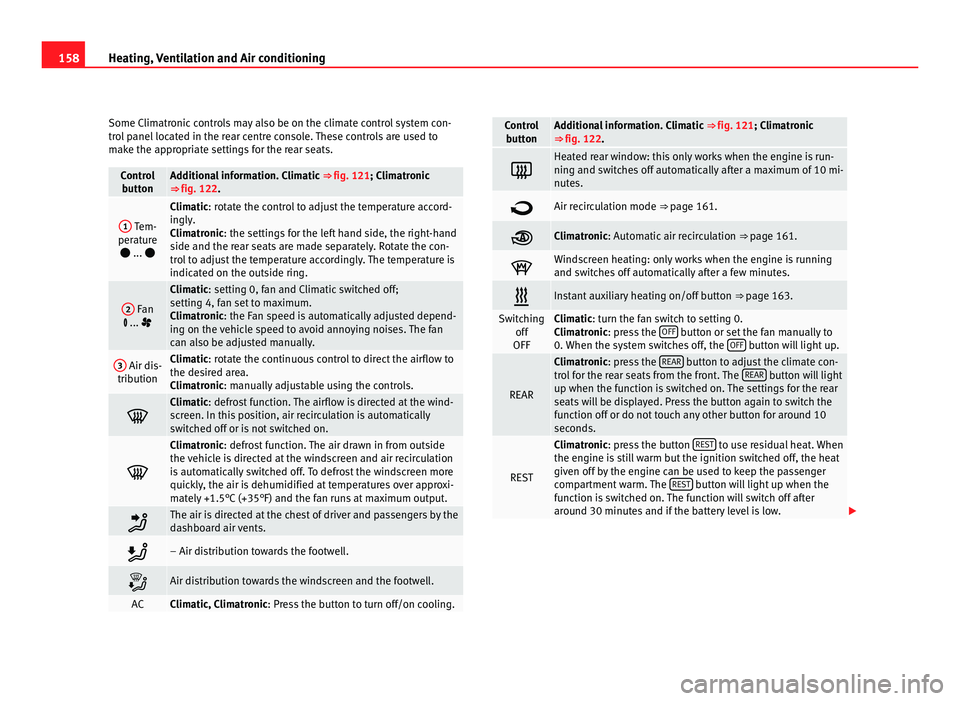
Some Climatronic controls may also be on the climate control system con-
tro l
panel located in the rear centre console. These controls are used to
make the appropriate settings for the rear seats. Control
butt on Additional information. Climatic
⇒ fig. 121; Climatr
onic
⇒ fig. 122. 1
Tem-
perat ur
e
... Climatic: rotate the control to adjust the temperature accord-
in
gly
.
Climatronic: the settings for the left hand side, the right-hand
side and the rear seats are made separately. Rotate the con-
trol to adjust the temperature accordingly. The temperature is
indicated on the outside ring. 2
Fan
... Climatic: setting 0, f
an and C
limatic switched off;
setting 4, fan set to maximum.
Climatronic: the Fan speed is automatically adjusted depend-
ing on the vehicle speed to avoid annoying noises. The fan
can also be adjusted manually. 3
Air dis-
tribution Climatic: rotate the continuous control to direct the airflow to
the de
s
ired area.
Climatronic: manually adjustable using the controls. Climatic: defro
s
t function. The airflow is directed at the wind-
screen. In this position, air recirculation is automatically
switched off or is not switched on. Climatronic: defro
s
t function. The air drawn in from outside
the vehicle is directed at the windscreen and air recirculation
is automatically switched off. To defrost the windscreen more
quickly, the air is dehumidified at temperatures over approxi-
mately +1.5°C (+35°F) and the fan runs at maximum output. The air is directed at the chest of driver and passengers by the
da
shbo
ard air vents. – Air distribution towards the footwell.
Air distribution towards the windscreen and the footwell.
AC Climatic, Climatronic: Pre
s
s the button to turn off/on cooling. Control
butt on Additional information. Climatic
⇒ fig. 121; Climatr
onic
⇒ fig. 122. Heated rear window: this only works when the engine is run-
ning and sw
it
ches off automatically after a maximum of 10 mi-
nutes. Air recirculation mode ⇒ pag
e 161. Climatronic: Autom
atic
air recirculation ⇒ page 161. Windscreen heating: only works when the engine is running
and swit
c
hes off automatically after a few minutes. Instant auxiliary heating on/off button
⇒ page 163. Switching
off
OFF Climatic: turn the fan switch to setting 0.
C
lim
atronic: press the OFF button or set the fan manually to
0. When the sy s
tem switches off, the OFF button will light up.
REAR Climatronic: pre
s
s the REAR button to adjust the climate con-
tro l
for the rear seats from the front. The REAR button will light
up when the fu nction i
s switched on. The settings for the rear
seats will be displayed. Press the button again to switch the
function off or do not touch any other button for around 10
seconds. REST Climatronic: pre
s
s the button REST to use residual heat. When
the engine i s
still warm but the ignition switched off, the heat
given off by the engine can be used to keep the passenger
compartment warm. The REST button will light up when the
fu nction i
s switched on. The function will switch off after
around 30 minutes and if the battery level is low.
Page 161 of 385
159
Heating, Ventilation and Air conditioning Control
butt on Additional information. Climatic
⇒ fig. 121; Climatr onic
⇒ fig. 122. Climatronic: tran
sf
erring the driver's seat temperature set-
tings to the other seats. If the button is not lit up, the set
temper at
ure in the driver's seat will also apply to the other
seats.
Press the button or the temperature control for the front pas-
senger's seat or the rear seats to set them to a different tem-
perature. The button lights with an indicator.
Vehicles with auxiliary heating: observe the description of the AUTO button.
AUTO Automatic temperature, fan, and air distribution control.
WARNING
Never turn off the air fan for a long time or the air in the passenger com-
par tment
will not be refreshed.
● Stuffy or used air will increase fatigue and reduce driver and passen-
ger conc
entration possibly resulting in a serious accident. Note
● Not all Climatronic buttons are operational in REAR mode.
● The REAR button is locked in defrost mode.
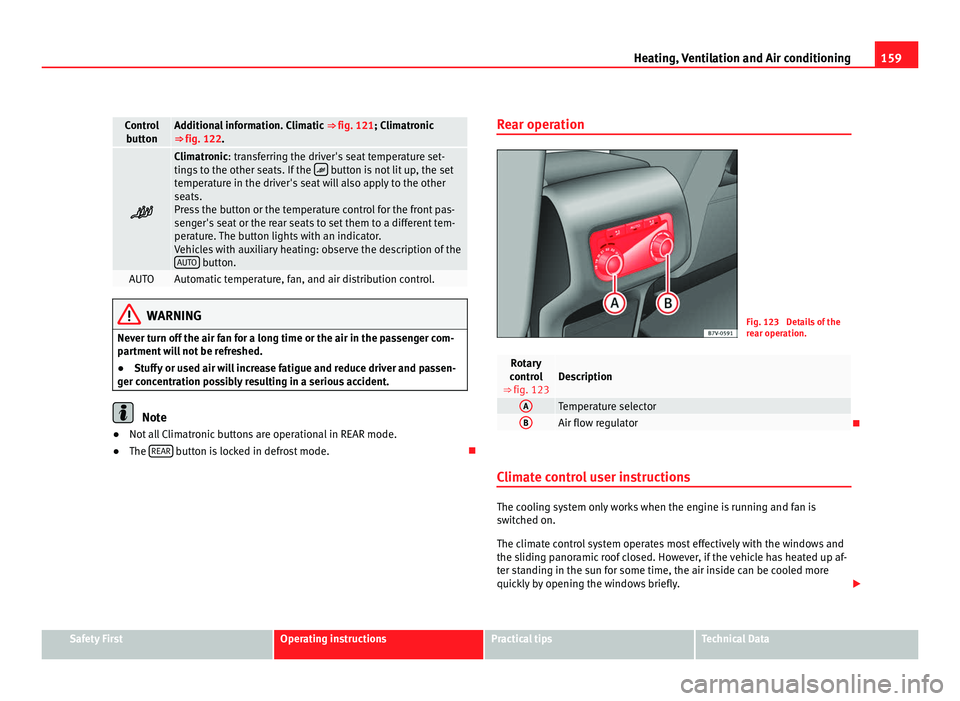
Rear operation Fig. 123 Details of the
re
ar oper
ation. Rotary
contr o
l
⇒ fig. 123 Description
A
Temperature selector
B
Air flow regulator
Climate control user instructions The cooling system only works when the engine is running and fan is
swit
c
hed on.
The climate control system operates most effectively with the windows and
the sliding panoramic roof closed. However, if the vehicle has heated up af-
ter standing in the sun for some time, the air inside can be cooled more
quickly by opening the windows briefly. Safety First Operating instructions Practical tips Technical Data
Page 162 of 385
160
Heating, Ventilation and Air conditioning
Keep the air vents in front of the windscreen free of snow, ice and leaves to
ens ur
e heating and cooling are not impaired and to prevent the windows
from misting over.
Adjustment for safer driving
When the air conditioning is switched on, the temperature and the air hu-
midity in the vehicle interior drop. Hence, when the outside air humidity is
high, the windows do not mist over and comfort for the vehicle occupants is
improved:
With Climatic
● Disable air recirculation mode ⇒ pag
e 161.
● Set the fan to setting 1 or 2.
● Turn the temperature control to the centre position.
● Open the air outlets in the dash panel ⇒ pag
e 161.
● Turn the air distribution control to the required position.
● Press the AC button to turn on cooling. The button will light up.
With C lim
atronic
● Press the AUTO button.
● Set the temperature to +22°C (+72°F).
● Open the air outlets in the dash panel ⇒ pag
e 161.
Switching the Climatronic temperature measuring unit
Press and hold the AC and
AUT
O buttons to switch the temperature display
between C el
sius and Fahrenheit.
Heat
The maximum heat output required to defrost windows quickly is only avail-
able when the engine has reached its normal running temperature.
The air conditioning system does not switch on
If the air conditioning system cannot be switched on, this may be caused by
the following: ●
The engine is not running.
● The fan i
s switched off.
● The climate control fuse has blown.
● The outside temperature is lower than approximately +3°C (+38°F).
● The climate control system compressor has been temporarily switched
off becau
se the engine coolant temperature is too high.
● Another fault in the vehicle. Have the climate control system checked by
a Tec
hnical Service.
Things to note
If the humidity and temperature outside the vehicle are high, condensation
can drip off the evaporator in the cooling system and form a pool under-
neath the vehicle. This is normal and does not indicate a leak!
Dust and pollen filter
The dust and pollen filter with its activated charcoal cartridge serves as a
barrier against impurities in the ambient air.
For the climate control system to work with maximum efficiency, the dust
and pollen filter must be replaced at the intervals specified in the Mainte-
nance Programme.
If the filter loses efficiency prematurely due to use in areas with very high
levels of air pollution, the filter must be changed more frequently than sta-
ted in the Service Schedule. Note
● The climate control system must left running for a few minutes to reach
the set t
emperature in the vehicle interior.
● After starting it, any residual humidity in the climate control system
coul
d mist over the windscreen.
● The air from the vents flows through the passenger compartment and
out through the outl
ets below the rear window. Do not cover these outlets
with items of clothing or other objects.
Page 164 of 385
162
Heating, Ventilation and Air conditioning
Switching air recirculation mode on and off manually
Swit c
hing on: press the corresponding button until the light under the sym-
bol comes on.
Switching off: press the button until no indicator remains lit.
Automatic air recirculation mode
Fresh air enters the vehicle interior in position . If the system detects a
high concentration of hazardous substances in the ambient air, air recircu-
lation mode is switched on automatically. When the level of impurities
drops to within a normal range, recirculation mode is switched off.
The system is unable to detect unpleasant smells.
Air recirculation mode is not automatically switched on in the following ca-
ses of outside temperatures and conditions:
● The cooling system is switched on (the AC button is lit up) and the out-
side t emper
ature is below +3°C (+38°F).
● The cooling system and the windscreen wipers are switched off and the
outside temper
ature is below +10°C (+50°F).
● The cooling system is switched on, the outside temperature is below
+15°C (+59°F) and the wind
screen wipers are switched on.
Switching the automatic air recirculation mode on and off
Switching on: press the button until the light under the symbol
come s
on.
Switching off: press the button until no button remains lit.
Swit c
hing the automatic air recirculation mode off temporarily
● Press the button once to temporarily switch to manual air recircula-
tion mode in the event of
unpleasant smells from outside. The control light
under the symbol comes on.
● After more than two seconds, press the
button again to restart au-
tom atic
air recirculation. The control light under the symbol comes on. WARNING
Stuffy or used air will increase fatigue and reduce driver concentration
pos s
ibly resulting in a serious accident.
● Never use recirculation mode for long periods as it does not refresh
the air inside the
vehicle.
● If the cooling mode is switched off and air recirculation mode switch-
ed on, the window
s can mist over very quickly, considerably limiting visi-
bility.
● Switch air recirculation mode off when it is not required. CAUTION
Do not smoke when air recirculation is switched on in vehicles with a cli-
mat e c
ontrol system. The smoke taken in could lie on the cooling system va-
poriser and on the activated charcoal cartridge of the dust and pollen filter,
leading to a permanently unpleasant smell. Note
Air recirculation mode switches on to prevent exhaust gas from entering the
vehic l
e interior when it is in reverse and while the automatic windscreen
wash and wipe is working.