light Seat Alhambra 2011 Owner's Guide
[x] Cancel search | Manufacturer: SEAT, Model Year: 2011, Model line: Alhambra, Model: Seat Alhambra 2011Pages: 385, PDF Size: 7.92 MB
Page 70 of 385
68
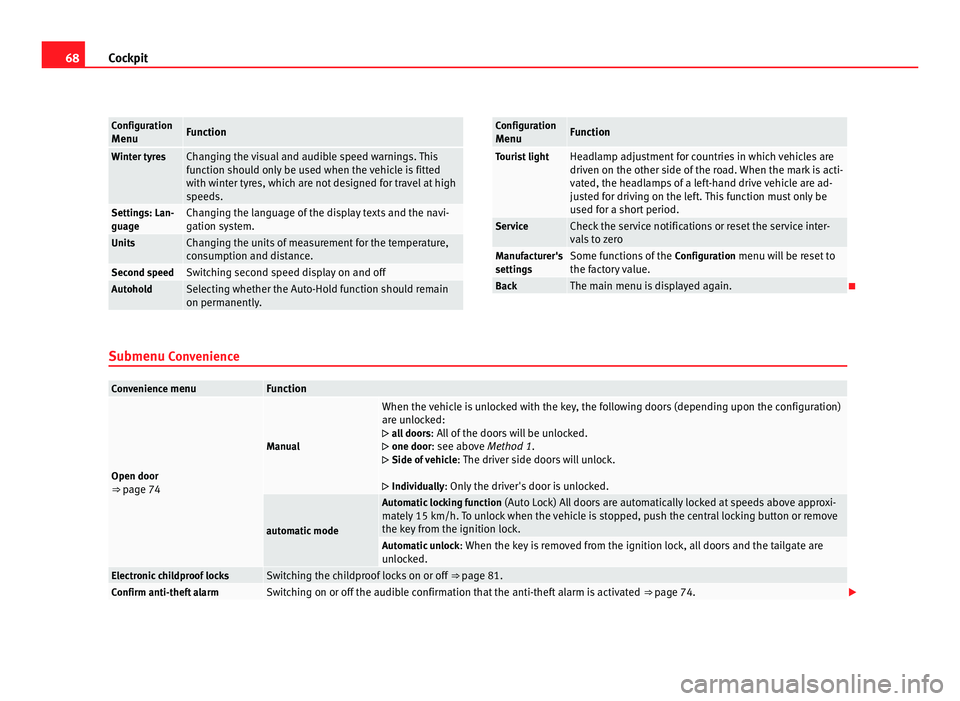
Cockpit Configuration
Menu Function
Winter tyres Changing the visual and audible speed warnings. This
fu
nction shou
ld only be used when the vehicle is fitted
with winter tyres, which are not designed for travel at high
speeds. Settings: Lan-
guage Changing the language of the display texts and the navi-
gation sy
s
tem. Units Changing the units of measurement for the temperature,
con
s
umption and distance. Second speed Switching second speed display on and off
Autohold Selecting whether the Auto-Hold function should remain
on permanently
. Configuration
Menu Function
Tourist light Headlamp adjustment for countries in which vehicles are
driven on the other s
ide of
the road. When the mark is acti-
vated, the headlamps of a left-hand drive vehicle are ad-
justed for driving on the left. This function must only be
used for a short period. Service Check the service notifications or reset the service inter-
val
s
to zero Manufacturer's
setting
s Some functions of the
Configuration
menu will be reset to
the factory value. Back The main menu is displayed again.
Submenu Con v
enienceConvenience menu Function
Open door
⇒ pag
e 74 Manual When the vehicle is unlocked with the key, the following doors (depending upon the configuration)
are u
n
locked:
all doors : All of the doors will be unlocked.
one door: see above Method 1.
Side of vehicle : The driver side doors will unlock.
Individually: Only the driver's door is unlocked. automatic mode Automatic locking function
(Auto Loc
k) All doors are automatically locked at speeds above approxi-
mately 15 km/h. To unlock when the vehicle is stopped, push the central locking button or remove
the key from the ignition lock. Automatic unlock
: When the key
is removed from the ignition lock, all doors and the tailgate are
unlocked. Electronic childproof locks Switching the childproof locks on or off
⇒ page 81. Confirm anti-theft alarm Switching on or off the audible confirmation that the anti-theft alarm is activated
⇒ page 74.
Page 71 of 385
69
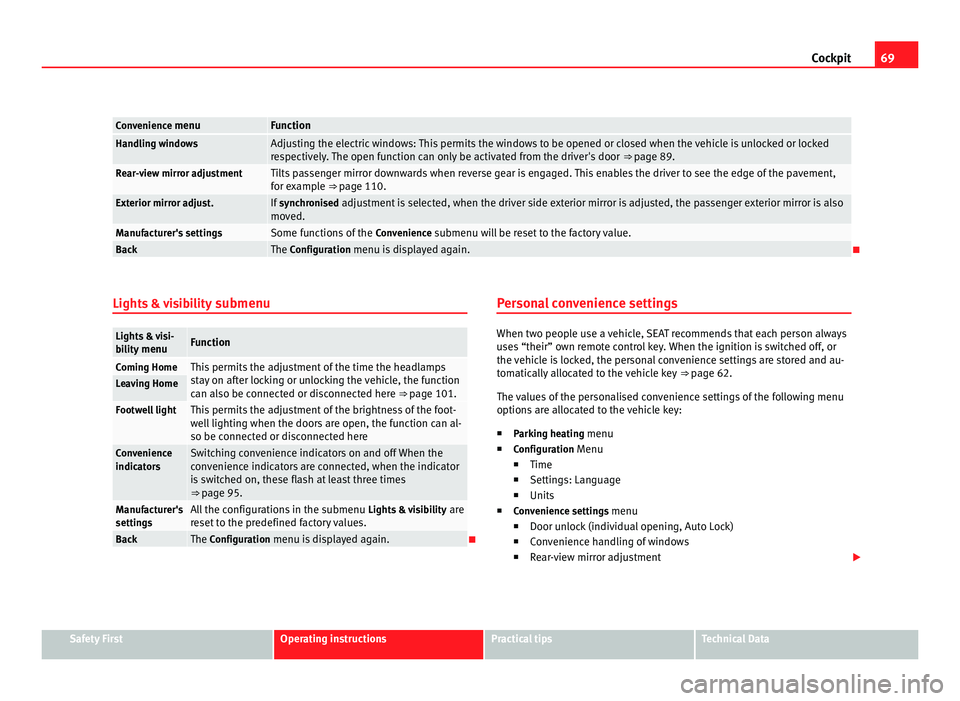
Cockpit Convenience menu Function
Handling windows Adjusting the electric windows: This permits the windows to be opened or closed when the vehicle is unlocked or locked
re
s
pectively. The open function can only be activated from the driver's door ⇒ page 89.Rear-view mirror adjustment Tilts passenger mirror downwards when reverse gear is engaged. This enables the driver to see the edge of the pavement,
for e
x
ample ⇒ page 110. Exterior mirror adjust. If
synchronised adjustment is selected, when the driver side exterior mirror is adjusted, the passenger exterior mirror is also
mo v
ed. Manufacturer's settings Some functions of the
Conv
enience submenu will be reset to the factory value.Back The Configuration menu is displayed again.
Lights & visibility submenuLights & visi-
bi
lity
menu Function
Coming Home This permits the adjustment of the time the headlamps
st
a
y on after locking or unlocking the vehicle, the function
can also be connected or disconnected here ⇒ page 101. Leaving Home
Footwell light This permits the adjustment of the brightness of the foot-
wel
l
lighting when the doors are open, the function can al-
so be connected or disconnected here Convenience
indicat
or
s Switching convenience indicators on and off When the
con
v
enience indicators are connected, when the indicator
is switched on, these flash at least three times
⇒ page 95. Manufacturer's
setting
s All the configurations in the submenu
Lights &
visibility are
reset to the predefined factory values. Back The Configuration menu is displayed again. Personal convenience settings When two people use a vehicle, SEAT recommends that each person always
use
s
“their” own remote control key. When the ignition is switched off, or
the vehicle is locked, the personal convenience settings are stored and au-
tomatically allocated to the vehicle key ⇒ page 62.
The values of the personalised convenience settings of the following menu
options are allocated to the vehicle key: ■ Parking heating menu
■ Configuration Menu
■ Time
■ Settings: Language
■ Units
■ Convenience settings menu
■Door unlock (individual opening, Auto Lock)
■ Convenience handling of windows
■ Rear-view mirror adjustment Safety First Operating instructions Practical tips Technical Data
Page 72 of 385
70
Cockpit
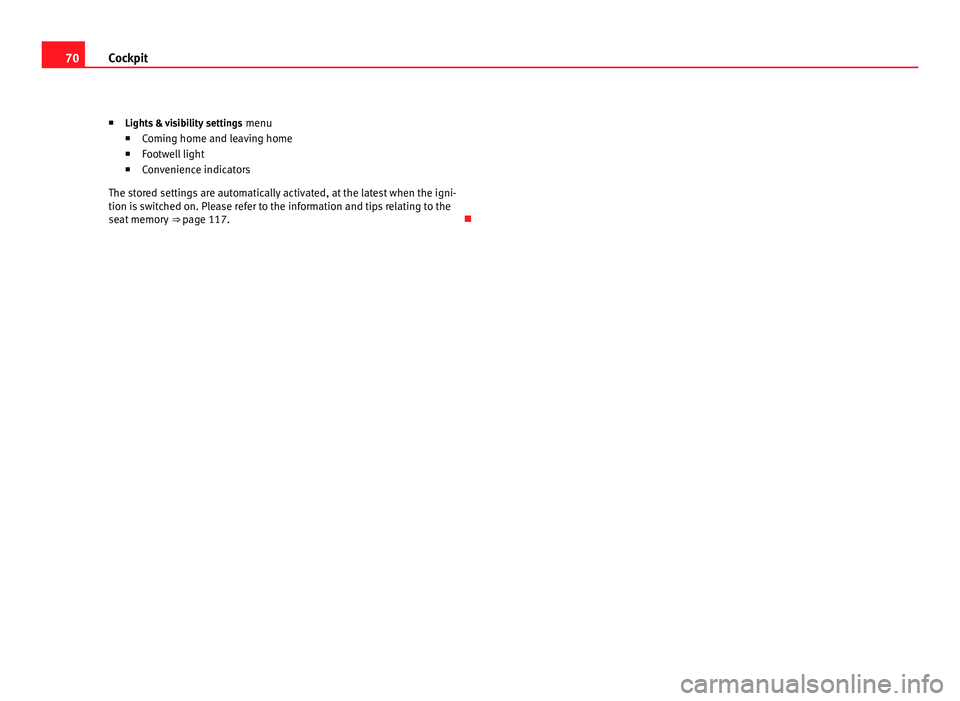
■ Lights &
visibility settings menu
■ Coming home and leaving home
■ Footwell light
■ Convenience indicators
The stored settings are automatically activated, at the latest when the igni-
tion is switched on. Please refer to the information and tips relating to the
seat memory ⇒ page 117.
Page 75 of 385
73
Unlocking and locking
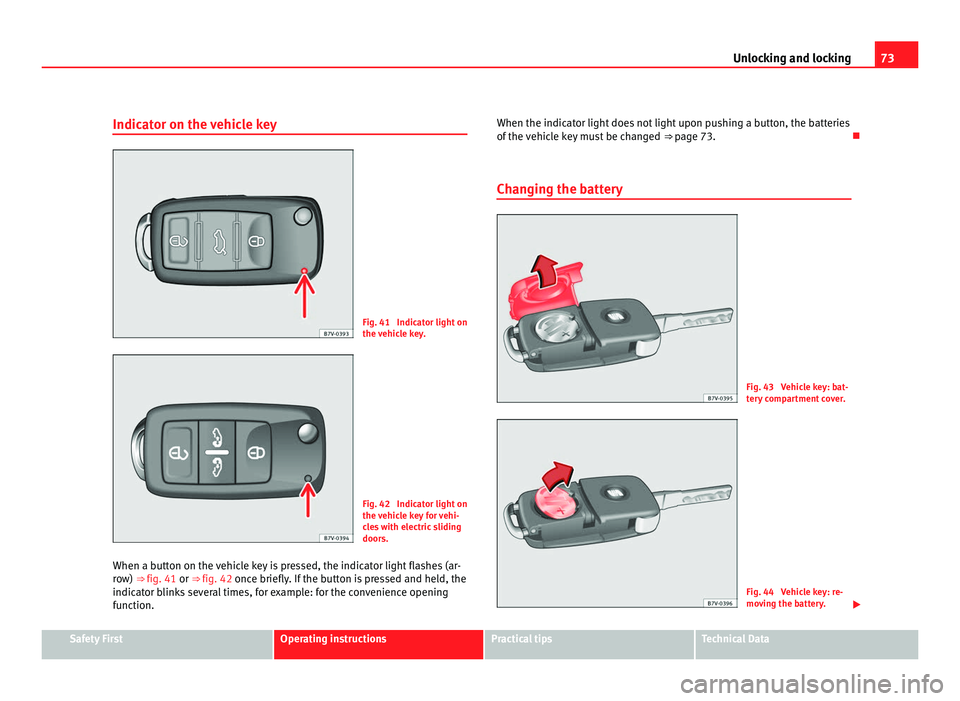
Indicator on the vehicle key Fig. 41 Indicator light on
the v
ehic
le key. Fig. 42 Indicator light on
the v
ehic
le key for vehi-
cles with electric sliding
doors.
When a button on the vehicle key is pressed, the indicator light flashes (ar-
row)
⇒ fig. 41 or ⇒ fig. 42 once briefly. If the button is pressed and held, the
indicator blinks several times, for example: for the convenience opening
function. When the indicator light does not light upon pushing a button, the batteries
of the v
ehicle key must be changed ⇒ page 73.
Changing the battery Fig. 43 Vehicle key: bat-
ter
y
compartment cover. Fig. 44 Vehicle key: re-
mov
in
g the battery. Safety First Operating instructions Practical tips Technical Data
Page 79 of 385
77
Unlocking and locking
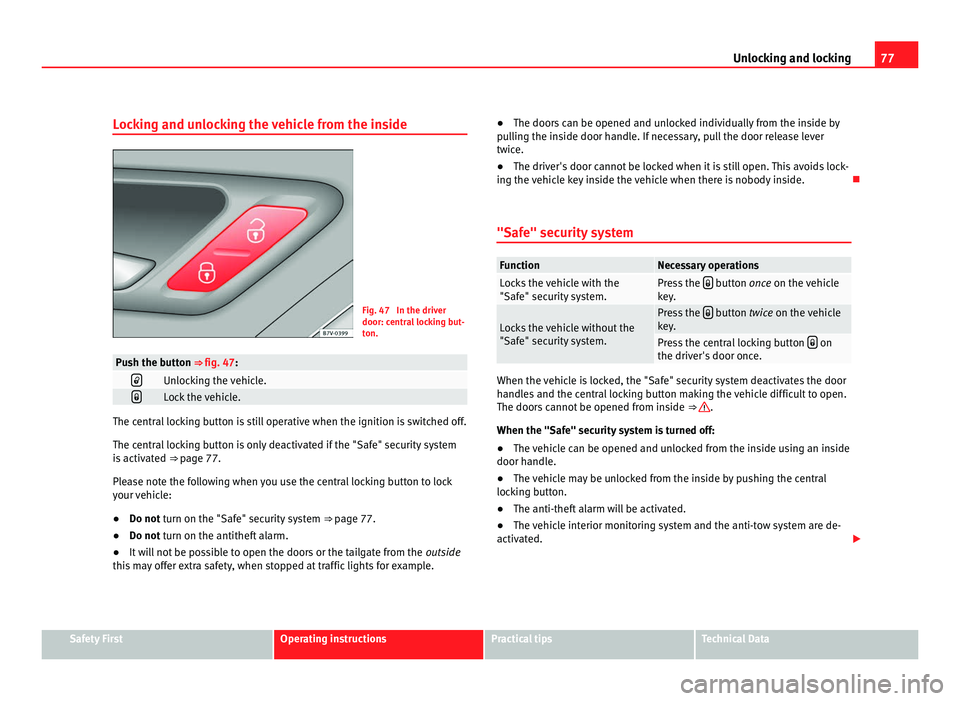
Locking and unlocking the vehicle from the inside Fig. 47 In the driver
door: centr
a
l locking but-
ton. Push the button ⇒ fig. 47:
Unlocking the vehicle.
Lock the vehicle.
The central locking button is still operative when the ignition is switched off.
The centr
al
locking button is only deactivated if the "Safe" security system
is activated ⇒ page 77.
Please note the following when you use the central locking button to lock
your vehicle:
● Do not turn on the "Safe" security system ⇒ pag
e 77.
● Do not turn on the antitheft alarm.
● It w
ill not be possible to open the doors or the tailgate from the outside
this
may offer extra safety, when stopped at traffic lights for example. ●
The doors c
an be opened and unlocked individually from the inside by
pulling the inside door handle. If necessary, pull the door release lever
twice.
● The driver's door cannot be locked when it is still open. This avoids lock-
ing the v
ehicle key inside the vehicle when there is nobody inside.
"Safe" security system Function Necessary operations
Locks the vehicle with the
"Safe" sec
urity
system. Press the
button once on the vehicle
k ey
. Locks the vehicle without the
"Safe" sec
urity
system. Press the
button twice on the vehicle
k ey
. Press the central locking button
on
the driver's door onc
e. When the vehicle is locked, the "Safe" security system deactivates the door
handl
e
s and the central locking button making the vehicle difficult to open.
The doors cannot be opened from inside ⇒ .
When the "Safe" sec urity
system is turned off:
● The vehicle can be opened and unlocked from the inside using an inside
door handle.
● The
vehicle may be unlocked from the inside by pushing the central
lockin
g button.
● The anti-theft alarm will be activated.
● The vehicle interior monitoring system and the anti-tow system are de-
activated. Safety First Operating instructions Practical tips Technical Data
Page 80 of 385
78
Unlocking and locking
Driver's door indicator light. When the vehicle is locked: Meaning
The red LED flashes for approximately 2
second
s
at short intervals and then more
slowly. The "Safe" security system is
swit
c
hed on. The red LED flashes for about two sec-
onds
then t
urns off. After 30 seconds, the
LED flashes again. The "Safe" security system is
swit
c
hed off. The red LED remains lit for about 30 sec-
onds. There is a fault in the locking
sys
t
em. Contact a specialist
workshop. WARNING
Careless use of the "Safe" security system can cause serious injury.
● Never leave anybody inside the vehicle if this is locked using the key.
When the "Safe" sec urity
system is activated, doors cannot be opened
from the inside.
● When the doors are locked, it is difficult to get to passengers in the
pas
senger compartment in case of an emergency. Passengers could re-
main trapped inside in case of emergency.
Antitheft alarm The anti-theft alarm makes it more difficult to break into the vehicle or steal
it.
The antithef
t
alarm is automatically turned on when the vehicle is locked
with the key. When does the system trigger an alarm?
The anti-theft al
arm siren will be triggered for about 30 seconds accompa-
nied by optical warning signals for about five minutes when the vehicle is
locked and the following unauthorised actions are taken:
● When the door is mechanically unlocked using the vehicle key without
turning the ignition w
ithin the following 15 seconds.
● A door is opened.
● The bonnet is opened.
● The tailgate is opened.
● When the ignition is switched on with a non-authorised key.
● When the vehicle battery is disconnected.
● When there is movement inside the vehicle (vehicles with interior moni-
toring).
● When the
vehicle is towed (vehicles with anti-tow system)
● When the vehicle is lifted (vehicles with anti-tow system).
● Transporting the vehicle on a ferry or by railroad (vehicles with an anti-
tow sy
stem or passenger compartment monitoring).
● Unhitch a trailer connected to the antitheft alarm ⇒ pag
e 233.
How to turn OFF the alarm
Unlock the vehicle with the unlocking button on the key or turn on the igni-
tion with a valid key. Note
● The alarm will be triggered once more when anybody enters the same
z one of
surveillance or any other zone. If, for example, after opening a door,
the tailgate is also opened.
● The antitheft alarm is not activ
ated when the vehicle is locked from with-
in using the central locking button .
Page 81 of 385
79
Unlocking and locking
● If the driver's door is unlocked mechanically with the key, only the driv-
er's door i
s unlocked, the rest of the doors remain locked. Only when the
ignition has been turned on will the other doors be available - but not un-
locked - and the central locking button activated.
● If the vehicle battery is run down or flat then the antitheft alarm will not
operate c
orrectly.
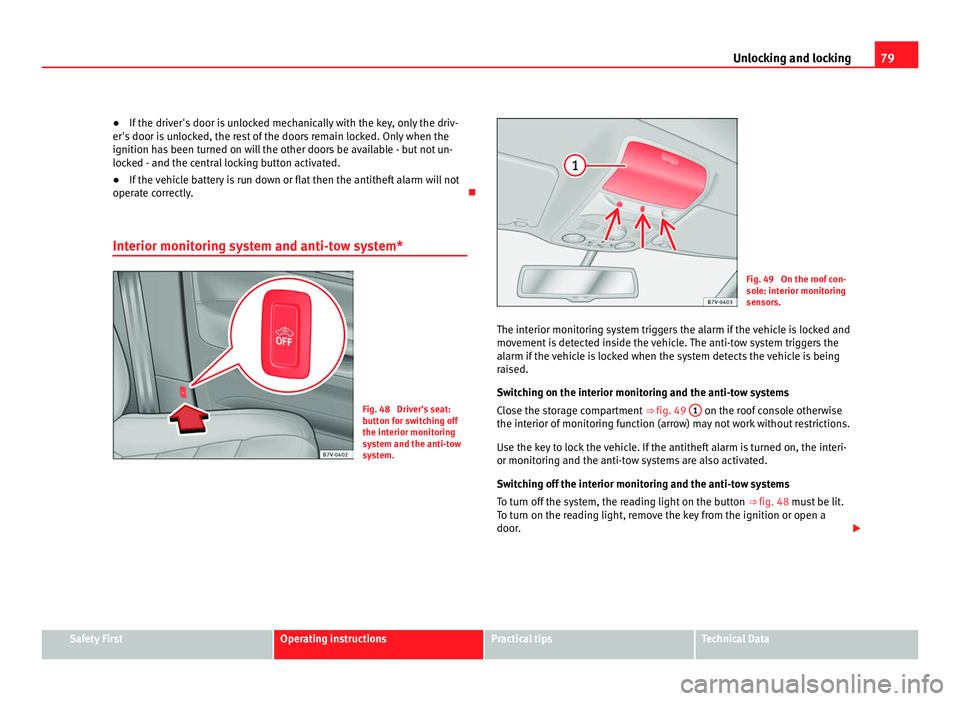
Interior monitoring system and anti-tow system* Fig. 48 Driver's seat:
butt
on f
or switching off
the interior monitoring
system and the anti-tow
system. Fig. 49 On the roof con-
sol
e: int
erior monitoring
sensors.
The interior monitoring system triggers the alarm if the vehicle is locked and
movement
is detected inside the vehicle. The anti-tow system triggers the
alarm if the vehicle is locked when the system detects the vehicle is being
raised.
Switching on the interior monitoring and the anti-tow systems
Close the storage compartment ⇒ fig. 49 1 on the roof console otherwise
the interior of monit
oring function (arrow) may not work without restrictions.
Use the key to lock the vehicle. If the antitheft alarm is turned on, the interi-
or monitoring and the anti-tow systems are also activated.
Switching off the interior monitoring and the anti-tow systems
To turn off the system, the reading light on the button ⇒ fig. 48 must be lit.
To turn on the reading light, remove the key from the ignition or open a
door. Safety First Operating instructions Practical tips Technical Data
Page 82 of 385
80
Unlocking and locking
● Push the
OFF button. A yellow warning lamp will light up in the button
unti l
the vehicle is locked.
● Lock all doors and tailgate.
● Use the key to lock the vehicle. The interior monitor and / or anti-towing
alarm are sw
itched off until the next time the vehicle is locked.
To turn off the interior monitoring and anti-tow systems before unlocking
the vehicle, for example in the following situations:
● When leaving animals inside the vehicle ⇒ page 74.
● When the
vehicle must be loaded.
● When the vehicle is being transported, for example, by ferry.
● When the vehicle must be towed with the axle raised.
Risk of
false alarms
The interior monitoring system only operates correctly if the vehicle is com-
pletely closed. Observe legal requirements. The alarm may be accidentally
triggered in the following cases:
● When a window is completely or partially open.
● If the sunglasses storage compartment in the roof console is open.
● When the panorama sliding sunroof is completely or partially open.
● When suspended objects are hung from the interior mirror (air freshen-
er) or there are loo
se papers in the vehicle.
● If the separation net is fitted and moves (due to heating).
● Due to a vibrating mobile telephone inside the vehicle. Note
Upon activating the alarm, if any door or the tailgate is open, only the alarm
wi l
l be activated. The interior monitoring and anti-tow systems will only be
activated when the doors and tailgate are fully closed. Doors
Introduction Additional information and warnings:
●
Vehicle key set ⇒ page 71
● C
entral locking and locking system ⇒ page 74
● Emer
gency locking and unlocking ⇒ page 314 WARNING
If a door is not correctly closed, it could open unexpectedly when driving
and cau se seriou
s injuries.
● Always stop immediately and close the door.
● When closing, ensure that the door has closed correctly. A closed
door should be flu
sh with the corresponding parts of the bodywork.
● Open and close doors only when nobody is in the way of the door. WARNING
A door held open by its retainer could be blown closed by the wind or
clo se if
the vehicle is on a hill causing injury.
● When opening and closing doors, always use the door handle.
Warning indicator lights up Possible cause Solution
At least one vehicle door is
open or not c
orr
ectly shut.
Stop driving immediately!
Open the c orr
esponding door
and close it immediately.
Page 83 of 385
81
Unlocking and locking
Several warning and control lamps should light up for a few seconds when
the ignition is sw
itched. This signals that the lamp is working properly. They
will switch off after a few seconds.
If a door is open or incorrectly closed, the indicator or on the instru-
ment panel will light.
Depending on the vehicle equipment, a symbol may be displayed on the in-
strument panel screen instead of the warning lamp. The indication is also
visible when the ignition is switched off. The indication disappears around
15 seconds after the vehicle has been locked.
Sliding doors Introduction Additional information:
●
Vehicle key set ⇒ page 71
● C
entral locking and locking system ⇒ page 74
● Emer
gency locking and unlocking ⇒ page 314WARNING
If a sliding door is not correctly closed, it could open unexpectedly when
drivin g and c
ause serious injuries.
● Always stop immediately and close the sliding door.
● When closing, ensure that the sliding door has closed correctly. A
closed s
liding door should be flush with the corresponding parts of the
bodywork.
● Only open and close sliding doors when no body is in the way of the
door. WARNING
If a sliding door is not fully open, it could close unexpectedly and cause
serious injurie
s.
● Always open the sliding door fully. WARNING
Opening sliding doors while driving is dangerous. The sliding door could
be pushed open or c
losed when the vehicle accelerates and brakes caus-
ing serious injuries.
● Never open the sliding doors when the vehicle is in movement.
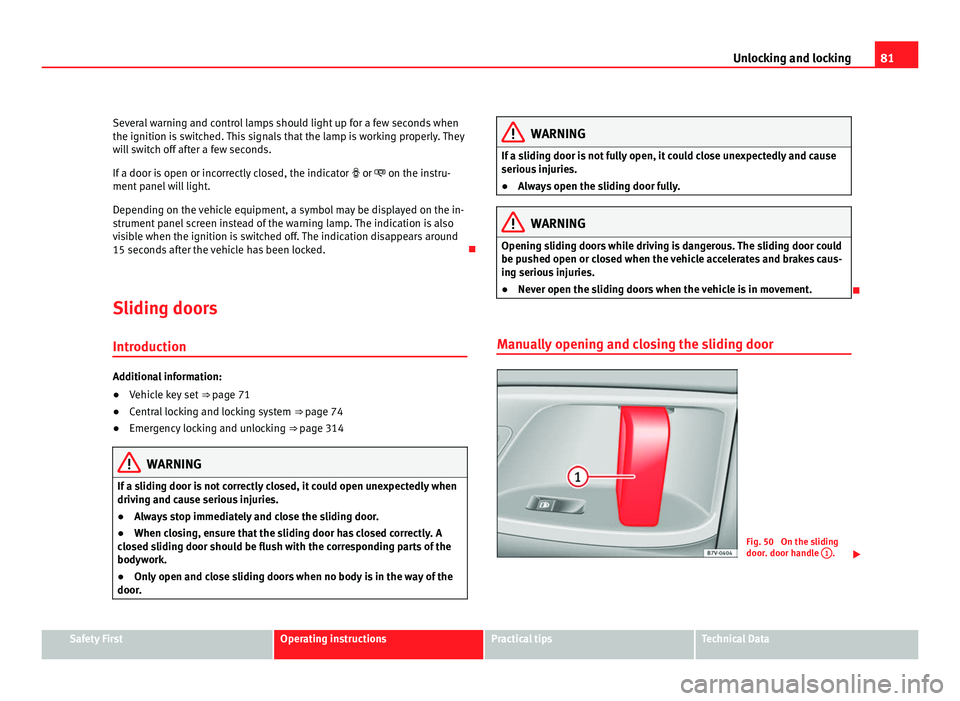
Manually opening and closing the sliding door Fig. 50 On the sliding
door. door h
andl
e 1 .
Safety First Operating instructions Practical tips Technical Data
Page 87 of 385
85
Unlocking and locking
Warning indicator lights up Possible cause Solution
The tailgate is open or not
corr
ectly
shut.
Stop driving immediately!
Open the t ai
lgate and close it
again. Several warning and control lamps should light up for a few seconds when
the ignition is
sw
itched. This signals that the lamp is working properly. They
will switch off after a few seconds.
A warning appears on the instrument panel if the tailgate is open or not
properly closed.
Depending on the vehicle equipment, a symbol may be displayed on the in-
strument panel screen instead of the warning lamp. The indication is also
visible when the ignition is switched off. The indication disappears around
15 seconds after the vehicle has been locked. WARNING
If the tailgate is not correctly closed, it could open unexpectedly when
drivin g and c
ause serious injuries.
● Always stop immediately and close the tailgate.
● Ensure that the tailgate has been locked into place by the element on
the lock c
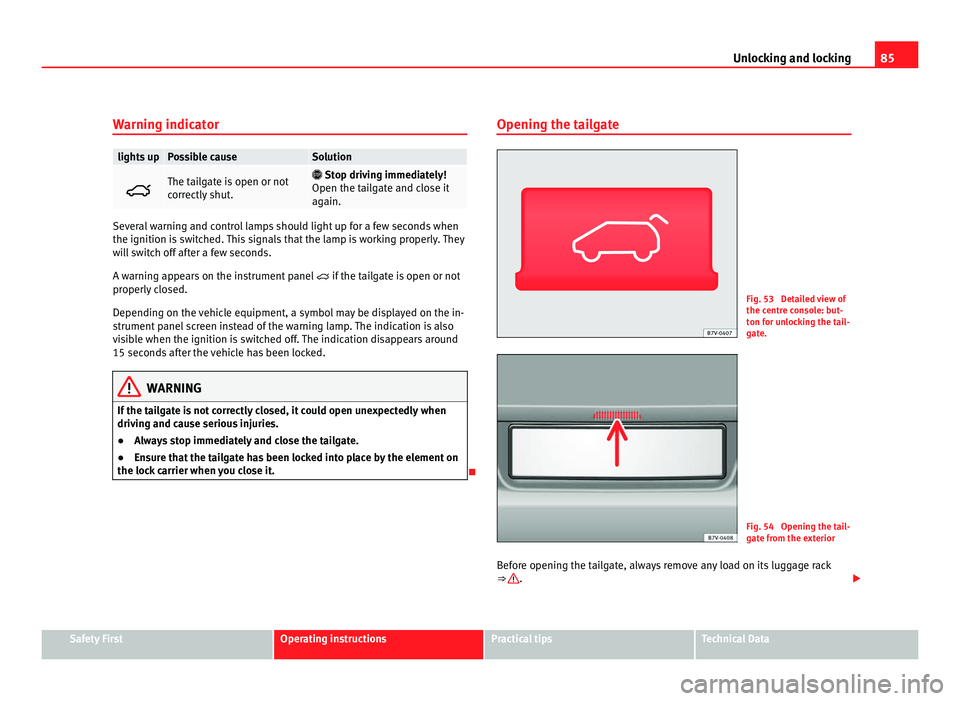
arrier when you close it. Opening the tailgate Fig. 53 Detailed view of
the centr
e c
onsole: but-
ton for unlocking the tail-
gate. Fig. 54 Opening the tail-
gat
e fr
om the exterior
Before opening the tailgate, always remove any load on its luggage rack
⇒ .
Safety First Operating instructions Practical tips Technical Data