light Seat Alhambra 2011 Owners Manual
[x] Cancel search | Manufacturer: SEAT, Model Year: 2011, Model line: Alhambra, Model: Seat Alhambra 2011Pages: 385, PDF Size: 7.92 MB
Page 201 of 385
199
Driving
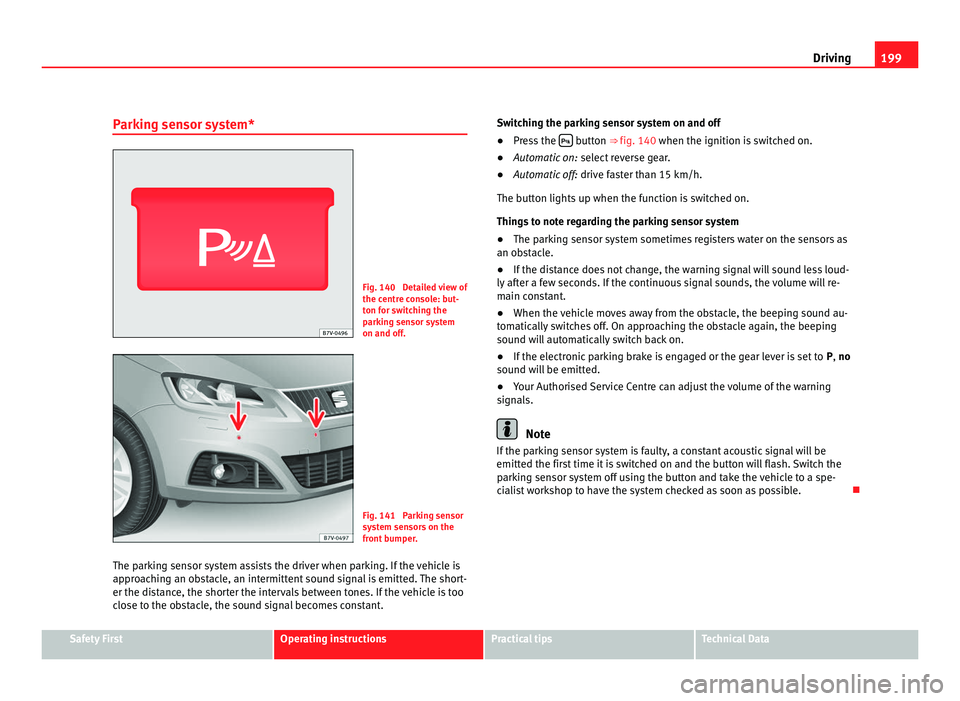
Parking sensor system* Fig. 140 Detailed view of
the centr
e c
onsole: but-
ton for switching the
parking sensor system
on and off. Fig. 141 Parking sensor
sys
t
em sensors on the
front bumper.
The parking sensor system assists the driver when parking. If the vehicle is
appro
aching an obstacle, an intermittent sound signal is emitted. The short-
er the distance, the shorter the intervals between tones. If the vehicle is too
close to the obstacle, the sound signal becomes constant. Switching the parking sensor system on and off
●
Press the button ⇒
fig. 140 when the ignition i
s switched on.
● Automatic on: select r
everse gear.
● Automatic off: drive fa
ster than 15 km/h.
The button lights up when the function is switched on.
Things to note regarding the parking sensor system
● The parking sensor system sometimes registers water on the sensors as
an obs
tacle.
● If the distance does not change, the warning signal will sound less loud-
ly aft
er a few seconds. If the continuous signal sounds, the volume will re-
main constant.
● When the vehicle moves away from the obstacle, the beeping sound au-
tomatic
ally switches off. On approaching the obstacle again, the beeping
sound will automatically switch back on.
● If the electronic parking brake is engaged or the gear lever is set to P, no
sound wi
ll be emitted.
● Your Authorised Service Centre can adjust the volume of the warning
signal
s. Note
If the parking sensor system is faulty, a constant acoustic signal will be
emitted the fir s
t time it is switched on and the button will flash. Switch the
parking sensor system off using the button and take the vehicle to a spe-
cialist workshop to have the system checked as soon as possible. Safety First Operating instructions Practical tips Technical Data
Page 205 of 385
203
Driving
● To ensure that the system works properly, the bumper sensors must be
k ept
clean, free of ice and snow and uncovered.
● The bumper sensors may become damaged or misaligned, for example,
when parkin
g.
● When cleaning the sensors with high-pressure or steam cleaning equip-
ment, spra
y the sensors briefly at a distance of no less than 10 cm. Note
Contact a specialist workshop with any system faults. SEAT recommends
vi s
iting a Technical Service.
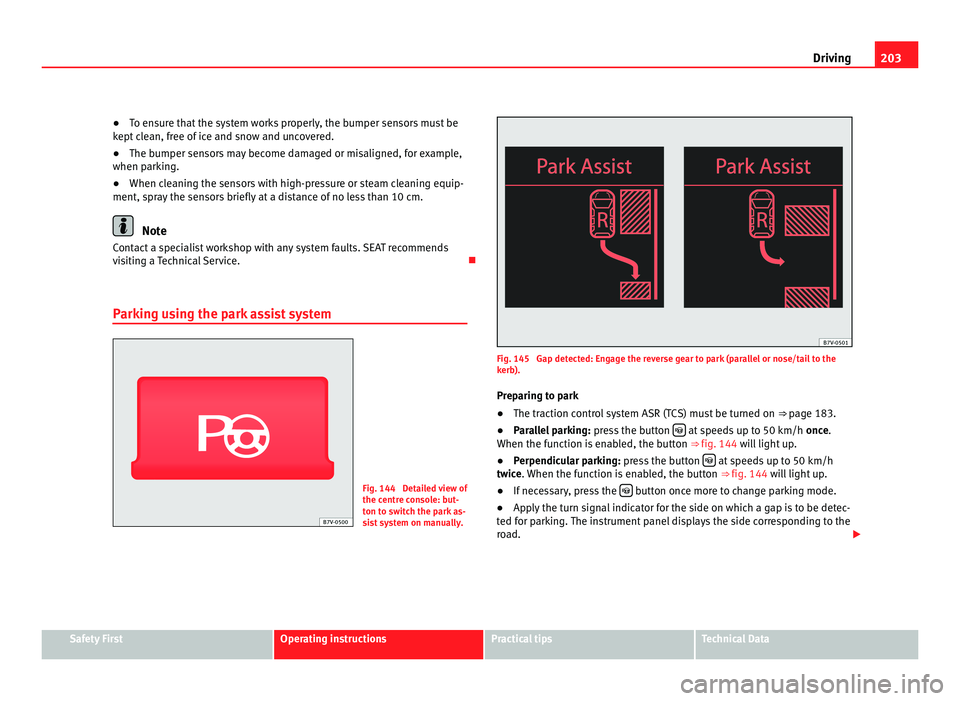
Parking using the park assist system Fig. 144 Detailed view of
the centr
e c
onsole: but-
ton to switch the park as-
sist system on manually. Fig. 145 Gap detected: Engage the reverse gear to park (parallel or nose/tail to the
kerb).
Pr ep
aring to park
● The traction control system ASR (TCS) must be turned on ⇒ page 183.
● P
arallel parking: pres
s the button at speeds up to 50 km/h
once.
When the f
unction is enabled, the button ⇒ fig. 144 will light up.
● Perpendicular parking: pres
s the button at speeds up to 50 km/h
twic e
. When the function is enabled, the button ⇒ fig. 144 will light up.
● If necessary, press the button once more to change parking mode.
● Apply the turn signal indicator for the side on which a gap is to be detec-
ted f or p
arking. The instrument panel displays the side corresponding to the
road. Safety First Operating instructions Practical tips Technical Data
Page 207 of 385
205
Driving
● A suitable parking space length is at least 1.1 m greater than the length
of the
vehicle.
● If the results of the park assist system are not as good after changing
the wheels, the sys
tem must memorise the perimeter of the new wheels.
This process is performed automatically while the vehicle is in motion. To
help this process, turn slowly (at less than 20 km/h), e.g. in an empty car
park.
Leaving a parking space using the Park Assist system Driving off
●
Switch on the engine.
● Press button . When the function is enabled, the button
⇒ fig. 144
wi l
l light up.
● Apply the turn signal indicator for the side on which you want to leave
the parkin
g space.
● Select reverse gear.
● Follow the instructions given by the park assist system.
● When the next indication appears, release the steering wheel ⇒ in
Park in
g using the park assist system on page 204: The system will move the
steering wheel! Observe the surrounding area.
● Observe the surrounding area and accelerate carefully at a maximum of
up to 7 km/h.
● The park
assist system is only r
esponsible for moving the steering wheel
during the manoeuvre. The driver applies the accelerator, the clutch, the
gears and the brake.
● When it is possible to leave the parking space, the Park Assist system
wil
l stop. Take control of the steering and when traffic conditions permit,
leave the parking space. Automatic stoppage of the manoeuvre
The park a
ssist system stops the manoeuvre in the event of one of the fol-
lowing:
● Driving faster than 7 km/h.
● The driver moves the steering wheel.
● A sliding door is opened. To restart the manoeuvre, close the sliding
door and pres
s the button again.
● There is a system malfunction (system temporarily unavailable).
● The ASR (TCS) system is switched off or the ASR (TCS) or ESC (ESP) is
work in
g. WARNING
The steering wheel turns quickly automatically when leaving a parking
sp ac
e using the park assist system. Placing your hand between the steer-
ing wheel spokes could lead to injuries.
Park Assist brake operation The Park Assist system helps the driver by braking automatically. Automatic
brak
in
g does not relieve the driver of responsibility for controlling the accel-
erator, brake and clutch ⇒ .
Brak in
g to avoid damage at excess speed
It is possible that the system operates the brakes to reduce excess speed.
The parking manoeuvre can then continue. The brakes will intervene during
each parking process.
Braking to minimise damage
When approaching an obstacle, the vehicle may brake automatically. In cer-
tain circumstances (for example, storm, detection of ultrasounds, vehicle Safety First Operating instructions Practical tips Technical Data
Page 209 of 385
207
Driving
Rear Assist system*
Introduction The camera fitted to the tailgate helps drivers during parking or reversing
manoeu
vr
es. The camera image and certain orientation points generated by
the system are indicated on the factory-fitted radio or navigation system
screen.
Two types of location point (modes) can be selected:
● Mode 1: reverse parking perpendicular to the road (e.g. in a car park).
● Mode 2: r
everse parking parallel to the curb.
The mode can be c
hanged by pressing the button on the radio or navigation
system screen. Only the mode to which the points can be changed will be
displayed.
Additional information and warnings:
● Accessories, parts replacement, repairs and modifications ⇒ page 257WARNING
Use of the camera to calculate the distance from obstacles (people, vehi-
cl e
s, etc.) is inaccurate and may cause accidents and severe injuries.
● The camera lens expands and distorts the field of vision and displays
the obj
ects on the screen in a different, vague manner.
● Some objects may not be displayed or may not be very clear (e.g. very
thin post
s or fences), due to the resolution of the monitor or if the light is
dim.
● The camera has blind spots in which obstacles and people are not
regi
stered.
● Keep the camera lens clean and clear of snow and ice. Do not cover it. WARNING
The intelligent technology in the rear assist system cannot change the
limits impo
sed by the laws of physics and by the system itself. Careless
or uncontrolled use of the rear assist system may result in severe injuries
and accidents. The system is not a replacement for driver awareness.
● Adjust your speed and driving style to visibility, road, traffic and
weather c
onditions.
● Always keep a close eye on the area around the vehicle and always
look to
wards where you are parking. The display shows the path of the
rear end of the vehicle using the current steering angle. The front of the
vehicle turns more in comparison with the rear.
● Do not be distracted from the traffic when looking at the screen.
● Always observe the area around the vehicle, as the cameras do not al-
way
s detect children, animals or objects.
● The system might not show all areas clearly.
● Only use the rear assist system when the tailgate is completely
closed. CAUTION
● The camera only displays 2D images on the screen. Due to the lack of
depth, it might
be difficult or impossible to recognise protruding objects or
cracks in the road.
● The cameras may not always be able to detect objects such as thin rails,
fence
s, posts and trees, etc. This could result in damage to your car. Safety First Operating instructions Practical tips Technical Data
Page 214 of 385
212
Driving
Cruise control system*
Introduction The cruise control system (CCS) is able to maintain the set speed when driv-
ing f
or
wards from approx. 20 km/h (12 mph).
The CCS only slows down by reducing the accelerator but not by braking.
⇒ .
Addition a
l information and warnings:
● Changing gear ⇒ page 174
● A
ccessories, parts replacement, repairs and modifications ⇒ page 257WARNING
Use of the cruise control could cause accidents and severe injuries if it is
not po s
sible to drive at a constant speed maintaining the safety distance.
● Do not use the CCS in heavy traffic, if the distance from the vehicle in
front i
s insufficient, on steep roads, with several bends or in slippery cir-
cumstances (snow, ice, rain or loose gravel), or on flooded roads.
● Never use the CCS when driving off-road or on unpaved roads.
● Always adapt your speed and the distance to the vehicles ahead in
line with v
isibility, weather conditions, the condition of the road and the
traffic situation.
● To avoid unexpected operation of the cruise control system, turn it off
every
time you finish using it.
● It is dangerous to use a set speed which is too high for the prevailing
roa
d, traffic or weather conditions.
● When travelling down hills, the CCS cannot maintain a constant
speed. The
vehicle tends to accelerate under its own weight. Select a
lower gear or use the foot brake to slow the vehicle. Warning and control lamp
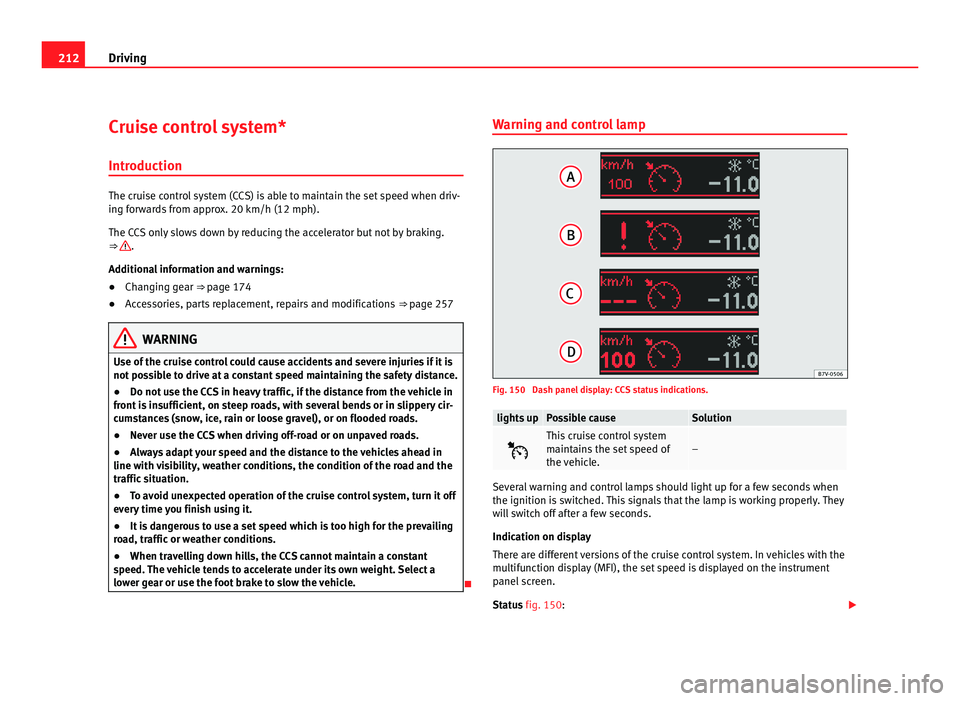
Fig. 150 Dash panel display: CCS status indications.
lights up Possible cause Solution
This cruise control system
maint
ain
s the set speed of
the vehicle. –
Several warning and control lamps should light up for a few seconds when
the ignition is
sw
itched. This signals that the lamp is working properly. They
will switch off after a few seconds.
Indication on display
There are different versions of the cruise control system. In vehicles with the
multifunction display (MFI), the set speed is displayed on the instrument
panel screen.
Status fig. 150:
Page 218 of 385
216
Driving
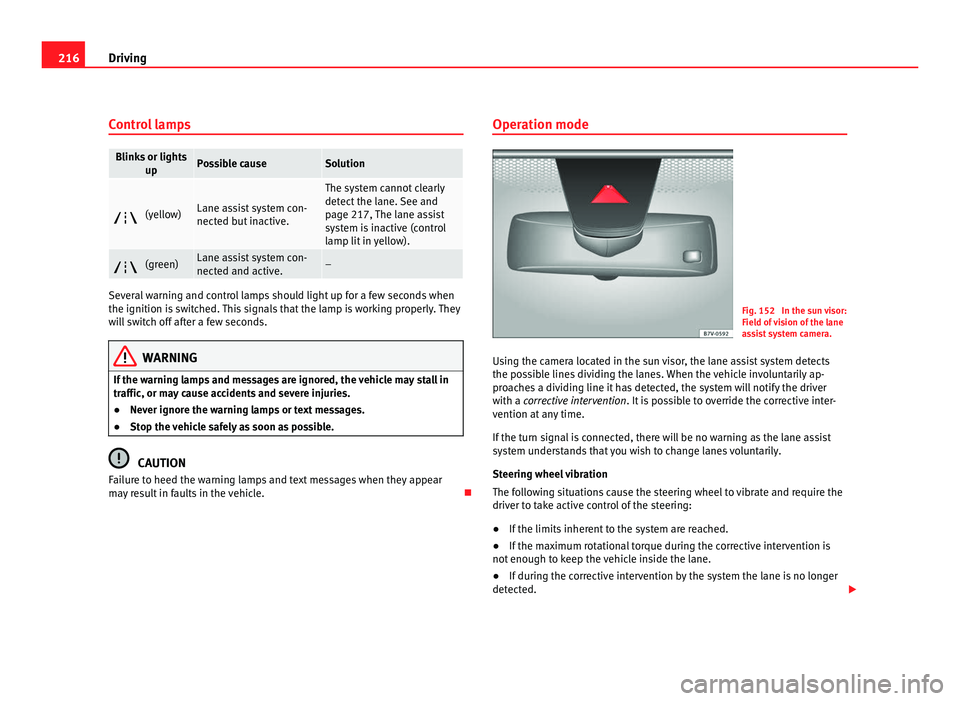
Control lamps Blinks or lights
up Possible cause Solution
(yellow) Lane assist system con-
nected b
ut
inactive. The system cannot clearly
detect
the l
ane. See and
page 217, The lane assist
system is inactive (control
lamp lit in yellow). (green) Lane assist system con-
nected and activ
e. –
Several warning and control lamps should light up for a few seconds when
the ignition is
sw
itched. This signals that the lamp is working properly. They
will switch off after a few seconds. WARNING
If the warning lamps and messages are ignored, the vehicle may stall in
traffic, or m a
y cause accidents and severe injuries.
● Never ignore the warning lamps or text messages.
● Stop the vehicle safely as soon as possible. CAUTION
Failure to heed the warning lamps and text messages when they appear
ma y
result in faults in the vehicle. Operation mode
Fig. 152 In the sun visor:
Field of
vision of the lane
assist system camera.
Using the camera located in the sun visor, the lane assist system detects
the poss
ible lines dividing the lanes. When the vehicle involuntarily ap-
proaches a dividing line it has detected, the system will notify the driver
with a corrective intervention. It is possible to override the corrective inter-
vention at any time.
If the turn signal is connected, there will be no warning as the lane assist
system understands that you wish to change lanes voluntarily.
Steering wheel vibration
The following situations cause the steering wheel to vibrate and require the
driver to take active control of the steering:
● If the limits inherent to the system are reached.
● If the maximum rotational torque during the corrective intervention is
not enough to k
eep the vehicle inside the lane.
● If during the corrective intervention by the system the lane is no longer
detected.
Page 224 of 385
222
Driving Note
● Do not only rely on the tyre monitoring system. Regularly check your
ty r
es to ensure that the tyre pressure is correct and that the tyres are not
damaged due to puncture, cuts, tears and impacts/dents. Remove objects
from the tyres only when the tyres have not been pierced by these.
● The tyre monitoring system is set to the tyre pressure recommended by
the manufact
urer and indicated on the label ⇒ fig. 176.
Elements of the tyre monitoring indicator Tyre monitoring indicator with button.
See ⇒ page 223.
Warning lamp on the in
strument panel.
S
ET button on the centre console.
Monitoring the tread of all tyres using ABS sensors (indirect measure-
ment).
Adjustable medium and full-load tyre pressures.
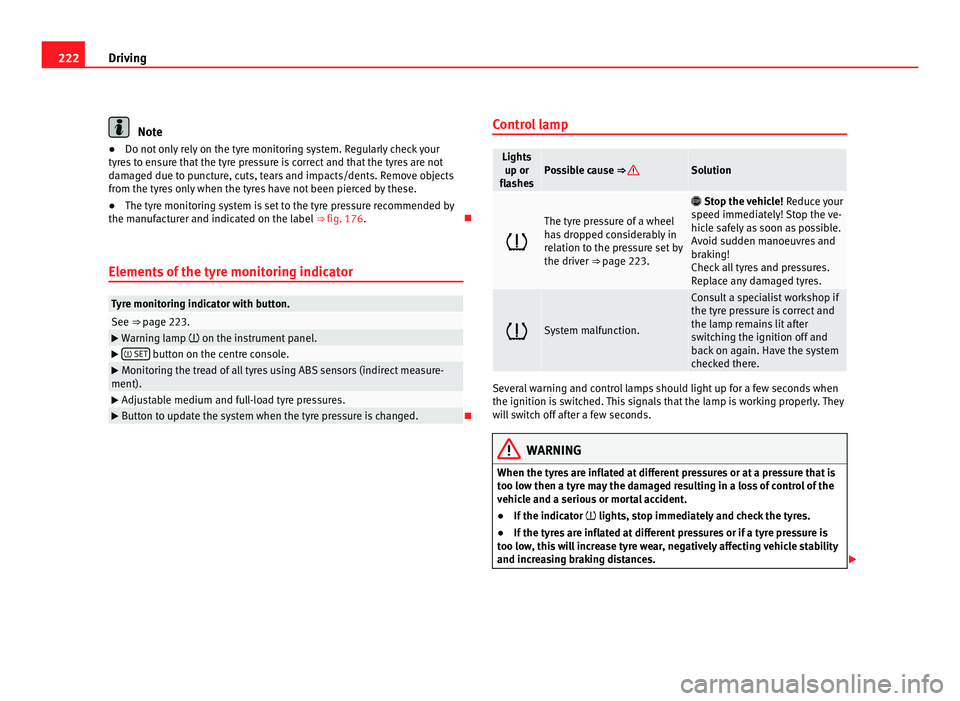
Button to update the system when the tyre pressure is changed. Control lamp Lights
up or
fla she
s Possible cause ⇒ Solution
The tyre pressure of a wheel
ha
s
dropped considerably in
relation to the pressure set by
the driver ⇒ page 223.
Stop the vehicle! Reduc
e your
speed immediately! Stop the ve-
hicle safely as soon as possible.
Avoid sudden manoeuvres and
braking!
Check all tyres and pressures.
Replace any damaged tyres. System malfunction. Consult a specialist workshop if
the tyr
e pr
essure is correct and
the lamp remains lit after
switching the ignition off and
back on again. Have the system
checked there. Several warning and control lamps should light up for a few seconds when
the ignition is
sw
itched. This signals that the lamp is working properly. They
will switch off after a few seconds. WARNING
When the tyres are inflated at different pressures or at a pressure that is
too lo w then a ty
re may the damaged resulting in a loss of control of the
vehicle and a serious or mortal accident.
● If the indicator lights, st
op immediately and check the tyres.
● If the tyres are inflated at different pressures or if a tyre pressure is
too low
, this will increase tyre wear, negatively affecting vehicle stability
and increasing braking distances.
Page 228 of 385
226
Driving and the environment
Economic driving style Changing gear early
General
in
structions: The highest gear is always the most economical gear.
As a guideline, for the majority of vehicles: At a speed of 30 km/h, drive in
third gear, at 40 km/h in fourth gear and at 50 km/h in fifth gear.
In addition, skipping gears when shifting up helps to save fuel, weather and
traffic conditions permitting.
Do not wait until the last moment before changing gear. Only use first gear
when you move off and change to second gear quickly. Avoid the kick-down
function in vehicles with automatic gearbox.
Vehicles with a gear display help to achieve an economical driving style as
the display indicates the best moment to change gear.
Let the vehicle roll
If you take your foot off the accelerator, the fuel supply is stopped and con-
sumption is reduced.
Allow the vehicle to roll without accelerating, for example when approach-
ing a red traffic light. However, if the vehicle is rolling too slowly or the dis-
tance is too long, the clutch pedal should be pressed to declutch. The en-
gine will then operate at idle speed.
If the vehicle is going to be at a standstill for a period of time, switch off the
engine; for example, while waiting at a level crossing. In vehicles which
have the Start-Stop function on, the engine switches off automatically when
the vehicle is not moving.
Think ahead and “flow” with the traffic
Frequent acceleration and braking considerably increase fuel consumption.
If you think ahead as you drive and keep a safe distance from the vehicle in
front, it is possible to slow down by simply lifting your foot off the accelera-
tor. This eliminates the need for constant braking and acceleration. Calm and steady driving
Cons
tancy is more important than speed: The more you drive at a constant
speed, the lower the fuel consumption.
When driving on the motorway, it is more efficient to drive at a constant and
more moderate speed than to be continuously accelerating and braking. As
a general rule, you will reach your destination just as quickly when you drive
at a constant speed.
The cruise control function helps you to achieve a constant style of driving.
Moderate use of additional electrical appliances
It is important to travel in comfort, but convenience systems should be used
in an ecological manner.
Some equipment, when connected, increase fuel consumption considera-
bly, for example:
● Air conditioning cooling system: If the air conditioning system is re-
quired to c
ool to significantly lower temperatures than the true outside tem-
perature, it will require a large quantity of energy from the engine. There-
fore, we recommend that the selected temperature for the vehicle is not too
different to the outside temperature. It is a good idea to open all the win-
dows of the car before starting your journey, and to drive a short distance
with all the windows open to allow the vehicle to cool down slightly. Only
then should you close all the windows and switch on the air conditioning.
Keep windows closed when travelling at high speeds. Driving with the win-
dows open increases fuel consumption.
● Switch off the seat heating when the seats have warmed up.
● Switch off the heated rear window and the windscreen heating when the
window
s have demisted and are free of ice.
● Do not leave the auxiliary heater switched on when the vehicle is mov-
ing ⇒ p
age 163.
Page 229 of 385
227
Driving and the environment
Other factors which increase fuel consumption (examples):
● Fault in engine management.
● Driving on hills.
● Trailer towing.
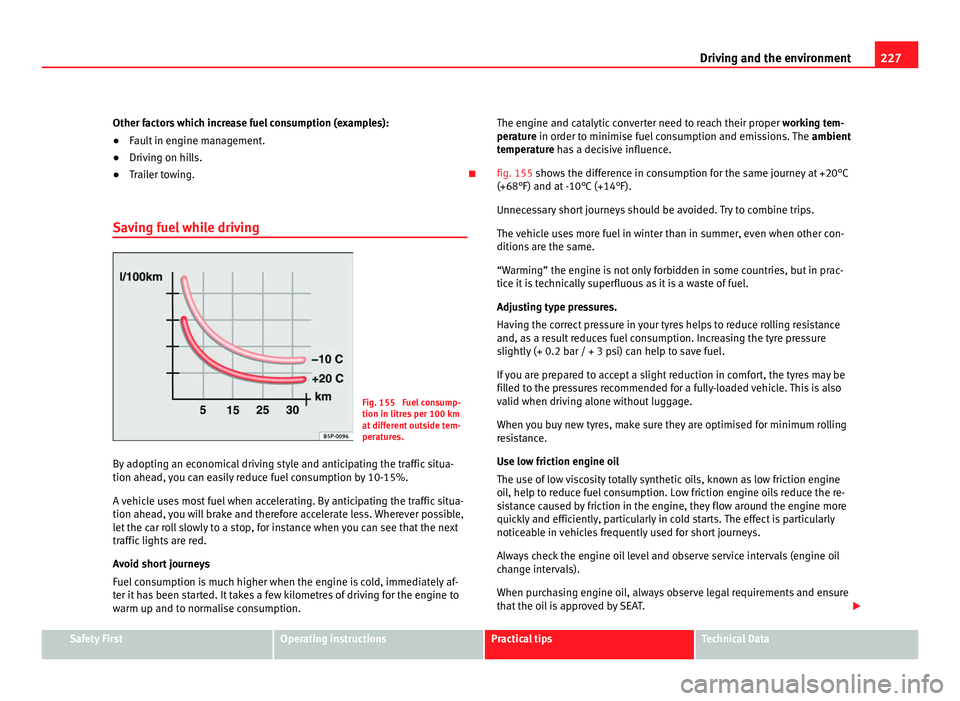
Saving fuel while driving Fig. 155 Fuel consump-
tion in litre
s
per 100 km
at different outside tem-
peratures.
By adopting an economical driving style and anticipating the traffic situa-
tion ahead,
you can easily reduce fuel consumption by 10-15%.
A vehicle uses most fuel when accelerating. By anticipating the traffic situa-
tion ahead, you will brake and therefore accelerate less. Wherever possible,
let the car roll slowly to a stop, for instance when you can see that the next
traffic lights are red.
Avoid short journeys
Fuel consumption is much higher when the engine is cold, immediately af-
ter it has been started. It takes a few kilometres of driving for the engine to
warm up and to normalise consumption. The engine and catalytic converter need to reach their proper
workin
g tem-
perature in order to minimise fuel consumption and emissions. The ambient
temperature has a decisive influence.
fig. 155 shows the difference in consumption for the same journey at +20°C
(+68°F) and at -10°C (+14°F).
Unnecessary short journeys should be avoided. Try to combine trips.
The vehicle uses more fuel in winter than in summer, even when other con-
ditions are the same.
“Warming” the engine is not only forbidden in some countries, but in prac-
tice it is technically superfluous as it is a waste of fuel.
Adjusting type pressures.
Having the correct pressure in your tyres helps to reduce rolling resistance
and, as a result reduces fuel consumption. Increasing the tyre pressure
slightly (+ 0.2 bar / + 3 psi) can help to save fuel.
If you are prepared to accept a slight reduction in comfort, the tyres may be
filled to the pressures recommended for a fully-loaded vehicle. This is also
valid when driving alone without luggage.
When you buy new tyres, make sure they are optimised for minimum rolling
resistance.
Use low friction engine oil
The use of low viscosity totally synthetic oils, known as low friction engine
oil, help to reduce fuel consumption. Low friction engine oils reduce the re-
sistance caused by friction in the engine, they flow around the engine more
quickly and efficiently, particularly in cold starts. The effect is particularly
noticeable in vehicles frequently used for short journeys.
Always check the engine oil level and observe service intervals (engine oil
change intervals).
When purchasing engine oil, always observe legal requirements and ensure
that the oil is approved by SEAT. Safety First Operating instructions Practical tips Technical Data
Page 230 of 385
228
Driving and the environment
Avoid carrying unnecessary loads
The lighter the v
ehicle, the more economical and ecological the driving
style. For example, an additional weight of 100 kg will increase fuel con-
sumption up to 0.3 l/100 km.
Remove any unnecessary objects or loads from the vehicle.
Remove optional equipment and unnecessary accessories
The more aerodynamic the vehicle, the lower the fuel consumption. Option-
al equipment and accessories (such as roof racks or bike carriers) reduce
the aerodynamic benefits of the vehicle.
Therefore, we recommend you remove all optional and unnecessary equip-
ment and racks, especially if you intend to drive at high speeds.
Engine management and exhaust gas
purification sy
stem
Introduction Additional information and warnings:
●
Changing gear ⇒ p ag
e 174
● Refuelling ⇒ pag
e 264
● Fuel ⇒ page 267
● En
gine oil ⇒ pag
e 279
● Vehicle battery ⇒ pag
e 288
● Information stored in the control units ⇒ pag
e 257
● Tow-starting and towing away ⇒ pag
e 340 WARNING
The components of the exhaust system reach very high temperatures.
This c
ould cause a fire.
● Always park your vehicle so that no part of the exhaust system can
come in cont
act with flammable materials (such as dried grass).
● Do not apply additional underseal or anti-corrosion coatings to the
exhau
st pipes, catalytic converter, heat shields or the diesel particulate
filter.
Warning lamps lights up Possible cause Solution
Fault in engine management
(Electr
onic
Power Control). Take the vehicle to a Technical
Serv
ic
e as soon as possible and
have the engine checked. Pre-heating a diesel engine
befor
e s
tarting the engine. ⇒ page 170
Fault in catalytic converter. You should reduce speed ac-
cor
din
gly. Drive carefully until
you reach the next qualified
workshop. Have the engine
checked there. Diesel particulate filter
bloc
k
ed Drive for 15 minutes in 4th gear
(manual
g
earbox), or in D (auto-
matic gearbox) at a minimum
speed of 70 km/h (45 mph).
Observe speed limits ⇒ .
If the w arnin
g lamp remains lit
up, take the vehicle to a Techni-
cal Service ⇒ page 229.