trailer Seat Alhambra 2015 User Guide
[x] Cancel search | Manufacturer: SEAT, Model Year: 2015, Model line: Alhambra, Model: Seat Alhambra 2015Pages: 305, PDF Size: 5.46 MB
Page 150 of 305
Operation
and helps to clean it by recommending a spe-
cific gear for driving. It may therefore be nec-
essary to drive with the engine at an
exceptionally high speed ››› page 151. WARNING
The recommended gear display is intended as
a guideline only; it should never replace the
driver's attention to driving carefully.
● Responsibility for selecting the correct gear
for each situation continues to lie with the
driver, for example when overtaking, climb-
ing a hill or towing a trailer. For the sake of the environment
Selecting the most appropriate gear for the
situation will help you to save fuel. Note
The recommended gear display is switched
off when the clutch pedal is pressed. Run-in and economical driving
Running-in Please observe the instructions for running-in
new components. Running-in the engine
The engine needs to be run-in over the first
1500 km (1000 miles). During its first few
hours of running, the internal friction in the
engine is greater than later on when all the
moving parts have bedded down.
How the vehicle is driven for the first
1500 km (1000 miles) influences the future
engine performance. Throughout the life of
the vehicle, it should be driven at a moderate
speed – especially when the engine is cold –
this will reduce engine wear and increase its
useful life. Never drive at extremely low en-
gine speeds. Always engage a lower gear
when the engine works “irregularly”. For the
first 1000 km or 600 miles, please note:
● Do not use full throttle.
● Do not force the engine above two thirds of
its maximum speed.
● Do not tow a trailer.
Between 1000 and 1500 kilometres (600 to
1000 miles) ,
gradually increase power until
reaching the maximum speed and high en-
gine speeds.
Running in new tyres and brake pads
● Replacement of wheel rims and new tyres
››› page 231
● Notes on the brakes ››› page 141 For the sake of the environment
If the engine is run in gently, the life of the
engine will be increased and the engine oil
consumption reduced. Environmental friendliness
Environmental protection is a top priority in
the design, choice of materials and manufac-
ture of your new SEAT.
Constructive measures to encourage
recycling
● Joints and connections designed for easy
dismantling
● Modular construction to facilitate disman-
tling
● Increased use of single-grade materials.
● Plastic parts and elastomers are marked in
accordance with ISO 1043, ISO 11469 and
ISO 1629.
Choice of materials
● Use of recycled materials.
● Use of compatible plastics in the same part
if its components are not easily separated.
● Use of recycled materials and/or materials
originating from renewable sources.
● Reduction of volatile components, includ-
ing odour, in plastic materials.
148
Page 153 of 305
Driving
they flow around the engine more quickly
and efficiently, particularly in cold starts. The
effect is particularly noticeable in vehicles
frequently used for short journeys.
Always check the engine oil level and ob-
serve service intervals (engine oil change in-
tervals).
When purchasing engine oil, always observe
legal requirements and ensure that the oil is
approved by SEAT.
Avoid carrying unnecessary loads
The lighter the vehicle, the more economical
and ecological the driving style. For example,
an additional weight of 100 kg will increase
fuel consumption up to 0.3 l/100 km.
Remove any unnecessary objects or loads
from the vehicle.
Remove optional equipment and
unnecessary accessories
The more aerodynamic the vehicle, the lower
the fuel consumption. Optional equipment
and accessories (such as roof racks or bike
carriers) reduce the aerodynamic benefits of
the vehicle.
Therefore, we recommend you remove all op-
tional and unnecessary equipment and racks,
especially if you intend to drive at high
speeds. Other factors which increase fuel
consumption (examples):
●
Fault in engine management.
● Driving on hills.
● Trailer towing. WARNING
Always adapt your speed and the distance to
the vehicles ahead in line with visibility,
weather conditions, the condition of the road
and the traffic situation. Engine management and
exhaust gas purification
system
Introduction WARNING
The components of the exhaust system reach
very high temperatures. This could cause a
fire.
● Always park your vehicle so that no part of
the exhaust system can come in contact with
flammable materials (such as dried grass).
● Do not apply additional underseal or anti-
corrosion coatings to the exhaust pipes, cata-
lytic converter, heat shields or the diesel par-
ticulate filter. Control lampsIt lights
upPossible causeSolution
Fault in engine
management
(Electronic Power
Control).Take the vehicle to a
specialised work-
shop as soon as
possible and have
the engine checked.
Pre-heating a die-
sel engine before
starting the en-
gine.
›››
page 133
Fault in catalytic
converter.
You should reduce
speed accordingly.
Drive carefully until
you reach the next
specialised work-
shop. Have the en-
gine checked there.
Diesel particulate
filter blocked
Drive for 15 minutes
in 4th gear (manual
gearbox), or in D (au-
tomatic gearbox) at
a minimum speed of
70 km/h (45 mph).
Observe speed lim-
its
›››
.
If the warning lamp
remains lit up, take
the vehicle to a spe-
cialised workshop
››› page 152.
» 151
Technical specifications
Advice
Operation
Safety
Page 156 of 305
Operation
Driver assistance systems
Braking and stability systems Brake assist systems The brake assist systems ESC, ABS, BAS, ASR
and EDL only operate when the ignition is
switched on. They contribute significantly to
increasing active safety.
Electronic Stability Control (ESC)
ESC reduces the risk of skidding and increa-
ses the vehicle stability by braking individual
wheels under specific driving conditions. ESC
detects critical handling situations, such as
understeer, oversteer and wheelspin on the
driven wheels. The system stabilises the ve-
hicle by braking individual wheels or by re-
ducing the engine torque.
The ESC has limits. It is important to realise
that the ESC is also subject to the laws of
physics. ESC will not be able to deal with all
situations with which drivers may be faced.
For example, if the road surface changes sud-
denly then ESC will not be useful in all cases.
If the vehicle suddenly enters a section cov-
ered by water, mud or snow then ESC will not
provide assistance in the same way as on dry
ground. If the vehicle loses its grip on the
ground and moves on a film of water (“aqua-
planing”), the ESC will not be able to assist the driver to control the vehicle as the loss of
adherence with the road surface will prevent-
ing braking and steering. If the vehicle is
driven through series of bends at high
speed, the ESC will not always be as effec-
tive: the vehicle reaction to aggressive driv-
ing is not the same as at reduced speeds.
When driving with a trailer, ESC does not pro-
vide the same amount of vehicle control as
without a trailer.
Adjust your speed and driving style to road,
traffic and weather conditions. ESC cannot
push the limits of the laws of physics; im-
prove the transmission available or maintain
the vehicle on the road if a lack of driver at-
tention creates an inevitable situation. Other-
wise, ESC assists in maintaining vehicle con-
trol in extreme situations and uses the move-
ments of the steering made by the driver to
maintain the vehicle moving in the desired
direction. If the vehicle is driven at such a
speed that it will leave the road before ESC
can intervene then the system cannot pro-
vide assistance.
The ABS, BAS, ASR and EDL systems are in-
corporated into the ESC. The ESC is always
on. The ESC should only be turned off using
the ASR button
›››
Fig. 134 when traction is
in s
ufficient. Always remember to turn on the
ASR once more when the vehicle has traction
again. Anti-lock brake system (ABS)
ABS can prevent the wheels from locking dur-
ing braking until just before the vehicle stops
thus helping the driver to steer the vehicle
and maintain control. This means that, even
during full braking, the risk of skidding is re-
duced:
● Press and hold the brake pedal fully. Do not
remove your foot from the brake pedal or re-
duce braking force!
● Do not “pump” the brake pedal, or reduce
braking force!
● Maintain vehicle direction when braking
fully.
● When the brake pedal is released or when
the brake force is reduced, ABS is turned off.
ABS control can be observed by vibration of
the brake pedal and noise. You should never
expect
the ABS to reduce the braking dis-
tance under
any circumstances. This distance
will increase when driving on gravel, recent
snow or on icy and slippery ground.
When driving on loose ground, the all-terrain
configuration of the ABS is automatically
turned on. When ABS is activated, the front
wheels may lock briefly. This shortens the
braking distance in off-road situations as the
wheels are prevented from digging into loose
surfaces. All-terrain ABS only intervenes
when driving in a straight line. When the
154
Page 160 of 305
Operation
CAUTION
Before entering an automatic car wash, al-
ways switch the Auto Hold function off, as it
could be damaged when the electronic park-
ing brake automatically engages. Start-Stop Function*
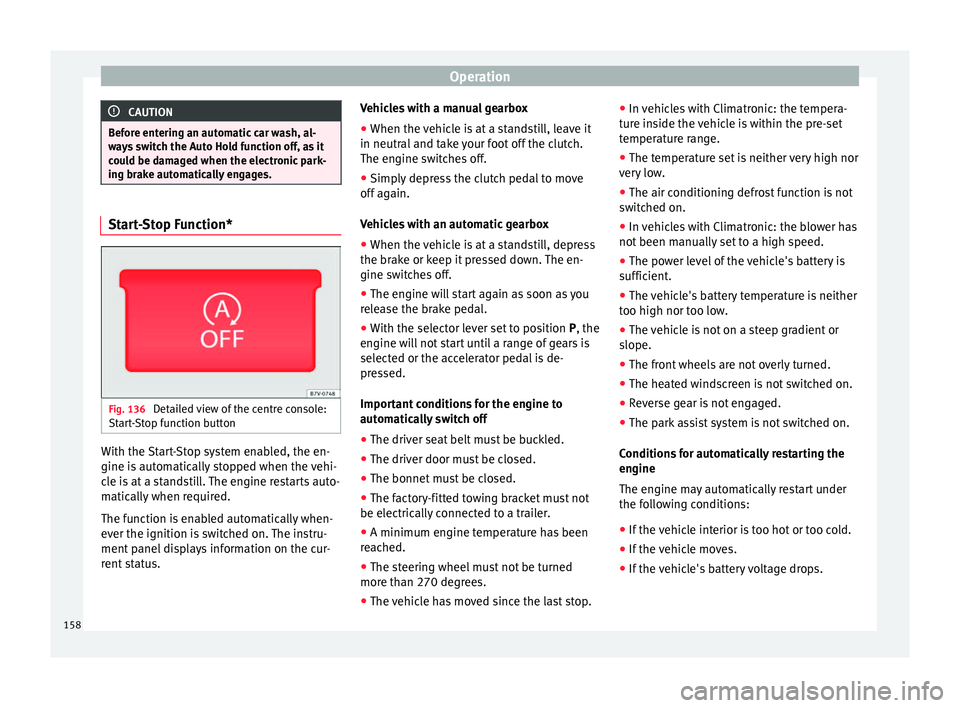
Fig. 136
Detailed view of the centre console:
Start-Stop function button With the Start-Stop system enabled, the en-
gine is automatically stopped when the vehi-
cle is at a standstill. The engine restarts auto-
matically when required.
The function is enabled automatically when-
ever the ignition is switched on. The instru-
ment panel displays information on the cur-
rent status. Vehicles with a manual gearbox
● When the vehicle is at a standstill, leave it
in neutral and take your foot off the clutch.
The engine switches off.
● Simply depress the clutch pedal to move
off again.
Vehicles with an automatic gearbox
● When the vehicle is at a standstill, depress
the brake or keep it pressed down. The en-
gine switches off.
● The engine will start again as soon as you
release the brake pedal.
● With the selector lever set to position P, the
en gine w
ill not start until a range of gears is
selected or the accelerator pedal is de-
pressed.
Important conditions for the engine to
automatically switch off
● The driver seat belt must be buckled.
● The driver door must be closed.
● The bonnet must be closed.
● The factory-fitted towing bracket must not
be electrically connected to a trailer.
● A minimum engine temperature has been
reached.
● The steering wheel must not be turned
more than 270 degrees.
● The vehicle has moved since the last stop. ●
In vehicles with Climatronic: the tempera-
ture inside the vehicle is within the pre-set
temperature range.
● The temperature set is neither very high nor
very low.
● The air conditioning defrost function is not
switched on.
● In vehicles with Climatronic: the blower has
not been manually set to a high speed.
● The power level of the vehicle's battery is
sufficient.
● The vehicle's battery temperature is neither
too high nor too low.
● The vehicle is not on a steep gradient or
slope.
● The front wheels are not overly turned.
● The heated windscreen is not switched on.
● Reverse gear is not engaged.
● The park assist system is not switched on.
Conditions for automatically restarting the
engine
The engine may automatically restart under
the following conditions:
● If the vehicle interior is too hot or too cold.
● If the vehicle moves.
● If the vehicle's battery voltage drops.
158
Page 161 of 305
Driver assistance systems
Conditions requiring the key to restart the
engine
The engine must be started manually under
the following conditions:
● If the driver unbuckles his/her seat belt.
● If the driver door is opened.
● If the bonnet is opened.
● In vehicles with a manual gearbox: if a gear
has been selected.
Switching Start-Stop mode on and off
manually
● Press the button on the centre console
››› Fig. 136 .
● The b utt
on will light up when the Start-Stop
function is switched off.
The engine will start immediately if the vehi-
cle is in Stop mode when it is switched off
manually. WARNING
The brake servo and the power steering do
not work when the engine is switched off.
● Never allow the vehicle to move when the
engine is switched off. CAUTION
Using the Start-Stop function for a long peri-
od at very high outside temperatures could
damage the vehicle's battery. Note
● In some cases, you may have to restart the
vehicle using the key. Observe the corre-
sponding message on the instrument panel
display.
● If the steering wheel is turned more than
270°, Stop will not function; however, the an-
gle of steering wheel turn does not affect
starting the vehicle. Parking sensor system*
Introduction The parking sensor system assists the driver
when parking. When the vehicle approaches
an obstacle, forwards or backwards, an inter-
mittent audible warning will be heard, higher
or lower depending on the distance. The
shorter the distance, the shorter the intervals
between tones. If the vehicle is too close to
the obstacle, the audible warning becomes
constant.
If you continue to approach an obstacle when
the sound is continuous, this means the sys-
tem can no longer measure the distance.
The sensor system on the bumpers transmit
and receive ultrasound. Using the ultrasound
signal (transmission, reflection from the ob-
stacle and reception), this system continu-ously calculates the distance between the
bumper and the obstacle. WARNING
The parking sensor system and the optical
parking system cannot replace driver aware-
ness.
● The sensors have blind spots in which ob-
stacles and people are not registered.
● Always observe the area around the vehi-
cle, as the sensors do not always detect
small children, animals or objects.
● The surface of certain objects and some
clothing do not reflect the ultrasound signals
from the parking distance system. The sys-
tem cannot detect or incorrectly detects
these objects and people wearing these
types of clothes.
● External sound sources can affect the park-
ing distance aid signals. In this case, under
certain circumstances, people and objects
will not be detected. CAUTION
● The sensors may not always be able to de-
tect objects such as trailer draw bars, thin
rails, fences, posts, trees and open boots,
etc. This could result in damage to your car.
● Although the parking sensor system de-
tects and warns of the presence of an obsta-
cle, the obstacle could disappear from the an-
gle of measurement of the sensors if it is too
high or low and the system would no longer » 159
Technical specifications
Advice
Operation
Safety
Page 164 of 305
OperationDistance from the
vehicle to the ob-
stacleAudible
warn- ing
Displayed in
colour on the
screen: colour
of the segment if an obstacleis recognised
Front: approx. 31 -
120 cm
Behind: approx. 31 -
160 cmBeeping soundYellow
Approximately 0 –
30 cm in front or be-
hind a)Perma-
nent
soundRed
a) The permanent sound starts at a somewhat greater distance
on vehicles with a factory-fitted towing bracket.
With towing bracket
A specific image is displayed on the screen of
vehicles with a factory-fitted towing bracket
and an electrically connected trailer. In this
case, the distances behind the vehicle are
not indicated.
Switching the parking sensor system sound
on and off
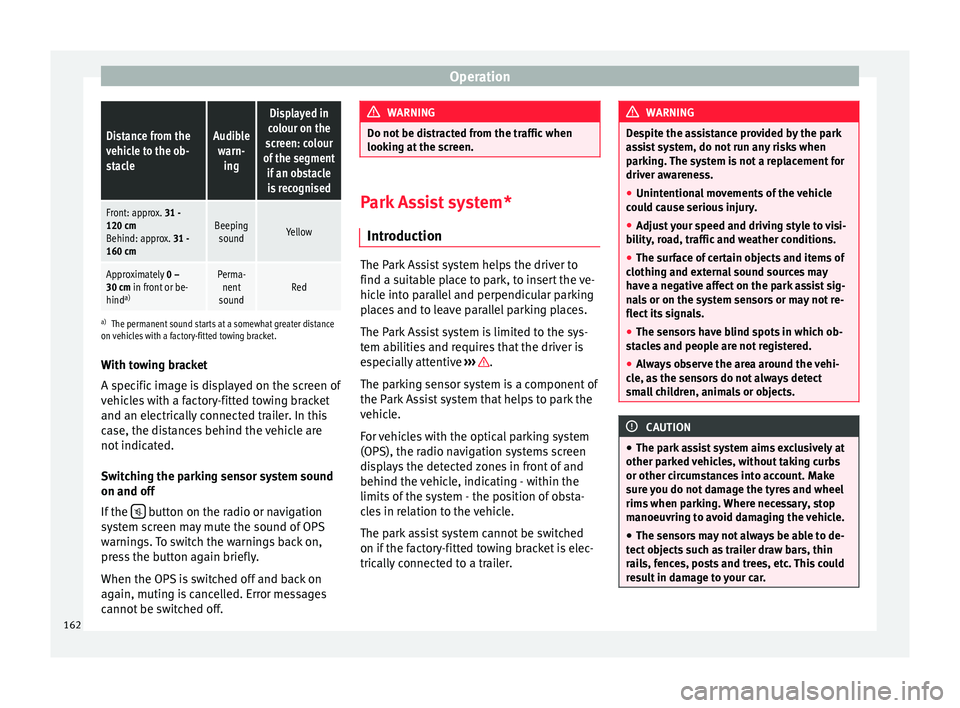
If the button on the radio or navigation
system screen may mute the sound of OPS
warnings. To switch the warnings back on,
press the button again briefly.
When the OPS is switched off and back on
again, muting is cancelled. Error messages
cannot be switched off. WARNING
Do not be distracted from the traffic when
looking at the screen. Park Assist system*
Introduction The Park Assist system helps the driver to
find a suitable place to park, to insert the ve-
hicle into parallel and perpendicular parking
places and to leave parallel parking places.
The Park Assist system is limited to the sys-
tem abilities and requires that the driver is
especially attentive
››› .
The parking sensor system is a component of
the Park Assist system that helps to park the
vehicle.
For vehicles with the optical parking system
(OPS), the radio navigation systems screen
displays the detected zones in front of and
behind the vehicle, indicating - within the
limits of the system - the position of obsta-
cles in relation to the vehicle.
The park assist system cannot be switched
on if the factory-fitted towing bracket is elec-
trically connected to a trailer. WARNING
Despite the assistance provided by the park
assist system, do not run any risks when
parking. The system is not a replacement for
driver awareness.
● Unintentional movements of the vehicle
could cause serious injury.
● Adjust your speed and driving style to visi-
bility, road, traffic and weather conditions.
● The surface of certain objects and items of
clothing and external sound sources may
have a negative affect on the park assist sig-
nals or on the system sensors or may not re-
flect its signals.
● The sensors have blind spots in which ob-
stacles and people are not registered.
● Always observe the area around the vehi-
cle, as the sensors do not always detect
small children, animals or objects. CAUTION
● The park assist system aims exclusively at
other parked vehicles, without taking curbs
or other circumstances into account. Make
sure you do not damage the tyres and wheel
rims when parking. Where necessary, stop
manoeuvring to avoid damaging the vehicle.
● The sensors may not always be able to de-
tect objects such as trailer draw bars, thin
rails, fences, posts and trees, etc. This could
result in damage to your car. 162
Page 170 of 305
Operation1) Do not use the rear assist system in the fol-
lowing cases:
– If the position and installation angle of the camera
have been changed, e.g. in a rear-end collision. Have a
specialised workshop check the system.
2) Optical illusions of the camera (examples)
The rear assist camera produces two-dimensional im-
ages. Any cracks in or objects protruding from the
ground or from other vehicles are more difficult to spot
or cannot be seen due to a lack of depth in the image
displayed.
Objects or other vehicles may seem to be closer or fur-
ther away than what they really are:
– On changing from a flat surface to a slope or gradient.
– On changing from a slope or gradient to a flat surface.
– If the vehicle has been overloaded at the rear.
– On approaching protruding objects. These objects
may be outside the angle of vision of the camera when
reversing. Cleaning the camera lens
Keep the camera lens clean and clear of snow
and ice:
● Moisten the lens using a commercially
available, alcohol-based glass cleaning
agent and clean the lens with a dry cloth
››› .
● Remove snow using a small brush.
● Use de-icing spray to remove any ice ››› . CAUTION
● Never use abrasive cleaners to clean the
camera lens.
● Never remove snow or ice from the camera
lens using warm or hot water. This could
damage the lens. Note
● SEAT recommends that you practise park-
ing with the rear assist system in a quiet lo-
cation or in a car park to become familiar with
the system, including the orientation lines
and their function.
● The orientation lines will not be displayed
on the screen if the rear lid is open or the fac-
tory-fitted towing bracket is electrically con-
nected to a trailer. Parking perpendicular to the road
(mode 1)
Fig. 145
Display: orientation lines for the
parking space behind the vehicle Summary of the orientation points
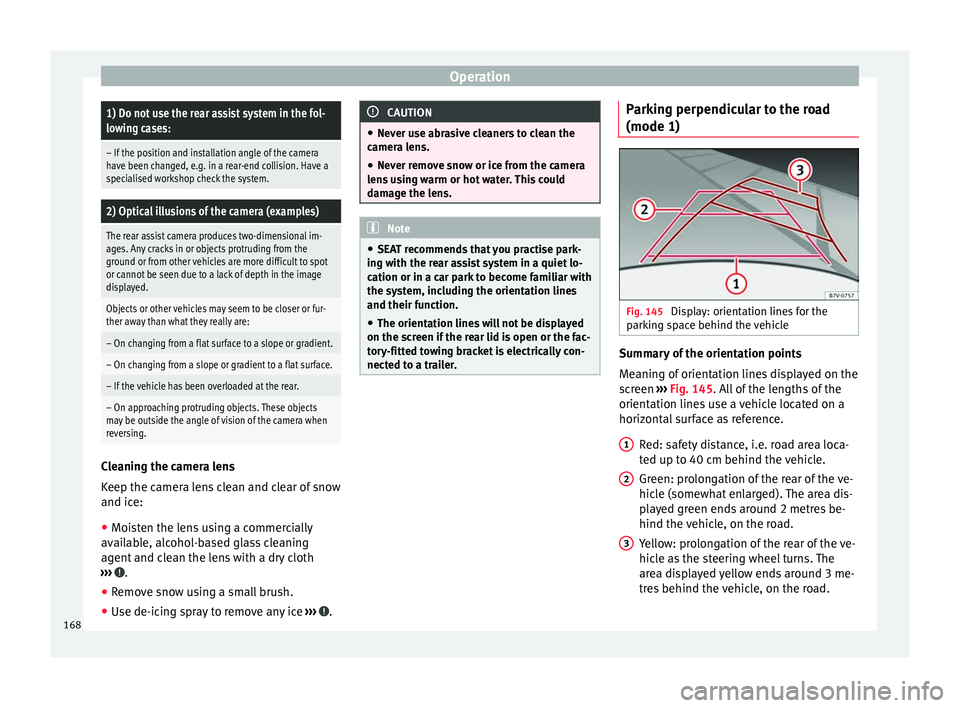
Meaning of orientation lines displayed on the
screen
››› Fig. 145 . All of the lengths of the
orient ation line
s use a vehicle located on a
horizontal surface as reference.
Red: safety distance, i.e. road area loca-
ted up to 40 cm behind the vehicle.
Green: prolongation of the rear of the ve-
hicle (somewhat enlarged). The area dis-
played green ends around 2 metres be-
hind the vehicle, on the road.
Yellow: prolongation of the rear of the ve-
hicle as the steering wheel turns. The
area displayed yellow ends around 3 me-
tres behind the vehicle, on the road.
1 2
3
168
Page 177 of 305
Driver assistance systemsDisplay text of
Sign Assist on
the instrument
panelCause and solution
Error: Sign AssistSystem fault.
Have the system checked by a
specialised workshop.
Sign Assist: Clean the
windscreen!The windscreen is dirty in the
area of the camera.
Clean the windscreen.
Sign Assist: only
partly available at the
moment.No data is being transmitted
from the navigator.
Connect the navigator and in-
sert the navigation data medi-
um.
ALTERNATIVELY: Sign Assist is
not supported in the country in
which you are driving at this
time. WARNING
If the warning lamps and messages are ignor-
ed, the vehicle may stall in traffic, or may
cause accidents and severe injuries.
● Never ignore the warning lamps or text
messages.
● Stop the vehicle safely as soon as possible. CAUTION
Failure to heed the control lamps and text
messages when they appear may result in ve-
hicle faults. Operation mode
Sign Assist does not work in all countries.
This must be taken into account when travel-
ling abroad.
Display of traffic signs
Speed limits or overtaking prohibitions to-
gether with the corresponding additional
signs are shown on the instrument panel dis-
play
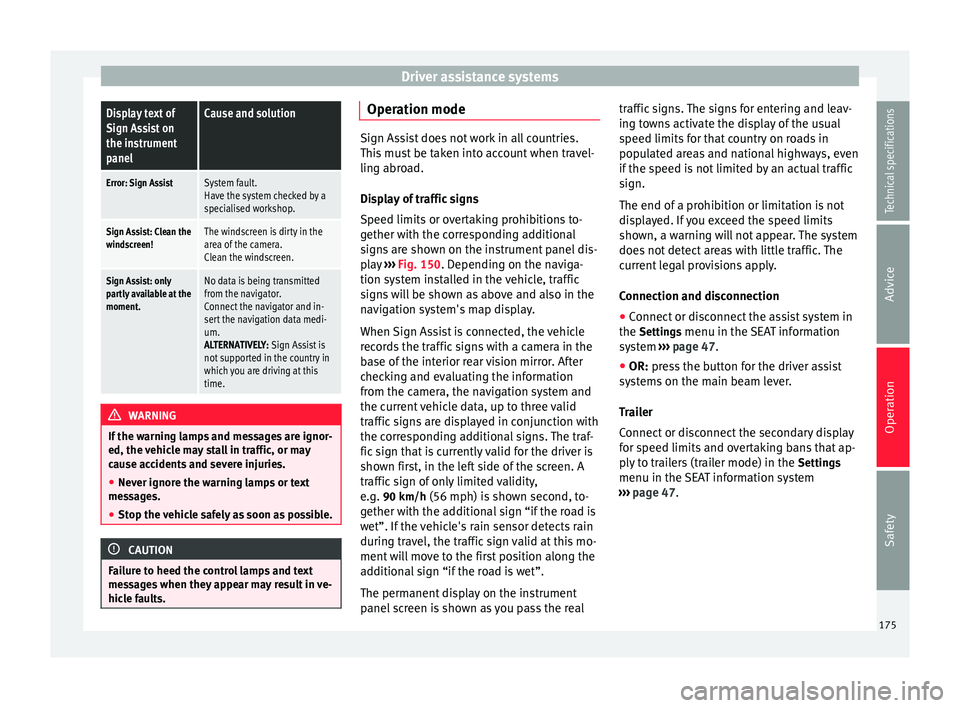
››› Fig. 150. Depending on the naviga-
tion sy s
tem installed in the vehicle, traffic
signs will be shown as above and also in the
navigation system's map display.
When Sign Assist is connected, the vehicle
records the traffic signs with a camera in the
base of the interior rear vision mirror. After
checking and evaluating the information
from the camera, the navigation system and
the current vehicle data, up to three valid
traffic signs are displayed in conjunction with
the corresponding additional signs. The traf-
fic sign that is currently valid for the driver is
shown first, in the left side of the screen. A
traffic sign of only limited validity,
e.g. 90 km/h
(56 mph) is shown second, to-
gether with the additional sign “if the road is
wet”. If the vehicle's rain sensor detects rain
during travel, the traffic sign valid at this mo-
ment will move to the first position along the
additional sign “if the road is wet”.
The permanent display on the instrument
panel screen is shown as you pass the real traffic signs. The signs for entering and leav-
ing towns activate the display of the usual
speed limits for that country on roads in
populated areas and national highways, even
if the speed is not limited by an actual traffic
sign.
The end of a prohibition or limitation is not
displayed. If you exceed the speed limits
shown, a warning will not appear. The system
does not detect areas with little traffic. The
current legal provisions apply.
Connection and disconnection
● Connect or disconnect the assist system in
the Settings menu in the SEAT information
system ››› page 47.
● OR: press the button for the driver assist
sy s
tems on the main beam lever.
Trailer
Connect or disconnect the secondary display
for speed limits and overtaking bans that ap-
ply to trailers (trailer mode) in the Settings
menu in the SEAT information system
››› page 47.
175
Technical specifications
Advice
Operation
Safety
Page 181 of 305
Towing bracket device
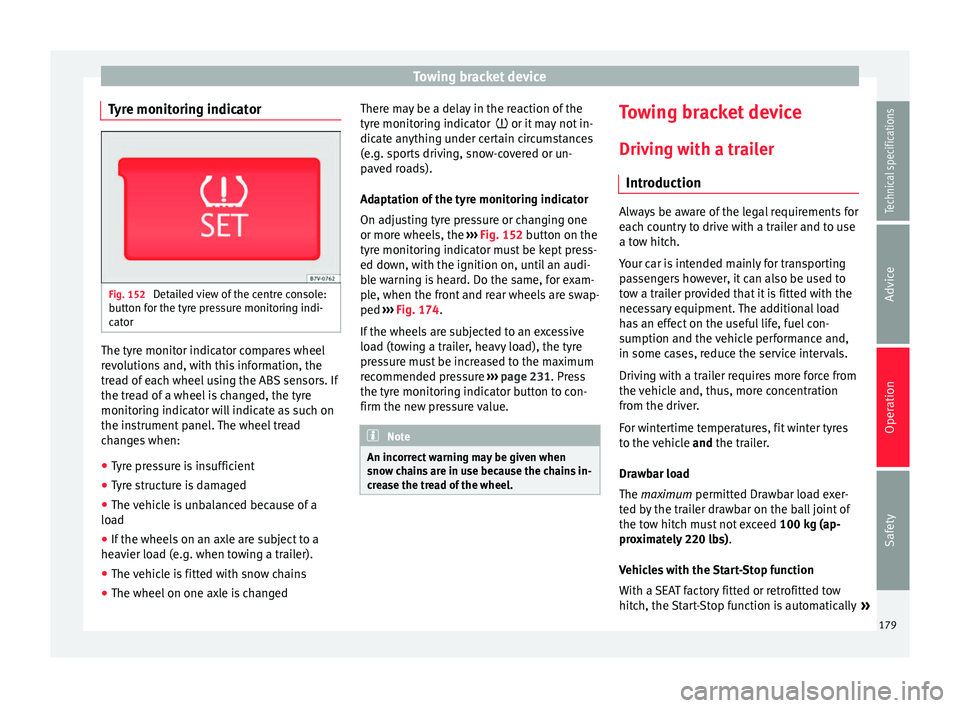
Tyre monitoring indicator Fig. 152
Detailed view of the centre console:
button for the tyre pressure monitoring indi-
cator The tyre monitor indicator compares wheel
revolutions and, with this information, the
tread of each wheel using the ABS sensors. If
the tread of a wheel is changed, the tyre
monitoring indicator will indicate as such on
the instrument panel. The wheel tread
changes when:
● Tyre pressure is insufficient
● Tyre structure is damaged
● The vehicle is unbalanced because of a
load
● If the wheels on an axle are subject to a
heavier load (e.g. when towing a trailer).
● The vehicle is fitted with snow chains
● The wheel on one axle is changed There may be a delay in the reaction of the
tyre monitoring indicator
or it may not in-
dic
ate anything under certain circumstances
(e.g. sports driving, snow-covered or un-
paved roads).
Adaptation of the tyre monitoring indicator
On adjusting tyre pressure or changing one
or more wheels, the ››› Fig. 152
button on the
tyre monitoring indicator must be kept press-
ed down, with the ignition on, until an audi-
ble warning is heard. Do the same, for exam-
ple, when the front and rear wheels are swap-
ped ››› Fig. 174
.
If the wheels are subjected to an excessive
load (towing a trailer, heavy load), the tyre
pressure must be increased to the maximum
recommended pressure ››› page 231. Press
the tyre monitoring indicator button to con-
firm the new pressure value. Note
An incorrect warning may be given when
snow chains are in use because the chains in-
crease the tread of the wheel. Towing bracket device
Driving with a trailer Introduction Always be aware of the legal requirements for
each country to drive with a trailer and to use
a tow hitch.
Your car is intended mainly for transporting
passengers however, it can also be used to
tow a trailer provided that it is fitted with the
necessary equipment. The additional load
has an effect on the useful life, fuel con-
sumption and the vehicle performance and,
in some cases, reduce the service intervals.
Driving with a trailer requires more force from
the vehicle and, thus, more concentration
from the driver.
For wintertime temperatures, fit winter tyres
to the vehicle
and
the trailer.
Dr a
wbar load
The
maximum permitted Drawbar load exer-
ted by the trailer drawbar on the ball joint of
the tow hitch must not exceed 100 kg (ap-
proximately 220 lbs).
Vehicles with the Start-Stop function
With a SEAT factory fitted or retrofitted tow
hitch, the Start-Stop function is automatically »
179
Technical specifications
Advice
Operation
Safety
Page 182 of 305
Operation
deactivated when a trailer is connected. For
tow hitches not installed by SEAT, the Start-
St op f
unction must be deactivated manually
using a button located on the dash panel be-
fore
driving with a trailer and it must remain
off for the entire journey ››› .
WARNING
Never transport people in a trailer: this will
endanger in their life and is against the law. WARNING
The incorrect use of the tow hitch can cause
accidents and injury.
● Only use a tow hitch in perfect condition
and correctly installed.
● Never change or repair a tow hitch.
● To reduce the risk of injury in case of a re-
versing collision, injury to pedestrians and
cyclists when parking, always keep the ball
joint in when a trailer is not being used.
● Never fit a trailer tow hitch “that distrib-
utes the load” or “balances the load”. Your
vehicle has not been designed for this type of
tow hitch. The tow hitch may fail and the
trailer will separate from the vehicle. WARNING
Driving with a trailer and transporting heavy
or large objects can affect vehicle handling
and even cause an accident. ●
Always secure loads correctly with suitable
and undamaged attachment rope or straps.
● Adjust your speed and driving style to visi-
bility, road, traffic and weather conditions.
● Trailers with a high centre of gravity can
overturn more easily than those with a low
centre of gravity.
● Avoid brusque manoeuvres and sudden
braking.
● Always take the following precautions seri-
ously.
● Reduce your speed immediately if you ob-
serve the trailer rocking from side to side.
● Never drive at more than 80 km/h (50 mph)
when towing a trailer (or 100 km/h [60 mph]
in exceptional circumstances). This also ap-
plies in countries where higher speeds are
permitted. Always take the speed limits for
vehicles with and without trailers in each
country into account.
● Never try to stop the “snaking” by increas-
ing speed. WARNING
When driving with a trailer and using a tow
hitch that was not installed by SEAT, the
Start-Stop function must be manually deacti-
vated. Otherwise, this could cause a braking
anomaly that could result in an accident with
serious consequences.
● Always manually deactivate the Start-Stop
function when a trailer is being used on a tow
hitch that has not been installed by SEAT. Note
● Always turn off the anti-theft alarm system
before connecting or disconnecting a trailer
››› page 62. Otherwise, the tilt sensor may er-
r oneou
sly activate the alarm.
● Never use a trailer with a new engine (for
the first 1,000 km) ››› page 189.
● At
SEAT, we recommend folding in the tow
hitch ball when a trailer is not being used. In
case of a rear collision, the damage caused to
the vehicle with the extended tow hitch ball
could be more extensive.
● In some models, a tow hitch is necessary
for towing vehicles. For this reason, you
should store the tow hitch in the vehicle at all
times. Technical requirements
If the car is supplied with a
factory-fitted tow-
in g br
acket it will already have the necessary
technical modifications and meet the statuto-
ry requirements for towing a trailer.
Only use an approved tow hitch for the gross
trailer weight rating. The tow hitch must be
suitable for both the vehicle and trailer and
must be securely fitted to the vehicle chassis.
Only use a tow hitch with a removable ball
joint. Always check and take into account the
tow hitch manufacturer's instructions. Never
fit a trailer tow hitch “that distributes the
load” or “balances the load”.
180