service Seat Alhambra 2015 Owner's Guide
[x] Cancel search | Manufacturer: SEAT, Model Year: 2015, Model line: Alhambra, Model: Seat Alhambra 2015Pages: 305, PDF Size: 5.46 MB
Page 85 of 305
Lights and visibility
Windscreen wiper functionsWindscreen wiper performance in different sit-
uations
If the vehicle
is at a stand-
stillThe activated position provisionally
changes to the previous position.
During auto-
matic wipe
The air conditioner comes on for ap-
proximately 30 seconds in air recircula-
tion mode to prevent the smell of the
windscreen washer fluid entering the
inside the vehicle.
For the inter-
val wipeIntervals between wipes depend on the
vehicle's speed. The higher the vehicle
speed the shorter the intervals. Heated windscreen washer jets
The heating only thaws the frozen jets, it
does not thaw the water in the washer hoses.
The heated windscreen washer jets automati-
cally adjust the heat depending on the ambi-
ent temperature, when the ignition is switch-
ed on.
Headlight wash/wipe system
The headlight washers/wipers clean the
headlight lenses.
After the ignition is switched on, the first and
every fifth time the windscreen washer is
switched on, the headlights are also washed.
Therefore, the windscreen wiper lever should
be pulled towards the steering wheel when the dipped beam or main beam are on. Any
incrusted dirt (such as insects) should be
cleaned regularly (e.g. when refuelling).
To ensure the headlight washers work cor-
rectly in winter, any snow which has got into
the bumper jet supports should be cleaned
away. If necessary, remove snow with an anti-
icing spray.
Note
The wiper will try to wipe away any obstacles
that are on the windscreen. The wiper will
stop moving if the obstacle blocks its path.
Remove the obstacle and switch the wiper
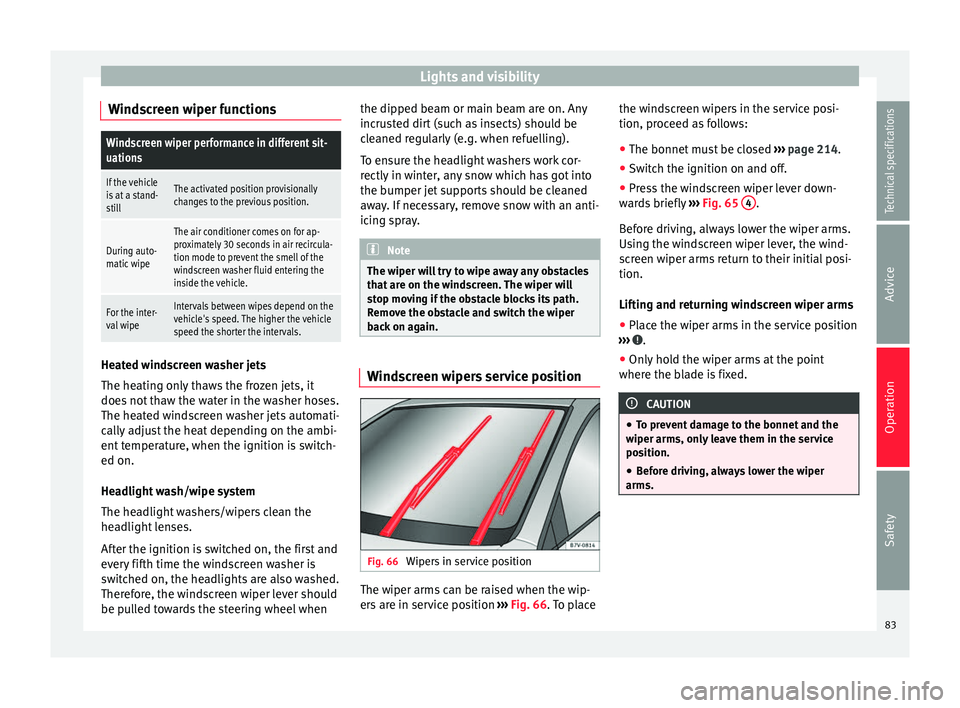
back on again. Windscreen wipers service position
Fig. 66
Wipers in service position The wiper arms can be raised when the wip-
ers are in service position
››› Fig. 66 . To place the w
ind
screen wipers in the service posi-
tion, proceed as follows:
● The bonnet must be closed ››› page 214.
● Switch the ignition on and off.
● Press the windscreen wiper lever down-
wards briefly ››› Fig. 65 4 .
Before driving, always lower the wiper arms.
Using the windscreen wiper lever, the wind-
screen wiper arms return to their initial posi-
tion.
Lifting and returning windscreen wiper arms
● Place the wiper arms in the service position
››› .
● Only hold the wiper arms at the point
where the blade is fixed. CAUTION
● To prevent damage to the bonnet and the
wiper arms, only leave them in the service
position.
● Before driving, always lower the wiper
arms. 83
Technical specifications
Advice
Operation
Safety
Page 108 of 305
Operation
●
Always use suitable ropes and straps in
good condition.
● Secure the ropes and straps to the fasten-
ing rings.
● Loose objects in the luggage compartment
can suddenly slide and change the way the
vehicle handles.
● Secure all objects, little and large.
● Never secure a load that is too heavy for
the fastening rings.
● Never secure a child seat to the fastening
rings. Note
● The maximum load of the fastening rings is
approximately 3.5 kN (3.57 kp).
● You can find suitable transport straps and
load securing systems at a specialised work-
shop. SEAT recommends taking your car in for
technical service. Rails and attachment system*
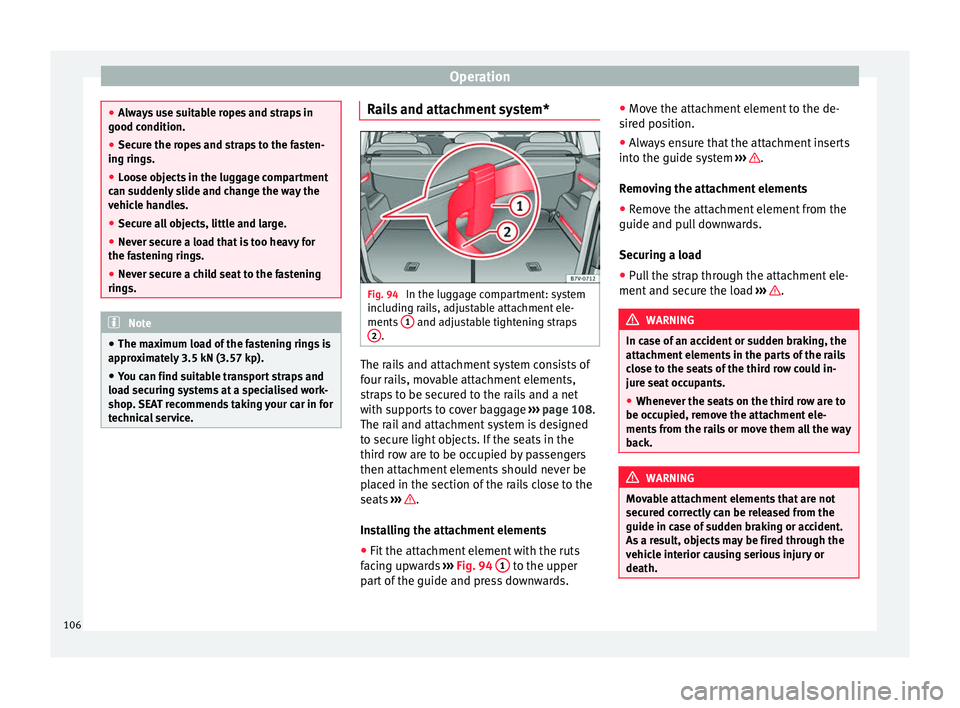
Fig. 94
In the luggage compartment: system
including rails, adjustable attachment ele-
ments 1 and adjustable tightening straps
2 .
The rails and attachment system consists of
four rails, movable attachment elements,
straps to be secured to the rails and a net
with supports to cover baggage
››› page 108.
The rail and attachment system is designed
to secure light objects. If the seats in the
third row are to be occupied by passengers
then attachment elements should never be
placed in the section of the rails close to the
seats ››› .
Installing the attachment elements
● Fit the attachment element with the ruts
facing upwards ››› Fig. 94 1 to the upper
part of the guide and press downwards. ●
Move the attachment element to the de-
sired position.
● Always ensure that the attachment inserts
into the guide system ››› .
Removing the attachment elements
● Remove the attachment element from the
guide and pull downwards.
Securing a load
● Pull the strap through the attachment ele-
ment and secure the load ››› .
WARNING
In case of an accident or sudden braking, the
attachment elements in the parts of the rails
close to the seats of the third row could in-
jure seat occupants.
● Whenever the seats on the third row are to
be occupied, remove the attachment ele-
ments from the rails or move them all the way
back. WARNING
Movable attachment elements that are not
secured correctly can be released from the
guide in case of sudden braking or accident.
As a result, objects may be fired through the
vehicle interior causing serious injury or
death. 106
Page 113 of 305
Transport and practical equipment
roof. All these system components are
available from a technical service centre.
Securing the base supports and roof carrier
system
Always secure the base supports and roof
carrier system correctly.
The roof carrier system must always be instal-
led exactly according to the instructions pro-
vided.
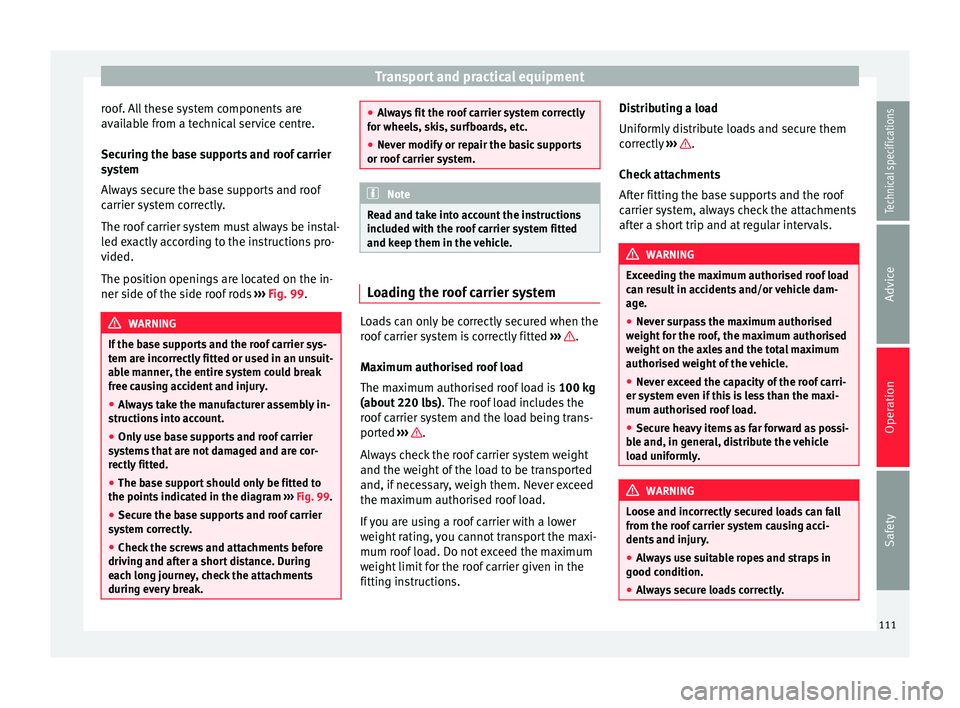
The position openings are located on the in-
ner side of the side roof rods ››› Fig. 99 . WARNING
If the base supports and the roof carrier sys-
tem are incorrectly fitted or used in an unsuit-
able manner, the entire system could break
free causing accident and injury.
● Always take the manufacturer assembly in-
structions into account.
● Only use base supports and roof carrier
systems that are not damaged and are cor-
rectly fitted.
● The base support should only be fitted to
the points indicated in the diagram ››› Fig. 99.
● Sec ur
e the base supports and roof carrier
system correctly.
● Check the screws and attachments before
driving and after a short distance. During
each long journey, check the attachments
during every break. ●
Always fit the roof carrier system correctly
for wheels, skis, surfboards, etc.
● Never modify or repair the basic supports
or roof carrier system. Note
Read and take into account the instructions
included with the roof carrier system fitted
and keep them in the vehicle. Loading the roof carrier system
Loads can only be correctly secured when the
roof carrier system is correctly fitted
››› .
Maximum authorised roof load
The maximum authorised roof load is 100 kg
(about 220 lbs) . The roof load includes the
r oof
carrier system and the load being trans-
ported ››› .
Always check the roof carrier system weight
and the weight of the load to be transported
and, if necessary, weigh them. Never exceed
the maximum authorised roof load.
If you are using a roof carrier with a lower
weight rating, you cannot transport the maxi-
mum roof load. Do not exceed the maximum
weight limit for the roof carrier given in the
fitting instructions. Distributing a load
Uniformly distribute loads and secure them
correctly
››› .
Check attachments
After fitting the base supports and the roof
carrier system, always check the attachments
after a short trip and at regular intervals. WARNING
Exceeding the maximum authorised roof load
can result in accidents and/or vehicle dam-
age.
● Never surpass the maximum authorised
weight for the roof, the maximum authorised
weight on the axles and the total maximum
authorised weight of the vehicle.
● Never exceed the capacity of the roof carri-
er system even if this is less than the maxi-
mum authorised roof load.
● Secure heavy items as far forward as possi-
ble and, in general, distribute the vehicle
load uniformly. WARNING
Loose and incorrectly secured loads can fall
from the roof carrier system causing acci-
dents and injury.
● Always use suitable ropes and straps in
good condition.
● Always secure loads correctly. 111
Technical specifications
Advice
Operation
Safety
Page 123 of 305
Transport and practical equipment
current only flows when the childproof lock is
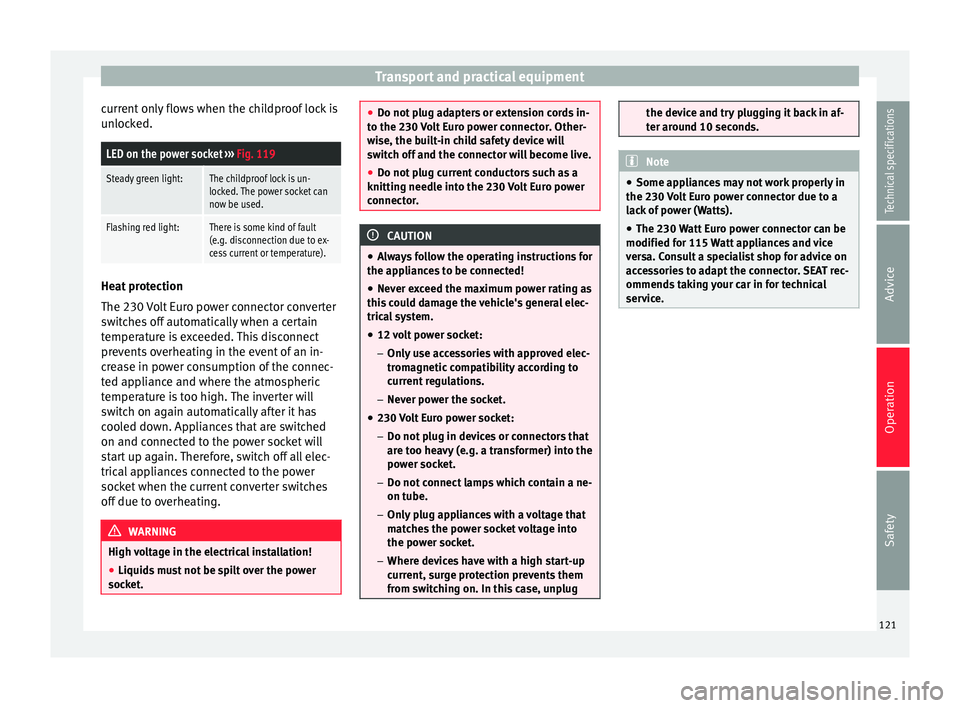
unlocked.LED on the power socket ››› Fig. 119
Steady green light:The childproof lock is un-
locked. The power socket can
now be used.
Flashing red light:There is some kind of fault
(e.g. disconnection due to ex-
cess current or temperature). Heat protection
The 230 Volt Euro power connector converter
switches off automatically when a certain
temperature is exceeded. This disconnect
prevents overheating in the event of an in-
crease in power consumption of the connec-
ted appliance and where the atmospheric
temperature is too high. The inverter will
switch on again automatically after it has
cooled down. Appliances that are switched
on and connected to the power socket will
start up again. Therefore, switch off all elec-
trical appliances connected to the power
socket when the current converter switches
off due to overheating.
WARNING
High voltage in the electrical installation!
● Liquids must not be spilt over the power
socket. ●
Do not plug adapters or extension cords in-
to the 230 Volt Euro power connector. Other-
wise, the built-in child safety device will
switch off and the connector will become live.
● Do not plug current conductors such as a
knitting needle into the 230 Volt Euro power
connector. CAUTION
● Always follow the operating instructions for
the appliances to be connected!
● Never exceed the maximum power rating as
this could damage the vehicle's general elec-
trical system.
● 12 volt power socket:
– Only use accessories with approved elec-
tromagnetic compatibility according to
current regulations.
– Never power the socket.
● 230 Volt Euro power socket:
– Do not plug in devices or connectors that
are too heavy (e.g. a transformer) into the
power socket.
– Do not connect lamps which contain a ne-
on tube.
– Only plug appliances with a voltage that
matches the power socket voltage into
the power socket.
– Where devices have with a high start-up
current, surge protection prevents them
from switching on. In this case, unplug the device and try plugging it back in af-
ter around 10 seconds.
Note
● Some appliances may not work properly in
the 230 Volt Euro power connector due to a
lack of power (Watts).
● The 230 Watt Euro power connector can be
modified for 115 Watt appliances and vice
versa. Consult a specialist shop for advice on
accessories to adapt the connector. SEAT rec-
ommends taking your car in for technical
service. 121Technical specifications
Advice
Operation
Safety
Page 124 of 305
Operation
Air conditioning
Air conditioner Introduction Viewing Climatronic information
The factory-fitted radio or navigation system
screen briefly displays information relating to
Climatronic.
The units of temperature measurement is dis-
played on the factory-installed radio or navi-
gation system and, depending on the vehicle
equipment, can be set using the
Configura-
tion menu on the instrument panel. WARNING
Reduced visibility through the windows in-
creases the risk of serious accidents.
● Ensure that all windows are free of ice and
snow and that they are not fogged up pre-
venting a clear view of everything outside.
● The maximum heat output required to de-
frost windows quickly is only available when
the engine has reached its normal running
temperature. Only drive when you have good
visibility. ●
Always ensure that you use the air condi-
tioner and heated rear window to maintain
good visibility.
● Never leave the air recirculation on for a
long period of time. If the cooling system is
switched off and air recirculation mode
switched on, the windows can mist over very
quickly, considerably limiting visibility.
● Switch air recirculation mode off when it is
not required. WARNING
Stuffy or used air will increase fatigue and re-
duce driver concentration possibly resulting
in a serious accident.
● Never leave the fresh air fan turned off or
use the air recirculation for long periods of
time; the air in the vehicle interior will not be
refreshed. CAUTION
● Switch the air conditioner off if you think it
may be broken. This will avoid additional
damage. Have the air conditioner checked by
a specialised workshop.
● Repairs to the air conditioner require spe-
cialist knowledge and special tools. SEAT rec-
ommends taking your car in for technical
service. ●
Do not smoke when air recirculation is
switched on in vehicles with an air condition-
er. The smoke taken in could lie on the cool-
ing system vaporiser and on the activated
charcoal cartridge of the dust and pollen fil-
ter, leading to a permanently unpleasant
smell. Note
● When the cooling system is turned off, air
coming from the outside will not be dried. To
avoid fogging up the windows, SEAT recom-
mends leaving the cooler (compressor) on. To
do this, press the A/C button. The button
lamp should light up.
● If the humidity and temperature outside the
vehicle are high, condensation can drip off
the evaporator in the cooling system and
form a pool underneath the vehicle, this is
completely normal and there is no need to
suspect a leak.
● Keep the air intake slots in front of the
windscreen free of snow, ice and leaves to en-
sure heating and cooling are not impaired,
and to prevent the windows from misting
over. 122
Page 139 of 305
Driving Vehicles without
Keyless AccessVehicles with
Keyless Access
1.Bring the vehicle to a full stop ››› .
2.Press and hold the brake pedal until the step 4 is
performed.
3.If the vehicle has an automatic gearbox, place theselector lever in position P.
4.Connect the electronic parking brake ››› page 137.
5.Turn the vehicle key in
the ignition lock to po-
sition ››› Fig. 125 0
.
Briefly press the start-
up button
››› Fig. 126. If
the engine fails to
switch off, perform an
emergency disconnect
››› page 135.
6.If the vehicle is equipped with a manual gearbox,
put it into 1st or reverse. WARNING
Never switch off the engine while the vehicle
is moving. You may lose control of the vehicle
and there is a risk of serious accident.
● The airbags and belt tensioners do not
work when the ignition is switched off.
● The brake servo does not work with the en-
gine off. To stop, the brake pedal must be
pressed with more force.
● As the power steering does not work if the
engine is not running, you will need more
strength to steer than normally. ●
If the key is removed from the ignition, the
steering may lock and it will not be possible
to steer the vehicle. CAUTION
If the engine has been driven at high speed
for a prolonged period of time, it may over-
heat when turned off. To avoid engine dam-
age, allow the engine to run for approximate-
ly two minutes in neutral before switching it
off. Note
● In vehicles with automatic gearbox, the key
can only be removed when the selector lever
is in position P.
● After stopping the engine, the engine com-
partment fan may continue running for a few
minutes, even when the ignition has been
switched off or the key removed. The radiator
fan is automatically switched off. Electronic immobiliser
The gear lock prevents the engine from being
started with an unauthorised key and the ve-
hicle being moved.
The vehicle key has a chip that automatically
disables the immobilizer when the key is
placed in the ignition lock.The electronic immobiliser will be activated
again automatically as soon as you pull the
key out of the ignition lock. For vehicles with
the Keyless Access system, the key has to be
outside the vehicle
››› page 59.
For this reason, the vehicle can only be used
with a genuine SEAT key with the correct
code. Coded keys can be purchased from
your technical service centre ››› page 54.
If an unauthorised key is used, the message SAFE or Immobiliser active is displayed on the
instrument panel. The vehicle cannot be star-
ted in this case Note
The correct operation of the vehicle is only
guaranteed when original SEAT keys are
used. Braking and parking
Introduction The
assisted braking systems
include the an-
ti-loc
k braking system (ABS), the brake assist
system (BAS), the electronic differential lock
(EDL), the traction control system (ASR) and
the electronic stability control (ESC). »
137
Technical specifications
Advice
Operation
Safety
Page 145 of 305
Driving
reduce the strain on the brake system. Other-
wise, the brakes may overheat and fail. Only
use the brakes to reduce speed or to stop.
Note
When checking the front brake pads, take the
time to also check the rear brake pads. The
thickness of the brake pads should be
checked visually and regularly, by looking
through the openings in the wheel rims or
from underneath the vehicle. If necessary, re-
move the wheels to check them thoroughly.
SEAT recommends taking your car in for tech-
nical service. Changing gear
Introduction When reverse gear is engaged and the
ignition is switched on the following takes
place:
● Reverse lights light up.
● When reversing, the air conditioner auto-
matically changes to air recirculation mode.
● The rear window heater switches on when
the windscreen wiper is activated.
● Also, the parking sensor system, the opti-
cal parking sensor and the camera for the re-
verse assist system are connected. WARNING
Rapid acceleration can cause loss of traction
and skidding, especially on slippery ground.
This could cause loss of control of the vehicle
resulting in an accident and considerable
damage.
● Only use the kick-down function or rapid
acceleration if visibility, weather, road and
traffic conditions so permit. WARNING
Do not allow the brakes to “rub” for a pro-
longed period of time, or brake frequently or
for long periods of time. Continuous braking
heats up the brakes. This could significantly
reduce braking power, increase braking dis-
tance or even result in the total failure of the
brake system. Warning and control lampsIt lights
upPossible causeSolution
(red)Brake pedal not
pressed!Press brake pedal to
the floor.
(green)Brake pedal not
pressed.
To select a range of
gears, press the
brake pedal.
Please also see "Elec-
tronic parking brake"
››› page 137.
FlashesPossible causeSolution
(green)
The selector lever
locking button
has not engaged.
The vehicle does
not start to move.Engage the selector
lever lock
››› page 145. Several warning and control lamps light up
for a few seconds when the ignition is switch-
ed on, signalling that the function is being
verified. They will switch off after a few sec-
onds.
WARNING
Observe the safety warnings ››› in Control
and warning lamps on page 47. Manual gearbox: Engaging gears
Fig. 129
Gear shift pattern of a 6-speed man-
ual gearbox » 143
Technical specifications
Advice
Operation
Safety
Page 153 of 305
Driving
they flow around the engine more quickly
and efficiently, particularly in cold starts. The
effect is particularly noticeable in vehicles
frequently used for short journeys.
Always check the engine oil level and ob-
serve service intervals (engine oil change in-
tervals).
When purchasing engine oil, always observe
legal requirements and ensure that the oil is
approved by SEAT.
Avoid carrying unnecessary loads
The lighter the vehicle, the more economical
and ecological the driving style. For example,
an additional weight of 100 kg will increase
fuel consumption up to 0.3 l/100 km.
Remove any unnecessary objects or loads
from the vehicle.
Remove optional equipment and
unnecessary accessories
The more aerodynamic the vehicle, the lower
the fuel consumption. Optional equipment
and accessories (such as roof racks or bike
carriers) reduce the aerodynamic benefits of
the vehicle.
Therefore, we recommend you remove all op-
tional and unnecessary equipment and racks,
especially if you intend to drive at high
speeds. Other factors which increase fuel
consumption (examples):
●
Fault in engine management.
● Driving on hills.
● Trailer towing. WARNING
Always adapt your speed and the distance to
the vehicles ahead in line with visibility,
weather conditions, the condition of the road
and the traffic situation. Engine management and
exhaust gas purification
system
Introduction WARNING
The components of the exhaust system reach
very high temperatures. This could cause a
fire.
● Always park your vehicle so that no part of
the exhaust system can come in contact with
flammable materials (such as dried grass).
● Do not apply additional underseal or anti-
corrosion coatings to the exhaust pipes, cata-
lytic converter, heat shields or the diesel par-
ticulate filter. Control lampsIt lights
upPossible causeSolution
Fault in engine
management
(Electronic Power
Control).Take the vehicle to a
specialised work-
shop as soon as
possible and have
the engine checked.
Pre-heating a die-
sel engine before
starting the en-
gine.
›››
page 133
Fault in catalytic
converter.
You should reduce
speed accordingly.
Drive carefully until
you reach the next
specialised work-
shop. Have the en-
gine checked there.
Diesel particulate
filter blocked
Drive for 15 minutes
in 4th gear (manual
gearbox), or in D (au-
tomatic gearbox) at
a minimum speed of
70 km/h (45 mph).
Observe speed lim-
its
›››
.
If the warning lamp
remains lit up, take
the vehicle to a spe-
cialised workshop
››› page 152.
» 151
Technical specifications
Advice
Operation
Safety
Page 155 of 305
Driving
automatically. The control lamp will not light
up in this case . For the sake of the environment
Even when the emission control system is
working perfectly, there may be a smell of
sulphur under certain conditions. This de-
pends on the sulphur content of the fuel be-
ing used. Driving abroad
In some countries, certain safety regulations
and requirements are in force relating to ex-
haust gas emissions, which differ from the
technical characteristics of the vehicle. Be-
fore travelling abroad, SEAT recommends you
consult a technical service about the legal re-
quirements and the following points:
●
Does the vehicle need technical modifica-
tions for driving abroad, for example, adjust-
ment of the headlamps?
● Does the vehicle have all the tools, diag-
nostics equipment and spare parts required
for inspections and repairs?
● Are there any SEAT dealers in the destina-
tion country?
● For petrol vehicles: Is unleaded petrol avail-
able at the right octane rating?
● For diesel engines: Is diesel fuel available
with a low sulphur content? ●
Are a suitable engine oil ( ››› page 218) and
other engine fluids complying with SEAT
specifications available in the destination
country?
● Will the navigation system fitted at the fac-
tory operate correctly in the destination coun-
try with the available navigation data?
● Are special tyres required in the destination
country? CAUTION
SEAT does not accept liability for any damage
to the vehicle due to the use of a lower quali-
ty fuel, an inadequate service or the non-
availability of genuine spare parts. Driving along flooded roadways
To prevent damage to the vehicle when driv-
ing through water, for example, along a floo-
ded road, please observe the following:
● Check the depth of the water before enter-
ing the flooded zone. The water should never
come above the lower edge of the bodywork
››› .
● Do not drive faster than a pedestrian.
● Do not stop in the water, use reverse gear
or switch off the engine.
● Oncoming traffic will cause waves which
raise the level of the water, making it difficult
to cross the water. WARNING
When driving through water, mud, melted
snow, etc., please remember that due to
damp or frozen brake discs and shoes in win-
ter, the braking effect may be delayed, there-
fore the required braking distance is greater.
● “Dry the brakes and remove ice” by braking
carefully. Ensure that you are not endanger-
ing other road-users or breaking traffic regu-
lations in the process.
● After driving through water, avoid sudden
sharp manoeuvres. CAUTION
● Driving through flooded areas may severely
damage vehicle components such as the en-
gine, transmission, drive train or electrical
system.
● Never drive through salt water as salt cau-
ses corrosion. Always rinse any parts of the
vehicle which have been in contact with salt
water. 153Technical specifications
Advice
Operation
Safety
Page 162 of 305
Operation
show it. Therefore, it will not warn you of
these objects. Ignoring the warnings of the
parking sensor system could cause consider-
able damage to the vehicle.
● The bumper sensors may become damaged
or misaligned, for example, when parking.
● To ensure that the system works properly,
the bumper sensors must be kept clean, free
of ice and snow and uncovered.
● When cleaning the sensors with high-pres-
sure or steam cleaning equipment, spray the
sensors briefly at a distance of no less than
10 cm (4 inches). Note
Acoustic sources may lead to erroneous warn-
ings on the parking sensor system, e.g.
rough tarmac, cobbles or the noise of other
vehicles. Parking sensor system*
Fig. 137
Detailed view of the centre console:
button for switching the parking sensor sys-
tem on and off Fig. 138
Parking sensor system sensors on
the front bumper The parking sensor system assists the driver
when parking. If the vehicle is approaching
an obstacle, an intermittent audible warning
is emitted. The shorter the distance, the
shorter the intervals between tones. If the ve-hicle is too close to the obstacle, the audible
warning becomes constant.
Switching the parking sensor system on and
off
● Press the button
››› Fig. 137 when the
ignition i s
switched on.
● Automatic on: select reverse gear.
● Automatic off: drive faster than 15 km/h
(9 mph).
The button lights up when the function is
switched on.
Things to note regarding the parking sensor
system
● The parking sensor system sometimes reg-
isters water on the sensors as an obstacle.
● If the distance does not change, the warn-
ing signal will sound less loudly after a few
seconds. If the continuous signal sounds, the
volume will remain constant.
● When the vehicle moves away from the ob-
stacle, the beeping sound automatically
switches off. On approaching the obstacle
again, the beeping sound will automatically
switch back on.
● If the electronic parking brake is engaged
or the selector lever is set to P, no
audible
warning will be emitted.
● Your technical service centre can adjust the
volume of the warning signals.
160