lights Seat Alhambra 2015 Service Manual
[x] Cancel search | Manufacturer: SEAT, Model Year: 2015, Model line: Alhambra, Model: Seat Alhambra 2015Pages: 305, PDF Size: 5.46 MB
Page 141 of 305
DrivingIt lights
upPossible causeSolution
(yellow)
ESC disconnected
by the system.Switching the igni-
tion on and off If
necessary, drive for a
short distance.
Fault in the ESC.Contact a special-
ised workshop.
Together with the
ABS control lamp
: Fault in the
ABS.
Contact a special-
ised workshop. The
vehicle can be
braked without ABS.
The battery has
been reconnected.››› page 227
(yellow)ASR manually de-
activated.
Switch on ASR
››› page 156. ASR is
automatically activa-
ted when the igni-
tion is switched on
or off.
(yellow)
Together with the
ESC control lamp
: Fault in the
ABS.Contact a special-
ised workshop. The
vehicle can be
braked without ABS.
Together with the
warning lamp or : ABS fault.
(yellow)
Together with the
warning lamp flashing: electron-
ic parking brake
faulty.Contact a special-
ised workshop.
It lights
upPossible causeSolution
(green)Brake pedal not
pressed.
Press the brake ped-
al to select a gear
range.
Press the brake ped-
al to disconnect the
electronic parking
brake
››› page 140.
FlashesPossible causeSolution
(red)
Electronic parking
brake faulty. The
control lamp
may light up at the
same time or the
control lamp
may flash on the
button.
Contact a special-
ised workshop, as it
may not be possible
to park the vehicle in
safety.
(yellow)ESC or ASR regu-
lating.Take your foot off the
accelerator. Adjust
your driving style to
the road conditions.
Several warning and control lamps light up
for a few seconds when the ignition is switch-
ed on, signalling that the function is being
verified. They will switch off after a few sec-
onds.
WARNING
Observe the safety warnings ››› in Control
and warning lamps on page 47. WARNING
Driving with brakes in bad condition could re-
sult in a serious accident.
● If the brake warning lamp does not go
out, or if it lights up when driving, the brake
fluid level in the reservoir is too low or there
is a fault in the brake system. Obtain profes-
sional assistance immediately ››› page 225,
Checking the brake fluid level.
● If the brake warning lamp lights up to-
gether with the ABS warning lamp , the
regulation function of the ABS could be mal-
functioning. As a result, the rear wheels can
lock relatively easily when braking. If the rear
wheels lock this could result in loss of vehicle
control! If possible, reduce your speed and
drive carefully to a specialised workshop
close by to check the brake system. During
the following journey, avoid sudden braking
and manoeuvres.
● If the ABS warning lamp does not go out
or if it lights while driving, the ABS is mal-
functioning. The vehicle can only be stopped
using normal braking without ABS. The pro-
tection provided by the ABS is not available.
Visit a specialised workshop as soon as pos-
sible.
● If lights, alone or accompanied by a
warning message on the instrument panel
display, please go immediately to a special-
ised workshop to check the brake pads and to
replace them if they are worn. 139
Technical specifications
Advice
Operation
Safety
Page 142 of 305
Operation
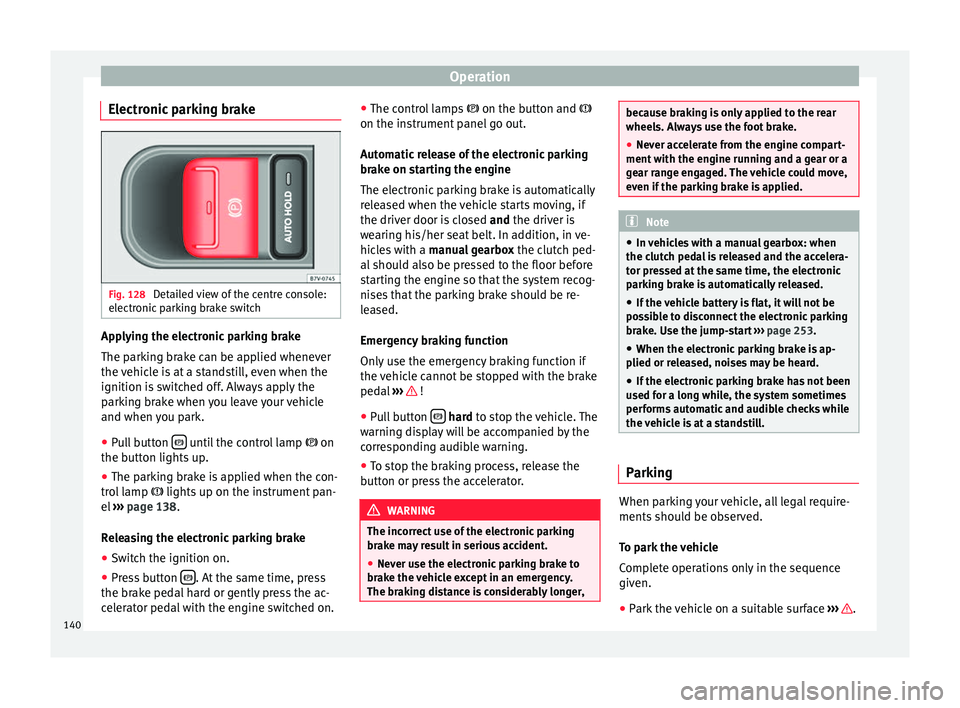
Electronic parking brake Fig. 128
Detailed view of the centre console:
electronic parking brake switch Applying the electronic parking brake
The parking brake can be applied whenever
the vehicle is at a standstill, even when the
ignition is switched off. Always apply the
parking brake when you leave your vehicle
and when you park.
●
Pull button until the control lamp
on
the button lights up.
● The parking brake is applied when the con-
trol lamp lights up on the instrument pan-
el ››› page 138 .
R el
easing the electronic parking brake
● Switch the ignition on.
● Press button . At the same time, press
the brake pedal hard or gently press the ac-
celerator pedal with the engine switched on. ●
The control lamps on the button and
on the in s
trument panel go out.
Automatic release of the electronic parking
brake on starting the engine
The electronic parking brake is automatically
released when the vehicle starts moving, if
the driver door is closed and
the driver is
wearing his/her seat belt. In addition, in ve-
hicles with a manual gearbox the clutch ped-
al should also be pressed to the floor before
starting the engine so that the system recog-
nises that the parking brake should be re-
leased.
Emergency braking function
Only use the emergency braking function if
the vehicle cannot be stopped with the brake
pedal ››› !
● Pull button
hard
to stop the vehicle. The
w
arning display will be accompanied by the
corresponding audible warning.
● To stop the braking process, release the
button or press the accelerator. WARNING
The incorrect use of the electronic parking
brake may result in serious accident.
● Never use the electronic parking brake to
brake the vehicle except in an emergency.
The braking distance is considerably longer, because braking is only applied to the rear
wheels. Always use the foot brake.
●
Never accelerate from the engine compart-
ment with the engine running and a gear or a
gear range engaged. The vehicle could move,
even if the parking brake is applied. Note
● In vehicles with a manual gearbox: when
the clutch pedal is released and the accelera-
tor pressed at the same time, the electronic
parking brake is automatically released.
● If the vehicle battery is flat, it will not be
possible to disconnect the electronic parking
brake. Use the jump-start ››› page 253.
● When the electronic parking brake is ap-
plied or released, noises may be heard.
● If the electronic parking brake has not been
used for a long while, the system sometimes
performs automatic and audible checks while
the vehicle is at a standstill. Parking
When parking your vehicle, all legal require-
ments should be observed.
To park the vehicle
Complete operations only in the sequence
given.
● Park the vehicle on a suitable surface ››› .
140
Page 144 of 305
Operation
frequently, or if rust has formed on the discs,
SEAT recommends cleaning the pads and
discs by braking firmly a few times at a mod-
erately high speed. Only do this without en-
dangering vehicles behind you or any other
road users ››› .
Faults in the brake system
During braking, if you notice that the vehicle
does not react as usual (that the braking dis-
tance has increased suddenly) it may be pos-
sible that there is a fault in the braking sys-
tem. The warning lamp lights up and a
text message displayed. Take the vehicle to a
specialised workshop immediately and have
the fault repaired. Drive at a moderate speed
and be prepared to use more pressure on the
brake pedal, and allow for longer stopping
distances.
Brake servo
The brake servo only operates when the en-
gine is running and the pressure applied by
the driver on the brake pedal increases.
If the brake servo does not operate or the ve-
hicle must be towed, then the brake pedal
will have to be pressed with more force given
that the braking distance will be increased
when the brake servo does not operate ››› . WARNING
New brake pads do not brake to full efficien-
cy.
● For the first 320 km, new brake pads have
not yet reached their maximum braking ca-
pacity, and need to be “run in” first. For this,
to compensate for reduced braking efficiency
the brake pedal will have to be pressed with
more force.
● To avoid losing control of the vehicle and
causing serious accidents, always take great
care when driving with new brake pads.
● When running in new brake pads, always
respect the safety distances between you and
other vehicles and do not cause situations re-
quiring extreme braking performance. WARNING
When brakes overheat, braking is less effi-
cient and braking distances increase.
● When driving on slopes, brakes can be
overloaded and overheat quickly.
● Reduce speed or change down a gear when
faced with steep and long slopes. This allows
you to use the engine braking effect and to
reduce the strain on the brake system.
● Non-standard or damaged front spoilers
could restrict the airflow to the brakes and
cause them to overheat. WARNING
Wet, frozen or salt-covered brakes take lon-
ger to engage and this increases braking dis-
tances.
● Test the brakes carefully.
● Dry the brakes, free them of ice and salt by
braking gently several times, when weather,
road and traffic conditions permit. WARNING
Driving without the brake servo may signifi-
cantly increase the braking distance and re-
sult in a severe accident.
● Never allow the vehicle to move forwards
when the engine is switched off.
● If the brake servo does not operate or the
vehicle must be towed, then the brake pedal
will have to be pressed with more force given
that the braking distance will be increased
when the brake servo does not operate. CAUTION
● Never make the brakes “slip” by pressing
the pedal gently, if it is not really necessary
to brake. Continuously pressing on the brake
pedal will heat the brakes. This could signifi-
cantly reduce braking power, increase brak-
ing distance or even result in the total failure
of the brake system.
● Reduce speed or change down a gear when
faced with steep and long slopes. This allows
you to use the engine braking effect and to 142
Page 145 of 305
Driving
reduce the strain on the brake system. Other-
wise, the brakes may overheat and fail. Only
use the brakes to reduce speed or to stop.
Note
When checking the front brake pads, take the
time to also check the rear brake pads. The
thickness of the brake pads should be
checked visually and regularly, by looking
through the openings in the wheel rims or
from underneath the vehicle. If necessary, re-
move the wheels to check them thoroughly.
SEAT recommends taking your car in for tech-
nical service. Changing gear
Introduction When reverse gear is engaged and the
ignition is switched on the following takes
place:
● Reverse lights light up.
● When reversing, the air conditioner auto-
matically changes to air recirculation mode.
● The rear window heater switches on when
the windscreen wiper is activated.
● Also, the parking sensor system, the opti-
cal parking sensor and the camera for the re-
verse assist system are connected. WARNING
Rapid acceleration can cause loss of traction
and skidding, especially on slippery ground.
This could cause loss of control of the vehicle
resulting in an accident and considerable
damage.
● Only use the kick-down function or rapid
acceleration if visibility, weather, road and
traffic conditions so permit. WARNING
Do not allow the brakes to “rub” for a pro-
longed period of time, or brake frequently or
for long periods of time. Continuous braking
heats up the brakes. This could significantly
reduce braking power, increase braking dis-
tance or even result in the total failure of the
brake system. Warning and control lampsIt lights
upPossible causeSolution
(red)Brake pedal not
pressed!Press brake pedal to
the floor.
(green)Brake pedal not
pressed.
To select a range of
gears, press the
brake pedal.
Please also see "Elec-
tronic parking brake"
››› page 137.
FlashesPossible causeSolution
(green)
The selector lever
locking button
has not engaged.
The vehicle does
not start to move.Engage the selector
lever lock
››› page 145. Several warning and control lamps light up
for a few seconds when the ignition is switch-
ed on, signalling that the function is being
verified. They will switch off after a few sec-
onds.
WARNING
Observe the safety warnings ››› in Control
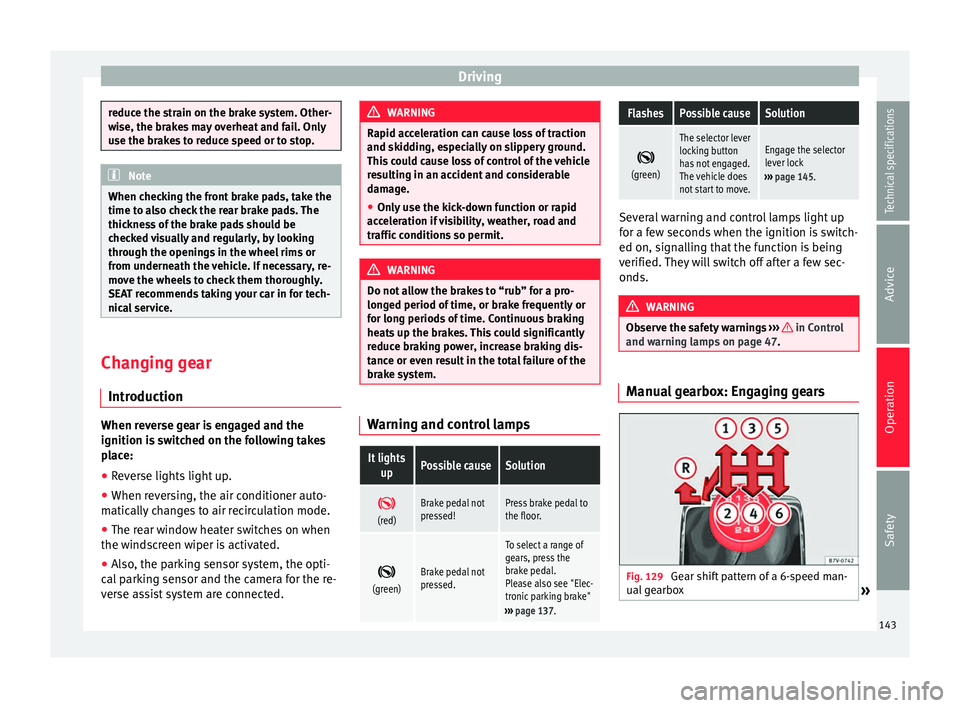
and warning lamps on page 47. Manual gearbox: Engaging gears
Fig. 129
Gear shift pattern of a 6-speed man-
ual gearbox » 143
Technical specifications
Advice
Operation
Safety
Page 153 of 305
Driving
they flow around the engine more quickly
and efficiently, particularly in cold starts. The
effect is particularly noticeable in vehicles
frequently used for short journeys.
Always check the engine oil level and ob-
serve service intervals (engine oil change in-
tervals).
When purchasing engine oil, always observe
legal requirements and ensure that the oil is
approved by SEAT.
Avoid carrying unnecessary loads
The lighter the vehicle, the more economical
and ecological the driving style. For example,
an additional weight of 100 kg will increase
fuel consumption up to 0.3 l/100 km.
Remove any unnecessary objects or loads
from the vehicle.
Remove optional equipment and
unnecessary accessories
The more aerodynamic the vehicle, the lower
the fuel consumption. Optional equipment
and accessories (such as roof racks or bike
carriers) reduce the aerodynamic benefits of
the vehicle.
Therefore, we recommend you remove all op-
tional and unnecessary equipment and racks,
especially if you intend to drive at high
speeds. Other factors which increase fuel
consumption (examples):
●
Fault in engine management.
● Driving on hills.
● Trailer towing. WARNING
Always adapt your speed and the distance to
the vehicles ahead in line with visibility,
weather conditions, the condition of the road
and the traffic situation. Engine management and
exhaust gas purification
system
Introduction WARNING
The components of the exhaust system reach
very high temperatures. This could cause a
fire.
● Always park your vehicle so that no part of
the exhaust system can come in contact with
flammable materials (such as dried grass).
● Do not apply additional underseal or anti-
corrosion coatings to the exhaust pipes, cata-
lytic converter, heat shields or the diesel par-
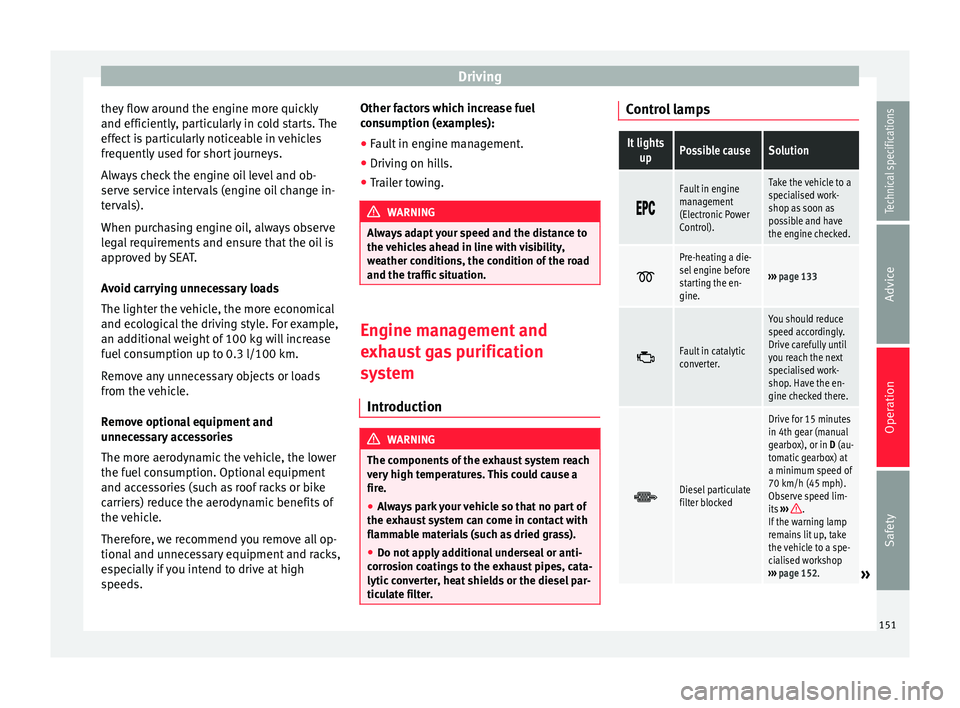
ticulate filter. Control lampsIt lights
upPossible causeSolution
Fault in engine
management
(Electronic Power
Control).Take the vehicle to a
specialised work-
shop as soon as
possible and have
the engine checked.
Pre-heating a die-
sel engine before
starting the en-
gine.
›››
page 133
Fault in catalytic
converter.
You should reduce
speed accordingly.
Drive carefully until
you reach the next
specialised work-
shop. Have the en-
gine checked there.
Diesel particulate
filter blocked
Drive for 15 minutes
in 4th gear (manual
gearbox), or in D (au-
tomatic gearbox) at
a minimum speed of
70 km/h (45 mph).
Observe speed lim-
its
›››
.
If the warning lamp
remains lit up, take
the vehicle to a spe-
cialised workshop
››› page 152.
» 151
Technical specifications
Advice
Operation
Safety
Page 162 of 305
Operation
show it. Therefore, it will not warn you of
these objects. Ignoring the warnings of the
parking sensor system could cause consider-
able damage to the vehicle.
● The bumper sensors may become damaged
or misaligned, for example, when parking.
● To ensure that the system works properly,
the bumper sensors must be kept clean, free
of ice and snow and uncovered.
● When cleaning the sensors with high-pres-
sure or steam cleaning equipment, spray the
sensors briefly at a distance of no less than
10 cm (4 inches). Note
Acoustic sources may lead to erroneous warn-
ings on the parking sensor system, e.g.
rough tarmac, cobbles or the noise of other
vehicles. Parking sensor system*
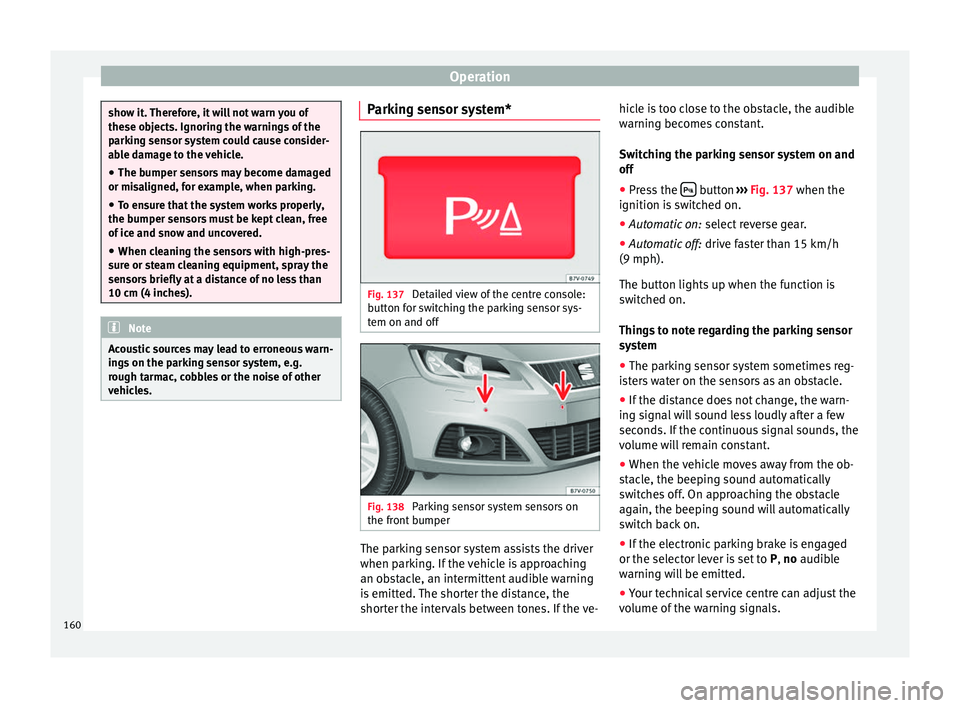
Fig. 137
Detailed view of the centre console:
button for switching the parking sensor sys-
tem on and off Fig. 138
Parking sensor system sensors on
the front bumper The parking sensor system assists the driver
when parking. If the vehicle is approaching
an obstacle, an intermittent audible warning
is emitted. The shorter the distance, the
shorter the intervals between tones. If the ve-hicle is too close to the obstacle, the audible
warning becomes constant.
Switching the parking sensor system on and
off
● Press the button
››› Fig. 137 when the
ignition i s
switched on.
● Automatic on: select reverse gear.
● Automatic off: drive faster than 15 km/h
(9 mph).
The button lights up when the function is
switched on.
Things to note regarding the parking sensor
system
● The parking sensor system sometimes reg-
isters water on the sensors as an obstacle.
● If the distance does not change, the warn-
ing signal will sound less loudly after a few
seconds. If the continuous signal sounds, the
volume will remain constant.
● When the vehicle moves away from the ob-
stacle, the beeping sound automatically
switches off. On approaching the obstacle
again, the beeping sound will automatically
switch back on.
● If the electronic parking brake is engaged
or the selector lever is set to P, no
audible
warning will be emitted.
● Your technical service centre can adjust the
volume of the warning signals.
160
Page 172 of 305
Operation
●
To avoid unexpected operation of the cruise
control system, turn it off every time you fin-
ish using it.
● It is dangerous to use a set speed which is
too high for the prevailing road, traffic or
weather conditions.
● When travelling down hills, the CCS cannot
maintain a constant speed. The vehicle tends
to accelerate under its own weight. Select a
lower gear or use the foot brake to slow the
vehicle. Warning and control lamp
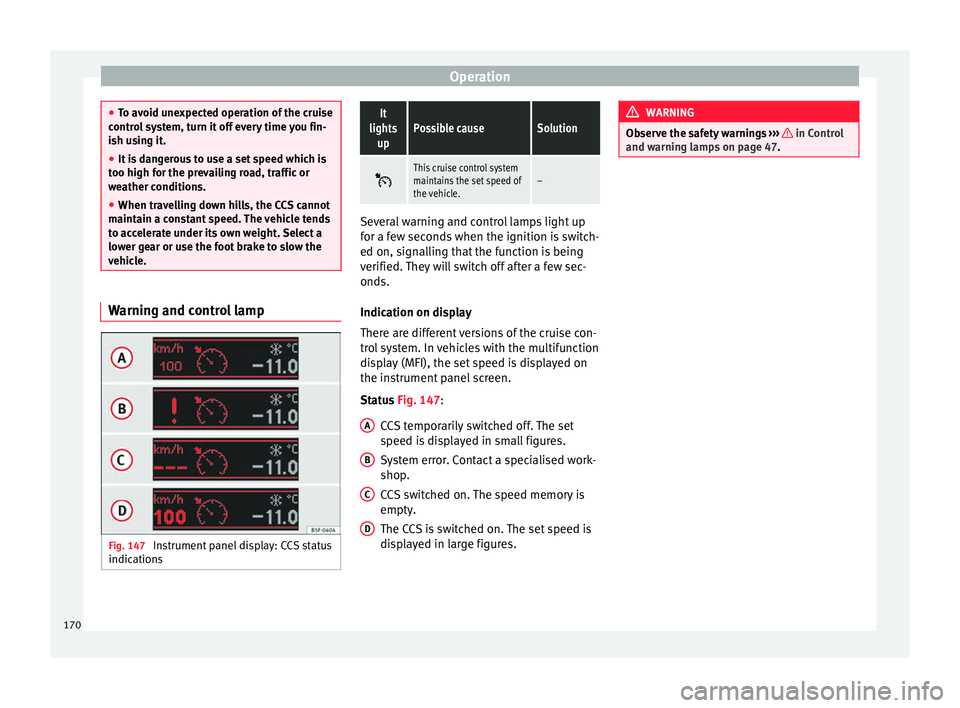
Fig. 147
Instrument panel display: CCS status
indicationsIt
lights upPossible causeSolution
This cruise control system
maintains the set speed of
the vehicle.–
Several warning and control lamps light up
for a few seconds when the ignition is switch-
ed on, signalling that the function is being
verified. They will switch off after a few sec-
onds.
Indication on display
There are different versions of the cruise con-
trol system. In vehicles with the multifunction
display (MFI), the set speed is displayed on
the instrument panel screen.
Status
Fig. 147
:
CCS temporarily switched off. The set
speed is displayed in small figures.
System error. Contact a specialised work-
shop.
CCS switched on. The speed memory is
empty.
The CCS is switched on. The set speed is
displayed in large figures.
A B
C
D WARNING
Observe the safety warnings ››› in Control
and warning lamps on page 47. 170
Page 174 of 305
Operation
Travelling down hills with the CCS
When travelling down hills the CCS cannot
maintain a constant speed. Slow the vehicle
down using the brake pedal and reduce
gears if required.
Automatic off
The cruise control system (CCS) is switched
off automatically or temporarily:
● If the system detects a fault that could af-
fect the working order of the CCS.
● If you increase the stored speed by using
the accelerator for a certain time.
● if the brake or clutch pedal is depressed.
● If you change gears.
● If the airbag is triggered.
Lane Assist system* Introduction WARNING
The intelligent technology in the lane assist
system cannot change the limits imposed by
the laws of physics and by the system itself.
Careless or uncontrolled use of the Lane As-
sist system may cause accidents and injury.
The system is not a replacement for driver
awareness. ●
Always adapt your speed and the distance
to the vehicles ahead in line with visibility,
weather conditions, the condition of the road
and the traffic situation.
● Always keep your hands on the steering
wheel so you can turn it at any time.
● The lane assist system does not detect all
road markings. In some circumstances, the
poor state of the road, structures located on
it or certain objects may be mistakenly recog-
nised as road markings by the lane assist
system. In such situations, switch the lane
assist system off immediately.
● Pay attention to the instructions on the in-
strument panel display and act accordingly to
its requests.
● Always pay attention to the vehicle's sur-
roundings. Note
The lane assist system has been exclusively
developed for driving on asphalted roads. Note
If the lane assist system does not work as de-
scribed in this chapter, do not use it and con-
tact a specialised workshop. Note
If you observe any system malfunction, have
the system checked by a specialised work-
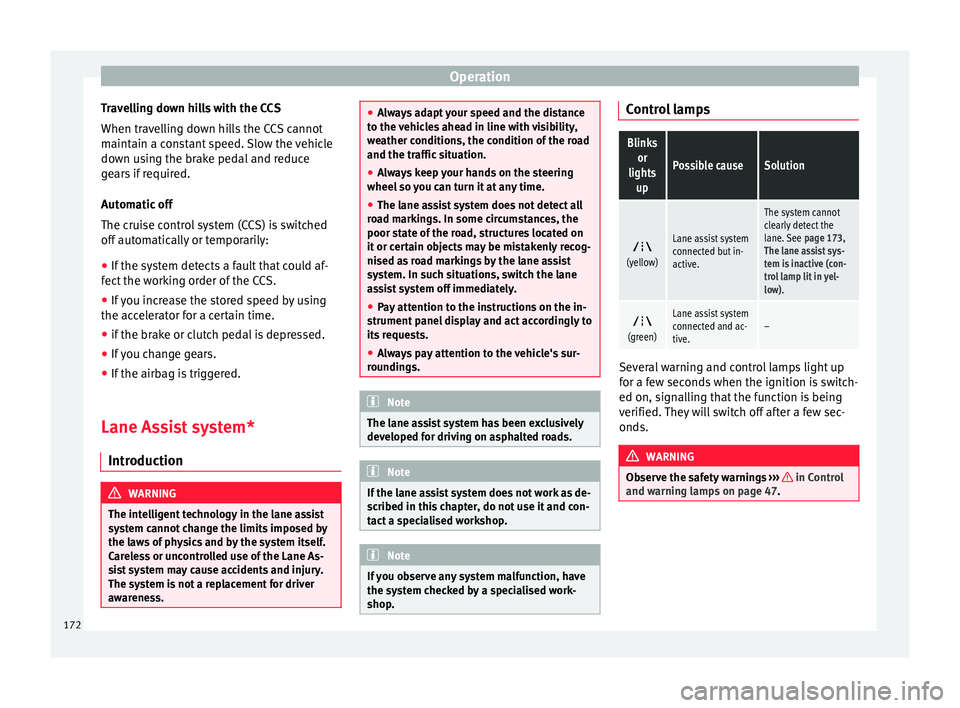
shop. Control lampsBlinks
or
lights up
Possible causeSolution
(yellow)
Lane assist system
connected but in-
active.
The system cannot
clearly detect the
lane. See
page 173,
The lane assist sys-
tem is inactive (con-
trol lamp lit in yel-
low).
(green)
Lane assist system
connected and ac-
tive.–
Several warning and control lamps light up
for a few seconds when the ignition is switch-
ed on, signalling that the function is being
verified. They will switch off after a few sec-
onds.
WARNING
Observe the safety warnings ››› in Control
and warning lamps on page 47. 172
Page 180 of 305
Operation
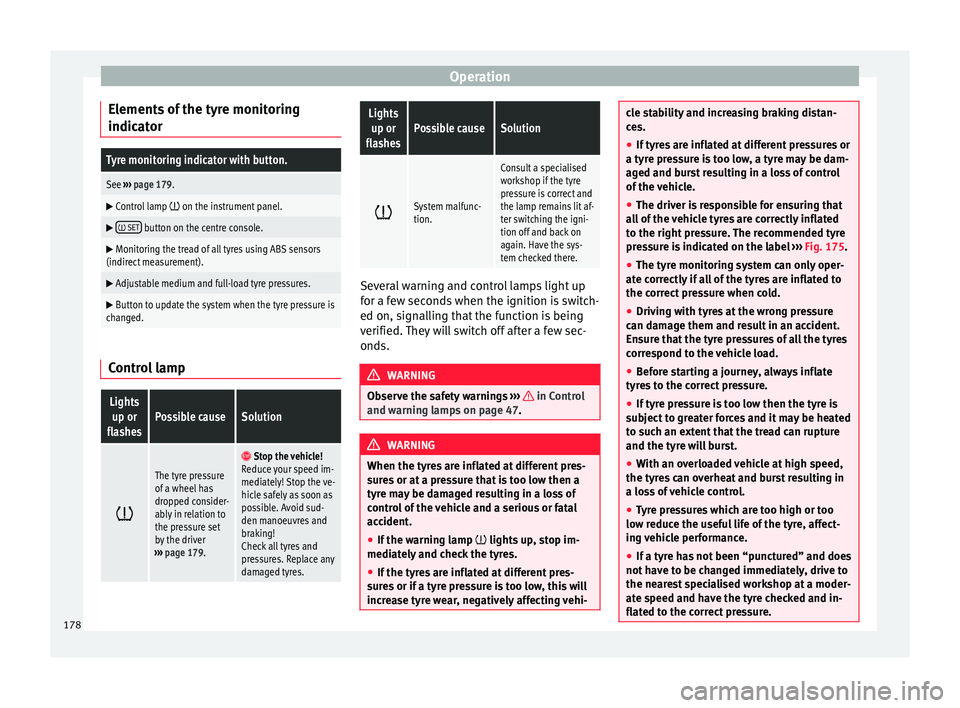
Elements of the tyre monitoring
indicatorTyre monitoring indicator with button.
See ››› page 179.
Control lamp on the instrument panel.
SET button on the centre console.
Monitoring the tread of all tyres using ABS sensors
(indirect measurement).
Adjustable medium and full-load tyre pressures.
Button to update the system when the tyre pressure is
changed. Control lamp
Lights
up or
flashesPossible causeSolution
The tyre pressure
of a wheel has
dropped consider-
ably in relation to
the pressure set
by the driver
››› page 179.
Stop the vehicle!
Reduce your speed im-
mediately! Stop the ve-
hicle safely as soon as
possible. Avoid sud-
den manoeuvres and
braking!
Check all tyres and
pressures. Replace any
damaged tyres.
Lights
up or
flashesPossible causeSolution
System malfunc-
tion.
Consult a specialised
workshop if the tyre
pressure is correct and
the lamp remains lit af-
ter switching the igni-
tion off and back on
again. Have the sys-
tem checked there.
Several warning and control lamps light up
for a few seconds when the ignition is switch-
ed on, signalling that the function is being
verified. They will switch off after a few sec-
onds.
WARNING
Observe the safety warnings ››› in Control
and warning lamps on page 47. WARNING
When the tyres are inflated at different pres-
sures or at a pressure that is too low then a
tyre may be damaged resulting in a loss of
control of the vehicle and a serious or fatal
accident.
● If the warning lamp lights up, stop im-
mediately and check the tyres.
● If the tyres are inflated at different pres-
sures or if a tyre pressure is too low, this will
increase tyre wear, negatively affecting vehi- cle stability and increasing braking distan-
ces.
●
If tyres are inflated at different pressures or
a tyre pressure is too low, a tyre may be dam-
aged and burst resulting in a loss of control
of the vehicle.
● The driver is responsible for ensuring that
all of the vehicle tyres are correctly inflated
to the right pressure. The recommended tyre
pressure is indicated on the label ››› Fig. 175.
● The ty r
e monitoring system can only oper-
ate correctly if all of the tyres are inflated to
the correct pressure when cold.
● Driving with tyres at the wrong pressure
can damage them and result in an accident.
Ensure that the tyre pressures of all the tyres
correspond to the vehicle load.
● Before starting a journey, always inflate
tyres to the correct pressure.
● If tyre pressure is too low then the tyre is
subject to greater forces and it may be heated
to such an extent that the tread can rupture
and the tyre will burst.
● With an overloaded vehicle at high speed,
the tyres can overheat and burst resulting in
a loss of vehicle control.
● Tyre pressures which are too high or too
low reduce the useful life of the tyre, affect-
ing vehicle performance.
● If a tyre has not been “punctured” and does
not have to be changed immediately, drive to
the nearest specialised workshop at a moder-
ate speed and have the tyre checked and in-
flated to the correct pressure. 178
Page 183 of 305
Towing bracket device
Bumper mounted tow hitch
Never fit a tow hitch or its attachments to the
bumper. A tow hitch should never interfere
with the bumper performance. Do not modify
the exhaust system and brake system. Regu-
larly check the tow hitch to ensure it is firmly
fitted.
Engine cooling system
Driving with a trailer increases the load on
the engine and cooling system. The cooling
system should always have sufficient coolant
and to be able to cope with the vehicle and
trailer.
Electric trailer brake
If the trailer has its own braking system,
please note the relevant legal requirements.
The trailer braking system should never be
connected to the vehicle braking system.
Trailer cable
Always use a cable between the vehicle and
the trailer ››› page 183 .
T r
ailer rear lights
The rear lights of a trailer must fulfil the cor-
responding standards ››› page 183.
Never connect the trailer's rear lights directly
to the vehicle electric system. In case of any
doubt about the electrical connection of the trailer, ask a specialised workshop. SEAT rec-
ommends visiting a technical service.
Wing mirrors
When the field of vision behind the trailer
cannot be seen using the standard wing mir-
rors of the towing vehicle, additional wing
mirrors are required according to the legal re-
quirements of each country. The wing mirrors
must be fitted before driving and must pro-
vide a sufficient field of vision behind.
Trailer electricity consumption
Never exceed the specifications:
DevicesMaximum power
Side lights and rear lights50 Watts
Turn signal (each side)54 Watts
Brake lights (total)84 Watts
Reversing lights (total)42 Watts
Rear fog light42 Watts
WARNING
If the tow hitch is badly fitted or unsuitable,
the trailer may separate from the vehicle
causing an accident with serious consequen-
ces. CAUTION
● If the rear lights of the trailer are not cor-
rectly connected, the vehicle electronics may
be damaged.
● If the trailer absorbs excessive electric cur-
rent, the vehicle electronics may be dam-
aged.
● Never connect the trailer's electric system
to the electrical connections of the rear lights
or any other power sources. Only use suitable
connections for providing electric current to
the trailer. Note
● Towing a trailer places additional demands
on the vehicle. At SEAT, we recommend addi-
tional services between the normal inspec-
tion intervals if the vehicle is used frequently
for towing a trailer.
● In some countries, an additional fire extin-
guisher is required if the trailer weight is
more than 2500 kg 181
Technical specifications
Advice
Operation
Safety