ECU Seat Altea XL 2015 User Guide
[x] Cancel search | Manufacturer: SEAT, Model Year: 2015, Model line: Altea XL, Model: Seat Altea XL 2015Pages: 236, PDF Size: 4.23 MB
Page 31 of 236
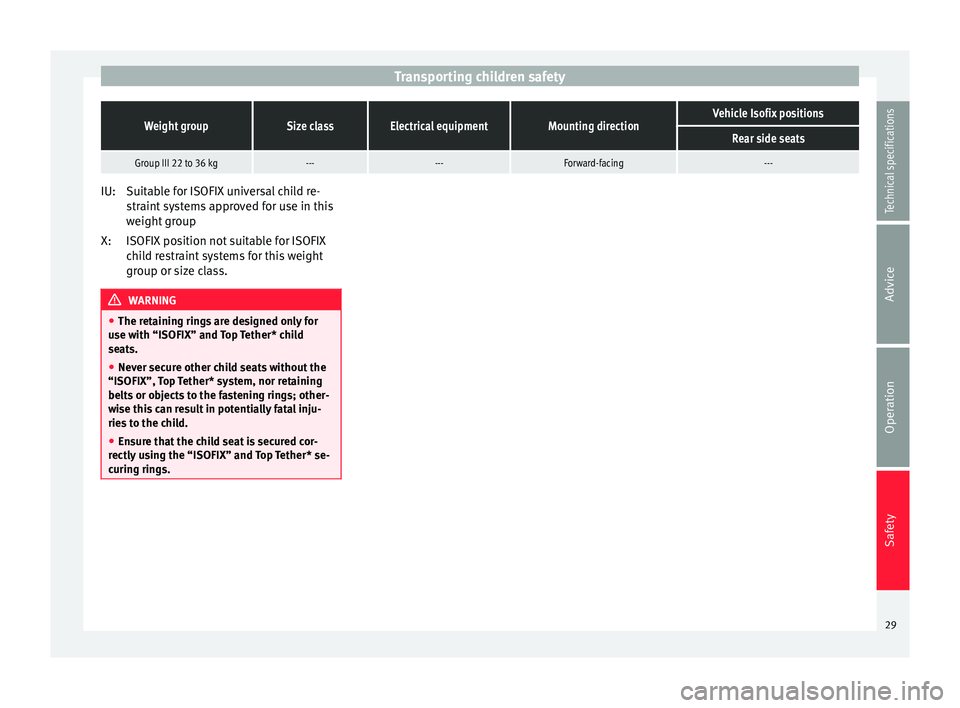
Transporting children safetyWeight groupSize classElectrical equipmentMounting directionVehicle Isofix positions
Rear side seats
Group III 22 to 36 kg------Forward-facing---
Suitable for ISOFIX universal child re-
straint systems approved for use in this
weight group
ISOFIX position not suitable for ISOFIX
child restraint systems for this weight
group or size class.
WARNING
● The retaining rings are designed only for
use with “ISOFIX” and Top Tether* child
seats.
● Never secure other child seats without the
“ISOFIX”, Top Tether* system, nor retaining
belts or objects to the fastening rings; other-
wise this can result in potentially fatal inju-
ries to the child.
● Ensure that the child seat is secured cor-
rectly using the “ISOFIX” and Top Tether* se-
curing rings. IU:
X:
29
Technical specifications
Advice
Operation
Safety
Page 65 of 236
Opening and closing
Opening and closing Central locking Basic functions The central locking system enables you to
lock and unlock all doors and the rear lid by
just pushing the button.
Description
Central locking can be activated by using any
of the following options:
● the key , by inserting it into the driver door
cylinder and r ot
ating it manually,
● the central lock button in the vehicle interi-
or ›››
page 65
.
● the radio frequency remote control , using
the buttons on the key ›››
page 67.
Various functions are available to improve
the vehicle safety: “Safe” locking system
Selective unlocking system*
Automatic speed-dependent locking and
unlocking system*
Self-locking system to prevent involunta-
ry unlocking
Emergency unlocking system
–
–
–
–
– Unlocking the vehicle*
Press button
››› Fig. 50 on remote
c ontr
ol to unlock all the doors and rear
lid.
Locking the vehicle* Press button
››› Fig. 50 on the remote
c ontr
ol to lock all doors and the rear lid
or turn the key in the door to lock all
doors and the rear lid. WARNING
● Never leave children or disabled persons in
the vehicle. In case of emergency, they may
not be able to leave the vehicle or manage on
their own.
● Never allow children to play in or around
the vehicle. A locked vehicle can be subjected
to extremely high and low temperatures, de-
pending on the time of year, thus causing se-
rious injuries/illness. It could even have fatal
consequences. Close and lock both the rear
lid and all the other doors when you are not
using the vehicle.
● Always take you car keys with you when
you leave the vehicle. Misuse of the keys, for
example, by children, may result in serious
damage and accident.
– The engine may accidentally be started
and be out of control.
– If the ignition is switched on, the electric
equipment could be activated with risk of –
– injury, for example, in the electric win-
dows.
– The doors can be locked using the remote
control key. This could become an obsta-
cle for assistance in an emergency situa-
tion.
– Always take the key with you when you
leave the vehicle.
● Never remove the key from the ignition if
the vehicle is in motion. The steering lock
could suddenly engage, and you would not be
able to steer the vehicle. Note
● While the driver door is open, the vehicle
cannot be locked with the remote control.
This avoids the user from forgetting his key
inside the vehicle.
● If the driver door is unlocked with the key
shaft, only the driver door is unlocked, the
rest of the doors remain locked. When the ig-
nition is switched on, the door “deadlock”
function is deactivated (although the doors
remain locked) and the central lock button is
activated. See ››› page 68.
● If the c
entral locking or anti-theft alarm are
faulty, the driver door control lamp remains
lit for approx. 30 seconds after the vehicle
locks.
● For anti-theft security, only the driver door
is fitted with a lock cylinder. 63
Technical specifications
Advice
Operation
Safety
Page 66 of 236
Operation
“Safe” security system* This is an anti-theft device which consists of
a double lock for the door locks and a deacti-
vation function for the boot in order to pre-
vent forced entry.
Activating the “deadlock”
– Press once the locking button on the re-
mote control. or
– Turn the k
ey once in the driver door lock to
lock. A w
arning lamp in the driver door
flashes to indicate the “deadlock” is work-
ing. The warning lamp flashes for approx. 2
seconds at short intervals and then more
slowly.
Deactivating the “deadlock” when the
vehicle is locked
– Press the lock button on the remote con-
trol twice within 2 seconds. The vehicle is
loc k
ed without activating the “deadlock”.
The driver door warning lamp flashes for
approx. 2 seconds and then goes out. It
flashes again after around 30 seconds.
The doors can be unlocked and opened from
the inside if the “deadlock” has not been ac-
tivated. You will have to pull the door release
lever once. When the “deadlock” is off, the
anti-theft alarm* ›››
page 68 remains active.
The v
ehicle interior monitoring system* and
the anti-tow system are deactivated*. WARNING
Nobody should remain in the vehicle if the
“deadlock” system mechanism has been acti-
vated. It is not possible to open the doors
from the inside. Locked doors could delay as-
sistance in an emergency. People could be-
come trapped inside in an emergency. Selective unlocking system*
This system allows to unlock either just the
driver door or all the vehicle.
Using the remote control, press the unlock
button on the remote
once. The “Safe”
system for all the vehicle is deactivated, only
the driver door is unlocked and both the
alarm and the warning lamp are also turned
off.
Unlocking all doors and the luggage
compartment
The unlock button on the remote control
must be pressed twice so that all doors
and the luggage compartment can be
opened.
Press twice within 2 seconds to deactivate
the “Safe” system for all vehicle, to unlock all
doors and to use the luggage compartment.
The warning lamp and the alarm (only vehi-
cles fitted with one) are turned off. Automatic speed-dependent locking
and unlocking system* This is a safety system which prevents access
to the vehicle from the outside when it is run-
ning (e.g. when stopped at a traffic light).
Locking
The doors and boot will lock automatically if
the speed of 15 km/h (9 mph) is exceeded.
If the vehicle is stopped and one of the doors
is opened, when the vehicle moves off again
and exceeds a speed of 15 km/h (9 mph),
the unlocked door(s) will lock once more.
Unlocking
The driver door automatically unlocks when
the key is removed from the ignition.
Each door can be unlocked and opened inde-
pendently from the inside (for example, when
a passenger gets out). To do it, simply oper-
ate the lever inside the door.
WARNING
The door handles must not be operated when
the vehicle is running: the door would open. 64
Page 72 of 236
Operation
Deactivation – Press the button on the remote control
twice. It only deactivates the interior moni-
tor. The alarm system remains activated.
False alarms
Interior monitoring will only operate correctly
if the vehicle is completely closed. Please ob-
serve related legal requirements.
The following cases may cause a false alarm:
● Open windows (partially or fully).
● Panoramic/tilting sunroof open (partially or
completely).
● Movement of objects inside the vehicle,
such as loose papers, items hanging from
the rear vision mirror (air fresheners), etc. WARNING
● The “deadlock” system remains deactiva-
ted if the interior monitor is deactivated.
● For those vehicles in which a separation
screen is fitted, the alarm will not function
correctly due to interference with the sensor. Note
● If the alarm has been triggered by the inte-
rior monitor, this will be indicated by a flash-
ing of the warning lamp on the driver door when the vehicle is opened. This flashing will
be different to that for an activated alarm.
Deactivating vehicle interior
monitoring systems
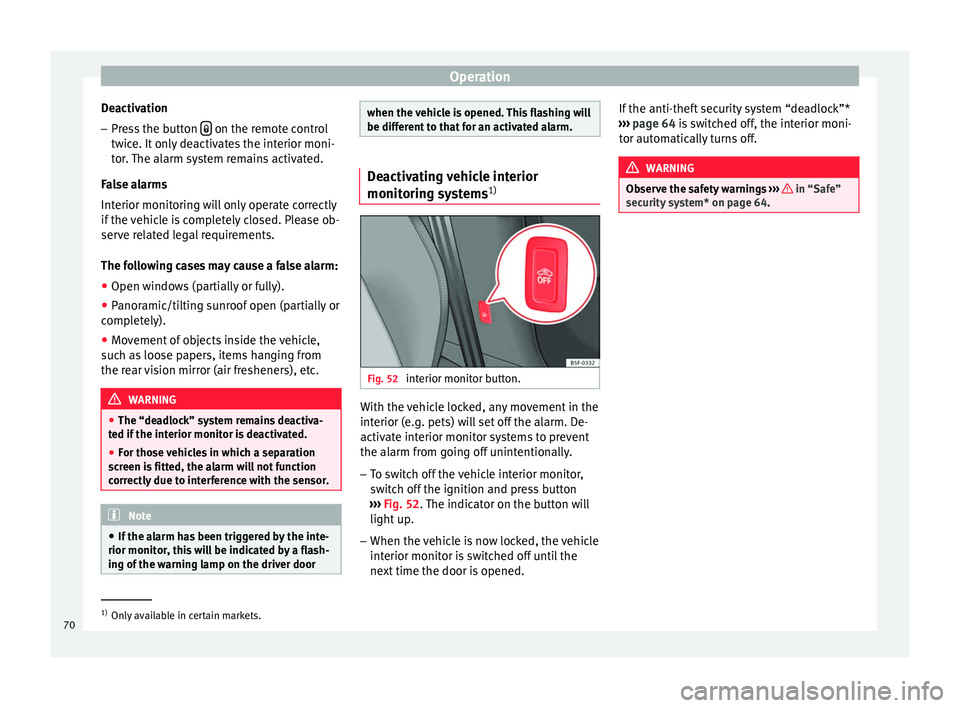
1) Fig. 52
interior monitor button. With the vehicle locked, any movement in the
interior (e.g. pets) will set off the alarm. De-
activate interior monitor systems to prevent
the alarm from going off unintentionally.
– To switch off the vehicle interior monitor,
switch off the ignition and press button
››› Fig. 52 . The indicator on the button will
light up
.
– When the vehicle is now locked, the vehicle
interior monitor is switched off until the
next time the door is opened. If the anti-theft security system “deadlock”*
››› page 64 is switched off, the interior moni-
tor aut
omatically turns off. WARNING
Observe the safety warnings ››› in “Safe”
security system* on page 64. 1)
Only available in certain markets.
70
Page 92 of 236

Operation
protection of the seat belt can be achieved
only when the backrests are in an upright po-
sition and the driver and front passenger
have properly adjusted their seat belts. The
further the backrests are tilted to the rear,
the greater the risk of injury due to improper
positioning of the belt web!
●
Exercise caution when securing the seat
height into forwards/backwards position. In-
juries can be caused if the seat height is ad-
justed without due care and attention. Correct adjustment of head restraints
Fig. 75
Front and side view: head restraints
and seat belts correctly adjusted. Properly adjusted head restraints are an im-
portant part of passenger protection and can
reduce the risk of injuries in most accident
situations. –
Adjust the head restraint so that the top is
at the same level as the top of your head,
at the very least, at eye level ››› Fig. 75 .
Adju s
ting the head restraints ››› page 90 WARNING
● Travelling with the head restraints removed
or improperly adjusted increases the risk of
severe injuries.
● Improperly adjusted head restraints could
lead to death in the event of a collision or ac-
cident.
● Incorrectly adjusted head restraints also in-
crease the risk of injury during sudden or un-
expected driving or braking manoeuvres.
● The head restraints must always be adjus-
ted according to the height of the passenger. Removing or adjusting head restraints
Fig. 76
Adjusting and removing the head re-
straints. Adjusting height (front seats)
– Press the button on the side and pull up-
wards to the desired position.
– To lower the head restraint, press the but-
ton and push head restraint downwards.
– Make sure that it engages securely into one
of its positions.
Adjusting height (rear seats) – Press the button on the side and pull up-
wards to the desired position.
– To lower the head restraint, press the but-
ton and push head restraint downwards.
– Make sure that the head restraint engages
securely in one of its positions. ››› page 10
90
Page 95 of 236

Transport and practical equipment
Converting the table to a seat – Pull the loop on the side of the seat
››› Fig. 82 2 in the direction of the arrow
and lift the seat backrest until it is in place.
When folding and lifting the backrest, make
sure to place the side seat belts in the trim
clip ››› Fig. 81 to prevent them from being
d am
aged by becoming trapped in the back-
rest lock. WARNING
● You should check that the backrest has en-
gaged properly in position after the loop is
released.
● For safety reasons the locking system loops
on the seats may not be used to secure any
items.
● After locking the seat backrest into position
ensure that the seat belts protrude from the
seat. Transport and practical
equipment
Compartments Storage compartment on the front
passenger side Fig. 83
Passenger side: storage compartment The compartment can be opened by pulling
the lever
››› Fig. 83 . WARNING
Always keep the storage compartment cover
closed while the vehicle is in motion in order
to reduce the risk of injury caused by a sud-
den braking or by an accident. Front centre armrest with storage
compartment
Fig. 84
Front armrest with storage compart-
ment. There is a storage compartment in the arm-
rest.
– To open the storage compartment, lift the
armrest up in the direction of the arrow
››› Fig. 84 and then lift the cover.
– To ac
cess the CD changer* or the lower
storage compartment, pull on the armrest
cover without pressing on the button.
– To close the storage compartment, push
the armrest down. WARNING
Always keep the storage compartment closed
while the vehicle is in motion to reduce the » 93
Technical specifications
Advice
Operation
Safety
Page 96 of 236

Operation
risk of injury from the armrest during a sud-
den braking manoeuvre or in the event of an
accident.
Note
The CD changer is located in this compart-
ment. Storage compartment under the front
seats*
Fig. 85
Storage compartment under the front
seats. There is a storage compartment with a cover
under each front seat.
The drawer*
››› Fig. 85 is opened by pushing
the b utt
on and moving the cover back.
There are two open positions of 15 and 60
degrees depending on the pressure applied
to the cover. In the 60 degree position, the cover will collapse if too much pressure is ap-
plied.
To close the drawer, press the cover until it
locks into position.
WARNING
● The drawers will hold a maximum weight of
1.5 kg.
● Do not drive with the drawer cover open.
There is an injury risk for passengers if the
cargo is released in case of sudden braking or
an accident. Folding table*
Fig. 86
Folding tray on the front left seat. Folding trays are fitted to the rear of the front
seat backrests.
– To open the tray, open it up in the direction
of the arrow ›››
Fig. 86 . WARNING
● The folding trays may not be folded down
whilst the vehicle is in motion and anyone is
seated on the second row of seats. There is a
risk of injury during a sudden braking ma-
noeuvre! The tray must therefore be closed
and properly secured whilst the vehicle is in
motion.
● Do not put hot drinks in the drink holders.
During normal or sudden driving manoeuvres,
sudden braking or an accident, the hot drink
could be spilled. Danger of scalding. CAUTION
When driving, do not leave open cans in the
cup holders. The drink might be spilt on brak-
ing, for example, and could damage the vehi-
cle. Roof storage compartment*
Fig. 87
Roof storage compartments.94
Page 97 of 236

Transport and practical equipment
There are four storage compartments in the
roof.
– Press the button on the cover to open these
compartments ››› Fig. 87 . The cover will
then open.
– To c
lose the cover, press it up until it en-
gages. WARNING
Always keep the storage compartment cover
closed while the vehicle is in motion to re-
duce the risk of injury during a sudden brak-
ing manoeuvre or in the event of an accident
and to prevent any items from being thrown
through the vehicle interior. Front drinks holders
Fig. 88
Front drink holders. In the centre console, in front of the gear lev-
er, there are two drink holders
››› Fig. 88 . WARNING
● Never place hot drinks in the drink holders.
During sudden or normal driving manoeuvres,
when braking suddenly or in case of an acci-
dent, the hot drink could spill. Risk of scald-
ing.
● Never use rigid cup materials (for example,
glass or ceramic), since they could cause in-
jury in the case of an accident. Rear cup holder*/armrests*
Fig. 89
Opening the rear cup holder. Fig. 90
Rear cup holder in the armrest. Opening and closing the armrest*/drink
holder*
– To open, pull the loop in the direction of
the arrow ››› Fig. 89 1 .
– To close, lift the cup holder*/armrest* in
the direction of the arrow ››› Fig. 90 2 .
WARNING
Ensure that the load in the luggage compart-
ment is correctly secured with the net* when
travelling with the armrest down
››› page 104. Other storage compartments
Other storage compartments can be found:
● in the centre console,
● in the door trims (front and rear), »
95
Technical specifications
Advice
Operation
Safety
Page 99 of 236

Transport and practical equipment
The tables have two positions for use and
cannot be interchanged. WARNING
● The mobile stowage compartment supports
a maximum load of 5 kg. Do not overload.
● Do not drive when the cover of the mobile
storage compartment is open.
● Do not drive when the tables are set up for
use.
● When the vehicle is moving and when the
tables are not in use, keep them stored inside
the mobile storage compartment with the
cover closed.
● Never place hot drinks in the cup holders.
The drink may spill and cause burns when the
vehicle is moving.
● Do not leave cans in the cup holders when
the vehicle is in motion, there is a danger
that the can may be flung around the vehicle
and cause injury.
● Make sure that the mounting plate is prop-
erly fixed onto the cushion frame.
● When the plate is not in use, store inside
the storage compartment.
● When the mobile storage compartment is
not in use, it should always be properly fas-
tened using the storage net in the boot. Note
● Check that the mobile storage compart-
ment is fitted correctly, pulling it forward by the front storage compartment and checking
that both safety clips are securely fastened to
both rings.
Mounting and removal
Fig. 93
Mobile storage compartment. Mount-
ing. Fig. 94
Mobile storage compartment mount-
ing plate. Mounting the mobile storage compartment
– Fold down the small section of the rear seat
backrest in order to access the back of the
large backrest.
– Fit the mobile storage compartment mount-
ing plate H
››› Fig. 94 from the inside of
the v
ehicle, through the rear part of the
seat. It should be fitted between the back-
rest and the seat, in the central seat area.
– Push the plate until it clips the cushion
frame. The rings of the mobile storage com-
partment mounting plate appear at the
front of the seat.
– If it is difficult to make the plate clip, tilt the
rear backrest of the large section forwards
slightly and then lean the backrest back-
wards to make the fitting of the mobile
storage compartment onto the mounting
plate easier.
– Place the mobile storage compartment on-
to the foam of the central seat.
– Set both mounting pieces together E ›››
Fig. 93 , with both mounting rings G ›››
Fig. 94 and press hard until both the
c lip
s completely connect with the rings.
Removing the mobile storage compartment – Pull each of the buttons ›››
Fig. 93 F on
the clips (red buttons) forwards, until they
snap out of place. »
97
Technical specifications
Advice
Operation
Safety
Page 103 of 236
Transport and practical equipment
Luggage compartment Loading the luggage compartment All luggage and other loose objects must be
safely secured in the luggage compartment.
Unsecured objects which shift back and forth
could impair the driving safety or driving
characteristics of the vehicle by shifting the
centre of gravity.
– Distribute the load evenly in the luggage
compartment.
– Place heavy objects as far forward as possi-
ble in the luggage compartment.
– Place the heavy objects first.
– Secure heavy objects to the fitted fastening
rings ›››
page 103 . WARNING
● Loose luggage and other objects in the lug-
gage compartment could cause serious inju-
ries.
● Always stow objects in the luggage com-
partment and secure them on the fastening
rings.
● Use suitable straps to secure heavy ob-
jects.
● During sudden manoeuvres or accidents,
loose objects can be thrown forward, injuring
vehicle occupants or passers-by. This in-
creased risk of injury will be further increased if a loose object is struck by an inflating air-
bag. If this happens, objects can be trans-
formed into “missiles”. Risk of fatal injury.
●
Please note that the centre of gravity may
shift when transporting heavy objects; this
may affect vehicle handling and lead to an ac-
cident. Therefore, it is essential to adjust
your speed and driving style accordingly, to
avoid accidents.
● Never exceed the allowed axle weights or
allowed maximum weight. If said weights are
exceeded, the driving characteristics of the
vehicle may change, leading to accidents, in-
juries and damage to the vehicle.
● Never leave your vehicle unattended, espe-
cially when the rear lid is open. Children
could climb into the luggage compartment,
closing the door behind them; they will be
trapped and run the risk of death.
● Never allow children to play in or around
the vehicle. Close and lock all the doors and
rear lid when you leave the vehicle. Before
you lock the vehicle, make sure that there are
no adults or children in the vehicle. CAUTION
Hard objects on the boot cover could chafe
against the wires of the heating element in
the rear window and cause damage. Note
● Air circulation in the vehicle helps reduce
fogging of the windows. Used air escapes through ventilation slits in the side trim of
the luggage compartment. Ensure that these
ventilation slits are never covered.
● Straps for securing the load to the fasten-
ing rings are commercially available. Rear shelf
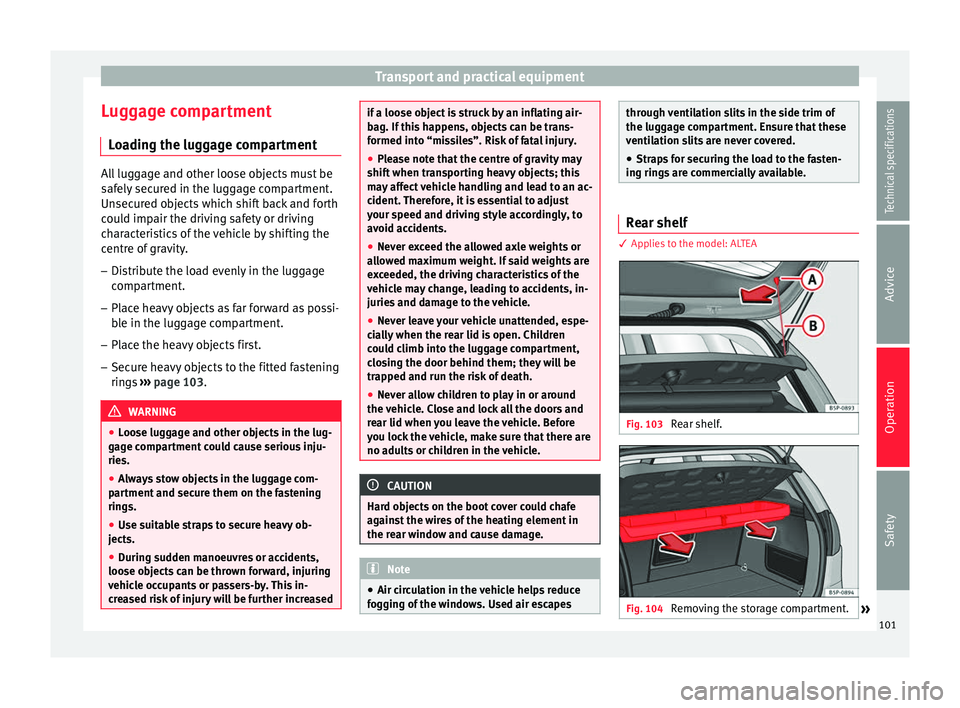
3 Applies to the model: ALTEA
Fig. 103
Rear shelf. Fig. 104
Removing the storage compartment.
» 101Technical specifications
Advice
Operation
Safety